
How to Create an Area of Responsibility in Oracle Fusion
This guide shows you how to create an area of responsibility in Oracle Fusion (Oracle HCM Cloud). You find the person in Person Management, open their Areas of Responsibility, enter the details and scope, and submit the request. The example creates a union representative responsibility for a person named Lee, Anthony.
Video: 27. How to create an Area of Responsibility in Oracle HCM Cloud by Oracle HCM Cloud (2020). All credit for the demonstration goes to the creator; watch the original on YouTube. The written guide below was generated from this video by Docsie. Creator? Request a change or removal.
This guide shows you how to create an area of responsibility in Oracle Fusion (Oracle HCM Cloud). You find the person in Person Management, open their Areas of Responsibility, enter the details and scope, and submit the request. The example creates a union representative responsibility for a person named Lee, Anthony.
Prerequisites
- You are logged into Oracle HCM Cloud.
Steps
Open the Oracle HCM Cloud home page
Start on the Oracle HCM Cloud home page. It displays application icons such as Sales, Service, Me, Procurement, My Client Groups, and Help Desk.
Go to Person Management
- Click the Navigator icon (the menu icon with three horizontal lines) in the top left corner. The Navigator menu lists all available modules and functions.
- In the My Client Groups section, click Person Management.
Search for the person
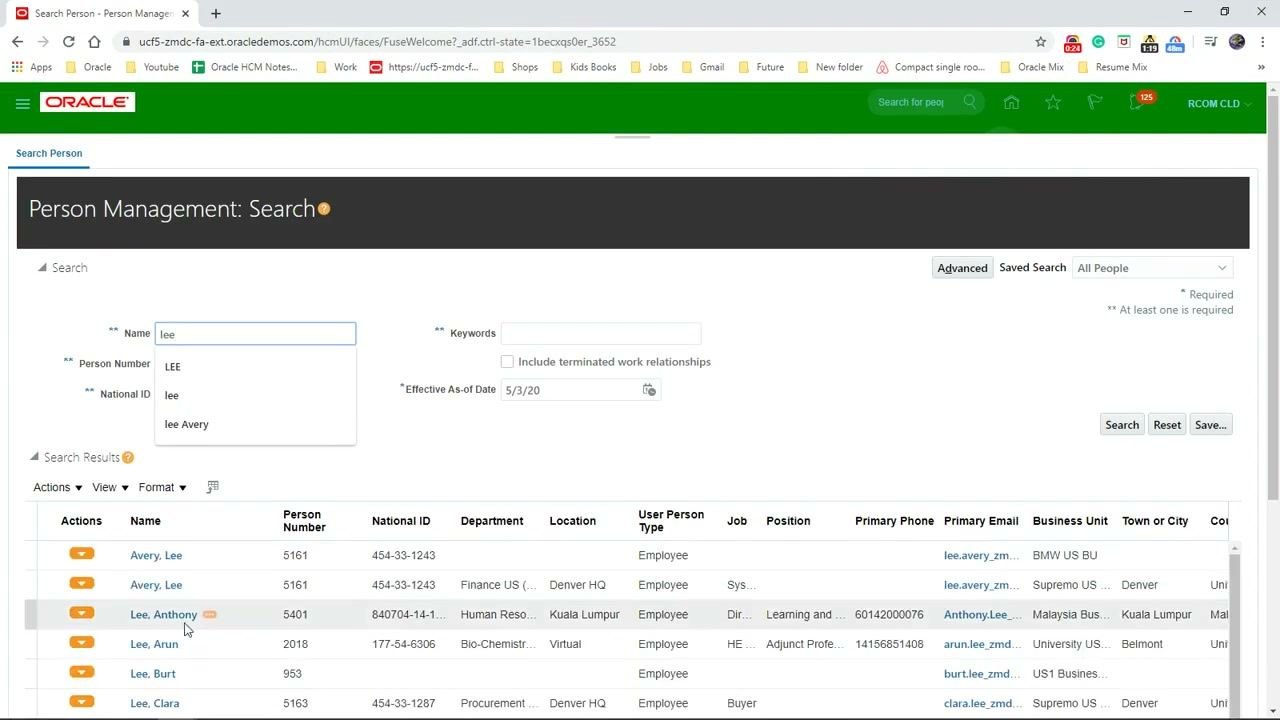
- On the Person Management: Search screen, enter the person's name in the Name field. This example uses "lee".
- Review the search results. The columns include Name, Person Number, National ID, Department, Location, User Person Type, Job, Position, Primary Phone, Primary Email, Business Unit, and Town or City.
- Click the person you want. This example uses "Lee, Anthony".
Open Areas of Responsibility
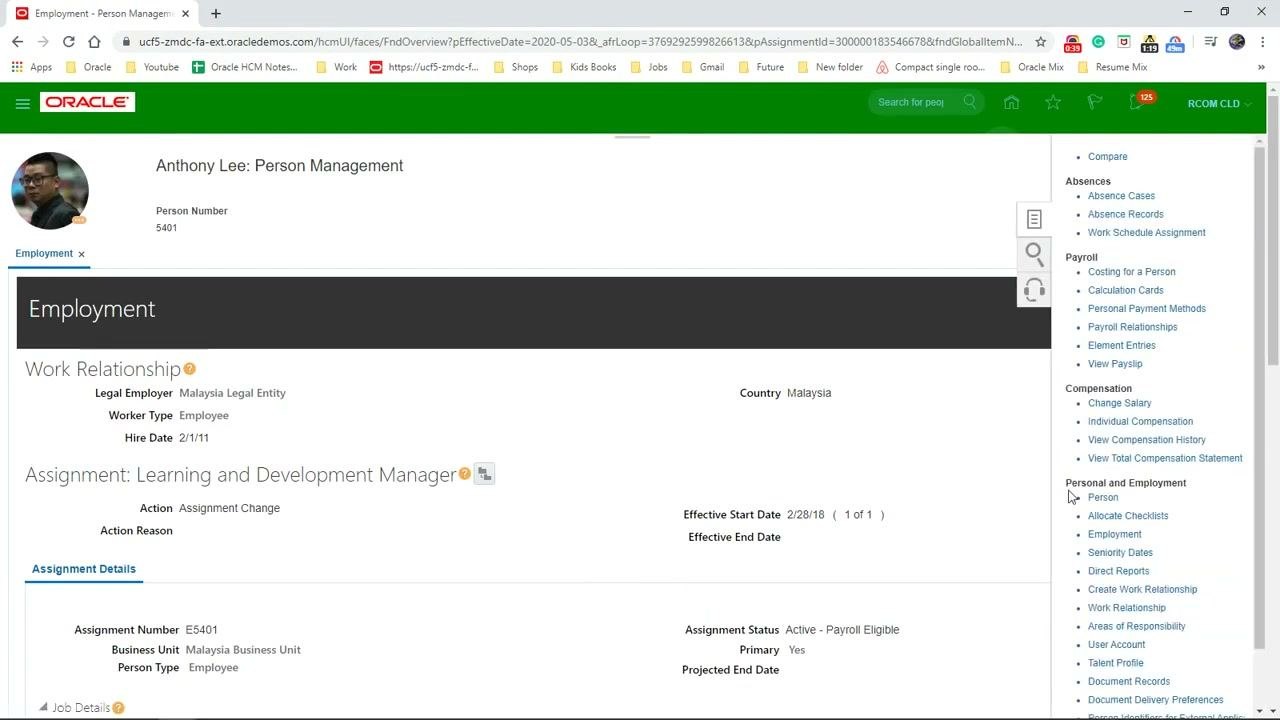
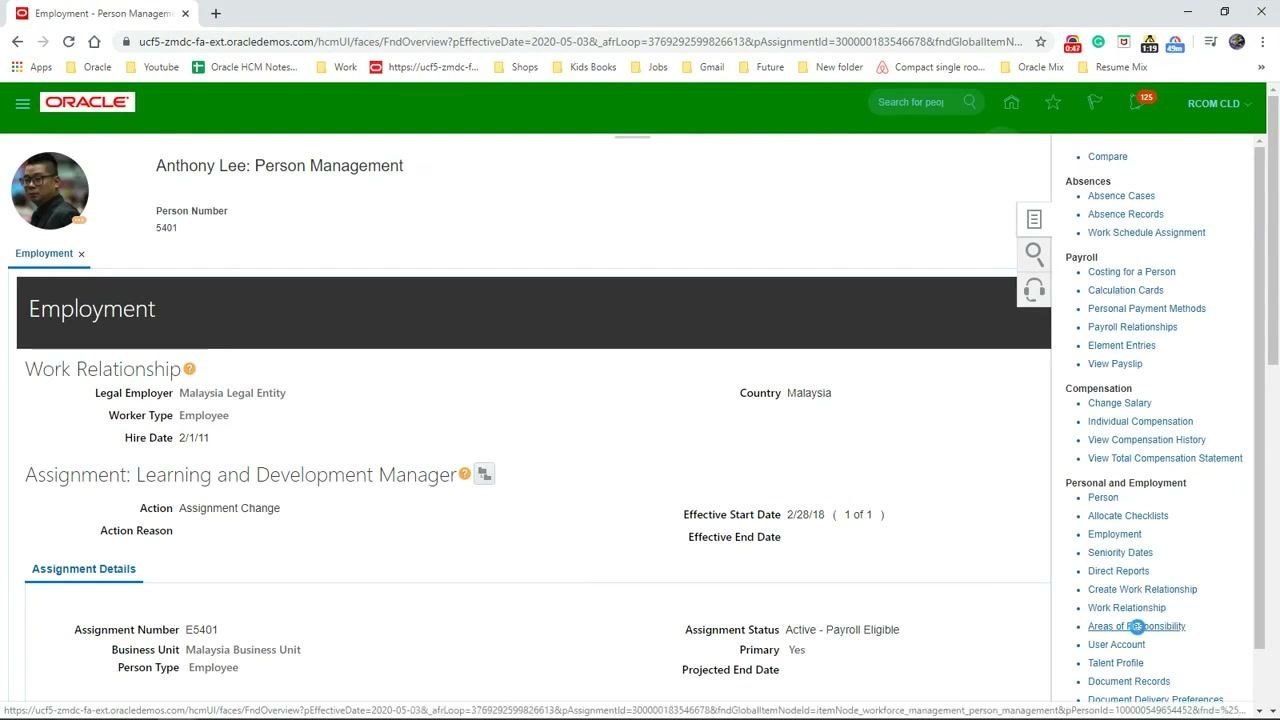
The person's profile page shows an Employment section with details such as Work Relationship, Assignment, and Assignment Details. In the right sidebar, under Personal and Employment, click Areas of Responsibility.
Start a new area of responsibility
Click the Create or New button to start defining a new area of responsibility. The Create Area of Responsibility form opens.
Enter the responsibility details to create the area of responsibility
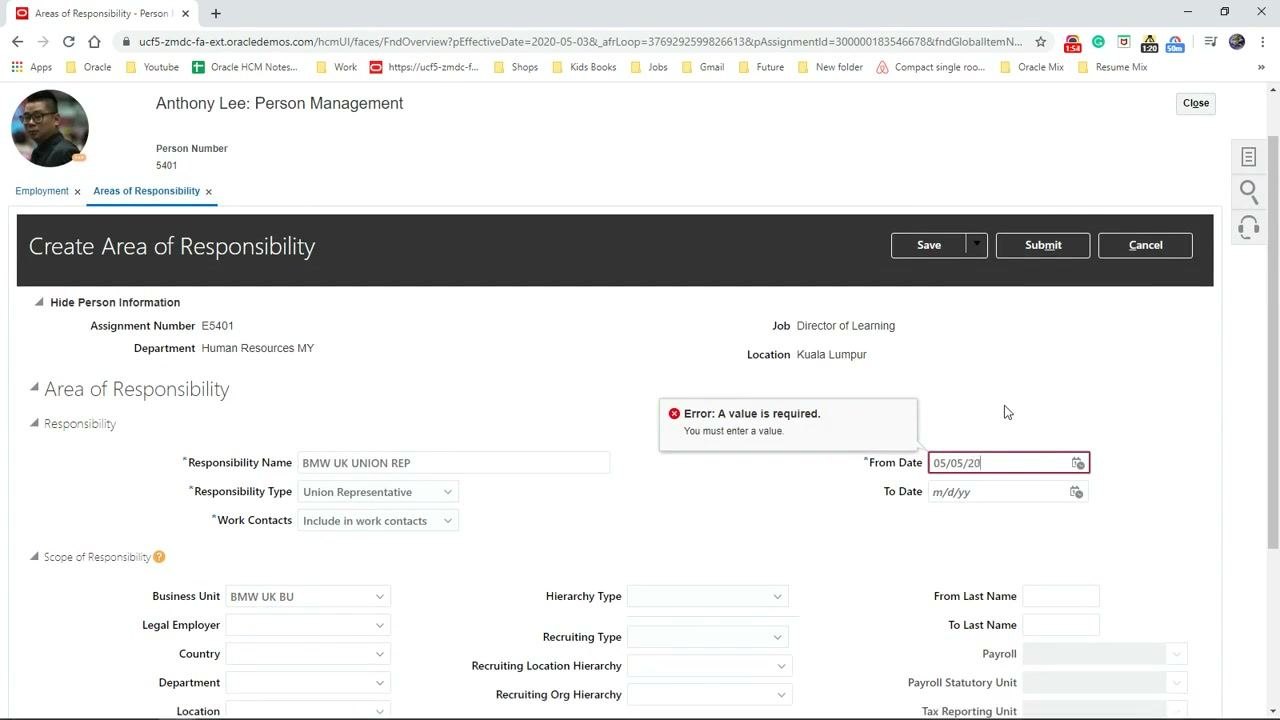
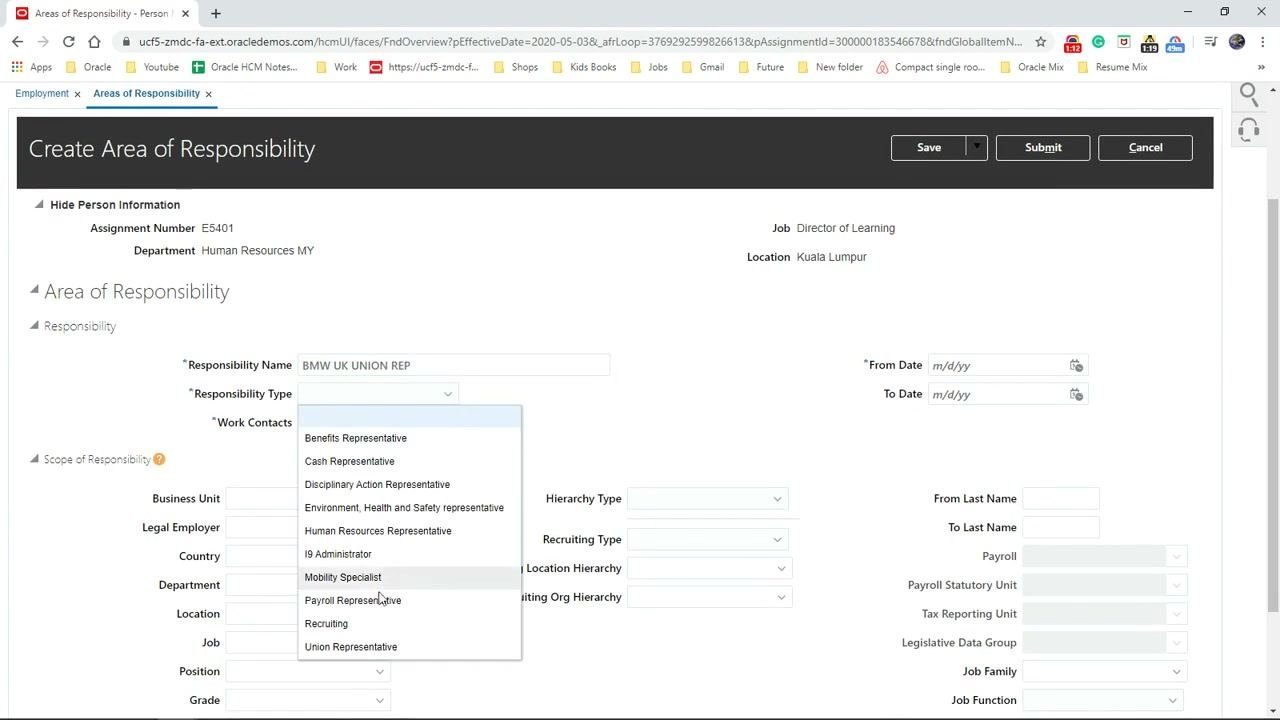
In the Create Area of Responsibility form, fill in these fields:
- Responsibility Name: Enter the name. This example uses "BMW UK UNION REP".
- Responsibility Type: Select a type from the dropdown. This example uses "Union Representative".
- Work Contacts: Choose the appropriate option. This example uses "Include in work contacts".
- From Date / To Date: Enter the effective dates if required.
Enter the required From Date
The From Date field is required. If you try to submit without a date, the form displays the error "Error: A value is required. You must enter a value."
Enter "05/05/20" in the From Date field.
Define the scope of responsibility
In the Scope of Responsibility section, fill in the fields that apply. For Business Unit, enter or select a business unit. This example uses "BMW UK BU".
You can also fill in other fields as needed:
- Legal Employer
- Country
- Department
- Location
- Job
- Position
- Grade
- Assignment Category
- Benefit Group
- Hierarchy Type
- Recruiting Type
- Recruiting Location Hierarchy
- Recruiting Org Hierarchy
In this example, only the Business Unit is specified.
Submit the area of responsibility
- Make sure you have entered all required fields, including From Date.
- Click Submit at the top right of the form.
- When the confirmation dialog displays "The request was submitted.", click OK.
Summary
You have now created an area of responsibility in Oracle HCM Cloud. You found the person in Person Management, opened Areas of Responsibility, entered the responsibility details, the required From Date, and the scope, and submitted the request. The process is complete when you see the confirmation message.
Generation details: cost, quality tiers
Docsie billed 1,500 credits ($1.05) to analyze this 3-minute video at standard quality. The rewrite, template fill and Word/PDF exports were included. The same video at each quality tier:
| Quality | Frames sampled | Credits | Approx. cost |
|---|---|---|---|
| Draft | every 16-30 s | 750 | $0.52 |
| Standard (this guide) | every 8-15 s | 1,500 | $1.05 |
| Detailed | every 4-7 s | 3,000 | $2.10 |
| Ultra | every 1-3 s | 6,000 | $4.20 |
Credits priced at $0.70 per 1,000; plans include a monthly allowance. Enterprise customers on on-premise or bring-your-own-model deployments run this on their own inference and pay no per-video credits.
Generated by Docsie Video-to-Docs on 2026-11-15 from a 2-minute video. Screenshots are frames from the source video and belong to their creator, Oracle HCM Cloud, whose original is embedded above. If you own this video and want the guide removed or credited differently, contact us and we will act within one business day.