
How to Read Your Pay Stub in ADP
Understanding how to read your pay stub in ADP helps you see exactly where every dollar of your pay comes from and where it goes. This guide walks you through each section of a standard ADP pay stub—from employer and employee details to earnings, deductions, benefits, and your final net pay—so you can confirm your pay is calculated correctly every period.
Video: How to Read Your ADP Pay Stub: Every Box Explained by FormsPal. All credit for the demonstration goes to the creator; watch the original on YouTube. The written guide below was generated from this video by Docsie. Creator? Request a change or removal.
Understanding how to read your pay stub in ADP helps you see exactly where every dollar of your pay comes from and where it goes. This guide walks you through each section of a standard ADP pay stub—from employer and employee details to earnings, deductions, benefits, and your final net pay—so you can confirm your pay is calculated correctly every period.
Prerequisites
- Access to your current ADP pay stub (printed or digital copy).
- Basic familiarity with your pay period and pay date.
Step-by-step instructions
Identify the pay stub layout
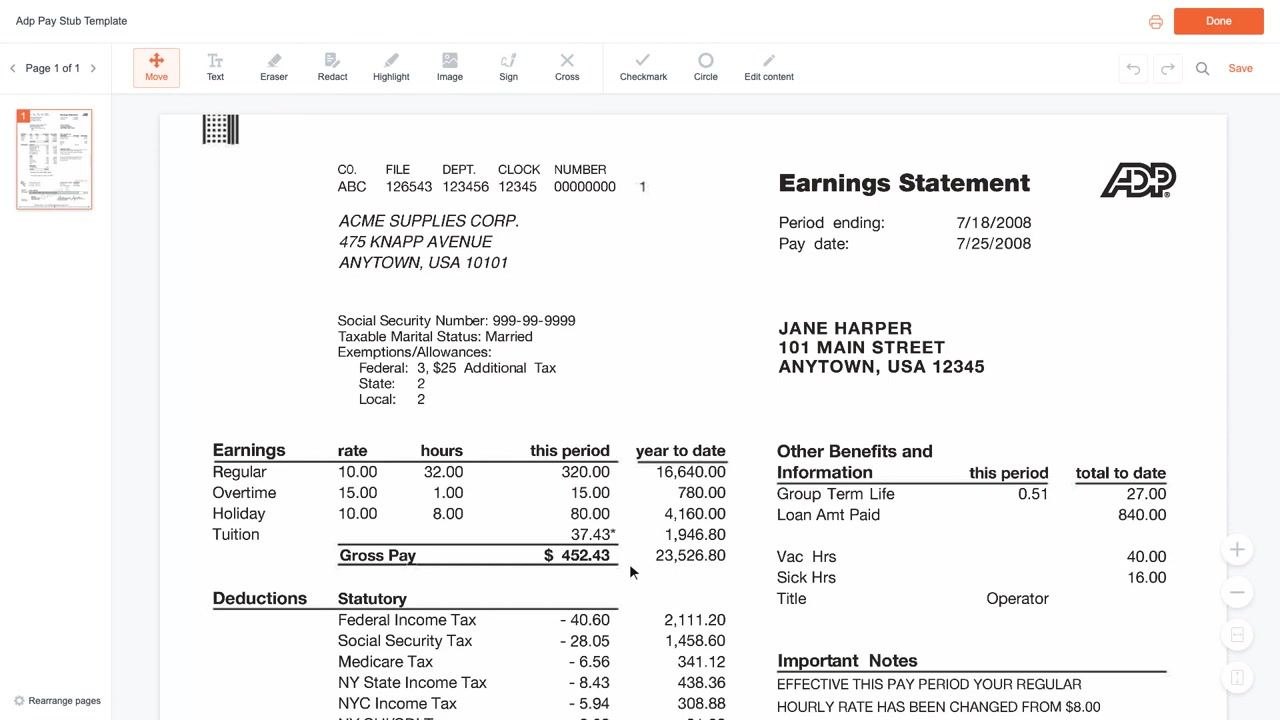
Confirm that your pay stub matches the standard ADP layout. The stub is divided into clearly marked sections: employer information, employee information, earnings, deductions, and benefits.
Locate employer and payroll information
In the top-left area, find your employer's name and address (for example, ACME SUPPLIES CORP., 475 KNAPP AVENUE, ANYTOWN, USA 10101). Nearby, you'll see payroll identifiers such as:
- Company (CO.): an internal company code
- File: a file reference number
- Department (DEPT.): your department code
- Clock: your clock number
- Number: an additional identifier
Find employee information
In the top-right area, locate your name and address (for example, JANE HARPER, 101 MAIN STREET, ANYTOWN, USA 12345). Just below, check the Period ending date and the Pay date, which show the pay period covered and when the payment was issued.
Review personal and tax details
Below the employer information, your Social Security Number appears masked for safety (for example, 999-99-9999). You'll also see your Taxable Marital Status (for example, Married) and your Exemptions/Allowances for Federal, State, and Local tax—these determine how much tax is withheld from your pay.
Understand the earnings table
The earnings table is the core of your pay stub. It has four columns: Rate, Hours, This Period, and Year to Date. Each row shows a type of pay—such as Regular, Overtime, Holiday, or Tuition—along with the rate applied, hours worked, and totals for the current period and the year so far. At the bottom of this table, Gross Pay shows your total earnings before any deductions.
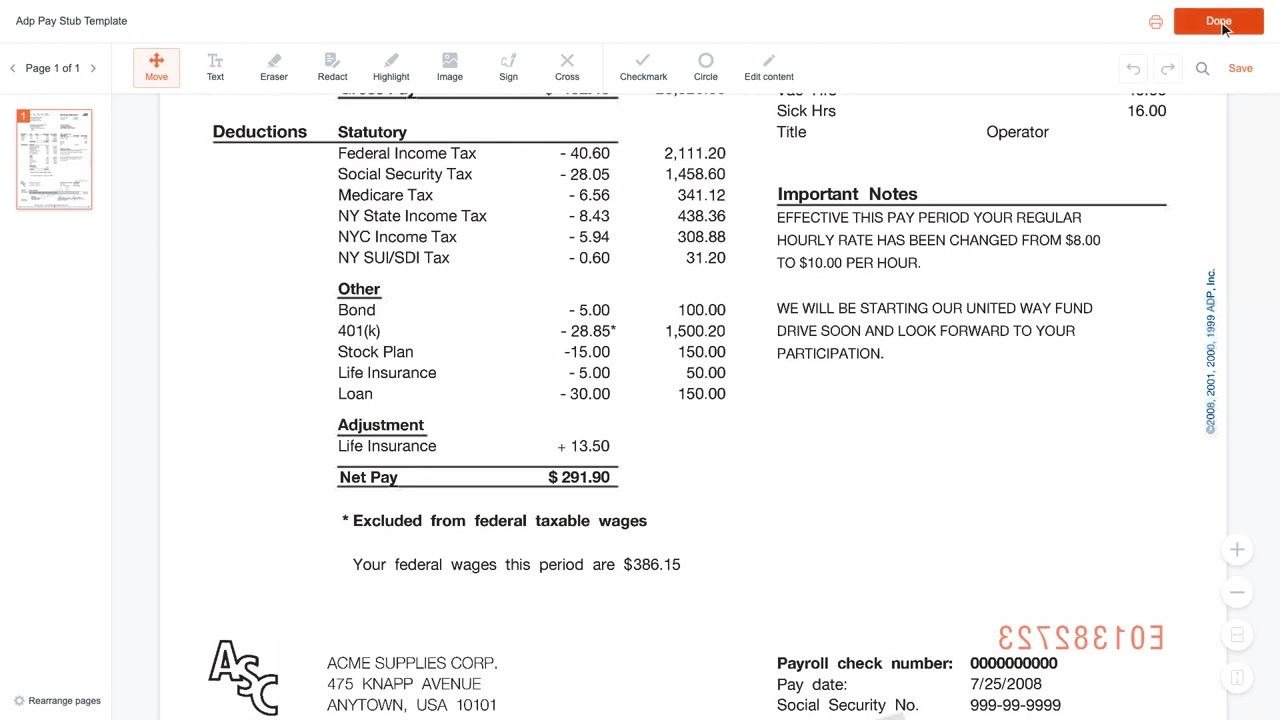
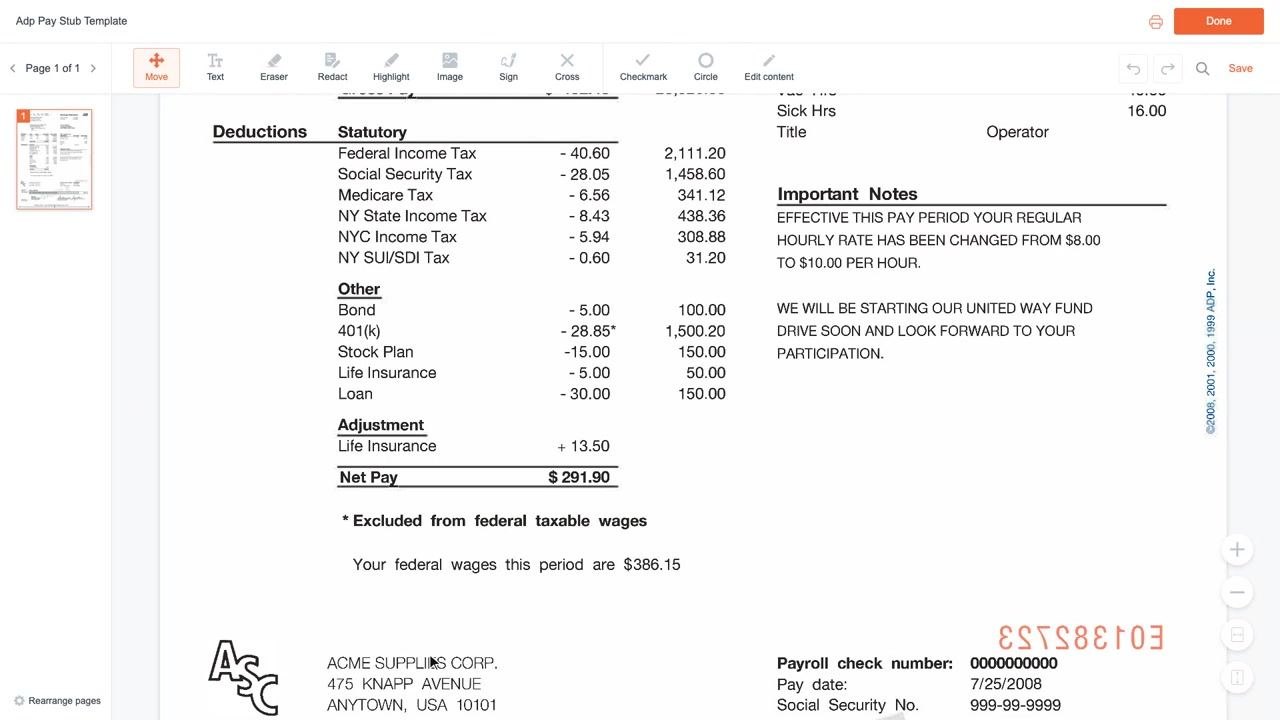
Review statutory deductions (taxes)
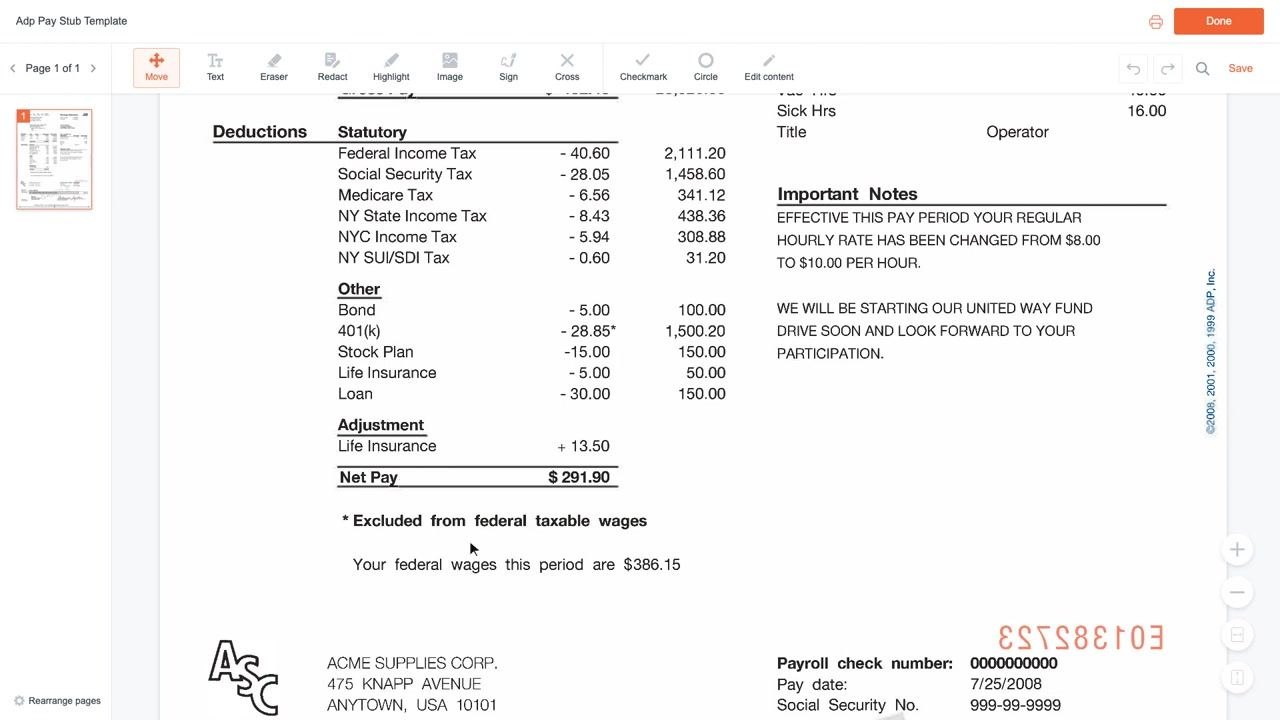
Below the earnings table, the Deductions section lists mandatory taxes withheld from your pay, including Federal Income Tax, Social Security Tax, Medicare Tax, and applicable State and Local income taxes. Social Security is withheld at 6.2% of your wages, and Medicare at 1.45%. If you live in a different state, your state and local tax lines will reflect your location instead.
Check employer-paid benefits and other information
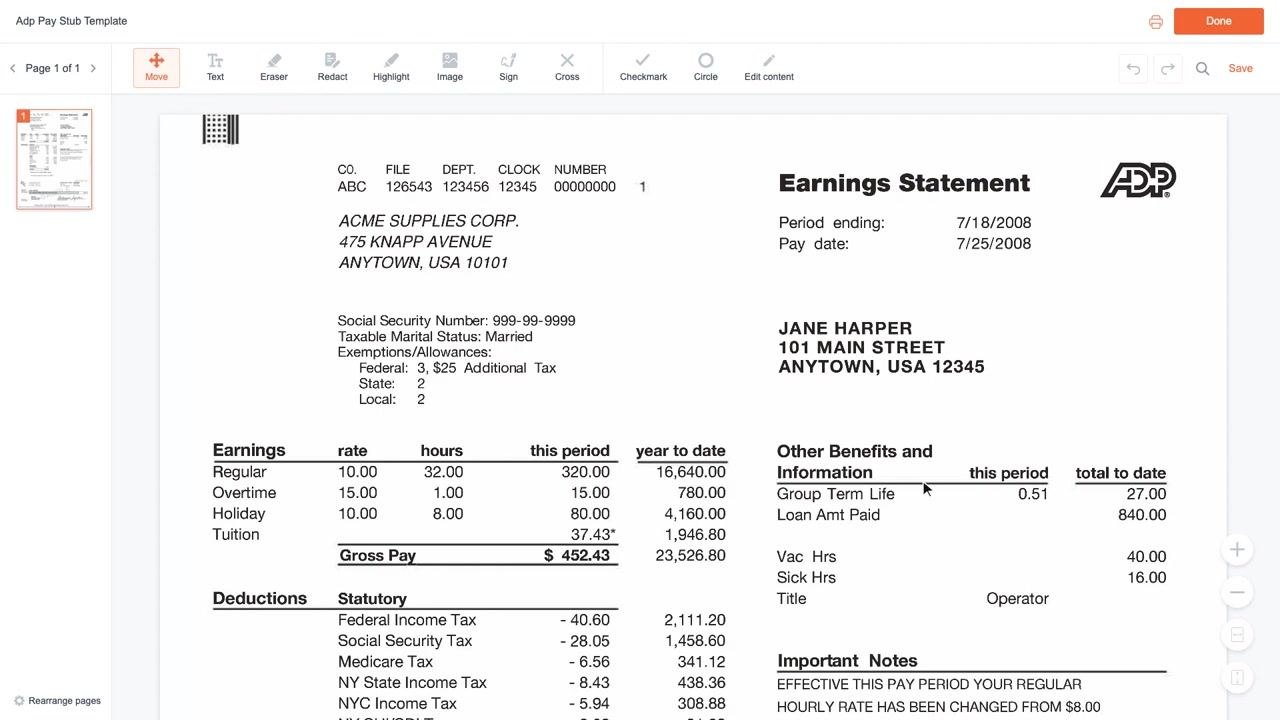
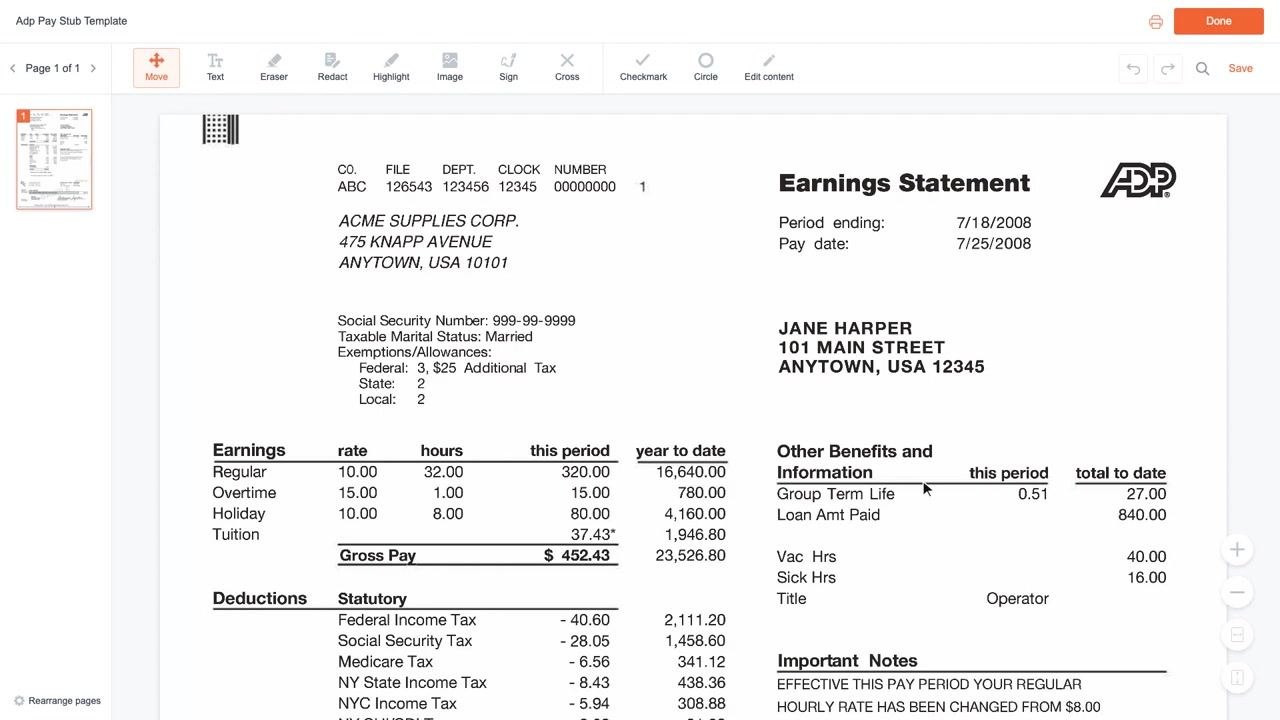
In the right column, review employer-paid benefits and other details, such as Group Term Life coverage, any Loan Amount Paid, and your job Title. This section gives you a snapshot of benefits your employer contributes on your behalf.
Check your vacation and sick balances
Still in the Other Benefits and Information section, find your current Vacation Hours (Vac Hrs) and Sick Hours (Sick Hrs) balances. Always review these numbers before booking time off to confirm you have enough hours available.
Review voluntary deductions
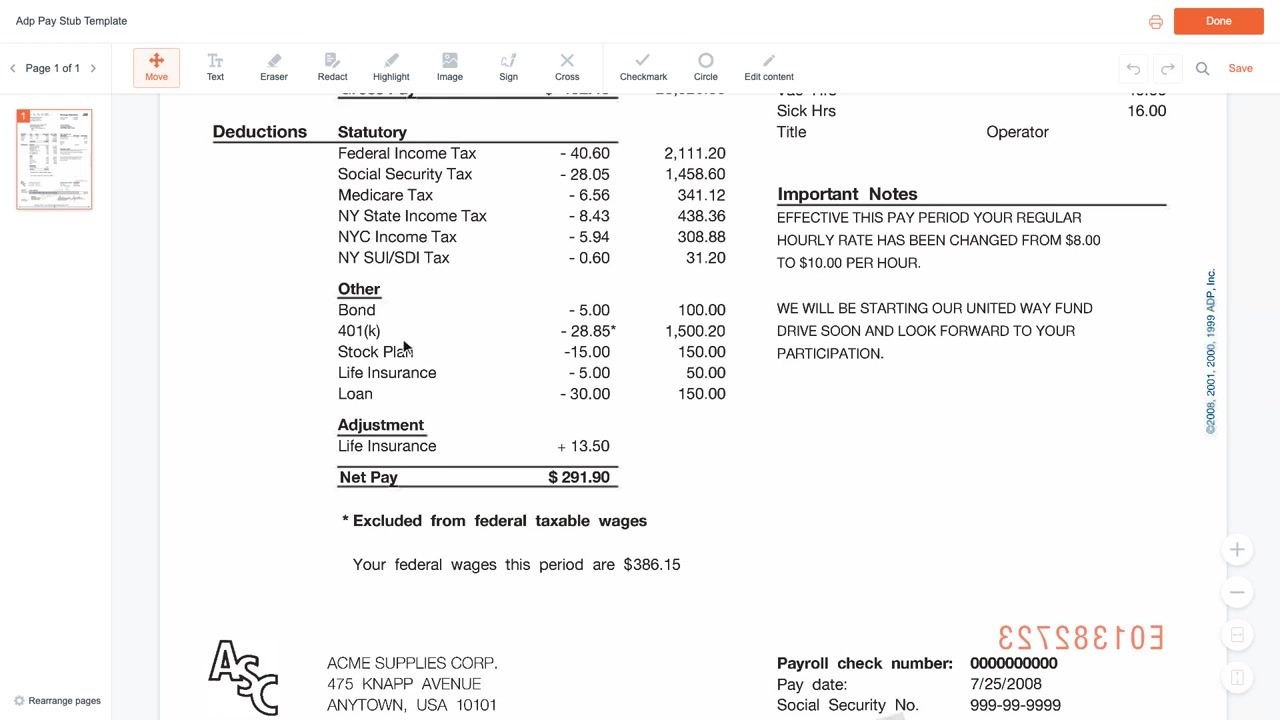
Below the statutory deductions, find the Other deductions section, which lists voluntary deductions based on your own elections—such as Bond purchases, 401(k) contributions, Stock Plan contributions, Life Insurance premiums, and Loan repayments. Each line shows both the current period amount and the year-to-date total. Use this section to confirm that only deductions you've authorized are being taken from your pay.
Check for adjustments
Look for any Adjustment entries, such as a Life Insurance adjustment, which may add to or subtract from your pay for that period.
Find your net pay
Locate the Net Pay line, which shows the amount you actually receive after all deductions have been subtracted from your gross pay. This is the amount deposited into your bank account or issued to you as a check.
Understand pre-tax deductions and federal taxable wages
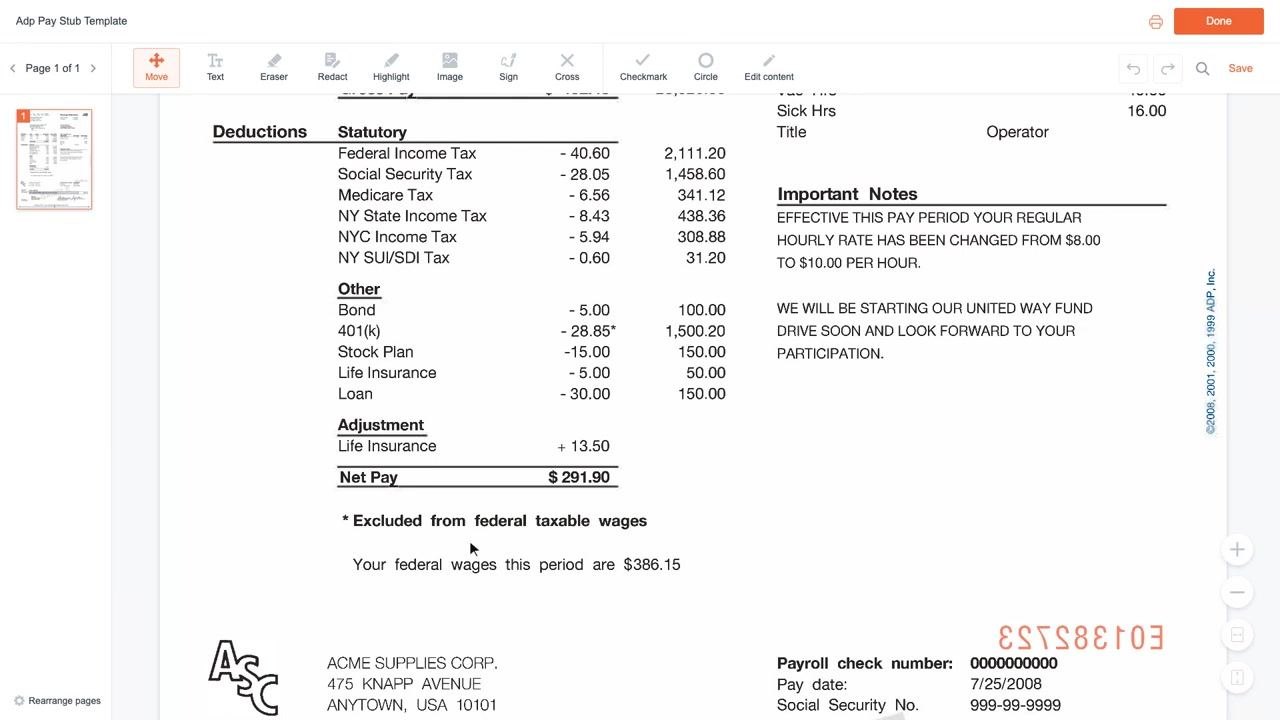
Notice the asterisk (*) next to certain deductions, such as 401(k) contributions and tuition reimbursement. These items are pre-tax, meaning they're excluded from your federal taxable wages. As a result, your federal taxable wages for the period will be lower than your gross pay, which in turn reduces the amount of federal income tax withheld.
Understand the impact of pre-tax benefits
Pre-tax benefits, such as 401(k) contributions, lower the portion of your wages subject to federal income tax. This is the key advantage of pre-tax deductions: they reduce your taxable income, which can lower the amount of tax you owe. Always check which deductions on your stub are marked pre-tax to understand your true taxable income.
Read the important notes box
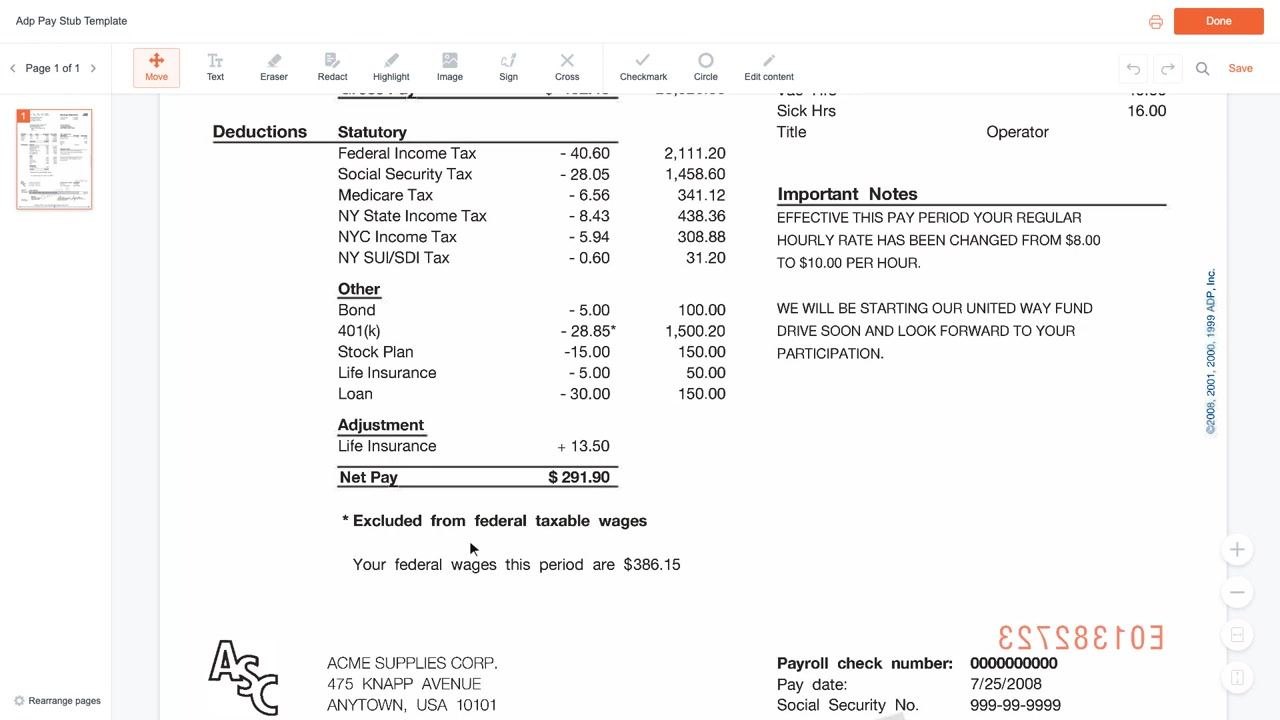
Locate the Important Notes section, usually on the right side of your pay stub. This box contains direct messages from your employer, such as announcements about pay rate changes or notices about company events. Always read this section carefully, as it may include critical updates like raises or policy changes that are easy to miss.
Locate the payroll check number
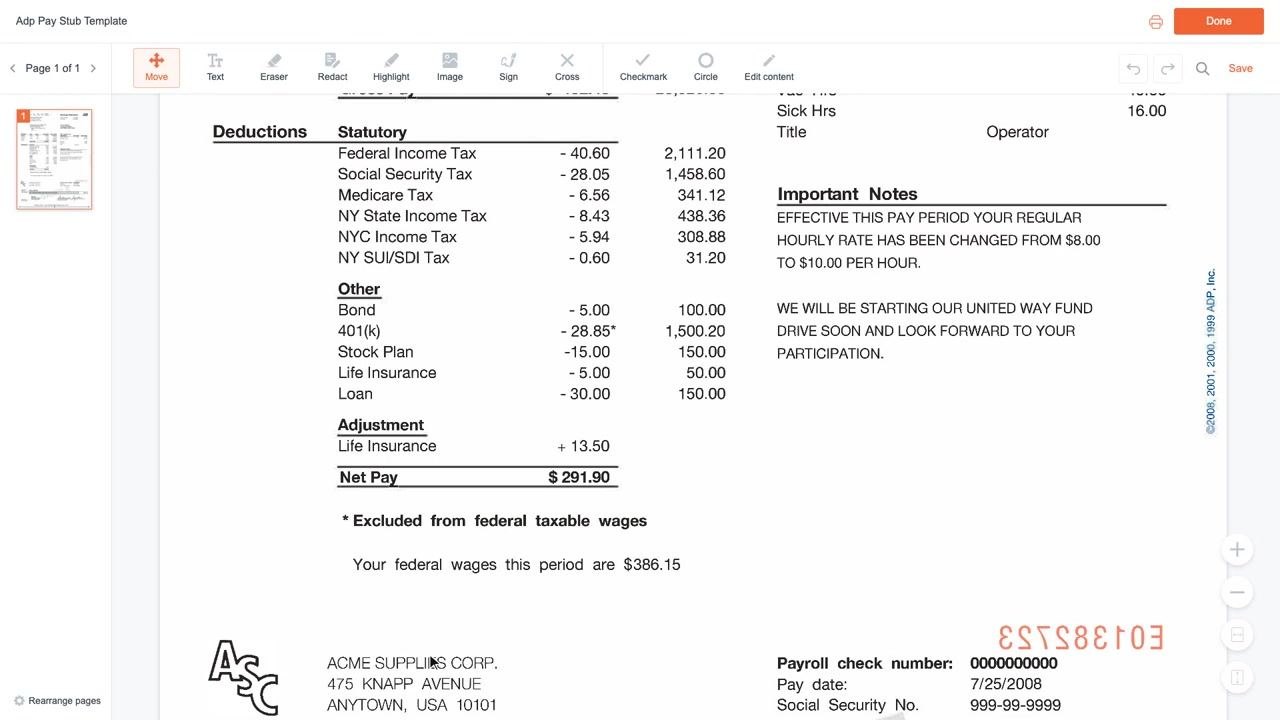
At the bottom of your pay stub, find the payroll check number. Keep this number on hand, as it's essential for referencing your pay stub if you need to report an issue or request a correction. Also note the pay date and your employer's address for your records.
Create your own pay stub (optional)
If you need to generate a pay stub for a small business or for your personal records, you can use a free online template, such as the fillable templates available at formspal.com. Fill out your information, then choose from the available options:
- Download My PDF NOW
- Return to Dashboard
- Upload Another PDF
- Continue Editing
Select the action that matches your needs.
What's next
Now that you know how to read your pay stub in ADP, make it a habit to review each pay period for accuracy. Check your available vacation and sick leave before requesting time off, verify that only authorized voluntary deductions appear, confirm your net pay matches expectations, and read the Important Notes box so you never miss an employer update. Keep your payroll check number handy in case you ever need to request a correction.
Generation details: cost, quality tiers
Docsie billed 2,500 credits ($1.75) to analyze this 5-minute video at standard quality. The rewrite, template fill and Word/PDF exports were included. The same video at each quality tier:
| Quality | Frames sampled | Credits | Approx. cost |
|---|---|---|---|
| Draft | every 16-30 s | 1,250 | $0.88 |
| Standard (this guide) | every 8-15 s | 2,500 | $1.75 |
| Detailed | every 4-7 s | 5,000 | $3.50 |
| Ultra | every 1-3 s | 10,000 | $7.00 |
Credits priced at $0.70 per 1,000; plans include a monthly allowance. Enterprise customers on on-premise or bring-your-own-model deployments run this on their own inference and pay no per-video credits.
Generated by Docsie Video-to-Docs on 2026-10-06 from a 4-minute video. Screenshots are frames from the source video and belong to their creator, FormsPal, whose original is embedded above. If you own this video and want the guide removed or credited differently, contact us and we will act within one business day.