4.8
on G2
Check site footage for PPE and hazards, and turn drone, pipe or walk-around inspection video into a findings list. Every item has its timestamp and frame, ready for the report.
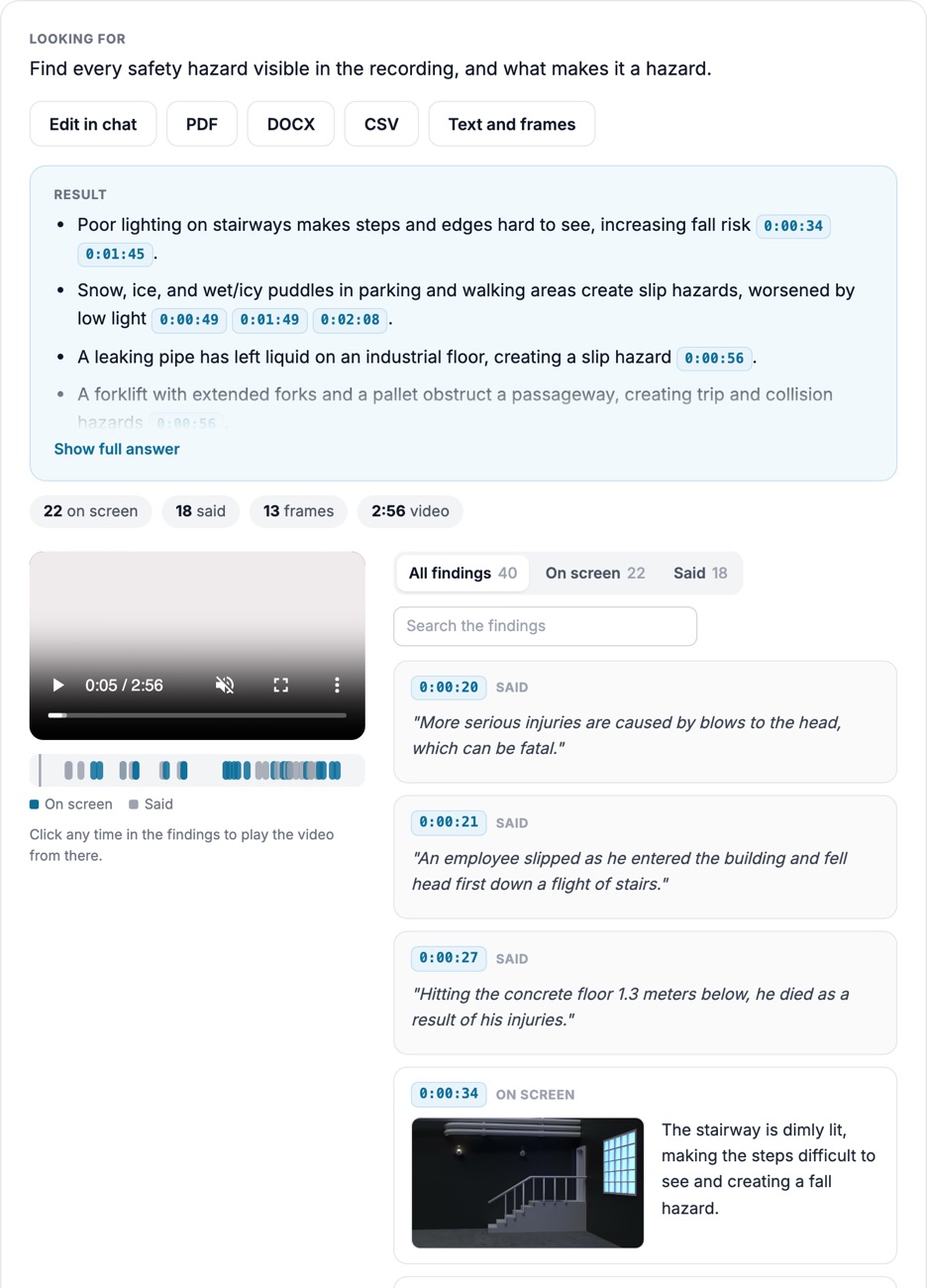
Each hazard or defect is a finding with its frame, so the reviewer confirms it and the report writes itself.
Hard hats, hi-vis, eye protection, walkways, suspended loads: ask what to check and see each instance.
Cracks, corrosion, damage and missing parts noted from drone, pipe or walk-around footage.
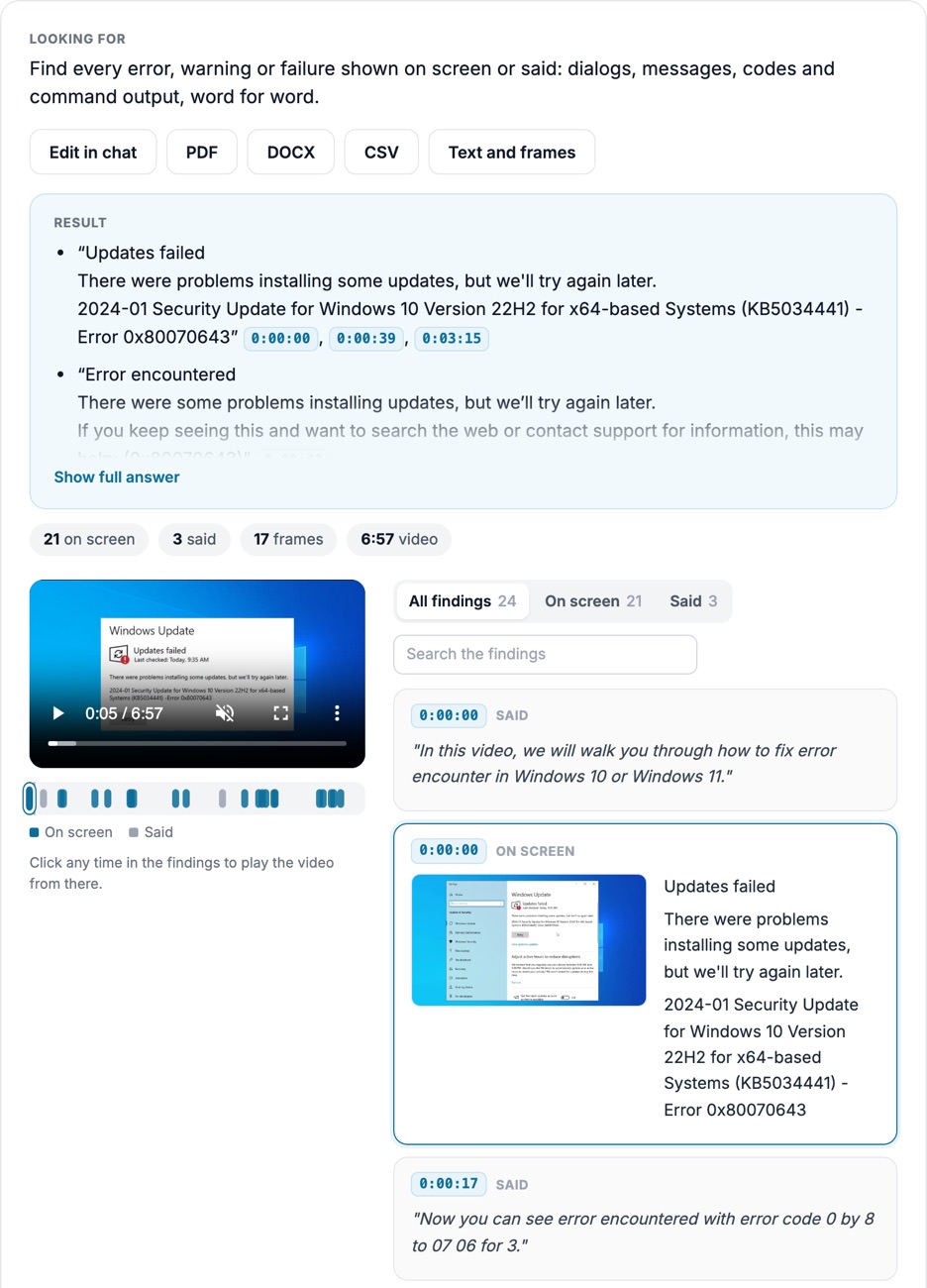
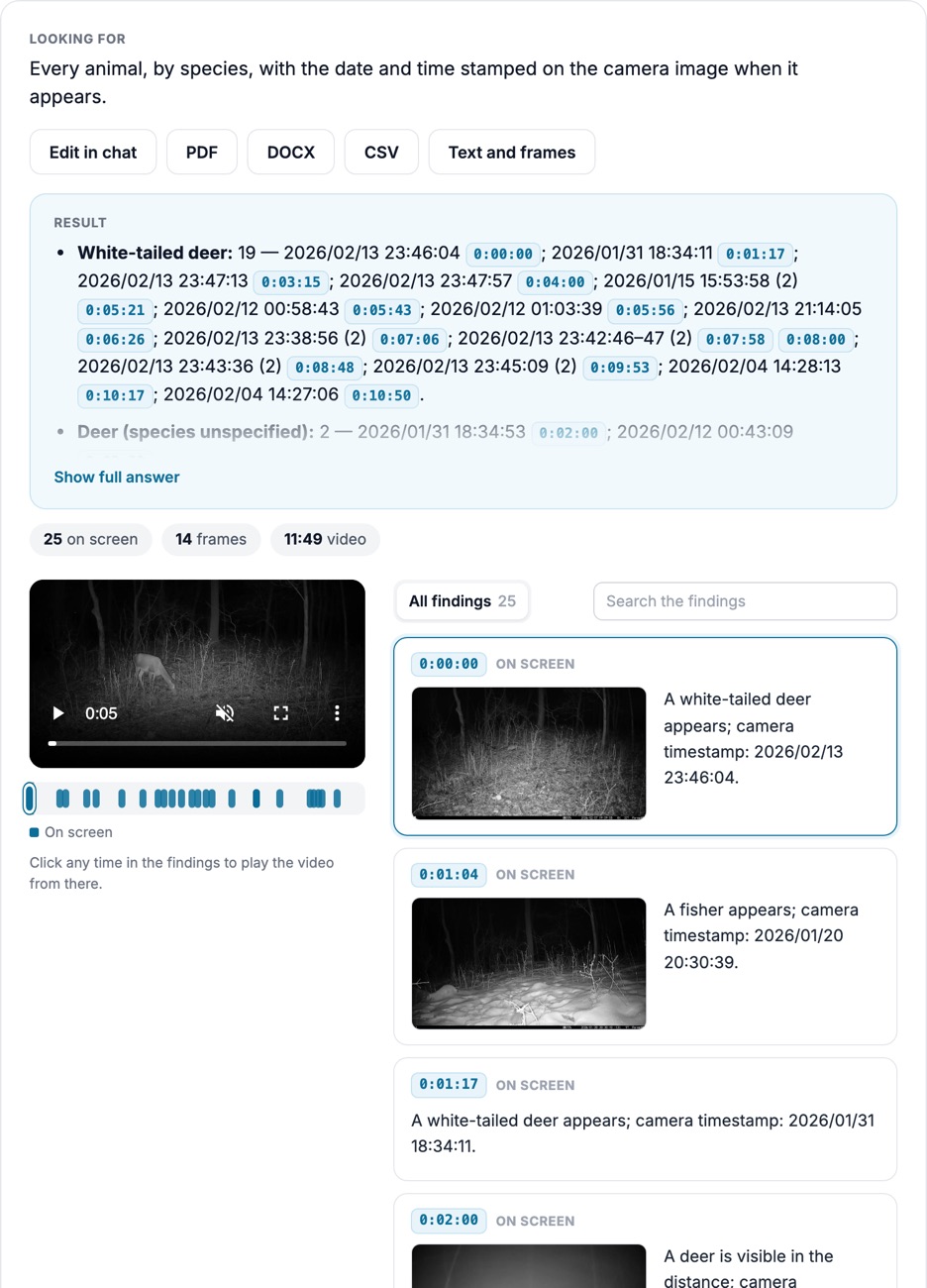
Distance counters, timestamps and readouts burned into inspection video are copied exactly.
How it looks
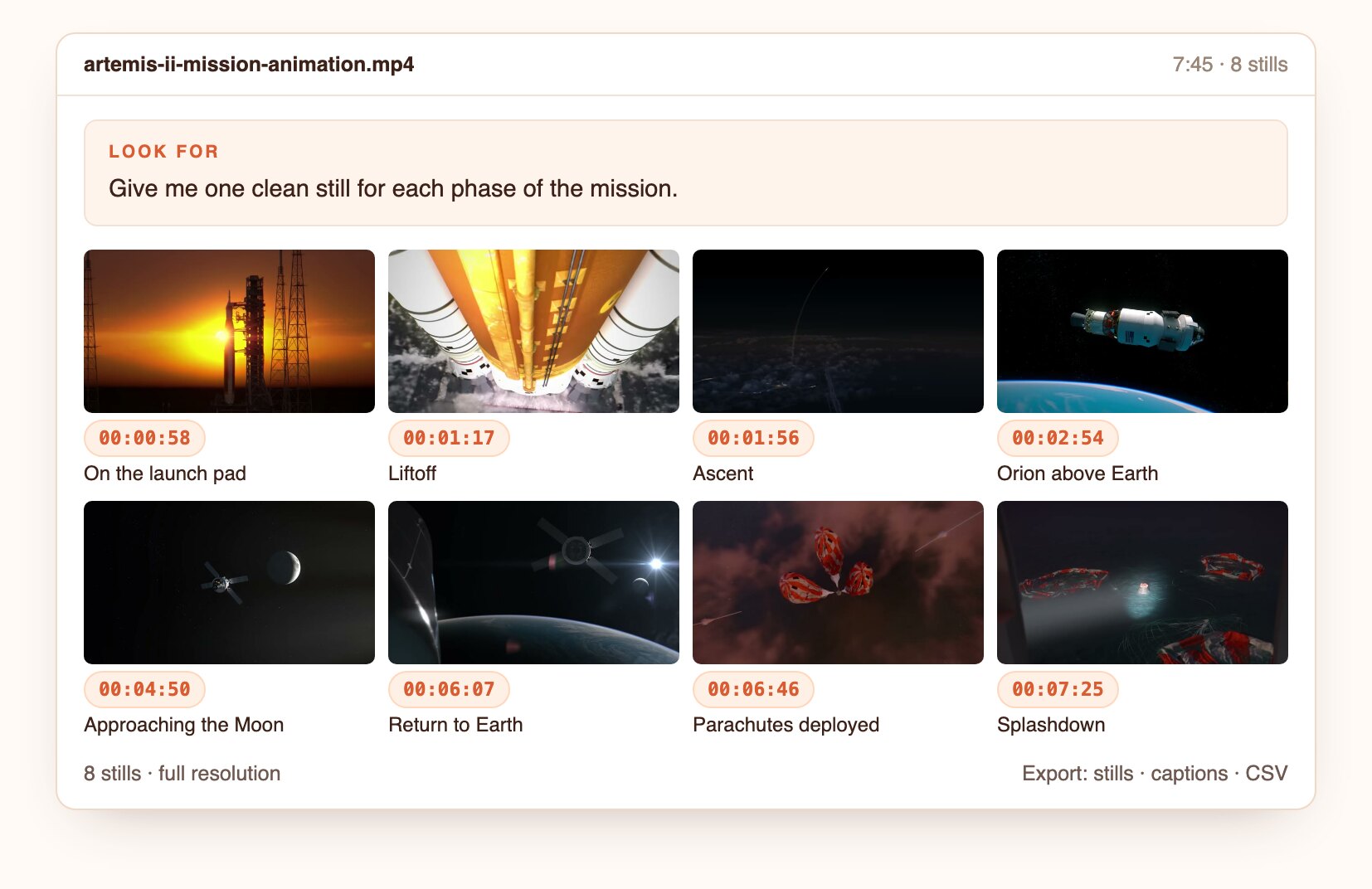
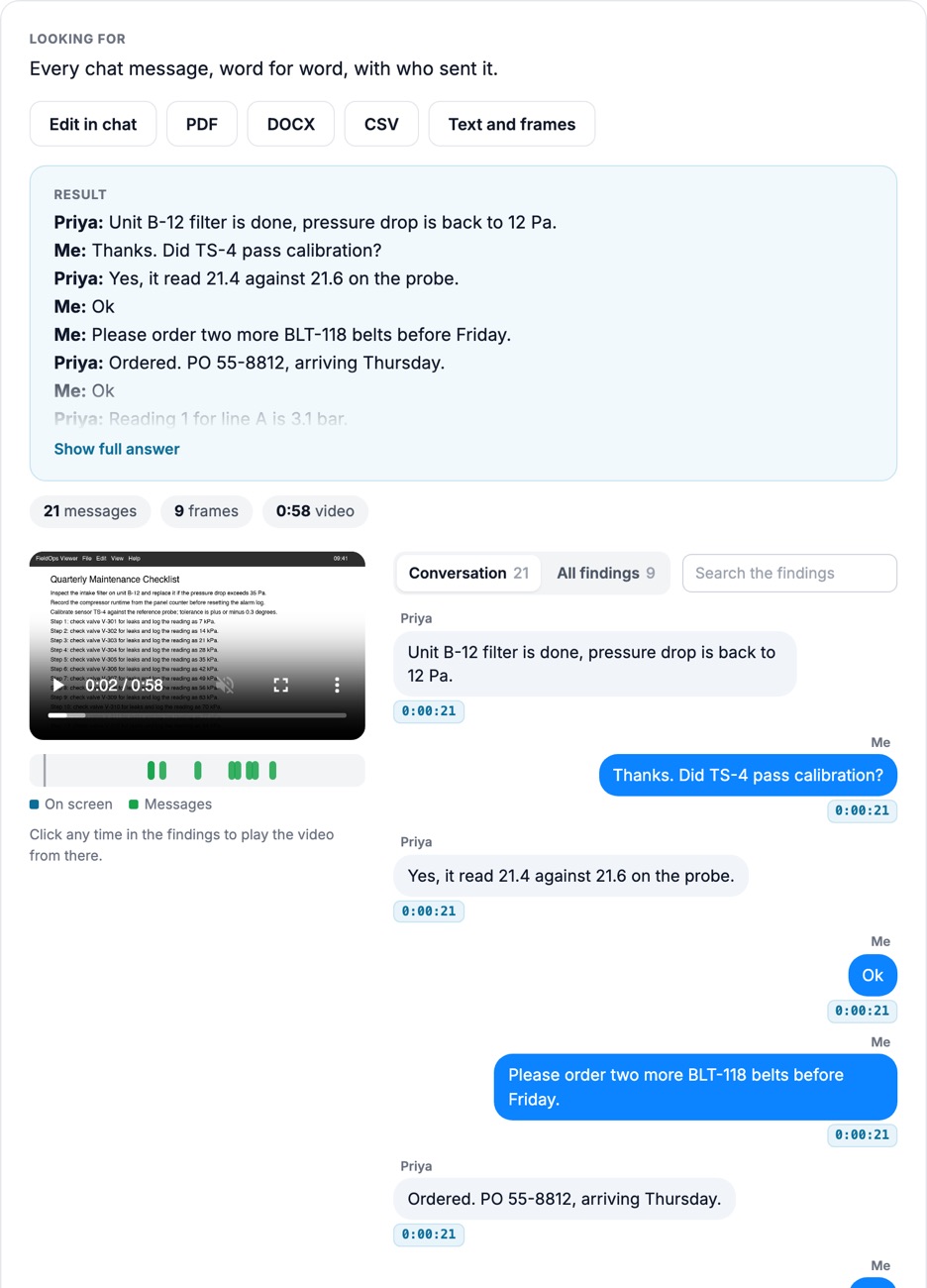
Product captures from Docsie's test environment, October 2026, on CC BY footage and a screen recording generated for testing. No customer footage.
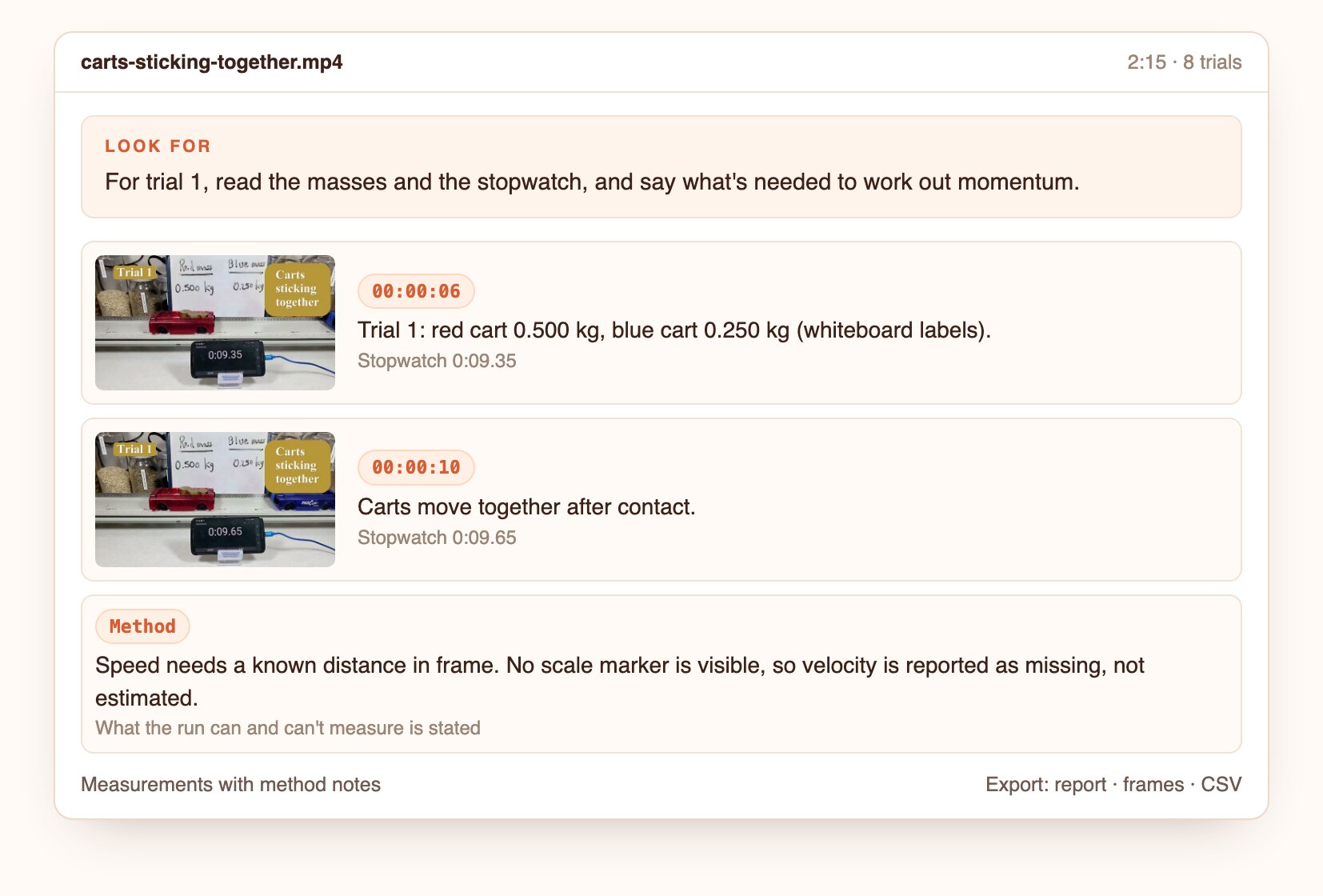
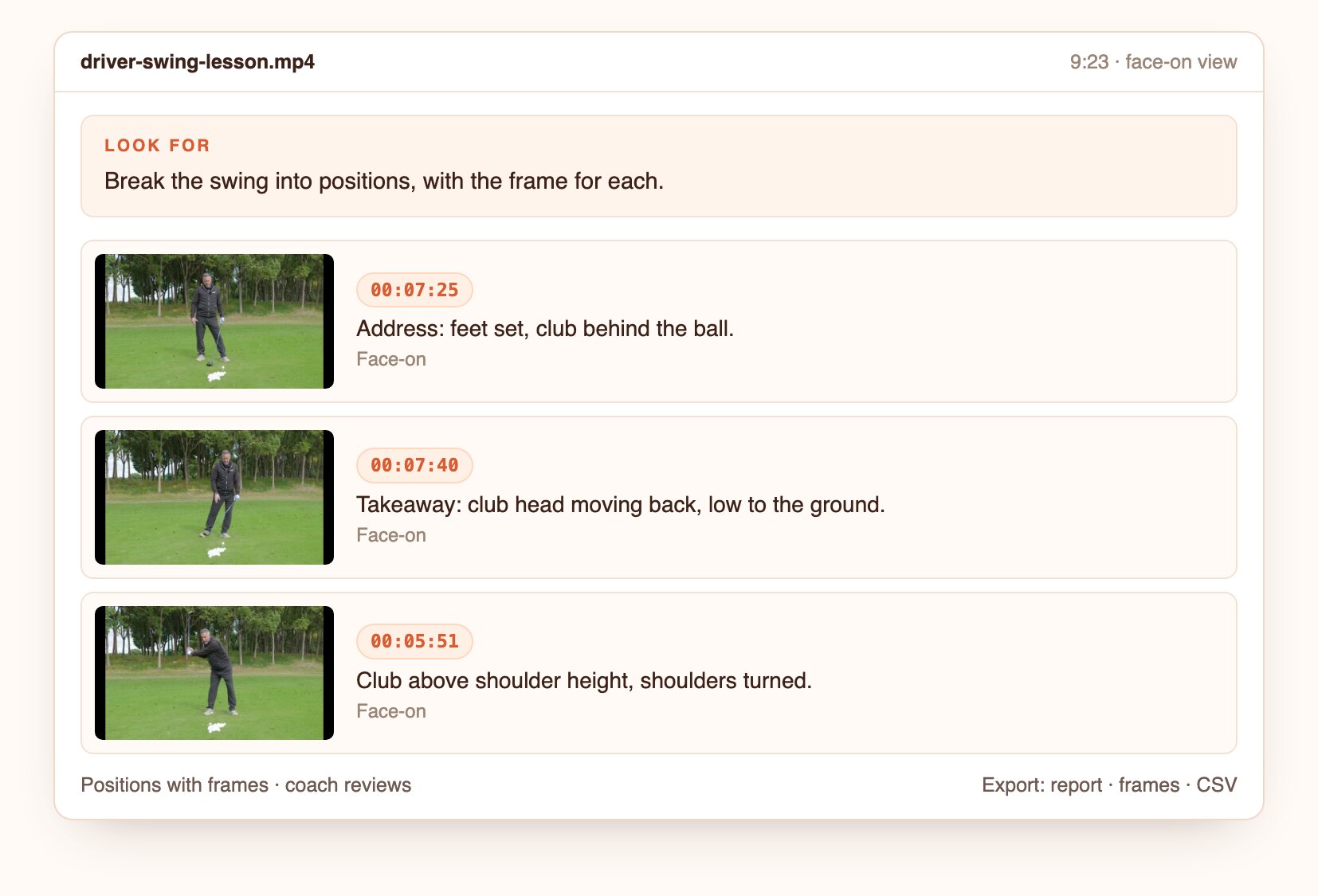
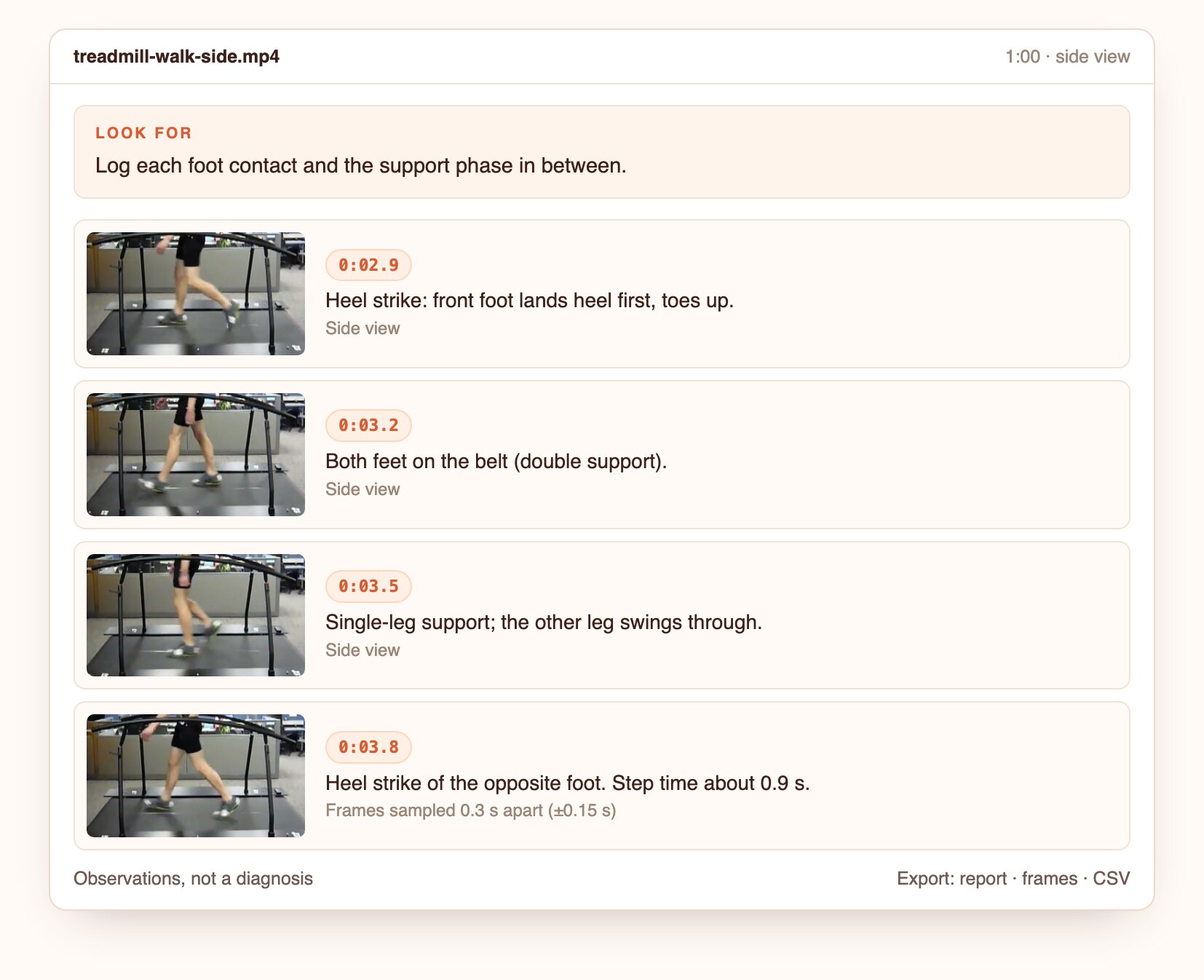
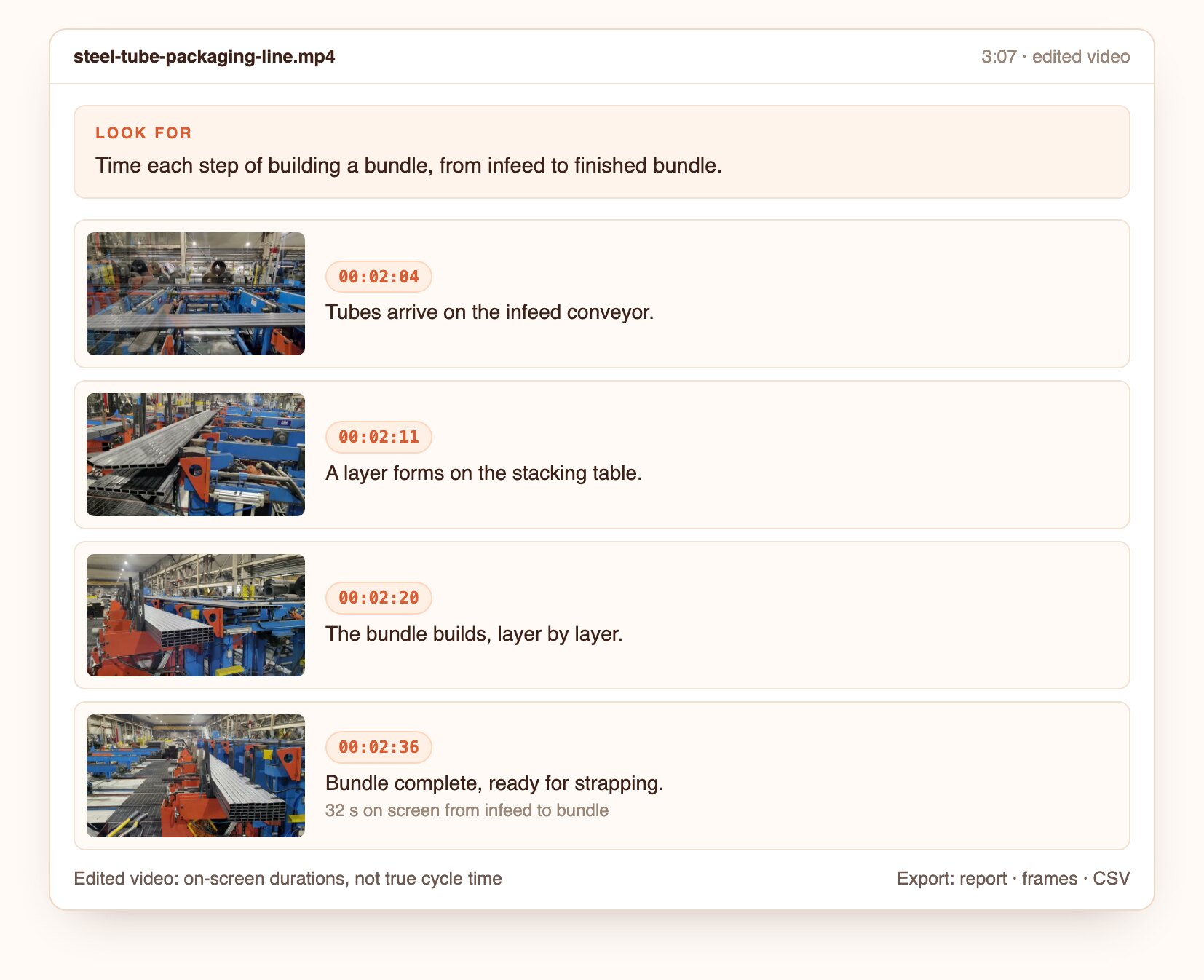
A dim stairway, ice in a car park, a leaking pipe, a forklift blocking a passage, plus the narrator's safety lines, each with its time and frame.
Open the screenshot to inspect the full detail.
Questions to ask
Real questions from our live-examples corpus, each paired with a public video. Results are published as Docsie produces them.
“Review this drain camera inspection of a clean-out line. List every observation with the timestamp and the footage counter (distance in feet) shown on screen: pipe material changes, joints…” Source: My Florida Inspections & Construction, CC BY.
“This NASA drone footage shows buildings at the Michoud Assembly Facility after Hurricane Ida. List every damage finding with timestamps: roof membrane torn or peeled back, exposed…” Source: NASA Michoud Assembly Facility, public domain.
“This video follows a walk-around check of a Boeing 737-800. List every item checked, in order, with timestamps (nose and radome, probes, doors, wheels and tyres, brakes, engine inlet and…” Source: Aircraft Maintenance Engineer, CC BY.
“This NASA footage shows technicians lifting and positioning Orion pressure vessel hardware with an overhead crane before welding. For each shot, note the number of people, whether they wear…” Source: NASA Michoud Assembly Facility, public domain.
“This drone video shows thermal (infrared) and visible views of a flat commercial roof. Identify every thermal anomaly that could indicate trapped moisture or insulation failure (warm or…” Source: AeroBasel, CC BY.
“Review this drone flight around a wind turbine. For each component the camera passes (each blade’s leading edge, tip and trailing edge, the nacelle, the hub and spinner, the tower), give…” Source: Bike_nerd82, CC BY.
From footage to a findings list with evidence.
Upload a file or paste a link.
Ask in plain language, or start from this preset.
Open the frame behind each finding, then export the report, frames and CSV.
Join forward-thinking teams using Docsie






_Leader_Small-Business_Leader.svg)


Common questions
Q: Can AI check PPE in a video?
A: Yes. Ask which PPE to check, such as hard hats, hi-vis or safety glasses. Each finding shows the frame, and a person confirms it.
Q: Can it review drone inspection footage?
A: Yes. Ask for the defects or conditions you inspect for, and get each with its timestamp and frame.
Q: Can it read the distance counter in a sewer or pipe inspection video?
A: Yes. On-screen counters and timestamps are copied exactly and attached to each finding.
Q: Does it replace a certified inspector?
A: No. It prepares the findings; the inspector reviews, confirms and signs off.
Q: Can findings go straight into a report?
A: Yes. Export a report with frames, timestamps and notes, or turn it into a Docsie document.
Q: How long can a video be?
A: Up to 40 minutes per video. Longer recordings are split, and the findings are merged onto one timeline.
Q: Where does my footage go?
A: Use Docsie's cloud, or deploy Docsie on your own infrastructure so footage stays inside your network.
See it on your own footage
Book a DemoHazards and defects, each with its frame.
Up to 40 minutes per video. Cloud or self-hosted.