4.8
on G2
Copy what was on screen exactly as shown: chat messages with sender and time, error codes, file paths, labels and readouts. Each line comes with the moment it appeared, and anything unreadable is flagged rather than guessed.
Text is copied as shown, in order, and tied to the frame it came from, so the result holds up when someone checks it.
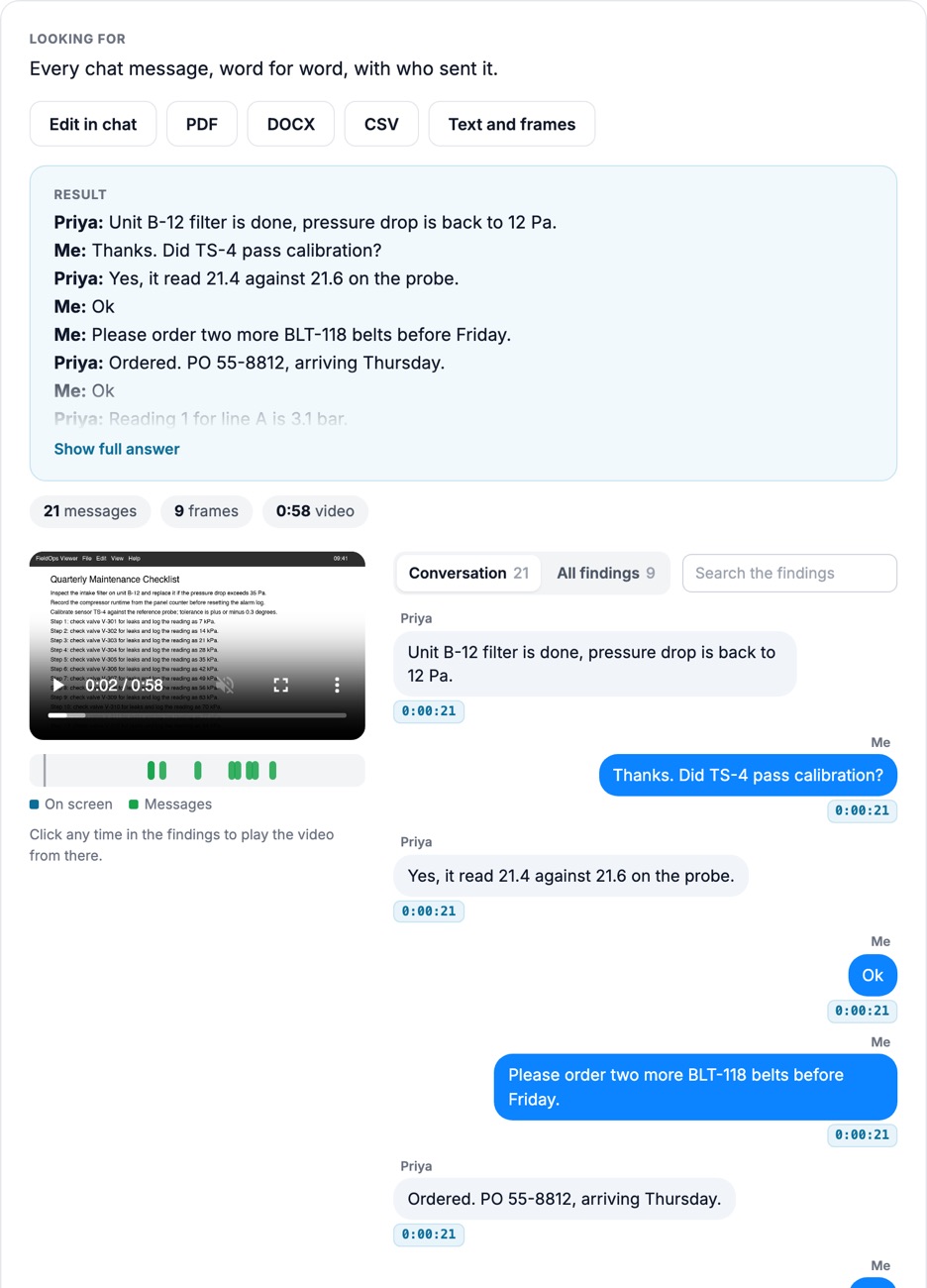
Turn a phone or chat screen recording into a message log: sender, exact wording, on-screen time and video time. Genuine repeats are kept.
Error codes, commands, file paths, gauge values and labels are copied character for character.
Blurred or cut-off text is marked [unreadable] so nobody mistakes a guess for evidence.
How it looks
Product captures from Docsie's test environment, October 2026, on CC BY footage and a screen recording generated for testing. No customer footage.
All 21 chat messages in a screen recording, in order and word for word, each linked to the moment it's on screen.
Open the screenshot to inspect the full detail.
"Error 0x80070643", copied down to the code, with every time it appears.
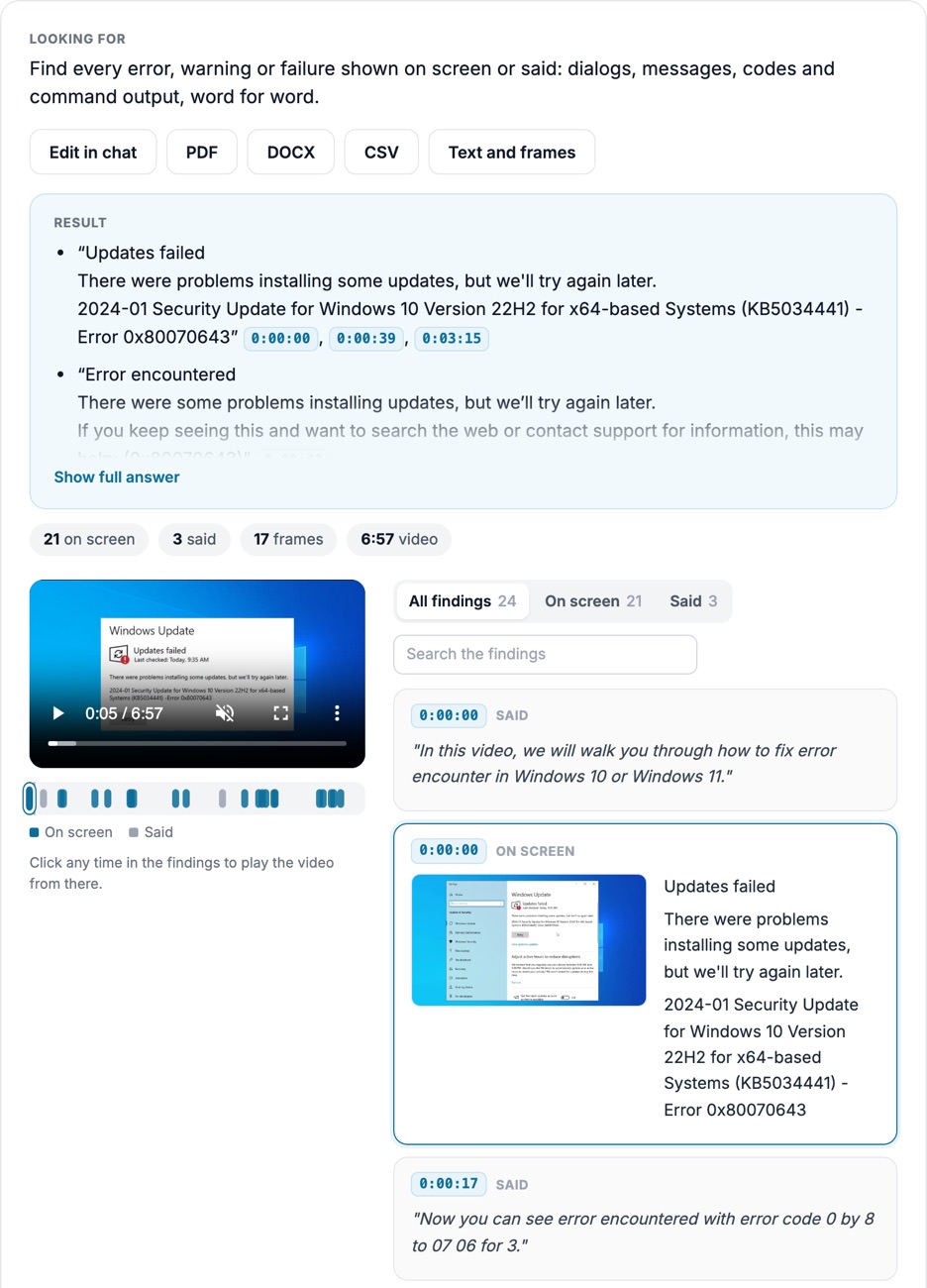
Open the screenshot to inspect the full detail.
Questions to ask
Real questions from our live-examples corpus, each paired with a public video. Results are published as Docsie produces them.
“Transcribe the on-screen text in this sewer scope inspection exactly as shown: the section label (e.g., "Roof Vent"), the distance counter in feet, the clock time and the date. Produce a…” Source: My Florida Inspections & Construction, CC BY.
“This thermal camera recording shows an electric motor inspection with numbered spot measurements. Transcribe every spot reading exactly as displayed (spot number and °C value) with…” Source: Kulas Fact Buoy, CC BY.
“This NASA b-roll and timelapse shows Artemis II solid rocket booster segments moved to a work stand and inspected. Transcribe every legible sign, placard, label and stencil exactly as shown…” Source: NASA Kennedy Space Center, public domain.
“This video shows an analog pressure gauge being checked against a digital reference on a hydraulic comparator up to 100 bar. At each pause in pumping, read the analog pointer value and the…” Source: Sohaib Mama Official, CC BY.
“Extract the text of every slide in this NWS weather briefing, verbatim. For each slide give the timestamp it appears, the slide title, the date and time in the header, and all bullet text…” Source: NWSWakefieldVA, public domain.
“For every event the presenter selects or opens in Event Viewer, copy Log Name, Source, Event ID, Level, Logged date and time, Task Category and the General description text exactly as…” Source: Trial & Error - Self Paced Learning, CC BY.
From video to a verbatim, timestamped text record.
Upload a file or paste a link.
Ask in plain language, or start from this preset.
Open the frame behind each finding, then export the report, frames and CSV.
Join forward-thinking teams using Docsie






_Leader_Small-Business_Leader.svg)


Common questions
Q: Can I copy text from a video?
A: Yes. Ask for the text you need, or all of it. Docsie copies it as shown, with the timestamp and frame for each line.
Q: How do I turn a screen recording into text?
A: Upload the recording and ask for the on-screen text. Scrolling and overlapping screens are handled, so each line appears once, in order.
Q: Can it transcribe text messages from a phone screen recording?
A: Yes. You get a verbatim message log with sender, wording, on-screen time and video time, and repeats kept. Whether a log meets a court's requirements is a question for your counsel.
Q: Is this video OCR?
A: It reads on-screen text like OCR, and it also understands context: who sent a message, which dialog an error came from, and when it appeared.
Q: What happens when text is blurry or cut off?
A: It is marked [unreadable] rather than guessed. Higher-resolution recordings give more complete results.
Q: How long can a video be?
A: Up to 40 minutes per video. Longer recordings are split, and the findings are merged onto one timeline.
Q: Where does my footage go?
A: Use Docsie's cloud, or deploy Docsie on your own infrastructure so footage stays inside your network.
See it on your own footage
Book a DemoCopied as shown, tied to its frame, flagged when unreadable.
Up to 40 minutes per video. Cloud or self-hosted.