4.8
on G2
Break a golf swing, pitch, serve or lift into positions, find every shot in a session and count reps, each with its frame. Coaches review the moments that matter instead of scrubbing.
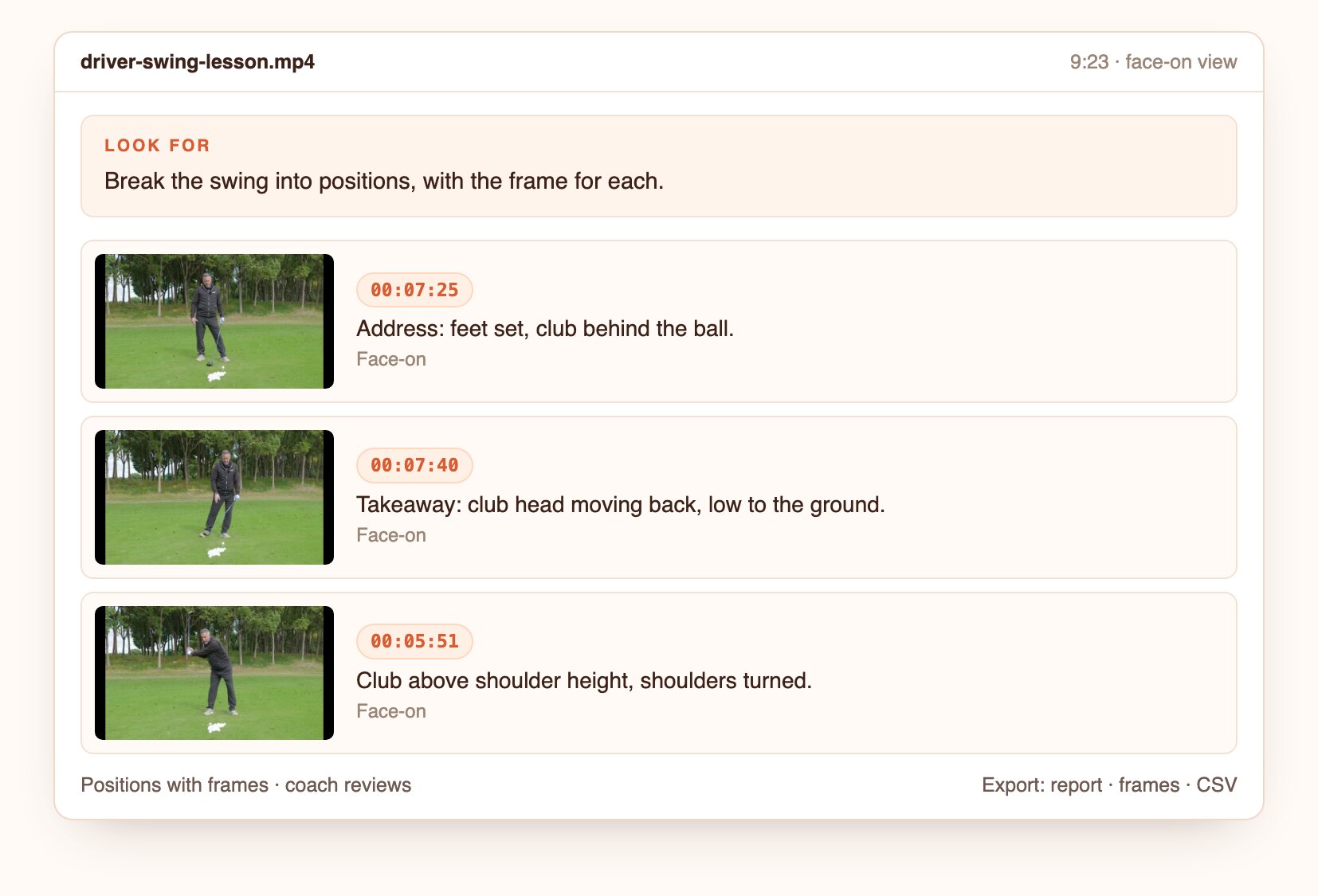
Ask for the positions and faults you coach, and get each one with its timestamp and frame.
Address, takeaway, top, impact, follow-through, or the phases of your sport.
Ask what to look for, such as sway or early extension, and see the frames where it shows up.
Count reps against a standard, makes and misses, or every shot in a session.
How it looks
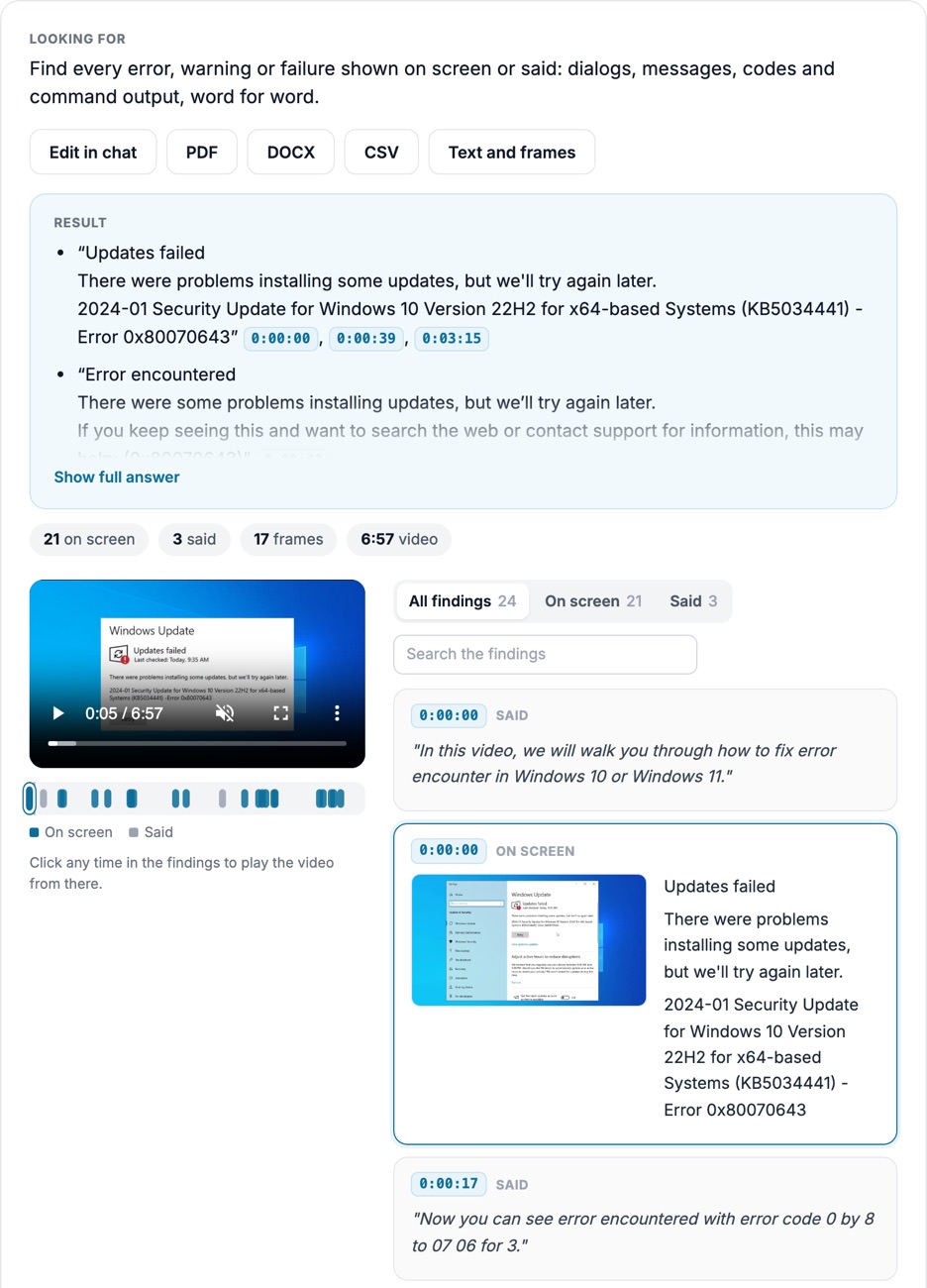
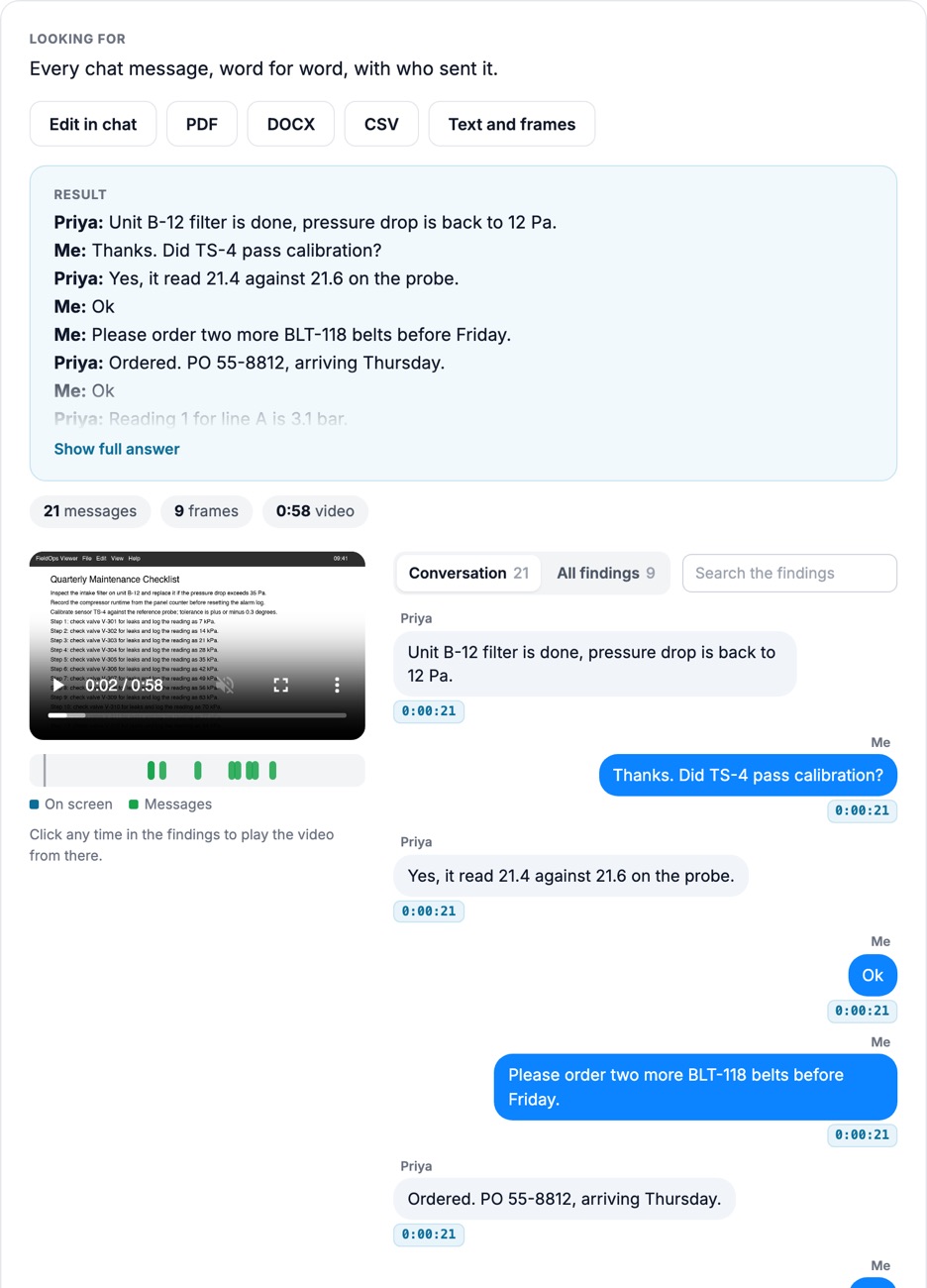
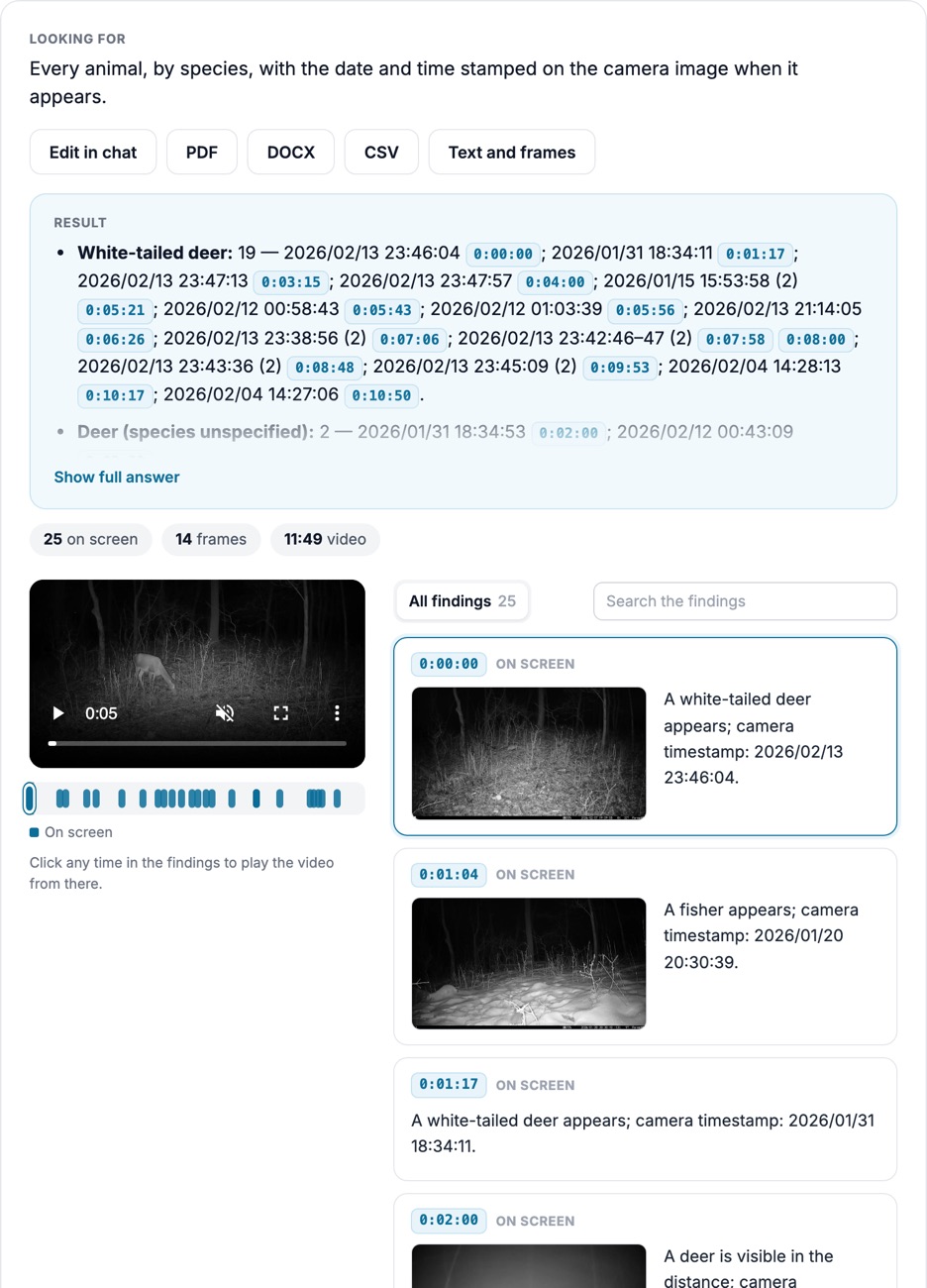
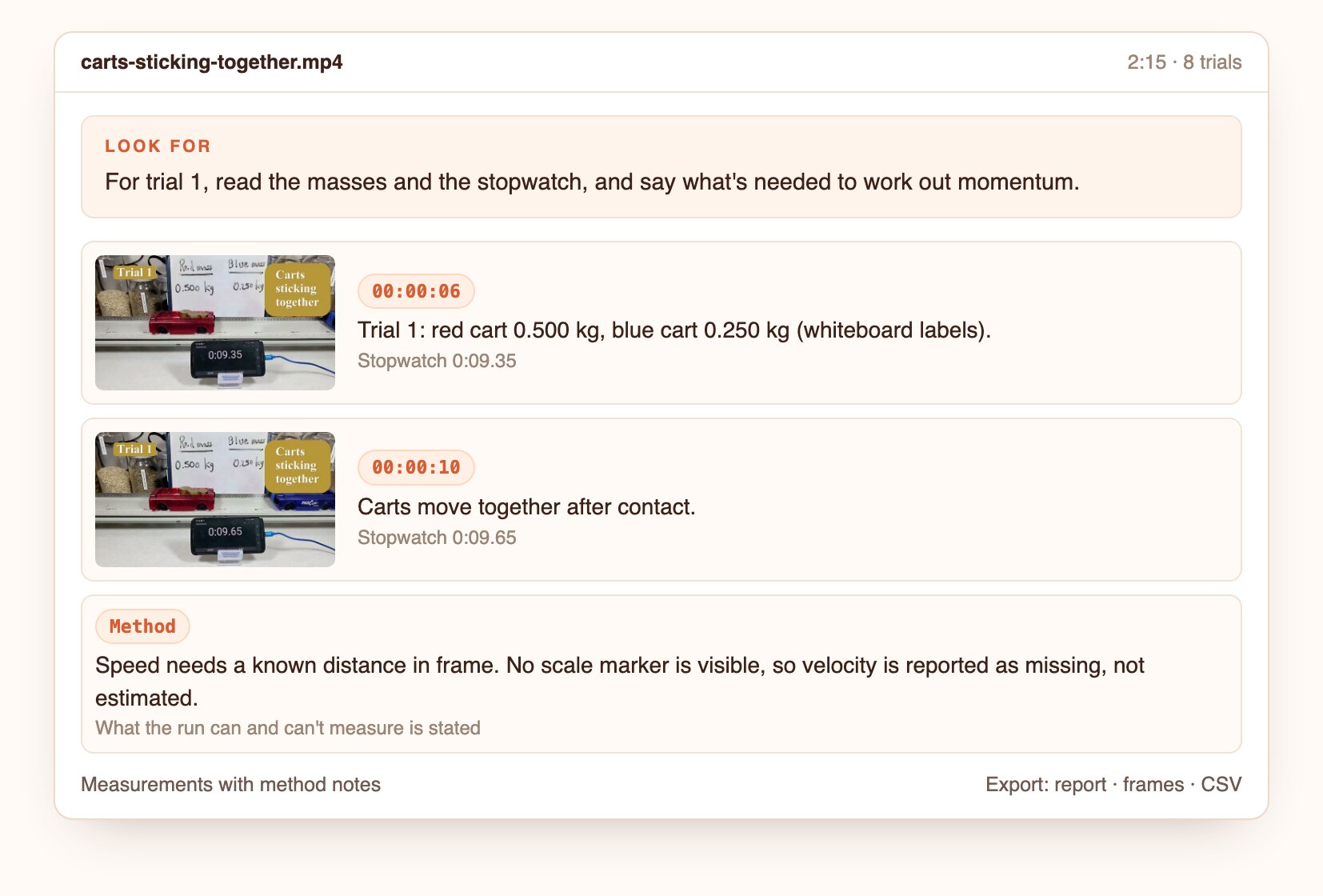
Illustrative findings built from frames of public CC BY and US federal videos. Product captures from the first live runs replace these.
Each position with the frame it came from.
Open the screenshot to inspect the full detail.
Questions to ask
Real questions from our live-examples corpus, each paired with a public video. Results are published as Docsie produces them.
“Find every full driver swing in this lesson. For the clearest full-speed or slow-motion swing, break it into address, takeaway, top of backswing, transition, impact and follow-through. For…” Source: Georges Courte Golf, CC BY.
“This video shows the same swings side by side from face-on and down-the-line. For every full swing, use both angles to check for lateral sway and overswing: track the trail knee and hips…” Source: Golf with Coach Carolin, CC BY.
“For each swing off the tee in this step-back drill, give the timestamp and break it into stance, step-back and load, stride, launch, contact and extension. Note head movement, what the back…” Source: CamWood Bats, CC BY.
“Timestamp every shot attempt. For the clearest ones, break the shot into stance, set point, elbow alignment, release and follow-through, and check BEEF (balance, eyes on the rim, elbow…” Source: Jessica Hawkins, CC BY.
“Find every free kick struck in this video. For each, give the timestamp and describe the approach angle, plant-foot position relative to the ball, contact surface (instep, inside, laces)…” Source: PB Coaching, CC BY.
“For each slow-motion swing in this video, describe backswing length, hip and shoulder turn, weight shift to the lead side and balance at the finish. List every adaptation for senior golfers…” Source: Proper Golfing | Home of the Timeless Golf Swing, CC BY.
From a phone video to positions a coach can review.
Upload a file or paste a link.
Ask in plain language, or start from this preset.
Open the frame behind each finding, then export the report, frames and CSV.
Join forward-thinking teams using Docsie






_Leader_Small-Business_Leader.svg)


Common questions
Q: Can AI analyze my golf swing from a video?
A: Yes. Upload a face-on or down-the-line video and ask for the positions or faults you care about. Each finding comes with its frame.
Q: What camera angle works best?
A: A steady face-on or down-the-line view at hip height, with the whole body in frame. Slow motion helps for fast moves.
Q: Does it measure club or bat speed?
A: Not like a launch monitor. It reports what the video shows, with timing estimates only when there's a reference in frame.
Q: Can it count reps or makes?
A: Yes, and it can check each rep against a standard you describe.
Q: Is it a replacement for a coach?
A: No. It finds the moments; a coach decides what they mean.
Q: How long can a video be?
A: Up to 40 minutes per video. Longer recordings are split, and the findings are merged onto one timeline.
Q: Where does my footage go?
A: Use Docsie's cloud, or deploy Docsie on your own infrastructure so footage stays inside your network.
See it on your own footage
Book a DemoPositions, faults and counts, each with its frame.
Up to 40 minutes per video. Cloud or self-hosted.