
AI knowledge base / Claude skills for your docs
Claude skills
Claude skills that your knowledge base follows.
Claude skills are folders with a SKILL.md file that teach an AI how to do a job. Docsie uses the same SKILL.md format for documentation. Write a skill once, or ask Claude Code to write it, and every rewrite, import and translation in your knowledge base follows it.
Skill packages are on Business and up. Writing and editing skills from Claude Code over MCP works on every plan.
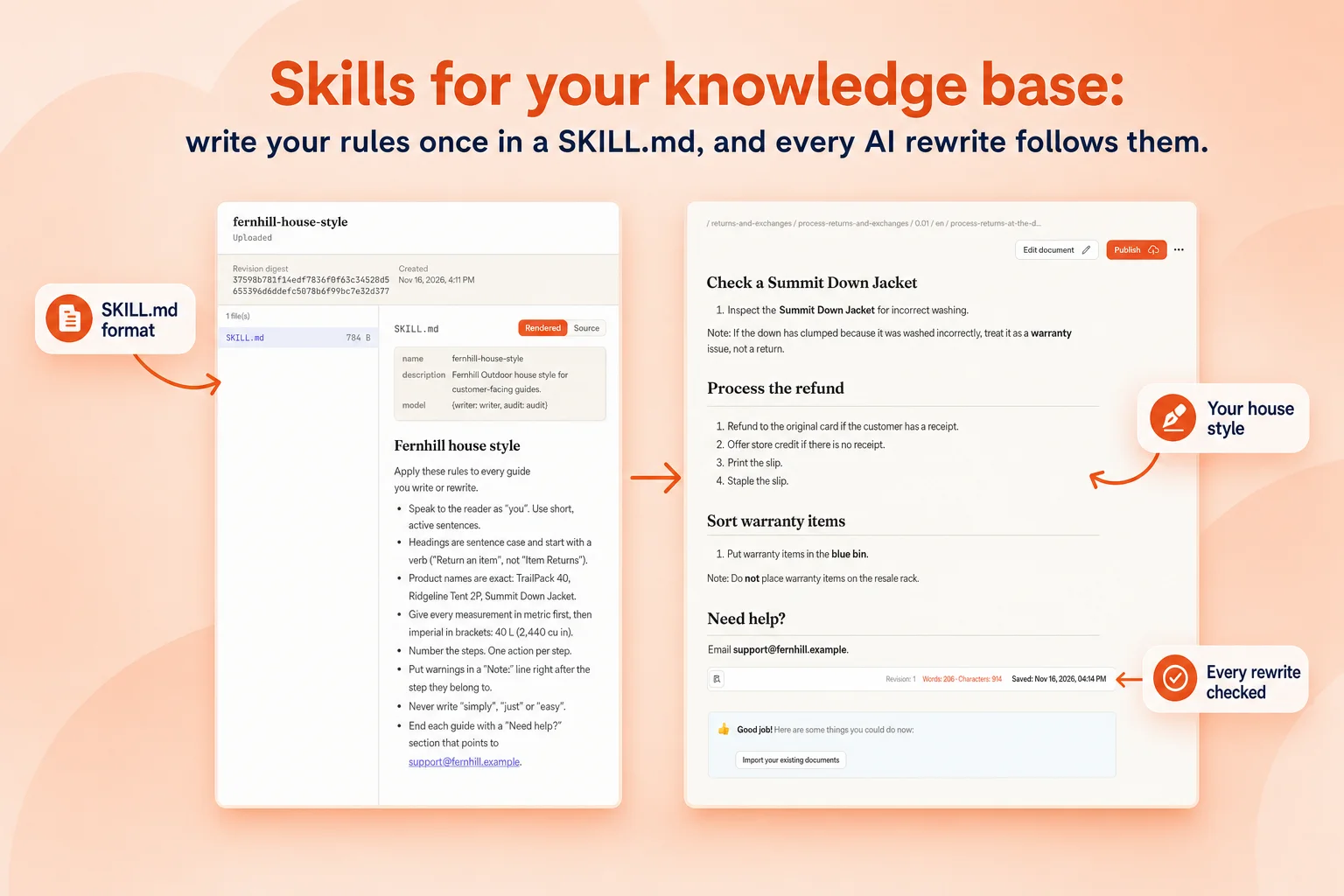
How skills work in Docsie
A SKILL.md your whole knowledge base obeys
The format
The same SKILL.md, with documentation extras
The header has a name and a description, like a Claude skill. Below it go your rules in plain sentences. Docsie adds two optional fields, a writer and checker model and a hooks block that runs a script at a stage.
- Rules in plain sentencesTone, structure, units, names, what never to write.
- Reference filesPart lists, glossaries, policy text in the same folder.
- Checks that runA short script verifies every rewritten article.
---
name: release-notes
description: Turn merged changes into customer release notes.
model: {writer: writer, audit: audit}
---
# Release notes
- Group changes under New, Improved and Fixed.
- Lead each line with the benefit, then the feature name.
- Name features exactly as in features.md.
- Never mention internal ticket numbers or code names.
- End with "Need help? Contact support@yourcompany.com".
Write it with Claude Code
Your coding agent writes and uploads the skill
Connect Claude Code or Codex to Docsie over MCP and ask for a skill. It drafts SKILL.md and the reference files from your existing docs, uploads the package, and edits it when your rules change. Each upload is a new revision.
- From your terminal"Write a skill from our style guide and upload it to Docsie."
- Learned from your docsThe agent reads your best articles and writes the rules down.
- RevisionsEvery change is a new revision you can review.
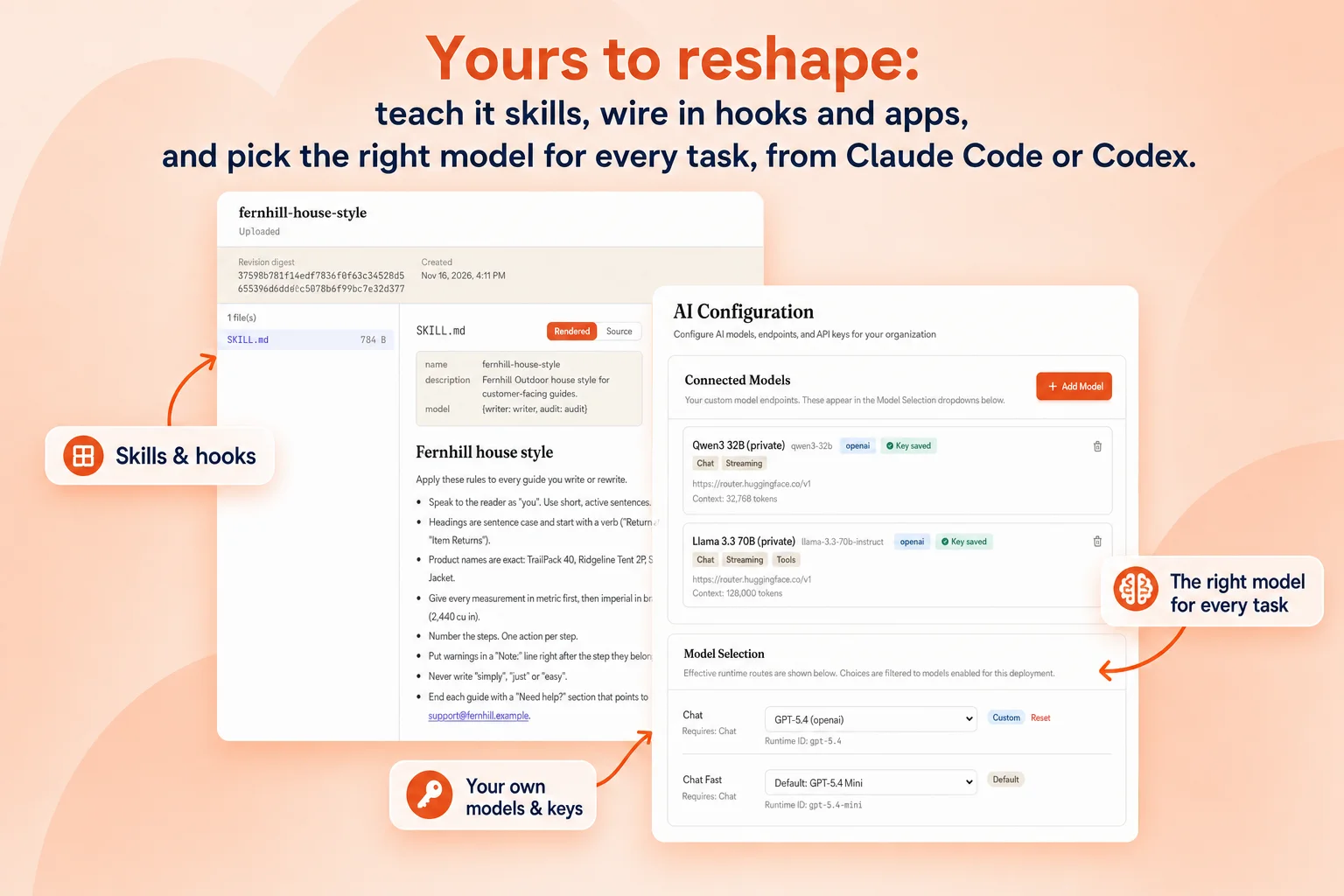
Skills teams write
Ideas for your first skills
Each of these is a short SKILL.md. Six full examples, with reference files and a check script, are on the SKILL.md examples page.
How it works
Add a skill in four steps
- Write the folderSKILL.md with your rules, plus any reference files and checks. Or ask Claude Code to write it.
- Upload itIn Skills & Agents, or let your agent upload it over MCP.
- Pick it on a rewriteOr run it on every rewrite in a workspace.
- Read the checksSee which rules the checker confirmed and what it fixed.
FAQ
Common questions
What are Claude skills?
Claude skills are folders of instructions, with a SKILL.md file at the top, that teach Claude how to do a specific job. The SKILL.md starts with a name and a description, followed by the instructions.
Can I use a Claude skill in Docsie?
Docsie skills use the same SKILL.md format, so a skill you wrote for Claude is a good starting point. Docsie adds optional fields for a writer and checker model and for hooks that run a check script.
What does a skill do in a knowledge base?
It makes every AI rewrite, import and translation follow your rules, so the knowledge base reads like your team wrote it, and a checker confirms the rules were followed.
Can Claude Code create Docsie skills for me?
Yes. Connect Claude Code or Codex to Docsie over MCP and ask it to write a skill from your style guide or best articles. It uploads the package and can update it later.
Which plan do I need?
Skill packages are on Business and up. Connecting Claude Code or Codex over MCP works on every plan.
AI knowledge base
More on the AI knowledge base
Teach your knowledge base your rules
Write one skill this week and every article after it follows your house style.