
AI knowledge base / API documentation generator
API documentation generator
API docs written by your coding agent, from your spec.
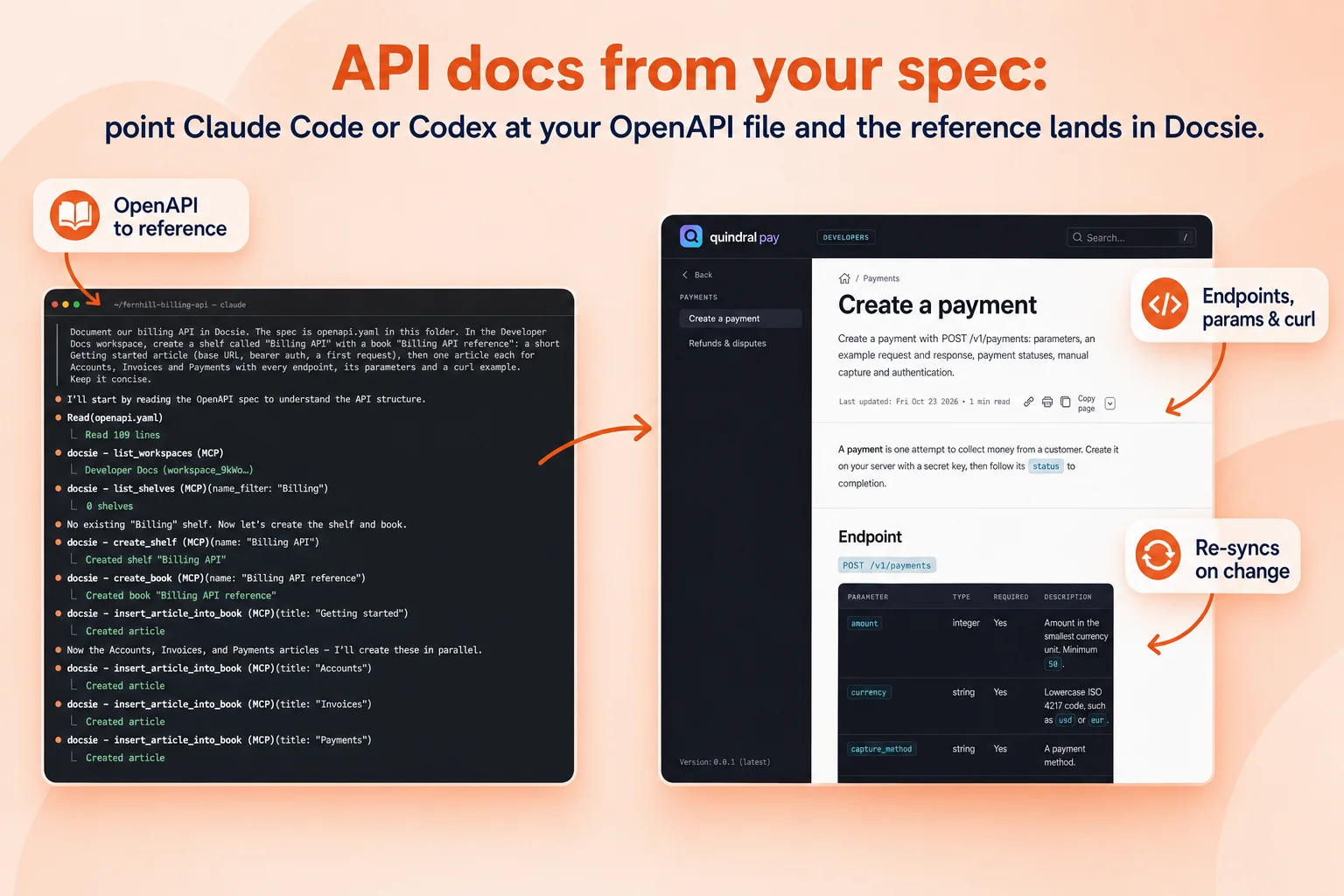
Point Claude Code or Codex at your OpenAPI file and ask for the docs. It builds the API reference in Docsie over MCP, with every endpoint, parameter, request example and error, plus the getting-started guides around it. When the spec changes, the reference re-syncs and keeps your notes.
Works with OpenAPI 3 and Swagger 2. Connecting your coding agent over MCP works on every plan.
From the spec
A full reference, not a stub
Each endpoint gets its own article with the method and path, parameters, request body, responses, a curl example and error codes. Guides for authentication, pagination and webhooks are written around them.
- Endpoints and parametersTypes, required fields and descriptions from the spec.
- Examples that runcurl requests and sample responses for every call.
- Guides around itGetting started, authentication and first request.
Stays in step
Re-sync when the spec changes
Run it again on a new spec and Docsie updates the changed endpoints, keeps the notes your team wrote by hand and logs what changed. Your agent can also run it from your release pipeline.
- Re-syncOnly changed endpoints are rewritten.
- Your notes stayHand-written explanations survive the update.
- A change logSee what changed between two versions of the API.
> Document our billing API in Docsie. The spec is openapi.yaml
  in this folder. Create a shelf "Billing API" with a book
  "Billing API reference": a getting-started article, then one
  article per resource with every endpoint and a curl example.

● Read(openapi.yaml)  ⎿ 109 lines
● docsie - create_shelf (MCP)(name: "Billing API")
● docsie - create_book (MCP)(name: "Billing API reference")
● docsie - insert_article_into_book (MCP)(title: "Getting started")
● docsie - insert_article_into_book (MCP)(title: "Invoices")
Documentation for Billing API is now in Docsie.
How it works
From spec to published reference
- Connect your agentAdd app.docsie.io/mcp to Claude Code, Codex or Cursor.
- Point it at the specAn OpenAPI or Swagger file in your repo.
- Review the draftEdit in Docsie, add examples and notes.
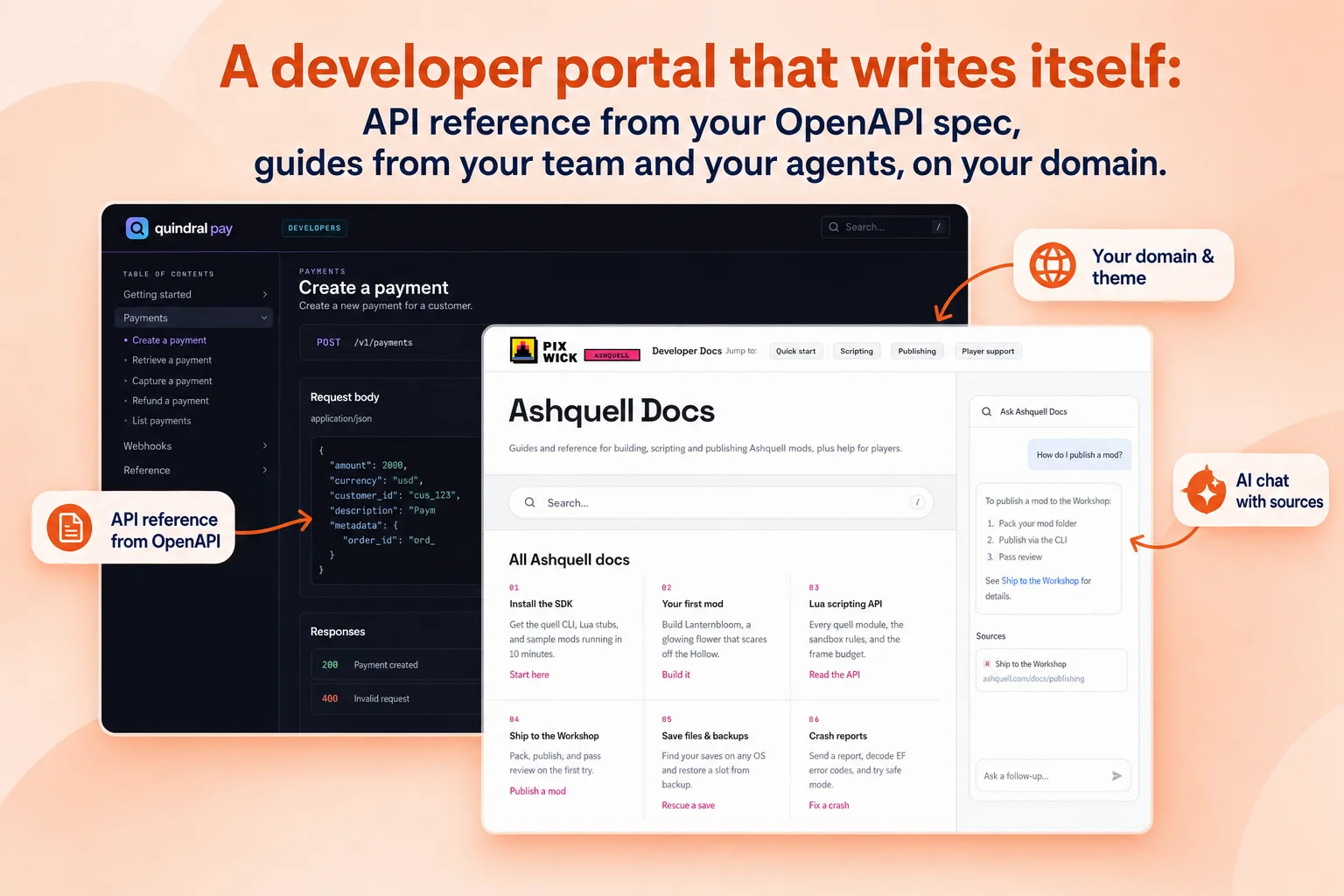
- PublishTo a developer portal on your domain, with AI chat.
FAQ
Common questions
Can AI generate API documentation from an OpenAPI spec?
Yes. Docsie reads your OpenAPI or Swagger file and writes a reference article per endpoint with parameters, examples and errors, plus guides around it.
Do I need Claude Code or Codex?
No. You can import the spec in Docsie directly. A coding agent is useful when you want the docs written and updated from your repo or release pipeline.
What happens when the API changes?
Re-sync with the new spec. Changed endpoints are updated, your hand-written notes are kept and the change is logged.
Where are the docs published?
On a Docsie developer portal on your own domain, with search, AI chat with sources, and llms.txt for AI agents when the portal is public.
AI knowledge base
More on the AI knowledge base
Let your coding agent write the API docs
Connect Claude Code or Codex, point it at your spec, and publish a reference that keeps up with your releases.