
AI knowledge base / Customize it with your AI
Yours to reshape
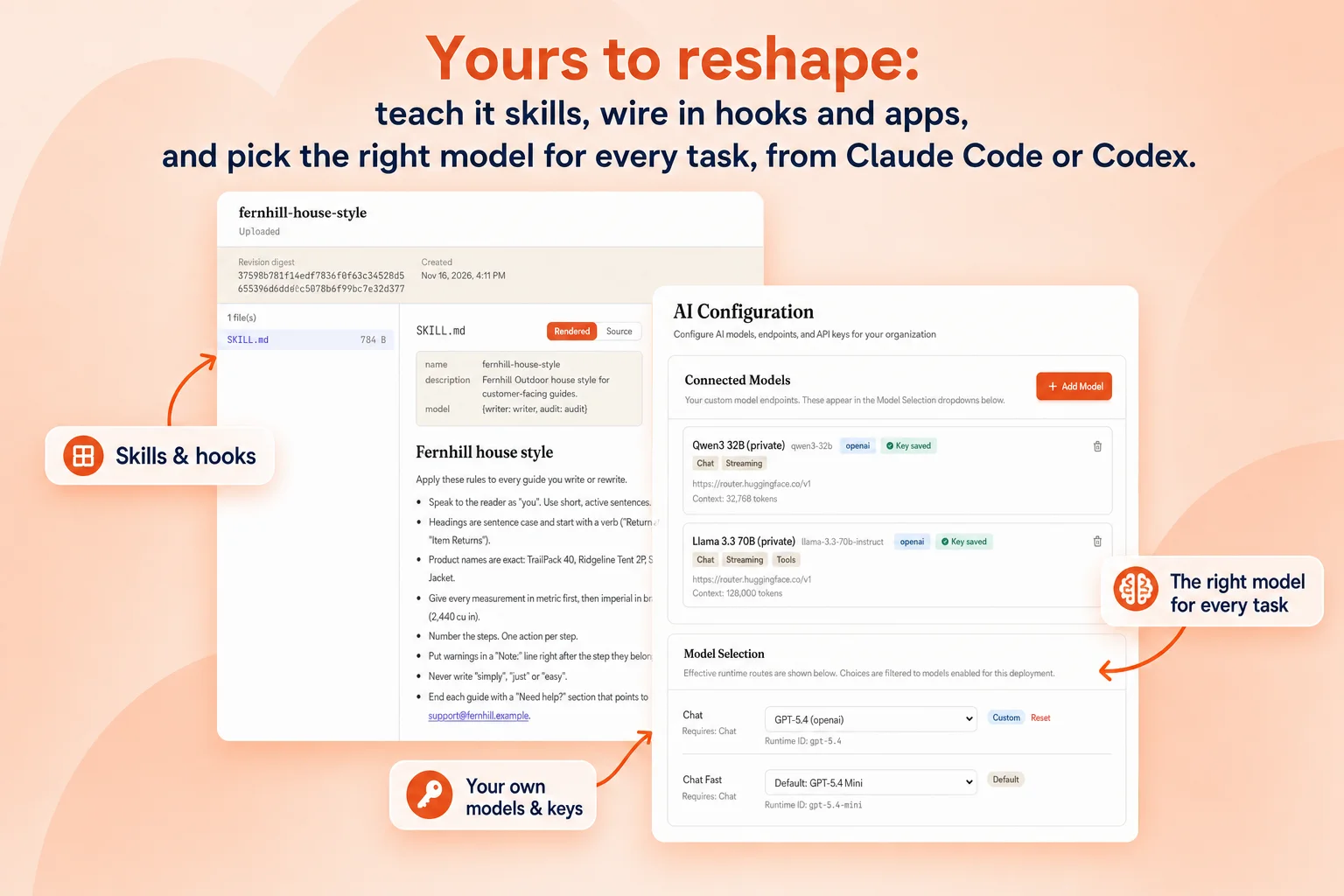
Customize every part of your knowledge base with your own AI.
Docsie is not a black box. Open Claude Code or Codex, connect it to Docsie over MCP, and say what you want changed. Your agent writes the skill, the hook, the app or the portal design and installs it. You start from a working knowledge base, not a blank repo.
Connecting an AI tool over MCP works on every plan. Skill packages, hooks, apps and workflows are on Business and up; your own models and SSO are Enterprise.
What your AI can change
Seven layers, all yours
Each one is a real part of Docsie your coding agent can create, edit and install. Here is what it changes, and what you would type.
01 · Skills
Teach it how your team writes
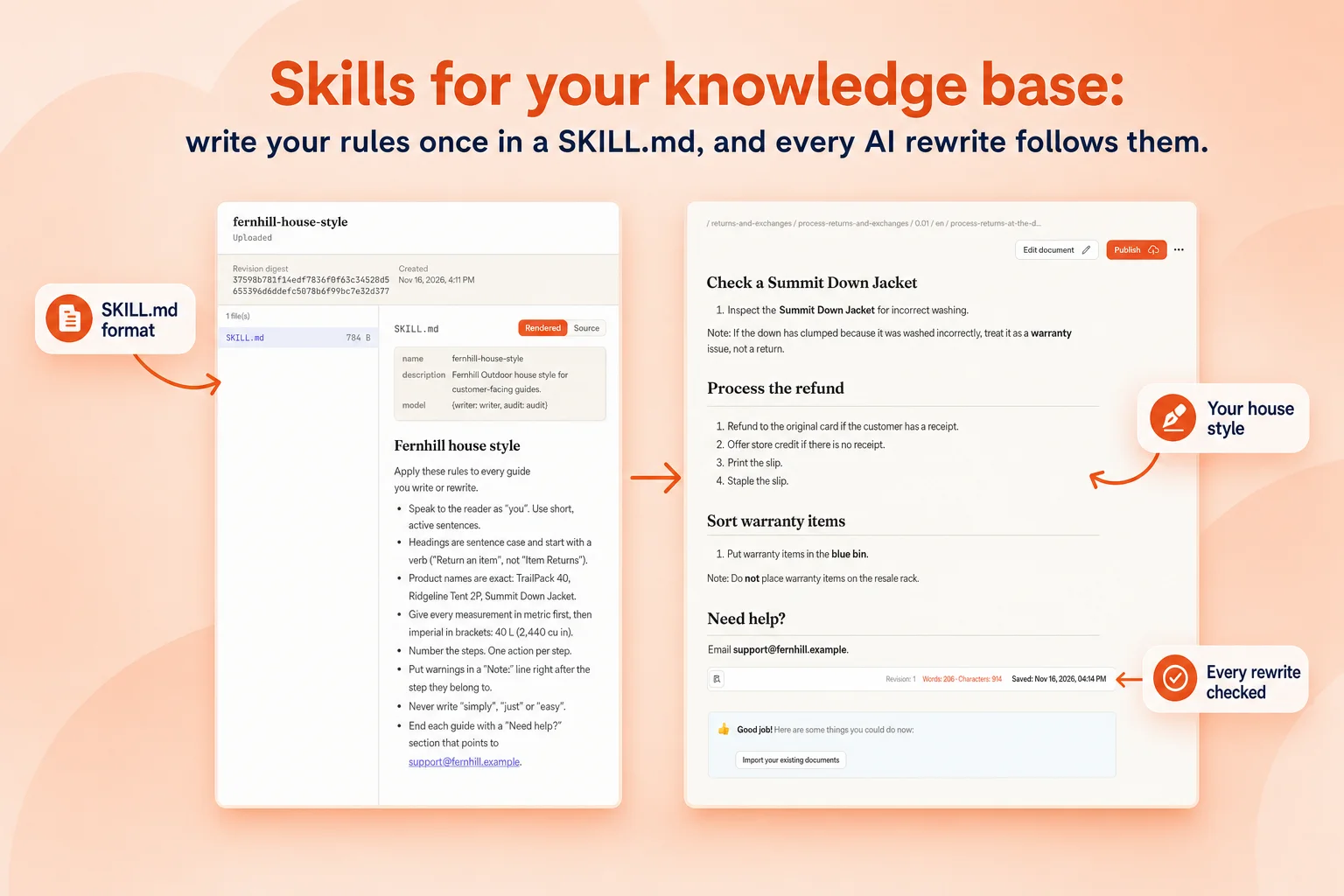
A skill is a folder with a SKILL.md file. The rules go in plain sentences, your facts go in reference files. Pick it on one rewrite or run it on every rewrite in a workspace.
- House style and terminologyProduct names, units, tone, how steps and warnings are written.
- Reference filesPart numbers, approved terms, policy text the writer must use.
- A writer and a checkerOne model writes, another audits the result against the skill.
---
name: acme-house-style
description: How Acme writes maintenance procedures.
model: {writer: writer, audit: audit}
hooks:
  rewrite.article: checks/units.py
---
# Acme house style
- Speak to the reader as "you". Short, active sentences.
- Number the steps. One action per step.
- Give every measurement in metric first, then imperial.
- Put warnings on their own "Warning:" line before the step.
- Use part names exactly as listed in parts.md.
02 · Hooks
Run your own logic at every stage
A hooks block in SKILL.md points at a short script in the skill folder. Docsie runs it when content is imported, rewritten, translated or exported, and fixes or flags what it finds.
- On rewriteCheck units, roles, forbidden words or missing safety steps on every article.
- On import and exportClean incoming files, stamp outgoing Word and PowerPoint files.
- On translateKeep product names and glossary terms untranslated.
03 · Apps
Build your own screens inside Docsie
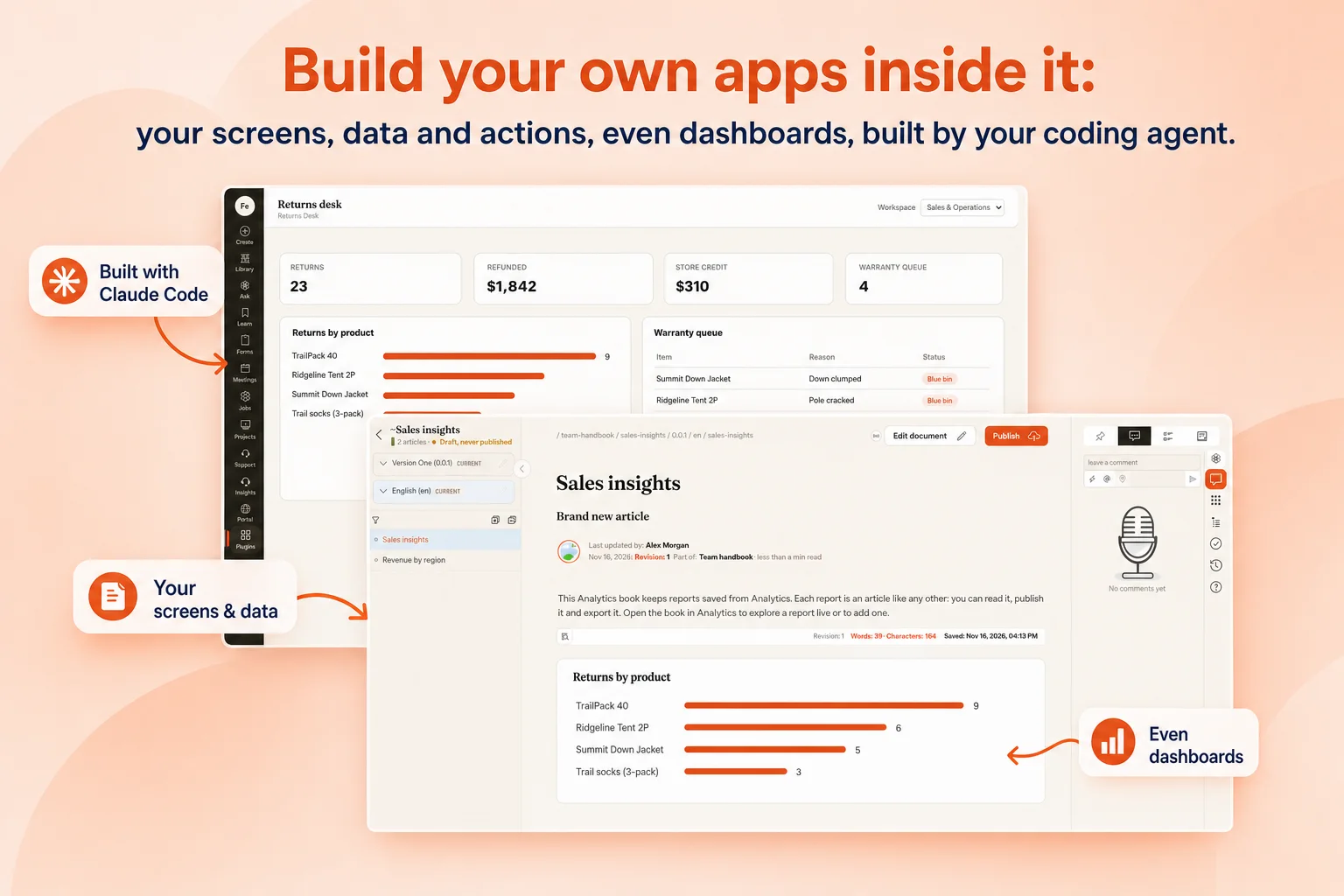
Ask your coding agent for an app and it writes app.json, a SKILL.md and the screen, then uploads the package over MCP. An admin installs it and it appears in the navigation, the editor, the article menu or as a new place to publish.
- Your own screensTables, forms, review queues, release checklists.
- Even dashboardsPivot your own data into charts and save them as reports.
- Actions on contentA button on every article that runs your tool.
04 · Models
The right model for every task
Connect your own model endpoints and keys, including private ones, and choose a model per task. A vision model reads screenshots and video frames, one model writes, another checks, a fast one translates.
- A model per taskChat, writing, review, vision, translation, each on its own model.
- Your own keysOpenAI-compatible endpoints, private and self-hosted models.
- Your data stays putSensitive work runs on the model you choose.
And the rest of it
Portals, workflows, your systems and the API
The same agent can restyle a portal, wire a workflow or connect another tool. These are the requests teams actually send.
Workflows run on events today; scheduled runs are rolling out. API on Hobby and up, webhooks on Premium and up.
How it works
How a change gets made
- Connect your AI toolAdd app.docsie.io/mcp to Claude Code, Codex, Cursor, Claude or ChatGPT and sign in.
- Say what you wantIn plain words: a rule, a check, a screen, a portal look, a workflow.
- Your agent builds itIt writes the skill, hook, app or design and uploads it to your workspace.
- You approve and installAn admin installs apps and skill packages; every change has a history.
- It runs on everythingThe next rewrite, import, export or publish follows it.
- Change it againAsk for an edit; the agent uploads a new revision.
FAQ
Common questions
Can Claude Code or Codex really change Docsie?
Yes. Docsie's MCP server gives your coding agent tools to create and edit content, skills, apps and portal designs. It works with Claude Code, Codex, Cursor, Claude and ChatGPT.
Do I need to write code?
No. You describe the change and your agent writes it. A skill is mostly plain sentences; apps and hooks are written by the agent.
What is the difference between a skill, a hook and an app?
A skill is a set of rules and reference files the writer follows. A hook is a short script a skill runs at a stage such as rewrite or export. An app adds your own screens, data and actions inside Docsie.
Can I use my own AI models?
Yes. Connect your own model endpoints and keys, including private ones, and choose which model handles each task.
Which plans include this?
Connecting AI tools over MCP is on every plan. Skill packages, hooks, apps and workflows are on Business and up. Your own models and SSO are on Enterprise.
Is it safe to let an agent change my knowledge base?
Agents work with your permissions, apps and skill packages need an admin to install them, and every article change is versioned so you can review and roll back.
AI knowledge base
More on the AI knowledge base
Make the knowledge base yours
Bring Claude Code or Codex, tell it what your team needs, and watch Docsie change to fit.