4.8
on G2
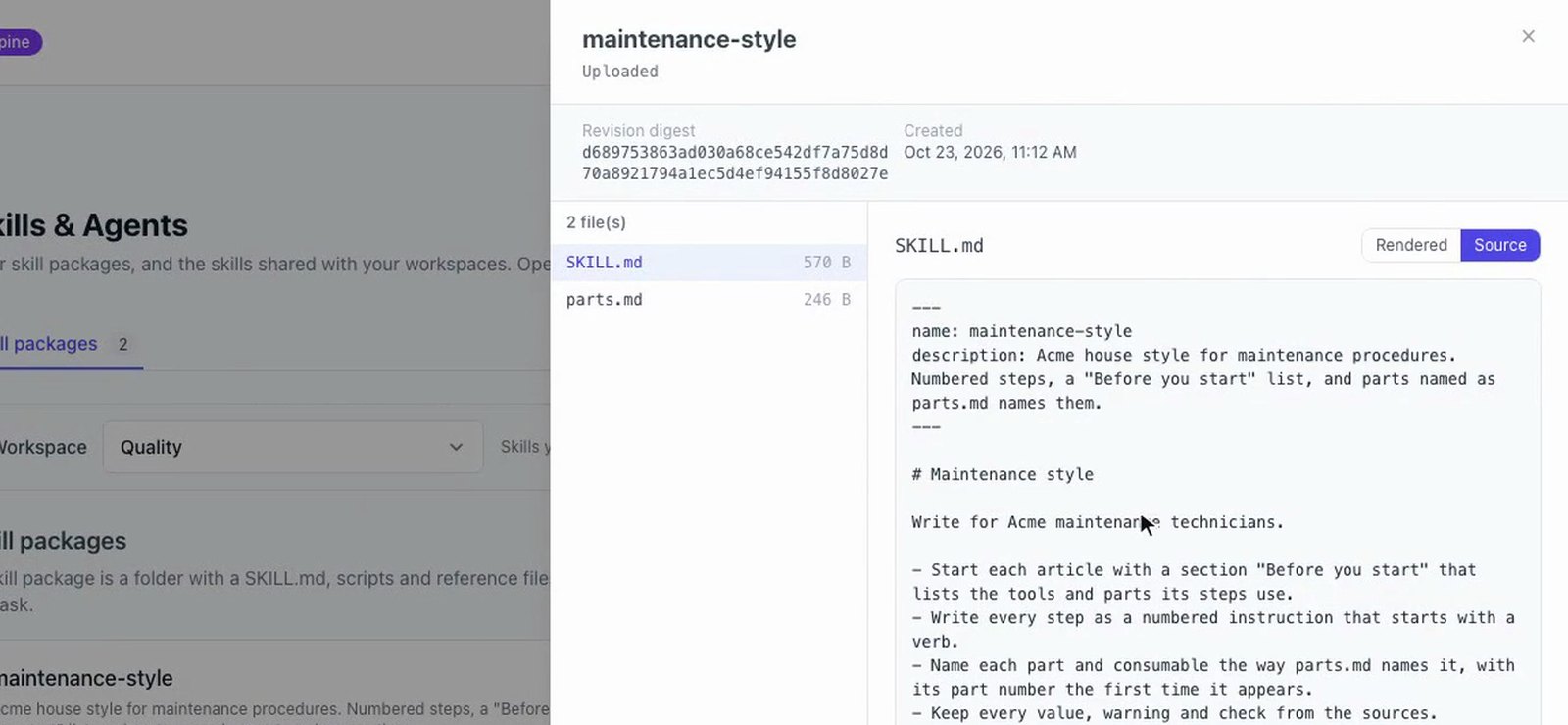
A Docsie skill is a folder. Its SKILL.md has a name, a description and your rules in plain sentences, and the folder can hold reference files and a check script. Upload it in Skills & Agents, pick it on a rewrite, and the planner, the writer and the checks follow it.
Tutorial 1 of 3
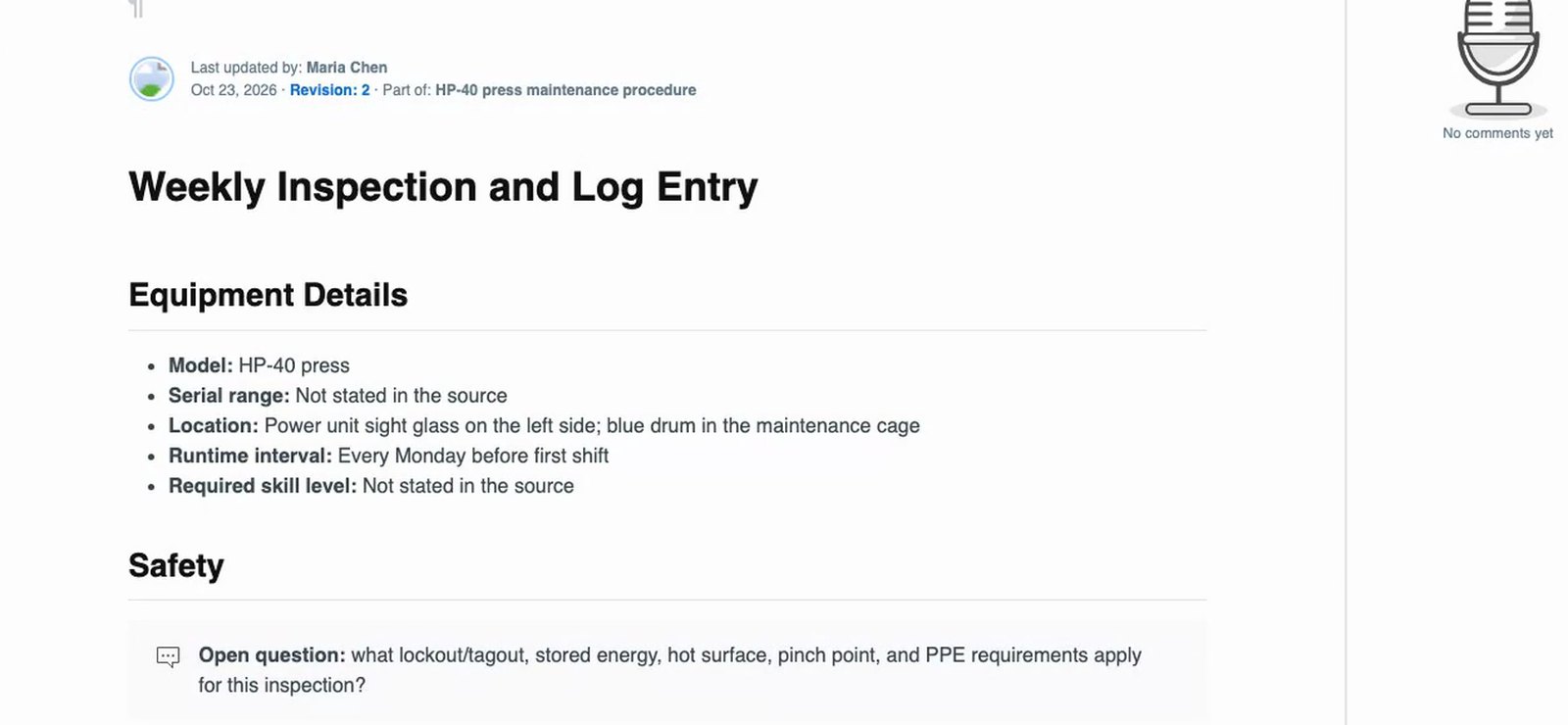
Acme's house style for maintenance procedures, as a skill. The rules go in SKILL.md, the part names and numbers go in parts.md. Two maintenance notes are rewritten with the skill, and "top it up from the blue drum" becomes HL-46 hydraulic oil with its part number.
1 min 48 sec
Recorded in Docsie's test environment with a fictional company (Acme Manufacturing) and fictional equipment. No customer documents.
Everything in the folder is plain text you can read and edit. Upload the folder again under the same name and Docsie keeps it as a new revision.
A short header between two lines of dashes with the skill's name and description, then the rules in plain sentences. For example, start with a "Before you start" list, number the steps, and name parts the way the reference file does.
Facts the writer may use, such as part numbers, torque values and approved terms. In the tutorials, parts.md maps what the notes say to the name to use and the part number, and torques.md gives the torque for each bolt.
A short Python script in the folder. A hooks block in SKILL.md (rewrite.article: checks/roles.py) runs it on every rewritten article. It writes what it finds to result.json, with a reason that gives the words to use.
When a check reports a problem, Docsie's editor makes the change and runs the check again to confirm. The result card and the Jobs page list each skill check and the run it recorded.
In a template with chapter types, pick a skill for one type only. A rule for Procedure chapters then applies to procedures, and the Overview is written as usual.
A skill's text goes with every request, so a skill gets one eighth of the model's context window. A skill that is too large is refused before the rewrite starts, with the file that does not fit named. Docsie never applies part of a skill.
Every example below comes from the tutorials on this page, recorded with a fictional company and fictional equipment.
Pick the skill on the rewrite card and the planner, the writer and the checks follow it. Or build a workflow with 'Apply a skill' steps and a trigger, so it runs whenever a rewrite finishes and reports what each step changed.
Skills + workflow triggers, 2 min 39 sec. Recorded with a fictional company (Acme Manufacturing).
Four steps from a folder on your computer to a rewrite that follows it.
Put your rules in SKILL.md and your facts in reference files. Add a check script and a hooks block if you want every article checked.
Upload the folder under Skill packages. Uploading it again under the same name makes a new revision.
Type /rewrite in the AI assistant, choose the notes to rewrite and pick the skill on the rewrite card.
The result card lists the skill checks, one for the shelf, book and article names and one per article. The Jobs page shows the same checks for every rewrite in the workspace.
Skills from the tutorials
Each of these is a skill shown in one of the videos on this page.
A "Before you start" list, numbered steps that start with a verb, and every part named the same way.
A reference table turns what people wrote in their notes into the part name and part number.
Where a step tightens a bolt listed in the reference file, the procedure gives its torque.
A check finds people's names in a procedure and replaces them with the role to ask.
A terms file maps internal project names to public product names in titles, steps and tables.
Where the notes are silent, the article gets an open question for the reviewer instead of an invented value.
Join forward-thinking teams using Docsie






_Leader_Small-Business_Leader.svg)


Common questions
Q: What is a SKILL.md file?
A: In Docsie, SKILL.md is the main file of a skill. It starts with a short header between two lines of dashes, with the skill's name and description, followed by the rules in plain sentences. Docsie follows those rules when it rewrites your content.
Q: What can a skill folder contain besides SKILL.md?
A: Reference files with facts the writer may use, such as part numbers, torque values and approved terms, and check scripts. A check is a short Python script that a hooks block in SKILL.md runs on every rewritten article.
Q: How do I apply a skill to every rewrite?
A: Pick the skill on the rewrite card for one rewrite. To make it automatic, build a workflow with "Apply a skill" steps and add a trigger that runs it whenever a rewrite finishes. Each step reports what it changed.
Q: Can a skill apply to only some chapters?
A: Yes. A Docsie template can describe a guide's structure and its chapter types, and each chapter type can carry its own skill. In the tutorial, a skill picked for the Procedure chapter type changed the procedures and left the Overview as usual.
Q: How do I update a skill?
A: Upload the folder again under the same name. Docsie keeps it as a new revision of the skill.
Q: How large can a skill be?
A: A skill's text goes with every request, so a skill gets one eighth of the model's context window. In the tutorial's setup that was 393,750 characters. A larger skill uploads, but a rewrite that picks it is refused before anything starts, and Docsie names the file that does not fit. Shorten the file or split the skill.
Have a style guide you want every rewrite to follow?
Book a DemoBook a demo to walk through skills, the AI rewrite and workflow triggers with your own use case in mind.
The tutorials on this page were recorded with a fictional company. No customer documents.