
How to Cancel a Reservation in OpenTable
This guide shows you how to cancel a reservation in OpenTable from the app or the website. You find the booking in your account, cancel it, and then check the confirmation email OpenTable sends you.
Video: How to Cancel Reservation on OpenTable [2026 Full Guide] by BM Tech Tutorials (2026). All credit for the demonstration goes to the creator; watch the original on YouTube. The written guide below was generated from this video by Docsie. Creator? Request a change or removal.
This guide shows you how to cancel a reservation in OpenTable from the app or the website. You find the booking in your account, cancel it, and then check the confirmation email OpenTable sends you.
Prerequisites
Before you start, make sure you have the following:
- The OpenTable app on your phone, or access to opentable.com in a web browser
- The OpenTable account you used to book the reservation
- Access to the email inbox linked to your account
Steps
Open OpenTable
Open the OpenTable app on your phone, or go to opentable.com in your web browser. Either method works, so choose whichever is more convenient.
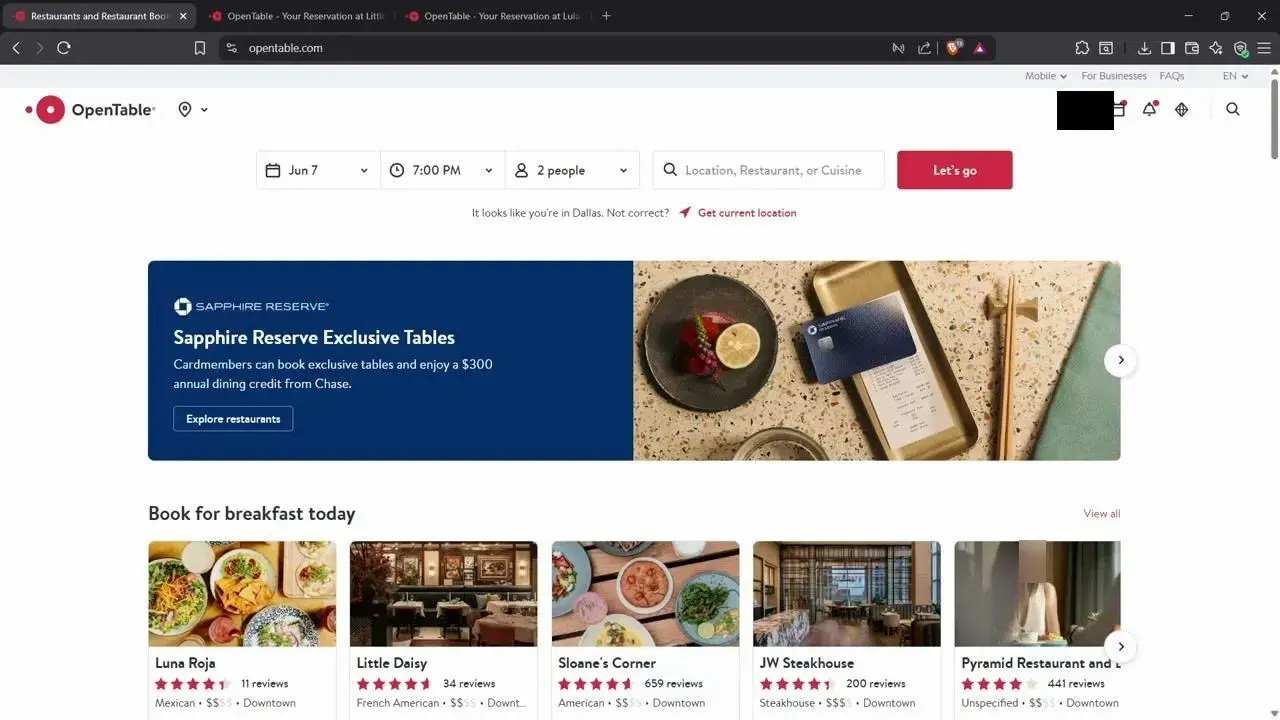
Sign in to your account
Sign in with the same account you used to book the reservation. If you sign in with a different account, your reservation may not appear in your list.
Open your account menu to find your reservations
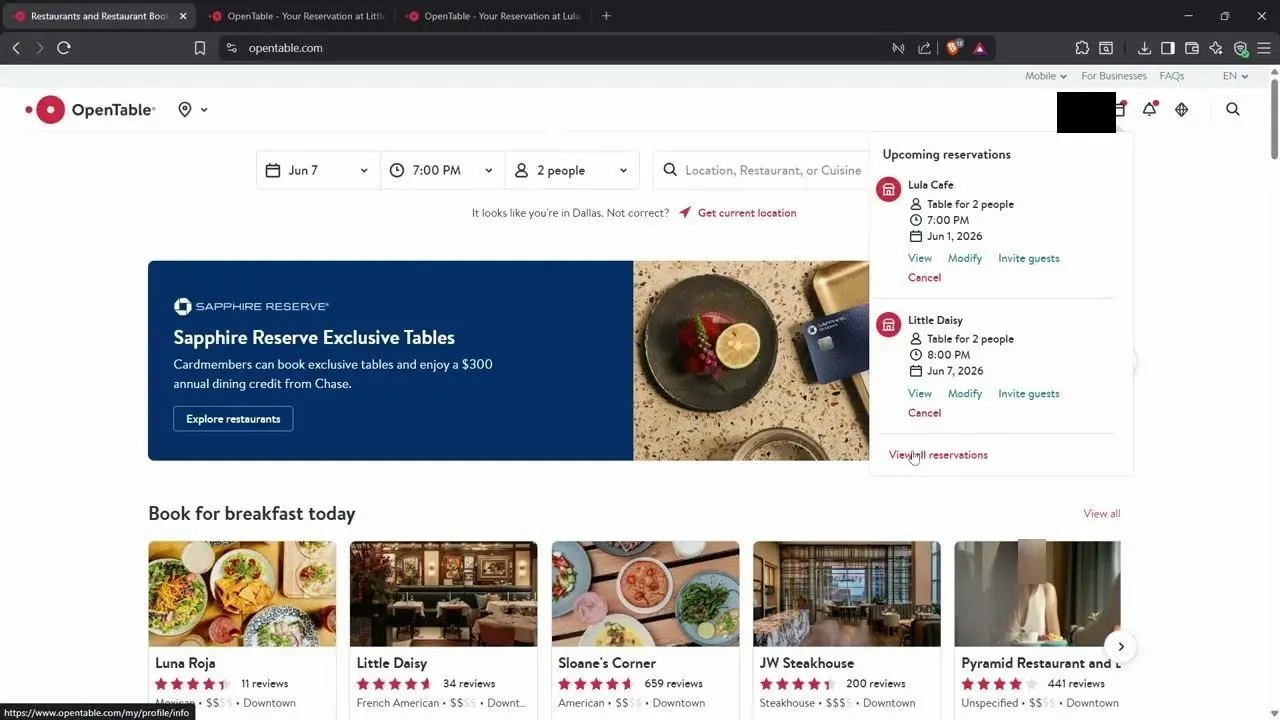
Click your profile icon, usually in the top right corner, to open your account menu. In the dropdown menu, select My Dining History or a similar option to view your reservations.
Find the reservation you want to cancel
In the Upcoming reservations section, find the reservation you want to cancel. Each reservation has options to view, modify, invite guests, or cancel.
Check the restaurant name, date, and time to make sure you cancel the correct booking. This matters most if you have several reservations saved. In the example, the list shows Lula Cafe (table for 2, 7:00 PM, Jun 1, 2026) and Little Daisy (table for 2, 8:00 PM, Jun 7, 2026).
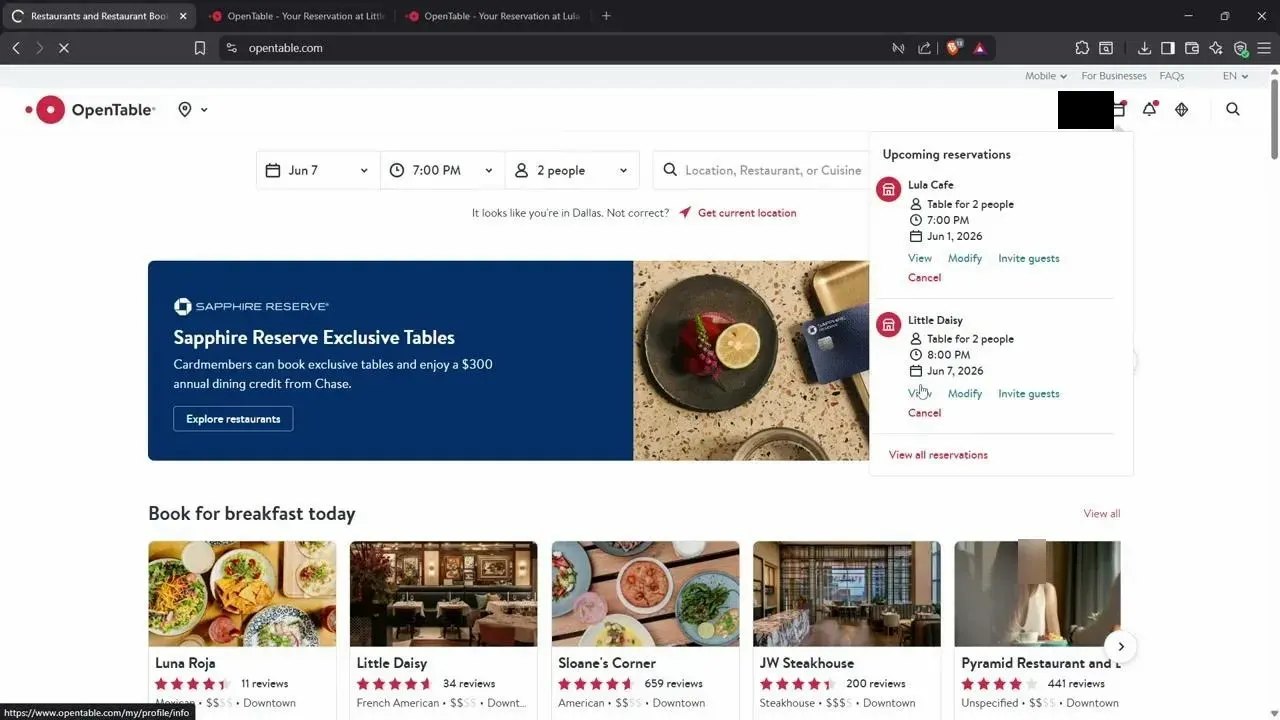
Click the reservation you want to cancel to open its details page.
Cancel your reservation in OpenTable
On the reservation details page, find and click the Cancel button. It is typically next to options such as Modify and Add to calendar. If prompted, confirm by selecting Confirm Cancel.
Cancel as early as possible. Some restaurants have specific cancellation policies or fees for late changes, so canceling early helps you avoid potential charges.
Check your email for the cancellation confirmation
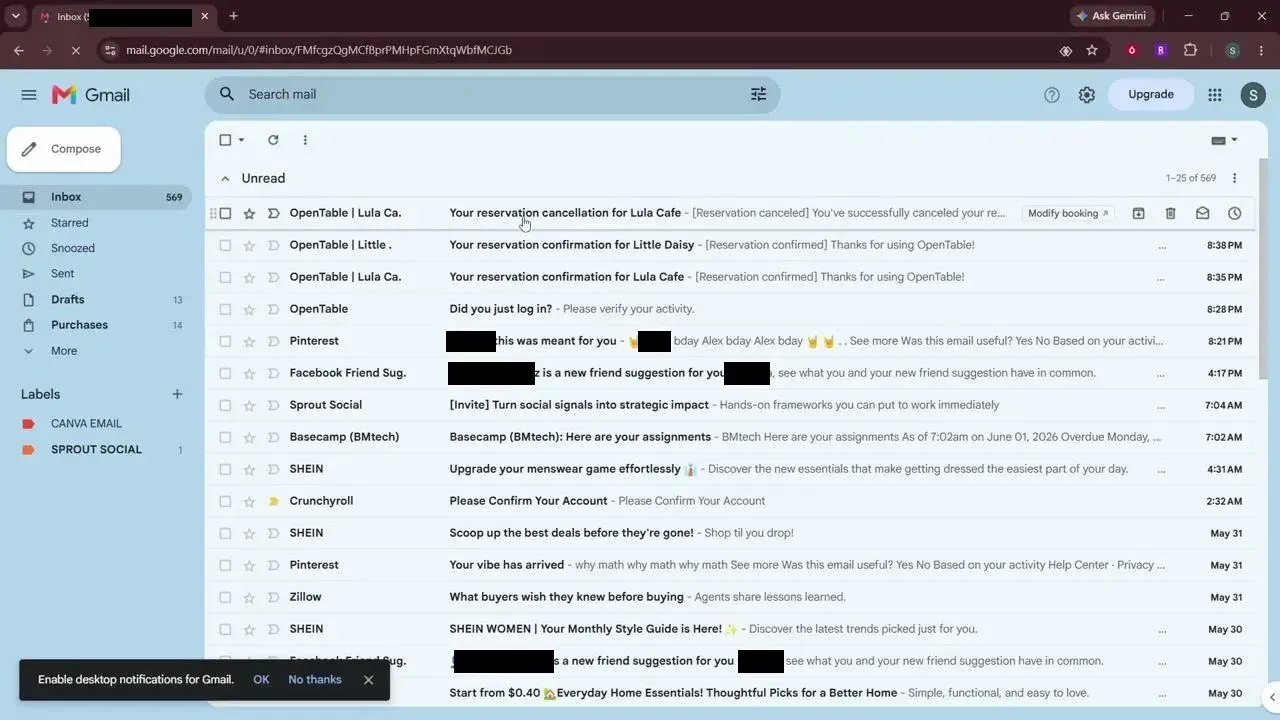
Open your email client, such as Gmail, and look for a new message from OpenTable. The subject line reads "Your reservation cancellation for Lula Cafe." This email is your proof that the reservation was canceled.
If you don't see the email in your inbox, check your spam or junk folder in case it was filtered there.
Review the confirmation details
Open the email to review the details. It shows the restaurant name (Lula Cafe), the date and time, and the status "Reservation canceled." You may also see options to "Modify booking" or "View reservation."
Save the confirmation email
Save or archive the confirmation email for your records. Keep it in case you need to reference it for disputes or questions about cancellation policies or fees.
Summary
You now know how to cancel a reservation in OpenTable. Sign in with the account you booked with, find the booking under Upcoming reservations, click Cancel, and confirm with Confirm Cancel if prompted. Then check for the confirmation email and keep it as proof.
What's next
Keep the cancellation confirmation email somewhere you can find it. If a restaurant ever asks about a cancellation policy or fee, you can use it as your record.
Generation details: cost, quality tiers
Docsie billed 1,500 credits ($1.05) to analyze this 3-minute video at standard quality. The rewrite, template fill and Word/PDF exports were included. The same video at each quality tier:
| Quality | Frames sampled | Credits | Approx. cost |
|---|---|---|---|
| Draft | every 16-30 s | 750 | $0.52 |
| Standard (this guide) | every 8-15 s | 1,500 | $1.05 |
| Detailed | every 4-7 s | 3,000 | $2.10 |
| Ultra | every 1-3 s | 6,000 | $4.20 |
Credits priced at $0.70 per 1,000; plans include a monthly allowance. Enterprise customers on on-premise or bring-your-own-model deployments run this on their own inference and pay no per-video credits.
Generated by Docsie Video-to-Docs on 2026-11-24 from a 2-minute video. Screenshots are frames from the source video and belong to their creator, BM Tech Tutorials, whose original is embedded above. If you own this video and want the guide removed or credited differently, contact us and we will act within one business day.