
4.8
on G2
Compare vendor submissions, engineering specs, or compliance docs against your approved baseline. Get cited findings for every deviation, scored consistently across hundreds of documents.

Join forward-thinking teams using Docsie






_Leader_Small-Business_Leader.svg)


When you're reviewing dozens or hundreds of documents against the same requirements, manual review doesn't scale—and inconsistency creates risk.
Real output
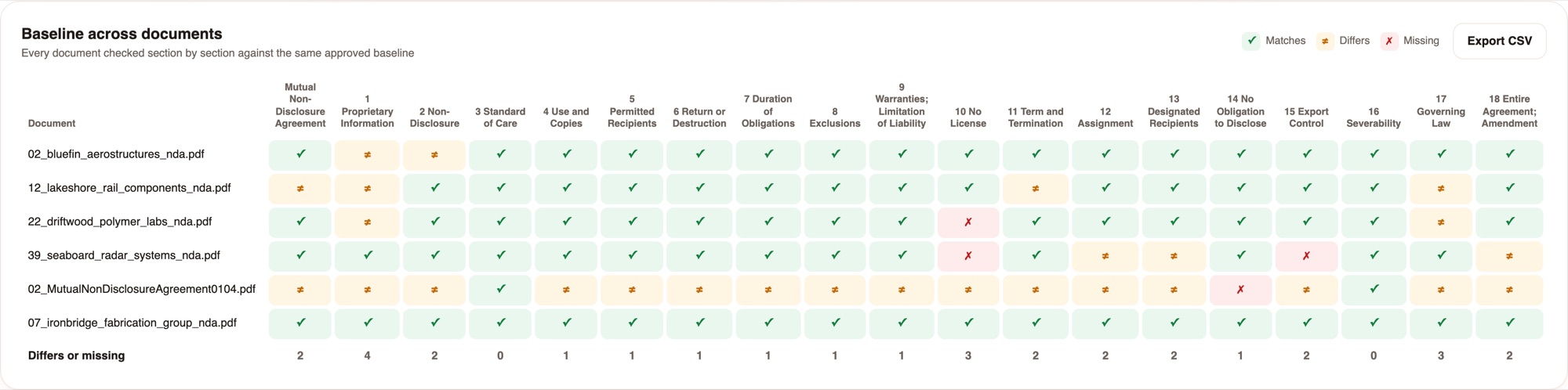
Six NDAs checked against one approved baseline. Every verdict resolves to the exact source text on both sides.
19 baseline sections across the whole intake. The totals row shows where the drift is concentrated - section 1 differs in 4 of 6 documents.
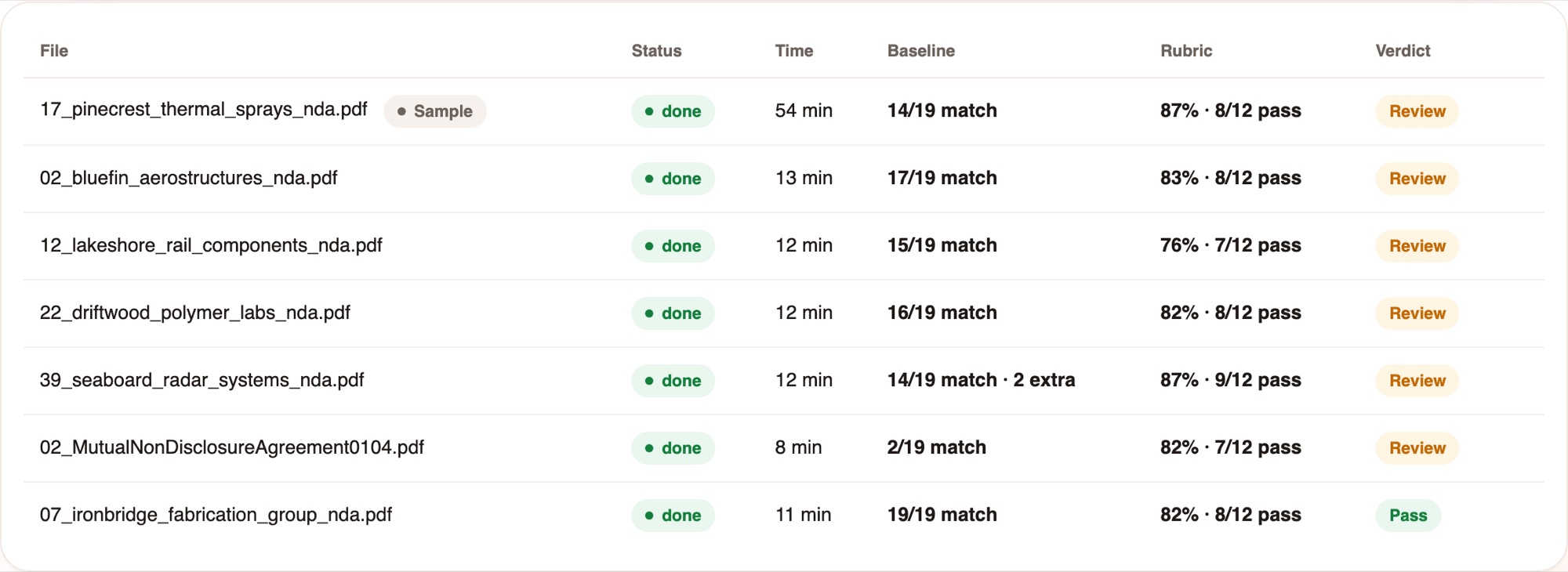
Baseline result, rubric score and the verdict in one line, so reviewers open only the exceptions.
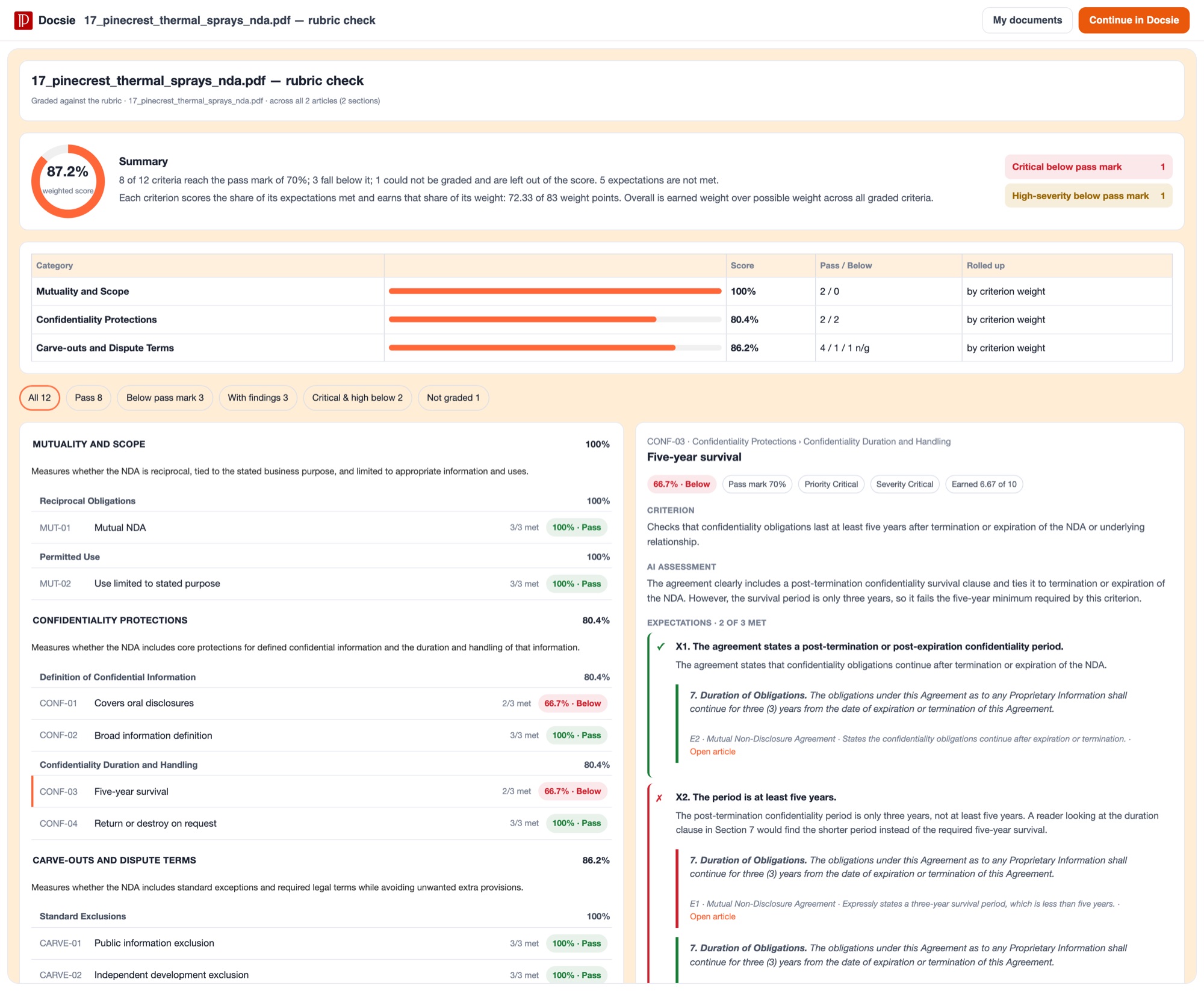
Each criterion scores the share of its expectations met. Scores roll up by weight. Critical and high-severity failures are counted separately.
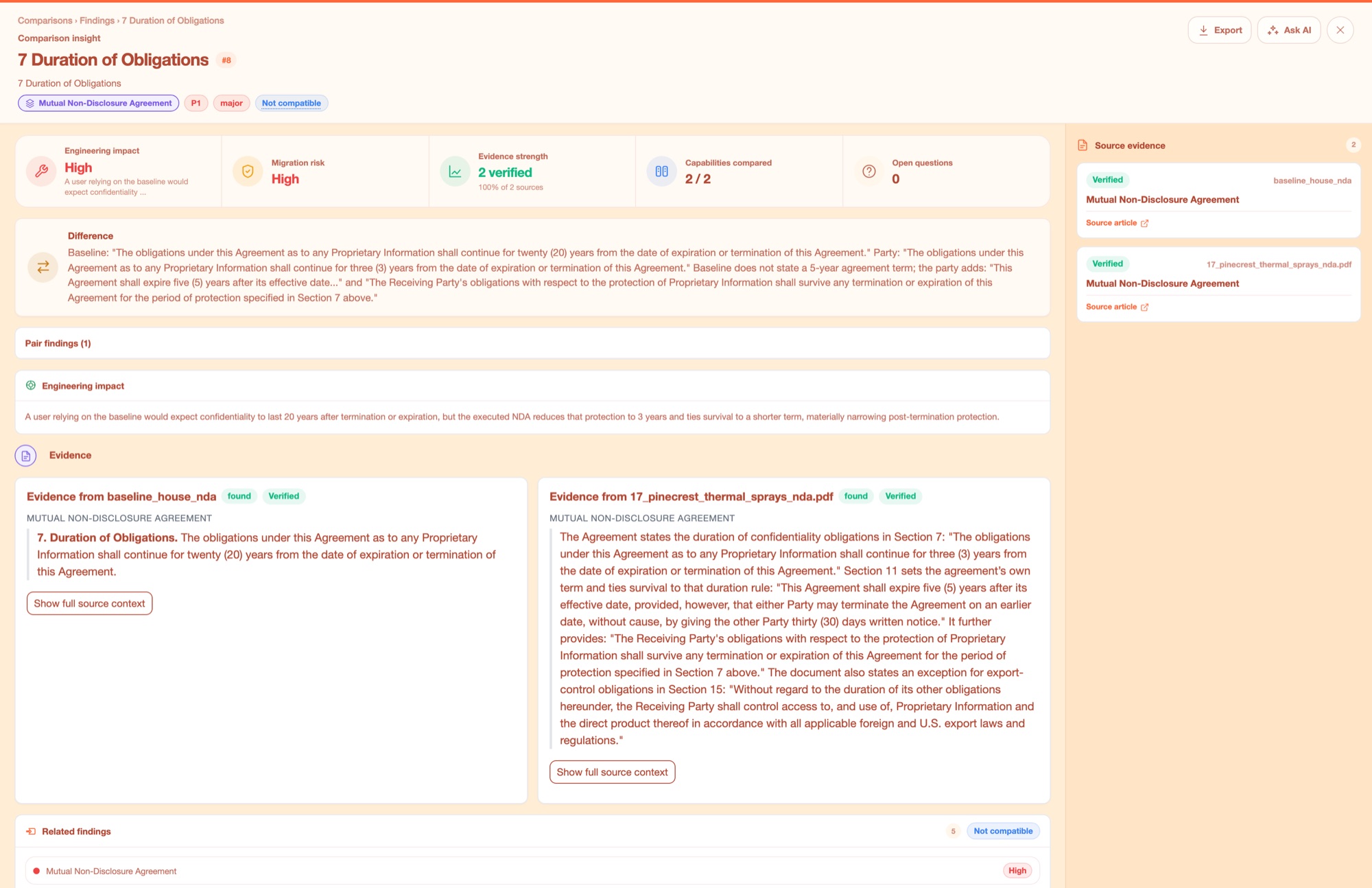
Both sides quoted in full, each marked Verified. This is the difference between a score you can act on and a number you have to re-check by hand.
Why Docsie
The only document review software where scoring is computed in code, not subjective AI interpretation.
Define your baseline and requirements once, then apply them to hundreds of documents without interpretation drift. Your team reviews only what doesn't conform—everything else is verified automatically with the same rubric.
Every deviation, gap, or conformance issue links directly to the exact source text in both the document and your baseline. No more 'I think this section doesn't match'—you get chapter and verse for audit trails.
Stop wasting expert hours on documents that clearly comply. Docsie surfaces only the outliers and issues, with weighted scores that prioritize what matters most to your requirements.
Teams across procurement, compliance, and engineering use Docsie to review at scale.

You've issued an RFP with 50 requirements and received 30 vendor proposals. Docsie checks every proposal against your weighted requirement rubric, flagging which vendors didn't address critical sections and citing exactly where the gaps are.

Your engineering team ships hundreds of product specs and user manuals that must conform to industry standards. Define your approved template once, then run every new document through the same baseline check before release.

You're submitting documentation to regulators or auditors who require adherence to strict guidelines. Compare your submission documents against regulatory requirements and your own approved templates to ensure nothing is missing before filing.
Everything you need to review document sets against a standard, at scale.
Check any document against your approved reference to see exactly what's different, with citations.
Define weighted requirements and score documents automatically—prioritize what matters most.
Compare 2-6 documents at once, extracting and matching concepts across all sources.
Every finding resolves to the exact source text—no vague summaries, just chapter and verse.
Run the same engine over hundreds of documents—approve one sample, then review only exceptions.
Scores are calculated by code, not subjective model interpretation, ensuring consistency.
Common Questions
What teams ask when evaluating document review software.
Q: How do I set up a baseline or requirement set?
A: Upload your approved reference document or define your requirements with weighted criteria. Review one sample document to confirm the engine is catching what you care about, then freeze the baseline. After that, every document is checked identically.
Q: What file formats can Docsie review?
A: Docsie works with PDFs, Word documents, and structured text files. If your documents are in other formats, we can help with conversion or ingestion workflows during onboarding.
Q: How long does a review take?
A: Most single-document reviews complete in under a minute. Batch factory runs depend on document volume, but hundreds of documents can be processed overnight—then you review only the flagged exceptions.
Q: Where is my document data stored and processed?
A: Your documents are processed securely in the cloud with encryption in transit and at rest. We offer SOC 2 compliance and can discuss dedicated instances or on-premise deployment for regulated industries.
Q: Can I get an audit trail of review decisions?
A: Yes. Every review generates a detailed report showing which requirements were met or missed, with citations linking to exact source text. These reports are timestamped and exportable for audit purposes.
Still have questions?
Book a DemoSee how Docsie can help your team today.
No credit card required.


