
4.8
on G2
 Screen Studio
 ScribeHow
Screen Studio charges a flat subscription for a polished Mac-only video recorder. ScribeHow uses per-seat pricing for screenshot-based SOP guides. Neither gives you a free recorder, cross-platform support, and a path from recording to structured documentation. This page breaks down every plan, cost, and hidden limitation so you can decide which tool—or which alternative—is worth your budget.
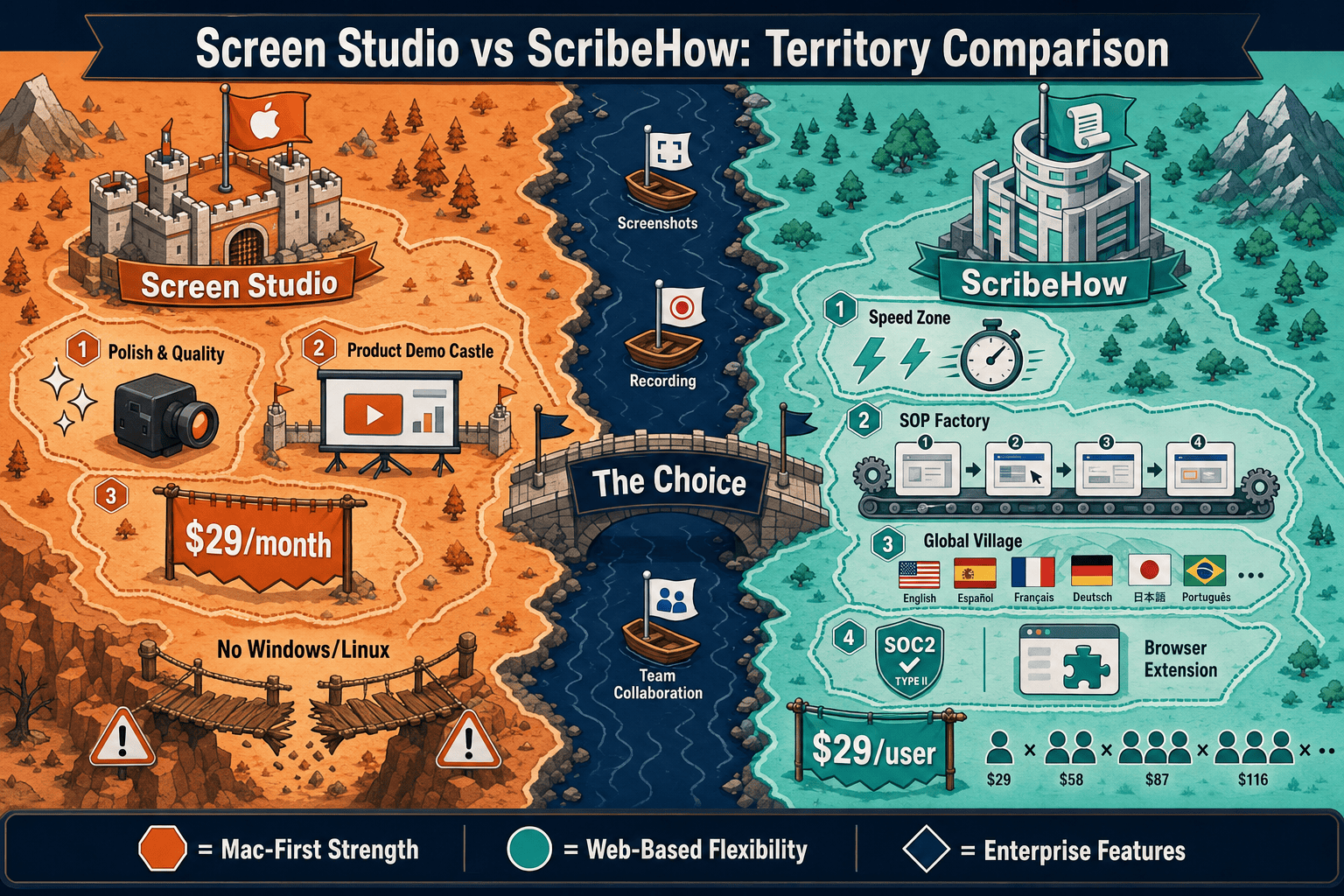
Screen Studio and ScribeHow serve completely different use cases despite both being called "documentation tools." Screen Studio creates beautiful polished videos on Mac.
Pricing Feature Matrix
A side-by-side breakdown of features available at each pricing tier for Screen Studio and ScribeHow, covering capture capabilities, output formats, team features, and enterprise readiness.
| Feature / Price Point |
Screen Studio
|
ScribeHow
|
|---|---|---|
| Free Plan Available | ||
| Starting Price | $9/month (billed yearly) | $0 (Basic) / $15/seat/month (Pro Team) |
| Mac Support | ||
| Windows Support | ||
| Linux Support | ||
| Screen / Workflow Capture | Full-screen & window video | Browser extension + desktop app (Pro+) |
| Output Format | MP4 / GIF (up to 4K 60fps) | Annotated screenshot guides |
| Webcam Overlay | ||
| Microphone & System Audio | ||
| Automatic Zoom & Cursor Polish | ||
| Backgrounds & Visual Effects | ||
| PDF Export | Pro Personal+ ($29/user/month) | |
| Remove Watermark | N/A (no watermark) | Pro Personal+ ($29/user/month) |
| Custom Branding | Pro Personal+ ($29/user/month) | |
| Team Workspace | Pro Team ($75/month minimum) | |
| Approval Workflows | Pro Team only | |
| Analytics | Pro Team only | |
| SSO / SCIM | Enterprise only | |
| AI PII / PHI Redaction | Enterprise only | |
| Knowledge Base Publishing | ||
| Video-to-Docs Conversion | ||
| Markdown / DOCX Export | ||
| API Access |
Pricing verified from official sites as of May 2026. SaaS pricing changes frequently—re-check before purchasing. ScribeHow Pro Team minimum is 5 seats at $15/seat/month ($75/month). Enterprise pricing reported at $18,000–$39/user/year depending on negotiation.
Strengths & Weaknesses
Deep Dive
An honest analysis of value for money, scalability costs, and hidden limitations across both tools—so you know exactly what you are paying for.
Screen Studio's yearly plan at $9/month ($108/year) is genuinely affordable for a solo Mac user who only needs polished video output. The monthly plan at $29/month is harder to justify. ScribeHow's free Basic tier offers real value for browser-only SOP capture, but the jump to Pro Personal at $29/user/month for desktop capture and PDF export is steep. Pro Team's $75/month minimum (5 seats) means small teams pay for seats they may not use. Neither tool offers documentation output, knowledge base publishing, or cross-platform video recording at any price point.
Screen Studio has no team tier, so scaling means buying individual licenses for every Mac user—there is no volume discount or seat management. For a five-person Mac team that is $45–$145/month with no shared workspace. ScribeHow scales more predictably through its team tier, but the per-seat model accelerates costs quickly. A 20-person team on Pro Team would pay $300/month minimum. Enterprise pricing at a reported $18,000–$39/user/year makes large-scale ScribeHow deployments among the most expensive in the SOP software category.
Screen Studio's biggest hidden cost is platform lock-in—Mac-only means Windows and Linux team members need a different solution entirely, doubling tooling spend. ScribeHow's hidden cost is its watermark on the free plan, which forces an upgrade to look professional. Both tools share a critical gap—neither produces written documentation, Markdown exports, DOCX files, or knowledge base content. Teams that need recordings to become searchable docs will pay for a second tool on top of whichever they choose. Neither offers API access, blocking any custom workflow automation.
Pricing Breakdown
Every pricing tier for both tools, side by side, with what you actually get at each level.
Pricing Verdict
Screen Studio wins on simplicity—one flat price covers everything for a solo Mac user. ScribeHow wins on accessibility with a genuine free tier and better team pricing at scale below 10 seats. But both tools have serious pricing gaps relative to what they deliver. Screen Studio at $29/month for Mac-only video output with no documentation workflow is hard to justify for teams. ScribeHow's enterprise pricing at $18,000+ per year for screenshot guides with no video capability is very expensive for what is ultimately a browser-workflow capture tool. Neither tool delivers documentation output—written docs, knowledge base articles, or exportable Markdown—at any price point. Teams that need recordings to become structured documentation will pay for both tools plus a third documentation platform, making the total cost of ownership far higher than it first appears.
Our Recommendation
Screen Studio and ScribeHow serve completely different use cases despite both being called "documentation tools." Screen Studio creates beautiful polished videos on Mac. ScribeHow creates annotated screenshot guides from browser workflows. Neither produces written documentation, neither is cross-platform, and neither offers a path from recording to a searchable knowledge base—which means most teams will eventually need both, plus a third tool to manage docs.
Choose Screen Studio if you need. .
Choose ScribeHow if you need. .
Choose Docsie Recorder if you need. .
Winner: Docsie Recorder
Docsie Recorder is free and open-source, works on Mac, Windows, and Linux, and delivers recorder-grade editing (zoom, crop, trim, speed regions, backgrounds, annotations, blur regions) at no cost. Where Screen Studio stops at a video file and ScribeHow stops at a screenshot guide, Docsie Recorder bridges directly into Docsie's Video-to-Docs pipeline—turning one recording into structured documentation published into a versioned, searchable knowledge base. For teams that need the full CREATE → CONVERT → MANAGE → DELIVER workflow, Docsie Recorder addresses every gap both competitors leave behind.
Decision Helper
A direct framework for picking between Screen Studio, ScribeHow, and Docsie based on your specific needs.
Polished Mac-only product demos with cinematic zoom and motion.
Browser process capture that auto-generates step-by-step guides.

Convert real video into searchable docs, then deploy multi-tenant portals.
Common Questions
Q: Is Screen Studio really Mac-only, and does that affect the price I pay?
A: Yes, Screen Studio is macOS-only and requires macOS Ventura 13.1 or later. There is no Windows or Linux version at any price point. This means Windows or Linux team members cannot use the tool regardless of budget, which effectively doubles tooling costs for mixed-platform teams who still need a recording solution for non-Mac users.
Q: What does ScribeHow's free plan actually let you do?
A: ScribeHow's free Basic plan allows browser-based capture through the Chrome extension only. All guides on the free plan include a Scribe watermark, and there is no access to the desktop app, PDF export, or custom branding. For professional use or any output you share externally, you will need at least the Pro Personal tier at $29/user/month.
Q: Why is ScribeHow Enterprise so expensive compared to the team plan?
A: ScribeHow Pro Team starts at $15/seat/month ($75/month minimum for 5 seats), but Enterprise pricing has been reported at $18,000–$39/user/year depending on the contract—a significant jump. Enterprise unlocks SSO, SCIM, IP whitelisting, and AI PII/PHI redaction, which are compliance features required by regulated industries. If your team needs any of those features, expect to negotiate an enterprise contract rather than self-serve at the listed team price.
Q: Does Screen Studio have a free trial before I pay?
A: Screen Studio offers a downloadable macOS app, but you should verify current trial terms directly on screen.studio before purchasing, as trial availability and limits may change. There is no permanently free plan—all features require a paid subscription on either the monthly ($29/month) or yearly ($9/month billed annually) plan.
Q: Is there a better alternative to both Screen Studio and ScribeHow for teams that need recordings and documentation?
A: Yes—Docsie Recorder is a free, open-source screen recorder that works on Mac, Windows, and Linux. Unlike Screen Studio (Mac-only video) and ScribeHow (screenshot guides only), Docsie Recorder connects directly to Docsie's Video-to-Docs pipeline, converting recordings into structured Markdown, DOCX, PDF, and knowledge base articles. The recorder itself is free with no seat limits; Video-to-Docs conversion uses Docsie AI credits. For teams that need both polished recordings and written documentation from a single workflow, Docsie Recorder closes the gap both competitors leave open.
Q: Can I use Screen Studio and ScribeHow together to cover both video and docs?
A: Technically yes, but the cost adds up quickly. Screen Studio at $9–$29/month covers video output for Mac users. ScribeHow at $29/user/month (Pro Personal) or $75/month minimum (Pro Team) covers screenshot guides. Neither tool integrates with the other, and you still would not have a knowledge base, version control, or Markdown export—so most teams end up adding a third documentation platform on top. That combined spend often exceeds what a single integrated platform like Docsie would cost.
Docsie Recorder is free, open-source, and works on Mac, Windows, and Linux—no Mac-only lock-in, no per-seat fees, and no stopping at a video file or screenshot guide. Record your workflow, convert it to structured documentation with Docsie's Video-to-Docs pipeline, and publish it into a versioned knowledge base with multi-tenant portal delivery, SSO, and API access. One workflow from recording to published docs, at a fraction of the cost of combining Screen Studio and ScribeHow.
Docsie Recorder is free and open-source. Video-to-Docs conversion uses Docsie AI credits. No per-seat fees for the recorder itself.