
4.8
on G2
 Screen Studio
 Clueso
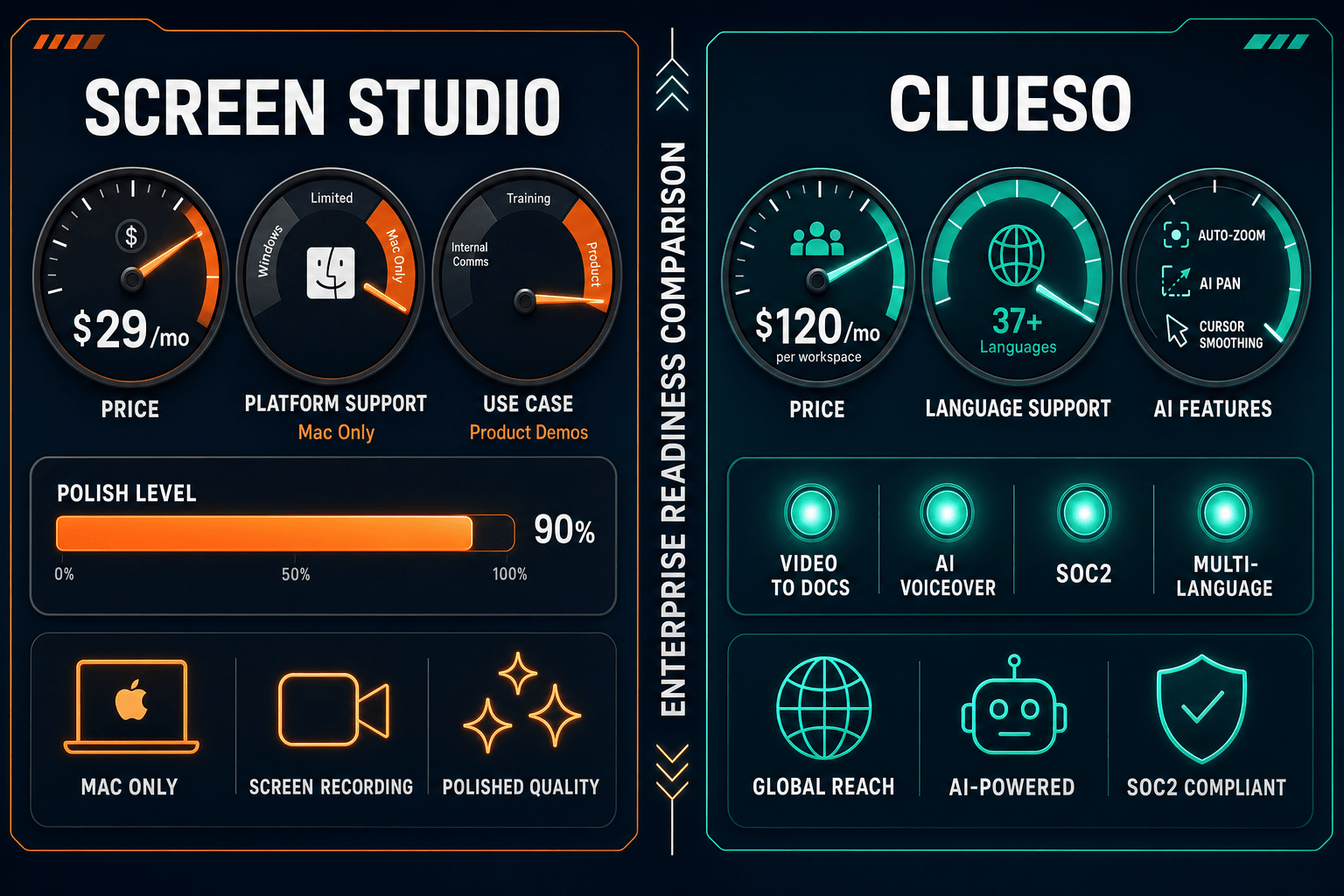
Screen Studio is a polished Mac-only screen recorder with no enterprise controls. Clueso is an AI video platform with SOC 2 and ISO 27001 compliance but limited admin features. Neither is built for true enterprise documentation workflows. See how they compare — and why Docsie Recorder is the stronger choice for enterprise teams.

Screen Studio is not an enterprise tool.
Enterprise Feature Matrix
A focused comparison of enterprise-grade capabilities including security, compliance, administration, scalability, and support across both tools.
| Enterprise Capability |
Screen Studio
|
Clueso
|
|---|---|---|
| SSO (SAML / OAuth) | ||
| SOC 2 Type II Compliance | ||
| ISO 27001 Certification | ||
| GDPR Compliance | ||
| Audit Logs | ||
| Role-Based Access Control | ||
| Data Residency Options | ||
| Multi-Tenant Portals | ||
| Custom Domain Support | ||
| API Access | ||
| Team Collaboration | Growth plan and above | |
| Enterprise SLA / Uptime Guarantee | Not applicable (local Mac app) | Enterprise plan only |
| Dedicated Support / Slack Channel | Enterprise plan only | |
| Custom Integrations | Enterprise plan only | |
| Version Control for Content | ||
| Windows / Linux Support | Web-based (cross-platform) | |
| Export Minute Rollover | Not applicable | No rollover on monthly plans |
| Knowledge Base Publishing | Growth plan and above | |
| Video-to-Docs Conversion | ||
| Dedicated Enterprise Plan |
Data as of 2026-05-05. Features based on publicly available vendor documentation and official pricing pages. Enterprise plan details for Clueso require direct contact with the vendor.
Strengths & Weaknesses
Deep Dive
An in-depth analysis across four enterprise readiness dimensions — security and compliance, scalability and performance, administration and control, and support and SLA.
Clueso holds the clear advantage here. It is SOC 2 Type II certified, ISO 27001 certified, and GDPR compliant — credentials that clear most enterprise security review checklists. Screen Studio operates as a local Mac application, meaning recordings stay on-device by default, but the tool carries no formal compliance certifications, no documented data handling policies for shareable links, and no security audit trail. For regulated industries — healthcare, finance, legal — Clueso's certifications make it a credible conversation starter, while Screen Studio is effectively disqualified from formal enterprise procurement processes.
Screen Studio is a single-user Mac application. There is no team account, no concurrent user management, no cloud infrastructure to scale, and no mechanism for centralizing recordings across a department. Clueso is a cloud platform with team collaboration on the Growth plan, making it more suitable for growing teams. However, export minutes are capped and do not roll over on monthly plans, creating a hard ceiling on content output for active teams. Neither tool offers multi-tenant portal delivery or the ability to serve documentation to multiple client organizations from one system — a key enterprise scalability requirement.
Both tools are weak on administrative controls, though for different reasons. Screen Studio has no team account layer at all — there are no roles, no permissions, no user management, and no audit logging. Clueso provides team collaboration but offers no role-based access control, no audit logs, no SSO integration, and no data residency options. Enterprise IT and security teams typically require all four for procurement sign-off. Clueso's Enterprise plan advertises "advanced security" and custom integrations, but specific details require direct vendor engagement. Neither tool provides version control for content or approval workflows for documentation governance.
Screen Studio offers standard product support with no documented enterprise SLA, no dedicated account management, and no priority response commitments. Support is consistent with a sub-$30/month individual tool. Clueso's Enterprise plan includes a formal SLA, Slack and Teams-based support channels, and dedicated account management — meaningful advantages for enterprise teams that need contractual uptime guarantees and escalation paths. Clueso's Growth plan includes priority support, which positions it ahead of Screen Studio even at the mid-market tier. Neither tool offers 24/7 on-call support or air-gap deployment options for high-security environments.
Our Recommendation
Screen Studio is not an enterprise tool. It is an excellent Mac-based screen recorder for individual creators and small teams, but it has no compliance certifications, no team management, no SSO, and no enterprise SLA. Clueso is meaningfully more enterprise-ready — its SOC 2 Type II and ISO 27001 certifications, team collaboration features, and Enterprise SLA plan put it in a different category — but it still lacks SSO, audit logs, role-based access control, version control, and API access that enterprise IT teams expect.
Choose Screen Studio if you need. .
Choose Clueso if you need. .
Choose Docsie Recorder if you need. .
Winner: Docsie Recorder
Docsie Recorder is the only tool in this comparison that connects screen recording to a full enterprise documentation workflow. The recorder itself is free and open-source with Mac, Windows, and Linux support — solving Screen Studio's Mac-only limitation immediately. Through Docsie's platform, recordings flow into Video-to-Docs conversion, generating structured Markdown, DOCX, and PDF output that publishes into a versioned knowledge base. Docsie's enterprise layer adds SSO, audit logs, role-based access control, multi-tenant portals, custom domains, and API access — capabilities neither Screen Studio nor Clueso offer — making it the genuinely enterprise-ready choice for teams that need to record, document, and govern content at scale.
Decision Helper
A direct framework for picking between Screen Studio, Clueso, and Docsie based on your specific needs.
Polished Mac-only product demos with cinematic zoom and motion.
AI-powered video tutorial and documentation creation.

Convert real video into searchable docs, then deploy multi-tenant portals.
Common Questions
Q: Does Screen Studio have SOC 2 or ISO 27001 compliance?
A: No. Screen Studio is a local Mac application with no published compliance certifications. While recording stays on-device by default, there are no documented security controls for shareable links, no audit logs, and no formal compliance framework. Enterprise procurement teams will typically disqualify Screen Studio early in a security review process.
Q: Does Clueso support SSO or SAML for enterprise identity management?
A: Not on any published plan as of 2026. Despite holding SOC 2 Type II and ISO 27001 certifications, Clueso does not list SSO or SAML integration on its Starter, Growth, or Enterprise plan pages. Teams requiring SSO for enterprise procurement should confirm current SSO support directly with Clueso's sales team before committing.
Q: Which tool has better audit logging and access controls for enterprise IT teams?
A: Neither Screen Studio nor Clueso provides audit logs or role-based access control on their published plans. Screen Studio has no team account layer at all. Clueso's Enterprise plan mentions "advanced security" without specifying audit log availability. Both tools fall short of the administrative control requirements typical of enterprise IT and security reviews.
Q: Is there a better alternative to both Screen Studio and Clueso for enterprise teams?
A: Yes — Docsie Recorder addresses the core limitations of both tools. Screen Studio is Mac-only with no enterprise controls, and Clueso lacks SSO, audit logs, version control, and API access despite its compliance certifications. Docsie Recorder is a free, open-source cross-platform recorder (Mac, Windows, Linux) that connects directly to Docsie's enterprise platform, which includes SSO, role-based access control, audit logs, multi-tenant portals, versioned knowledge bases, and API access. Recordings become structured documentation rather than stopping at a video file — making the full CREATE-to-MANAGE-to-DELIVER workflow available in one system.
Q: Can Clueso's export minute limits cause problems for large enterprise teams?
A: Yes. Clueso's lower-tier plans cap exports at approximately 6 hours per year with no rollover on monthly plans. For enterprise teams producing high volumes of tutorial or training content, this ceiling creates predictable bottlenecks. Enterprise plan volumes are custom, but the pricing entry point starts at $1,440/year for the Starter plan before any enterprise-grade features are unlocked.
Q: Does Screen Studio work on Windows or Linux for enterprise-wide rollout?
A: No. Screen Studio is macOS-only and requires macOS Ventura 13.1 or later. Enterprise deployments that include Windows or Linux users cannot standardize on Screen Studio, making it unsuitable as an organization-wide recording solution. Docsie Recorder provides Mac, Windows, and Linux builds under an open-source license, enabling consistent cross-platform enterprise deployment.
Screen Studio stops at polished Mac videos with no enterprise controls. Clueso adds compliance credentials but still lacks SSO, audit logs, version control, and API access. Docsie Recorder is a free, open-source cross-platform recorder that feeds a full enterprise documentation workflow — converting recordings into structured knowledge bases with multi-tenant portals, versioned content, and the enterprise security stack your IT team requires.
Free and open-source recorder.