
4.8
on G2
 Docsie Recorder
 VEED.IO
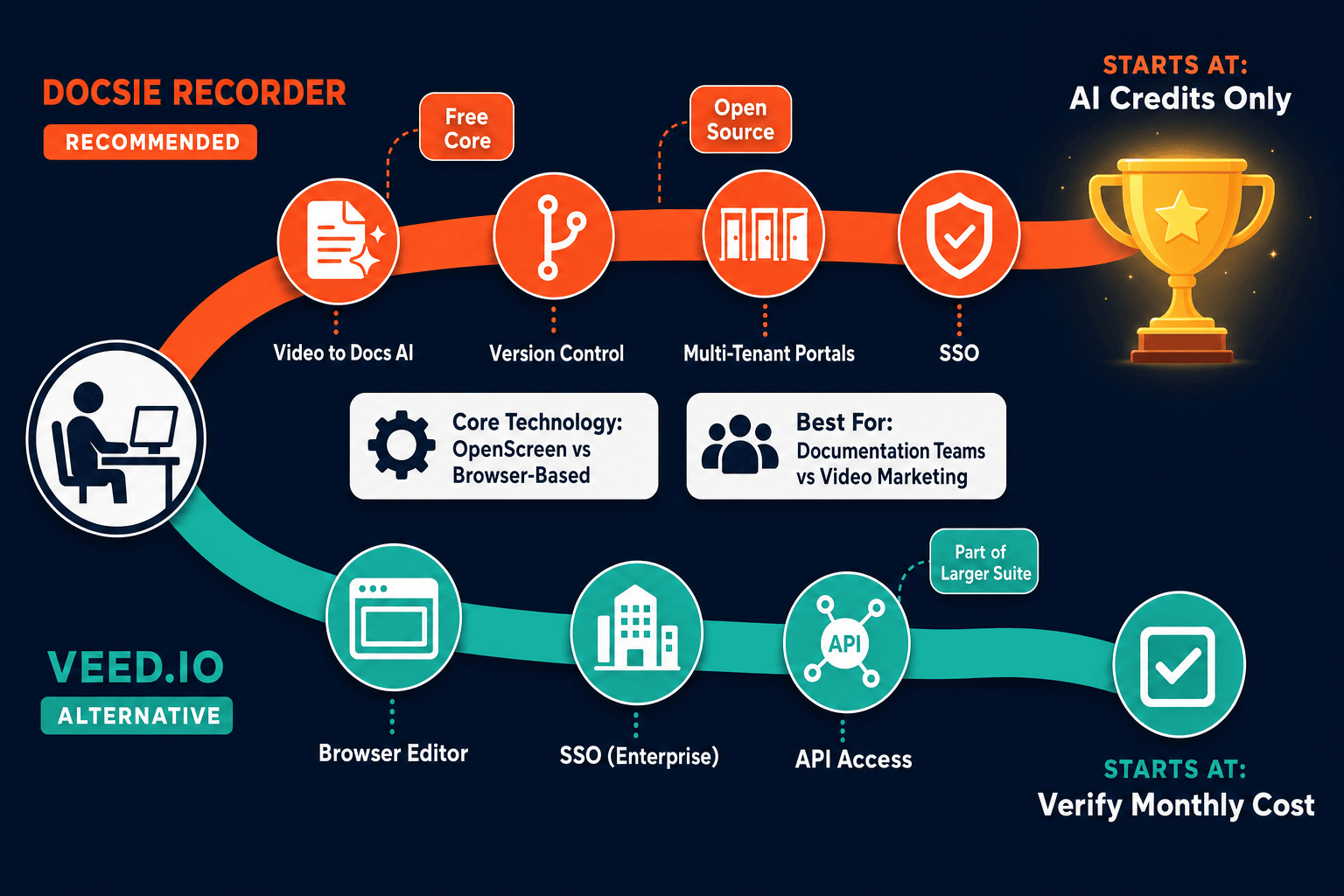
Docsie Recorder is a free, open-source desktop recorder that exports MP4 and GIF locally and connects to a Video-to-Docs pipeline at zero baseline cost. VEED.IO is a subscription-based browser video suite with watermarked free tier and tiered AI minute limits. This pricing breakdown shows what you actually get at each spend level and which tool delivers better value for teams that need recordings to become documentation.

On pricing: Docsie Recorder runs video-to-docs plus multi-tenant portals, VEED.IO captures workflows into quick guides, while Docsie Recorder fits when you also need video → structured docs → multi-tenant portals end-to-end.
Feature Matrix
A feature-by-feature breakdown focused on recording capabilities, editing, export, and the downstream value you get from each dollar spent. Rows are chosen for buyers evaluating screen recorders, Loom alternatives, and recorder-to-docs workflows.
| Feature |
Docsie Recorder
Our Pick
|
VEED.IO
|
|---|---|---|
| Free Desktop Recorder | ||
| Open-Source Recorder Base (MIT) | ||
| Mac Support | ||
| Windows Support | ||
| Linux Support | ||
| Window and Full-Screen Capture | ||
| Microphone Audio Capture | ||
| System Audio Capture | Platform-specific | |
| Webcam Overlay | ||
| Automatic Zoom (Cursor-Driven) | ||
| Manual Zoom Regions | ||
| Cursor / Focus Polish | ||
| Backgrounds and Visual Effects | ||
| Crop, Trim, Speed Regions | ||
| Annotations and Blur Regions | ||
| Local MP4 Export | Paid tier | |
| Local GIF Export | ||
| Watermark on Free Tier | ||
| Video-to-Docs Conversion | ||
| Markdown / DOCX / PDF Export | ||
| Knowledge Base Publishing | ||
| Versioned Documentation Management | ||
| Multi-Tenant Portal Delivery | ||
| AI Captions and Translation | Via Docsie platform | |
| AI Avatars and Script Generation |
Data as of 2026. Docsie Recorder desktop app is free with no account required for record and export. Video-to-Docs conversion uses Docsie AI credits. VEED.IO free tier includes a watermark; paid tiers remove it. Confirm current VEED.IO pricing and AI minute limits on their live pricing page before making a purchasing decision.
Strengths & Weaknesses
Deep Dive
A structured analysis of value for money, scalability costs, and hidden limitations across Docsie Recorder and VEED.IO — written for teams evaluating screen recorders, Loom alternatives, and recorder-to-docs workflows.
Docsie Recorder delivers the core recording and editing workflow at $0 with no watermark and no subscription. A team of ten can record, edit, export MP4 and GIF, and publish polished walkthroughs without spending anything on the recorder itself. The only spend trigger is Video-to-Docs conversion, which uses Docsie AI credits priced per job. VEED.IO's free tier adds a watermark and caps export quality, meaning any professional use requires a paid subscription from day one. For pure recording and local export value, Docsie Recorder has a structurally lower cost floor than VEED.IO at every team size.
As teams grow, Docsie Recorder's cost structure stays anchored to AI conversion credits rather than per-seat fees. Adding five new team members to the recording workflow does not change the recorder cost. VEED.IO's paid plans are seat-based and tiered by AI minute usage, so both headcount growth and heavier video production push costs upward simultaneously. For support, product, and enablement teams that record frequently but convert selectively, Docsie Recorder's credit-only spend model is more predictable and typically lower at scale than a seat-plus-AI-minutes subscription model.
VEED.IO's pricing page lists plan prices, but actual costs depend on AI minutes consumed, export resolution selected, and team seat count — three variables that can compound quickly on Business or Enterprise tiers. The free tier watermark is a hard gate for any customer-facing output. Docsie Recorder's hidden cost surface is narrower: the recorder and editor are fully free, and Video-to-Docs credit consumption is estimable before a job is submitted. The only genuine limitation is that fully local AI conversion is not available — the Video-to-Docs step requires a Docsie cloud API call. Teams with strict data residency needs should factor this in, but for most buyers the credit model is more transparent than VEED.IO's variable subscription tiers.
Pricing Breakdown
Compare what each tool costs at every tier and what you actually get for that spend. Docsie Recorder uses a free recorder plus pay-per-conversion credit model. VEED.IO uses a subscription model with a watermarked free tier.
Docsie Recorder wins on pricing structure. The recorder itself costs nothing, exports carry no watermark, and AI conversion spend is triggered only when you choose to convert a recording into documentation. VEED.IO requires a paid subscription for any professional output, and costs compound as team size and AI usage grow. For teams that need recordings to become structured docs and managed knowledge base content, Docsie Recorder's cost floor is lower at every scale point. VEED.IO justifies its subscription cost for marketing teams that need AI avatars, dubbing, and a broad video creation suite — but those are not the features a recorder-to-docs buyer is paying for.
Our Recommendation
Docsie Recorder and VEED.IO are priced for different buyers. Docsie Recorder is a free, open-source desktop tool built specifically for teams that record product walkthroughs, support flows, and training videos and then need those recordings to become structured documentation. VEED.IO is a subscription browser suite for marketing and content teams that need AI-voiced videos, captions, translations, and social-ready exports. The pricing models reflect these different priorities — and for recorder-to-docs buyers, Docsie Recorder's cost structure is structurally more favorable at every team size.
Choose Docsie Recorder if you need...
Choose VEED.IO if you need...
Winner: Docsie Recorder
For teams evaluating screen recorders and recorder-to-docs workflows, Docsie Recorder delivers a lower cost floor at every tier. The recorder is free with no watermark, exports are local, and AI conversion spend is optional and estimable before commitment. VEED.IO requires a paid subscription for any professional output and its costs scale with both seat count and AI usage — neither of which benefits a team whose goal is turning screen recordings into structured documentation. Docsie Recorder also uniquely bridges into a full knowledge base platform for publishing, versioning, and delivering the generated docs, which VEED.IO has no equivalent of at any price point.
Decision Helper
A direct framework for picking between Docsie Recorder, VEED.IO based on your specific needs.
Free, open-source desktop screen recorder that feeds a Video-to-Docs pipeline.
Browser-based video editor with subtitles, transcription, and effects.
Common Questions
Q: Is Docsie Recorder really free, or is that a limited trial?
A: Docsie Recorder is genuinely free with no trial period and no account required to record and export video. The desktop app is MIT-licensed open source, and local MP4 and GIF exports carry no watermark. The only paid element is the optional Video-to-Docs conversion step, which uses Docsie AI credits charged per job — you can use the recorder indefinitely without ever triggering that cost.
Q: Does VEED.IO's free tier produce watermark-free exports?
A: No. VEED.IO's free tier adds a watermark to all exported videos, which makes it unsuitable for customer-facing or professional output without upgrading. Any team that needs clean exports for documentation, training, or product walkthroughs must move to a paid VEED.IO plan from day one. Docsie Recorder exports MP4 and GIF locally with no watermark on the free tier.
Q: How does Docsie Recorder's credit model compare to VEED.IO's subscription for a 10-person team?
A: With Docsie Recorder, all ten team members can record and export locally at $0 — the credit spend only occurs when a recording is submitted for Video-to-Docs conversion. With VEED.IO, a 10-person team on a paid plan pays per seat plus scales with AI minute consumption, meaning both headcount and usage drive the bill upward simultaneously. For teams that record frequently but convert selectively, Docsie Recorder's credit model is typically more predictable and lower in total cost.
Q: If I only need a screen recorder and don't need docs, is Docsie Recorder still worth it over VEED.IO?
A: Yes, for pure recording value Docsie Recorder still wins on cost. It records, edits with automatic zoom and cursor polish, and exports MP4 or GIF locally for free with no watermark. VEED.IO requires a paid plan for the same watermark-free output. The Video-to-Docs capability is optional — you can use the recorder standalone and never pay anything.
Q: Can VEED.IO convert screen recordings into documentation like Docsie Recorder does?
A: No. VEED.IO outputs edited video files, captions, and translated media — it has no video-to-docs conversion, no Markdown or DOCX export, no knowledge base publishing, and no version control for documentation. If your workflow requires a screen recording to become a structured KB article, only Docsie Recorder provides that path. VEED.IO is purpose-built for video production, not documentation management.
Q: What hidden costs should I watch for with VEED.IO before committing to a plan?
A: Watch for three compounding cost drivers on VEED.IO's paid plans — seat count, AI minute consumption, and export resolution limits. Teams that grow headcount or produce heavy AI caption and translation volumes can find costs escalating faster than the headline plan price suggests. Docsie Recorder's cost surface is narrower — the recorder is free, and only the Video-to-Docs conversion step uses credits, which are estimable before each job is submitted.
Download Docsie Recorder, record and edit your first walkthrough locally with no account required, and export MP4 or GIF at no cost. When you're ready to turn that recording into structured documentation and publish it to a knowledge base, Docsie's Video-to-Docs pipeline is one click away.
No subscription required to record, edit, and export. MIT open-source. macOS, Windows, and Linux builds available.