
4.8
on G2
 Docsie Recorder
 Glitter AI
Both Docsie Recorder and Glitter AI help teams turn screen recordings into step-by-step documentation. But when enterprise security, compliance, scalability, and administrative control matter, the two tools diverge sharply. Docsie Recorder is built on an open-source core and feeds directly into a battle-tested enterprise knowledge base platform—while Glitter AI remains a lightweight capture tool with limited enterprise depth.
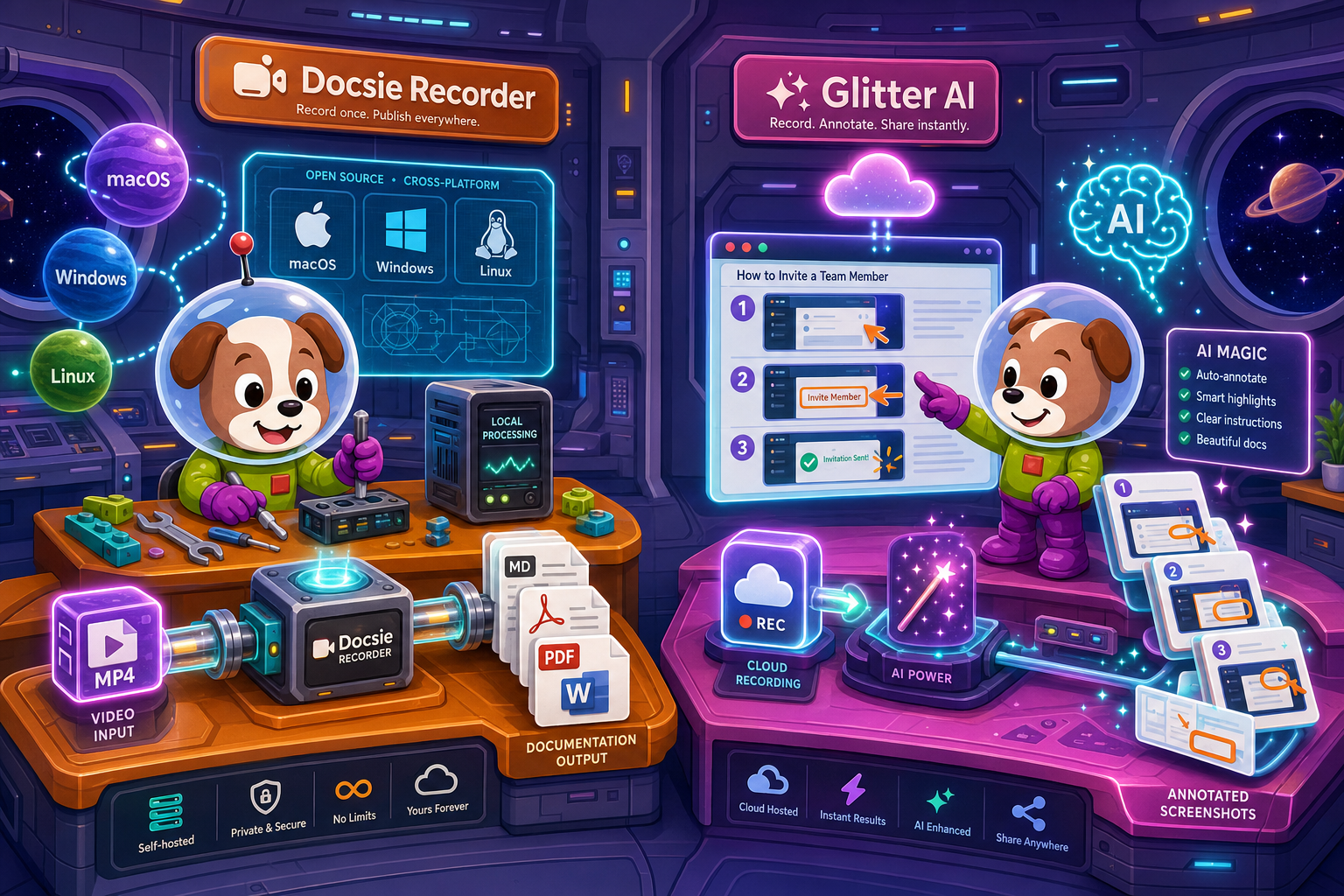
For enterprise buyers, Docsie Recorder and Glitter AI cover narrow slices (free and quick setup with browser extension plus desktop app for screen recording) while Docsie adds SSO, audit trails, multi-tenant portals, and compliance monitoring in one platform.
Enterprise Feature Matrix
A focused comparison of enterprise-critical capabilities—security, compliance, access control, scalability, and downstream documentation management—across both tools.
| Enterprise Capability |
Docsie Recorder
Our Pick
|
Glitter AI
|
|---|---|---|
| Free Desktop Recorder | ||
| Open-Source Recorder Core | ||
| Mac / Windows / Linux Support | Mac & Windows only | |
| Local-First Recording (No Cloud Required) | ||
| Video-to-Docs Conversion | ||
| Markdown / DOCX / PDF Export | PDF only (Pro+) | |
| Knowledge Base Publishing | ||
| Versioned Documentation Management | ||
| Multi-Tenant Portal Delivery | ||
| SSO (SAML / OAuth) | Enterprise only | |
| Role-Based Access Control | ||
| Audit Logs | ||
| SOC 2 Type II Compliance | ||
| GDPR Compliance | ||
| HIPAA Readiness | ||
| Data Residency Options | ||
| API Access | ||
| Custom Domain Support | ||
| Dedicated Support / Uptime SLA | Enterprise only | |
| Enterprise Deployment Path | Limited |
Data as of 2026. Features are based on publicly available information and vendor documentation. Enterprise plan details may vary by negotiation.
Strengths & Weaknesses
Enterprise Deep Dive
Enterprise buyers need more than a good recording experience. They need security certifications, administrative controls, scalable delivery, and reliable support. Here is how Docsie Recorder and Glitter AI stack up across each dimension.
Docsie Recorder's open-source core gives security teams a fully auditable codebase—no black-box binaries handling sensitive screen content. The downstream Docsie platform carries SOC 2 Type II, GDPR, and HIPAA-ready compliance, EU data residency options, and real-time compliance monitoring for HIPAA, SOX, ITAR, and GDPR. Glitter AI covers GDPR but does not publish SOC 2 or HIPAA certifications, offers no data residency choice, and has no compliance monitoring layer. For regulated industries—healthcare, finance, legal—Docsie's compliance posture is substantially deeper and independently verifiable through its open-source recorder base.
Docsie Recorder's local-first capture model means recording performance never degrades with team size—video stays on device until conversion is explicitly triggered. The Docsie platform behind it scales to multi-tenant portal delivery, serving multiple branded knowledge bases from a single workspace. Glitter AI is a cloud-dependent capture tool without a publishing or portal layer, meaning large teams quickly outgrow its sharing model. There is no versioned content management, no multi-tenant architecture, and no documented uptime SLA outside of an Enterprise contract negotiation—creating scalability ceilings that enterprise teams will hit quickly.
Docsie provides SSO via SAML, OAuth, OIDC, Azure AD, and Okta, plus granular role-based access control, audit logs, and approval workflows across the documentation lifecycle. Administrators can control who records, who converts, who publishes, and who reads—with a full audit trail. Glitter AI offers SAML SSO only on its Enterprise plan, with no published role-based access control, no audit logs, and no approval workflows. Teams with compliance mandates requiring demonstrable access governance will find Glitter AI's administrative controls insufficient without a custom Enterprise agreement, while Docsie delivers these controls at standard plan tiers.
Docsie backs its platform with a 99.9% uptime SLA, dedicated support channels, and an open-source community for the recorder core—giving enterprise teams both contractual guarantees and a public issue tracker. Glitter AI reserves dedicated support and uptime SLA commitments for Enterprise plan customers only, leaving Pro plan teams without formal response time guarantees. Additionally, Glitter AI was founded in 2022 and has a shorter enterprise track record compared to Docsie's established customer base of large organizations. For teams that cannot tolerate undocumented support tiers, Docsie's broader enterprise support posture is a meaningful differentiator.
Our Recommendation
Glitter AI is a capable screen-recording-to-guide tool for individuals and small teams who need quick, annotated step documentation. But it was not built for enterprise scale. It lacks audit logs, role-based access control, SOC 2, HIPAA readiness, data residency, API access, version control, and multi-tenant portal delivery. Docsie Recorder, by contrast, is an open-source recorder that feeds into a fully enterprise-grade knowledge base platform—giving security teams an auditable codebase, compliance teams certified infrastructure, and administrators the controls they need to govern documentation at scale.
Choose Docsie Recorder if you need...
Choose Glitter AI if you need...
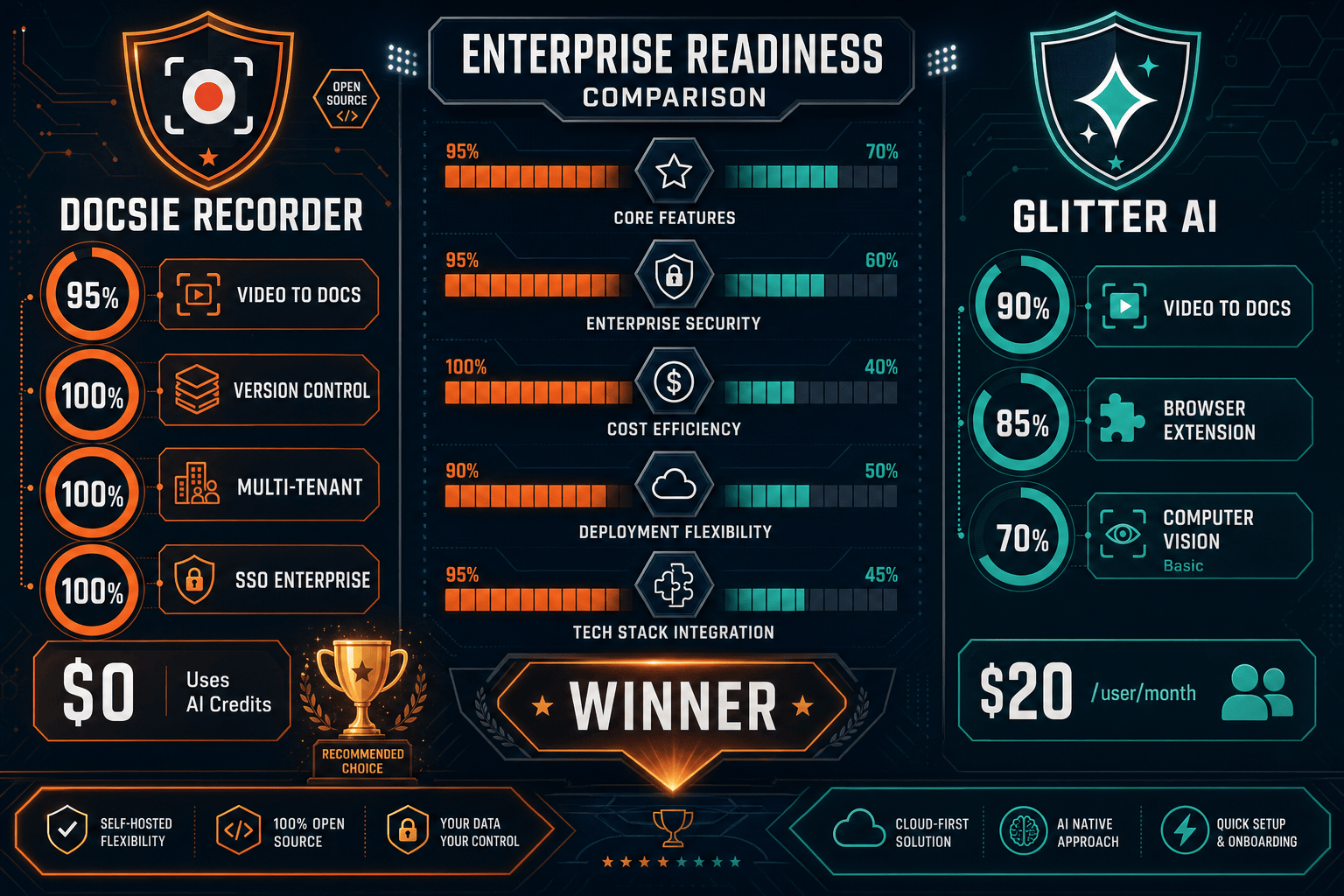
Winner: Docsie Recorder
Docsie Recorder wins on enterprise readiness by a wide margin. Its open-source recorder core satisfies security review requirements that closed-source tools cannot meet. The downstream Docsie platform delivers the full enterprise stack—SOC 2 Type II, HIPAA readiness, SAML SSO, RBAC, audit logs, data residency, API access, versioned content management, and multi-tenant portals—that Glitter AI simply does not offer. For any enterprise team that needs to govern, audit, and scale their screen-recording-to-documentation workflow, Docsie Recorder is the only credible choice in this comparison.
Decision Helper
A direct framework for picking between Docsie Recorder, Glitter AI, and Docsie based on your specific needs.
Docsie's free browser-based recorder that pipes captures straight into Docsie SOPs.
AI-generated process documentation from screen recordings.

Convert real video into searchable docs, then deploy via multi-tenant portals.
Common Questions
Q: Is Docsie Recorder safe to deploy in a regulated enterprise environment?
A: Yes. Docsie Recorder's core is open-source under an MIT license, so security teams can audit every line of code that touches your screen content. The downstream Docsie platform carries SOC 2 Type II certification, GDPR compliance, and HIPAA-ready infrastructure with EU data residency options. Glitter AI publishes GDPR compliance but does not hold SOC 2 Type II or HIPAA certifications, and offers no data residency choice.
Q: Does Glitter AI support SSO for enterprise identity management?
A: Glitter AI offers SAML SSO, but only on its Enterprise plan, which requires a custom contract. Docsie provides SSO via SAML, OAuth, OIDC, Azure AD, and Okta at standard enterprise plan tiers without requiring a bespoke negotiation. For teams with mandatory SSO requirements, Docsie's identity integration is more accessible and broader in supported protocols.
Q: Can enterprise security teams audit what Docsie Recorder does with screen data?
A: Yes—this is one of Docsie Recorder's primary enterprise advantages. Because the recorder core is open-source and MIT-licensed, your security team can inspect exactly how screen capture, audio, and webcam data are handled locally before any cloud API call is made. Glitter AI is a closed-source tool, so screen data handling cannot be independently confirmed without vendor attestation alone.
Q: Does Glitter AI provide audit logs for compliance reporting?
A: No. Glitter AI does not publish audit log capabilities in its current feature set, even at the Enterprise plan level. Docsie provides audit logs across the documentation lifecycle—recording, conversion, publishing, and access—giving compliance and legal teams the trail they need for SOX, HIPAA, and internal governance requirements.
Q: Can Docsie Recorder support multi-tenant documentation delivery for enterprise clients?
A: Yes. Once a recording is converted through Docsie's Video-to-Docs pipeline, the resulting structured documentation can be published into Docsie's multi-tenant portal system. This means one enterprise team can manage a single documentation workspace and deliver separately branded, access-controlled knowledge bases to multiple clients or business units—something Glitter AI has no equivalent for.
Q: What happens to our recordings if Glitter AI changes its pricing or shuts down?
A: With Glitter AI, your guides and recordings are stored on Glitter's cloud with no local export of the source project format or knowledge base. If the service changes or closes, access to your documentation is at risk. Docsie Recorder stores recordings locally in .docsiescreen project files and exports MP4 and GIF to your device—your source content is always yours, regardless of what happens to any cloud service.
Download Docsie Recorder free, capture your first workflow locally, and connect to Docsie's enterprise-grade Video-to-Docs pipeline. Open-source recorder. SOC 2 platform. One workflow from screen capture to published knowledge base.
No account required to record and export video. Docsie AI credits used only when you choose to convert a recording to docs.