
How to Create a Dynamic ALV Report in SAP
This guide walks you through how to create a dynamic ALV report in SAP ABAP that can accept any table name at runtime, determine its structure, fetch data, and display the results in an ALV grid. By the end of this guide, you will have a flexible table viewer that works with any table in your SAP system.
Video: SAP ABAP - Dynamic ABAP 3 - Dynamic ALV with RTTS by Muhammed Saatci (2025). All credit for the demonstration goes to the creator; watch the original on YouTube. The written guide below was generated from this video by Docsie. Creator? Request a change or removal.
This guide walks you through how to create a dynamic ALV report in SAP ABAP that can accept any table name at runtime, determine its structure, fetch data, and display the results in an ALV grid. By the end of this guide, you will have a flexible table viewer that works with any table in your SAP system.
Prerequisites
- Access to the ABAP editor in your SAP system.
- Basic familiarity with ABAP syntax and the SAP data dictionary.
Start a new ABAP report
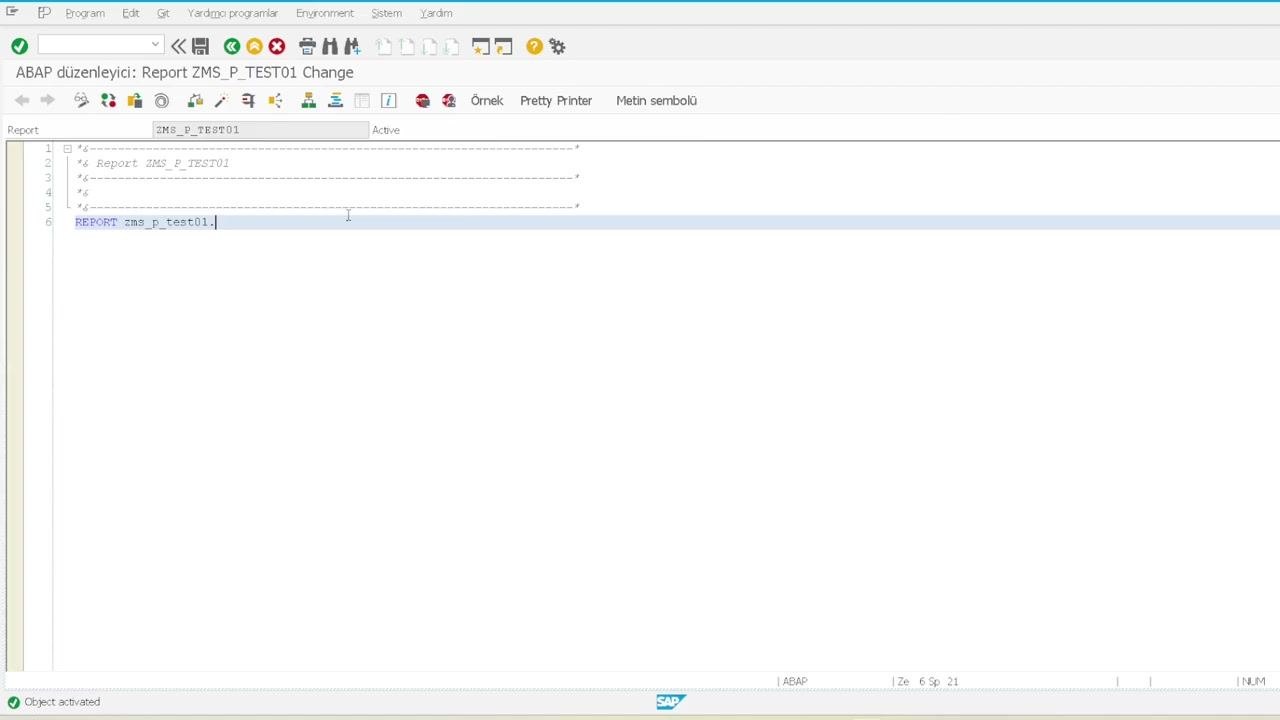
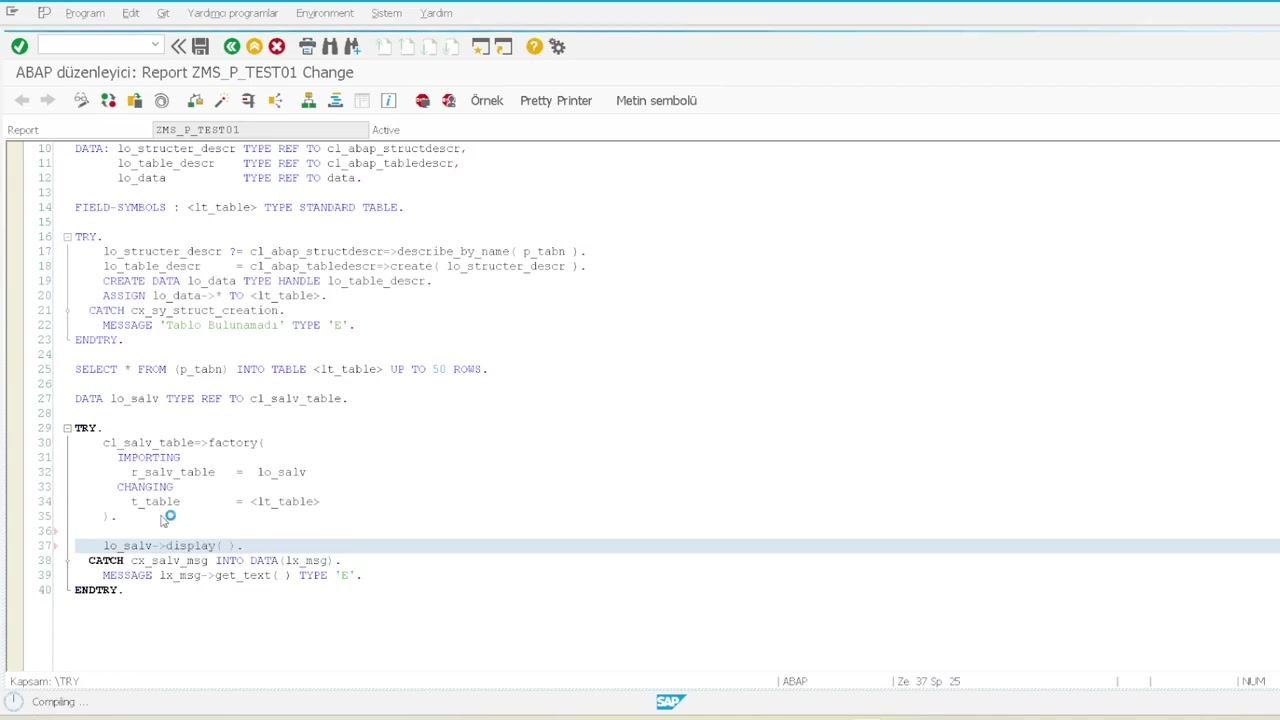
Open the ABAP editor and create a new report named zms_p_test01. Enter the following declaration at the top of your report:
REPORT zms_p_test01.
Define a parameter for table name input
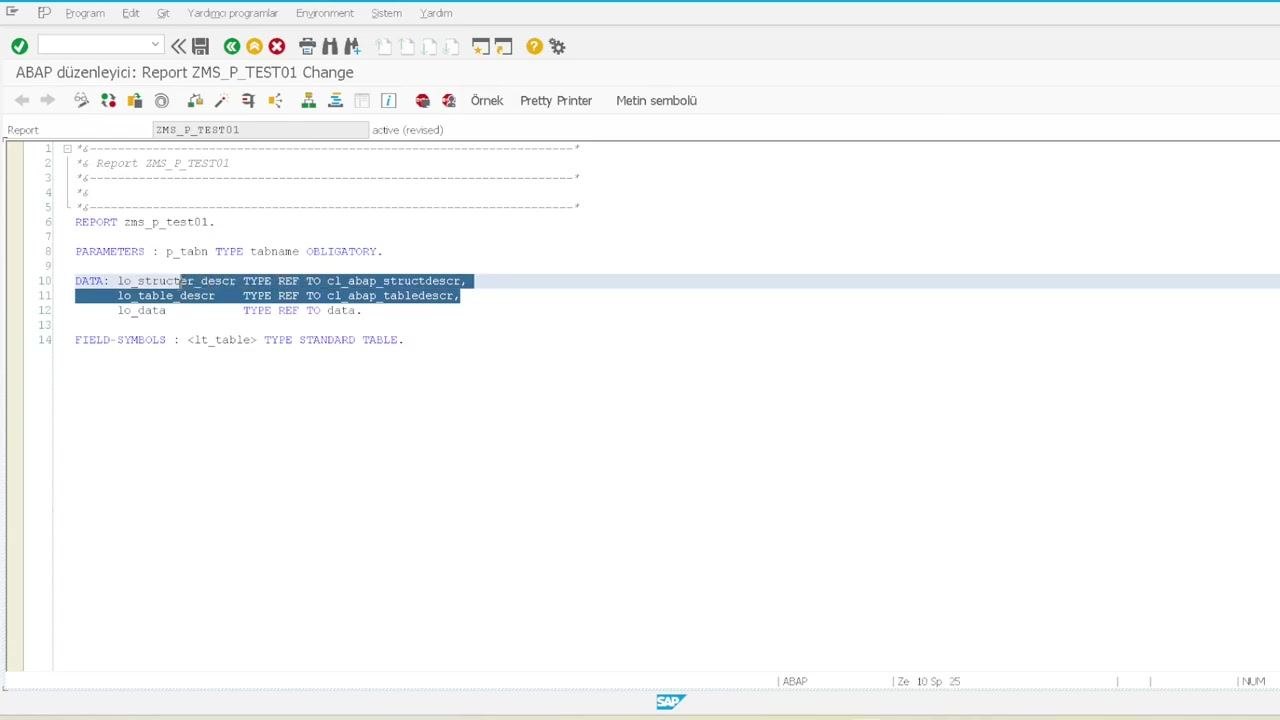
Add a parameter to the selection screen so users can enter the name of the table they want to view. Define the parameter as obligatory and of type tabname:
PARAMETERS : p_tabn TYPE tabname OBLIGATORY.
This parameter accepts any table name, such as echo or wubac.
Declare data objects for dynamic table handling
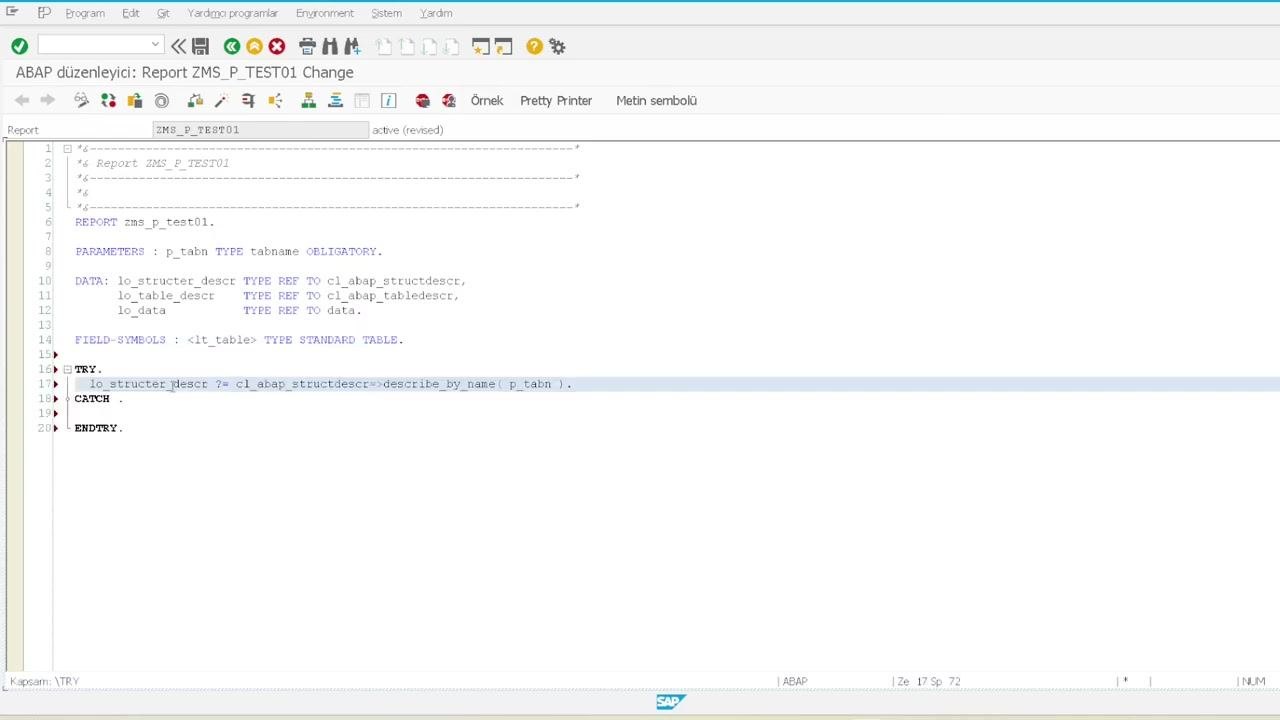
Define the data references needed to handle dynamic table structures at runtime:
lo_structer_descrholds the structure definition.lo_table_descrholds the table definition.lo_datais the reference for the dynamic internal table.
You also need a field symbol to act as the dynamic internal table:
DATA: lo_structer_descr TYPE REF TO cl_abap_structdescr,
      lo_table_descr   TYPE REF TO cl_abap_tabledescr,
      lo_data          TYPE REF TO data.

FIELD-SYMBOLS: <lt_table> TYPE STANDARD TABLE.
Create the dynamic internal table
Determine the table structure at runtime
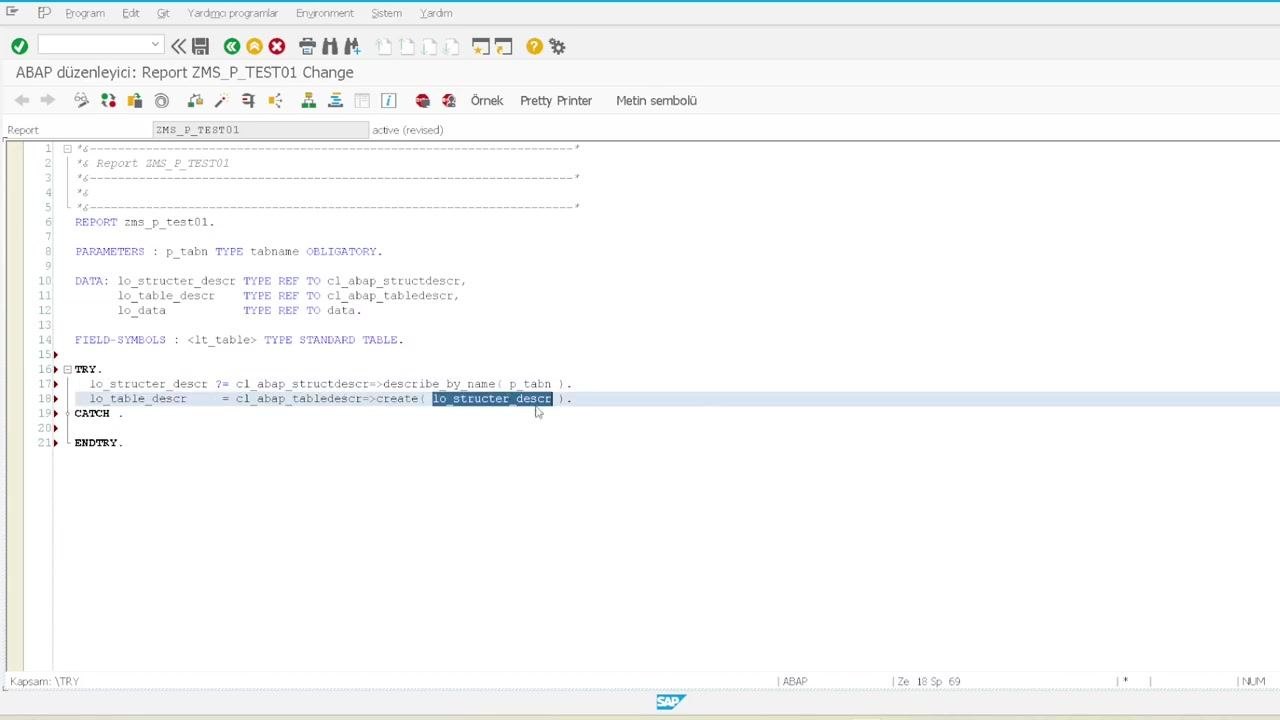
Use a TRY-CATCH block to safely determine the structure of the table entered by the user. Call cl_abap_structdescr=>describe_by_name( p_tabn ) to retrieve the structure, then call cl_abap_tabledescr=>create( lo_structer_descr ) to create a table description:
TRY.
    lo_structer_descr ?= cl_abap_structdescr=>describe_by_name( p_tabn ).
    lo_table_descr    = cl_abap_tabledescr=>create( lo_structer_descr ).
Create a data object based on the table template
Dynamically create a data object for the internal table using the table description handle, then assign that data object to the field symbol <lt_table>:
    CREATE DATA lo_data TYPE HANDLE lo_table_descr.
    ASSIGN lo_data->* TO <lt_table>.
Complete error handling for table structure creation
Add a CATCH block to handle cases where the entered table name does not exist, and display an error message if the structure cannot be created:
CATCH cx_sy_struct_creation.
  MESSAGE 'Tablo Bulunamadı' TYPE 'E'.
ENDTRY.
This ensures the program fails gracefully if the user enters an invalid table name.
Fetch the first 50 rows from the specified table
Use a dynamic SQL SELECT statement to retrieve up to 50 rows from the table specified by the user input (p_tabn). Store the results in the dynamically created internal table <lt_table>:
SELECT * FROM (p_tabn) INTO TABLE <lt_table> UP TO 50 ROWS.
This step prepares the data for display.
Prepare the ALV display
Declare a reference variable for the ALV table:
DATA lo_salv TYPE REF TO cl_salv_table.
Use a TRY-CATCH block to safely create and display the ALV table:
TRY.
    cl_salv_table=>factory(
        IMPORTING r_salv_table = lo_salv
        CHANGING  t_table      = <lt_table>
    ).
    lo_salv->display( ).
CATCH cx_salv_msg INTO DATA(lx_msg).
    MESSAGE lx_msg->get_text( ) TYPE 'E'.
ENDTRY.
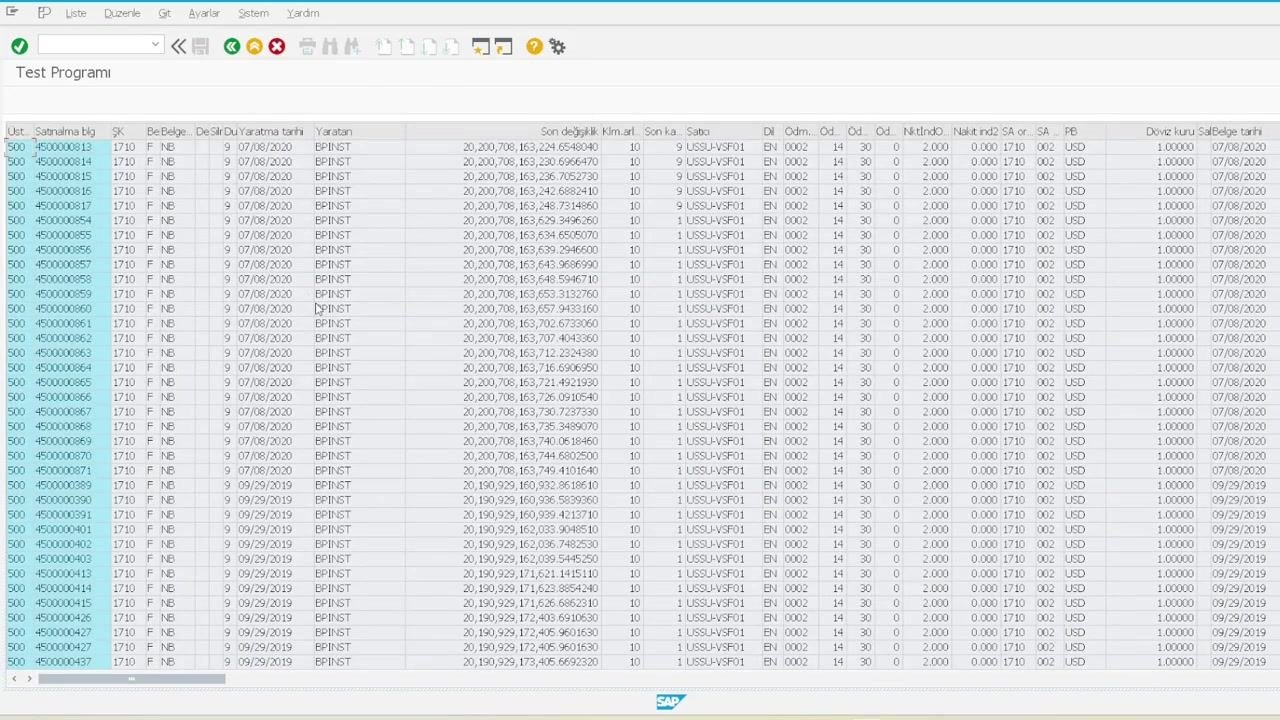
This code initializes the ALV viewer and displays the fetched data.
Run the program and view results
Activate and execute the report. Enter a valid table name (for example, ECHO) in the selection screen, then press F8 to run the program. The first 50 rows from the specified table appear in an ALV grid.
Debug the dynamic table creation and data fetch
Set a breakpoint in the code to inspect the dynamic table creation and data fetching process, then run the program in debug mode. Observe the structure and contents of the dynamic internal table (<lt_table>) and the related references (lo_structer_descr, lo_table_descr).
Confirm that the structure is created from the table name, the table is created from the structure, and the data is fetched correctly.
Verify ALV output for different tables
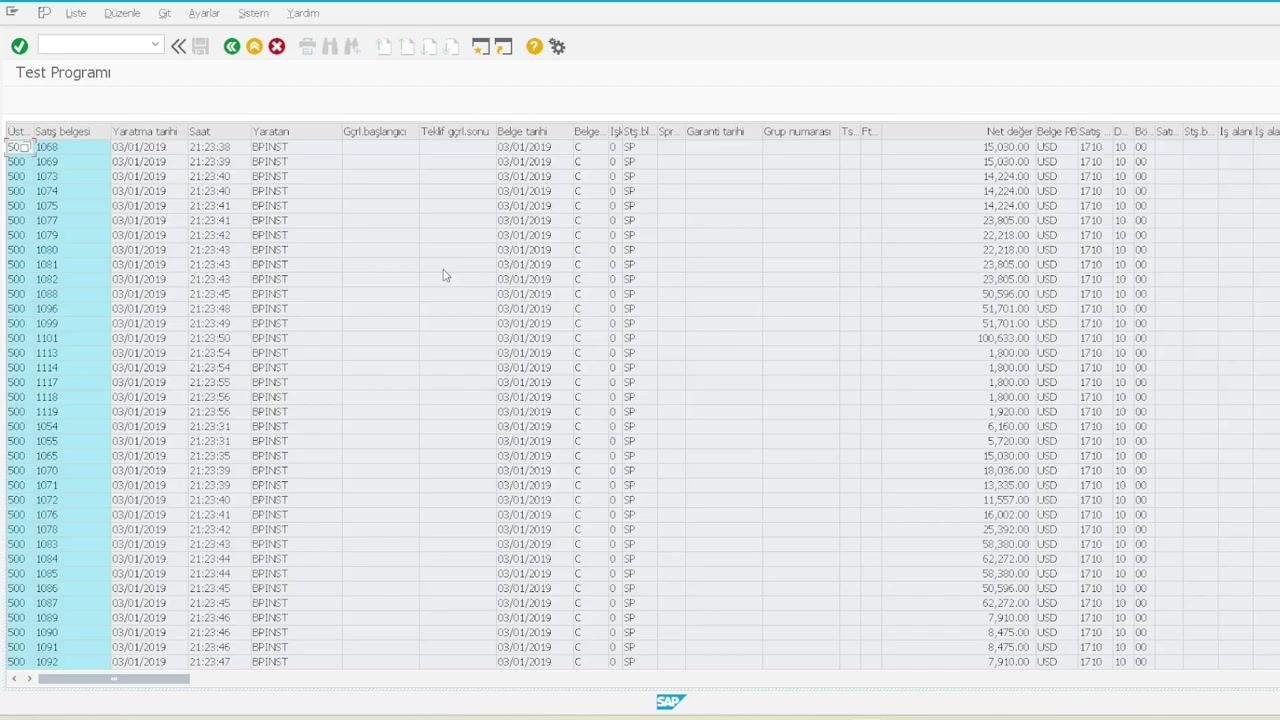
Test the program with different table names (for example, VUBAC). Each time, the ALV grid displays the first 50 rows of the specified table, confirming the dynamic nature of the solution.
Summary
By following these steps, you have learned how to create a dynamic ALV report in SAP ABAP that:
- Accepts any table name at runtime.
- Determines its structure automatically.
- Fetches the first 50 rows of data.
- Displays the results in an ALV grid.
- Handles errors gracefully.
- Supports debugging for verification.
You can now use this report as a flexible table viewer for any table in your SAP system.
Generation details: cost, quality tiers
Docsie billed 2,000 credits ($1.40) to analyze this 4-minute video at standard quality. The rewrite, template fill and Word/PDF exports were included. The same video at each quality tier:
| Quality | Frames sampled | Credits | Approx. cost |
|---|---|---|---|
| Draft | every 16-30 s | 1,000 | $0.70 |
| Standard (this guide) | every 8-15 s | 2,000 | $1.40 |
| Detailed | every 4-7 s | 4,000 | $2.80 |
| Ultra | every 1-3 s | 8,000 | $5.60 |
Credits priced at $0.70 per 1,000; plans include a monthly allowance. Enterprise customers on on-premise or bring-your-own-model deployments run this on their own inference and pay no per-video credits.
Generated by Docsie Video-to-Docs on 2026-10-14 from a 3-minute video. Screenshots are frames from the source video and belong to their creator, Muhammed Saatci, whose original is embedded above. If you own this video and want the guide removed or credited differently, contact us and we will act within one business day.