4.8
on G2
Upload a screen recording or training video, plus the Word form your team already uses for work instructions, SOPs or procedures. Docsie fills in every field the video supports and writes out every step, with screenshots from the recording. Fields the video can't answer are listed for you to complete.
Start here
Pick the video here. In the app you add your Word template (.docx), and Docsie fills it in from the video.
Drag & drop a video
MP4, MOV, WEBM · your template as a Word .docx file
Your video opened in a new tab. Finish there. Tab didn't open? Continue here
SOC 2 compliant. Your data is never used to train AI models.
Watch it work
A four-minute LibreOffice Calc recording and a plain work-instruction form go in. You see the upload, the language and frame-quality settings, what was filled and what was left, and the filled 9-page document.
1 min 48 sec
Footage: "Working with Pivot Tables in LibreOffice Calc" by darkduckcom (CC BY), youtube.com/watch?v=Ez89YMcVSUI
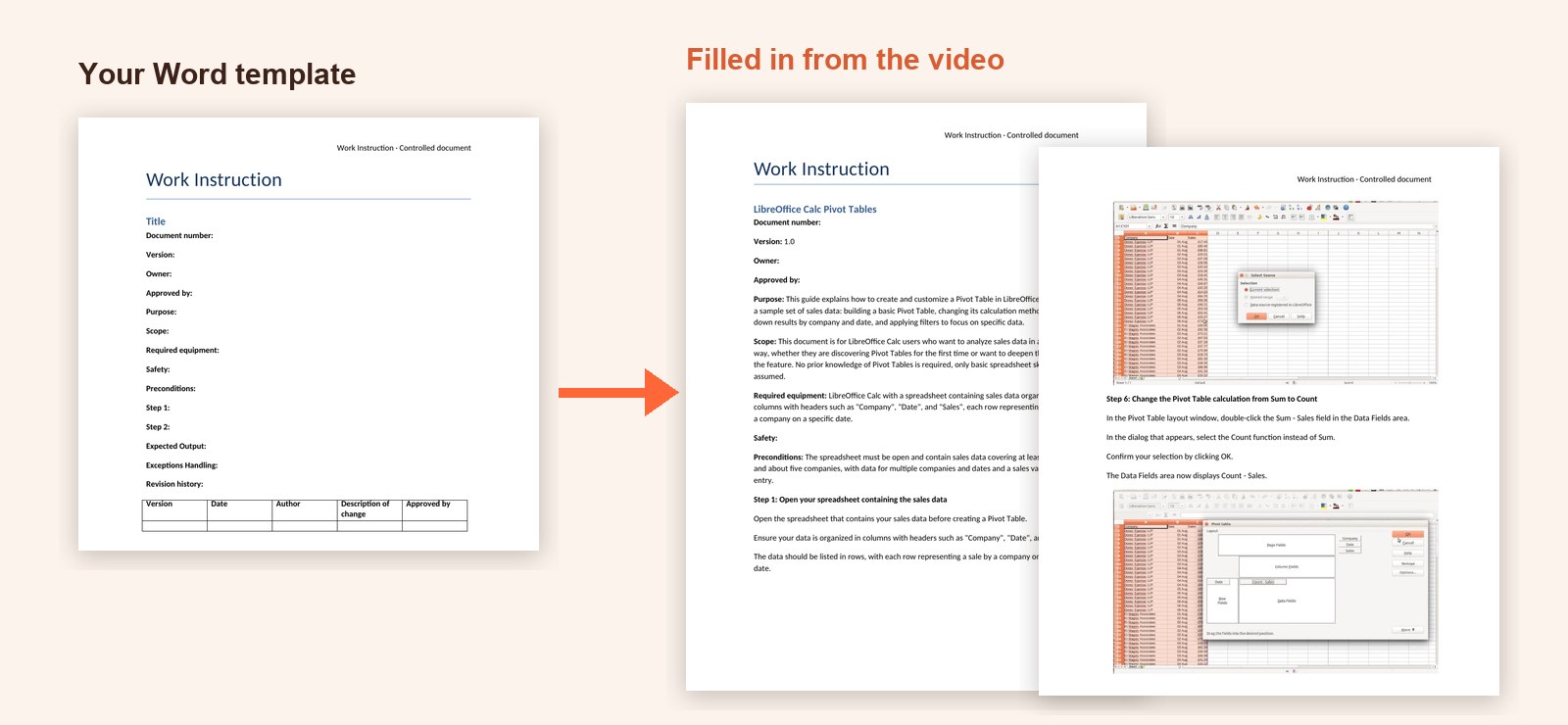
A real run. The input was a four-minute narrated LibreOffice Calc recording and a plain Word work-instruction form. It came back as a 9-page work instruction with 12 steps, 10 of them with a screenshot, 8 fields filled and 6 left for the author.
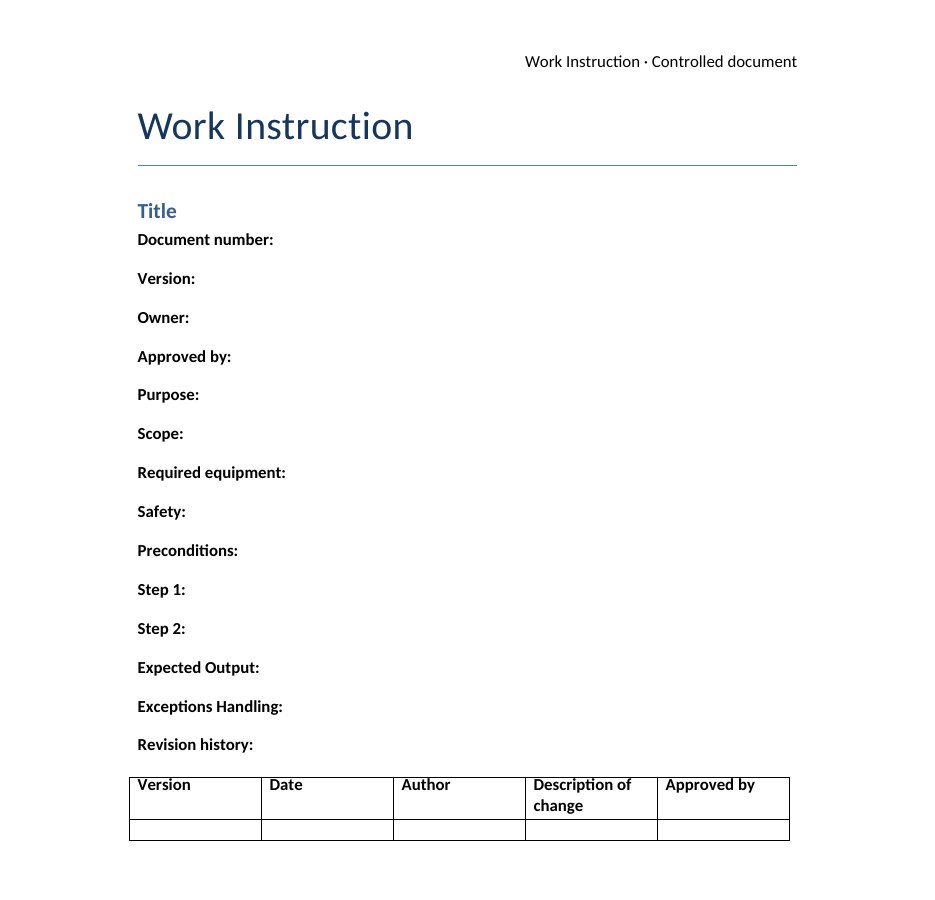
Labels such as Purpose, Scope, Required equipment, Step 1 and a revision history table are all Docsie needs. You don't have to add content controls or placeholders. Templates that already use {{PLACEHOLDERS}} are filled too.
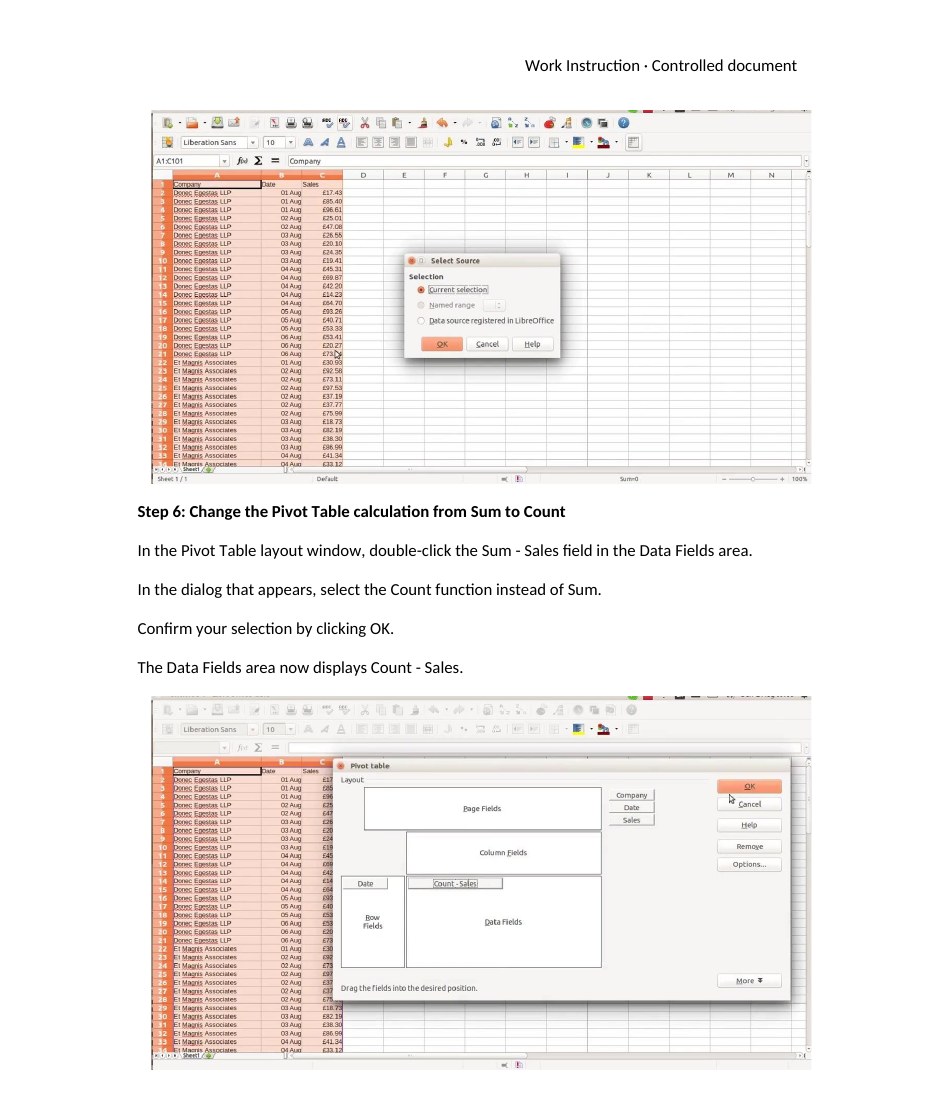
The template has two step lines. The video showed twelve steps, so Docsie wrote twelve, and put the frame that shows the step under ten of them. Your header, fonts and table styles stay as you made them.
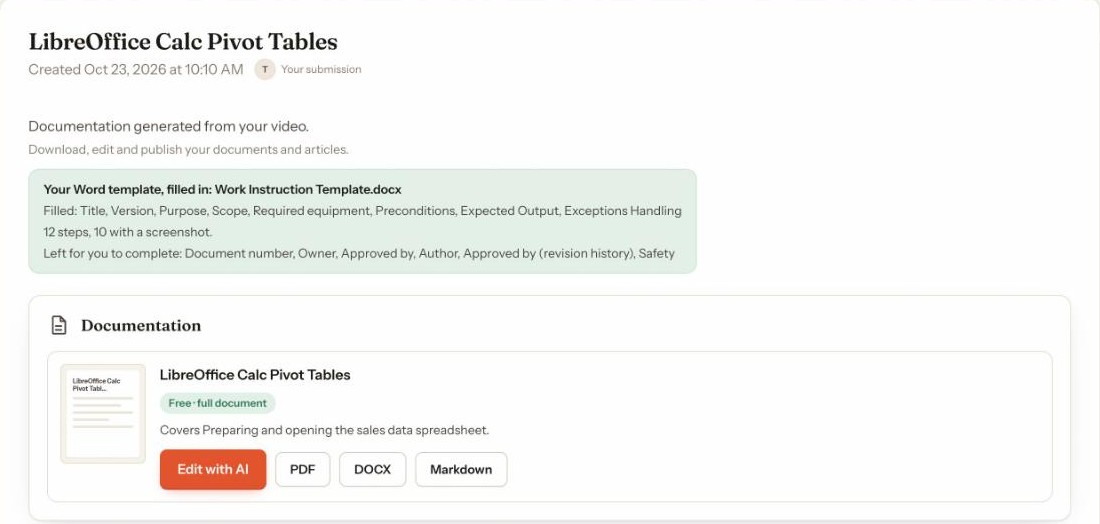
The result page says exactly what happened. Filled: Title, Version, Purpose, Scope, Required equipment, Preconditions, Expected Output and Exceptions Handling. Left for you to complete: Document number, Owner, Approved by, Author, the approver in the revision history, and Safety, which a screen recording can't know.
Settings
Two workspace settings shape the filled template, and your Word template is stored next to them. Change them once and every new video uses them.
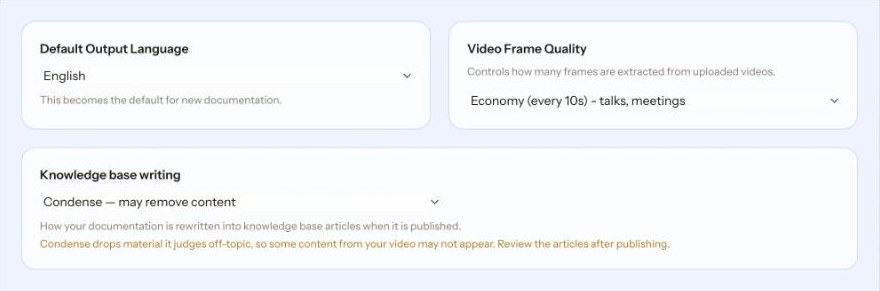
Video Frame Quality sets how often Docsie takes a frame from the video. High Detail (every 2 seconds) suits short, critical demos, Standard (every 5 seconds) software walkthroughs, Economy (every 10 seconds) talks and meetings, and Minimal (every 20 seconds) audio-heavy recordings. It can be changed after your first purchase. Default Output Language sets the language your template is filled in, from English, Spanish, French, German, Portuguese, Italian, Dutch, Swedish, Polish, Japanese, Korean, Chinese (Simplified) and more.
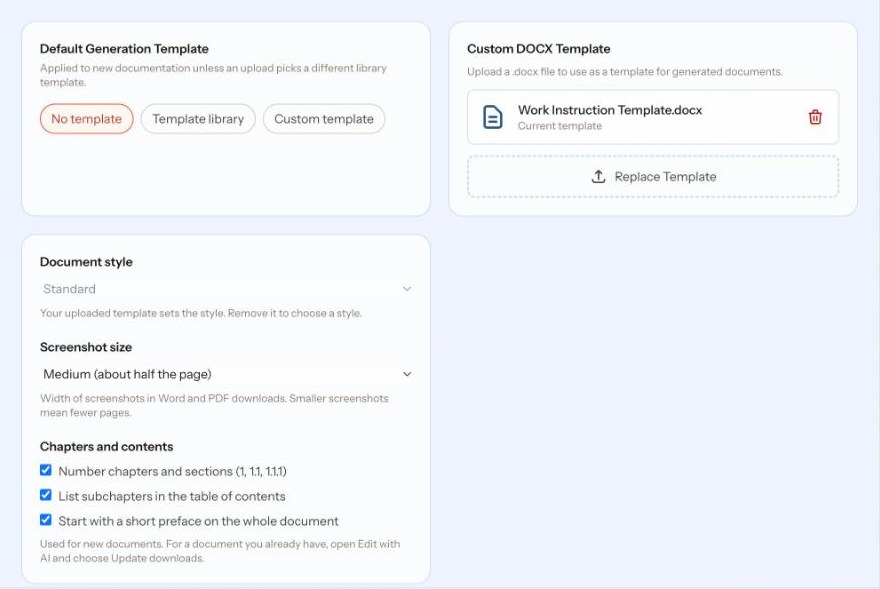
Under Templates, Custom DOCX Template holds the form Docsie fills. Replace it, and the next video is filled into the new form. The Knowledge base writing setting doesn't apply here, because this app always keeps every step and only removes repetition.
Docsie writes into the template you upload, so the result looks like every other document your team has signed off.
Title, purpose, scope, preconditions, expected output and the other labels on your form are filled from what the video shows and says.
Steps shown on screen get the frame that shows them, so the reader can check the screen against the instruction. The result page says how many steps got one.
The first row of your revision history table gets the version, the date and "Initial version". The author and approver are left for you.
Anything the video can't support, like approvals or document numbers, is left blank and listed, never guessed.
Download the filled template as a Word .docx to keep editing, or as a PDF to share.
The template you upload is kept as your Word template, so the next video is filled into the same form. Replace it any time.
Most teams with a Word form for procedures fill it in by watching the recording and pausing.
Four steps from recording to filled document.
Upload the .docx form you already use. Docsie keeps it as your Word template for the next videos.
Upload a screen recording or training video (MP4, MOV or WEBM), or paste a link. Recordings that show each step on screen work best, and narration helps.
Docsie works through the video, writes the document, then fills your template. It usually takes 5 to 30 minutes, and Docsie emails you when it's ready.
Read the list of fields left for you, then download Word or PDF. Documents up to 13 pages open in full. For longer ones you see the first half before you unlock the rest.
Who fills templates from video
Any Word form with fields and step lines works. These are the ones teams bring first.
Operators and process engineers record the task once on screen and get it back in the plant's work instruction form, with a frame for each step.
Quality teams keep their SOP layout, numbering and revision table, and stop rebuilding documents that a tool exported in its own format.
IT and support teams turn a recorded fix or configuration into the runbook template the team already reviews and approves.
Consultants record a configuration walkthrough and deliver it in the client's own branded template.
Trainers record the demonstration and hand out the written steps in the training team's standard form.
QA teams capture a test run and get the steps and screenshots in the form their checks are recorded on.
Join forward-thinking teams using Docsie






_Leader_Small-Business_Leader.svg)


Common questions
Q: What kind of Word template can I use?
A: Any .docx form with labelled fields, such as Title, Purpose, Scope, Step 1 and a revision history table. It doesn't need content controls, bookmarks or special placeholders. If your template already uses {{PLACEHOLDERS}}, Docsie fills those as well.
Q: Will my formatting change?
A: No. Docsie writes into your template, so the header, logo, fonts, table styles and page layout stay as the author made them.
Q: My template has one Step line. What happens when the video has eight steps?
A: The Step line is written out once per step, in order, and each step gets the screenshot from the video that shows it when there is one. In the example on this page, 10 of 12 steps got a screenshot.
Q: What happens to fields the video can't answer?
A: They are left blank and listed on the result page under "Left for you to complete", for example who approved the document or the document number. Docsie doesn't make them up.
Q: Can I use the same template for the next video?
A: Yes. The template you upload is kept as your Word template, and each new video is filled into it. You can replace it at any time.
Q: What videos work best?
A: Screen recordings and training videos where each step is shown on screen. Narration helps Docsie name the steps. MP4, MOV and WEBM files work, and you can also paste a video link.
Q: How long does it take?
A: Usually 5 to 30 minutes, and long videos take longer. You don't have to keep the page open, because Docsie emails you when the template is filled.
Q: Is it free?
A: You can upload without paying. Documents up to 13 pages open in full. For longer documents you see the first half before you unlock the rest.
Q: What if passwords or people's names show up in the recording?
A: Docsie is set up to write [password] instead of any password, access code or key it sees or hears, and to refer to people by their role, such as the trainer, rather than by name. Check the filled document before you share it.
Q: Is my template kept private?
A: Docsie is SOC 2 compliant, and your data is never used to train AI models. If your team has specific storage or security requirements, book a demo and we will go through them with you.
Filling templates for a whole team?
Book a DemoUpload a recording and the form you already use, and get it back with every step and screenshot in place.
Word .docx templates. MP4, MOV or WEBM videos, or a video link.