4.8
on G2
Upload a manual, SOP, policy or training guide. Docsie's AI quiz maker writes 3 to 8 multiple-choice questions from it, and every answer comes from the document you gave it, not from the internet.
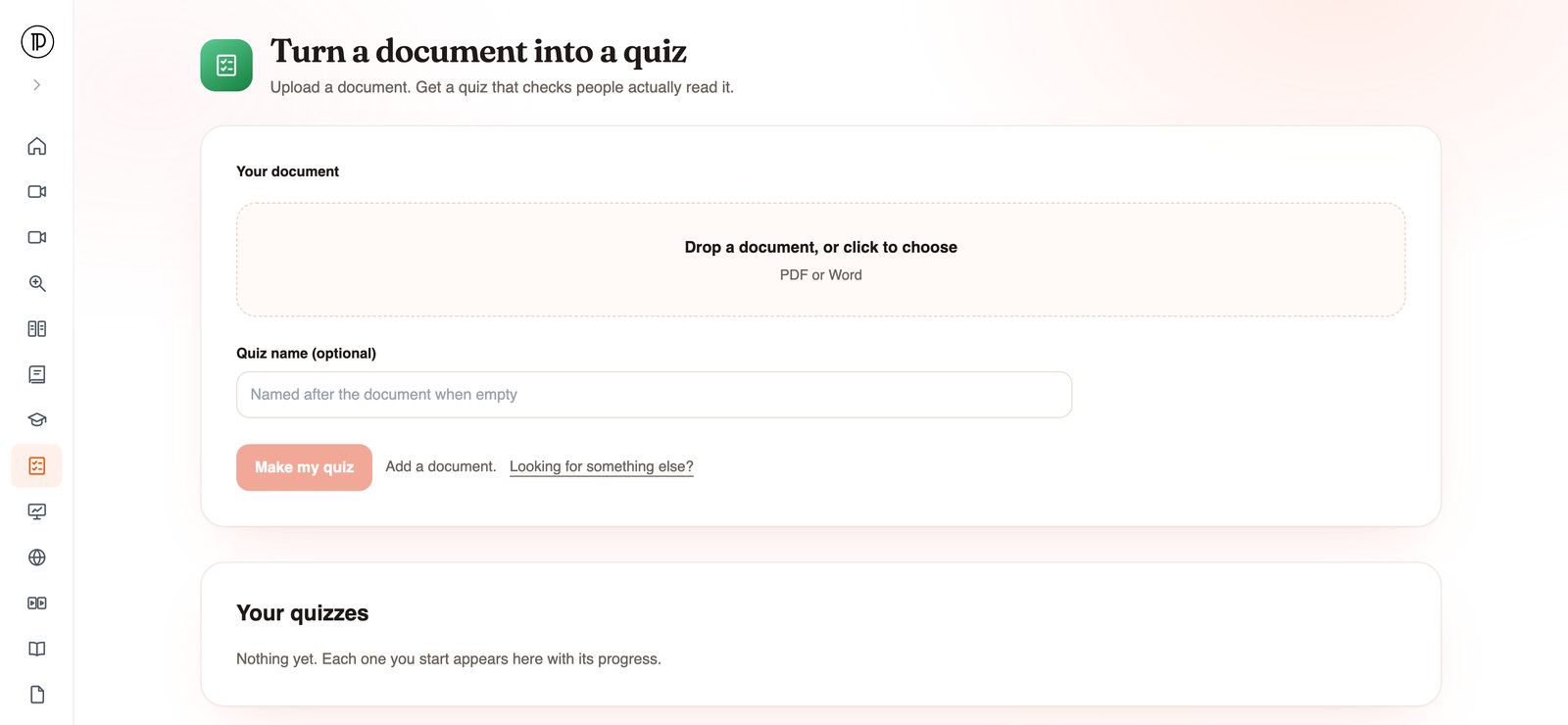
Most quiz AI tools are made for trivia nights and classroom games. This one starts from the material your team is responsible for and stays inside it.
Each question has between 2 and 6 answer options. The quiz is short enough that people finish it, and long enough to show whether they took in the main points of the document.
Questions and answers are written only from the PDF or Word file you upload. No outside facts and no general-knowledge filler, so every question is about something your team can find in the document.
The finished quiz is saved in Docsie Forms as a quiz you can share with the people who need to take it. No copying questions between tools.
An AI quiz is only as good as what it was written from. For training, the right answer is whatever your procedure or policy says, so the source matters more than the wording.
Who it is for
An online quiz generator earns its place when the questions come from material people are accountable for. These are the teams that get the most out of it.
Turn the employee handbook or a team's onboarding guide into a quiz new hires take at the end of their first week, on the material they will actually need in the job. Pair it with a full onboarding program built from your docs.
When a policy changes, send a short quiz with it. A signed acknowledgement shows someone opened the policy. A quiz on the changed sections shows they read it. See how teams run compliance training from SOPs.
Check that operators, technicians and support agents know the steps, limits and warnings in a procedure before they run it on their own.
Quiz reps on a product guide or release notes so they describe the product the way the documentation does, not the way they remember it from last quarter.
Give customers or partners a knowledge check built from the same guide you already send them, so the quiz and the reading never disagree.
Trainers and teachers can make a quiz from a reading, handout or chapter they already assign, instead of writing questions the night before the session.
How it works
Four steps from a document on your drive to a quiz people can take.
The app opens in your browser with nothing to install. You can start without an account. Docsie asks you to confirm your email with a one-time code only when you submit.
Drop in the file and give the quiz a name if you like. Leave the name empty and the quiz is named after the document.
The file is imported into a Docsie knowledge base first, with OCR and an outline of its sections, so the AI works from the structure of the document rather than a pile of loose text.
The questions are written in the background. When the quiz is ready, you get an email and the quiz is waiting in Docsie Forms, ready to share.
Join forward-thinking teams using Docsie






_Leader_Small-Business_Leader.svg)


Common questions
What teams ask before they make their first quiz from a document.
Q: What is an AI quiz generator?
A: Software that reads source material and writes quiz questions from it. Docsie's AI quiz generator reads a PDF or Word document you upload and writes 3 to 8 multiple-choice questions, each with 2 to 6 options, using only that document.
Q: Can the quiz AI make up facts that are not in my document?
A: The quiz is built from your file alone. Questions and answers are grounded in the uploaded document, with no outside facts. That is what makes it useful for policies and procedures, where the right answer is whatever your document says.
Q: What kind of questions does the AI quiz maker write?
A: Multiple-choice questions. You do not pick question types or a difficulty level. The AI decides what to ask from the content of the document, so a clear, well-structured source gives the best quiz.
Q: Is this an online quiz generator, or do I need to install something?
A: It is online. The app runs in your browser at app.docsie.io. You can open it and upload a file without an account, and you confirm your email with a one-time code when you submit.
Q: What does it cost?
A: Quiz generation runs on your Docsie workspace's AI credits. See Docsie pricing for what each plan includes.
Q: Is my document kept private?
A: Docsie is SOC 2 compliant, and your data is never used to train AI models.
Want to see it on your own training material?
Book a DemoPick the manual or policy your team is supposed to know. You will get a quiz on it without writing a single question yourself.
PDF or Word. SOC 2 compliant. Your data is never used to train AI models.