4.8
on G2
Upload a recorded training session, demo or walkthrough. Docsie drafts lessons and a quiz from the recording in Docsie Learn, so the people who watched it can show they took it in.
Try it now
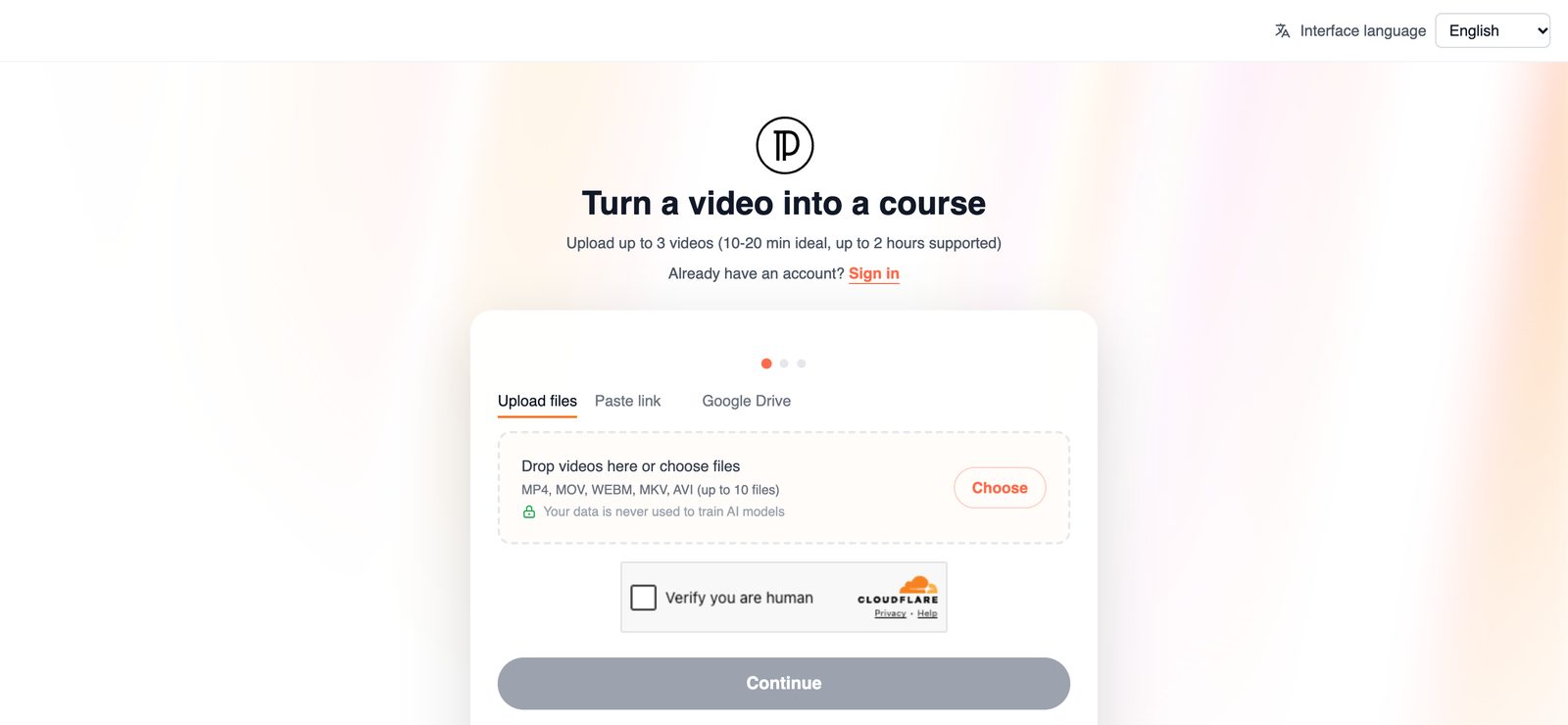
Upload a recording or paste a Loom link. You confirm your email when you submit, and Docsie emails you when the lessons and quiz are ready.
Drag & drop a training video
MP4, MOV, WEBM, MKV, AVI · 10 to 20 minutes is ideal, up to 2 hours
Your video opened in a new tab. Finish there. Tab didn't open? Continue here
SOC 2 compliant. Your data is never used to train AI models.
Know what you are looking for
People searching for a video quiz usually want one of two things. Interactive video tools put questions on the video timeline. Docsie does the other job, and it is worth knowing which one you need before you upload.
One upload gives you a draft course with a quiz, not a transcript you still have to shape into training yourself.
Docsie turns what the recording covers into written lessons in Docsie Learn, so the material can be read, skimmed and revisited without scrubbing through the video.
The quiz is drafted from the same recording as the lessons, so it checks what the video actually taught rather than general knowledge on the topic.
The course is drafted in Docsie Learn. Publish it to your own learners, or sell it if the recording is training other people would pay for.
Good fits
Any recording that teaches something can become a course with a quiz. These are the ones training teams already have sitting in a shared drive.
Turn a session you already ran into a course with a quiz for everyone who missed it or joins later. More on turning training videos into course content.
A screen recording of a process becomes lessons on the steps and a quiz to check them. If you only need a written guide, see the video to text converter.
Turn a recorded demo into a short course for new sales reps or customers, with a quiz that checks they can describe what the product does.
Welcome and orientation videos get lessons and a knowledge check that new hires take after watching, instead of a link they may never open.
A recorded briefing becomes lessons and a quiz people take before they start the job, built from what the briefing covered.
Package a recorded webinar as a short course with a quiz that you can publish to customers or sell.
How it works
Four steps, most of which happen without you.
Drop in an MP4, MOV, WEBM, MKV or AVI file, paste a Loom or Vimeo link, or pick a file from Google Drive. Recordings of 10 to 20 minutes are ideal, and up to 2 hours is supported.
You do not need an account to start. When you submit, Docsie sends a one-time code to your email to confirm it.
Processing runs in the background and can take up to an hour. You do not have to keep the page open. Docsie emails you when the lessons and quiz are ready.
Open the draft course in Docsie Learn, read through the lessons and the quiz, and publish it to your learners or sell it.
Join forward-thinking teams using Docsie






_Leader_Small-Business_Leader.svg)


Common questions
What people ask before turning a training video into a quiz.
Q: What is a video quiz maker?
A: A tool that helps you test people on what a video taught. Docsie's version takes a recording and drafts lessons plus a quiz from it in Docsie Learn.
Q: Can I put a quiz in a video, so questions appear while it plays?
A: No. Docsie does not add questions to the video timeline and does not provide an interactive video player. The quiz is a separate knowledge check in the course, next to the lessons drafted from your video. If you need pop-up questions during playback, an interactive video tool is the better fit.
Q: Is this an interactive video quiz?
A: Not in the overlay sense. It turns a video people watch into a course they work through, reading the lessons and then answering the quiz. A written course is also easier to update and refer back to than a recording.
Q: What video files can I use?
A: MP4, MOV, WEBM, MKV and AVI. Recordings of 10 to 20 minutes are ideal, and up to 2 hours is supported. You can also paste a Loom or Vimeo link, or pick a file from Google Drive.
Q: How long does it take?
A: Processing runs in the background and can take up to an hour. You can close the page. Docsie emails you when the lessons and quiz are ready.
Q: Is my video kept private?
A: Docsie is SOC 2 compliant, and your data is never used to train AI models.
Have a whole library of training videos?
Book a DemoUpload the recording you already have. Docsie drafts the lessons and the quiz and emails you when they are ready.
MP4, MOV, WEBM, MKV or AVI. SOC 2 compliant. Your data is never used to train AI models.