
How to Calculate Aircraft Weight and Balance
This SOP explains how to calculate aircraft weight and balance using percent Mean Aerodynamic Chord (% MAC), the leading edge of MAC (LEMAC), and center of gravity (CG) locations. It covers two related tasks: finding the Empty Weight Center of Gravity (EWCG) as a percentage of MAC, and converting a known % MAC value back into inches aft of datum. These calculations apply to larger aircraft and are directly relevant to problems found on FAA knowledge tests.
Video: How To Calculate Percent MAC Large Aircraft Weight and Balance Mean Aerodynamic Chord Video Tutorial by Aviation 101 With Laura (2020). All credit for the demonstration goes to the creator; watch the original on YouTube. The written guide below was generated from this video by Docsie. Creator? Request a change or removal.
Purpose
This SOP explains how to calculate aircraft weight and balance using percent Mean Aerodynamic Chord (% MAC), the leading edge of MAC (LEMAC), and center of gravity (CG) locations. It covers two related tasks: finding the Empty Weight Center of Gravity (EWCG) as a percentage of MAC, and converting a known % MAC value back into inches aft of datum. These calculations apply to larger aircraft and are directly relevant to problems found on FAA knowledge tests.
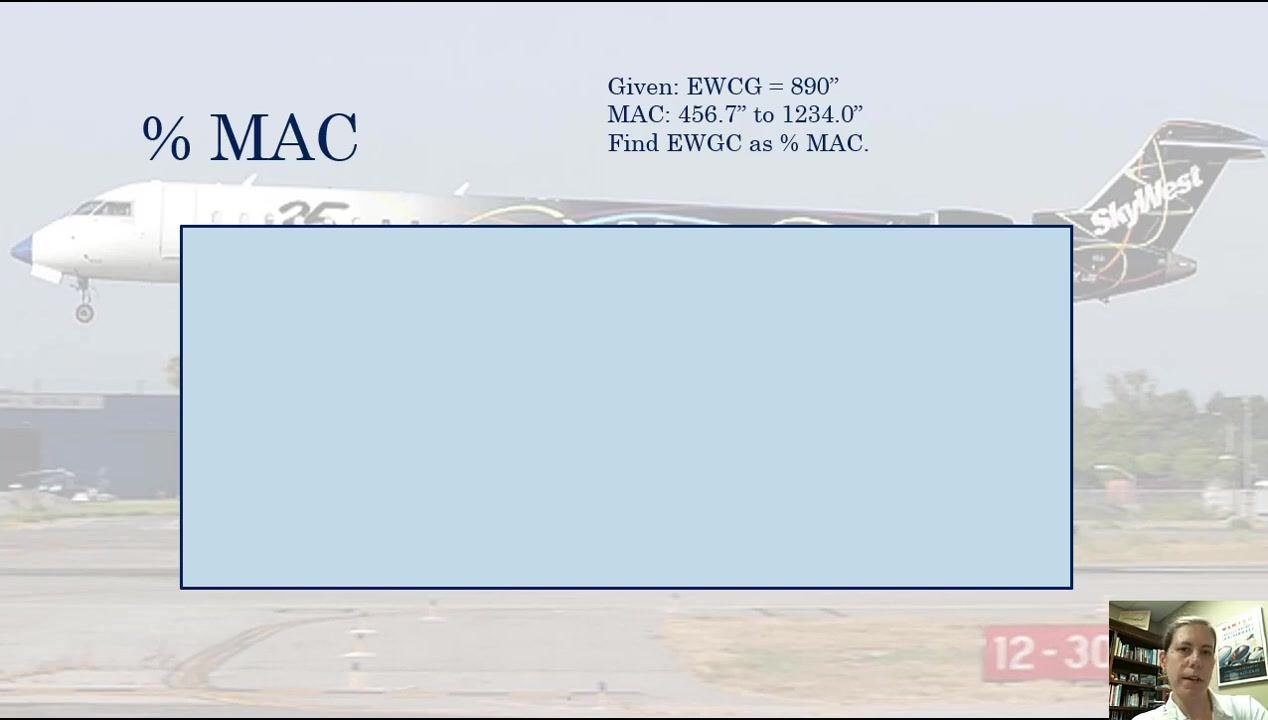
While theoretical explanations of mean aerodynamic chord and percent MAC are widely available, practical worked examples for larger aircraft are less common. This document walks through both calculation directions step by step, using a theoretical rectangular wing to simplify the math. A rectangular wing is used for instructional purposes because calculating weight and balance for swept wings is more complex.
Scope
This procedure applies whenever you need to determine where the empty weight center of gravity falls along the MAC, expressed either as a percentage or as a distance in inches aft of datum. It is intended for use with the values and diagrams provided in each example problem.
Required information
- Empty Weight Center of Gravity (EWCG) value, either in inches aft of datum or as a percent MAC
- MAC leading edge and trailing edge locations (in inches), or the total MAC length
- LEMAC (Leading Edge of MAC) position, when converting from percent MAC back to inches
- A diagram or worksheet on which to label the MAC range, LEMAC, and EWCG position
Part 1: Calculating EWCG as a percentage of MAC
Step 1: Review the given problem data
Before starting, confirm you have the following values from the problem statement:
- EWCG = 890 inches aft of the datum
- MAC leading edge = 456.7 inches
- MAC trailing edge = 1234.0 inches
- Task: find EWCG as a percentage of MAC
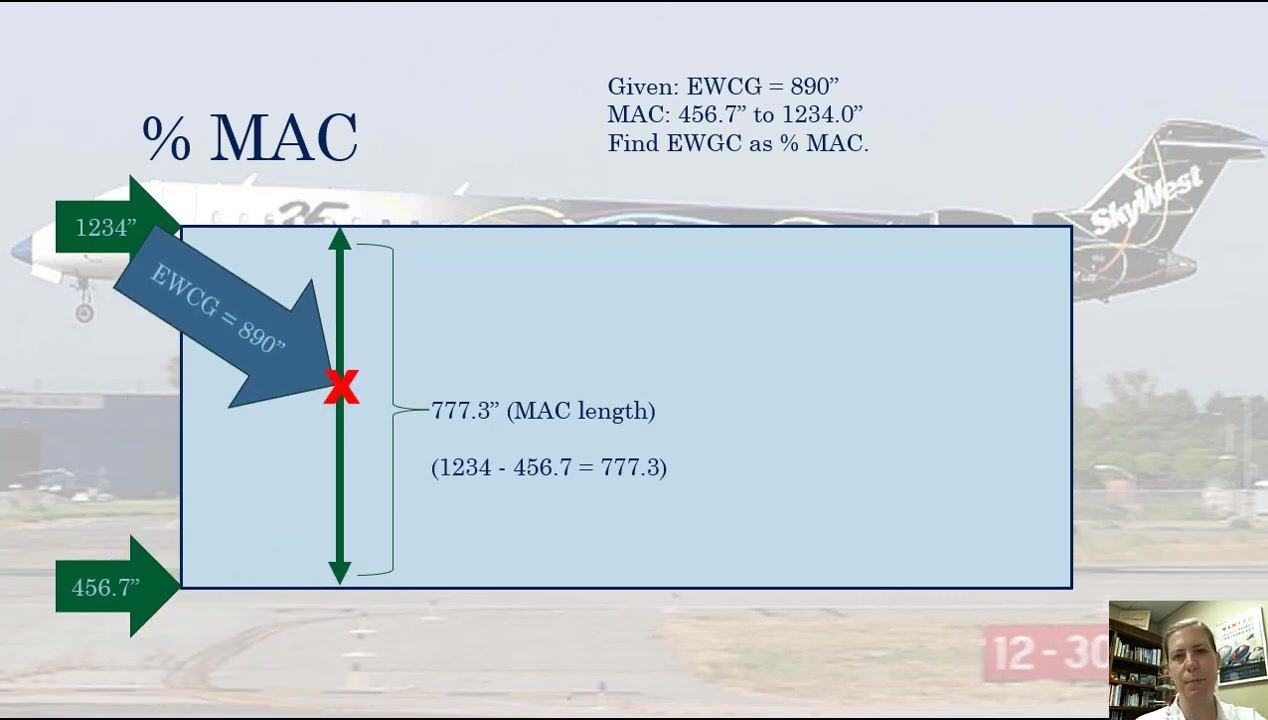
A theoretical rectangular wing is used to represent the MAC for this calculation.
Step 2: Label the MAC range on the diagram
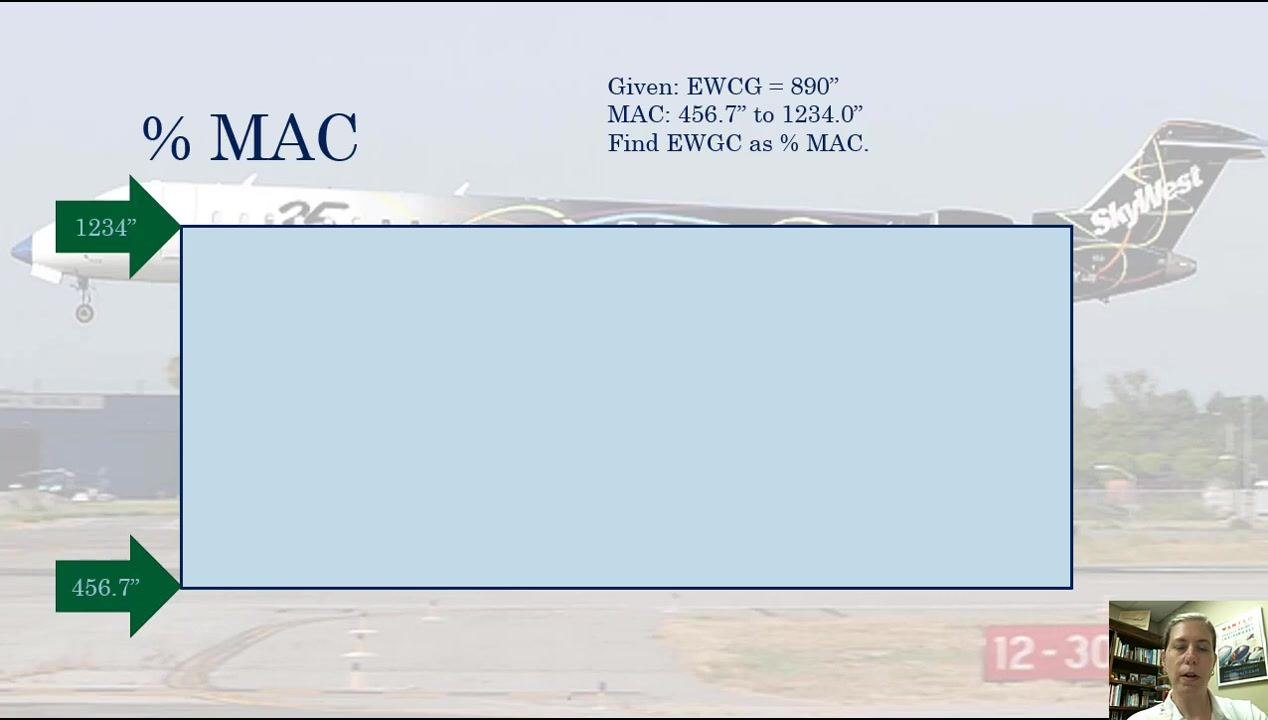
Mark the forward and aft boundaries of the MAC on your diagram:
- The forward (bottom) edge represents the leading edge of MAC at 456.7 inches.
- The aft (top) edge represents the trailing edge of MAC at 1234.0 inches.
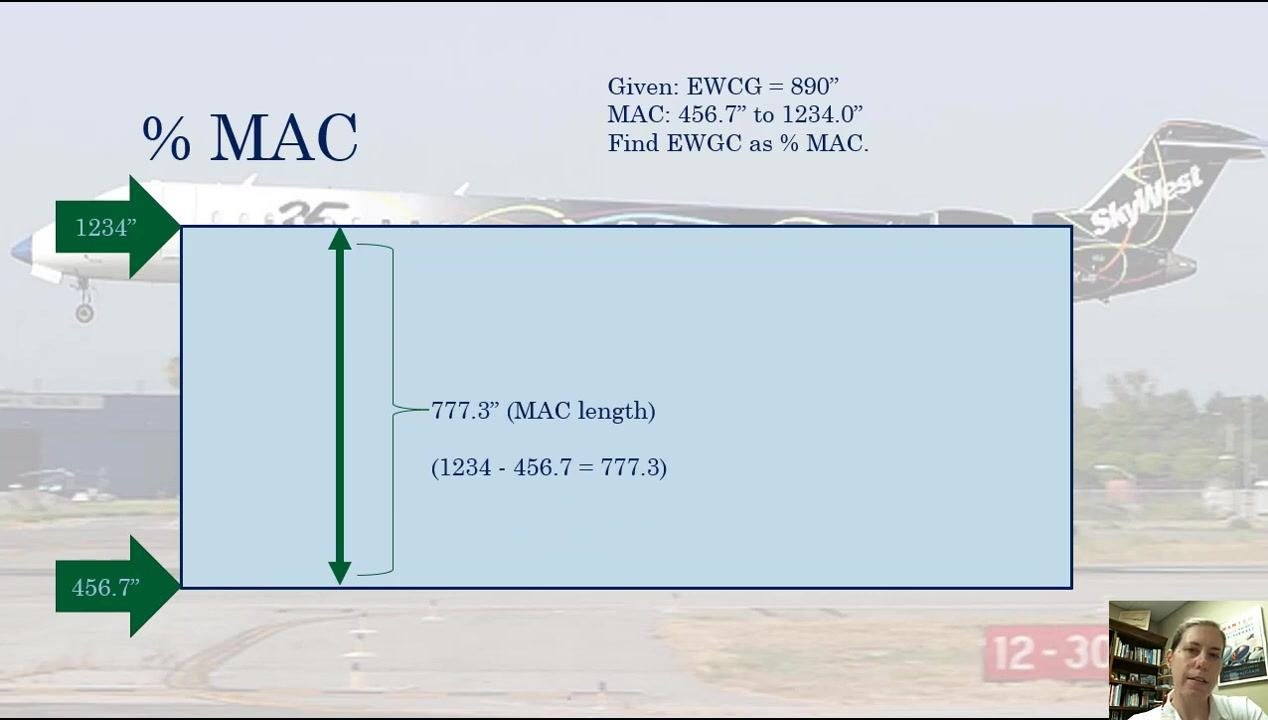
These two values define the range over which the CG will be measured.
The space between these two points represents the possible CG range for the MAC. This range is the basis for determining where the EWCG falls as a percentage.
Step 3: Calculate the length of the MAC
Subtract the leading edge value from the trailing edge value:
- MAC length = 1234.0" − 456.7" = 777.3"
Record this value for use in the next steps.
Step 4: Mark the EWCG position on the MAC
Locate the EWCG value (890 inches) along the MAC range and mark it on your diagram with an "X." Add a labeled arrow reading "EWCG = 890"" pointing to this position.
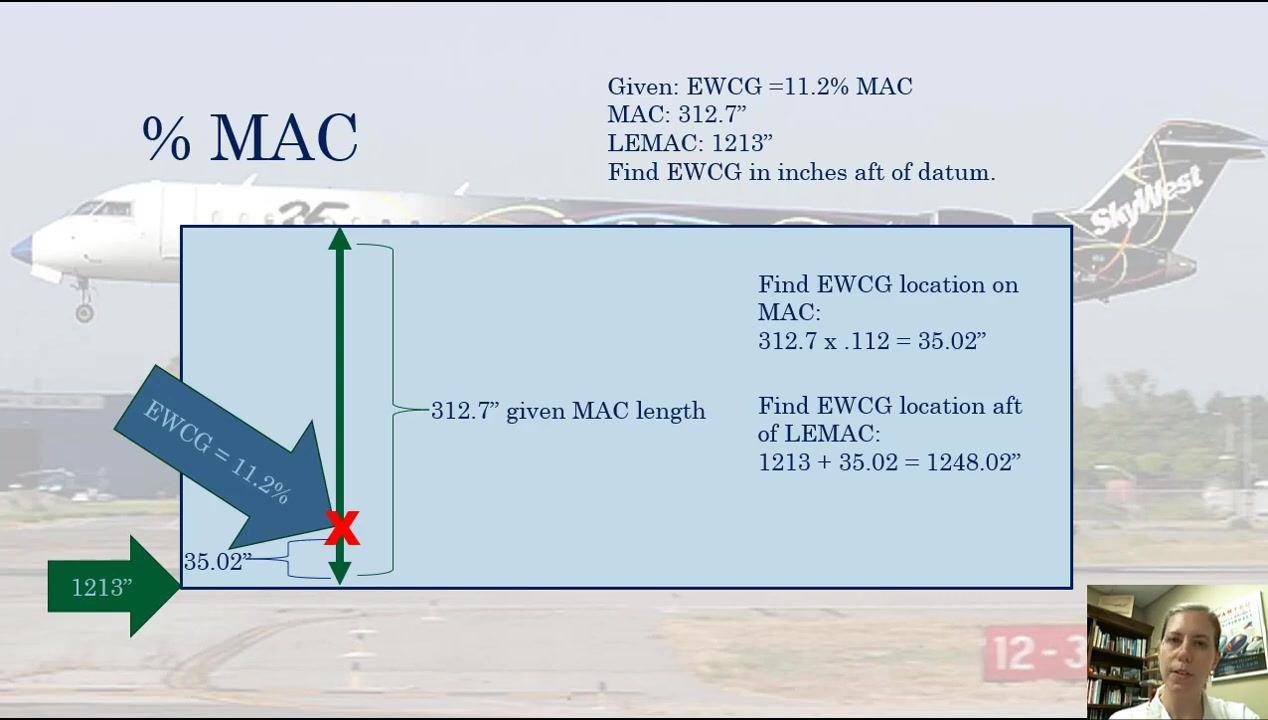
This step visually aligns the EWCG position with the MAC range in preparation for the percentage calculation.
Step 5: Determine the distance from LEMAC to EWCG
Subtract the LEMAC value from the EWCG value:
- EWCG = 890 inches
- LEMAC = 456.7 inches
- 890 − 456.7 = 433 inches
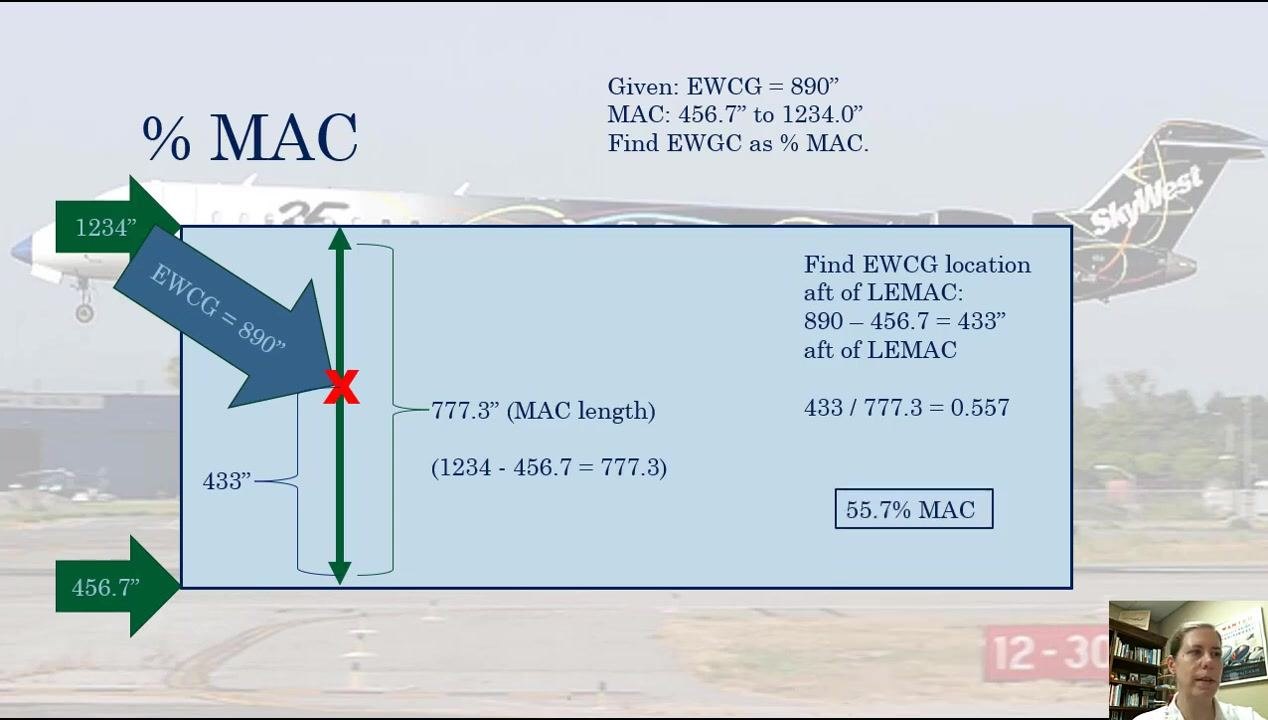
This result is the distance from the leading edge of the MAC to the EWCG.
Step 6: Divide by the total MAC length
Divide the distance from LEMAC to EWCG by the total MAC length calculated in Step 3:
- 433 / 777.3 = 0.557
This decimal represents the fraction of the MAC at which the EWCG is located.
Verification note: Confirm the result is less than 1.0. If the result is greater than 1, recheck your math, as this indicates an error.
Step 7: Convert the decimal to a percentage
Multiply the decimal by 100:
- 0.557 × 100 = 55.7%
The EWCG is located at 55.7% of the MAC, a little over halfway along the MAC. This confirms the "X" marked earlier on the diagram is accurate.
Summary of Part 1 calculation
- Subtract LEMAC from EWCG: 890 − 456.7 = 433 inches
- Divide by MAC length: 433 / 777.3 = 0.557
- Convert to percentage: 0.557 × 100 = 55.7% MAC
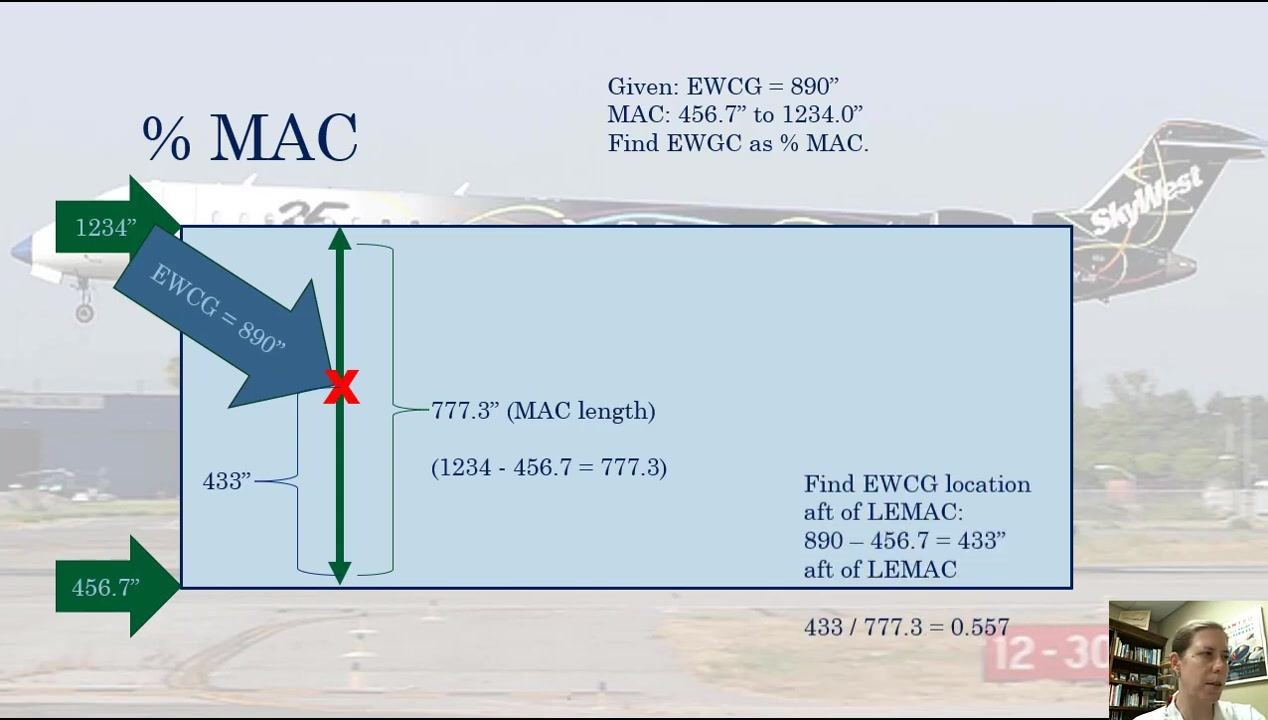
This method of expressing CG location as a percentage of MAC is commonly used in aviation, including for determining trim settings in aircraft loading applications.
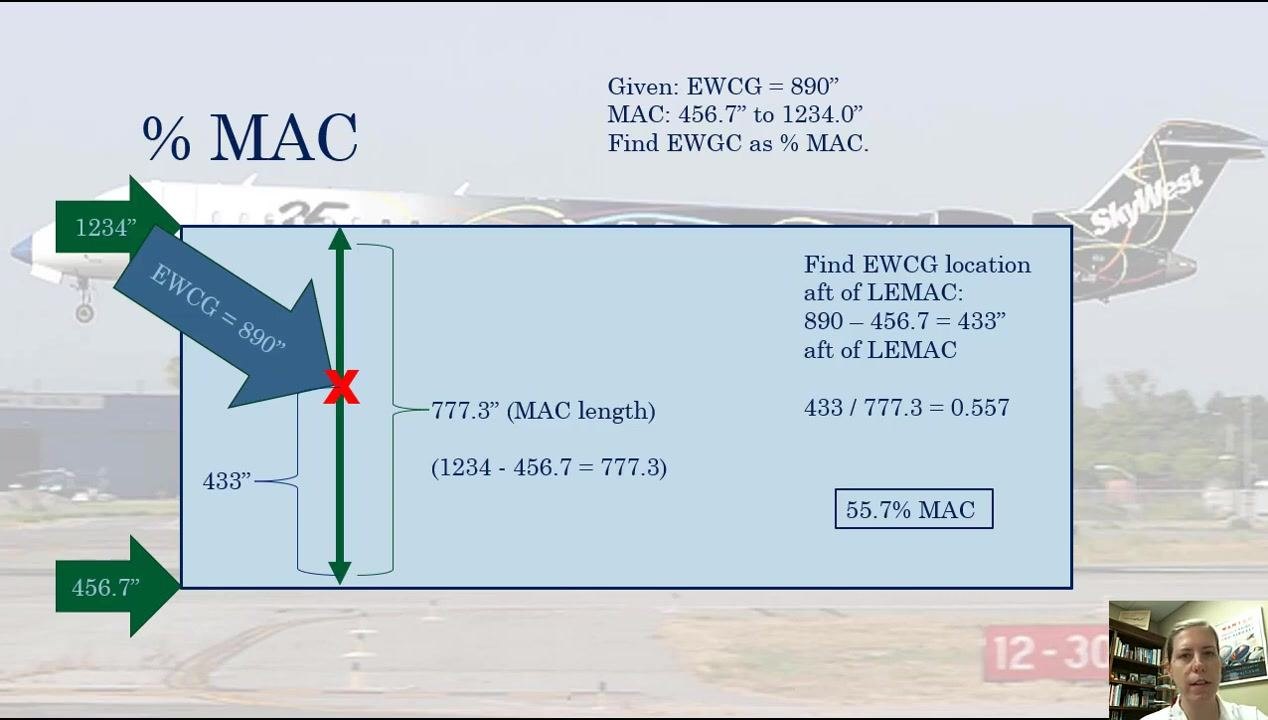
Part 2: Converting a percent MAC value back to inches aft of datum
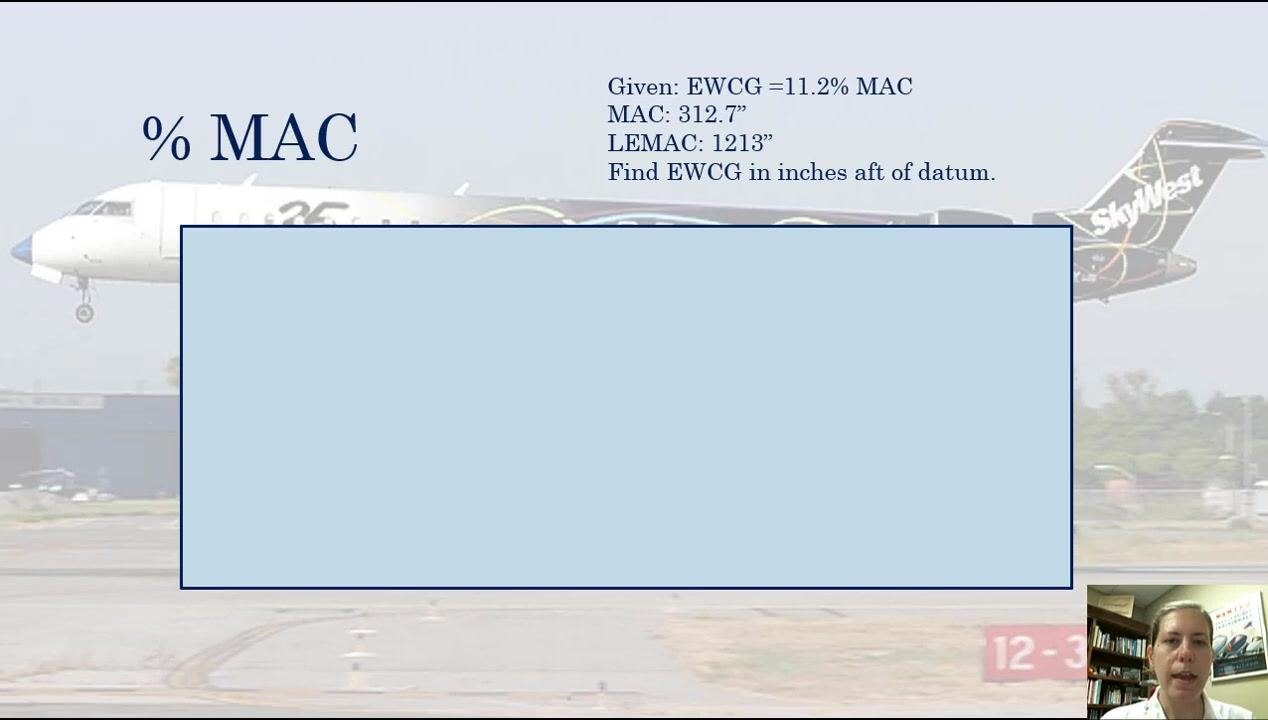
Step 1: Review the new problem statement
For this example, the given values are:
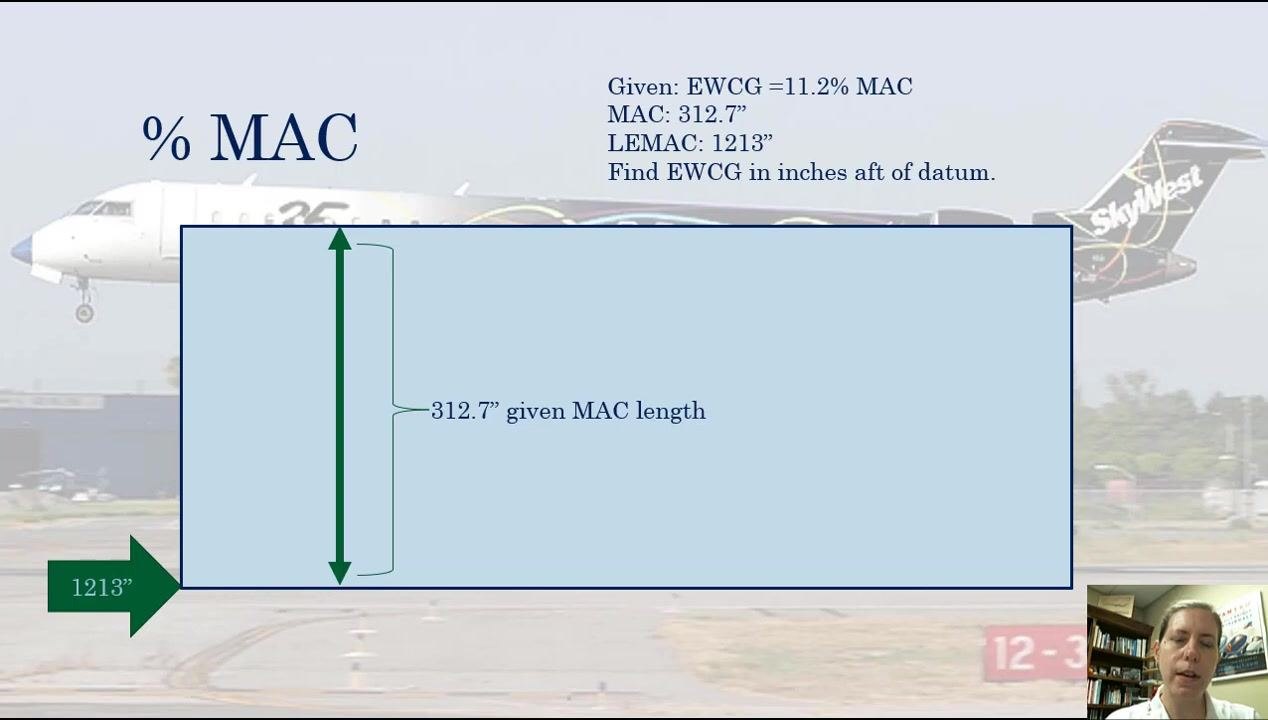
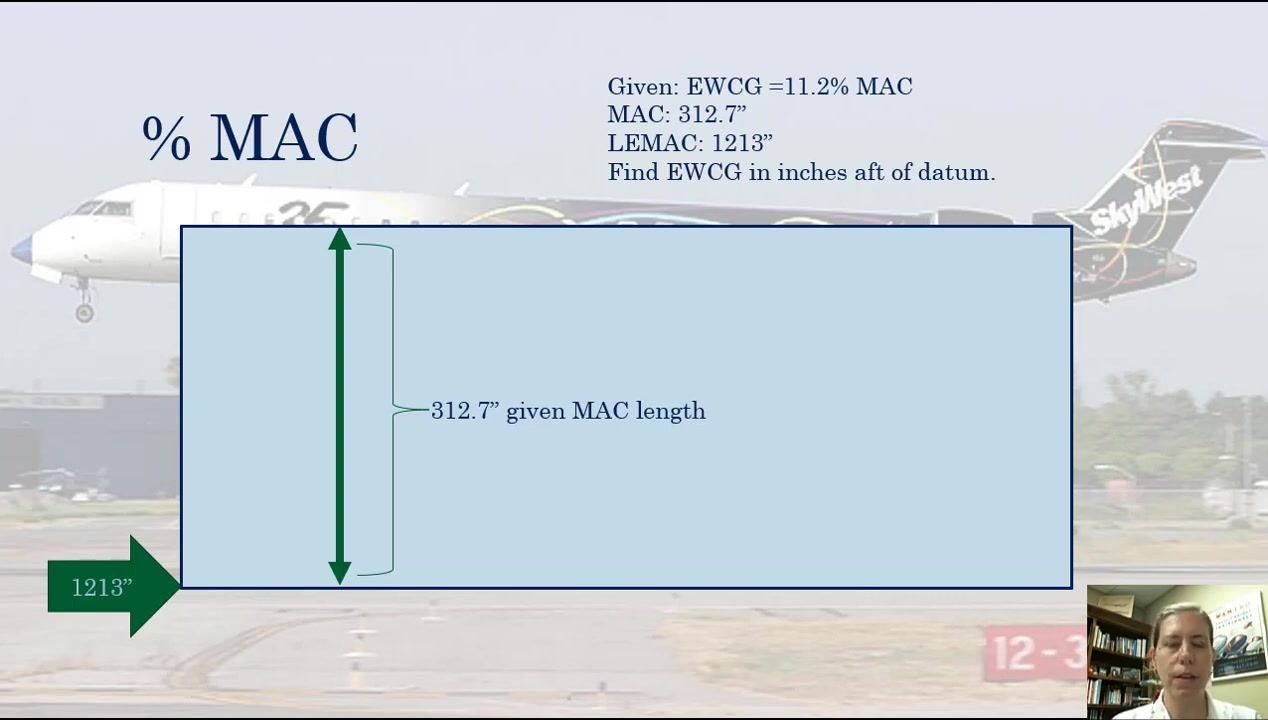
- EWCG = 11.2% MAC
- MAC = 312.7 inches
- LEMAC = 1213 inches
- Task: find EWCG in inches aft of datum
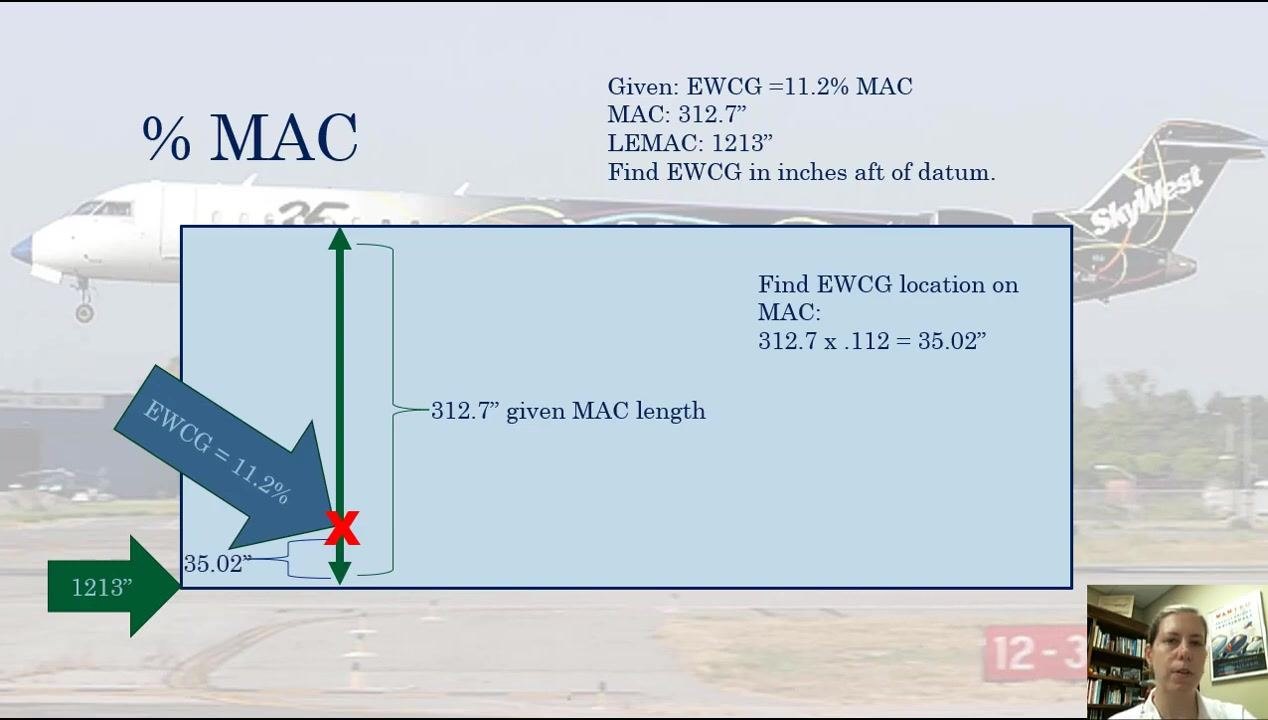
The calculation for this type of problem always starts at LEMAC.
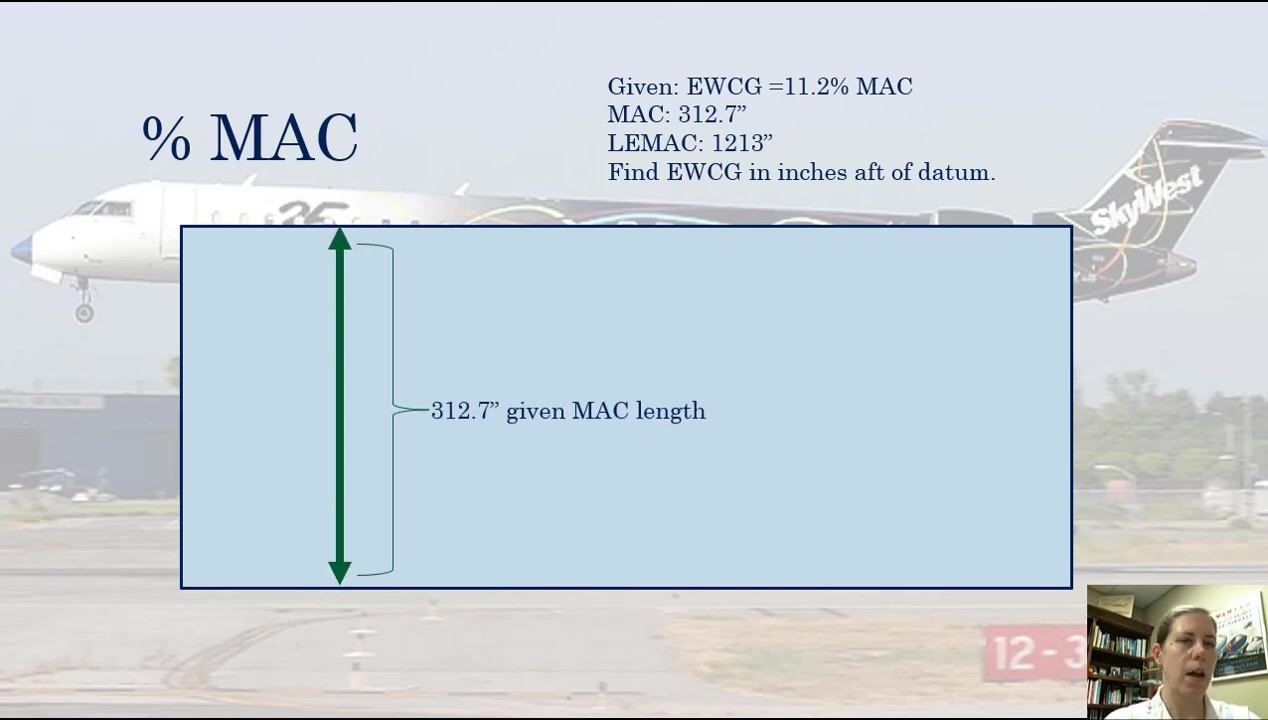
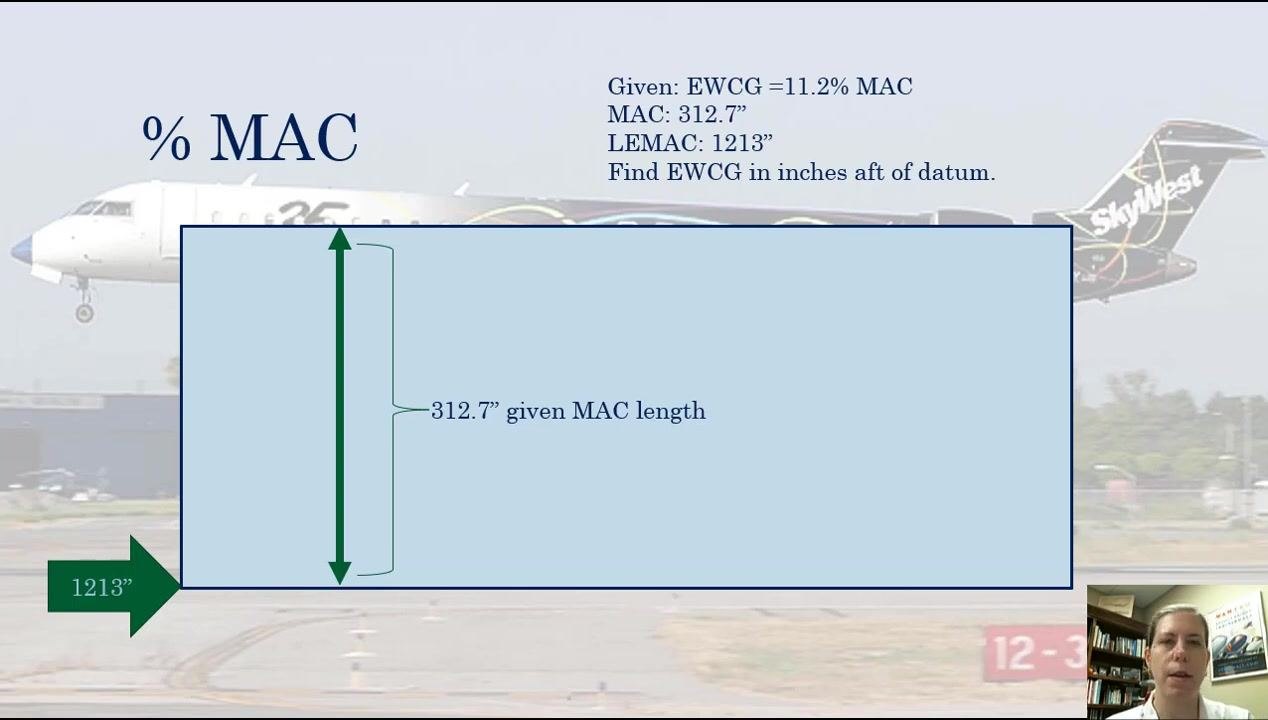
Step 2: Label the MAC length on the diagram
Add a green double-headed arrow to the diagram labeled "312.7” given MAC length" to represent the total MAC length.
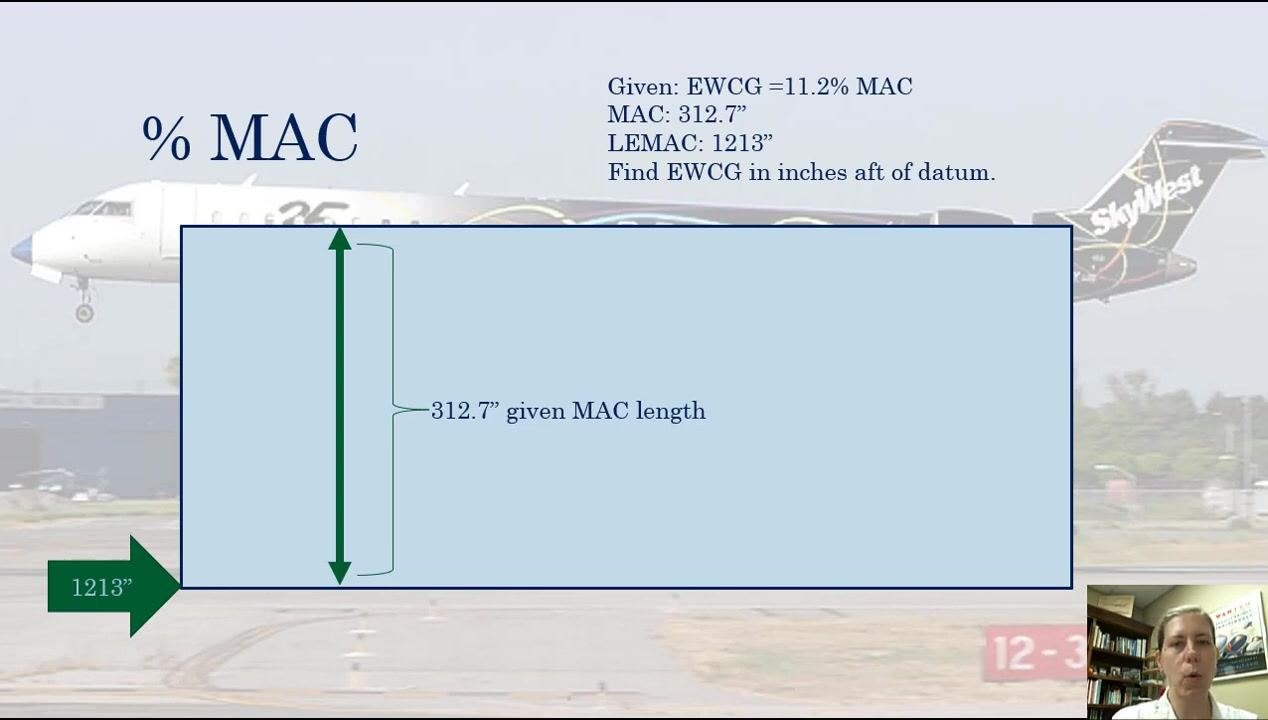
Step 3: Mark the LEMAC position
Add the LEMAC position to the diagram, labeled as 1213 inches, on the left side. The MAC length label (312.7") remains in place alongside it.
With both the MAC length and LEMAC position known and labeled, you have the reference points needed for the calculation. Note that the trailing edge of the rectangle is not needed for this specific problem and can be left unlabeled.
Step 4: Confirm the key values
Before calculating, confirm the values you will use:
- EWCG is at 11.2% of the MAC
- Total MAC length is 312.7 inches
Step 5: Locate the EWCG position on the diagram
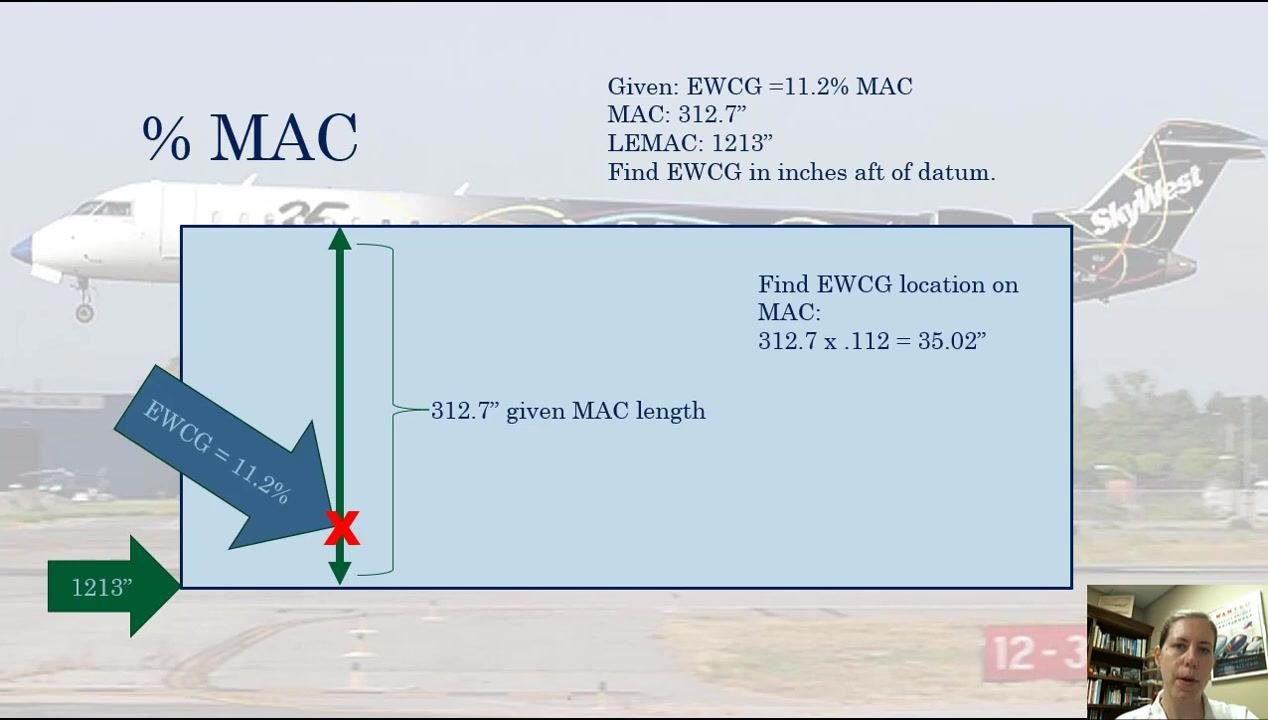
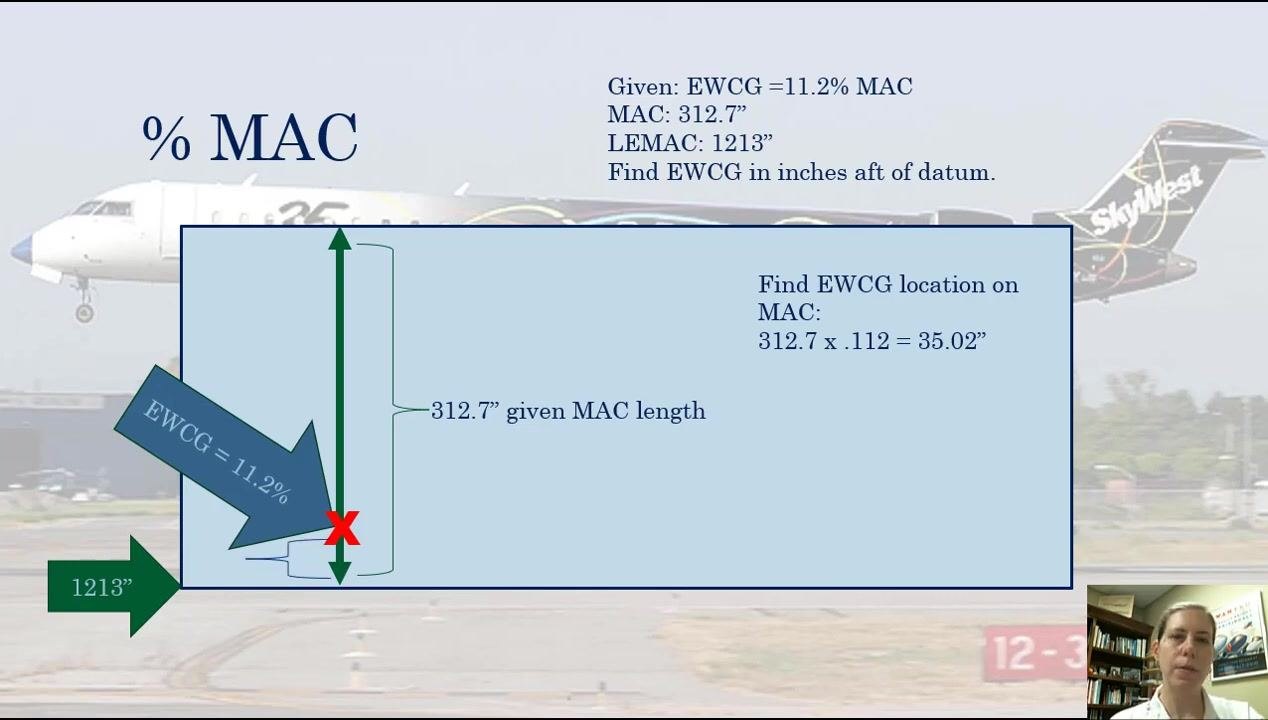
Mark the approximate EWCG location on the MAC with a red "X," and add a labeled arrow reading "EWCG = 11.2%" pointing to it. This position is roughly 11% of the way along the MAC.
Step 6: Calculate the distance from LEMAC to EWCG
To find the EWCG location in inches along the MAC, multiply the MAC length by the EWCG percentage expressed as a decimal:
- 312.7 × 0.112 = 35.02 inches
Use the decimal form of the percentage (0.112) rather than the whole number for this multiplication.
Step 7: Interpret the calculated distance
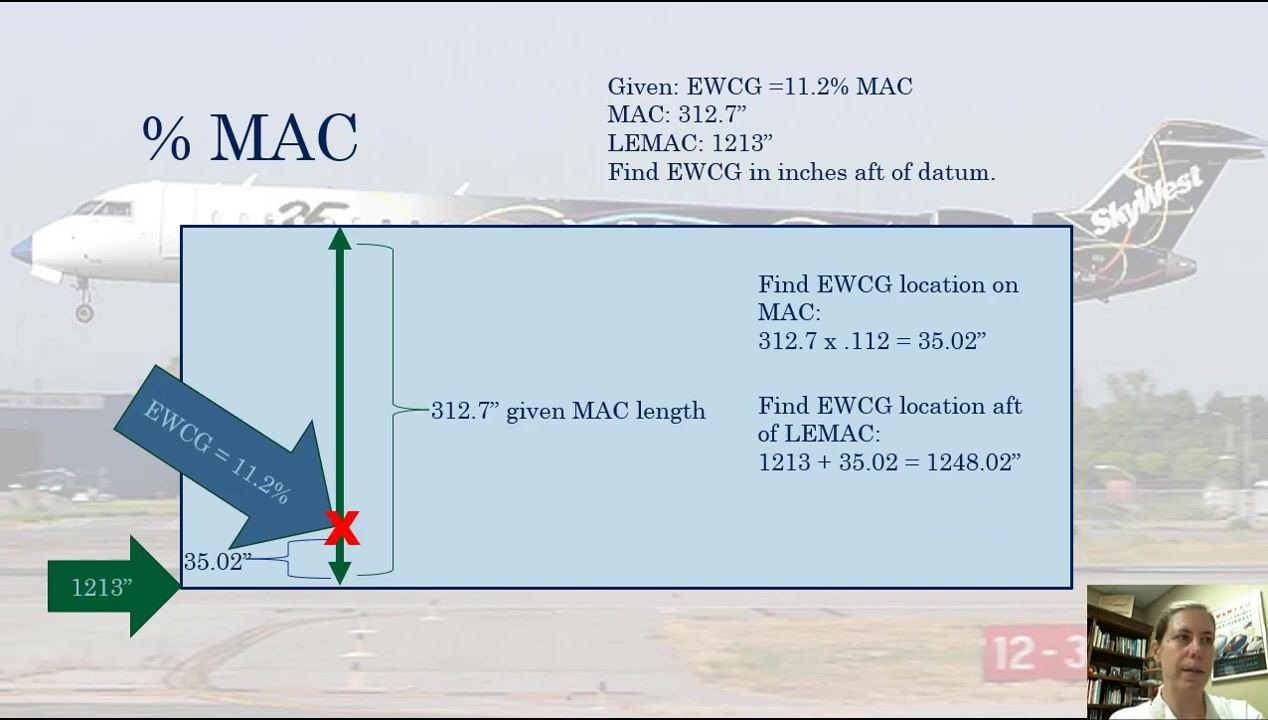
A bracket drawn between LEMAC and the EWCG location visually represents the calculated distance of 35.02 inches. This distance runs from the LEMAC to the EWCG along the MAC.
Step 8: Clarify the problem requirement
Note that the problem asks specifically for the EWCG in inches aft of datum, not just the distance along the MAC. This means an additional step is required.
Step 9: Add LEMAC to the calculated distance
To find the EWCG in inches aft of datum, add the LEMAC position (1213 inches) to the distance calculated from LEMAC to EWCG (35.02 inches):
- 1213 + 35.02 = 1248.02 inches
Step 10: State the final EWCG location
The empty weight center of gravity is located at 1248.02 inches aft of datum.
Verification and summary
To convert a percent MAC value back to inches aft of datum:
- Multiply the MAC length by the percent MAC (expressed as a decimal) to get the distance from LEMAC.
- Add this distance to the LEMAC position to find the EWCG in inches aft of datum.
By following the steps in this SOP, you can calculate EWCG as a percentage of MAC and convert a given percent MAC back to inches aft of datum, ensuring accurate weight and balance calculations for safe and effective aircraft operation.
Generation details: cost, quality tiers
Docsie billed 5,000 credits ($3.50) to analyze this 10-minute video at standard quality. The rewrite, template fill and Word/PDF exports were included. The same video at each quality tier:
| Quality | Frames sampled | Credits | Approx. cost |
|---|---|---|---|
| Draft | every 16-30 s | 2,500 | $1.75 |
| Standard (this guide) | every 8-15 s | 5,000 | $3.50 |
| Detailed | every 4-7 s | 10,000 | $7.00 |
| Ultra | every 1-3 s | 20,000 | $14.00 |
Credits priced at $0.70 per 1,000; plans include a monthly allowance. Enterprise customers on on-premise or bring-your-own-model deployments run this on their own inference and pay no per-video credits.
Generated by Docsie Video-to-Docs on 2026-09-14 from a 10-minute video. Screenshots are frames from the source video and belong to their creator, Aviation 101 With Laura, whose original is embedded above. If you own this video and want the guide removed or credited differently, contact us and we will act within one business day.