
4.8
on G2
AI wrote the docs — now prove they're faithful. Docsie's Content Comparison Wizard audits generated documentation against the source material and returns structured findings: coverage gaps, consistency issues, severity ratings, verdicts, and evidence quoted side by side from both documents.

A generated manual next to the source it was built from. Docsie turns the validation into a structured audit — findings, severity, verdicts, and source evidence you can inspect yourself. One minute, see it all.
Want the deep dive? Watch the full walkthrough below.
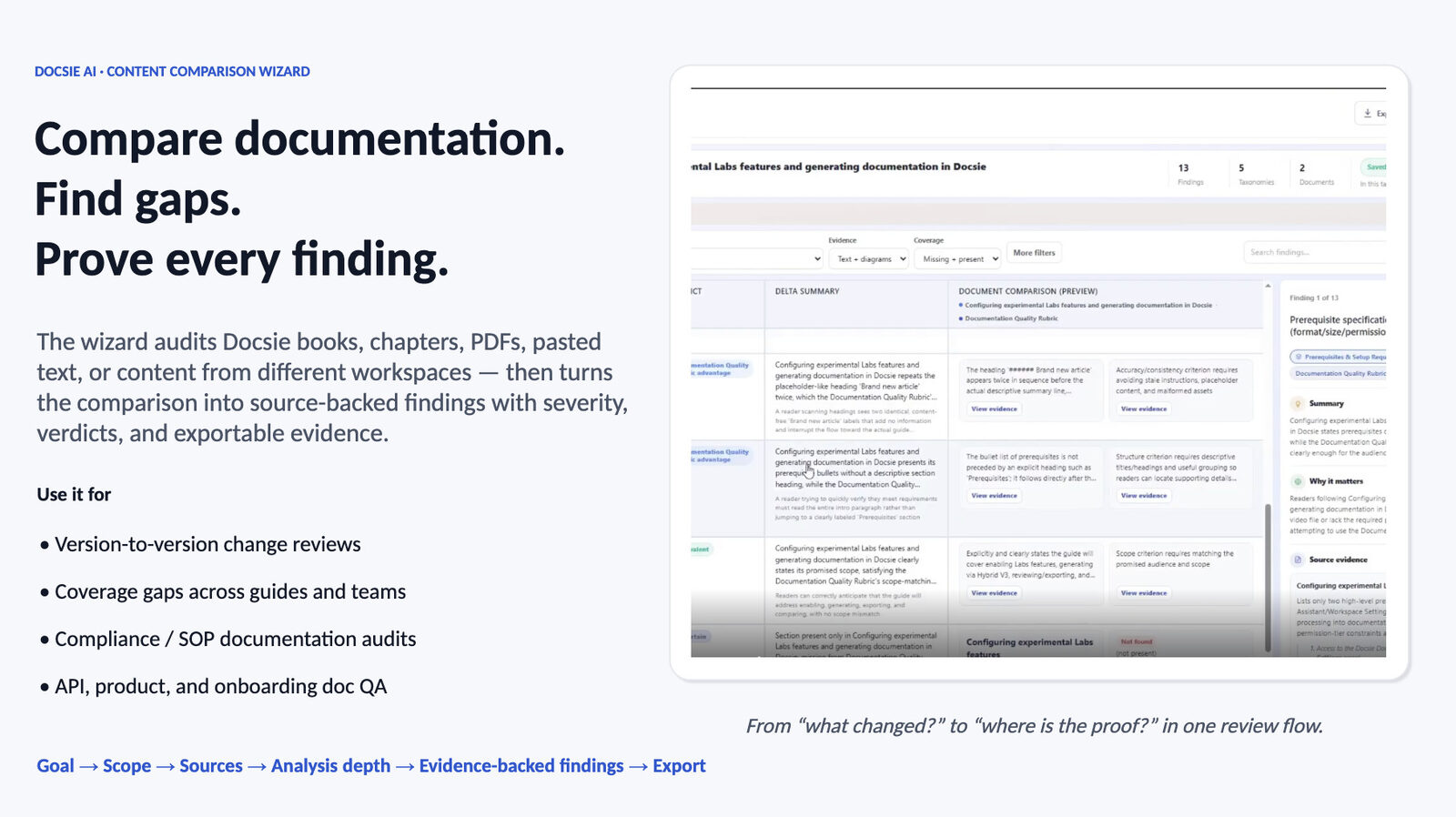
The Content Comparison Wizard doesn't just tell you the generated docs differ from the source. It breaks the validation into structured findings — each with a severity, a verdict, a delta summary, and source-verified evidence you can open, question, and export.
Pick the lens for your validation: Coverage gaps to catch what the AI left out, Consistency to catch where it drifted from the source, Compliance against a standard, a Documentation Quality audit — or describe a custom validation goal.
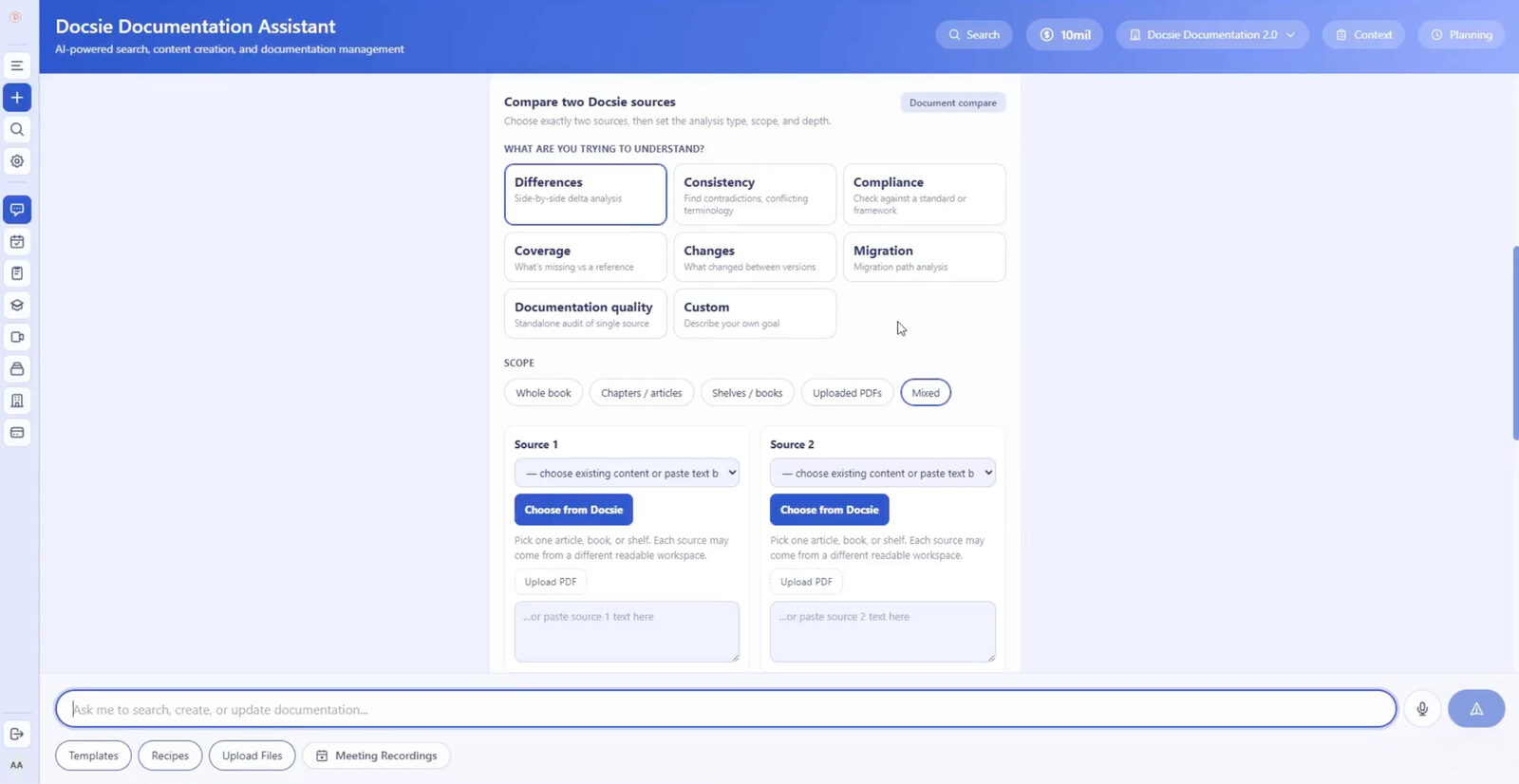
Put the generated documentation on one side and the source material on the other: Docsie books, chapters, shelves, uploaded PDFs, or pasted text — even content from two different workspaces.
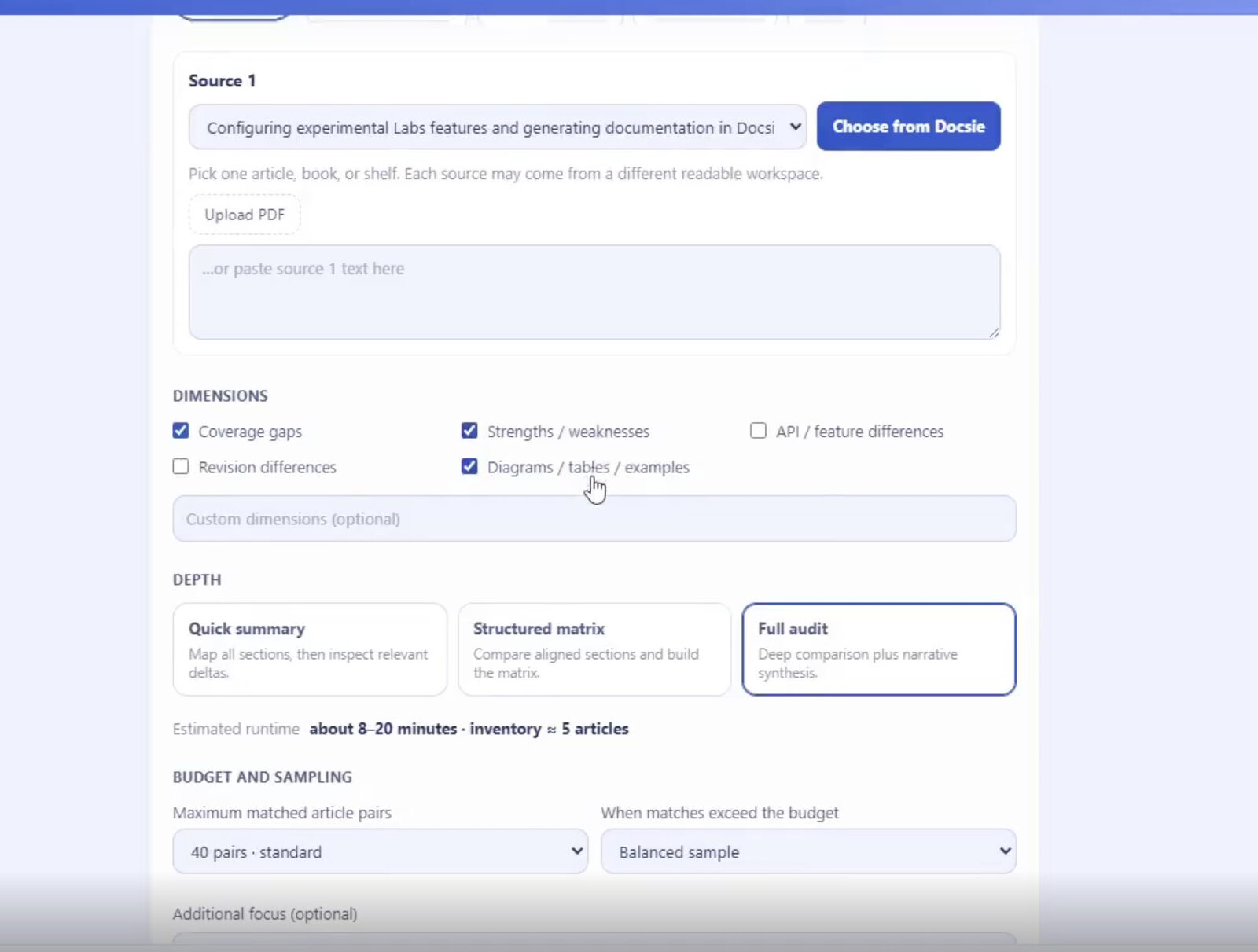
Select analysis dimensions — coverage gaps, strengths and weaknesses, revision differences, diagrams and examples, or your own custom dimensions — then choose Quick Summary, Structured Matrix, or Full Audit depth with budget and sampling controls.
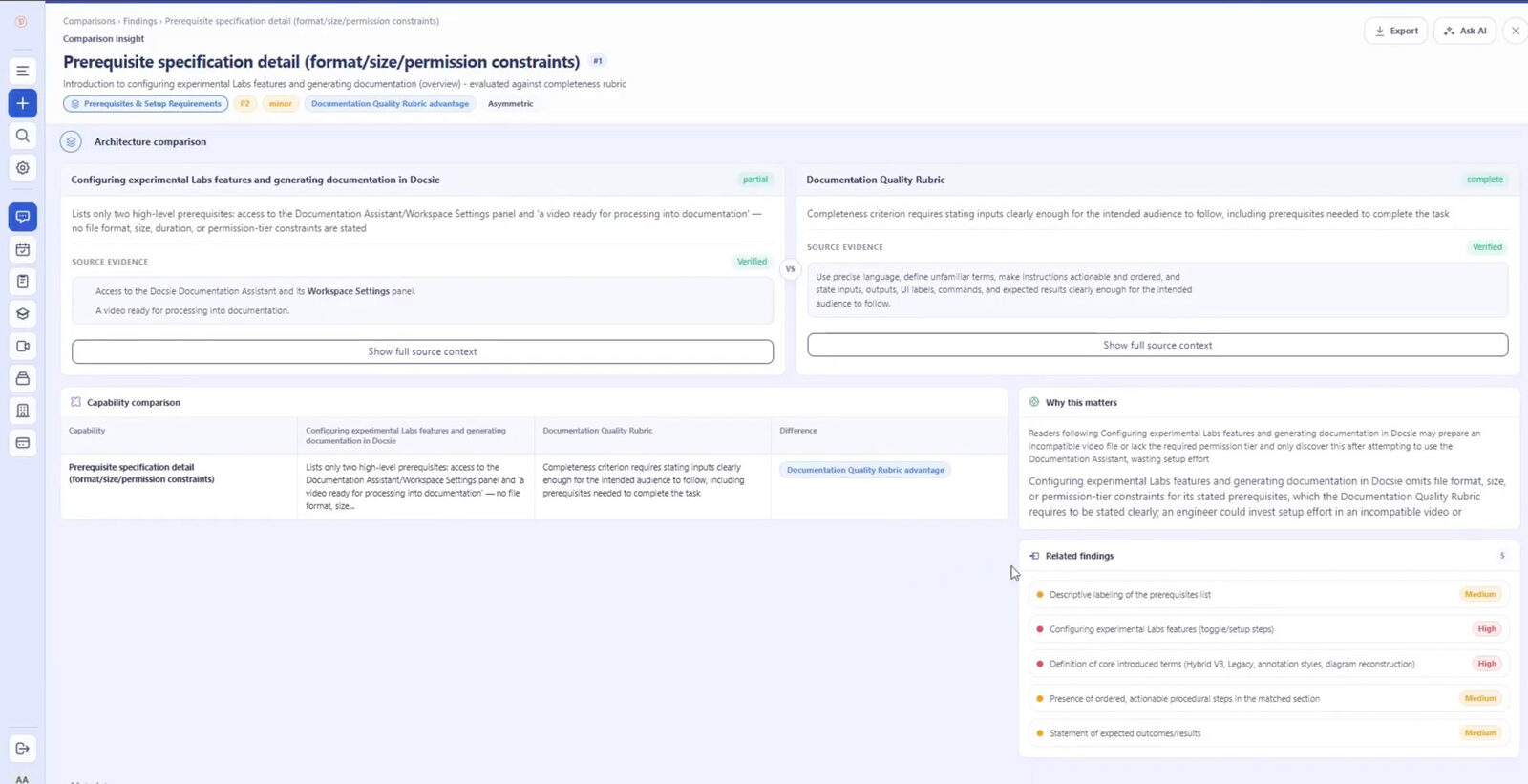
Every gap or inconsistency carries a severity, a verdict, a delta summary, a "why this matters" explanation, and verified evidence quoted from both the generated docs and the source. Filter findings, drill into related ones, or ask AI follow-up questions.
Send findings to Excel or your external reporting workflow. The validation becomes a structured fix list your writers can work through — not a vague feeling that the AI output "looks about right."
Join forward-thinking teams using Docsie






_Leader_Small-Business_Leader.svg)


Teams generating documentation with AI usually validate it the same way: a writer skims a few sections against the source and hopes the rest holds. That's not an audit — it's a coin flip with extra steps.
Why Docsie
An evidence-backed audit between generated documentation and its source material — so trust is verified, not assumed.
The Coverage gaps goal audits the generated docs against the source and flags what's missing — steps, warnings, edge cases — each as a finding with a severity and a "why this matters" explanation, so writers fix the gaps that count first.
Consistency findings quote the generated text and the source passage side by side. Where the AI drifted, softened a requirement, or restated something incorrectly, you see both versions — verified against the originals, not summarized on trust.
Choose Quick Summary for a fast pass, Structured Matrix or Full Audit when the docs are going to customers, and use budget and sampling controls on large sets. Filter findings, question them with Ask AI, and export each run to Excel as your validation record.
Full Walkthrough
Watch a full comparison run end to end: goal, sources, dimensions, depth, the findings screen, filtering, Excel export — plus a coverage analysis and a differences analysis on real documentation.
7 min 58 sec
Common Questions
Everything you need to know about validating AI-generated documentation with Docsie.
Q: How do I validate AI-generated documentation against its source material?
A: Load the generated documentation as one source and the original material as the other in the Content Comparison Wizard, then run a Coverage gaps or Consistency analysis. The result is a structured audit of what the generated docs miss or misstate, with evidence quoted from both documents.
Q: Does the source material have to be in Docsie?
A: No. Either side of the comparison can be a Docsie book, chapter, or shelf, an uploaded PDF, or pasted text — even content from two different workspaces. You can audit a generated Docsie book directly against the source PDF it was created from.
Q: Can it detect when the AI made something up or drifted from the source?
A: A Consistency analysis flags places where the generated docs disagree with the source material, and each finding quotes both passages side by side so you can judge the discrepancy yourself. It compares document content against document content — every verdict is backed by quoted evidence, not a black-box score.
Q: What about large documentation sets — are there limits?
A: The wizard works with Docsie books and chapters, uploaded PDFs, pasted text, websites, and videos — and large comparisons are controlled with budget and sampling settings. Use Quick Summary for a broad first pass, then a Full Audit on the sections where fidelity matters most.
Q: Can I make this a standing step in our docs pipeline?
A: Yes, as a review gate: run the same goal and dimensions after each generation or major edit, filter the findings by severity, and export the audit to Excel as the validation record attached to that release.
Q: How do writers act on the results?
A: Each finding is a concrete work item: a severity, a verdict, a delta summary, and the quoted passages from both documents. Writers filter by severity, use Ask AI to clarify ambiguous findings, and work down the exported list instead of re-reading the source end to end.
Still have questions?
Book a DemoSee how Docsie can help your team today.
No credit card required.