4.8
on G2
Pick the notes your team already wrote and a procedure template. Type /rewrite and Docsie writes the procedure in the template's sections, keeps the facts the notes give, and saves it as a draft for review.
Watch it work
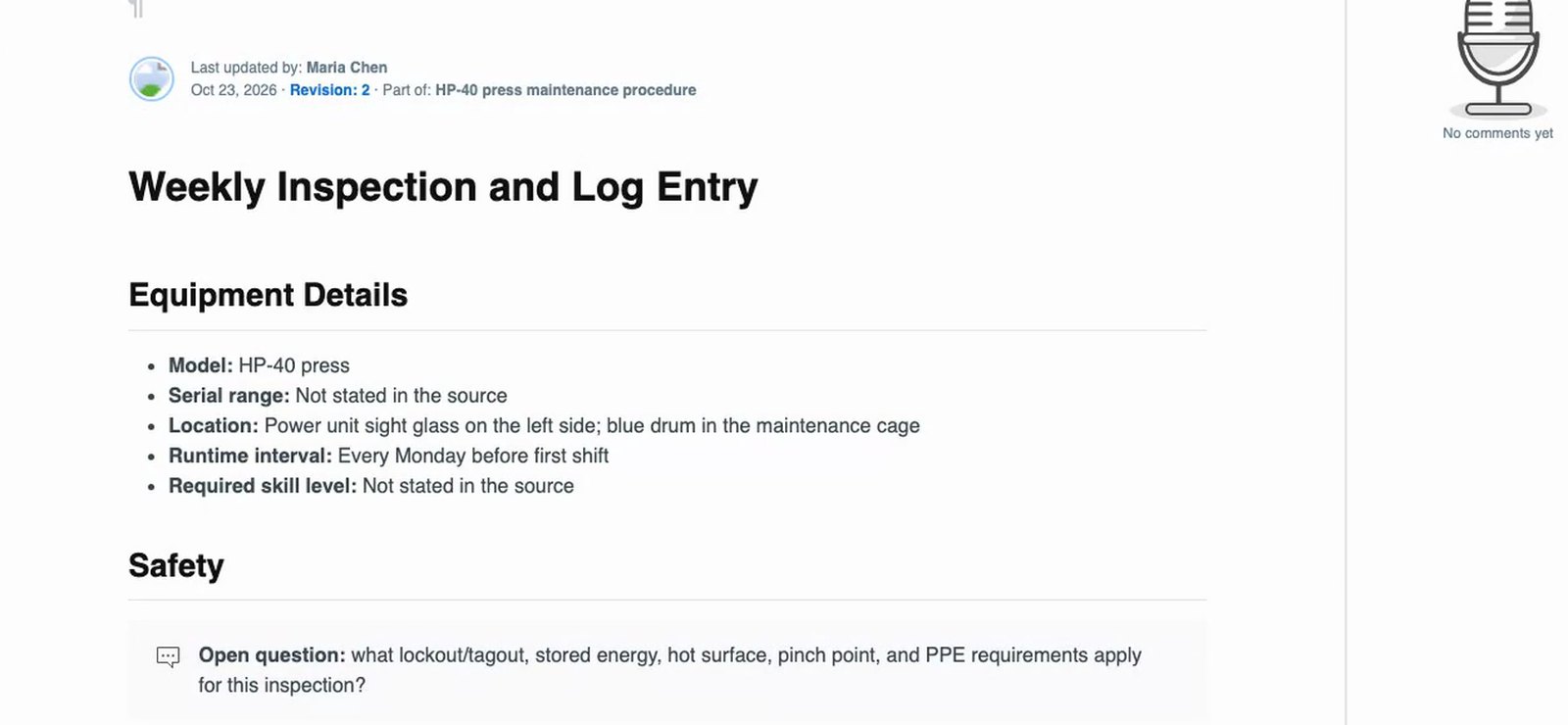
Two short notes are rewritten with /rewrite, the Preventive Maintenance Procedure template and a small skill. Docsie writes one procedure per note. Where the notes say nothing about lockout, protective gear or return to service, the procedure gets an open question for the reviewer instead of a guess.
1 min 45 sec
Recorded in Docsie's test environment with a fictional company (Acme Manufacturing) and fictional equipment. No customer documents.
On the rewrite card you pick the notes and whatever else the procedure should follow. Each option below is shown in one of the videos on this page.
Pick a template such as Preventive Maintenance Procedure and Docsie writes each note into its sections. A template can also describe the whole guide and the chapter types it uses.
Tick "Use the workspace glossary" and PL400, PL 400 and KX2 become PL-400 and KX-2 in titles and in every step. The glossary also holds style rules such as sentence-case headings.
Pick an existing handbook as reference material. Its facts go into the steps they belong to, and the handbook itself is not rewritten or copied into the SOP.
Before the articles are written, the outline review shows each article and the reference articles its writer gets.
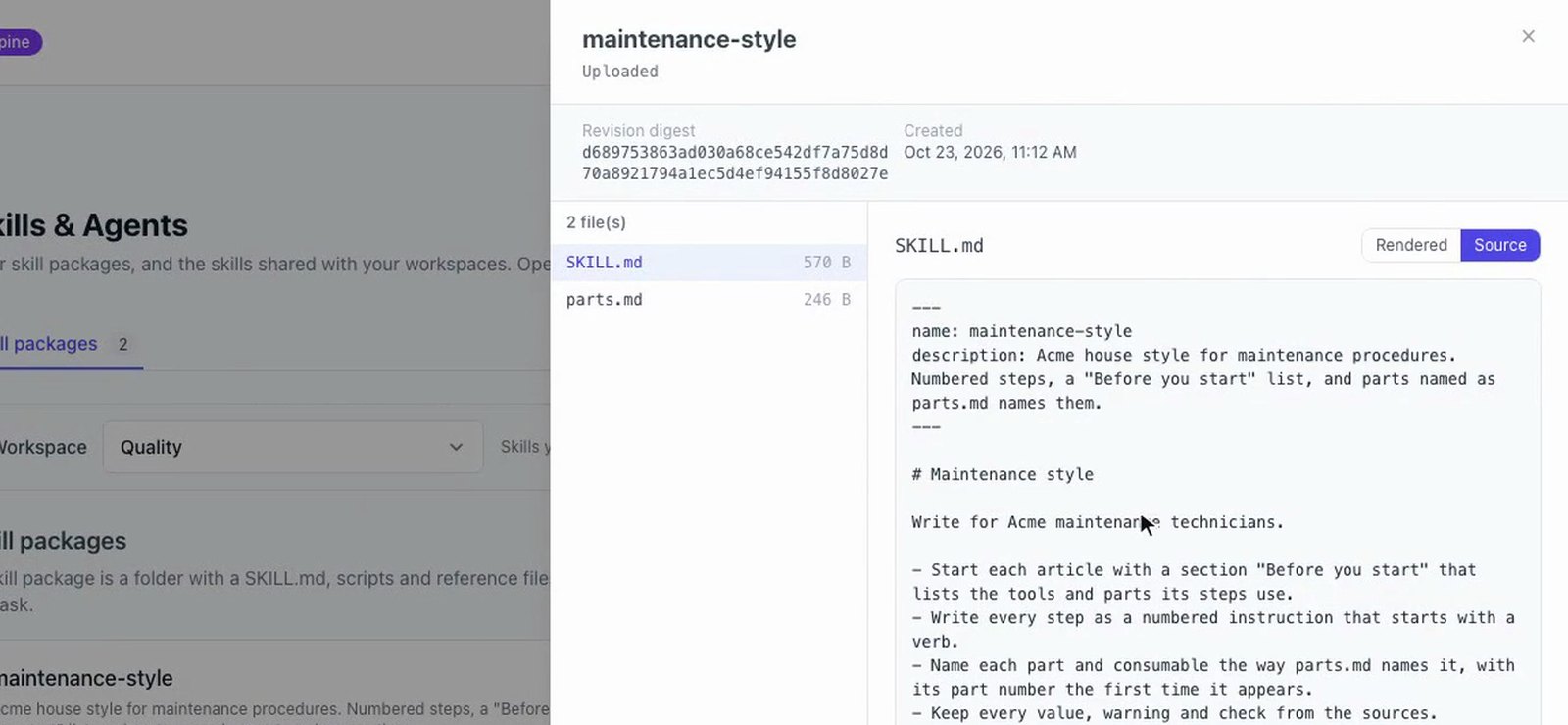
Add a skill, a folder with a SKILL.md, reference files and an optional check script, and the rewrite follows its rules.
The new guide is saved as a draft, so nothing reaches your readers until you release it.
Examples from the videos on this page, recorded with a fictional company and fictional equipment.
Click Request review on the result card, pick a teammate and add a note. Docsie adds a review with Draft, Editing and Approval steps to the guide's project board and notifies the workspace. The reviewer reads the guide in the editor, and the requester is notified when the review is done.
Review an AI-written guide before it goes live, 1 min 17 sec.
The steps shown in the videos on this page.
Type /rewrite in the AI assistant and pick the notes as the source.
Pick a template, tick the workspace glossary, and add reference material or a skill if you need them.
Open the new guide from the result card. Skill checks, if your skill has any, are listed there too.
Request a review from a teammate, then publish the shelf draft, or export the guide as a PDF or an editable Word file.
Where the notes come from
Each example is shown in one of the walkthroughs, with a fictional company.
Notes written by several people, with several spellings of the same machine, become one operator guide with one spelling.
Short notes become preventive maintenance procedures in the template's sections, with open questions where the notes are silent.
Facts the notes leave out, such as which label rolls a machine takes, come from the equipment handbook you pick as reference material.
An operator guide with Overview and Procedure chapters. A skill picked for the Procedure chapter type makes each procedure explain a device the first time a step names it.
Export a PDF with a cover page or an editable Word file for a supplier, an audit or a line binder.
Publish the shelf and its books in one step, or turn the shelf into a shareable document or a web portal.
Join forward-thinking teams using Docsie






_Leader_Small-Business_Leader.svg)


Common questions
Q: How does Docsie turn notes into an SOP?
A: Type /rewrite in the AI assistant, pick the notes as the source and choose a procedure template. Docsie writes the procedure in the template's sections and saves it as a draft. You can add the workspace glossary, reference material and skills on the same rewrite card.
Q: What happens when my notes leave something out?
A: Add a skill whose rules say never to invent a value. In the video on this page, sections the notes don't cover get an open question in place, the facts the notes give are kept, and each article ends with its open questions for the reviewer.
Q: Can it use our own SOP template?
A: Yes. The rewrite card takes a template, such as the Preventive Maintenance Procedure template in the video, and writes each note into its sections. A template can also describe a whole guide and the chapter types it uses.
Q: How do I keep machine and product names consistent?
A: Add the terms to the workspace glossary with their wrong spellings, or import them from a CSV file with term, definition and aliases. Rewrites with the glossary ticked use one spelling in titles and in every step.
Q: Does the new SOP go live straight away?
A: No. A rewrite saves the new guide as a draft. You can request a review from a teammate, then release the shelf draft to publish it.
Q: Can I export the SOP to PDF or Word?
A: Yes. The result card exports the whole shelf as a PDF, with a cover page showing the title, summary and date, or as an editable Word file with the same chapters and steps.
Q: I have a video, not notes. What should I use?
A: To build an SOP from a recording, see the video to SOP page, which turns a process video into a procedure with screenshots.
Have a folder of notes that should be SOPs?
Book a DemoBook a demo to walk through the AI rewrite, templates, the glossary and review with your own procedures in mind.
The walkthroughs on this page were recorded with a fictional company. No customer documents.