4.8
on G2
Google Slides imports PowerPoint files, not PDFs. So Docsie's AI reads your PDF and writes a .pptx deck that summarizes it. Upload that file to Google Drive or import it into a deck, and every slide is yours to edit.
There is no button that turns a PDF into editable Google Slides. The route that works goes through a PowerPoint file, and Docsie gives you that file already written.
Docsie's AI reads the document and writes slides that summarize its main points. It is a new presentation about the PDF, not the PDF's pages pasted onto slides as pictures.
The deck comes as a PowerPoint file you download. Docsie does not export into your Google account, so you add the file to Google Slides yourself. The steps are below.
After the import, the slide text sits in regular Google Slides text boxes. Rewrite it, reorder slides, apply your theme and share the deck the way you share any other.
Step by step
The first three steps happen in Docsie, the last one in Google.
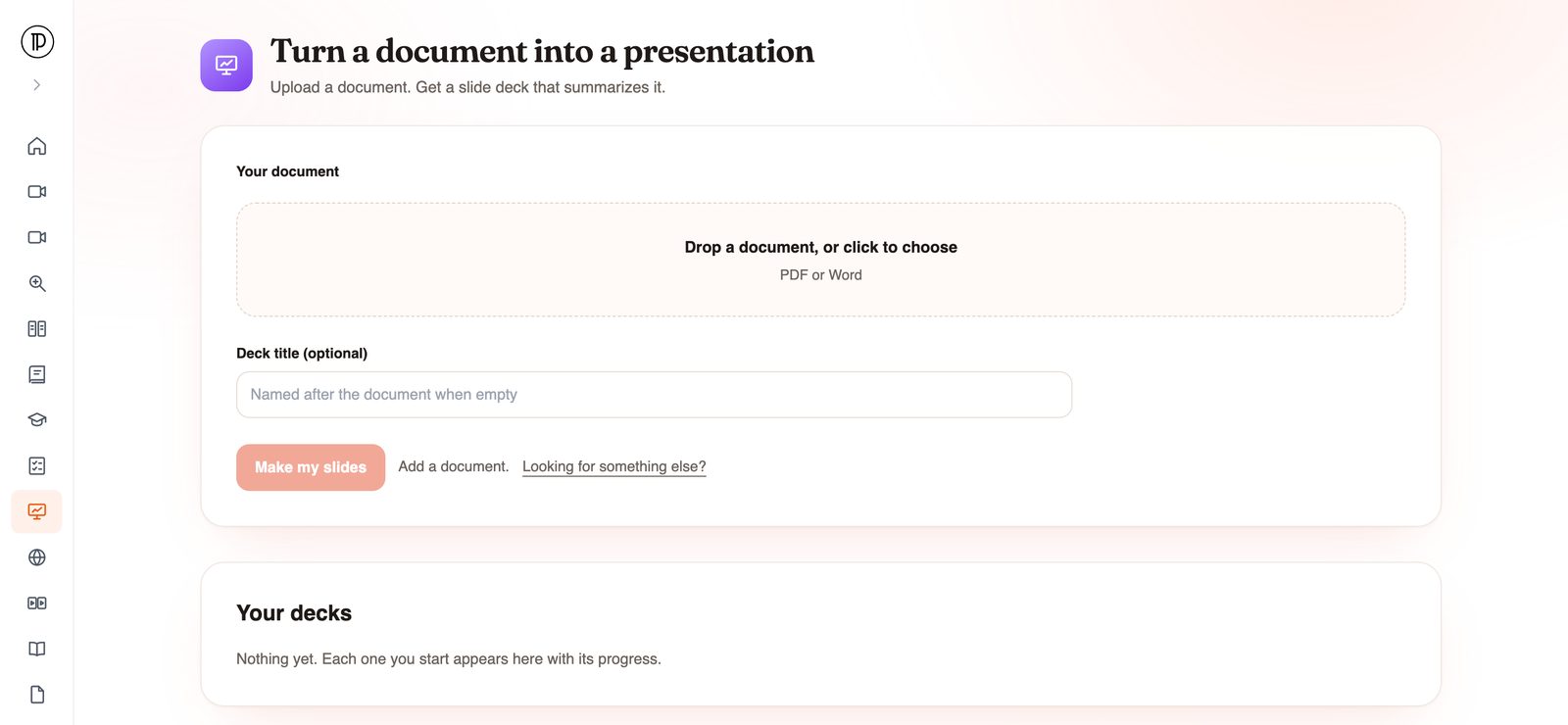
Open the app and add one PDF or Word file. Give the deck a title or leave it empty to use the document's name. Click Make my slides and confirm your email with the code Docsie sends. No account is needed to start.
Docsie imports the document into a knowledge base (with OCR for scanned pages), then writes the deck in the background. You get an email when it is ready.
Open your decks in the app and download the PowerPoint file to your computer.
In Google Drive, choose New > File upload and pick the .pptx, then open it with Google Slides. If it opens in Office editing mode, use File > Save as Google Slides to make a native copy. To add the slides to a deck you already have, open that deck and use File > Import slides > Upload instead.
Other routes
Each of these works for something. Here is where each one stops.
Export the PDF pages as images and place one per slide. The pages look right, but nothing on them can be edited, and long pages are hard to read on a screen.
Fine for a two-page memo. For a long report it means deciding what goes on every slide and cutting paragraphs down to points by hand.
Convert the PDF to .pptx, then import it. You usually get one slide per page with the same long text, which still has to be rewritten for a talk.
You start from a shorter deck that already says what the document says. Your time goes into editing and design, not retyping.
Turn a reading, a handbook chapter or a lab procedure into class slides, then share them from Drive like the rest of your course material.
The same app takes Word documents; see Word to PowerPoint. For a training video or screen recording, see Video to Google Slides.
Join forward-thinking teams using Docsie






_Leader_Small-Business_Leader.svg)


Common questions
Q: Can you convert a PDF to Google Slides directly?
A: Not as editable slides. Google Slides imports presentation files such as .pptx, not PDFs. The route that works is to get a PowerPoint file first and import that. Docsie gives you the .pptx, written as a summary of your PDF.
Q: How do I import a PowerPoint file into Google Slides?
A: Upload the .pptx to Google Drive with New > File upload and open it with Google Slides; use File > Save as Google Slides if you want a native copy. Or open an existing deck and use File > Import slides > Upload to pull in the slides you want.
Q: Will my PDF's layout and images carry over?
A: Plan on adding them yourself. Docsie writes the deck from what the document says; it is not built to copy the PDF's page design, images or charts. Once the deck is in Google Slides, insert the visuals you need and apply your theme.
Q: Does Docsie save the deck straight to my Google Drive?
A: No. You download the .pptx from Docsie and upload it to Drive yourself. It is one extra step, and the file then behaves like any other Google Slides deck you own.
Q: Can I make Google Slides from a Word document too?
A: Yes. The app accepts PDF or Word files, and the deck still comes out as a .pptx you import into Google Slides the same way.
Q: Do I need an account?
A: Not to start. You add the file and click Make my slides; Docsie asks for your email and a one-time code at that point. The run uses your workspace's AI credits, and you get an email when the deck is ready.
Need this for a whole team?
Book a DemoUpload a PDF, download the .pptx when Docsie emails you, and import it into Google Slides.
SOC 2 compliant. Your data is never used to train AI models.