
4.8
on G2
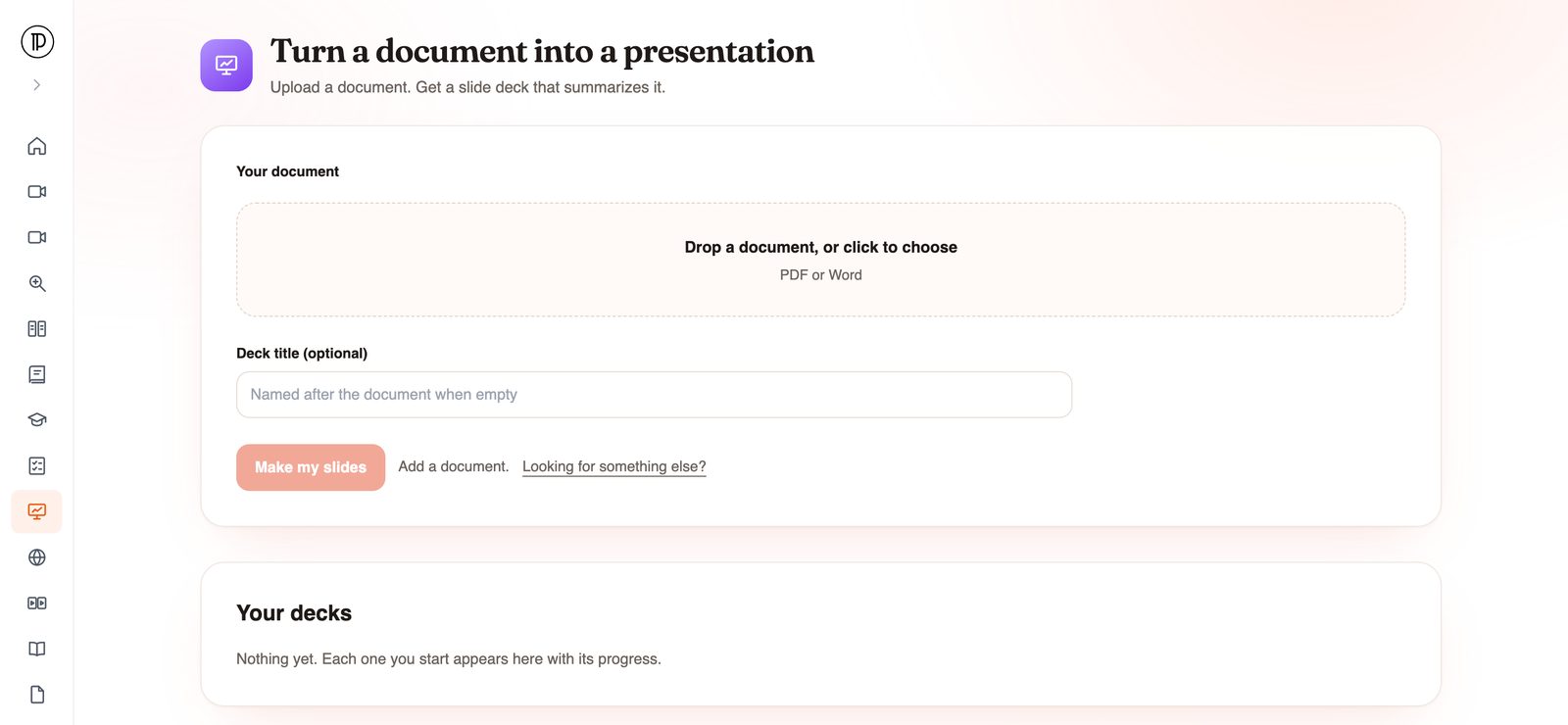
Upload a Word document, such as a report, a proposal or an SOP, and Docsie's AI writes a PowerPoint deck that summarizes it. You start from an editable .pptx instead of a blank slide and a long document to cut down.
Turning a doc into a PPT by hand is mostly cutting: deciding what matters and shrinking it to fit a slide. That is the part Docsie drafts for you.
This is a document to presentation tool, not a format converter. The slides are new, shorter text based on what your document says, so the deck reads like a talk about the document rather than the document split into pieces.
Docsie imports the Word file into a knowledge base, builds an outline of it, and then writes a deck that summarizes the content, start to finish.
You download a standard .pptx. Open it in PowerPoint, Google Slides or Keynote, edit every slide and apply your company template.
The deck is written from the text, not copied from the page. It is not built to carry over Word styles, tables or images, so add the visuals you need once the deck is open.
How it works
Three steps. You only do the first one.
Open the app and drop in your document. Add a deck title, or leave it empty and the deck is named after the document. Click Make my slides. No account is needed to start; Docsie asks for your email and a code when you submit.
The document is imported into a Docsie knowledge base and outlined, then the slide step runs. You can close the tab. Docsie emails you when the deck is ready.
Download the .pptx, open it in PowerPoint, apply your template from the Design tab and adjust the wording to your audience. Add the charts, photos or screenshots a slide needs, and cut anything the room doesn't need to hear.
Where it helps
Any time the thinking is already in a doc and someone asks for slides.
A quarterly, project or audit report becomes a review deck for the meeting where it gets discussed.
Turn the proposal you wrote into the deck you present to the people who approve it.
Turn a procedure into training slides for a shift briefing or an onboarding session. Need the SOP itself first? Start from one of the free document templates.
Walk a team through a new policy or a handbook change without asking them to read the whole document first.
Make a short update deck from a briefing document or a long set of notes.
Trainers can turn a written lesson or handout into lecture slides, then add their own examples.
Join forward-thinking teams using Docsie






_Leader_Small-Business_Leader.svg)


Common questions
Q: How do I convert a Word document to PowerPoint?
A: Upload the Word file to Docsie, click Make my slides and confirm your email with the code Docsie sends. The deck is drafted in the background and you get an email when the .pptx is ready to download and edit.
Q: Is there an AI that turns a Word doc into a PowerPoint?
A: Yes, this is one. Docsie's AI reads the document and writes a deck that summarizes it. Treat it as a first draft: check it against the source and adjust it to your audience before you present.
Q: Doc to PPT, will every page become a slide?
A: No. The slides are written from the content, not mapped page by page. A long document comes back as a summary deck, which is usually what you want for a talk.
Q: Will the deck use my company template?
A: Not inside Docsie; there is no theme picker. Download the .pptx, open it in PowerPoint and apply your company template or theme from the Design tab.
Q: Will my tables and images come across?
A: Plan on adding them yourself. The deck summarizes what the document says; it is not built to carry over Word tables, images or styles.
Q: Can I use a PDF, or open the deck in Google Slides?
A: Yes to both. The same app accepts PDF files, and the .pptx opens in Google Slides after you upload it to Google Drive or use File > Import slides. Starting without an account is fine; the run uses your workspace's AI credits.
Want to see it on your own documents?
Book a DemoUpload a report, proposal or SOP. Docsie writes the deck and emails you when the .pptx is ready.
SOC 2 compliant. Your data is never used to train AI models.

