
How to Fill Out an Incident Report
This documentation shows you how to fill out an incident report at the Family Health Center, based on the "How to Complete an Incident Report" training course provided by Worcester Family Health Center. The course covers how to identify incidents, what to do when they occur, how to document them on the Incident Report Form, how to notify supervisors, and how to follow through afterward.
Video: How to Complete an Incident Report by dmascott (2011). All credit for the demonstration goes to the creator; watch the original on YouTube. The written guide below was generated from this video by Docsie. Creator? Request a change or removal.
This documentation shows you how to fill out an incident report at the Family Health Center, based on the "How to Complete an Incident Report" training course provided by Worcester Family Health Center. The course covers how to identify incidents, what to do when they occur, how to document them on the Incident Report Form, how to notify supervisors, and how to follow through afterward.
Incident Summary
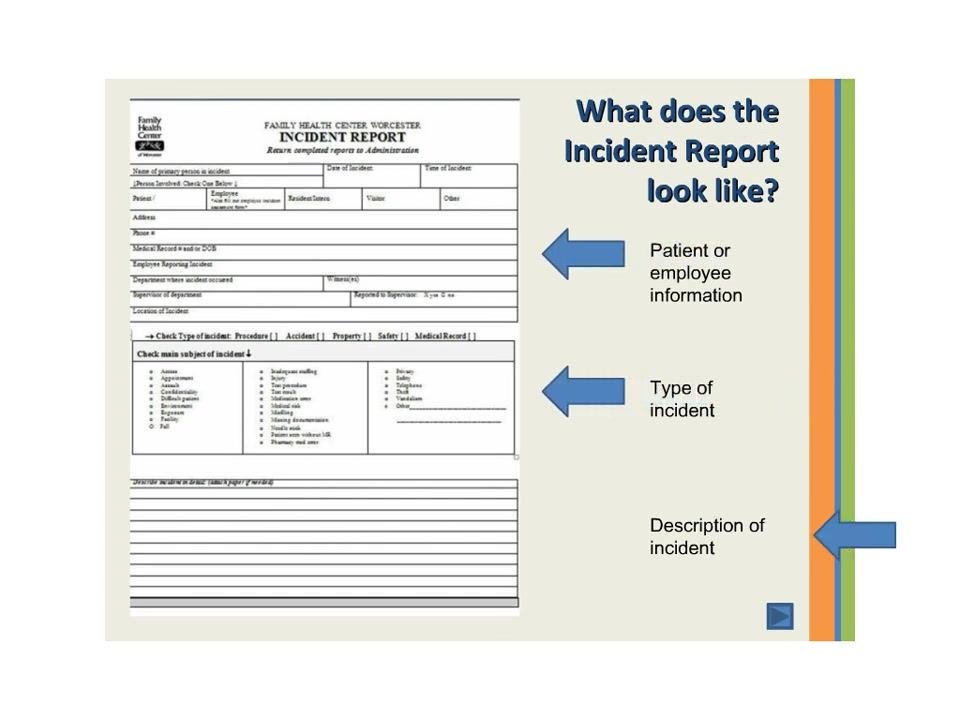
The Incident Report Form is where you record what happened, when, and what type of event occurred. Before you complete the form, review the course objectives so you understand the full reporting process:
- Identify types of incidents.
- Determine what to do when an incident occurs.
- Document the incident in an Incident Report Form.
- Contact supervisors or managers about the incident.
- Follow through on the incident.
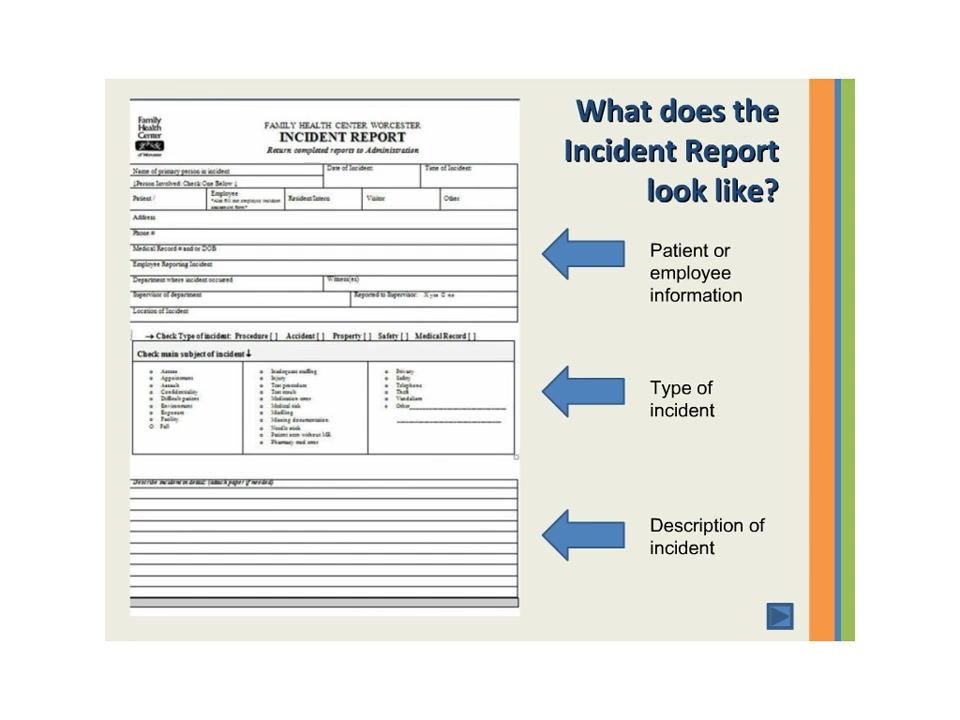
On the form itself, you check a box to indicate the type of incident — Procedure, Accident, Property, Safety, or Medical Record — and specify the main subject, such as aggression, a fall, or a medication error. You then provide a detailed narrative describing what occurred.
People Involved
Both patients and employees are eligible to fill out an incident report. The form's Patient or employee information section requires you to enter:
- Name
- Role (patient, employee, resident, visitor, other)
- Address
- Phone number
- Medical record number, if applicable
You must inform your supervisor immediately so they can complete their section of the report. If a patient or employee witnessed the incident, that person must complete a separate witness statement.
Hazard Description
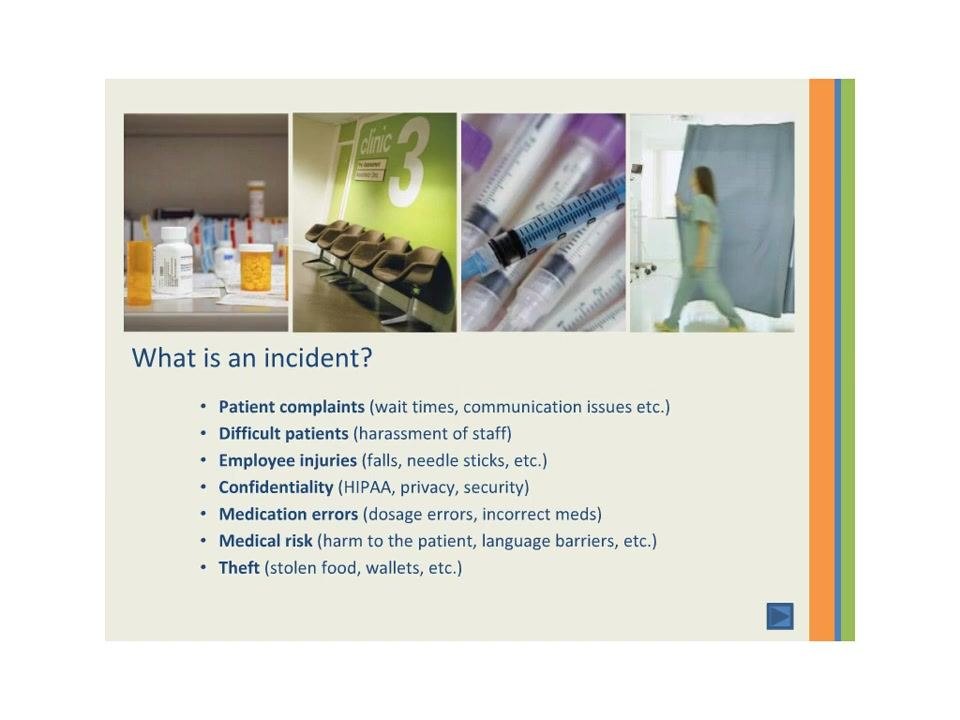
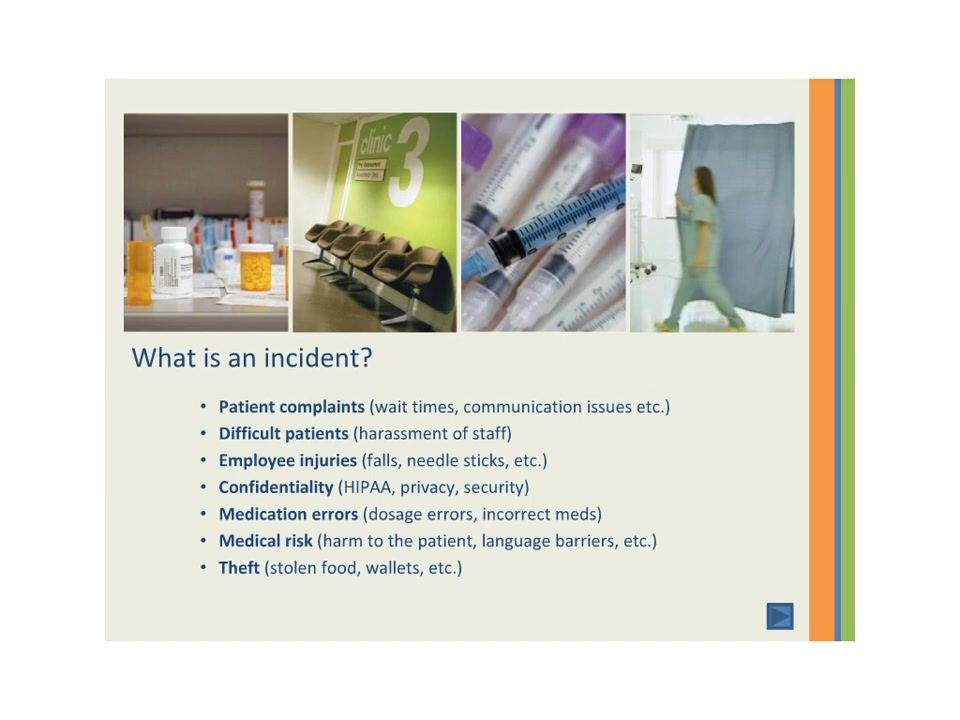
An incident can take several forms, and recognizing the type helps you complete the report accurately. The categories covered in the course include:
- Patient complaints, such as wait times or communication issues.
- Difficult patients, including harassment of staff.
- Employee injuries, such as falls or needle sticks.
- Confidentiality breaches involving HIPAA, privacy, or security.
- Medication errors, such as dosage mistakes or incorrect medications.
- Medical risk, such as harm to the patient or language barriers.
- Theft, such as stolen food or wallets.
Immediate Response
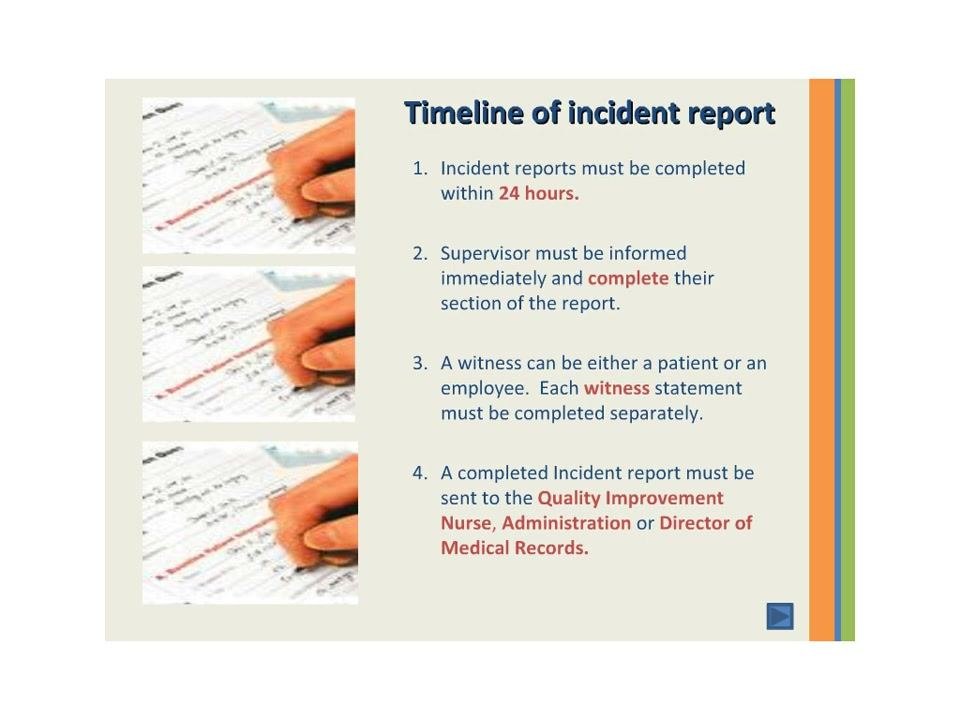
Once an incident occurs, you are expected to act on a defined timeline and follow specific prevention practices. The required response timeline is:
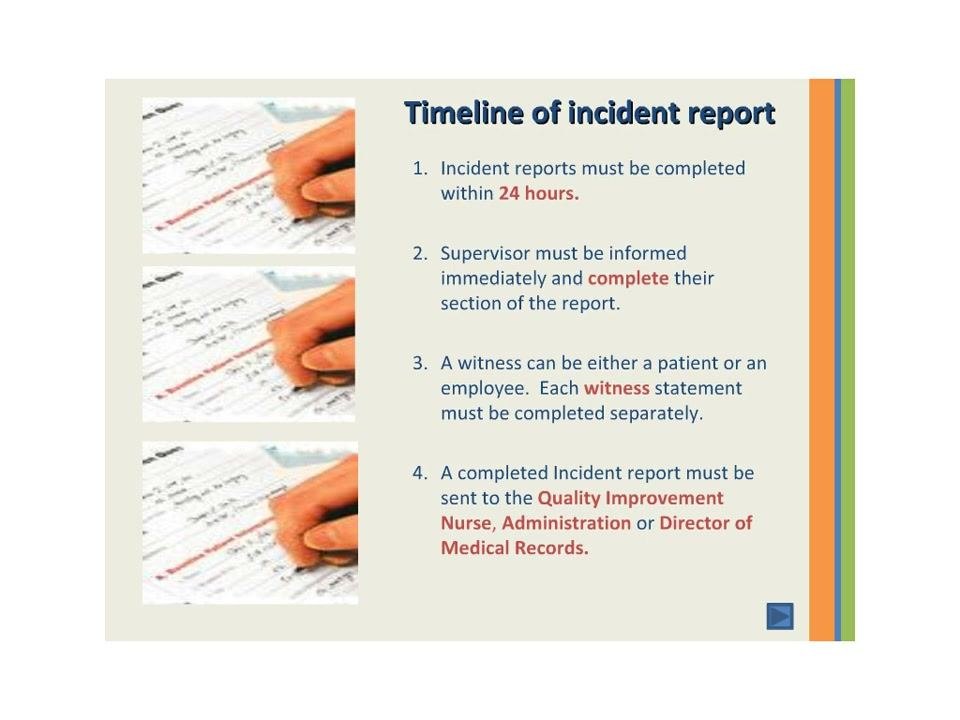
- Complete the incident report within 24 hours of the incident.
- Inform the supervisor immediately, and ensure they complete their section of the report.
- Have a witness statement completed separately by anyone who witnessed the incident.
- Submit the completed report to the Quality Improvement Nurse, Administration, or Director of Medical Records.
To reduce the chance of an incident occurring in the first place, follow these best practices:
- Abide by patient privacy rights by closing curtains in common areas.
- Guide patients to prevent falls.
- Be extremely careful with needle sticks.
- Double check, even triple check, medication times and dosages.
Exposure Assessment
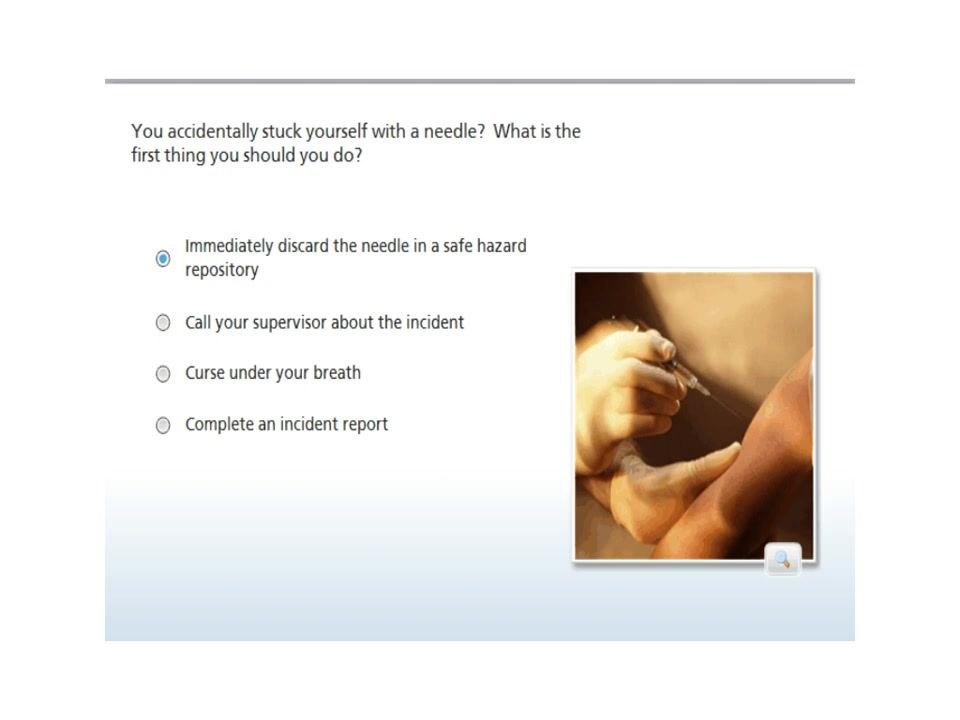
For exposure-type incidents such as needle sticks, the course reinforces the correct immediate action through a knowledge check. When asked, "You accidentally stuck yourself with a needle! What is the first thing you should do?", the correct response is to immediately discard the needle in a safe hazard repository.
The source material does not detail exposure route, dose, PPE used, or ongoing symptom monitoring beyond this immediate action; a complete report should still capture this information where applicable.
Root Cause
The course explains that reporting incidents matters because it helps identify why incidents happen and how often. Reporting incidents serves three purposes:
- To improve quality of care.
- To identify trends and repeated occurrences of incidents.
- Because it is mandated by accreditation agencies.
The source material does not provide a specific direct cause or list of failed controls for an individual incident; that analysis would be documented case by case once trends are identified.
Corrective Actions
The primary corrective action defined by the course is timely, complete reporting. A knowledge check confirms this expectation: when asked, "Following an incident, how long do you have to complete an Incident Report?", the correct answer is within 24 hours.
Beyond timely completion, the course's "follow-through" objective means submitting the report to the Quality Improvement Nurse, Administration, or Director of Medical Records, and applying the best practices above to prevent recurrence. Owners, due dates, and formal effectiveness checks for specific corrective actions are not detailed in the source material and should be defined by your organization as needed.
What's next
Once you complete the training, you have covered incident report completion, submission procedures, best practices, and the knowledge check questions. Continue to apply these procedures in your daily work, always meeting the 24-hour reporting timeline and involving your supervisor and any witnesses as required. If you have questions or need clarification, contact your supervisor or the Quality Improvement Nurse.
Generation details: cost, quality tiers, downloads
Docsie billed 2,000 credits ($1.40) to analyze this 4-minute video at standard quality. The rewrite, template fill and Word/PDF exports were included. The same video at each quality tier:
| Quality | Frames sampled | Credits | Approx. cost |
|---|---|---|---|
| Draft | every 16-30 s | 1,000 | $0.70 |
| Standard (this guide) | every 8-15 s | 2,000 | $1.40 |
| Detailed | every 4-7 s | 4,000 | $2.80 |
| Ultra | every 1-3 s | 8,000 | $5.60 |
Credits priced at $0.70 per 1,000; plans include a monthly allowance. Enterprise customers on on-premise or bring-your-own-model deployments run this on their own inference and pay no per-video credits.
Generated by Docsie Video-to-Docs on 2026-09-20 from a 3-minute video. It was generated straight into Docsie's Lab Safety Incident Report template, so every section of that template is filled from the video. Screenshots are frames from the source video and belong to their creator, dmascott, whose original is embedded above. If you own this video and want the guide removed or credited differently, contact us and we will act within one business day.