
How to 5s Audit Checklist (Ultra quality)
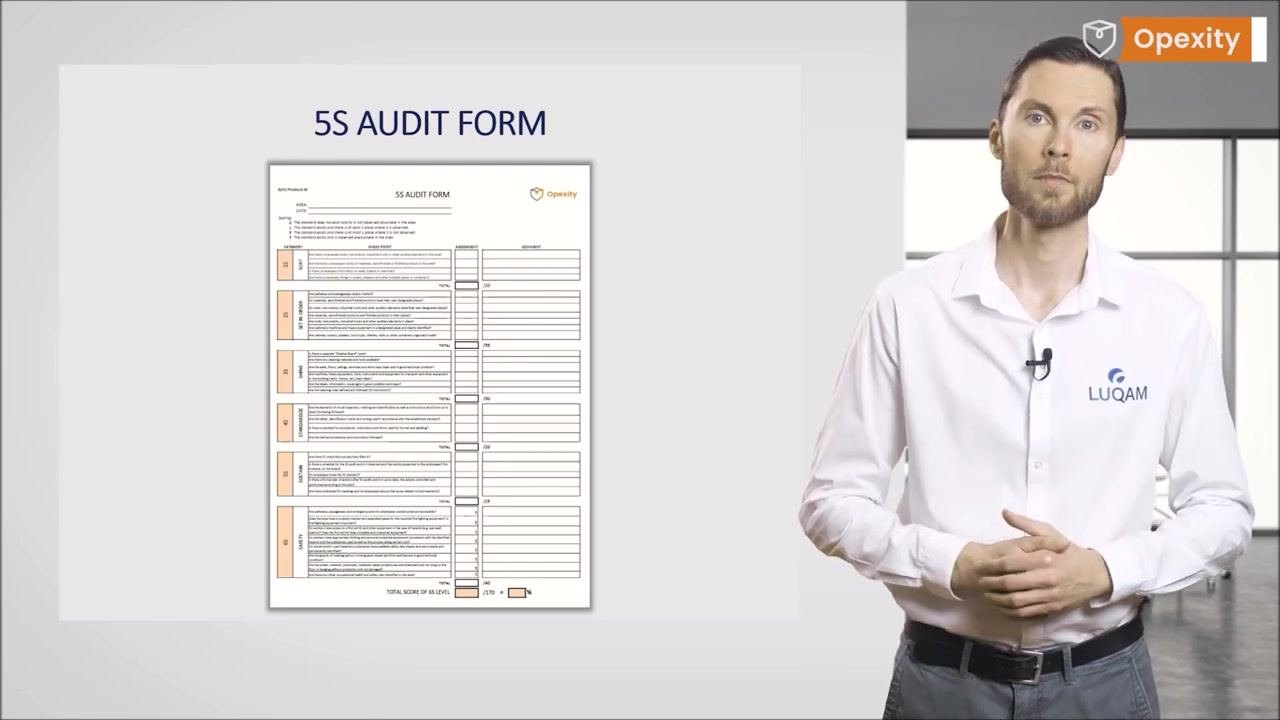
This document describes how to build and use a 5S audit checklist to evaluate the sustainment stage of the 5S methodology in any workplace or process area. The 5S audit checklist is the primary tool for the fifth "S" — Sustain — and is used to verify that Sort, Set in Order, Shine, Standardize, and Sustain standards are being maintained and continuously improved. Use this checklist on a recurring, scheduled basis rather than as a one-time inspection.
Video: 5S Audit - Overview of the Audit Form 📋 | Opexity by Opexity (2024). All credit for the demonstration goes to the creator; watch the original on YouTube. The written guide below was generated from this video by Docsie. Creator? Request a change or removal.
This document describes how to build and use a 5S audit checklist to evaluate the sustainment stage of the 5S methodology in any workplace or process area. The 5S audit checklist is the primary tool for the fifth "S" — Sustain — and is used to verify that Sort, Set in Order, Shine, Standardize, and Sustain standards are being maintained and continuously improved. Use this checklist on a recurring, scheduled basis rather than as a one-time inspection.
Scope & Purpose
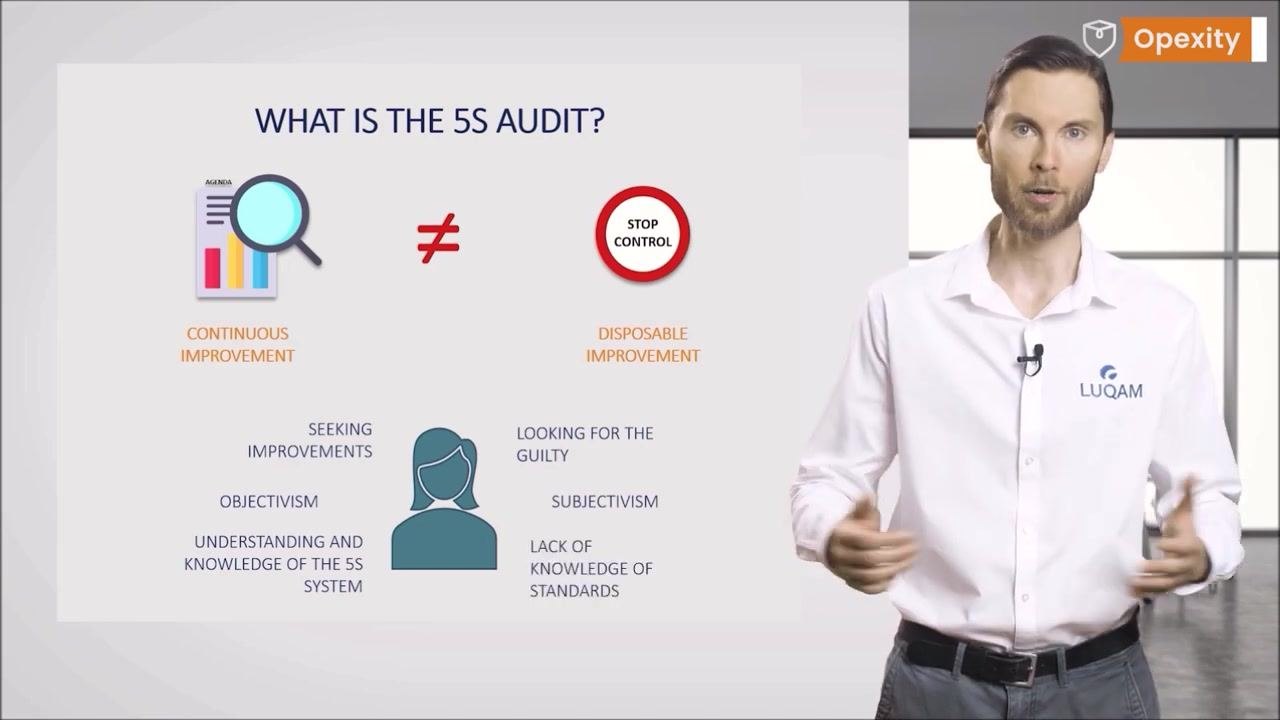
A 5S audit is not the same as a control. Control is reactive and focused on finding errors or non-compliance, while an audit is proactive, carried out according to a plan, and aimed at both compliance with standards and continuous improvement.
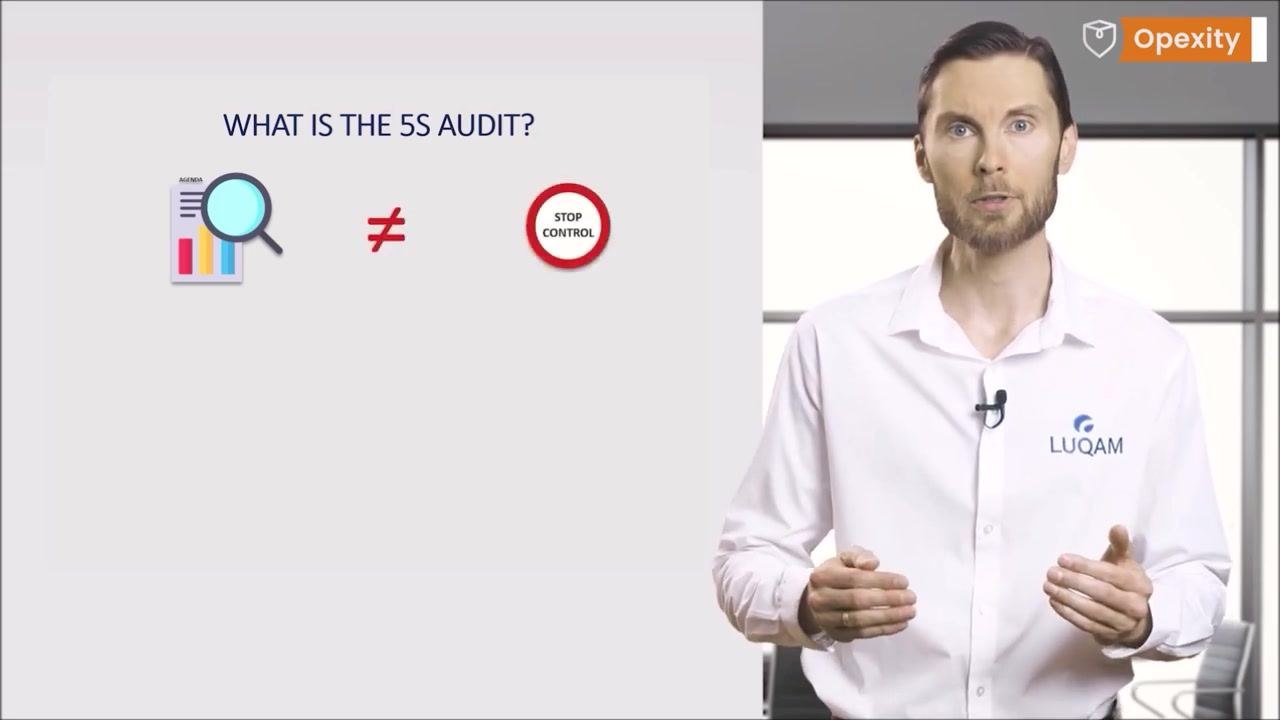
The 5S audit checklist applies to an area — a workplace or a process — and not to individual people. This keeps the audit independent and objective. An effective auditor must be impartial, focused on continuous improvement rather than assigning blame, and knowledgeable of the 5S standards; subjectivism and a lack of knowledge of the standards must be avoided.
Use this checklist whenever a scheduled 5S audit is due for a given area, as defined in the applicable audit schedule.
Reference Documents
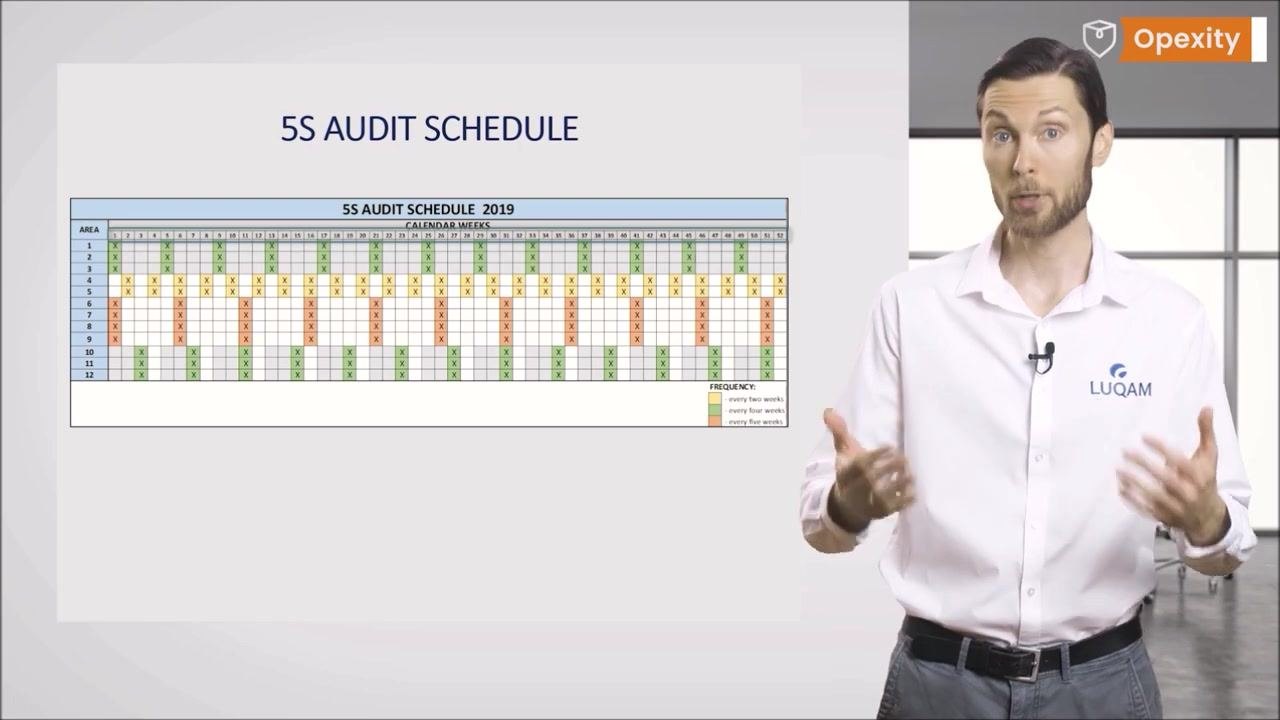
The audit schedule is the governing reference for when each area is audited. The schedule should cover every area included in the 5S system and assume regular, recurring audits for each one.
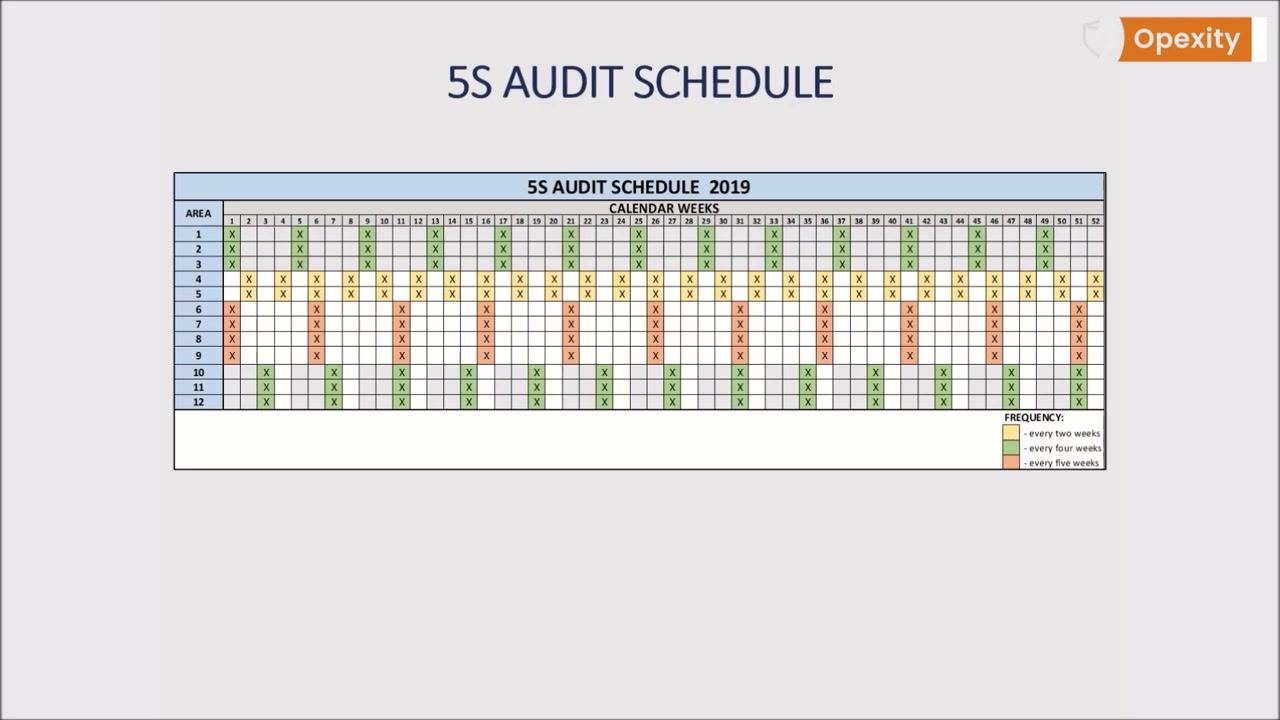
Display the schedule in a visible location so every relevant employee understands the frequency and general timing of audits for their area. Some specialists recommend that the schedule not specify an exact audit date, but rather a general time frame such as a week number or month, so that readiness is maintained continuously rather than only before a known date.
Remember that continuous improvement (Kaizen) is expected to happen every day and be practiced by everyone — the schedule and the audit checklist support this effort but are not its sole driver.
Additional reference material includes the standard for procedures, instructions, and forms used for formatting and labeling within the area, which is checked directly during the Standardize section of the audit (see Inspection Points below).
Equipment Required
This is a checklist-based audit rather than a measurement-based inspection, so no calibrated gauges or measuring instruments are required. The core item needed is the 5S Audit Form itself, prepared in advance of any audit.
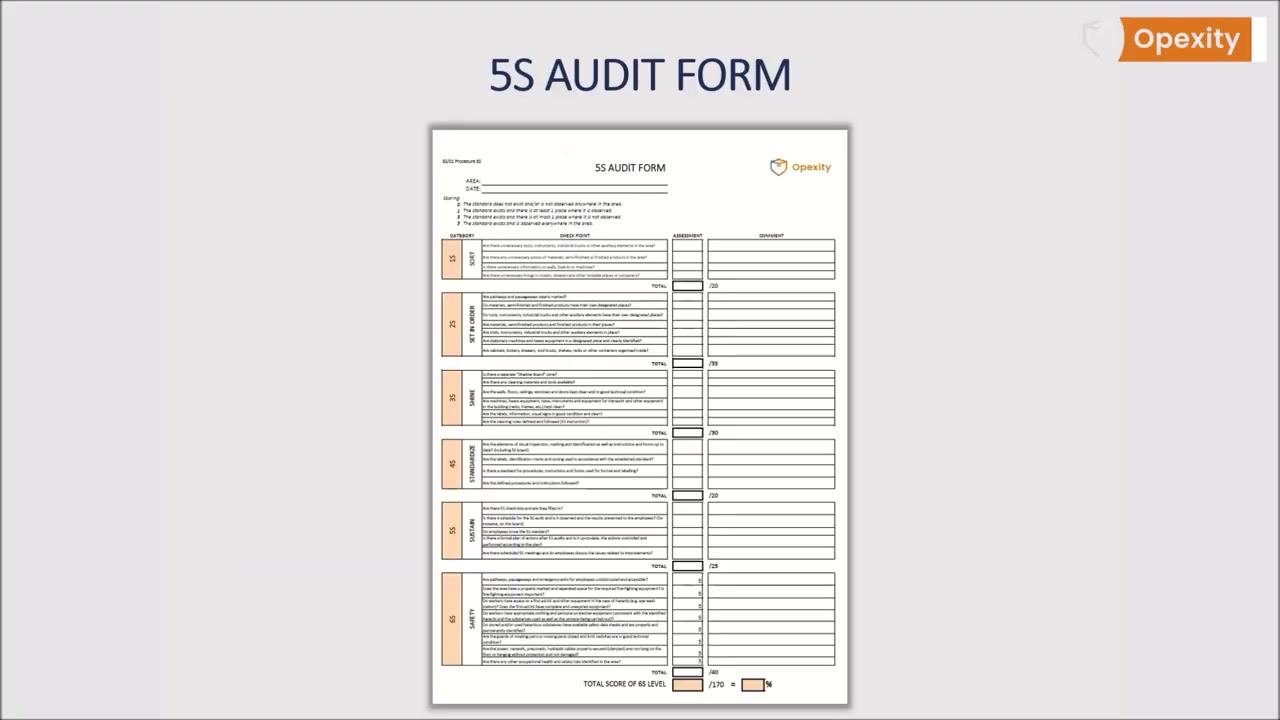
The form should be simple and clear, systematically organized so it is not complicated to complete.
Along with the form, a pen for recording assessments and comments is needed, and a board or display location for posting the schedule and, later, the results.
Inspection Points
Before scoring any checkpoint, confirm the top of the form is filled in with the AREA and DATE fields, and review the scoring guide, which defines the tolerance scale used for every checkpoint in every section:
- 0 — The standard does not exist and/or is not observed anywhere in the area.
- 1 — The standard exists and there is at least one place where it is observed.
- 3 — The standard exists and there is at most one place where it is not observed.
- 5 — The standard exists and is observed everywhere in the area.
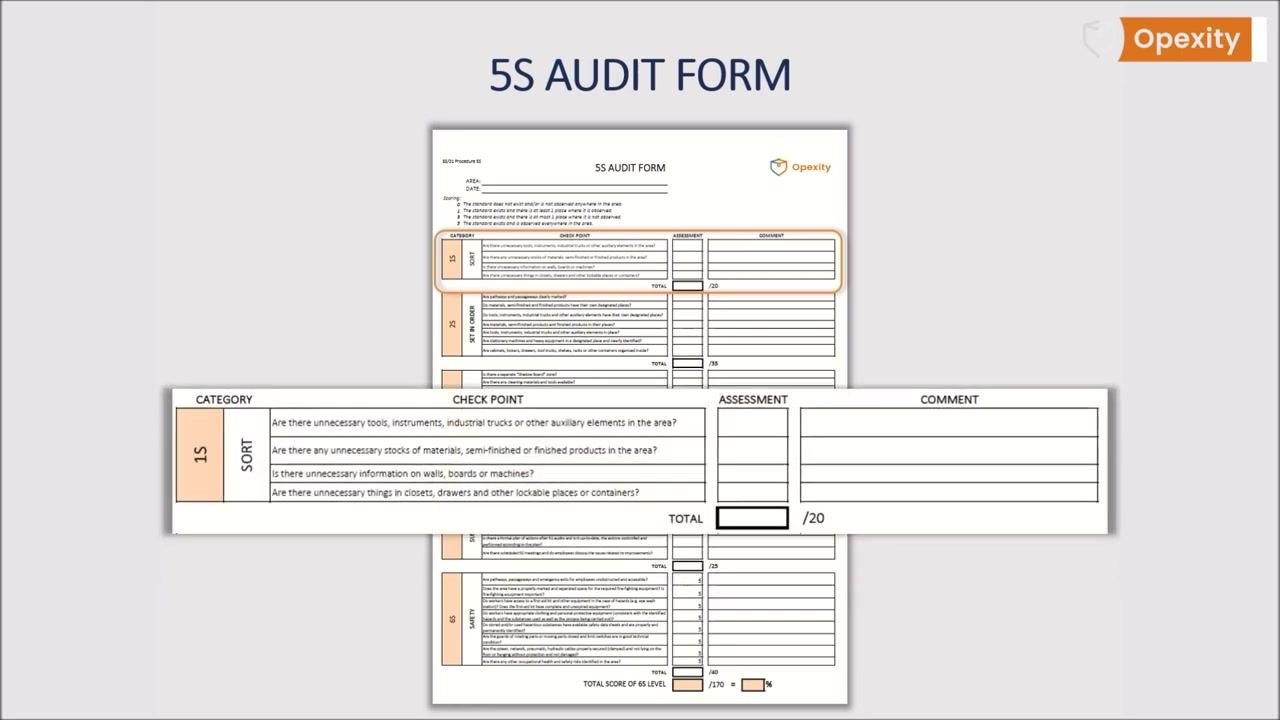
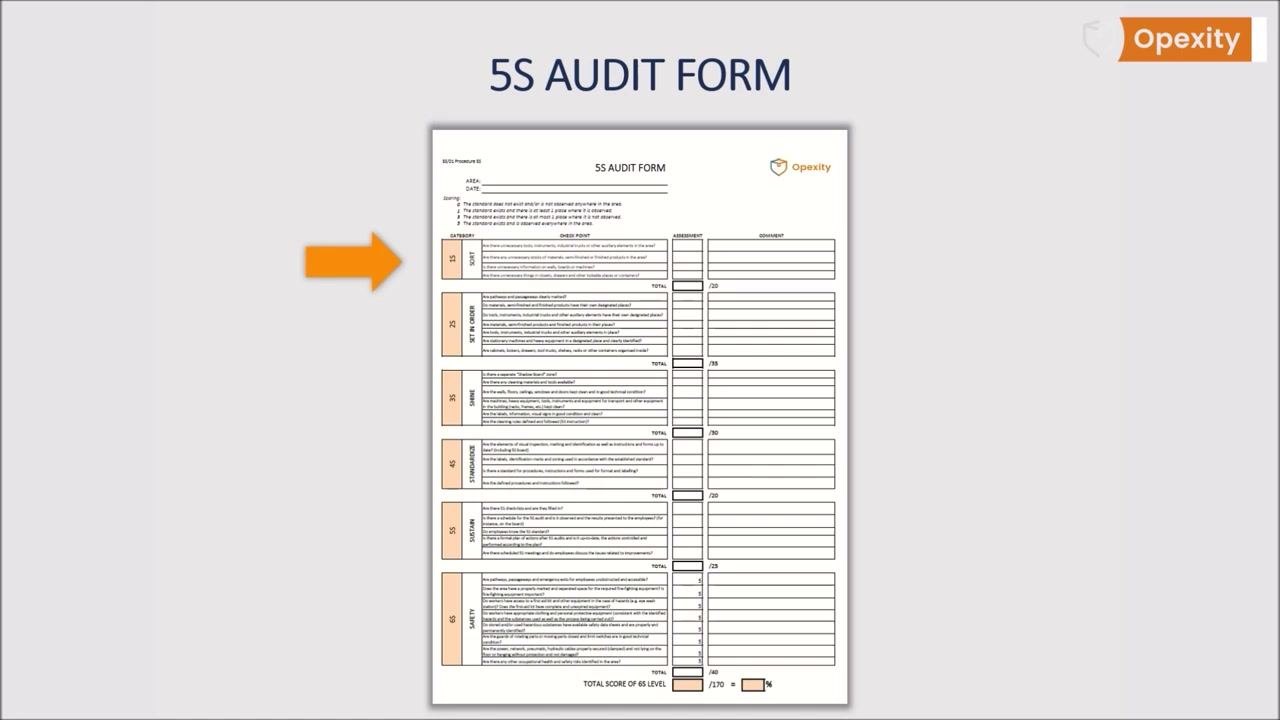
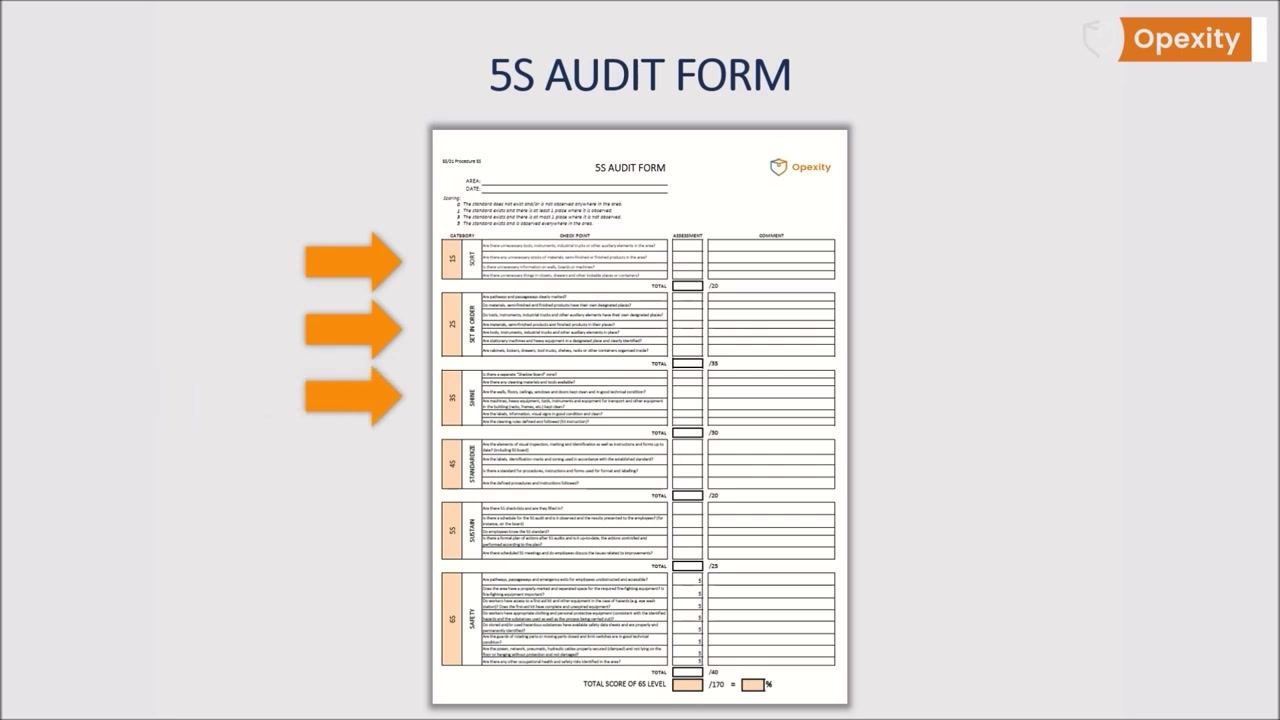
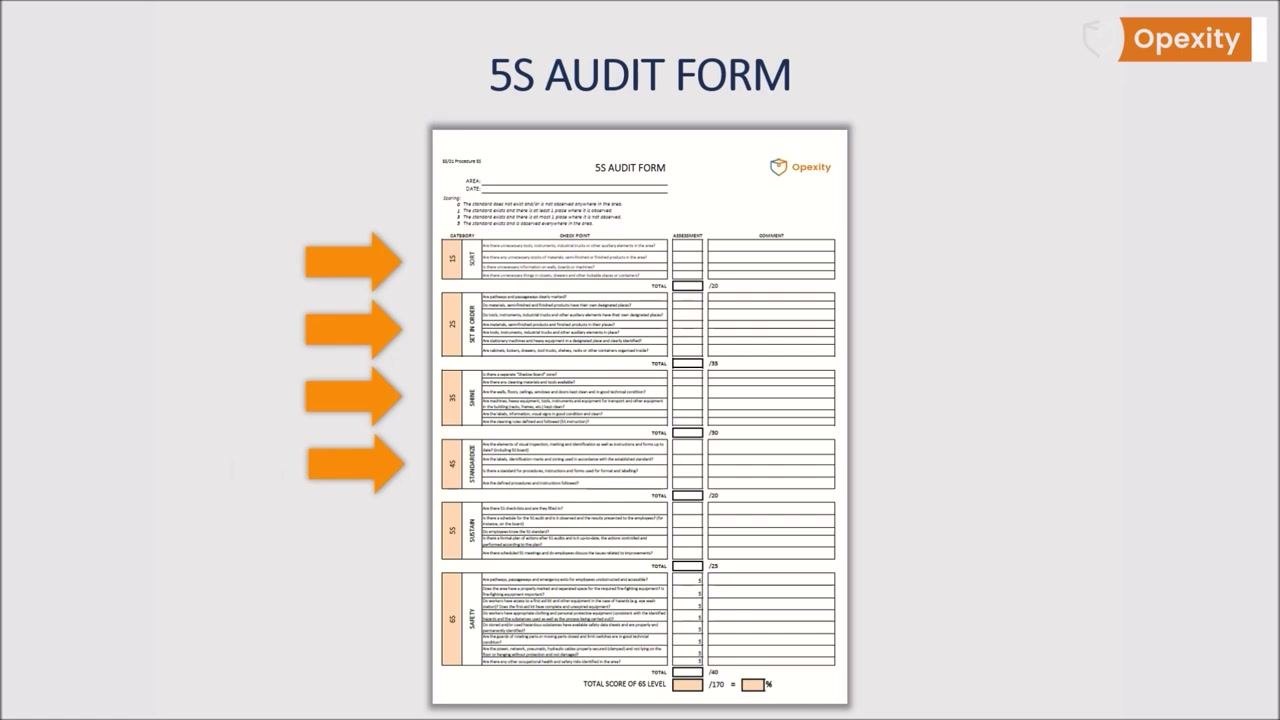
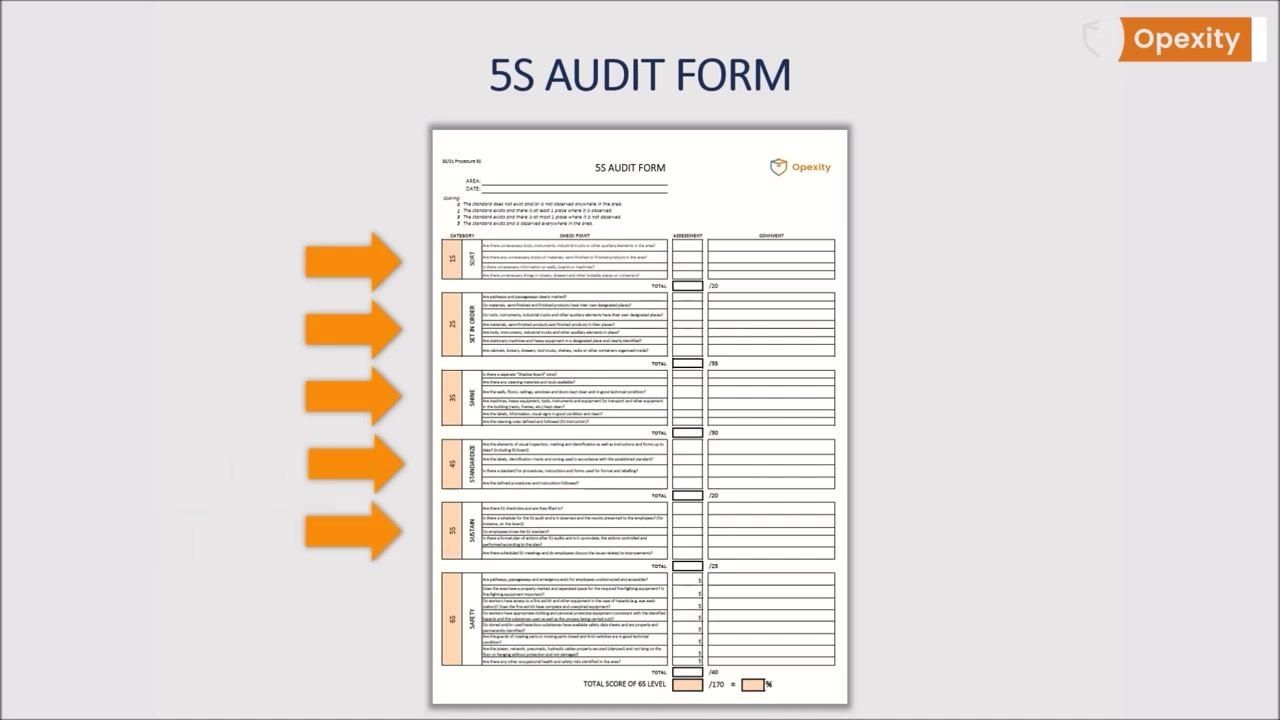
The form is divided into five thematic parts, each corresponding to a 5S step, plus safety-related additions described later in this section. For every checkpoint, the auditor records a visual assessment against the standard, and adds comments as needed.
1S — Sort
| Checkpoint | Specification | Scoring (tolerance) | Method | Sample size |
|---|---|---|---|---|
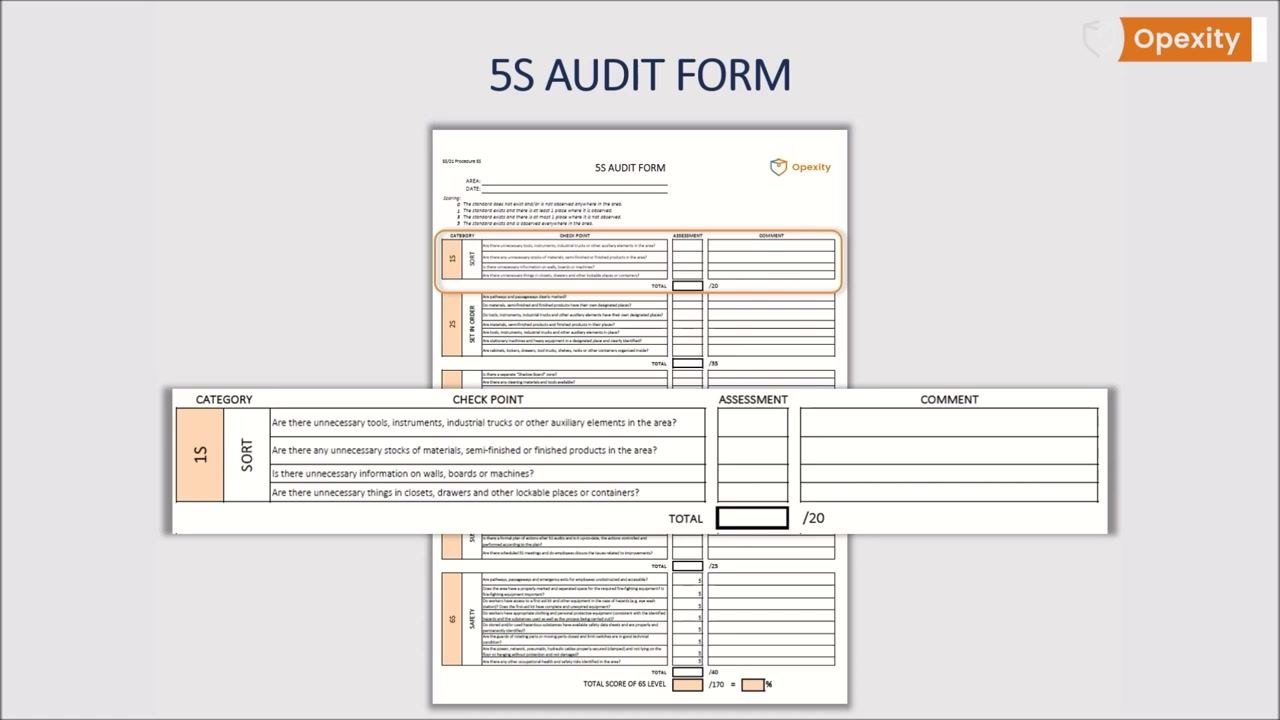
| Unnecessary tools, instruments, industrial trucks, or other auxiliary elements present in the area? | None should be present | 0 / 1 / 3 / 5 | Visual audit against 5S standard | 100% of designated area |
| Unnecessary stocks of materials, semi-finished, or finished products present? | None should be present | 0 / 1 / 3 / 5 | Visual audit | 100% of designated area |
| Unnecessary information on walls, boards, or machines? | None should be present | 0 / 1 / 3 / 5 | Visual audit | 100% of designated area |
| Unnecessary things in closets, drawers, or other lockable places/containers? | None should be present | 0 / 1 / 3 / 5 | Visual audit | 100% of designated area |
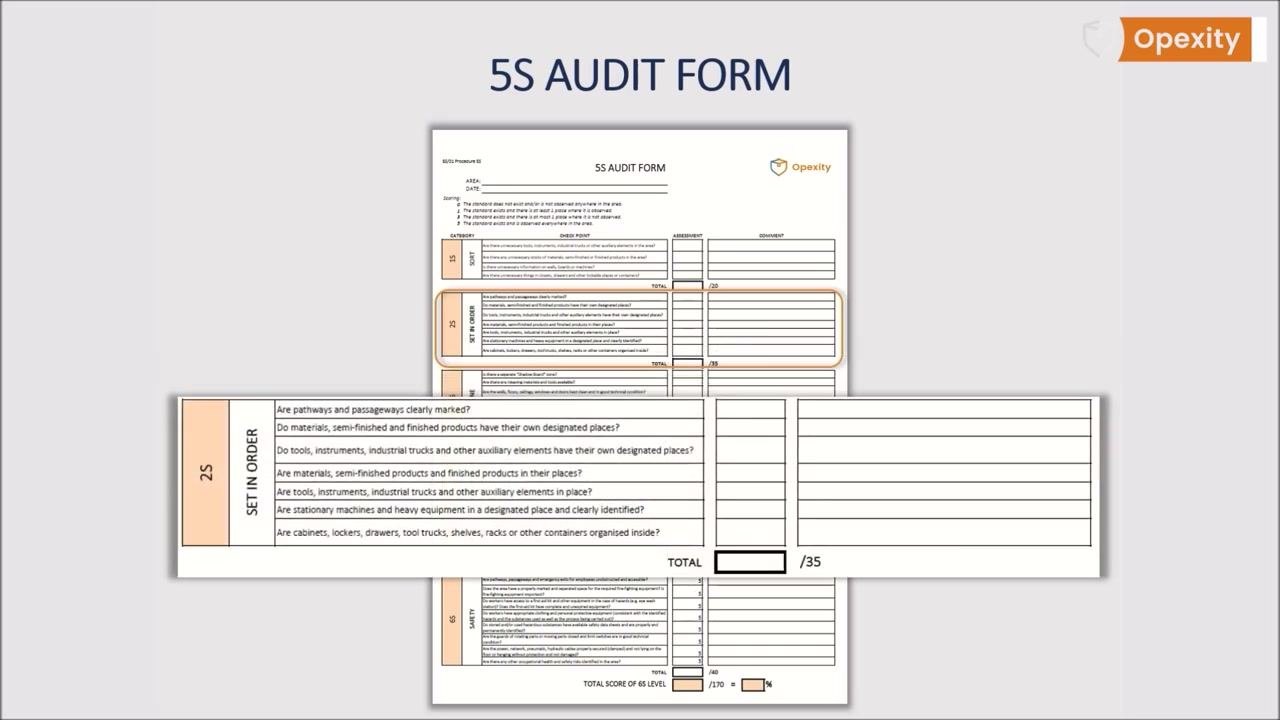
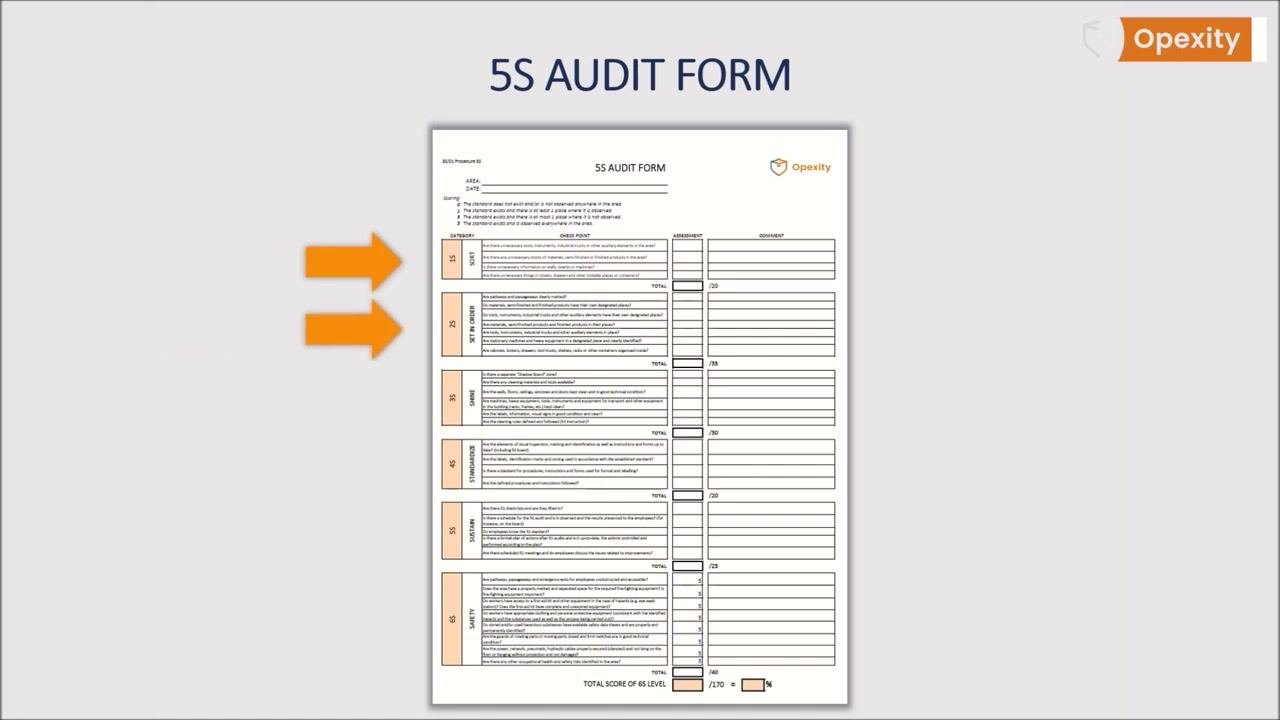
2S — Set in Order
| Checkpoint | Specification | Scoring (tolerance) | Method | Sample size |
|---|---|---|---|---|
| Are pathways and passageways clearly marked? | Marking present and visible | 0 / 1 / 3 / 5 | Visual audit | 100% of designated area |
| Do materials, semi-finished, and finished products have their own designated places? | Designated place exists | 0 / 1 / 3 / 5 | Visual audit | 100% of designated area |
| Do tools, instruments, industrial trucks, and auxiliary elements have designated places? | Designated place exists | 0 / 1 / 3 / 5 | Visual audit | 100% of designated area |
| Are materials, semi-finished, and finished products in their places? | Items stored as designated | 0 / 1 / 3 / 5 | Visual audit | 100% of designated area |
| Are tools, instruments, industrial trucks, and auxiliary elements in place? | Items stored as designated | 0 / 1 / 3 / 5 | Visual audit | 100% of designated area |
| Are stationary machines and heavy equipment in a designated place and clearly identified? | Place designated and labeled | 0 / 1 / 3 / 5 | Visual audit | 100% of designated area |
| Are cabinets, lockers, drawers, tool trucks, shelves, racks, or other containers organized inside? | Internally organized | 0 / 1 / 3 / 5 | Visual audit | 100% of designated area |
Section maximum score: 35 points.
Confirm as part of this section that communication paths are established within the area and that everything is clearly marked for identification and organization.
3S — Shine
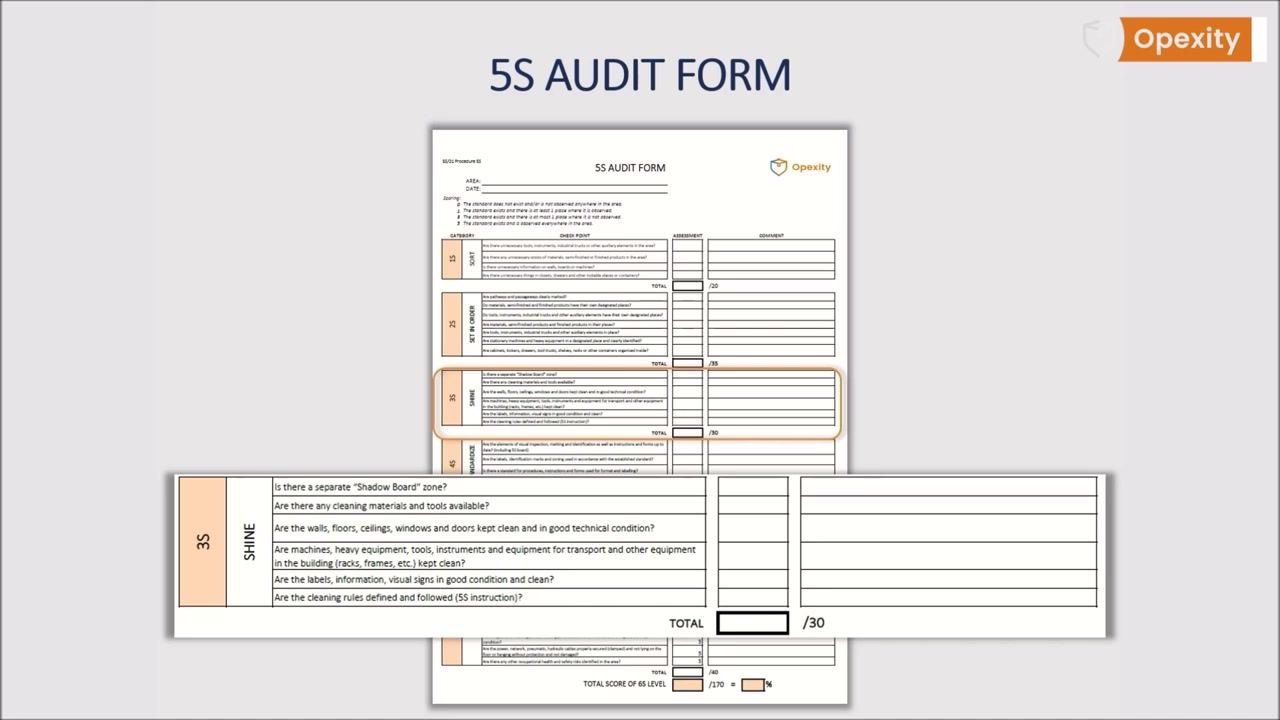
| Checkpoint | Specification | Scoring (tolerance) | Method | Sample size |
|---|---|---|---|---|
| Is there a separate "Shadow Board" zone? | Zone exists and is defined | 0 / 1 / 3 / 5 | Visual audit | 100% of designated area |
| Are cleaning materials and tools available? | Available on site | 0 / 1 / 3 / 5 | Visual audit | 100% of designated area |
| Are walls, floors, ceilings, windows, and doors kept clean and in good technical condition? | Clean, good condition | 0 / 1 / 3 / 5 | Visual audit | 100% of designated area |
| Are machines, heavy equipment, tools, instruments, transport equipment, racks, and frames kept clean? | Clean throughout | 0 / 1 / 3 / 5 | Visual audit | 100% of designated area |
| Are labels, information, and visual signs in good condition and clean? | Clean and legible | 0 / 1 / 3 / 5 | Visual audit | 100% of designated area |
| Are cleaning rules defined and followed (5S instruction)? | Instruction exists and is followed | 0 / 1 / 3 / 5 | Visual audit | 100% of designated area |
Section maximum score: 30 points.
4S — Standardize
| Checkpoint | Specification | Scoring (tolerance) | Method | Sample size |
|---|---|---|---|---|
| Are visual inspection, marking, identification elements, instructions, and forms up to date (including the 5S board)? | Up to date | 0 / 1 / 3 / 5 | Visual audit | 100% of designated area |
| Are labels, identification marks, and zoning used in accordance with the established standard? | Consistent with standard | 0 / 1 / 3 / 5 | Visual audit | 100% of designated area |
| Is there a standard for procedures, instructions, and forms used for format and labeling? | Standard exists | 0 / 1 / 3 / 5 | Visual audit | 100% of designated area |
| Are the defined procedures and instructions followed? | Followed in practice | 0 / 1 / 3 / 5 | Visual audit | 100% of designated area |
Section maximum score: 20 points.
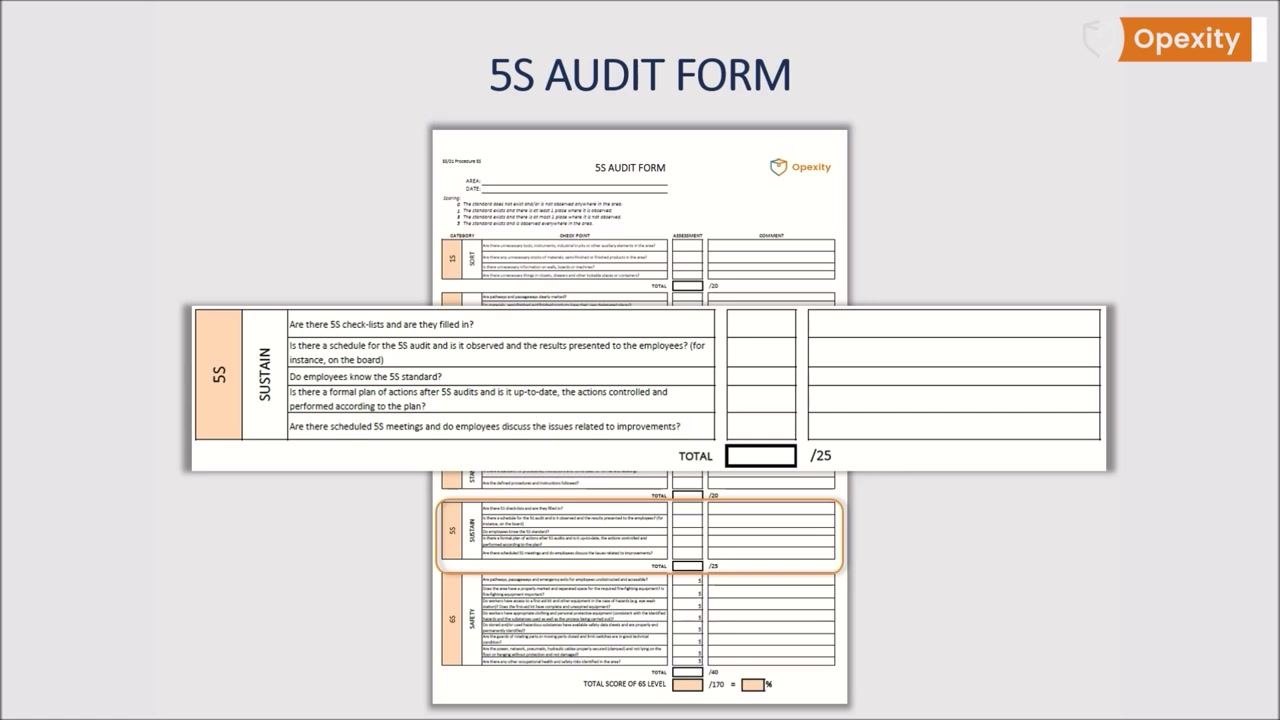
5S — Sustain
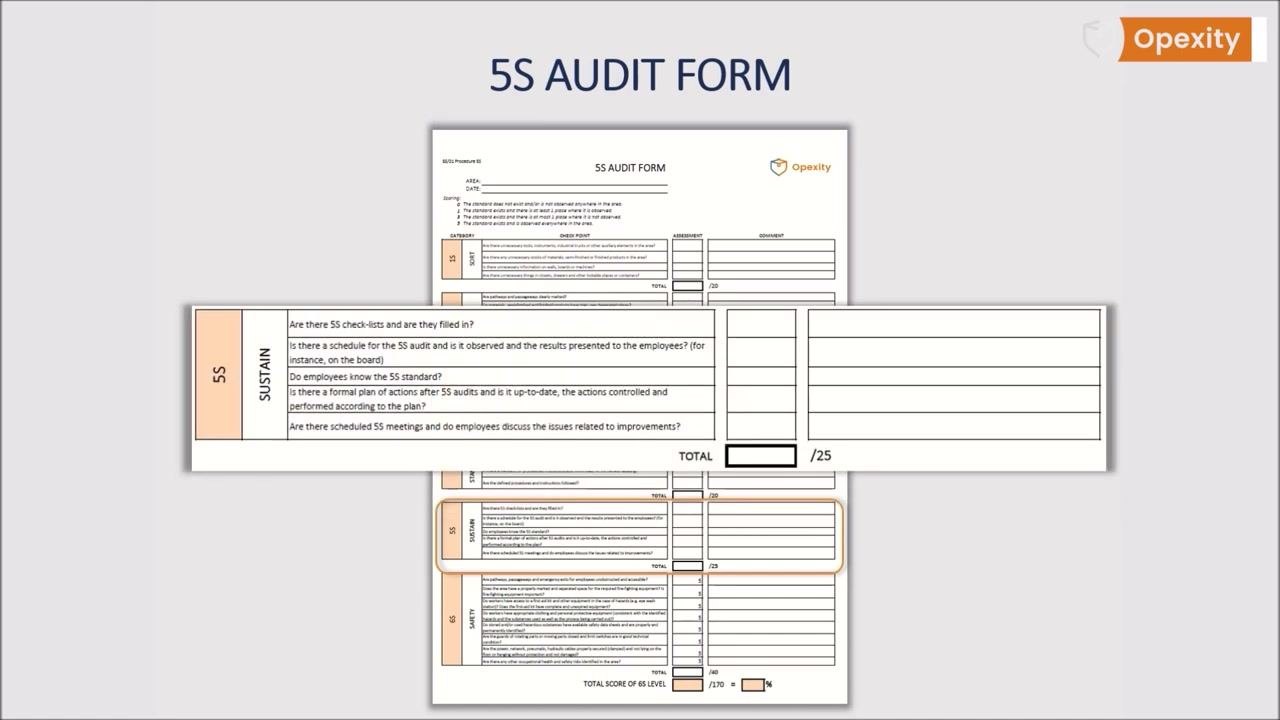
| Checkpoint | Specification | Scoring (tolerance) | Method | Sample size |
|---|---|---|---|---|
| Are 5S checklists in use and filled in? | Filled in regularly | 0 / 1 / 3 / 5 | Visual audit / records review | 100% of designated area |
| Is there a schedule for the 5S audit, is it observed, and are results presented to employees (e.g., on the board)? | Schedule observed, results posted | 0 / 1 / 3 / 5 | Records review | 100% of designated area |
| Do employees know the 5S standard? | Employees demonstrate knowledge | 0 / 1 / 3 / 5 | Interview / observation | 100% of designated area |
| Is there a formal, up-to-date plan of actions after 5S audits, with actions controlled and performed according to plan? | Plan exists, is current, actions performed | 0 / 1 / 3 / 5 | Records review | 100% of designated area |
| Are scheduled 5S meetings held, and do employees discuss improvement issues? | Meetings held and documented | 0 / 1 / 3 / 5 | Records review | 100% of designated area |
Section maximum score: 25 points.
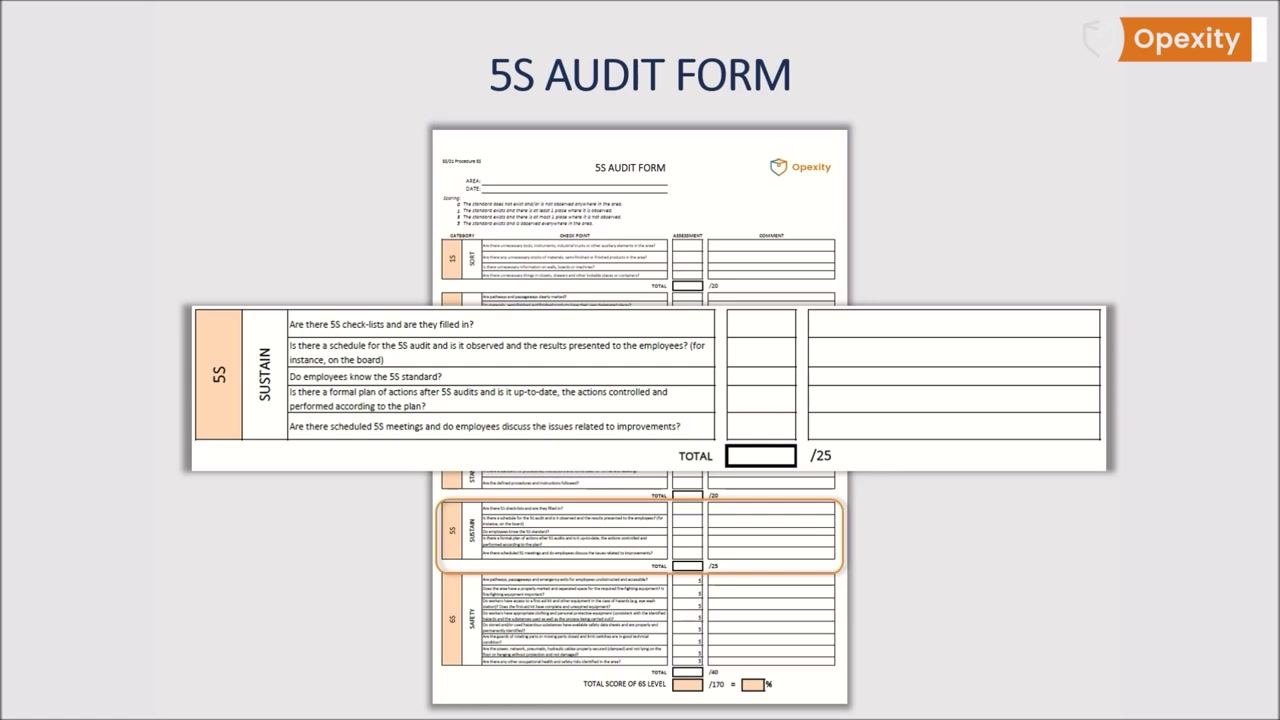
Adding safety and ergonomics checkpoints
Once the five core sections are complete, review the checklist to confirm nothing critical has been overlooked, since the main goal of implementing the 5S system is safety.
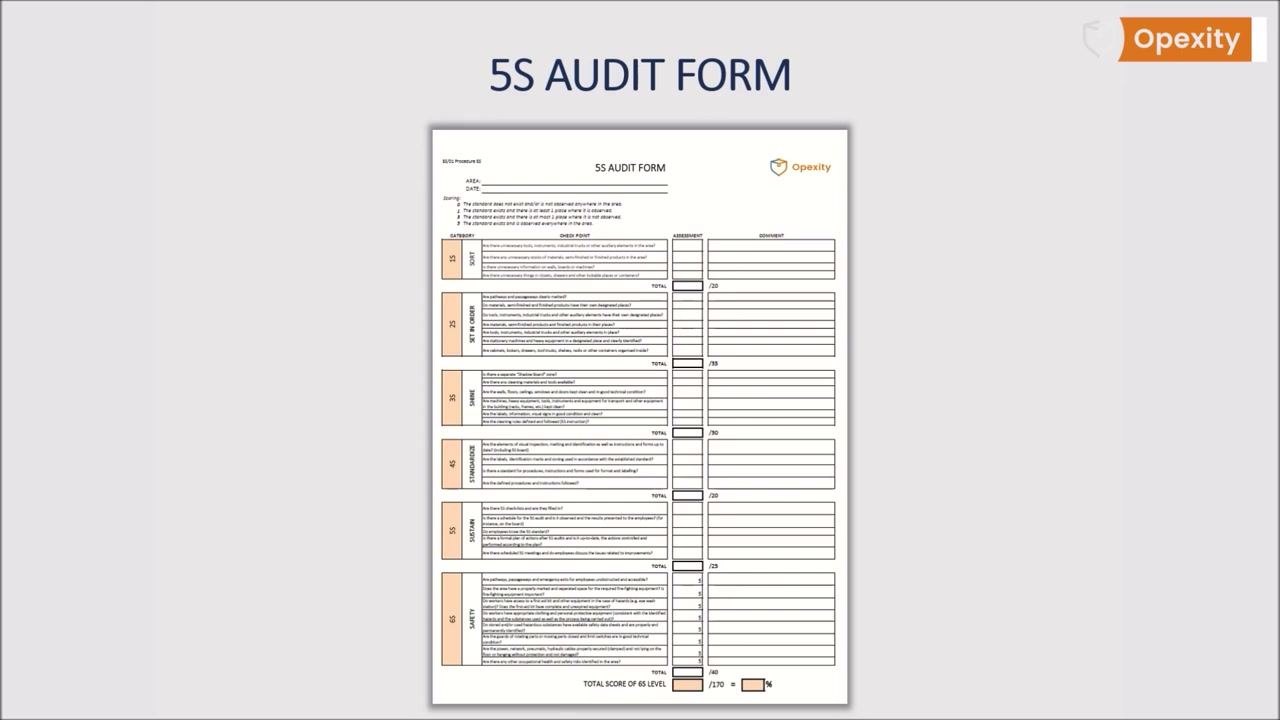
It is worth adding specific, actionable questions about workplace safety and ergonomics directly into the existing sections.
Add the following safety checkpoints to the Sort section:
| Checkpoint | Specification | Scoring (tolerance) | Method |
|---|---|---|---|
| Are roads and passageways unobstructed? | Unobstructed | 0 / 1 / 3 / 5 | Visual audit |
| Are emergency exits clear? | Unobstructed | 0 / 1 / 3 / 5 | Visual audit |
Add the following safety checkpoint to the Set in Order section:
| Checkpoint | Specification | Scoring (tolerance) | Method |
|---|---|---|---|
| Are all fire extinguishers and fire equipment correctly marked and easily accessible? | Marked and accessible | 0 / 1 / 3 / 5 | Visual audit |
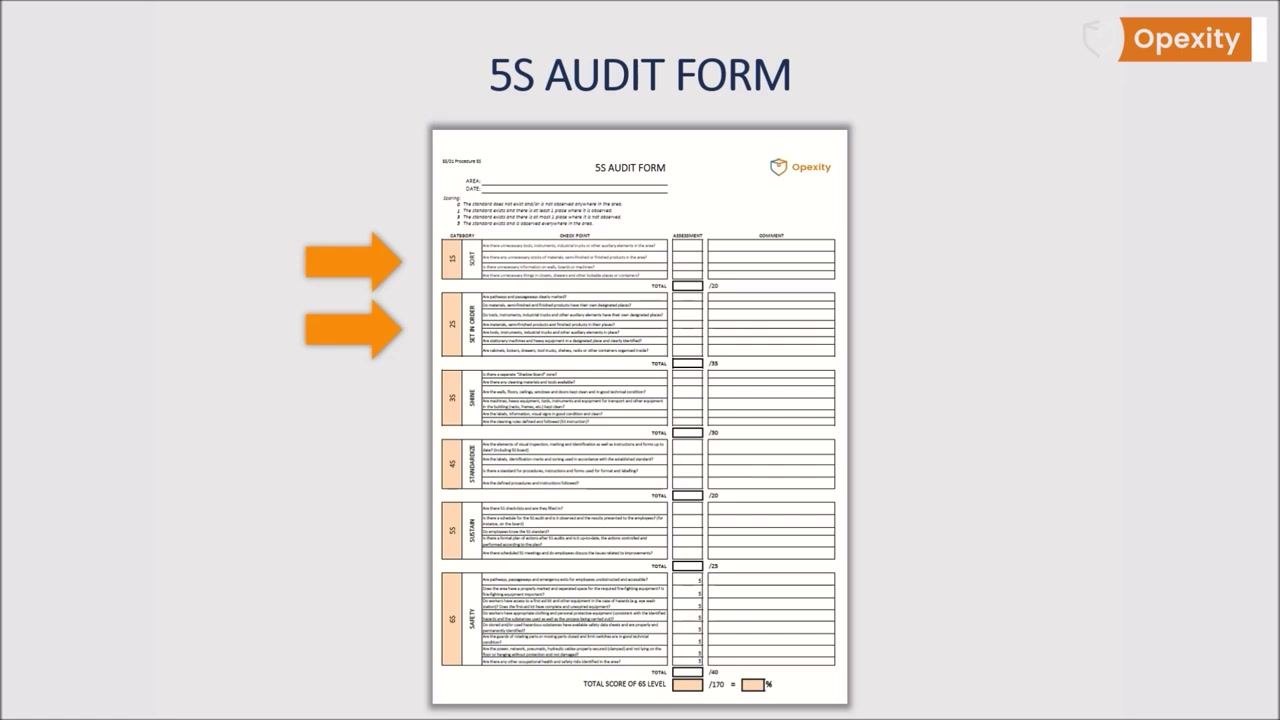
Add the following safety checkpoint to the Shine section:
| Checkpoint | Specification | Scoring (tolerance) | Method |
|---|---|---|---|
| Are there any visible safety hazards, such as damaged wires or exposed cables? | No hazards present | 0 / 1 / 3 / 5 | Visual audit |
Add the following safety checkpoints to the Standardize section:
| Checkpoint | Specification | Scoring (tolerance) | Method |
|---|---|---|---|
| Are all safety pictograms standardized and clearly visible? | Standardized and visible | 0 / 1 / 3 / 5 | Visual audit |
| Are ergonomic principles applied at all workstations? | Applied consistently | 0 / 1 / 3 / 5 | Visual audit |
Add the following safety checkpoint to the Sustain section:
| Checkpoint | Specification | Scoring (tolerance) | Method |
|---|---|---|---|
| Have any additional security risks been identified since the last audit? | None outstanding, or documented and addressed | 0 / 1 / 3 / 5 | Records review |
Extending to a dedicated 6S Safety section
Organizations aiming for higher safety standards may adopt the 6S system, which adds a dedicated Safety pillar to the traditional 5S methodology.
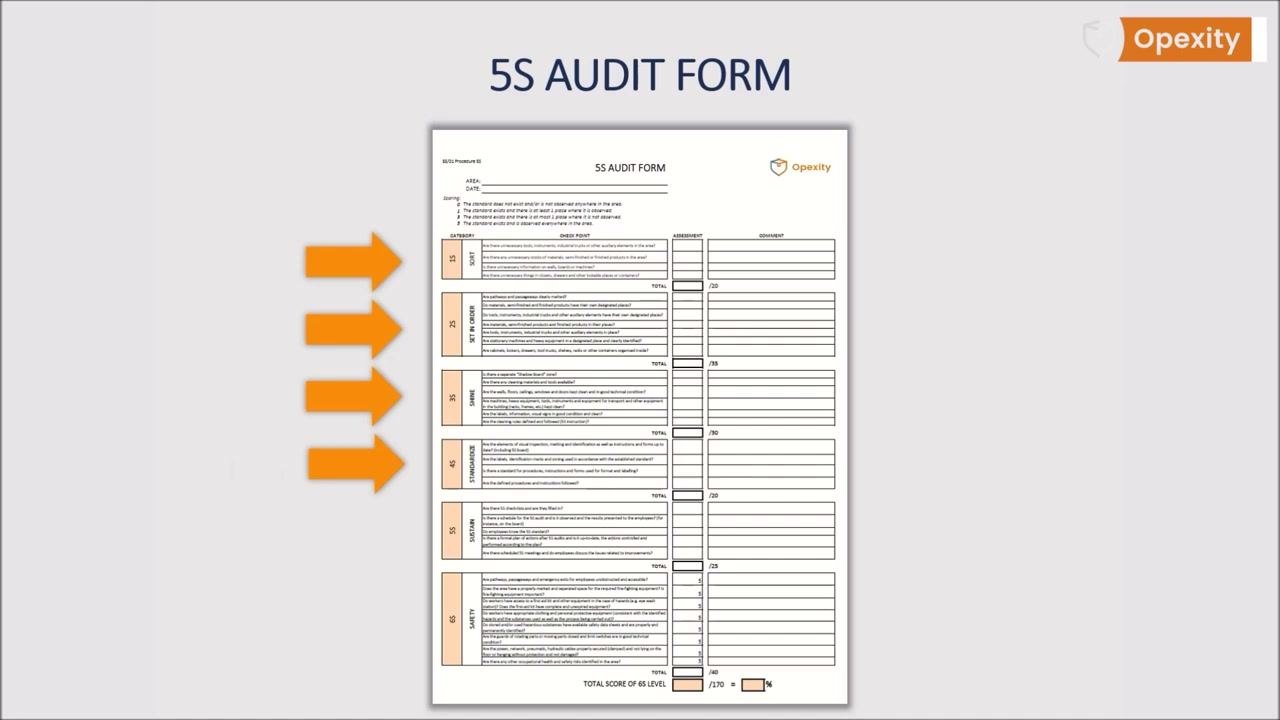
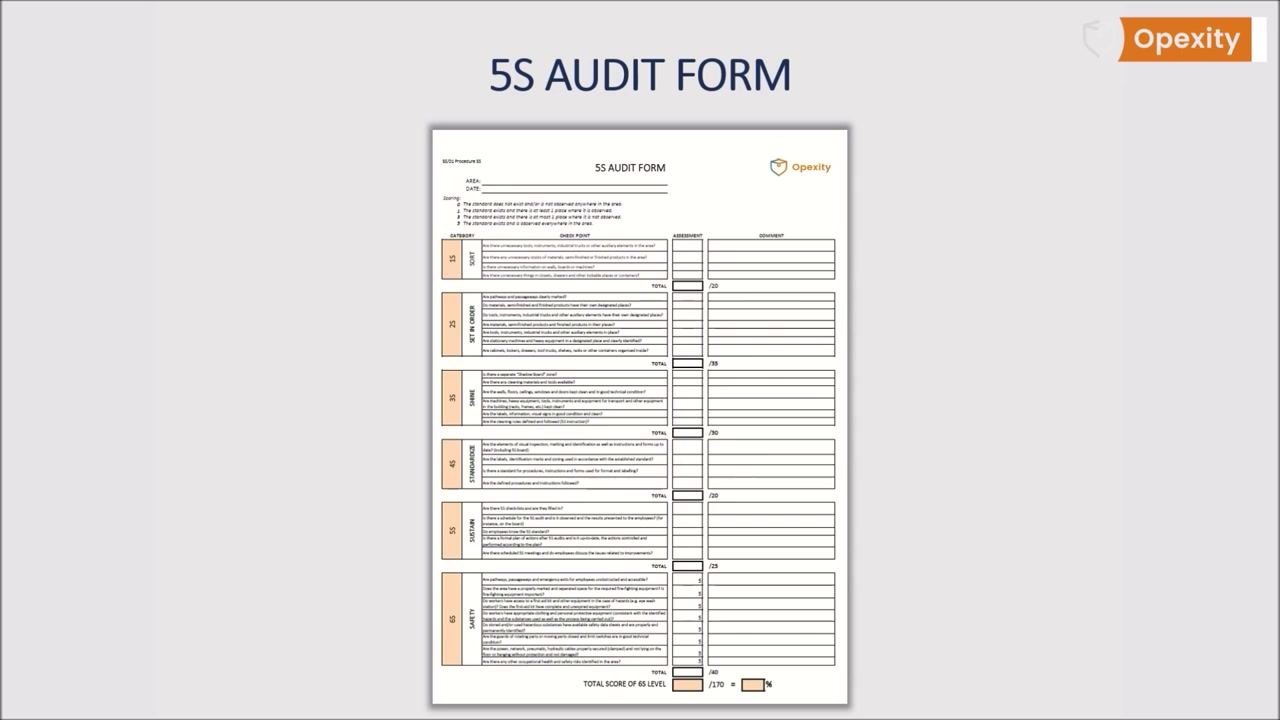
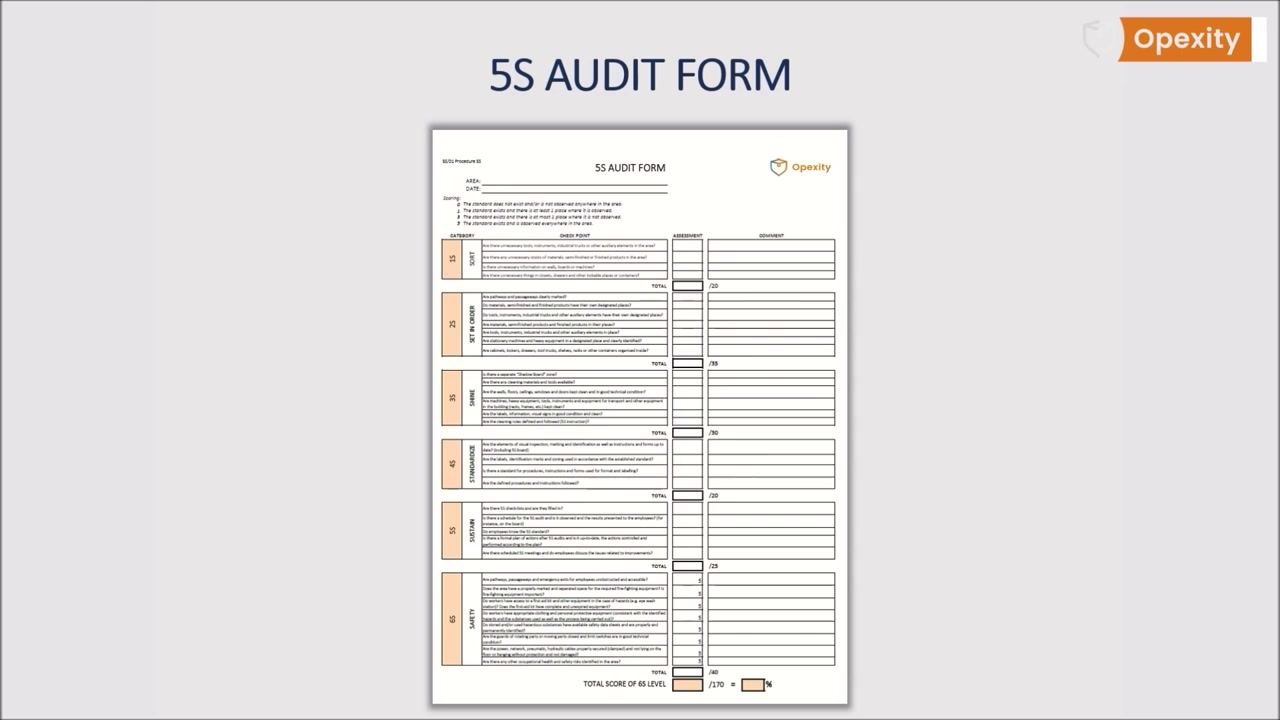
Under this approach, the form is extended with a sixth section labeled Safety, alongside Sort, Set in Order, Shine, Standardize, and Sustain, each with its own checkpoints, assessment, and comment columns.
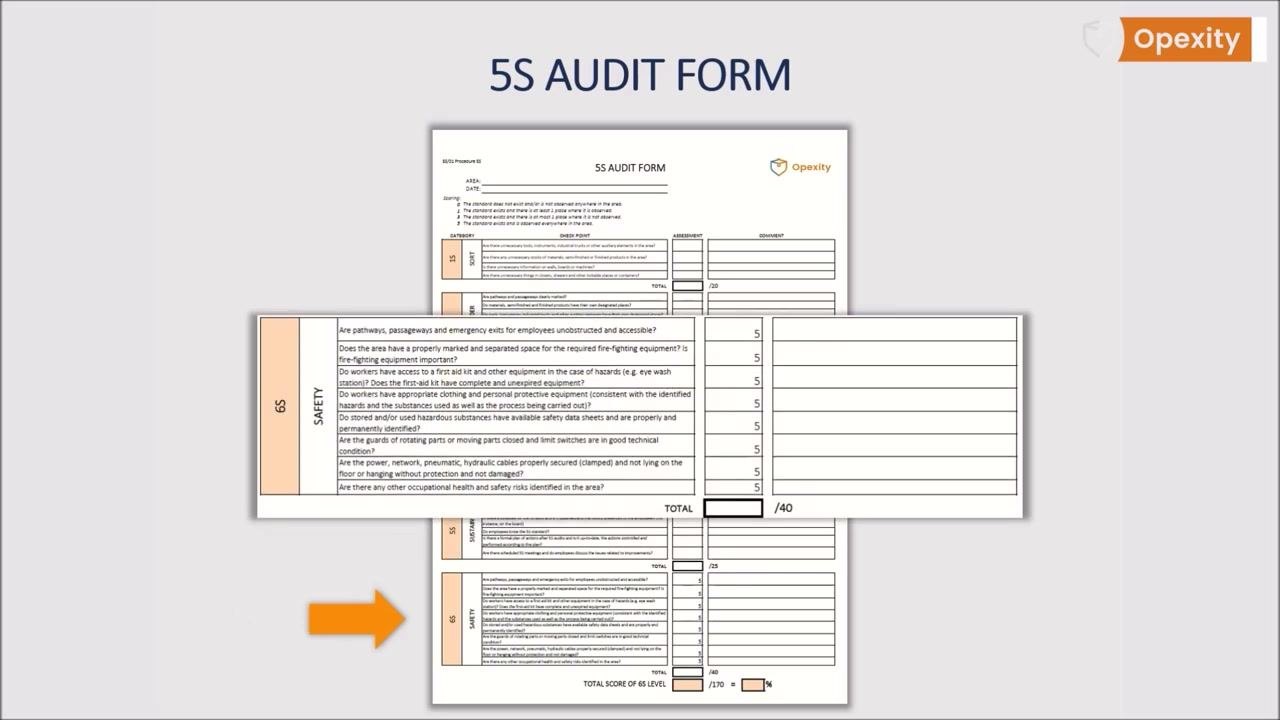
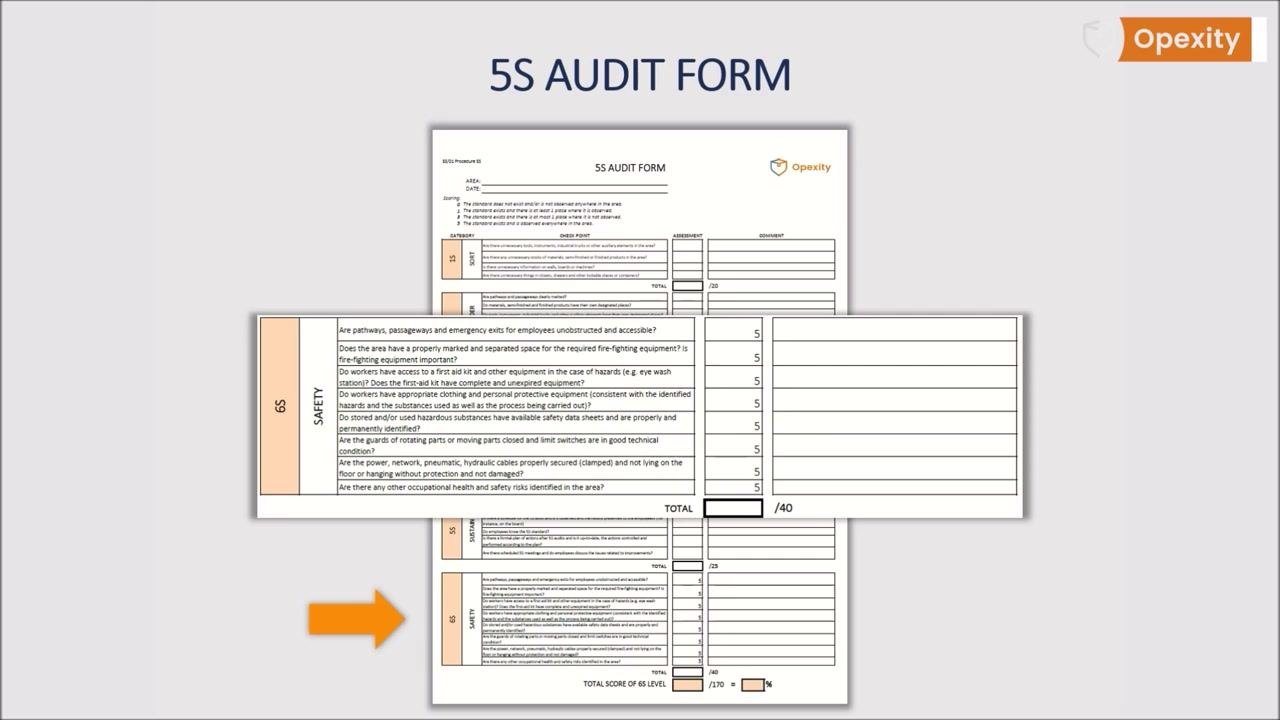
The dedicated 6S Safety section includes the following checkpoints:
| Checkpoint | Specification | Scoring (tolerance) | Method |
|---|---|---|---|
| Are pathways, passageways, and emergency exits for employees unobstructed and accessible? | Unobstructed and accessible | 0 / 1 / 3 / 5 | Visual audit |
| Does the area have a properly marked and separated space for required fire-fighting equipment? | Marked and separated | 0 / 1 / 3 / 5 | Visual audit |
| Do workers have access to a first aid kit and other hazard equipment (e.g., eye wash station)? | Accessible | 0 / 1 / 3 / 5 | Visual audit |
| Do workers have appropriate clothing and personal protective equipment? | Provided and used | 0 / 1 / 3 / 5 | Visual audit |
| Are hazardous substances properly identified and stored? | Identified and stored correctly | 0 / 1 / 3 / 5 | Visual audit |
| Are guards of rotating or moving parts closed and in good technical condition? | Closed, good condition | 0 / 1 / 3 / 5 | Visual audit |
| Are power, network, pneumatic, and hydraulic cables properly secured and not damaged? | Secured, undamaged | 0 / 1 / 3 / 5 | Visual audit |
| Are there any other occupational health and safety risks identified in the area? | None outstanding | 0 / 1 / 3 / 5 | Visual audit |
Acceptance Criteria
Each checkpoint is scored using the 0 / 1 / 3 / 5 scale defined above, where 0 indicates the standard does not exist or is not observed anywhere, and 5 indicates the standard exists and is observed everywhere in the area. Each section (Sort, Set in Order, Shine, Standardize, Sustain, and, where used, Safety) has its own total score box, with Set in Order capped at 35 points, Shine at 30 points, Standardize at 20 points, and Sustain at 25 points. The form also includes a summary area for the overall total score and percentage.
All six sections — Sort, Set in Order, Shine, Standardize, Sustain, and Safety — must be completed during each audit cycle, with scores totaled and comments provided where necessary. The source material does not specify a single organization-wide pass/fail percentage threshold; disposition rules for what constitutes an acceptable overall score should be defined by the organization applying this checklist.
Non-Conformance Handling
When a checkpoint scores below the maximum (0, 1, or 3), record the finding in the comments column for that checkpoint so it is documented against the relevant area and date. Results of the audit — including any non-conformances — should be presented to employees, for example by posting them on a board, so that staff are aware of the outcomes and any necessary actions.
There should be a formal, up-to-date plan of actions arising from each 5S audit, with those actions controlled and performed according to the plan. During the Sustain (and, where applicable, Safety) sections, confirm whether any additional security risks have been identified since the last audit and ensure they are addressed as part of this action plan. Scheduled 5S meetings are the forum where employees discuss issues related to improvements and follow up on outstanding non-conformances.
Record Keeping
The completed 5S Audit Form must carry the AREA and DATE identification fields at the top, along with the scoring guide, so every record is traceable to a specific place and time. The ideal form fits on a single A4 page, keeping it easy to read, transparent, and understandable for all employees.
Also confirm whether all employees are trained in the applicable 5S standards, and record any suggestions employees offer for improving the area; use the form to track whether those suggestions are subsequently implemented.
After completing the audit, ensure all sections are filled out, scores are totaled, and comments are provided where necessary, then use the completed form to identify areas for improvement and track progress over time. The source material does not specify a retention period for completed forms; this should be defined according to the organization's own documentation control requirements.
For further information or downloadable templates, additional resources are available from Opexity.


Generation details: cost, quality tiers, downloads
Docsie billed 16,000 credits ($11.20) to analyze this 8-minute video at ultra quality. The rewrite, template fill and Word/PDF exports were included. The same video at each quality tier:
| Quality | Frames sampled | Credits | Approx. cost |
|---|---|---|---|
| Draft | every 16-30 s | 2,000 | $1.40 |
| Standard | every 8-15 s | 4,000 | $2.80 |
| Detailed | every 4-7 s | 8,000 | $5.60 |
| Ultra (this guide) | every 1-3 s | 16,000 | $11.20 |
Credits priced at $0.70 per 1,000; plans include a monthly allowance. Enterprise customers on on-premise or bring-your-own-model deployments run this on their own inference and pay no per-video credits.
Same video, other quality tiers
We ran this exact video through Docsie again at different frame-sampling rates. Compare the guides side by side:
Generated by Docsie Video-to-Docs on 2026-09-10 from a 7-minute video. It was generated straight into Docsie's Quality Control Checklist template, so every section of that template is filled from the video. Screenshots are frames from the source video and belong to their creator, Opexity, whose original is embedded above. If you own this video and want the guide removed or credited differently, contact us and we will act within one business day.