
How to 5s Audit Checklist (Detailed quality)
This document defines the 5S audit checklist used to verify that a work area complies with the 5S methodology — Sort, Set in Order, Shine, Standardize, and Sustain. The 5S audit checklist gives auditors a standardized, objective way to score each area, document observations, and drive continuous improvement rather than assign blame. Use it whenever an area is due for its scheduled 5S audit, and reference the extended version when your organization has adopted the 6S model with a dedicated Safety section.
Video: 5S Audit - Overview of the Audit Form 📋 | Opexity by Opexity (2024). All credit for the demonstration goes to the creator; watch the original on YouTube. The written guide below was generated from this video by Docsie. Creator? Request a change or removal.
This document defines the 5S audit checklist used to verify that a work area complies with the 5S methodology — Sort, Set in Order, Shine, Standardize, and Sustain. The 5S audit checklist gives auditors a standardized, objective way to score each area, document observations, and drive continuous improvement rather than assign blame. Use it whenever an area is due for its scheduled 5S audit, and reference the extended version when your organization has adopted the 6S model with a dedicated Safety section.
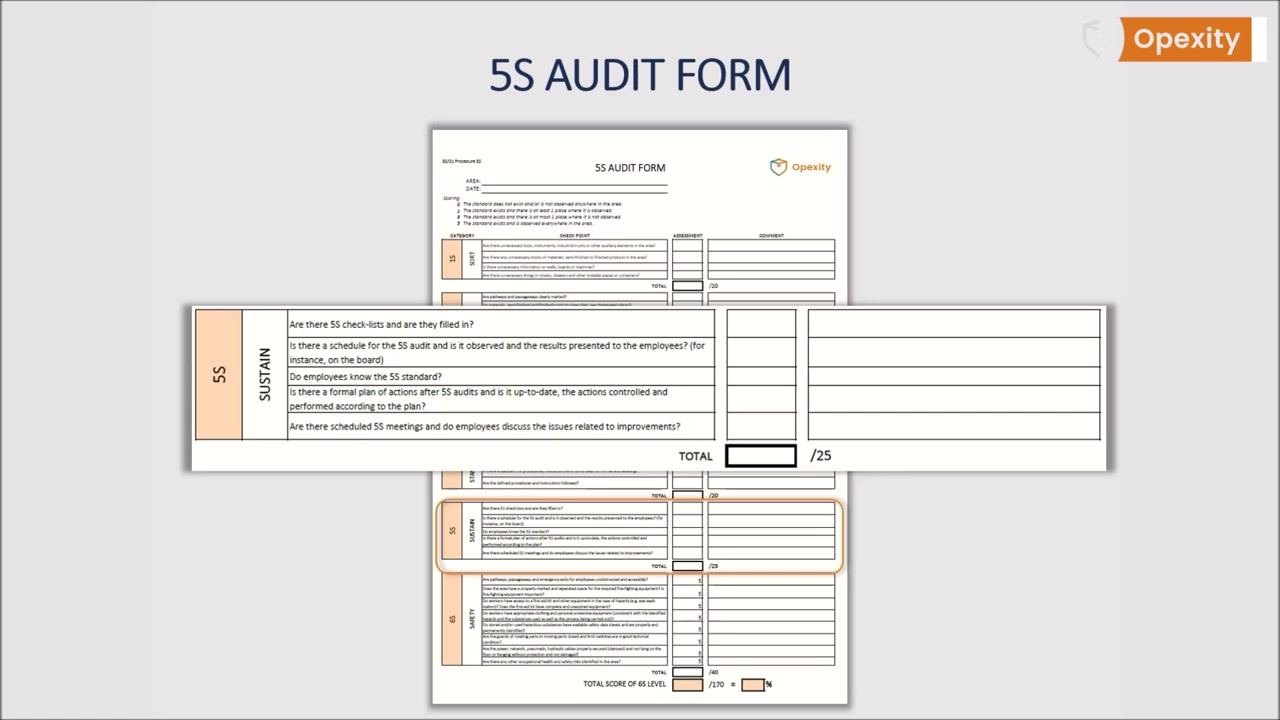
Scope & purpose
The audit is the most important element of the fifth S, "Sustain," because it builds discipline by keeping employee awareness high. An audit is not the same as control:
- An audit is carried out according to a plan and aims to verify compliance with the implemented 5S system.
- An audit's goal is to maintain standards and drive continuous, ongoing improvement.
- Control, by contrast, looks for faults and is associated with finding the guilty party, subjectivity, and a lack of knowledge of standards.
- Audits are objective, based on understanding of the 5S system, and focused on sustained progress rather than one-off, disposable fixes.
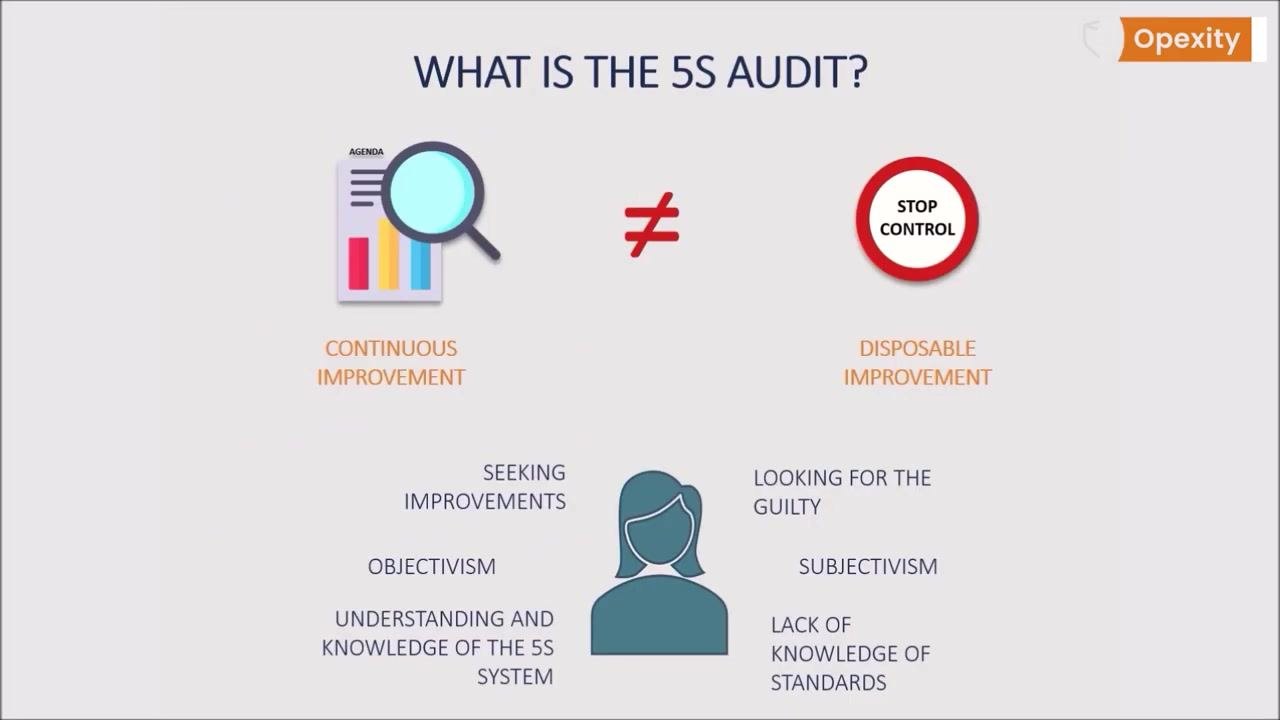
The 5S audit checklist is connected to the area being audited, not to individual people or specific processes. Its purpose is to confirm compliance and continuous improvement in that area, not to punish individuals for irregularities. The audit must be independent: auditors should not be managers of the area under review, and they must have solid knowledge of the current 5S standards and system principles.
Reference documents
Before running an audit, confirm the following reference materials are current and accessible:
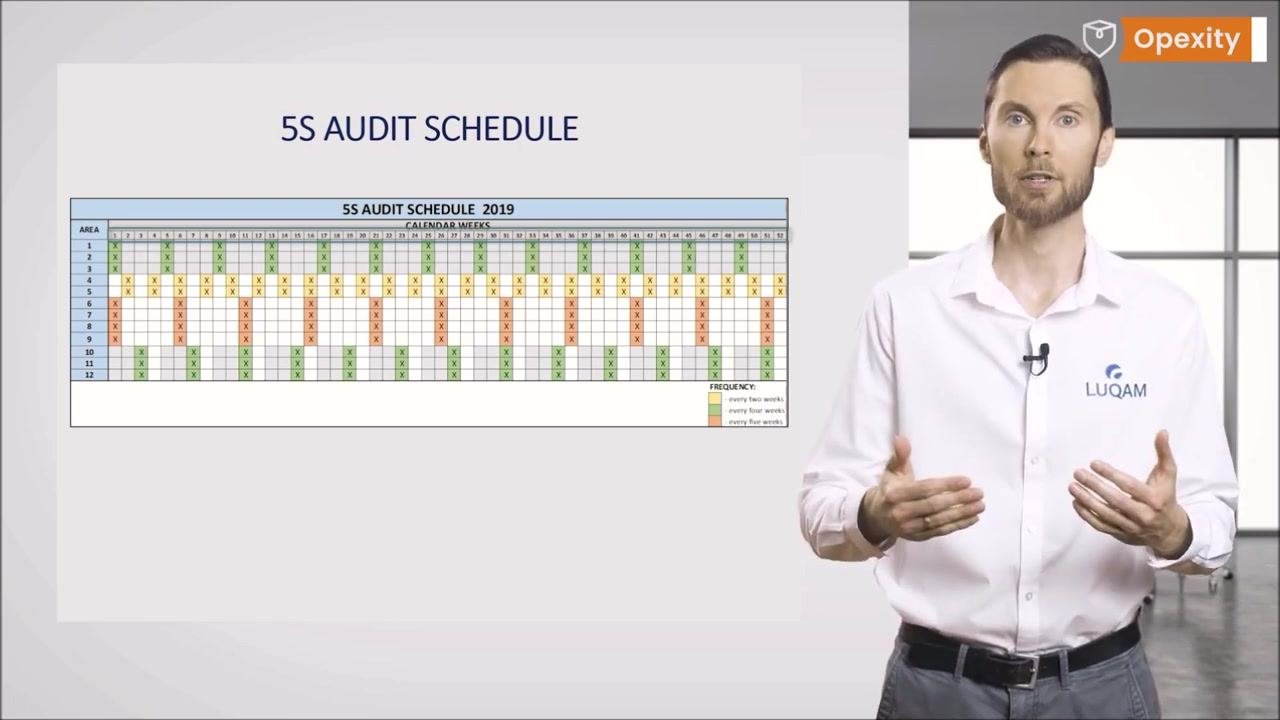
- The 5S Audit Schedule, which sets audit frequency per area. Frequencies are commonly displayed on a matrix with areas listed on one axis and calendar weeks on the other, using color coding (for example, green for every two weeks, yellow for every four weeks, orange for every five weeks).
- The 5S standard for the area, which auditors must understand before scoring compliance.
- The 5S instruction covering cleaning rules, referenced during the Shine assessment.
- The 5S board, where audit schedules and results are posted for employees.
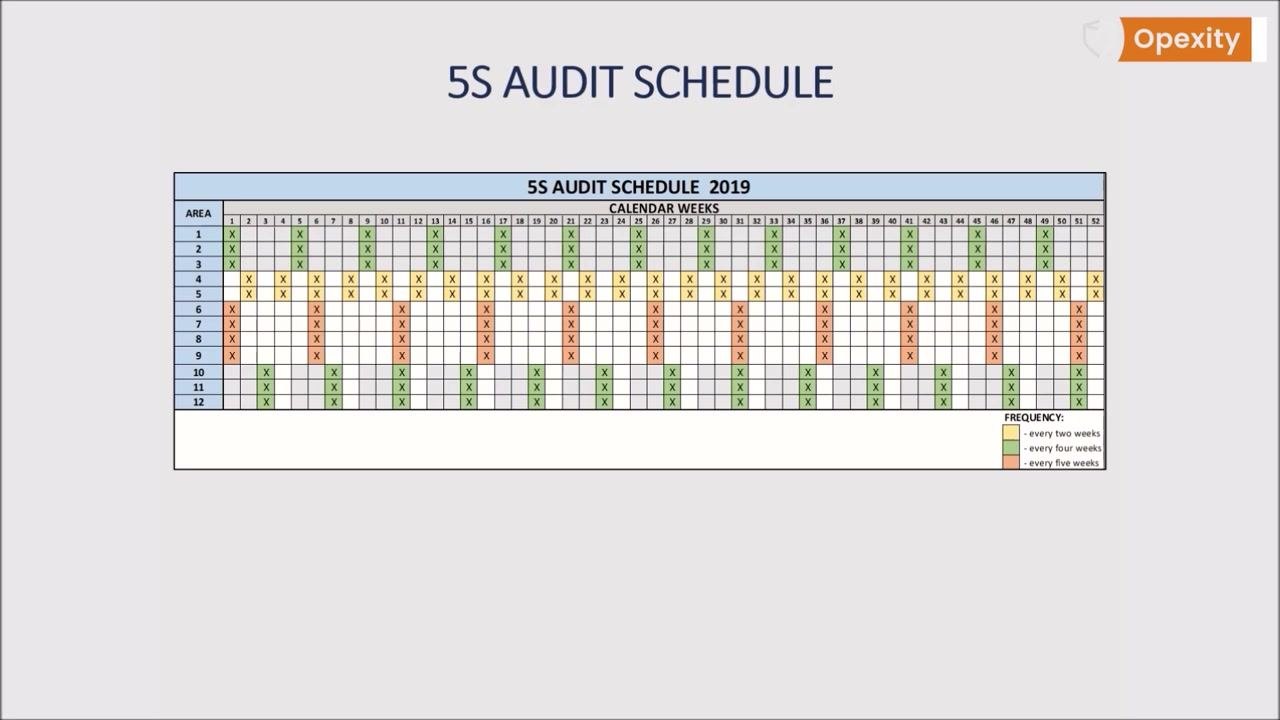
Schedule audits by general time frame (a week number or month) rather than an exact date. Avoiding pinpoint dates prevents predictability and discourages short-term preparation just before an audit, keeping the focus on the Kaizen principle that improvement happens continuously, every day, by everyone.
Equipment required
The 5S audit checklist itself is the primary tool auditors need; no calibrated gauges or measuring instruments apply to this qualitative, visual assessment. Before the audit, confirm you have:
- A printed or distributed copy of the standardized 5S audit form.
- A pen or writing instrument to record scores and comments.
- The AREA and DATE fields ready to be completed at the top of the form before the audit begins.
Keep the form concise — ideally it should fit on a single A4 page — so it stays simple, transparent, and understandable for every employee involved in the 5S process.
Inspection points
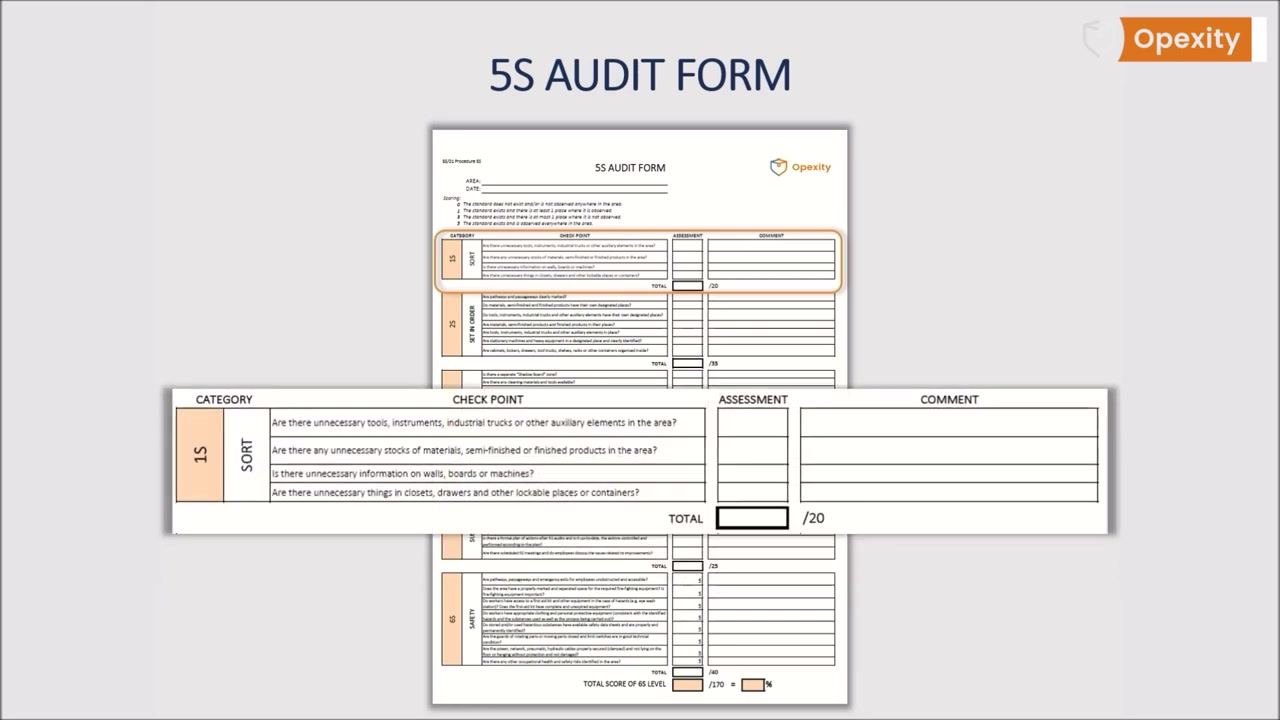
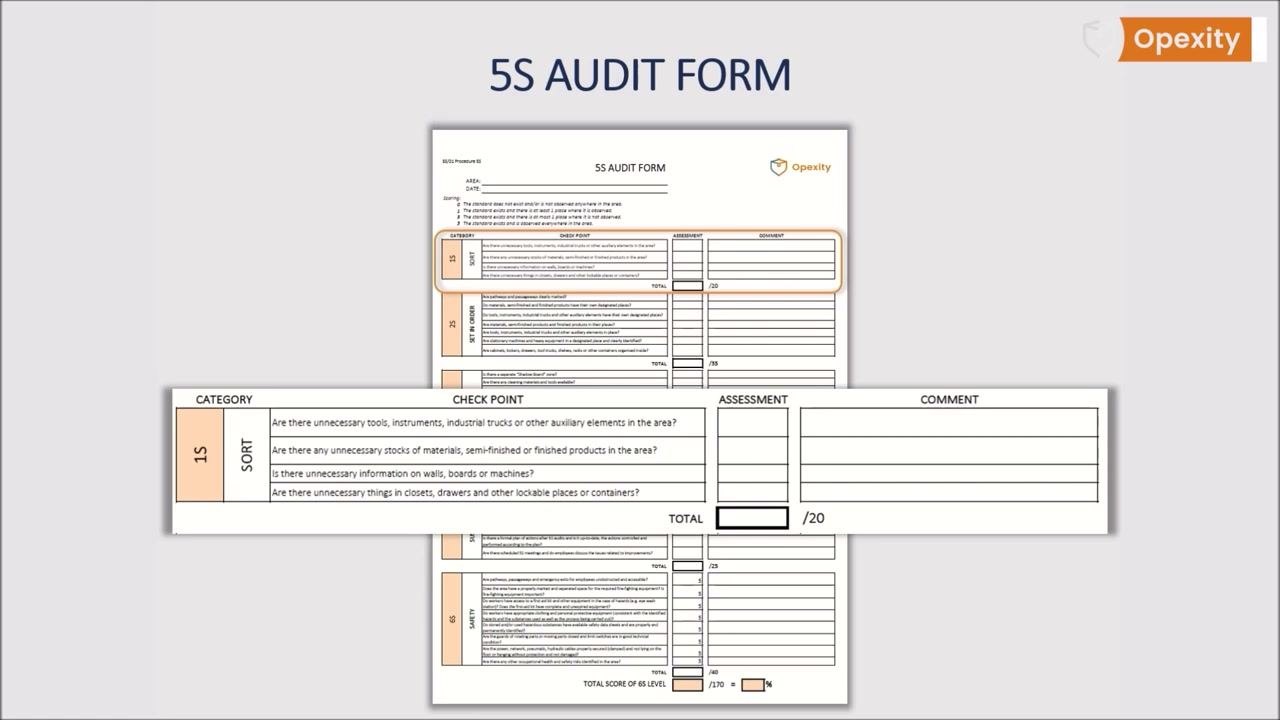
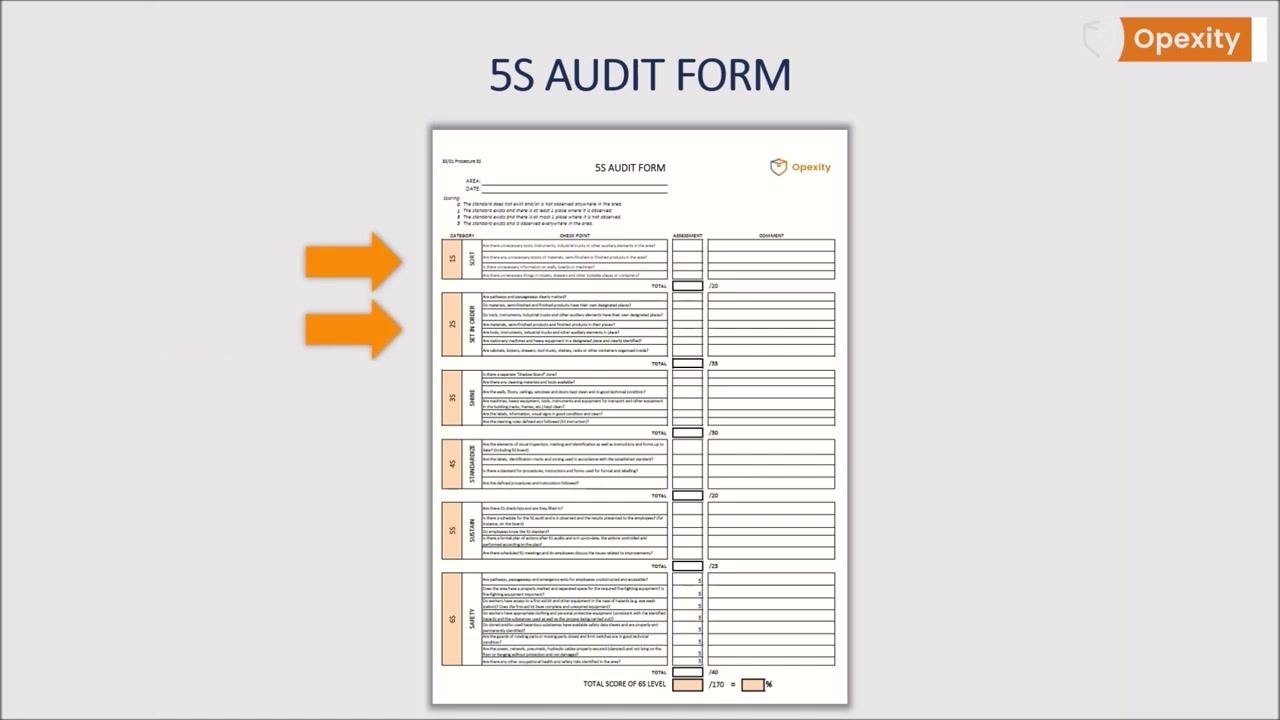
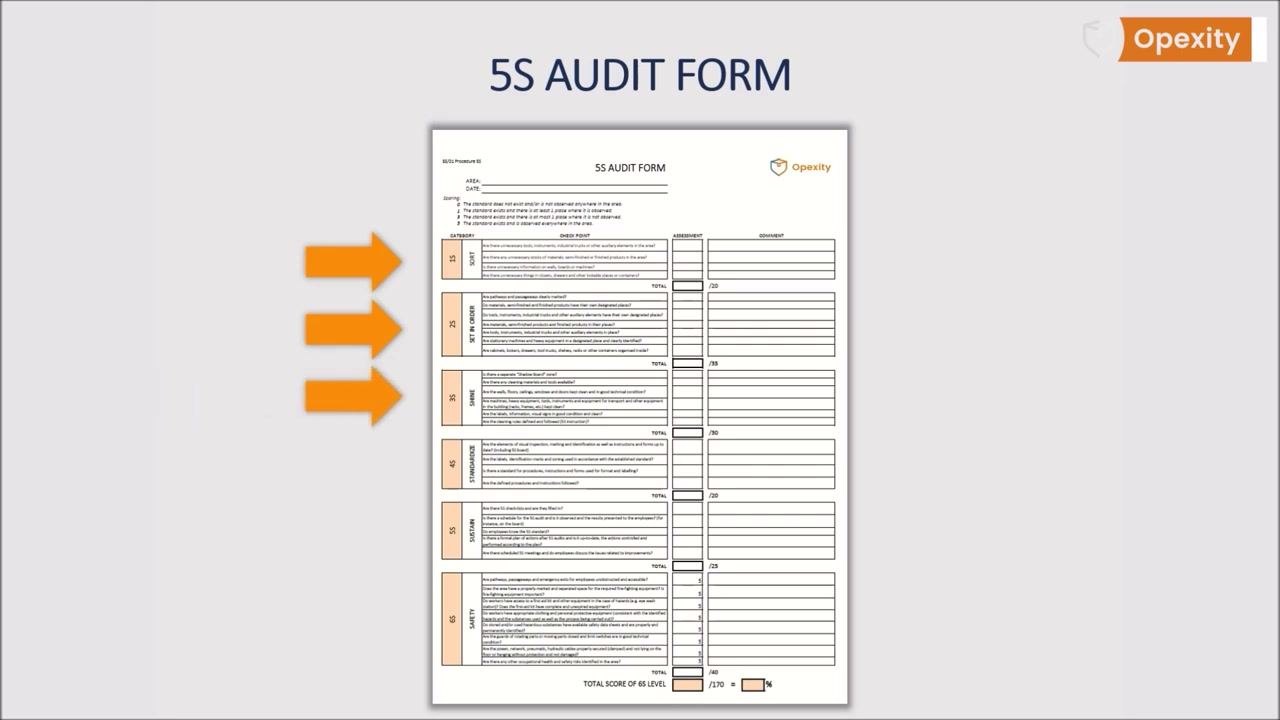
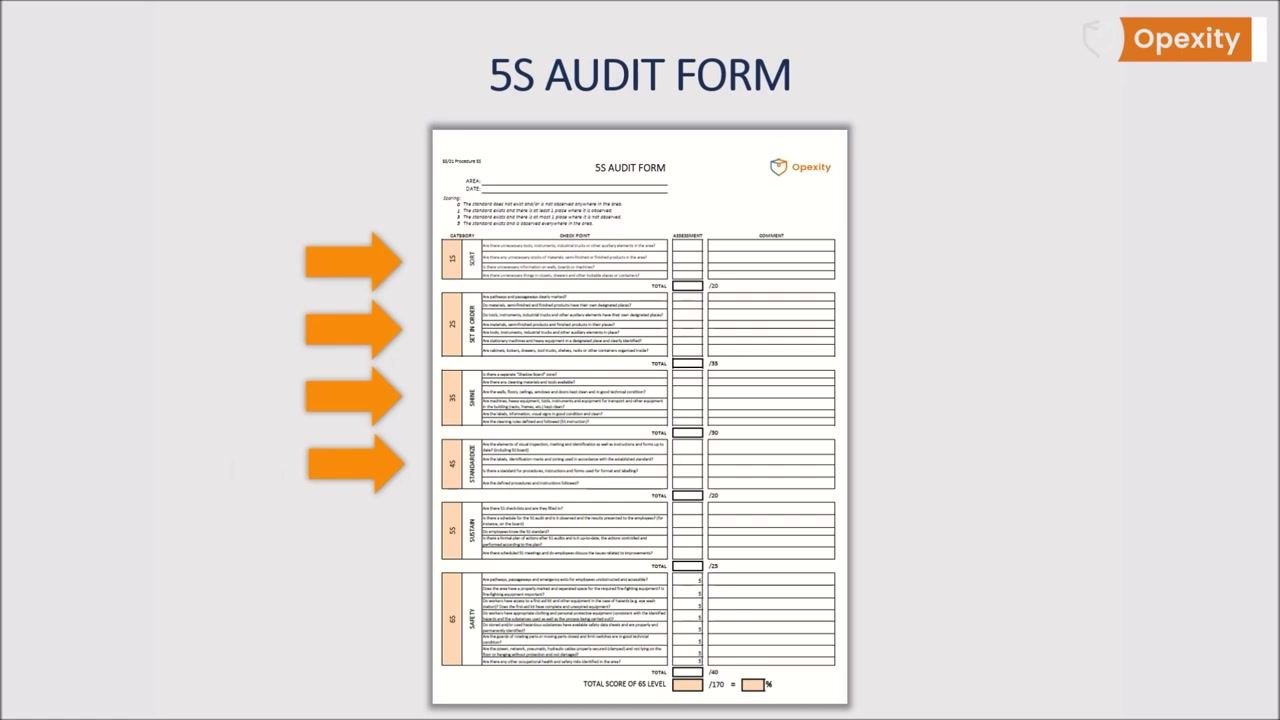
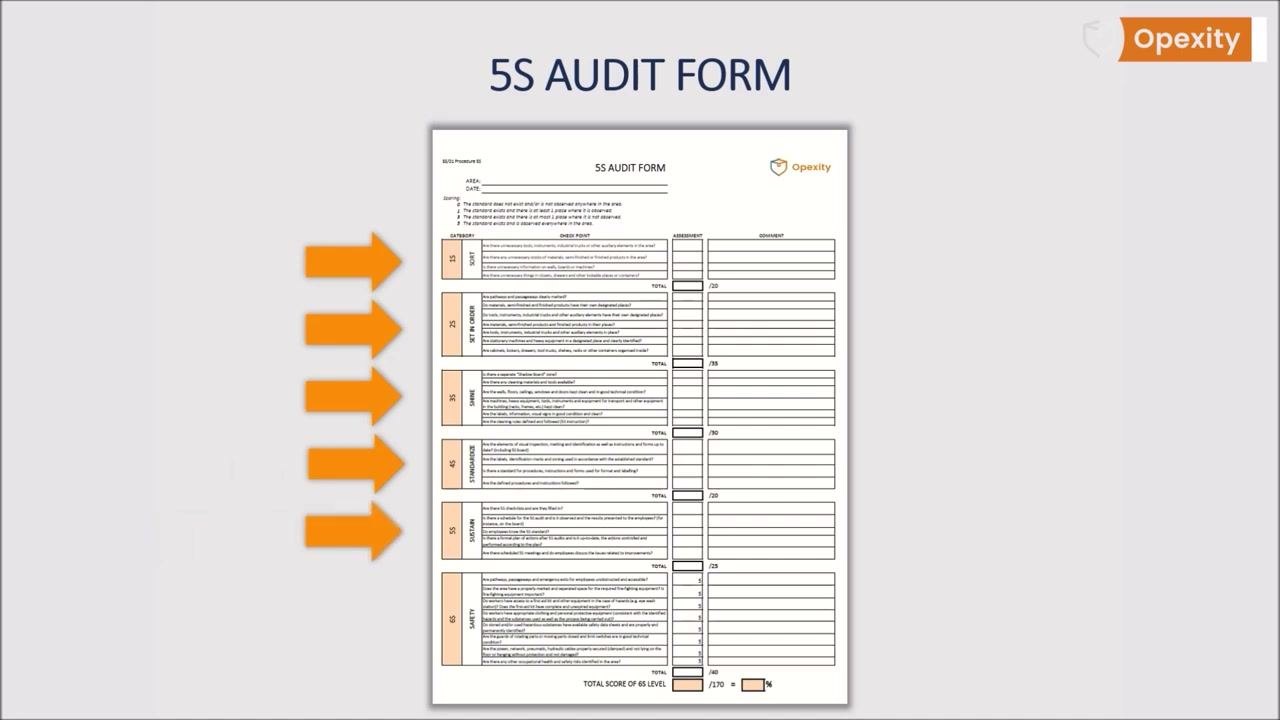
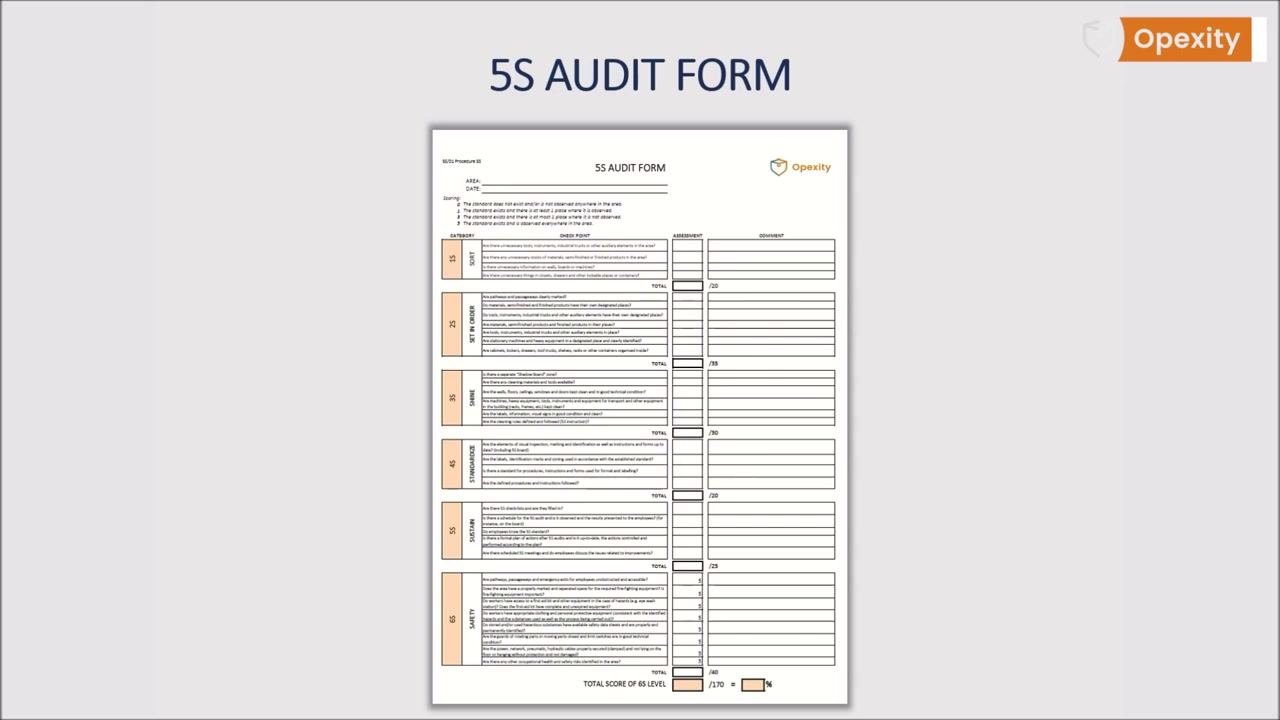
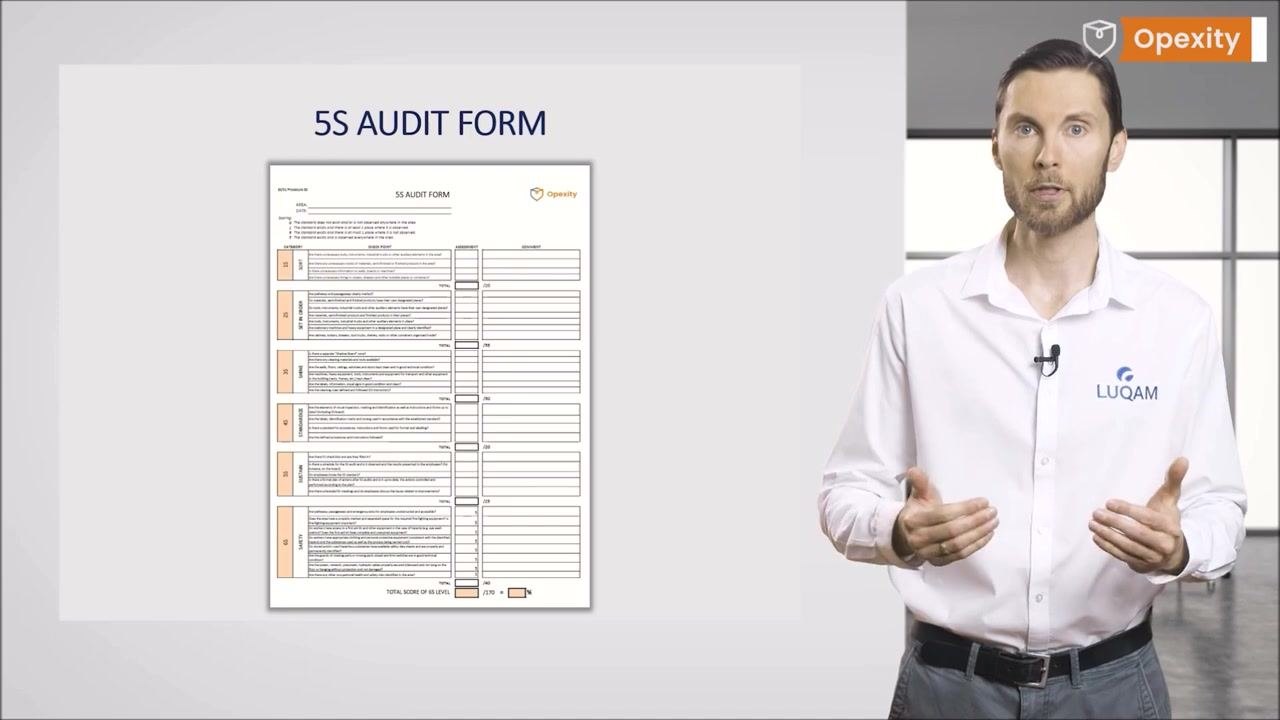
The form is structured as a checklist divided into five thematic sections, one per step of 5S. Each section lists targeted questions with a column for Assessment (score) and a column for Comment (notes and observations), plus a TOTAL field that sums the section's scores.
1S: Sort
| Characteristic | Specification / Tolerance | Method | Sample size |
|---|---|---|---|
| Unnecessary tools, instruments, industrial trucks, or other auxiliary elements in the area | Score 0, 1, 3, or 5 per the standard scoring key | Visual walk-through of the area | Entire area under audit |
| Unnecessary stocks of materials, semi-finished, or finished products in the area | Score 0, 1, 3, or 5 | Visual walk-through of the area | Entire area under audit |
| Unnecessary information on walls, boards, or machines | Score 0, 1, 3, or 5 | Visual walk-through of the area | Entire area under audit |
| Unnecessary things in closets, drawers, or other lockable places or containers | Score 0, 1, 3, or 5 | Visual walk-through of the area | Entire area under audit |
| TOTAL | Maximum 20 points | Sum of all Sort scores | — |
2S: Set in Order
| Characteristic | Specification / Tolerance | Method | Sample size |
|---|---|---|---|
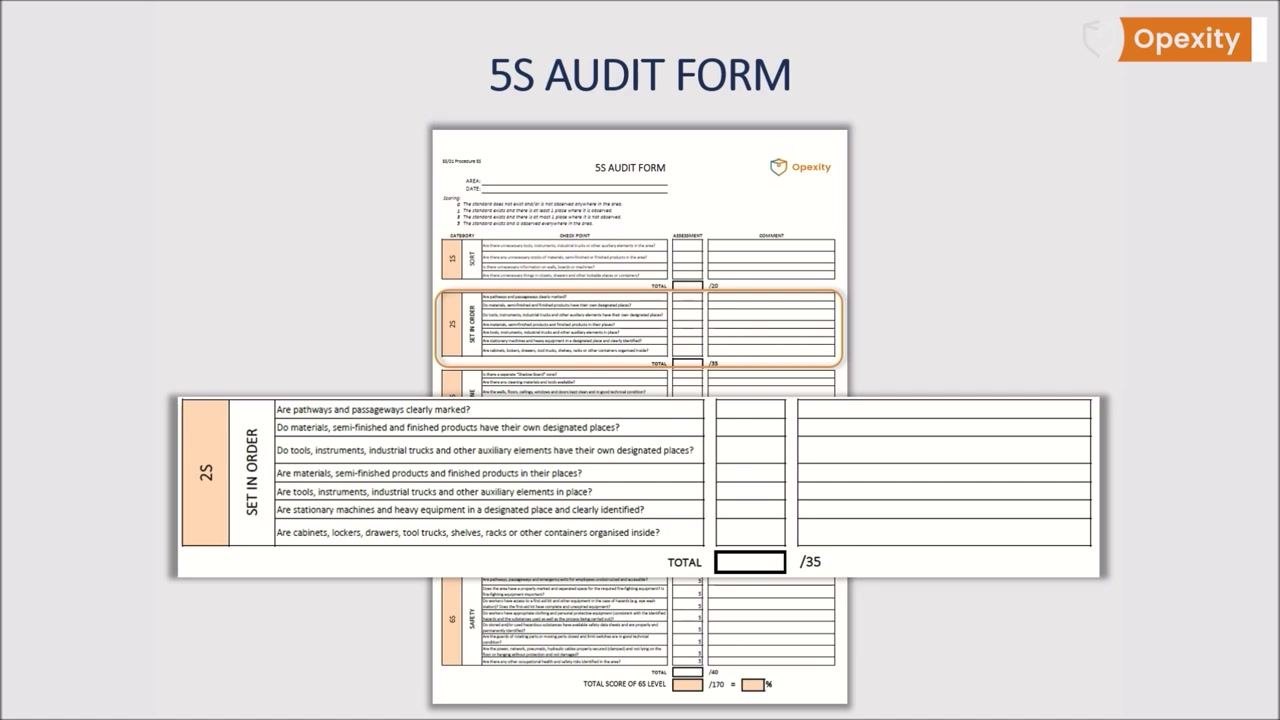
| Pathways and passageways clearly marked | Score 0, 1, 3, or 5 | Visual walk-through of the area | Entire area under audit |
| Materials, semi-finished, and finished products have designated places | Score 0, 1, 3, or 5 | Visual walk-through of the area | Entire area under audit |
| Tools, instruments, industrial trucks, and other auxiliary elements have designated places | Score 0, 1, 3, or 5 | Visual walk-through of the area | Entire area under audit |
| Materials, semi-finished, and finished products are in their designated places | Score 0, 1, 3, or 5 | Visual walk-through of the area | Entire area under audit |
| Tools, instruments, industrial trucks, and other auxiliary elements are in place | Score 0, 1, 3, or 5 | Visual walk-through of the area | Entire area under audit |
| Stationary machines and heavy equipment are in a designated place and clearly identified | Score 0, 1, 3, or 5 | Visual walk-through of the area | Entire area under audit |
| Cabinets, lockers, drawers, tool trucks, shelves, racks, or other containers are organized inside | Score 0, 1, 3, or 5 | Visual walk-through of the area | Entire area under audit |
| TOTAL | Maximum 35 points | Sum of all Set in Order scores | — |
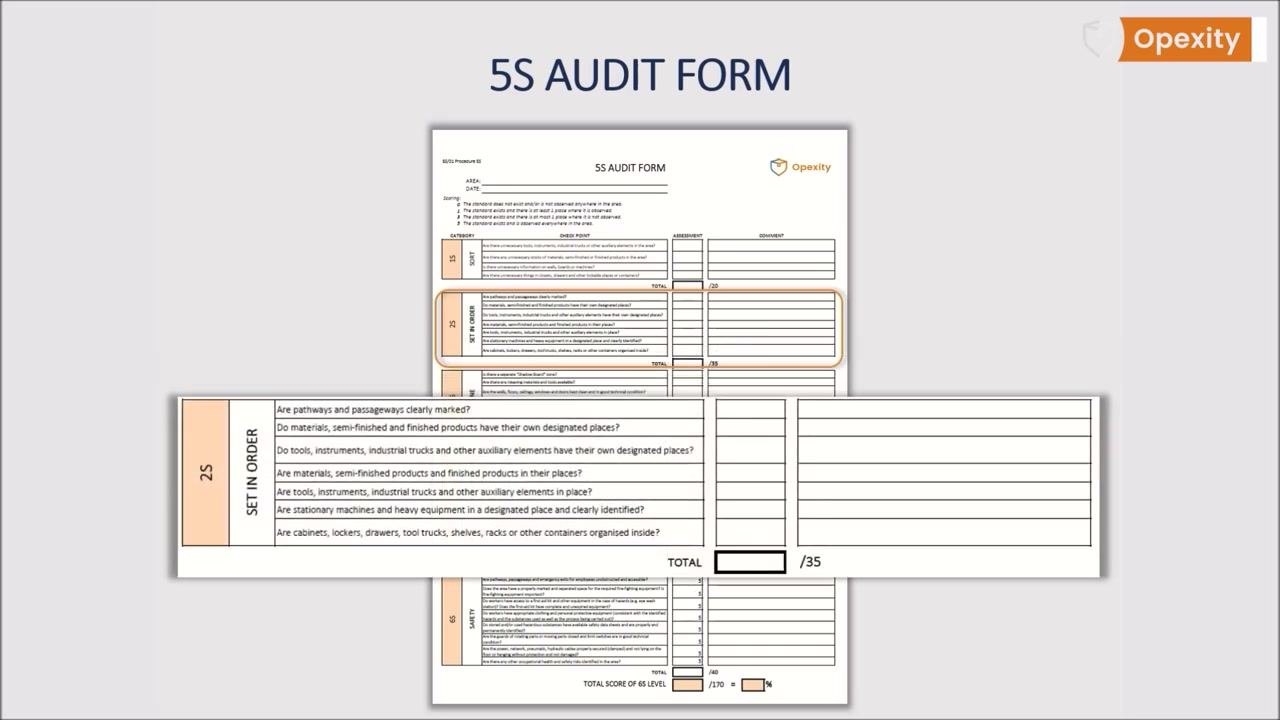
Each question in this section verifies two things: whether every item has its own specific place and is kept there, and whether everything is clearly marked for easy identification.
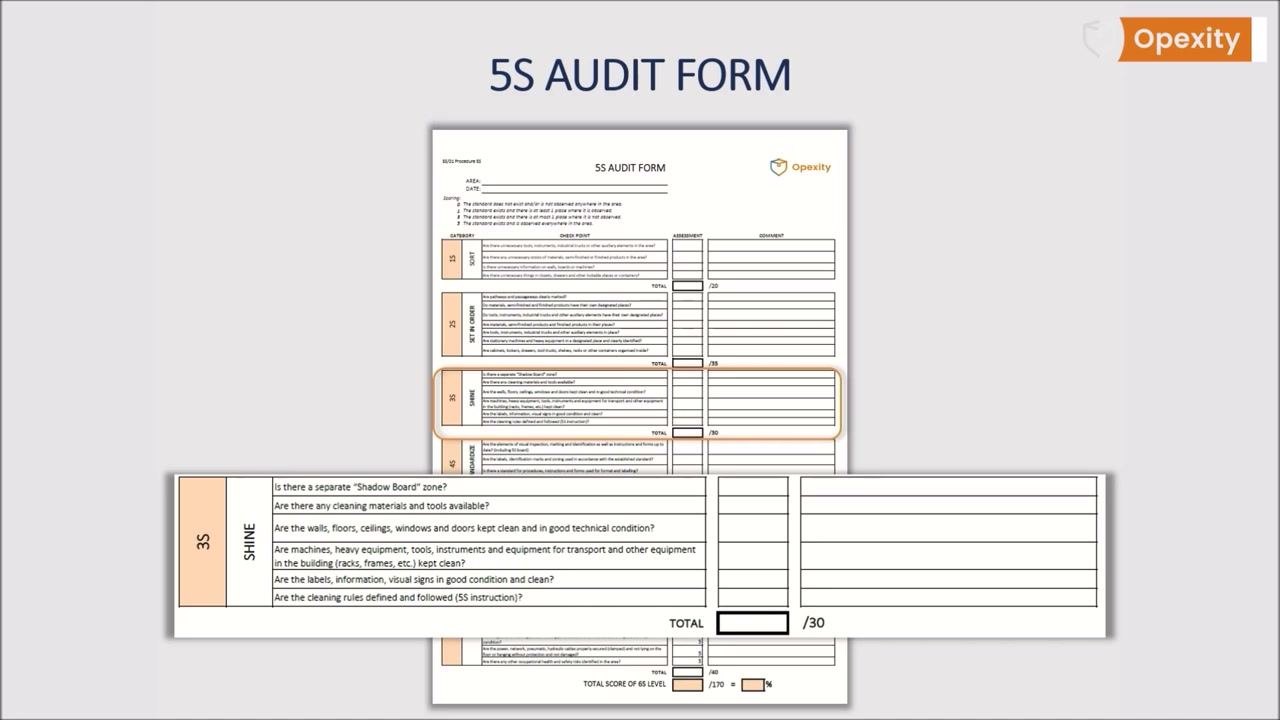
3S: Shine
| Characteristic | Specification / Tolerance | Method | Sample size |
|---|---|---|---|
| A separate "Shadow Board" zone exists | Score 0, 1, 3, or 5 | Visual walk-through of the area | Entire area under audit |
| Cleaning materials and tools are available | Score 0, 1, 3, or 5 | Visual walk-through of the area | Entire area under audit |
| Walls, floors, ceilings, windows, and doors are clean and in good technical condition | Score 0, 1, 3, or 5 | Visual walk-through of the area | Entire area under audit |
| Machines, heavy equipment, tools, instruments, transport equipment, and other building equipment (racks, frames, etc.) are kept clean | Score 0, 1, 3, or 5 | Visual walk-through of the area | Entire area under audit |
| Labels, information, and visual signs are in good condition and clean | Score 0, 1, 3, or 5 | Visual walk-through of the area | Entire area under audit |
| Cleaning rules are defined and followed (5S instruction) | Score 0, 1, 3, or 5 | Cross-check against the 5S instruction document | Entire area under audit |
| TOTAL | Maximum 30 points | Sum of all Shine scores | — |
4S: Standardize
| Characteristic | Specification / Tolerance | Method | Sample size |
|---|---|---|---|
| Elements of visual inspection, marking, identification, instructions, and forms are up to date (including the 5S board) | Score 0, 1, 3, or 5 | Visual walk-through and document check | Entire area under audit |
| Labels, identification marks, and zoning are used according to the established standard | Score 0, 1, 3, or 5 | Visual walk-through | Entire area under audit |
| A standard exists for procedures, instructions, and forms regarding format and labeling | Score 0, 1, 3, or 5 | Document review | Entire area under audit |
| Defined procedures and instructions are followed | Score 0, 1, 3, or 5 | Observation of practice against documented standard | Entire area under audit |
| TOTAL | Maximum 20 points | Sum of all Standardize scores | — |
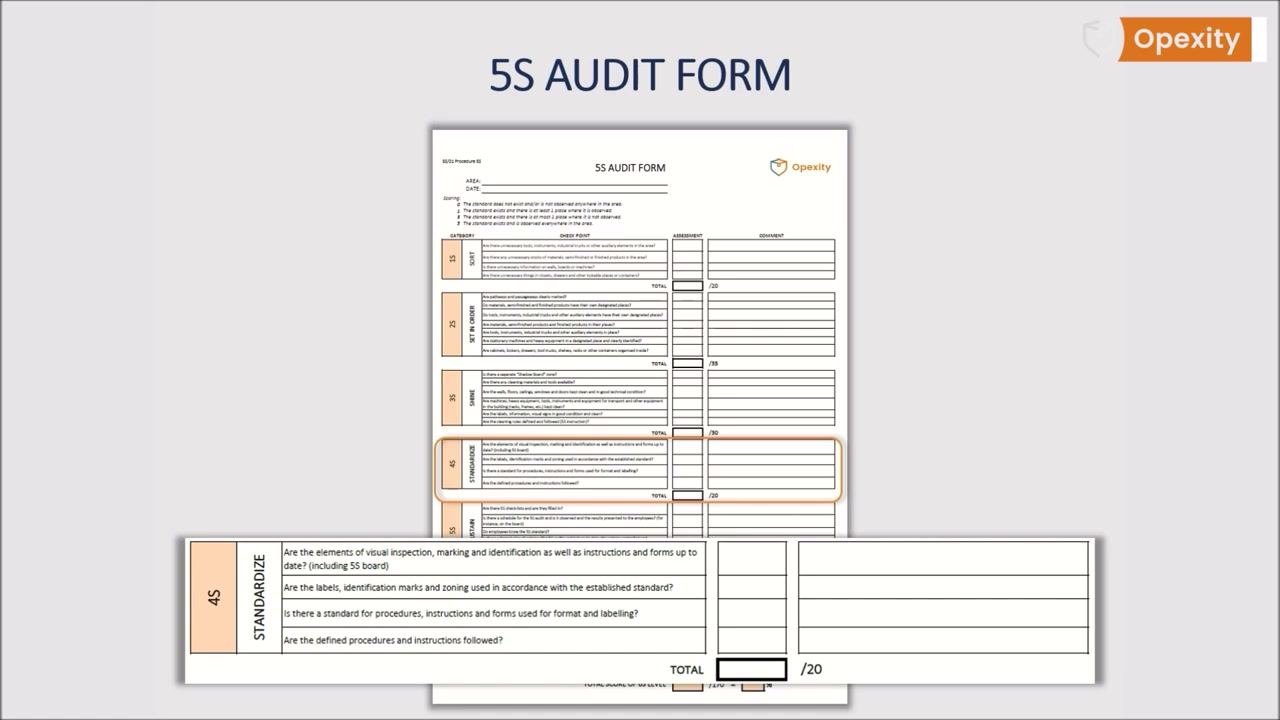
This section specifically verifies that defined procedures and instructions are followed and kept up to date.
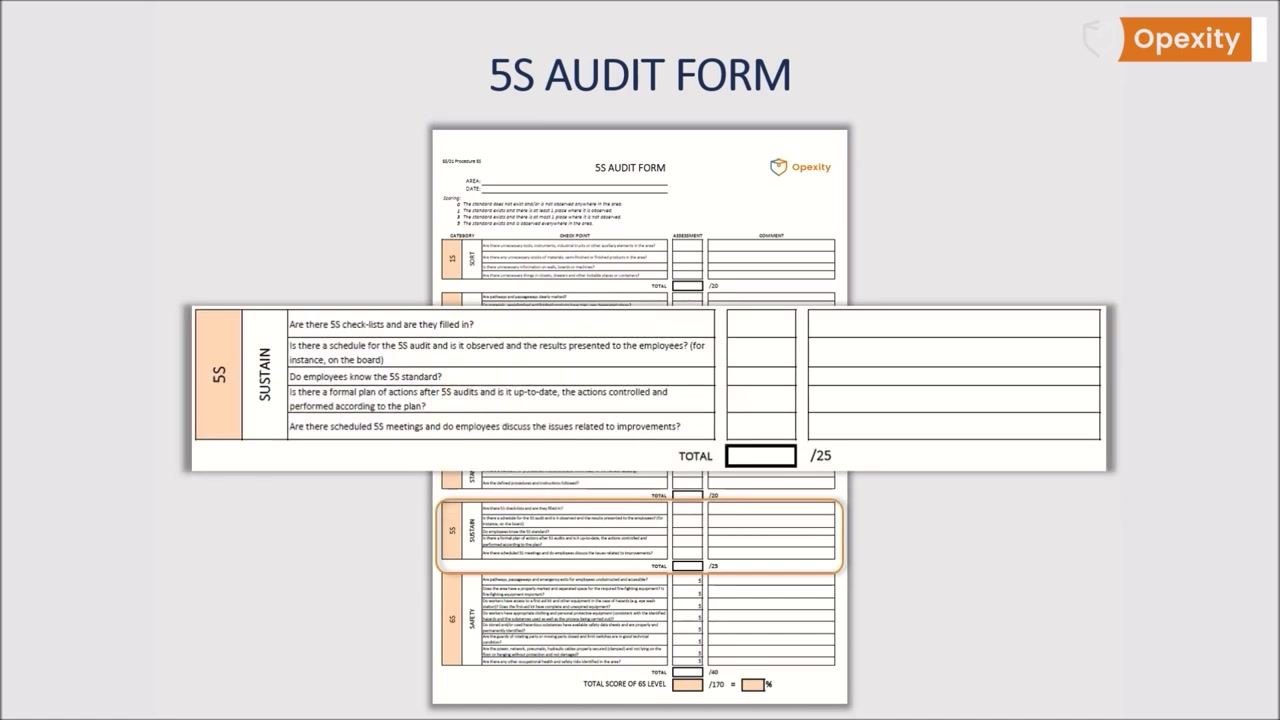
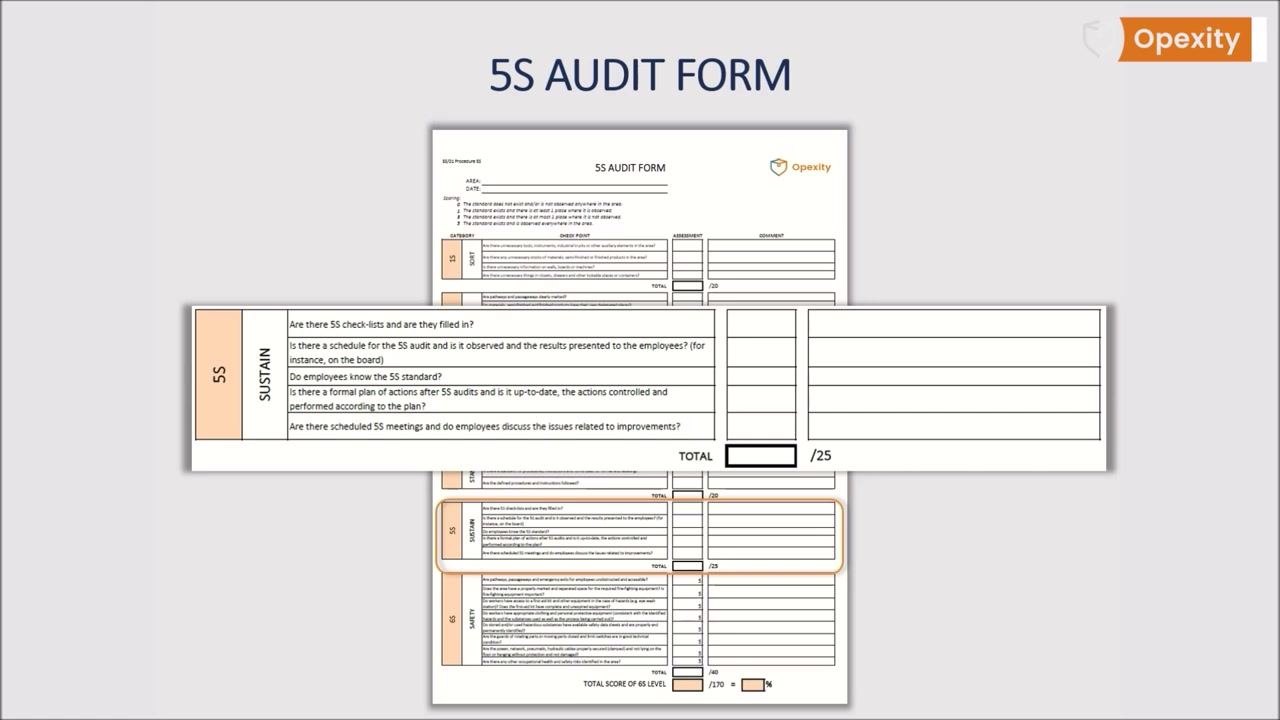
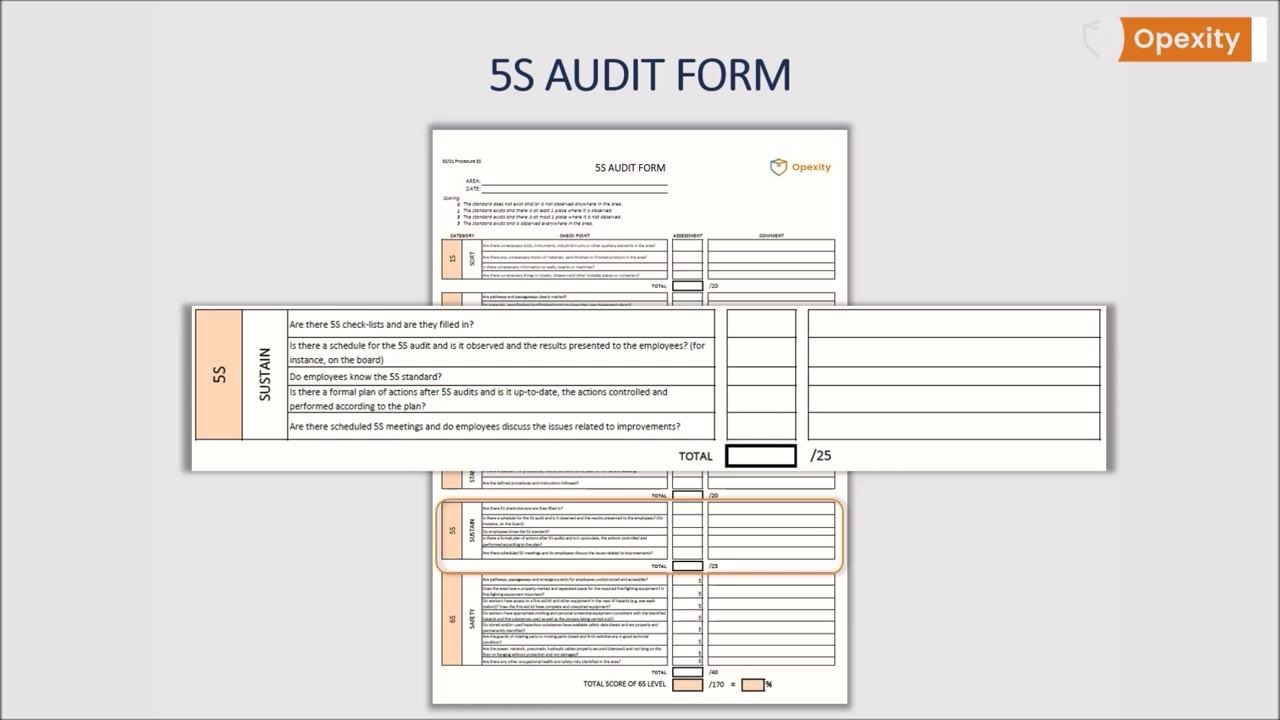
5S: Sustain
| Characteristic | Specification / Tolerance | Method | Sample size |
|---|---|---|---|
| 5S checklists exist and are filled in | Score 0, 1, 3, or 5 | Document review | Entire area under audit |
| A schedule for the 5S audit exists, is observed, and results are presented to employees (for instance, on the board) | Score 0, 1, 3, or 5 | Document and board review | Entire area under audit |
| Employees know the 5S standard | Score 0, 1, 3, or 5 | Employee interview | Sample of employees in the area |
| A formal plan of actions after 5S audits exists, is up to date, and actions are controlled and performed according to plan | Score 0, 1, 3, or 5 | Document review | Entire area under audit |
| Scheduled 5S meetings occur and employees discuss issues related to improvements | Score 0, 1, 3, or 5 | Meeting record review | Entire area under audit |
| TOTAL | Maximum 25 points | Sum of all Sustain scores | — |
Optional safety enhancements within existing sections
Many organizations extend the standard 5S questions with safety and ergonomics items before adopting a full sixth section. These additions layer onto the existing categories:
-
Set in Order — Add: Are all fire extinguishers, hydrants, and emergency exits correctly marked and easily accessible?
-
Shine — Add: Are there any visible safety-related damages in the workplace that could pose a risk?
-
Standardize — Add: Are all safety pictograms standardized and clearly visible? Are ergonomic principles applied at each workstation?
-
Sustain — Add: Have any additional occupational health and safety risks been identified during the audit?
6S extension: dedicated Safety section
Some organizations formalize this by expanding 5S into a 6S system with its own Safety category, placing added emphasis on occupational health and safety.
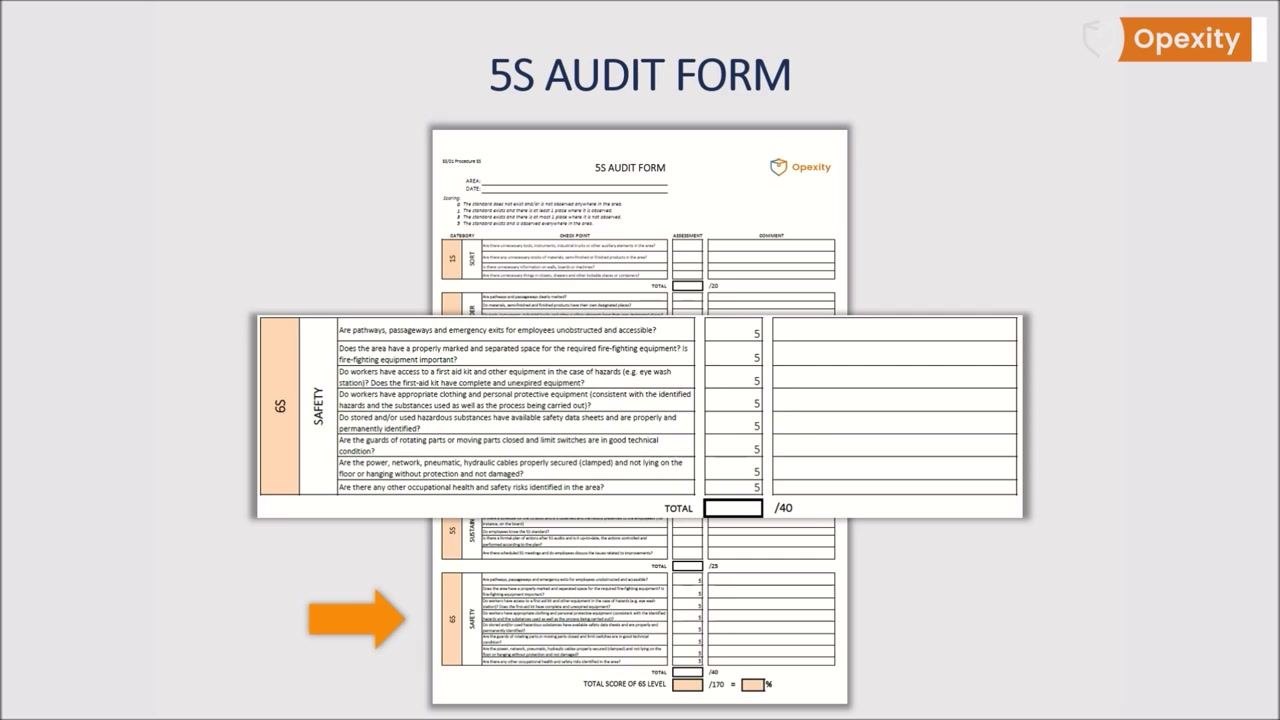
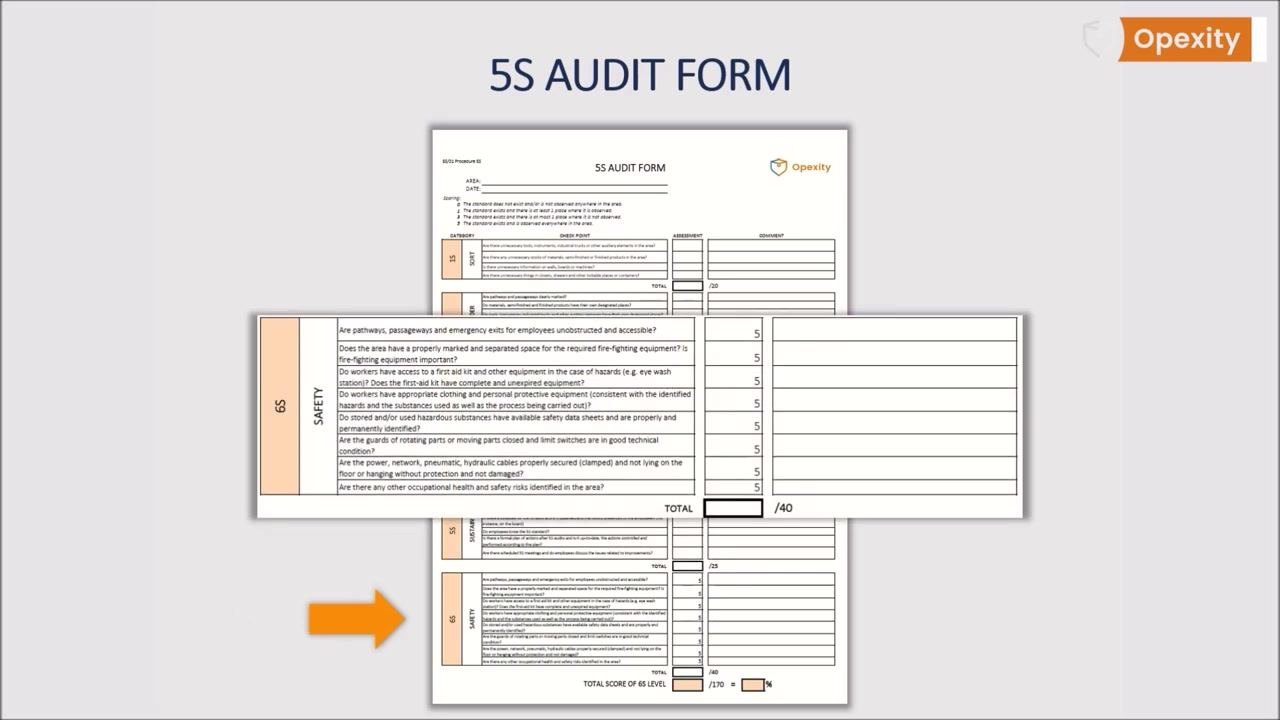
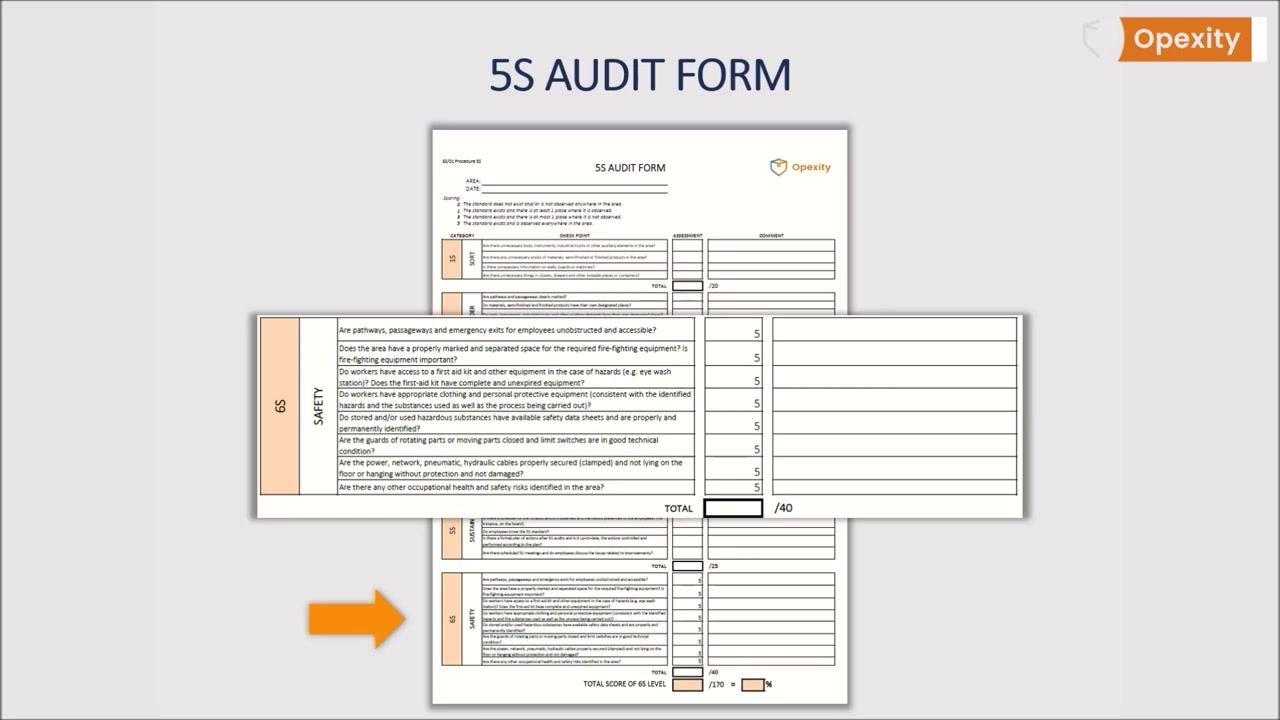
The extended form keeps the same layout — a colored bar labeling each of the six sections down the left side, with checklist questions, an Assessment column, and a Comment column per section, plus a total score calculation at the bottom for the overall 6S level.
| Characteristic | Specification / Tolerance | Method | Sample size |
|---|---|---|---|
| Pathways, passageways, and emergency exits for employees are unobstructed and accessible | Score 0, 1, 3, or 5 | Visual walk-through of the area | Entire area under audit |
| The area has a properly marked, separated space for required fire-fighting equipment, and that equipment is in place | Score 0, 1, 3, or 5 | Visual walk-through of the area | Entire area under audit |
| Workers have access to a first aid kit and other hazard equipment (for example, an eye wash station), and the first aid kit is complete and unexpired | Score 0, 1, 3, or 5 | Visual inspection and kit check | Entire area under audit |
| Workers have appropriate clothing and personal protective equipment consistent with identified hazards, substances used, and the process performed | Score 0, 1, 3, or 5 | Observation of practice | Sample of workers in the area |
| Stored and/or used hazardous substances have available safety data sheets and are properly and permanently identified | Score 0, 1, 3, or 5 | Document and label review | Entire area under audit |
| Guards on rotating or moving parts are closed and limit switches are in good technical condition | Score 0, 1, 3, or 5 | Visual and functional inspection | Entire area under audit |
| Power, network, pneumatic, and hydraulic cables are properly secured (clamped), not lying on the floor or hanging unprotected, and not damaged | Score 0, 1, 3, or 5 | Visual inspection of the area | Entire area under audit |
| Any other occupational health and safety risks identified in the area | Score 0, 1, 3, or 5 | Visual walk-through of the area | Entire area under audit |
| TOTAL | Maximum 40 points | Sum of all Safety scores | — |
Acceptance criteria
Score every checklist item using the standardized key printed on the form:
| Score | Definition |
|---|---|
| 0 | The standard does not exist and/or is not observed anywhere in the area |
| 1 | The standard exists and there is at least one place where it is observed |
| 3 | The standard exists and there is at most one place where it is not observed |
| 5 | The standard exists and is observed everywhere in the area |
Sum item scores into each section's TOTAL field against its maximum: Sort (20), Set in Order (35), Shine (30), Standardize (20), Sustain (25), and Safety, if the 6S extension is in use (40). The source material does not specify a numeric pass/fail cutoff for these totals; your organization's disposition rule for what constitutes a compliant versus non-compliant total should be defined and documented here.
Non-conformance handling
After scoring, review the Sustain section's key question: is there a schedule for the audit, is it observed, and are results presented to employees, for instance on the board?
When findings require follow-up, work through these steps:
- Present the audit results to the employees in the area.
- Facilitate a discussion of the findings and areas for improvement, asking whether results are discussed with employees for the improvement of the area.
- Record employee suggestions in the Comment column of the form for follow-up.
- Ask whether suggestions are being implemented, and track implementation using the audit form.
- Confirm a formal plan of actions after the audit exists, is kept up to date, and that actions are controlled and performed according to plan.
Record keeping
Complete and retain the following per audit:
- The filled-in 5S audit form, with the AREA and DATE fields completed and all sections scored with comments.
- The 5S checklist confirming it was filled in, referenced in the Sustain section.
- The audit schedule showing the observed frequency for the area.
- Posted results, such as on the 5S board, so employees can see outcomes and discuss improvements.
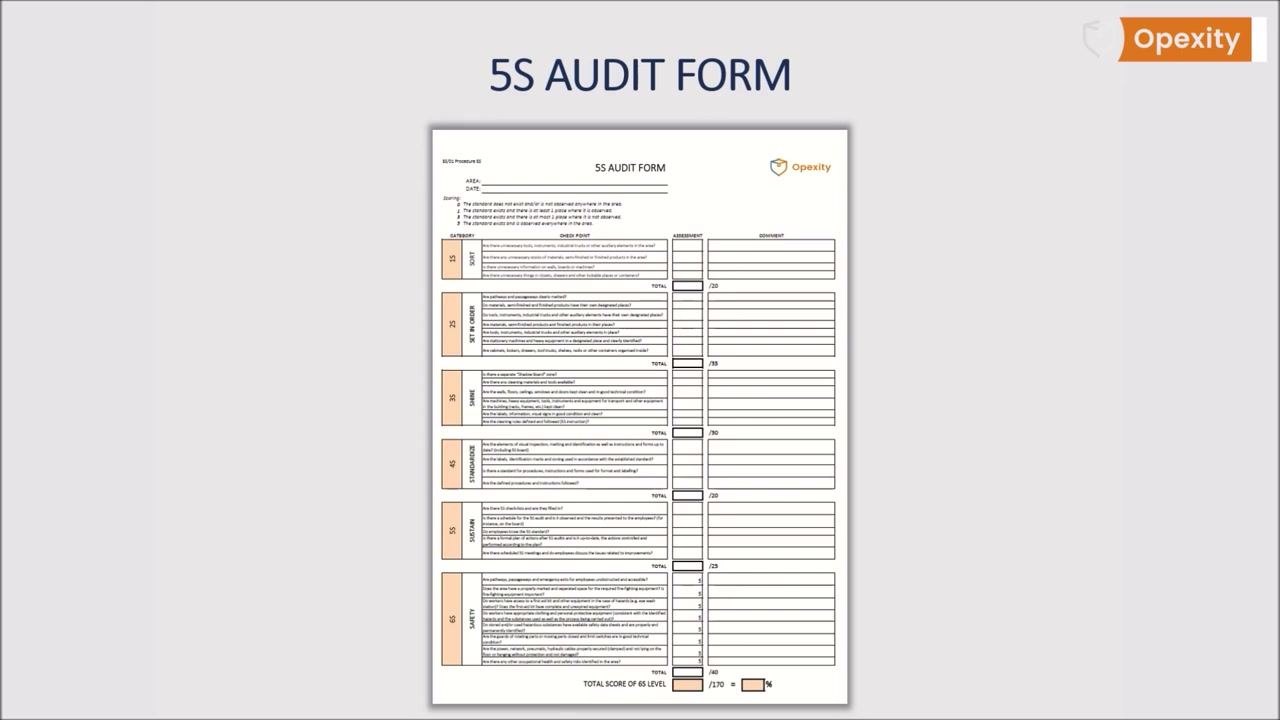
Keep the form simple, transparent, and understandable so every employee can review it and participate in the 5S process. Reinforce that the primary goal of 5S is to enhance workplace safety, and keep the completed Safety section fully integrated into the overall audit record.
What's next
Once the audit schedule, form, and scoring are in place, train all auditors on the current version of the form, including the Safety section if your organization has adopted the 6S model. Continue running audits per the schedule, discussing results with employees, and tracking whether suggested improvements are implemented and whether the formal plan of actions stays current. For additional guidance and downloadable templates, further resources are available at www.opexity.com.
Generation details: cost, quality tiers, downloads
Docsie billed 8,000 credits ($5.60) to analyze this 8-minute video at detailed quality. The rewrite, template fill and Word/PDF exports were included. The same video at each quality tier:
| Quality | Frames sampled | Credits | Approx. cost |
|---|---|---|---|
| Draft | every 16-30 s | 2,000 | $1.40 |
| Standard | every 8-15 s | 4,000 | $2.80 |
| Detailed (this guide) | every 4-7 s | 8,000 | $5.60 |
| Ultra | every 1-3 s | 16,000 | $11.20 |
Credits priced at $0.70 per 1,000; plans include a monthly allowance. Enterprise customers on on-premise or bring-your-own-model deployments run this on their own inference and pay no per-video credits.
Same video, other quality tiers
We ran this exact video through Docsie again at different frame-sampling rates. Compare the guides side by side:
Generated by Docsie Video-to-Docs on 2026-09-10 from a 7-minute video. It was generated straight into Docsie's Quality Control Checklist template, so every section of that template is filled from the video. Screenshots are frames from the source video and belong to their creator, Opexity, whose original is embedded above. If you own this video and want the guide removed or credited differently, contact us and we will act within one business day.