
4.8
on G2
Point Docsie's Content Comparison Wizard at two websites — your docs site and a competitor's, staging and production, the old site and the migration — and get a structured audit. The sites don't need to share structure or terminology — Docsie aligns content by meaning and surfaces coverage and capability differences, with evidence quoted side by side from both sites.

Two websites — your help center and a competitor's, a site before and after migration, two product pages. Docsie turns the comparison into a structured audit — findings, severity, verdicts, and source evidence you can inspect yourself. One minute, see it all.
Want the deep dive? Watch the full walkthrough below.
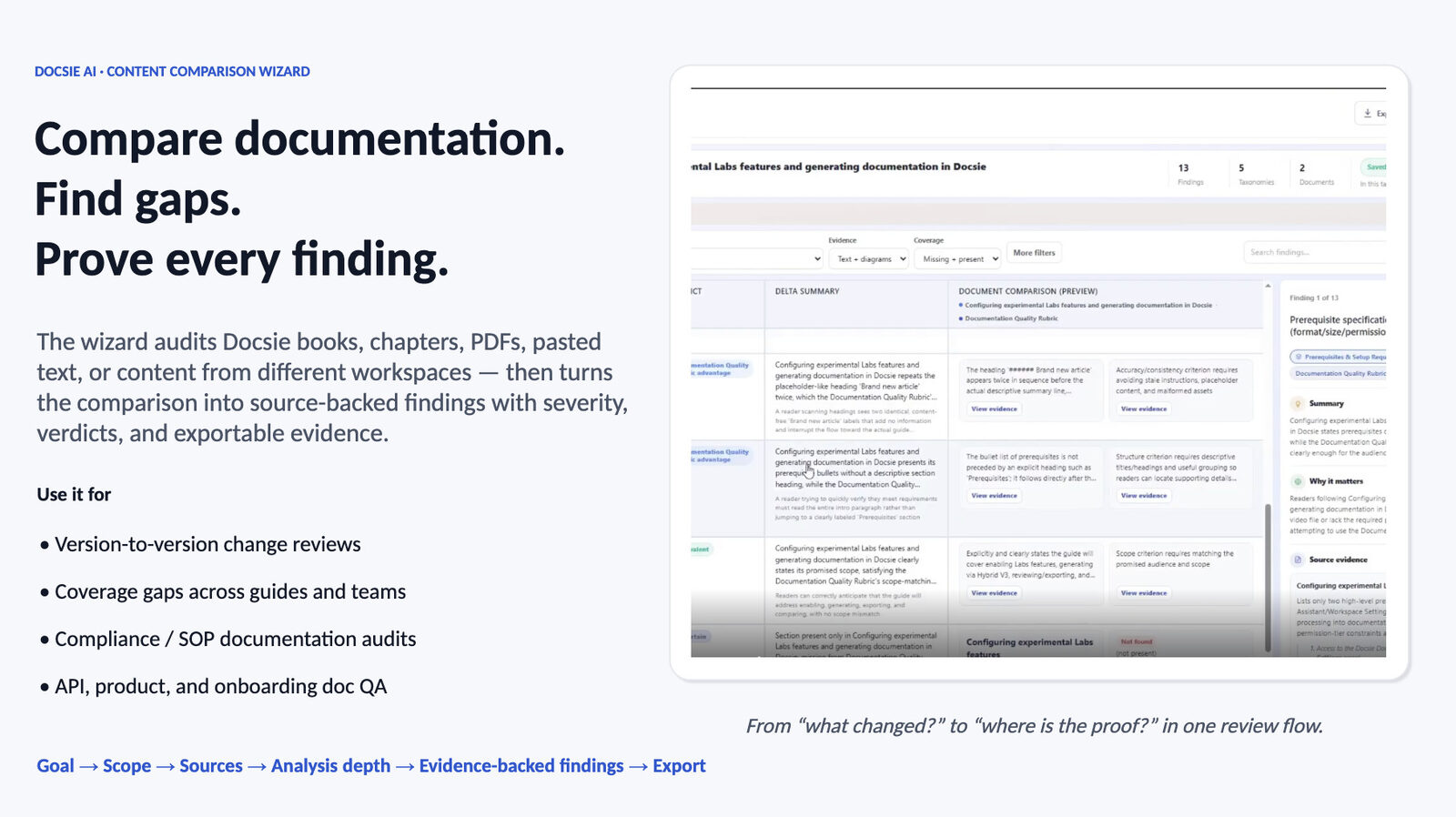
The Content Comparison Wizard doesn't just tell you two sites differ. It breaks the comparison into structured findings — each with a severity, a verdict, a delta summary, and source-verified evidence you can open, question, and export.
Pick what you're trying to understand about the two sites: Differences, Consistency, Compliance against a standard, Coverage gaps, Changes between versions, Migration, or a Documentation Quality audit — or describe a custom goal.
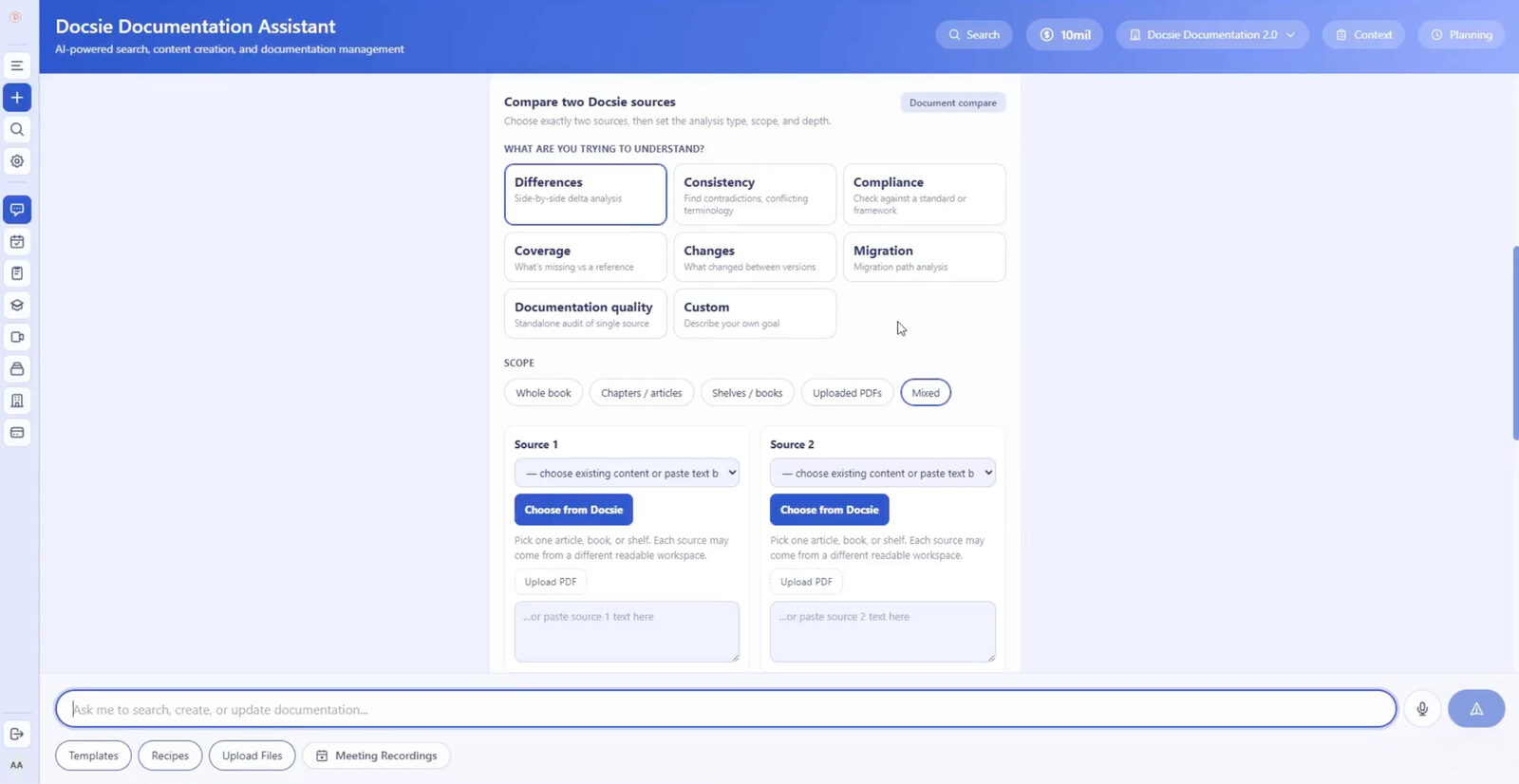
Point Docsie at both websites — or mix sources freely: audit a website against a Docsie book, an uploaded PDF, or pasted text, even content from two different workspaces.
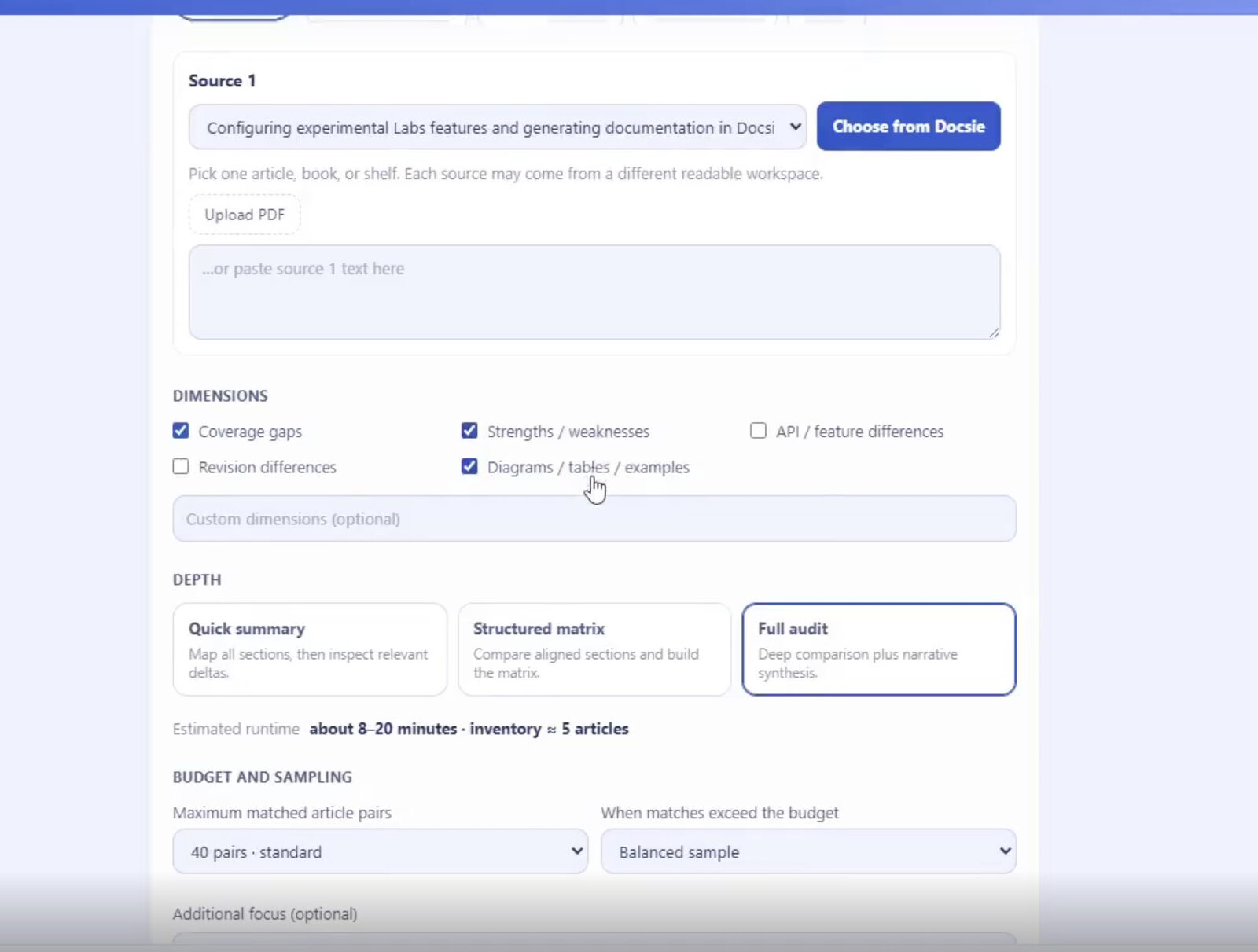
Select analysis dimensions — coverage gaps, strengths and weaknesses, revision differences, diagrams and examples, or your own custom dimensions — then choose Quick Summary, Structured Matrix, or Full Audit depth with budget and sampling controls.
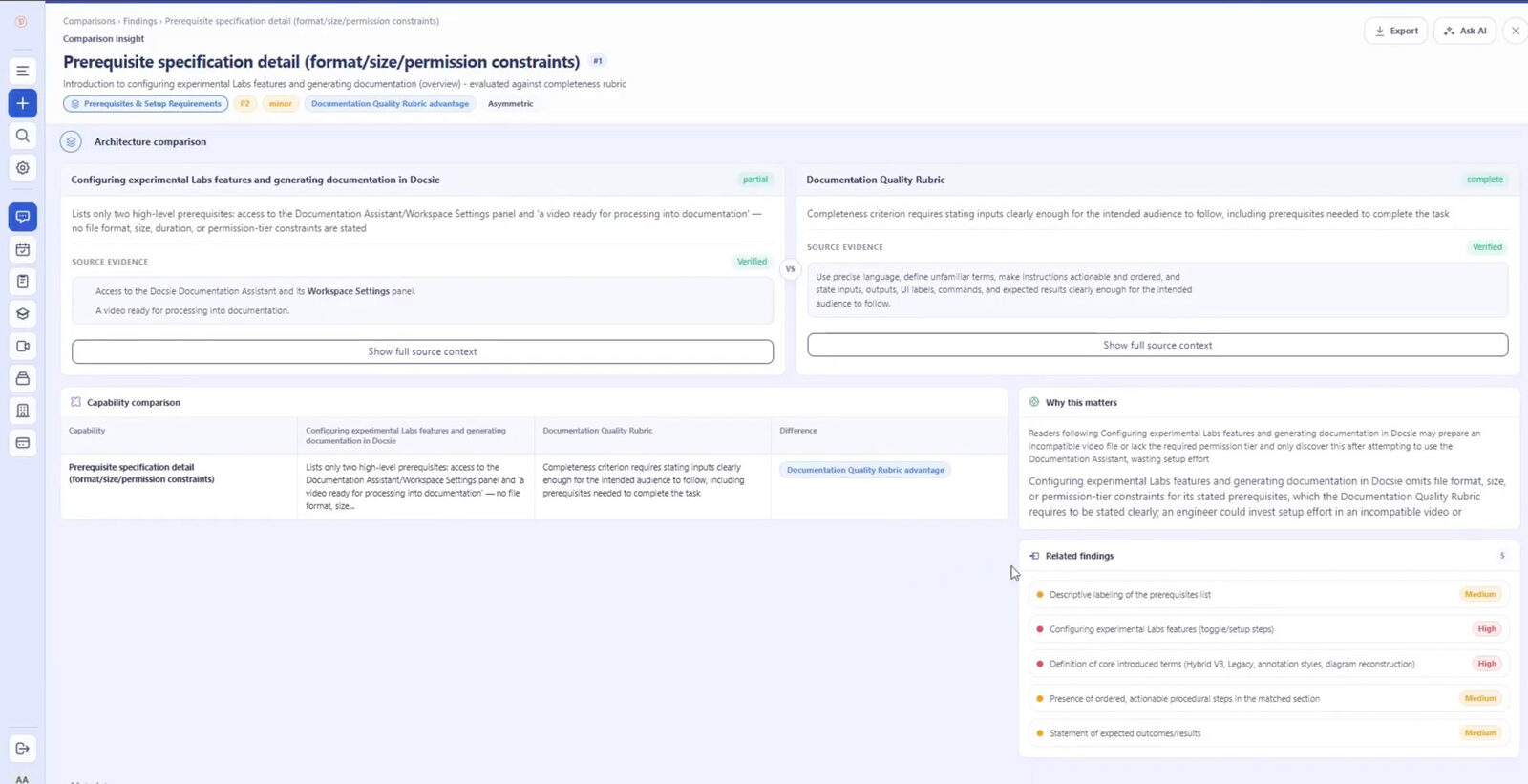
Every finding carries a severity, a verdict, a delta summary, a "why this matters" explanation, and verified evidence quoted from both sites. Filter findings, drill into related ones, or ask AI follow-up questions.
Send findings to Excel or your external reporting workflow. The website comparison becomes a structured audit your team can act on — not two browser windows and a hunch.
Join forward-thinking teams using Docsie






_Leader_Small-Business_Leader.svg)


Whether it's your docs against a competitor's, staging against production, or a migrated site against the original — tab-switching and gut feel miss things, and nobody can verify what you concluded.
Why Docsie
An evidence-backed content audit for the site comparisons teams actually need: competitors, migrations, environments, and rebrands.
Run your documentation site or help center against a competitor's and get a coverage-gap audit: which topics they cover that you don't, where your content is stronger, and what to build next — each conclusion backed by quoted evidence from both sites.
Compare the old site against the new one, or staging against production, and find what was lost, changed, or broken in the move — as ranked findings with severity, not a manual page-by-page crawl.
Filter findings by severity, interrogate anything unclear with Ask AI, and export the whole comparison to Excel. What used to be a browser-tab marathon becomes a report your team can review and act on.
Full Walkthrough
Watch a full comparison run end to end: goal, sources, dimensions, depth, the findings screen, filtering, Excel export — plus a coverage analysis and a differences analysis on real documentation.
7 min 58 sec
Common Questions
Everything you need to know about comparing two websites with Docsie.
Q: How do I compare two websites in Docsie?
A: Point the Content Comparison Wizard at both sites, pick an analysis goal such as Differences or Coverage Gaps, choose a depth, and run the comparison. You get structured findings with severity, verdicts, and evidence quoted from both sites, ready to filter or export to Excel.
Q: Can I compare my website against a competitor's?
A: Yes — that's one of the most common uses. A coverage-gap analysis shows what the competitor's site covers that yours doesn't and where your content goes deeper, with quoted evidence from both sites behind every finding.
Q: Can I compare a website against something that isn't a website?
A: Yes. One side can be a website and the other a Docsie book, an uploaded PDF, or pasted text — even content from a different workspace. That makes it easy to audit a public site against your internal source of truth.
Q: What about very large sites?
A: The wizard supports websites, Docsie content, uploaded PDFs, pasted text, and videos — and large comparisons are controlled with budget and sampling settings. Start with a Quick Summary to scope the differences, then run a Full Audit where the depth is worth it.
Q: How do I know the findings are accurate?
A: Every finding includes source-verified evidence quoted side by side from both sites, so you can check each claim against the originals yourself. You can also filter findings and use Ask AI to interrogate anything that looks off before you share the results.
Q: Can I share the comparison results with my team?
A: Yes. Findings export to Excel, so the audit slots straight into your existing review or reporting workflow. Severity ratings and verdicts carry over, letting reviewers sort by what matters most.
Still have questions?
Book a DemoSee how Docsie can help your team today.
No credit card required.