
4.8
on G2
Give Docsie's Content Comparison Wizard two videos — two product demos, two training recordings, two vendor walkthroughs. They don't need to share naming, structure, or script. Docsie aligns them by meaning and produces a structured audit: findings with severity, verdicts, and evidence you can inspect from both videos.

Two product demos. Two versions of a training video. Your walkthrough against a competitor's. Docsie turns the comparison into a structured audit — findings, severity, verdicts, and source evidence you can inspect yourself. One minute, see it all.
Want the deep dive? Watch the full walkthrough below.
The Content Comparison Wizard doesn't just tell you two videos differ. It breaks the comparison into structured findings — each with a severity, a verdict, a delta summary, and source-verified evidence you can open, question, and export.
Pick what you're trying to understand about the two videos: Differences, Consistency, Compliance against a standard, Coverage gaps, Changes between versions, or a quality audit — or describe a custom goal, like which demo covers onboarding better.
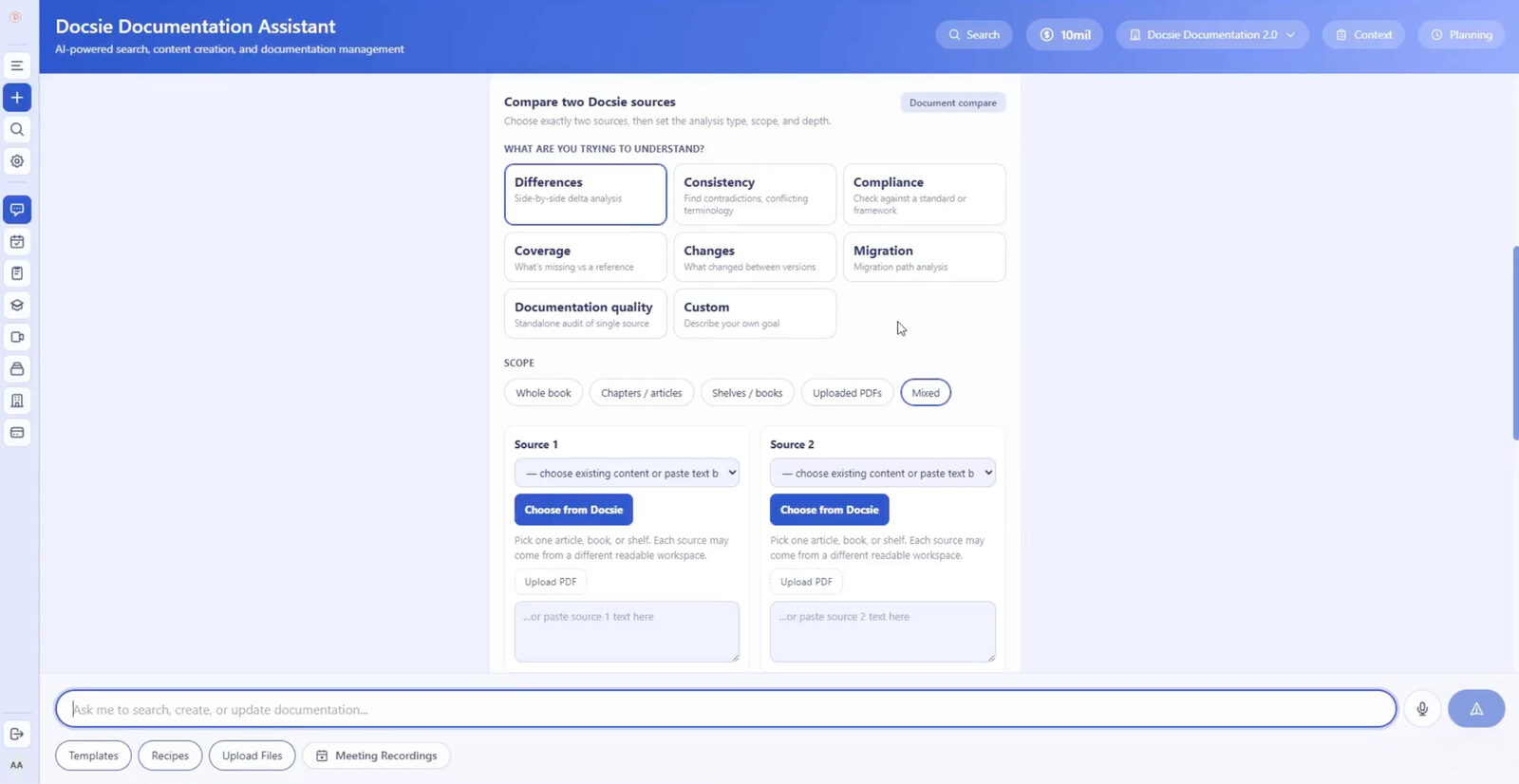
Bring in both videos — or mix sources freely: audit a product demo against a spec PDF, a training video against the written SOP, or a vendor walkthrough against your internal documentation.
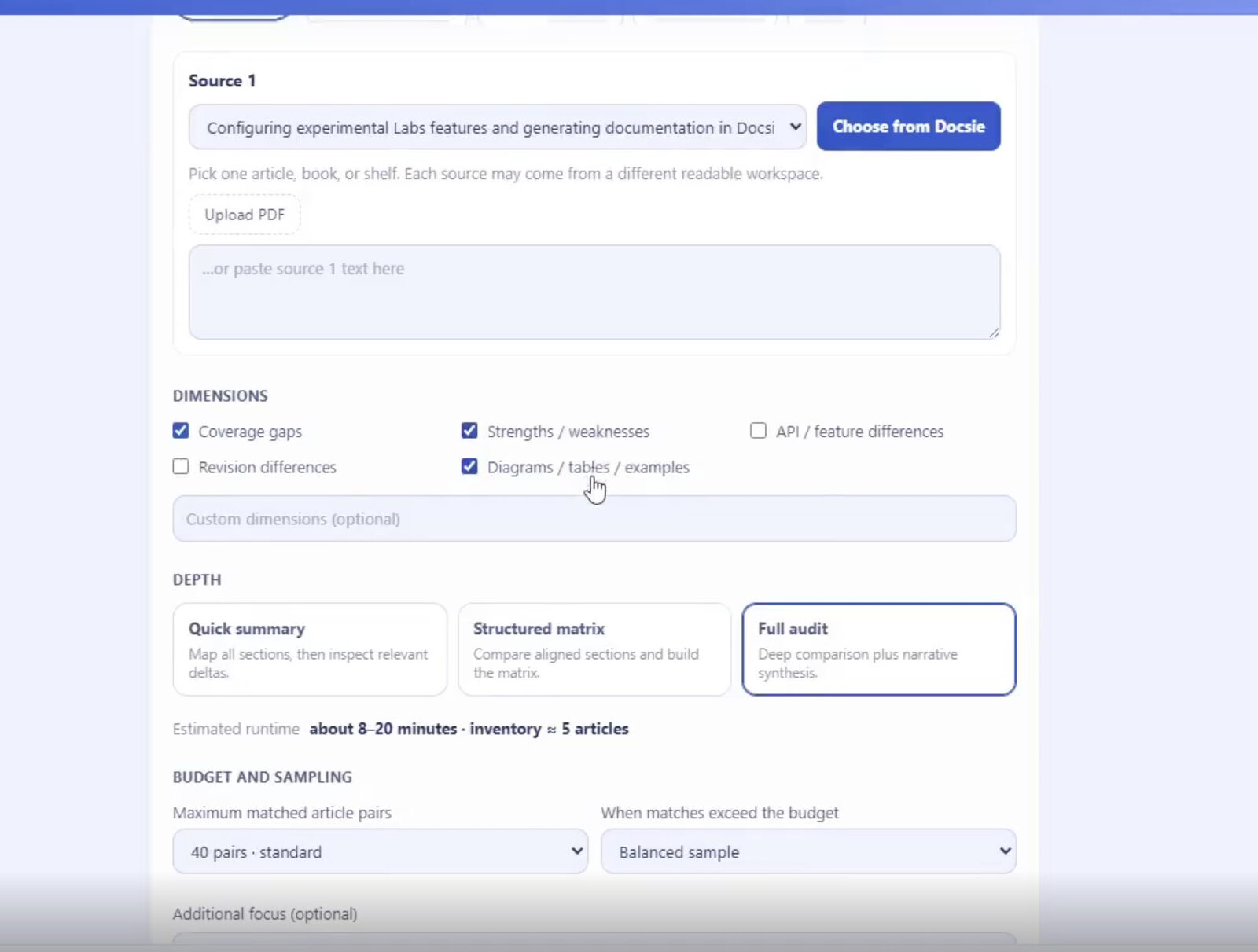
Select analysis dimensions — coverage gaps, strengths and weaknesses, feature differences, diagrams and examples, or your own custom dimensions — then choose Quick Summary, Structured Matrix, or Full Audit depth with budget and sampling controls.
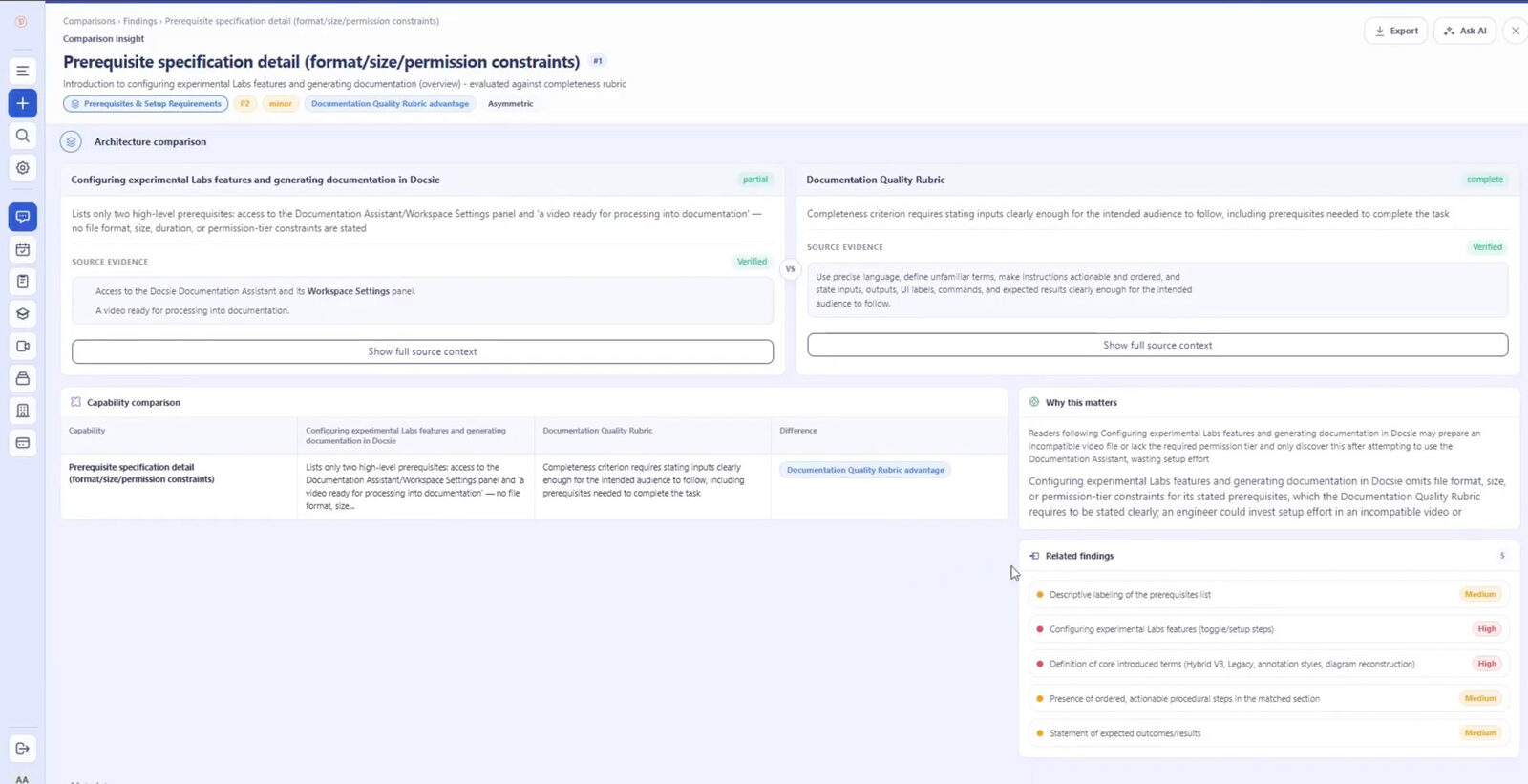
Every finding carries a severity, a verdict, a delta summary, a "why this matters" explanation, and verified evidence from both videos. Filter findings, drill into related ones, or ask AI follow-up questions.
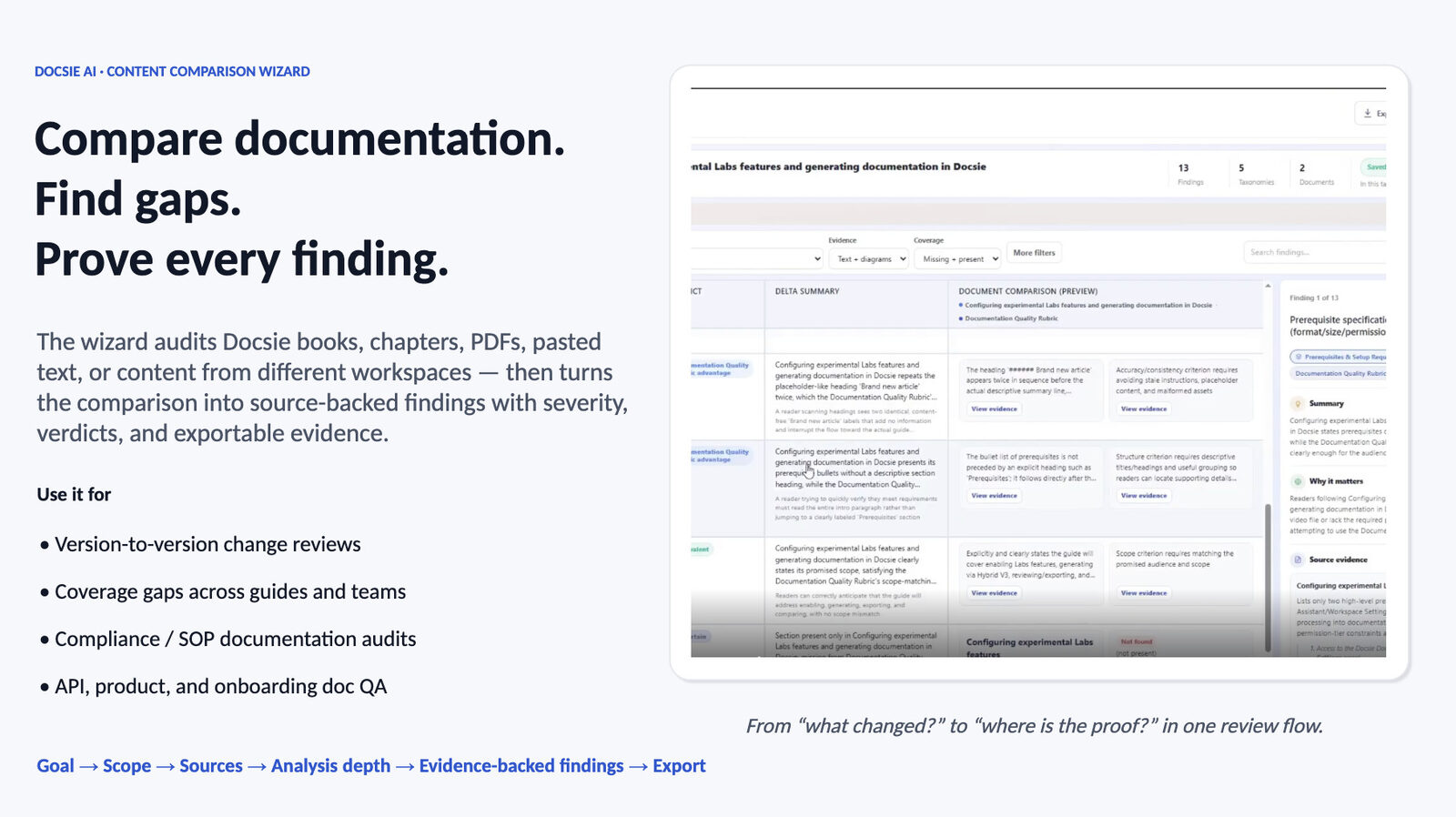
Send findings to Excel or your external reporting workflow. The video comparison becomes a structured audit your team can act on — instead of everyone watching both recordings and comparing notes.
Join forward-thinking teams using Docsie






_Leader_Small-Business_Leader.svg)


Comparing two demos or training recordings today means someone watches both end to end, takes notes, and hopes they caught everything. The conclusions are unverifiable and the notes are stale immediately.
Why Docsie
An evidence-backed audit for the video comparisons teams actually run: vendor demos, training versions, and competitive walkthroughs.
Run two vendor or product demos head to head — different products, different naming, different flow — and get a structured comparison of what each one actually demonstrates: features shown, workflows covered, gaps left out.
Compare the new version of a training recording against the old one and find what was dropped, changed, or added — before the outdated steps reach your team. Or audit the video against the written SOP it's supposed to teach.
Every finding carries severity, a verdict, and evidence from both videos, so the comparison holds up in a buying decision or an audit. Filter it, question it with Ask AI, export it to Excel.
Full Walkthrough
Watch a full comparison run end to end: goal, sources, dimensions, depth, the findings screen, filtering, Excel export — plus a coverage analysis and a differences analysis on real documentation.
7 min 58 sec
Common Questions
Everything you need to know about comparing two videos with Docsie.
Q: How do I compare two videos in Docsie?
A: Bring both videos into the Content Comparison Wizard, pick an analysis goal such as Differences or Coverage Gaps, choose a depth, and run the comparison. You get structured findings with severity, verdicts, and evidence from both videos, ready to filter or export to Excel.
Q: Do the two videos need to be about the same product?
A: No. Docsie aligns the videos by meaning, so two demos of completely different products — with different naming, structure, and workflows — can be compared on what they actually cover and demonstrate.
Q: Does Docsie only look at the audio, or the video too?
A: Both. Docsie analyzes the narration and what's shown on screen — features, workflows, UI, and on-screen text — so findings reflect what each video actually demonstrates, not just what the narrator says.
Q: Can I compare a video against a document?
A: Yes. One side can be a video and the other a Docsie book, an uploaded PDF, pasted text, or a website — for example, auditing a training video against the written SOP it's supposed to teach.
Q: How do I know the findings are accurate?
A: Every finding includes source-verified evidence from both videos, so you can check each claim yourself. You can also filter findings and use Ask AI to interrogate anything that looks off before you share the results.
Q: Can I share the comparison results with my team?
A: Yes. Findings export to Excel, so the audit slots straight into your evaluation or review workflow. Severity ratings and verdicts carry over, letting reviewers sort by what matters most.
Still have questions?
Book a DemoSee how Docsie can help your team today.
No credit card required.
