
4.8
on G2
Docsie's Content Comparison Wizard turns version review into a structured audit: every change between the old and new version becomes a finding with a severity, a verdict, a delta summary, and evidence quoted side by side from both versions. Know what changed — and whether it matters.

Last quarter's SOP against this quarter's. A policy before and after legal's edits. Docsie turns the version comparison into a structured audit — findings, severity, verdicts, and source evidence you can inspect yourself. One minute, see it all.
Want the deep dive? Watch the full walkthrough below.
The Content Comparison Wizard doesn't just tell you two versions differ. It breaks the version comparison into structured findings — each with a severity, a verdict, a delta summary, and source-verified evidence you can open, question, and export.
Pick Changes Between Versions as your goal — or any other lens: Differences, Consistency, Compliance against a standard, Coverage gaps, Migration, a Documentation Quality audit, or a custom goal you describe yourself.
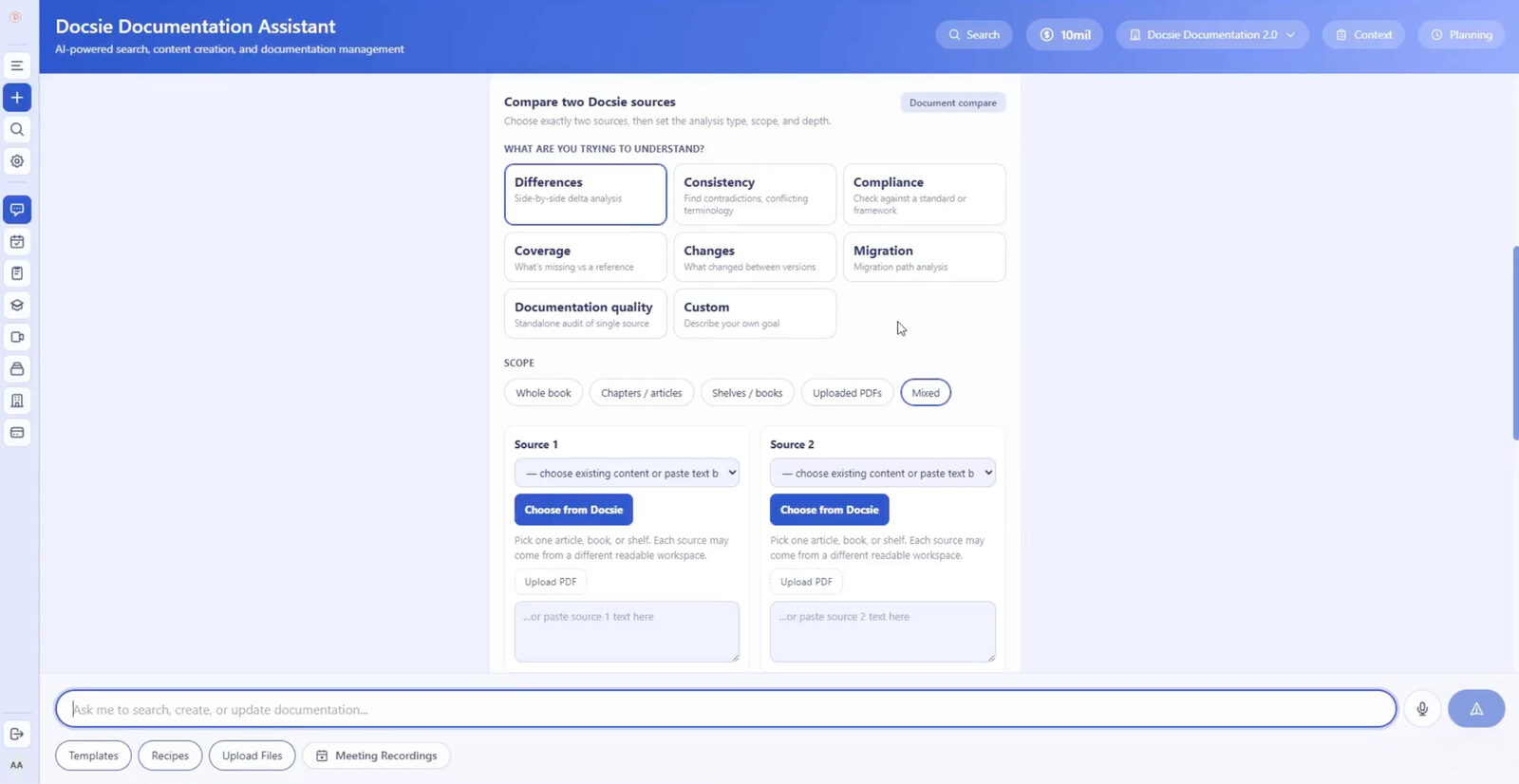
Point the wizard at the old and new versions: Docsie books, chapters, shelves, uploaded PDFs, or pasted text — even versions living in two different workspaces.
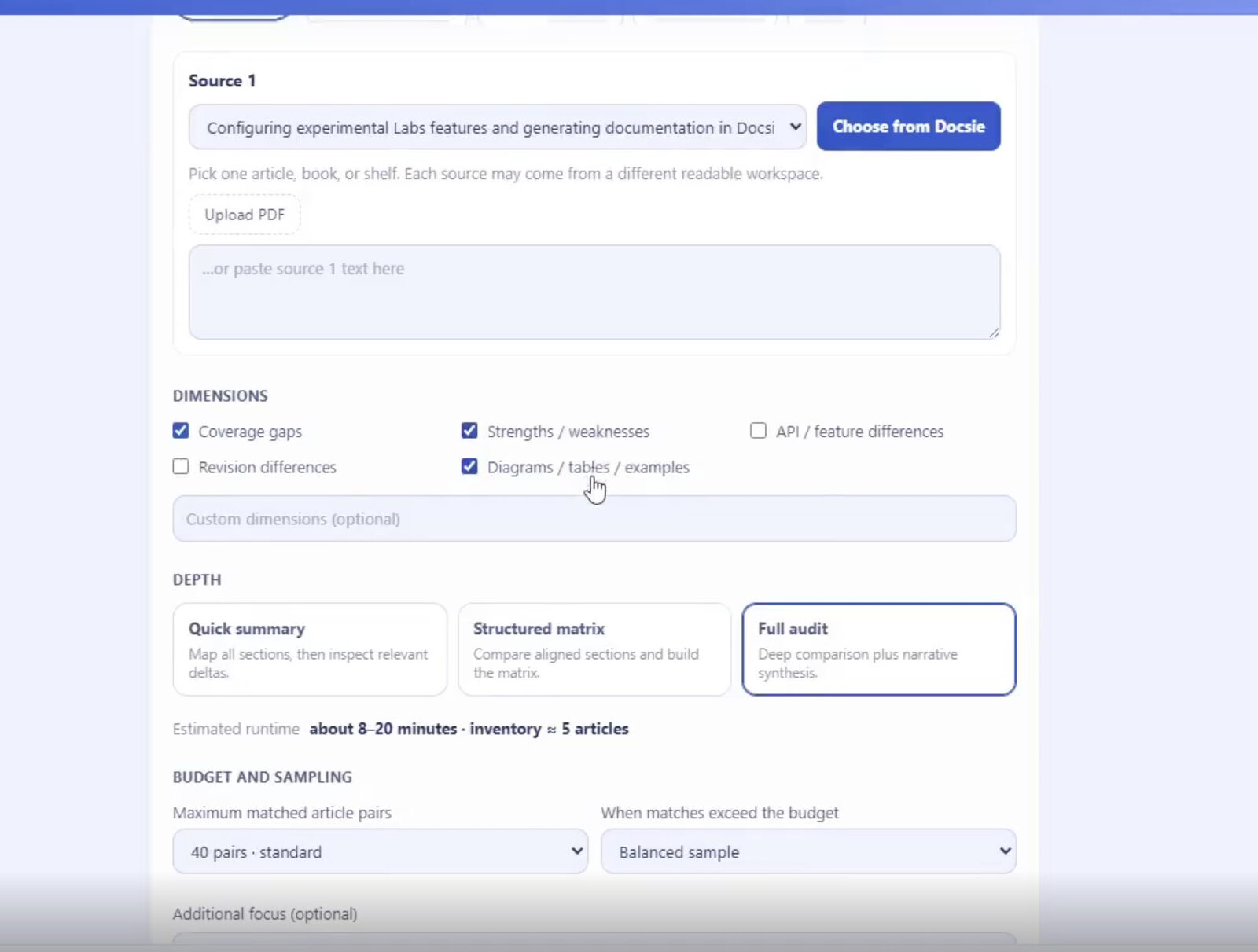
Select analysis dimensions — revision differences, coverage gaps, strengths and weaknesses, diagrams and examples, or your own custom dimensions — then choose Quick Summary, Structured Matrix, or Full Audit depth with budget and sampling controls.
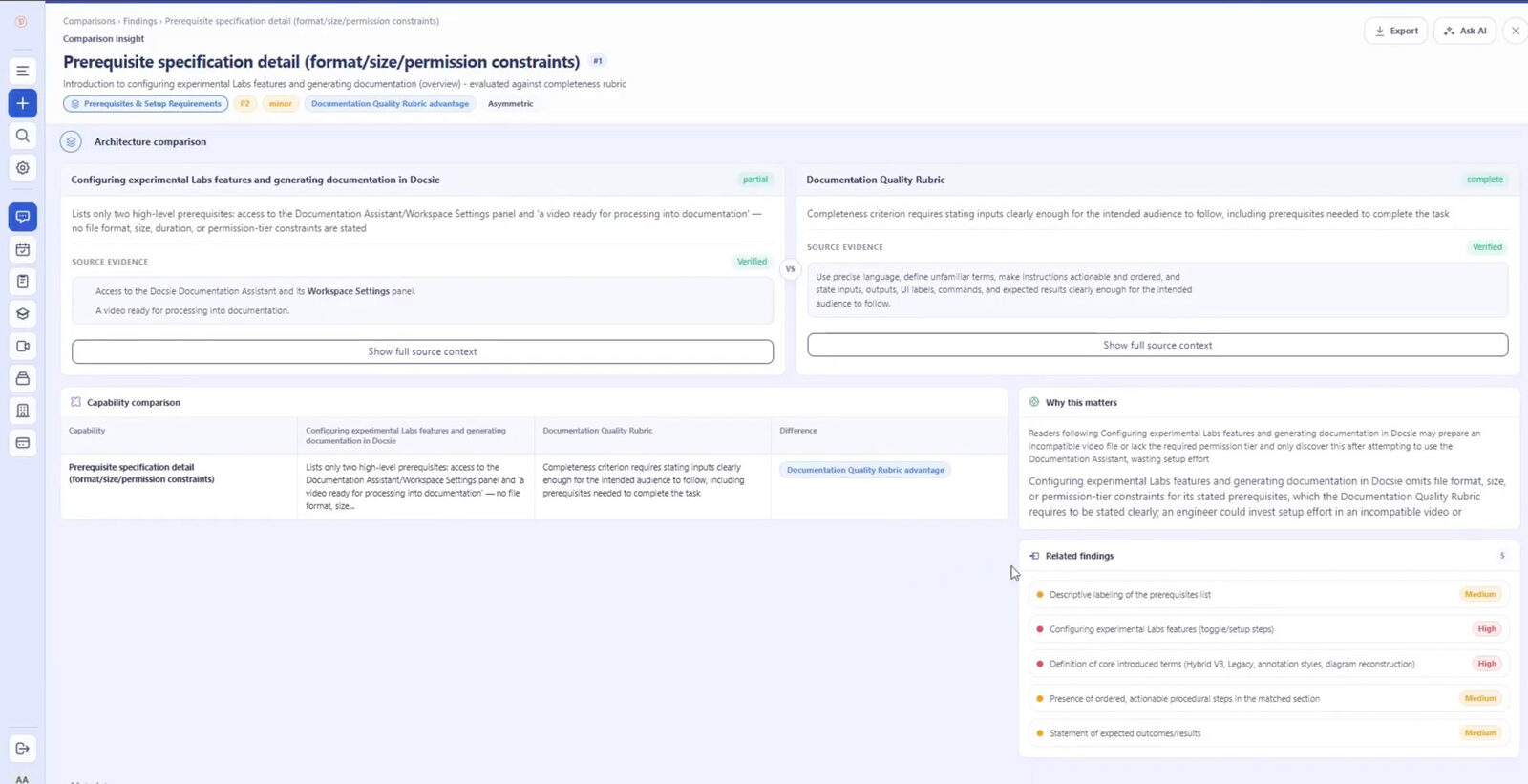
Every change carries a severity, a verdict, a delta summary, a "why this matters" explanation, and verified evidence quoted from both versions. Filter findings, drill into related ones, or ask AI follow-up questions.
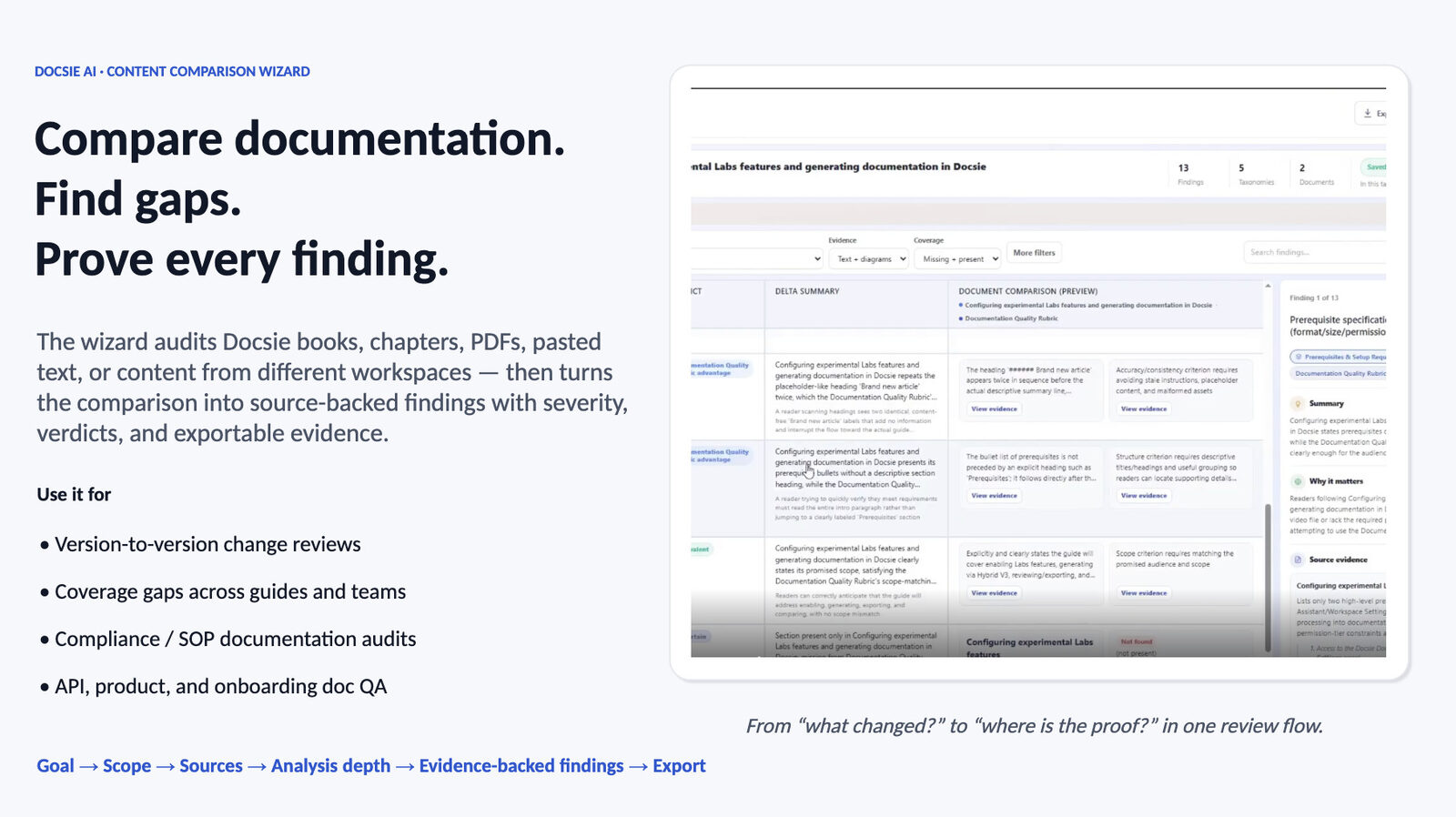
Send findings to Excel or your external reporting workflow. The version comparison becomes a structured change log your team can act on — not a redline they still have to interpret.
Join forward-thinking teams using Docsie






_Leader_Small-Business_Leader.svg)


Reading two versions side by side works for a memo. For a 60-page SOP, a policy manual, or a technical guide, manual review means missed changes, tired reviewers, and no record of what was checked.
Why Docsie
Built for the documents where version changes carry real consequences: SOPs, policies, contracts, and technical documentation.
Each difference between versions arrives as a structured finding with a severity rating and a verdict. A reworded sentence and a removed safety step are no longer the same shade of highlight — you can triage in minutes.
Findings quote source-verified evidence side by side from the old and new versions. When someone asks "did that really change?", you point to the quoted passages instead of re-reading both documents.
Old version in one workspace, new version in another? One side a PDF, the other a live Docsie book? The wizard compares across Docsie books, chapters, shelves, uploaded PDFs, and pasted text — no consolidation step first.
Full Walkthrough
Watch a full comparison run end to end: goal, sources, dimensions, depth, the findings screen, filtering, Excel export — plus a coverage analysis and a differences analysis on real documentation.
7 min 58 sec
Common Questions
Everything you need to know about comparing document versions with Docsie.
Q: How do I compare two versions of a document in Docsie?
A: Open the Content Comparison Wizard, select the old and new versions as your two sources, choose the Changes Between Versions goal, and run the analysis. You get structured findings with severity, verdicts, delta summaries, and evidence quoted from both versions.
Q: Do both versions need to be in Docsie?
A: No. Either side can be a Docsie book, chapter, or shelf, an uploaded PDF, or pasted text — even from two different workspaces. You can compare a published Docsie book against the older PDF it replaced.
Q: How is this different from track changes or a redline?
A: A redline shows edits; Docsie explains them. Instead of markup you must interpret line by line, each change becomes a finding with a severity, a verdict, and a "why this matters" explanation, backed by quotes from both versions. It's an evidence-backed content audit, not a character-level diff.
Q: What if the document is very long?
A: The wizard supports Docsie content, uploaded PDFs, pasted text, websites, and videos — and large comparisons are controlled with budget and sampling settings. A Quick Summary gives you the shape of the changes fast; a Full Audit goes deep where the stakes justify it.
Q: Can I keep a record of the version review?
A: Yes. Findings export to Excel, giving you a structured change record with severities, verdicts, and evidence you can file with the release, attach to an approval, or hand to an auditor.
Q: Can I dig into a specific finding?
A: Yes. Findings can be filtered, related findings are linked, and Ask AI lets you question any result — for example, asking whether a changed procedure step affects other sections of the new version.
Still have questions?
Book a DemoSee how Docsie can help your team today.
No credit card required.