
4.8
on G2
 Screen Studio
 Trupeer
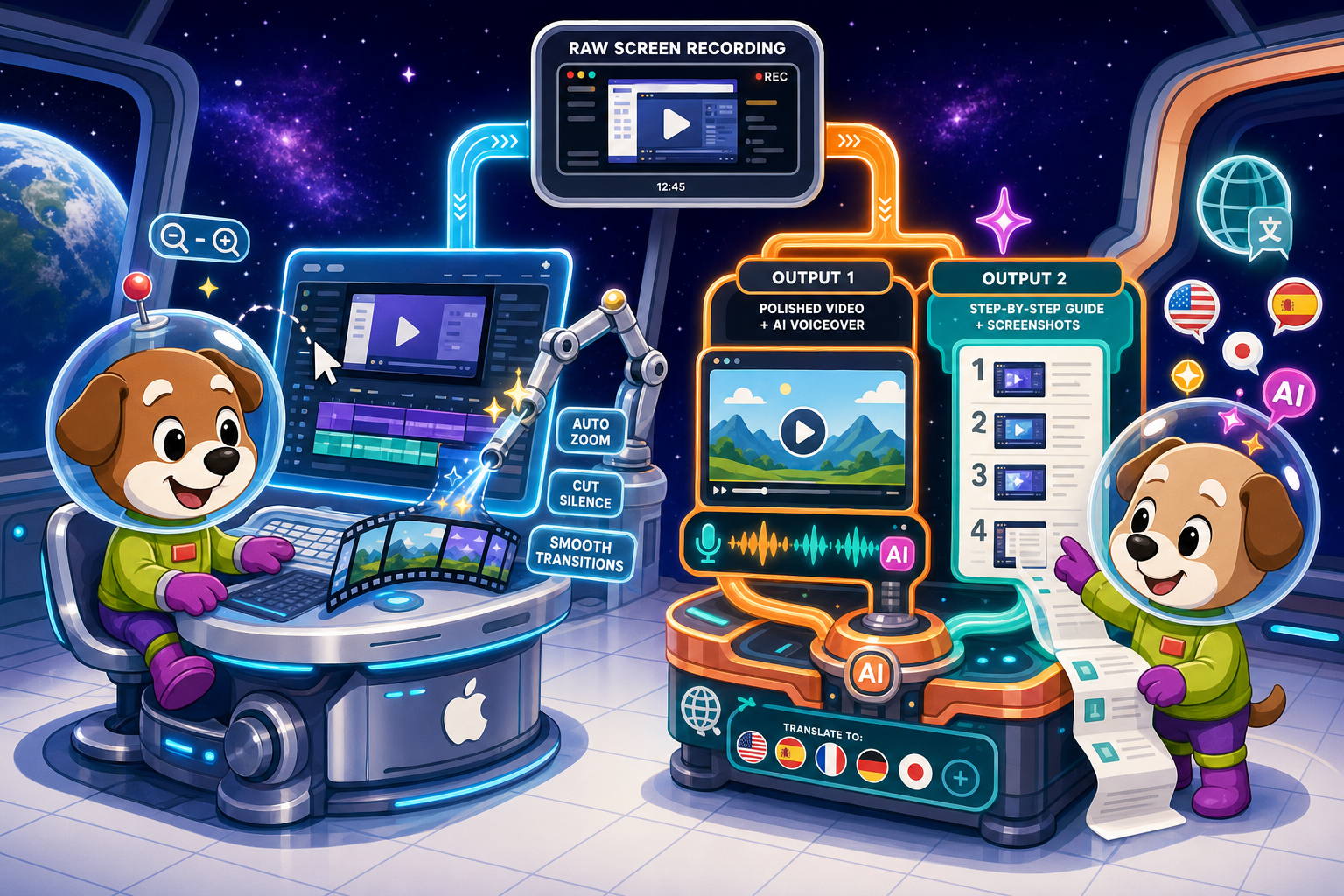
Screen Studio is the go-to Mac recorder for polished product demo videos. Trupeer is an AI-native tool that turns screen recordings into polished videos and step-by-step docs. Both solve real problems — but neither covers the full picture. Here is how they compare, and why Docsie Recorder is worth a look.
Screen Studio is the right tool if you are a Mac-only creator who needs the most visually polished product demo videos and does not need documentation output.
Feature Matrix
A side-by-side look at recording capabilities, AI features, export formats, and documentation workflow support across Screen Studio and Trupeer.
| Feature |
Screen Studio
|
Trupeer
|
|---|---|---|
| Free Plan Available | ||
| Mac Support | ||
| Windows Support | ||
| Linux Support | ||
| Browser-Based Recording | ||
| Desktop App | ||
| Open-Source Recorder | ||
| Webcam Overlay | Verify | |
| Microphone Audio | ||
| System Audio Capture | Verify | |
| iOS Device Recording | ||
| Automatic Zoom / Focus | ||
| Cursor Smoothing & Polish | ||
| Backgrounds & Visual Effects | ||
| Crop, Trim & Speed Regions | ||
| AI Voiceover Generation | ||
| AI Transcription | ||
| Auto-Translation & Multi-Language | ||
| Video-to-Docs Conversion | ||
| Step-by-Step Guide Generation | ||
| Local MP4 / GIF Export | ||
| Markdown / DOCX / PDF Export | Verify | |
| Shareable Video Links | ||
| Knowledge Base Publishing | ||
| Version Control for Docs | ||
| Multi-Tenant Portals | ||
| SSO / Enterprise Auth | Enterprise | |
| API Access | Verify | |
| Team Collaboration | ||
| Analytics & Reporting |
Data as of May 2026. Features are based on publicly available vendor documentation. "Verify" indicates the vendor's current status should be confirmed before purchase. Pricing and feature availability change frequently.
Strengths & Weaknesses
Deep Dive
An in-depth analysis across four critical dimensions — recording quality, AI and documentation output, platform reach, and enterprise readiness.
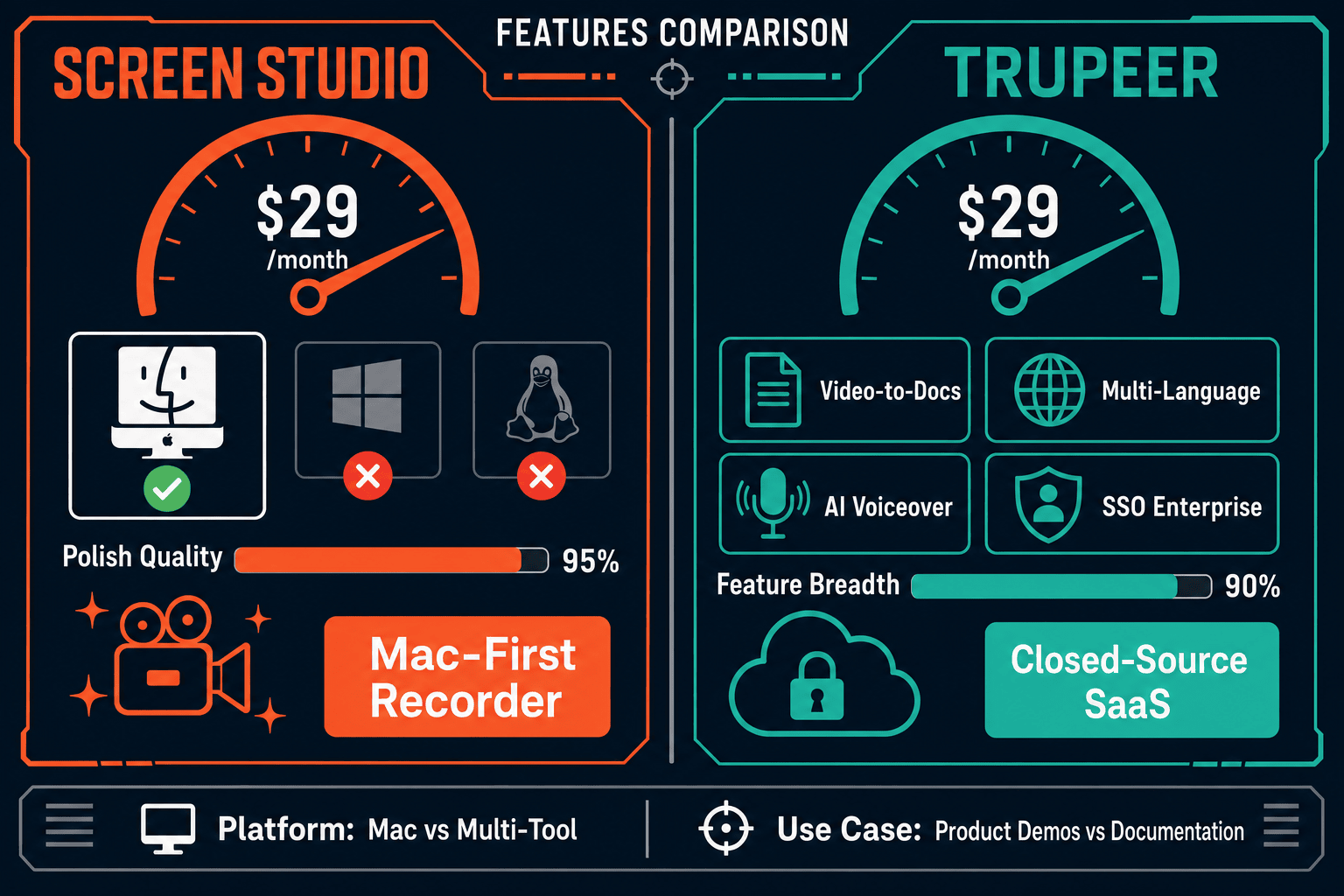
Screen Studio leads on pure recording quality for Mac users. Its automatic zoom, cursor smoothing, motion blur, shadow, inset, and background controls set a high bar for product demo aesthetics. Manual zoom on the timeline gives creators frame-precise control that few tools match. Trupeer offers zoom and effects but positions itself more on AI output than recording craftsmanship. If your primary goal is a visually stunning marketing video and you are on a Mac, Screen Studio's motion polish is genuinely best-in-class. Trupeer trades some visual finesse for a broader workflow that includes document generation.
This is where Trupeer clearly pulls ahead. Trupeer's AI generates polished videos, AI voiceovers across multiple voices, auto-translations into multiple languages, and formatted step-by-step documentation with screenshots — all from one recording session. Screen Studio adds AI transcription but has no video-to-docs pipeline, no voiceover, and no translation. For customer education, onboarding, or support teams that need both a watchable video and a readable written guide, Trupeer's dual-output model is a genuine time saver that Screen Studio cannot match.
Trupeer supports browser-based recording and desktop capture across platforms, making it accessible to Windows users and cross-functional teams. Screen Studio is strictly macOS — it requires macOS Ventura 13.1 or later and has no Windows or Linux path. This single limitation disqualifies Screen Studio for any team with mixed operating environments. Trupeer's browser extension and desktop support mean the same workflow applies across your entire team regardless of OS. For companies that standardize tooling, cross-platform reach is often the deciding factor before any feature comparison begins.
Neither tool is built for enterprise documentation governance. Screen Studio has no SSO, no audit logs, no version control, no multi-tenant portals, and no API — it is a local Mac app that stops at a video file. Trupeer offers SSO and dedicated support on its Enterprise tier, plus team collaboration and analytics, but its knowledge base story is thin. Neither tool provides versioned documentation management, approval workflows, content reuse, or the ability to publish generated guides into a structured, searchable knowledge base. Teams that need generated content to become governed, versioned, and delivered at scale will hit a ceiling with both products.
Our Recommendation
Screen Studio is the right tool if you are a Mac-only creator who needs the most visually polished product demo videos and does not need documentation output. Trupeer is the right tool if your team needs AI-powered video production plus step-by-step written guides and works across multiple platforms. The honest answer is that both tools leave meaningful gaps — Screen Studio stops at video, and Trupeer stops short of a real documentation management layer.
Choose Screen Studio if you need. .
Choose Trupeer if you need. .
Choose Docsie Recorder if you need. .
Winner: Docsie Recorder
Docsie Recorder is free, open-source, and runs on Mac, Windows, and Linux — clearing the platform gap Screen Studio leaves entirely. It matches recorder-grade editing features that Trupeer does not prioritize, and then goes further than both competitors by routing recordings directly into Docsie's Video-to-Docs pipeline to generate structured Markdown, DOCX, and PDF documentation. The downstream Docsie platform adds versioned documentation management, multi-tenant portal delivery, and enterprise governance that neither Screen Studio nor Trupeer can offer — making it the only tool in this comparison that covers the full CREATE → CONVERT → MANAGE → DELIVER workflow.
Decision Helper
A direct framework for picking between Screen Studio, Trupeer, and Docsie based on your specific needs.
Polished Mac-only product demos with cinematic zoom and motion.
AI-generated video walkthrough documentation.

Convert real video into searchable docs, then deploy multi-tenant portals.
Common Questions
Q: Can Screen Studio generate written documentation from a screen recording?
A: No. Screen Studio is a video-only tool. It records your screen, applies visual polish like automatic zoom and cursor smoothing, and exports a video or GIF file with a shareable link. It has no video-to-docs pipeline, no step-by-step guide generation, and no Markdown, DOCX, or PDF export. If you need written documentation from your recordings, Screen Studio is not the right tool.
Q: Does Trupeer produce the same visual quality as Screen Studio for product demo videos?
A: Trupeer produces polished video output with zoom effects and visual styling, but Screen Studio's Mac-native motion polish — cursor smoothing, automatic zoom with smooth keyframes, motion blur, shadow, and inset — is widely regarded as the benchmark for product demo video aesthetics. Trupeer's strength is its dual-output model (video plus written guide) and AI features, not raw visual craftsmanship. If pure video polish is your top priority on a Mac, Screen Studio still leads.
Q: Can I use Trupeer on Windows?
A: Yes. Trupeer supports browser-based recording and desktop capture across platforms, including Windows. Screen Studio is Mac-only and requires macOS Ventura 13.1 or later, making it unavailable to any Windows or Linux user. If your team is on mixed operating systems, Trupeer is the only viable choice between these two tools.
Q: Does either Screen Studio or Trupeer offer a knowledge base for storing generated documentation?
A: Neither tool offers a full knowledge base platform. Screen Studio stops at video and GIF output entirely. Trupeer generates step-by-step guides and can host or export that content, but its knowledge base capabilities are lightweight compared to a dedicated documentation platform. Neither tool provides versioned documentation management, approval workflows, multi-tenant portal delivery, or structured content governance.
Q: Is there a better alternative to both Screen Studio and Trupeer?
A: Yes — Docsie Recorder addresses the key gaps both tools leave. It is a free, open-source desktop recorder for Mac, Windows, and Linux with recorder-grade editing (zoom, crop, trim, speed regions, backgrounds, annotations) that matches Screen Studio's capture depth and exceeds Trupeer's recording flexibility. Unlike either competitor, Docsie Recorder connects directly to Docsie's Video-to-Docs pipeline to turn any recording into structured Markdown, DOCX, or PDF documentation, then routes that content into the Docsie knowledge base for versioning, multi-tenant delivery, and enterprise governance. Download it free at github.com/LikaloLLC/docsie-screen-recorder.
Q: Which tool is better for a customer education or onboarding team that needs both video and written guides?
A: Trupeer is the stronger choice between the two for this use case, since it produces both a polished video and a formatted step-by-step written guide from a single recording. Screen Studio produces video only. However, Trupeer's knowledge base and documentation governance story is limited. Teams that need generated guides to become versioned, searchable, and published into structured knowledge base portals should evaluate Docsie Recorder, which adds a full documentation management layer downstream of the recording workflow.
Docsie Recorder is free, open-source, and runs on Mac, Windows, and Linux. Record and edit locally, then send your recording directly to Docsie's Video-to-Docs pipeline to generate structured documentation — and publish it into a versioned knowledge base with multi-tenant portal delivery. One workflow replaces both a polished recorder and a documentation platform.
Free and open-source recorder core.