
4.8
on G2
 Clueso
 Tango
Tango
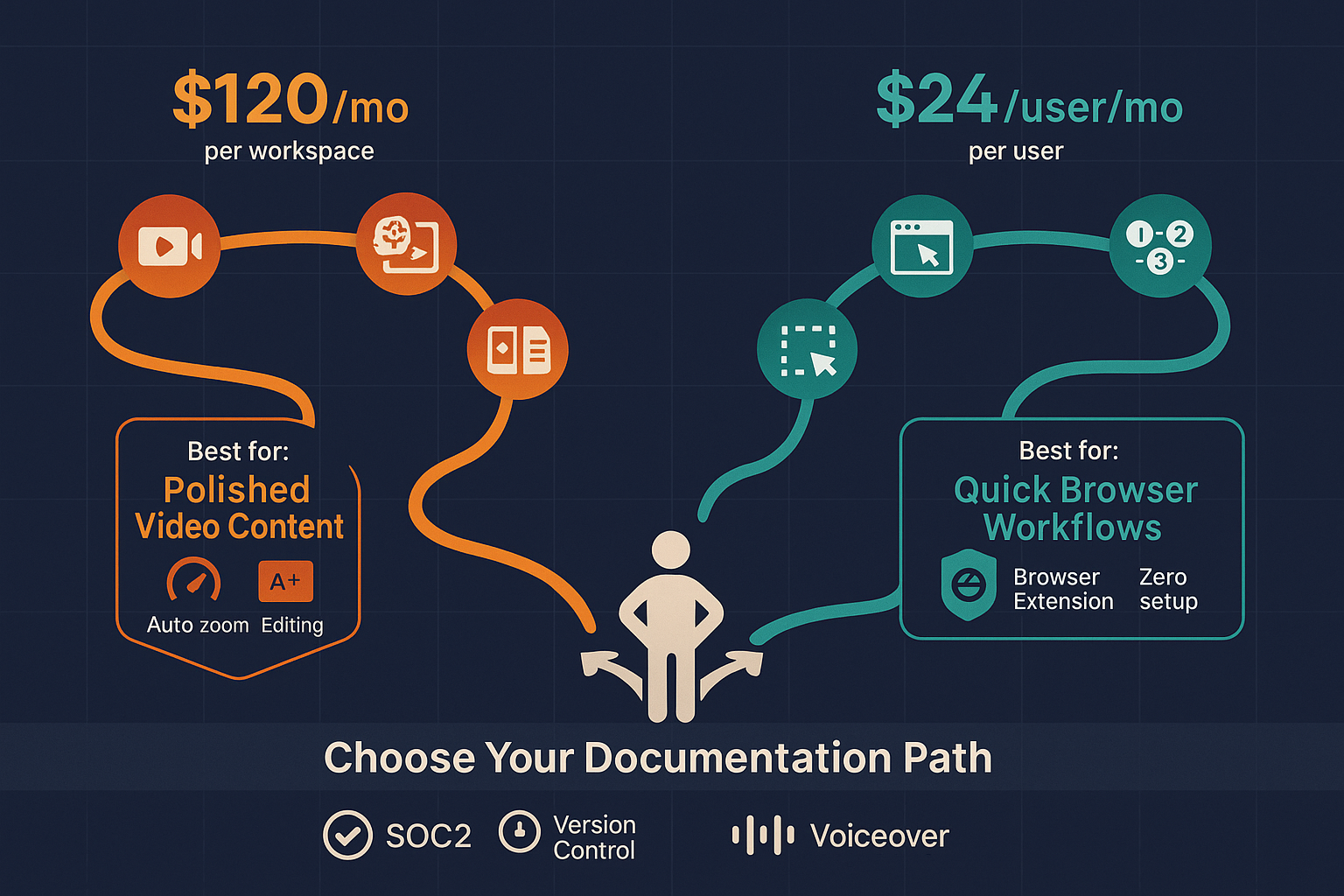
Clueso starts at $120/month per workspace for AI-powered video creation, while Tango offers a free tier and charges $23-24/user/month for Pro features. Both tools serve different documentation needs — but neither offers the enterprise knowledge management, multi-tenant portals, or flexible AI credit model that growing teams actually need.

Clueso and Tango sit at different price points, but neither bundles video-to-docs with multi-tenant knowledge delivery the way Docsie does.
Feature Matrix
A detailed breakdown of features available across Clueso and Tango pricing tiers, so you know exactly what you are paying for before committing.
| Feature |
Clueso
|
Tango
|
|---|---|---|
| Free Plan | Up to 15 workflows, 10 users | |
| Free Trial | 7 days, no credit card (15-min export limit) | |
| Entry Paid Price | $120/month (workspace) | $23-24/user/month |
| Video / Screen Recording Capture | Screen recordings only | |
| Screenshot-Based Step Guides | ||
| AI Voiceover Generation | ||
| AI Content Generation | ||
| Auto-Zoom & Pan Editing | ||
| Export Formats | MP4, GIF, Markdown, HTML, Rich Text | PDF, PNG, HTML |
| Export / Usage Limits | 6 hrs/year on lower tiers, no rollover | 15 workflows on Free |
| Multi-Language Support | 37+ languages | |
| Auto-Translation | ||
| Team Collaboration | Growth plan and above | |
| Version History | 14 days (Pro), 365 days (Enterprise) | |
| Knowledge Base Publishing | Growth plan and above | |
| In-App Guided Walkthroughs | Enterprise only (Nuggets) | |
| Custom Branding | Partial (branded exports) | |
| SSO | Enterprise only (SAML/SCIM) | |
| API Access | ||
| SOC 2 Compliance | SOC 2 Type II | SOC 2 |
| GDPR Compliance |
Data as of February 2026. Pricing based on publicly available vendor information. Tango per-user pricing applies to Pro tier. Clueso export minutes do not roll over on monthly plans.
Strengths & Weaknesses
Deep Dive
An in-depth analysis of pricing value, scalability costs, and hidden limitations across both tools for enterprise documentation buyers.
Clueso's $120/month Starter plan sounds reasonable until you realize it provides only approximately 6 hours of export per year on lower tiers — roughly 30 minutes per month — with no rollover. For teams producing regular tutorial content, you hit Growth at $200/month quickly. Tango's free plan is genuinely useful for small teams under 10 users with limited workflow needs. Pro at $23-24/user/month looks affordable for 2-3 users but reaches $460-480/month for 20 users. Clueso delivers better output quality per video; Tango delivers better economics for small screenshot-only documentation teams. Neither provides strong value at enterprise scale.
Tango's per-user model is its biggest scalability liability. A 50-person team on Pro pays roughly $1,150-1,200/month — before factoring in that Enterprise is required for SSO, SCIM, PII blurring, and extended version history. Clueso scales differently — workspace pricing means team size doesn't inflate your bill, but export volume caps do. Heavy video producers will hit Growth at $200/month and still face limits, eventually pushing to custom Enterprise pricing. Both tools require custom Enterprise pricing to unlock the features most organizations actually need for security and compliance, with no public transparency on those costs.
Clueso's most significant hidden cost is the export minute policy — minutes do not roll over on monthly plans, meaning any unused capacity is lost permanently. Teams that have seasonal documentation needs or irregular production schedules effectively subsidize months where output is low. Tango's hidden cost is the feature gate strategy — PII blurring, SAML SSO, SCIM provisioning, 365-day version history, and in-app guided walkthroughs (Nuggets) all require Enterprise pricing with no published rates. Both tools also lack API access at any tier, meaning any custom integration work requires workarounds. Neither tool offers multi-tenant portal delivery, which becomes a significant gap for teams serving multiple clients or departments.
Pricing Breakdown
Side-by-side breakdown of every pricing tier for Clueso and Tango, including what is included, what is missing, and where costs escalate.
Clueso is the better choice for teams that prioritize polished video quality and can tolerate workspace-level pricing — but the export minute caps and no-rollover policy make it poor value for teams with inconsistent production schedules. Tango is genuinely free for small teams with basic needs, but per-user pricing inflates rapidly and key enterprise features are all locked behind unpublished Enterprise pricing. Neither tool offers transparent, scalable pricing that grows with documentation complexity. Teams needing structured knowledge management, multi-tenant delivery, or API access will find both tools hit hard ceilings before their needs are met.
Our Recommendation
Clueso and Tango are purpose-built tools solving specific, narrow problems. Clueso excels at transforming screen recordings into polished, branded tutorial videos with dual text output — ideal for SaaS marketing and customer education teams where video quality is the priority. Tango excels at frictionless browser-based workflow capture for internal SOPs — ideal for small teams documenting web-based processes quickly. Neither tool is built for enterprise knowledge management, multi-client delivery, or converting existing video libraries into searchable documentation systems.
Choose Clueso if you need...
Choose Tango if you need...
Choose Docsie if you need...
Winner: Docsie
Both Clueso and Tango are single-purpose tools with hard ceilings — Clueso caps you on export minutes and lacks any documentation management, while Tango scales poorly on per-user pricing and has no video capability, multi-language support, or knowledge base infrastructure. Docsie addresses both tools' core limitations with a flexible AI credit model that charges for what you process rather than how many seats you have, full CONVERT → MANAGE → DELIVER → LEARN → AUTOMATE → MONITOR workflow in one platform, and multi-tenant portals that let one knowledge base serve unlimited clients — making it the superior alternative for teams outgrowing point solutions.
Decision Helper
A direct framework for picking between Clueso, Tango, and Docsie based on your specific needs.
AI screen-recording-to-video and step-by-step articles for SaaS customer education.
Free browser-based capture for quick how-tos with screenshot annotation.

Convert real video into searchable docs, then deploy via multi-tenant portals.
Common Questions
Q: How much does Clueso cost per year at the minimum?
A: Clueso's minimum commitment is the Starter plan at $120/month, totaling $1,440/year. There is no free plan — only a 7-day trial with a 15-minute export cap and no credit card required. Export minutes on lower tiers are reported at approximately 6 hours per year and do not roll over on monthly plans, meaning unused capacity is permanently lost.
Q: Does Tango's per-user pricing get expensive for larger teams?
A: Yes, significantly. At $23-24/user/month, a 20-person team pays $460-480/month on Pro — and that tier still lacks SSO, SCIM, PII blurring, and in-app guided walkthroughs (Nuggets), all of which require Enterprise pricing with no published rates. For teams above 15 users, Tango's per-user model becomes one of the more expensive options in the workflow documentation category.
Q: What hidden costs should I watch for with Clueso and Tango?
A: With Clueso, the key hidden cost is the no-rollover export minute policy — teams with irregular production schedules pay full price for capacity they cannot use. With Tango, the hidden cost is the feature gate pattern — SSO, SCIM, PII blurring, extended version history, and Nuggets all require Enterprise pricing that is not publicly disclosed, making it difficult to budget accurately before committing.
Q: Can Tango create videos like Clueso does?
A: No. Tango is a screenshot-only tool — it has zero video capability, no audio processing, and no AI voiceover generation. Clueso creates polished MP4 videos with AI voiceovers, auto-zoom, and branded styling from screen recordings. If your team needs video output, Tango is not an option; if you need lightweight screenshot guides, Clueso is overkill and significantly more expensive.
Q: Which tool is better for a team of 5 documenting internal SaaS workflows?
A: For a small team of 5 documenting browser-based SaaS workflows, Tango's free plan likely covers basic needs at zero cost with 15 workflows and 10-user access. If those workflows need to be delivered as polished videos or in multiple languages, Clueso's Starter plan becomes relevant despite the higher cost. Teams that outgrow either tool quickly or need more than internal sharing should evaluate alternatives.
Q: Is there a better alternative to both Clueso and Tango for enterprise documentation?
A: Yes — Docsie is purpose-built for teams that need more than either tool can deliver. Docsie converts any video type (not just screen recordings) into structured knowledge bases, delivers content through multi-tenant branded portals with custom domains and SSO, supports 100+ languages with auto-translation, and uses a workspace-based AI credit model that does not penalize team growth. Unlike Clueso's export minute caps or Tango's per-user pricing inflation, Docsie's pricing is transparent and scales with what you actually process — not how many seats you have. It also includes a built-in LMS, autonomous agents, and real-time compliance monitoring that neither Clueso nor Tango offers.
Docsie converts any video — screen recordings, training footage, real-world operations — into searchable knowledge bases delivered through multi-tenant branded portals. No export minute caps. No per-user pricing inflation. Just transparent AI credit-based pricing, 100+ language support, built-in LMS, and enterprise-grade version control — everything Clueso and Tango leave on the table.
Free AI credits included. No credit card required. Convert a 10-minute training video on us.