
How to Do an Inventory Cycle Count
Cycle counting is the process of counting inventory in a warehouse to keep stock records accurate. While it is often seen as a tedious task, it is necessary for reliable inventory data and sound business decisions. This guide walks through how to do an inventory cycle count from setting the audit scope through reporting results, using the objectives, results, and ABC framework outlined for the process.
Video: Cycle Count - Whiteboard Wednesday by Fishbowl (2013). All credit for the demonstration goes to the creator; watch the original on YouTube. The written guide below was generated from this video by Docsie. Creator? Request a change or removal.
Cycle counting is the process of counting inventory in a warehouse to keep stock records accurate. While it is often seen as a tedious task, it is necessary for reliable inventory data and sound business decisions. This guide walks through how to do an inventory cycle count from setting the audit scope through reporting results, using the objectives, results, and ABC framework outlined for the process.
Prerequisites
Before you begin, have the following in place:
- A clear objective for the count: Accuracy, Efficiency, and use of the ABCs classification.
- A warehouse layout or diagram you can use to plan a logical counting path.
- Inventory records available for comparison against physical stock.
- Inventory management software, if available, to automate ABC classification.
Audit Scope
Decide whether you will count all inventory at once or perform periodic counts across different sections of the warehouse throughout the year. Counting everything at once is common practice for many companies at the end of their fiscal year, while section-by-section counts spread the workload over time.
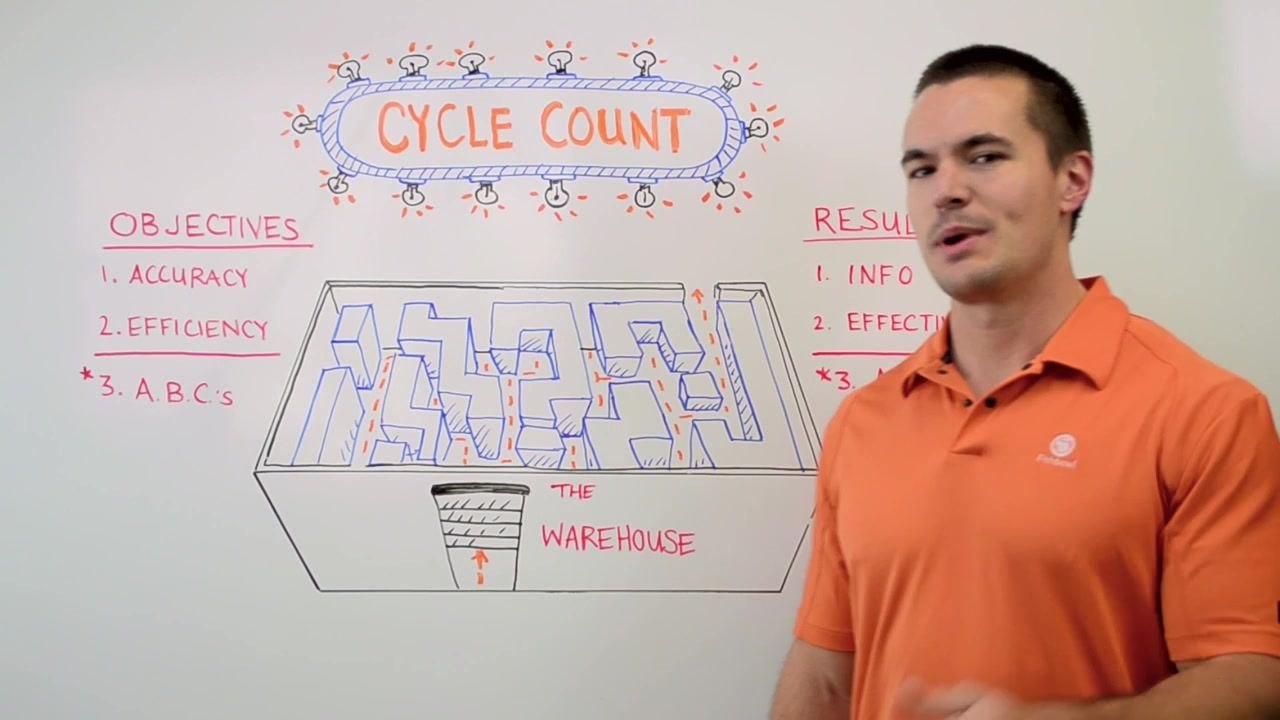
Categorize inventory into three classes to define what falls inside the scope of each count cycle:
- A: Most critical items; should always be on hand and counted most frequently.
- B: Moderately important items; counted less frequently than A items.
- C: Least critical items; counted the least often.
The desired result of defining scope is accurate, up-to-date inventory information that supports business decisions, an efficient counting method, and a working ABC classification that prioritizes counting effort and inventory control.
Pre-count controls
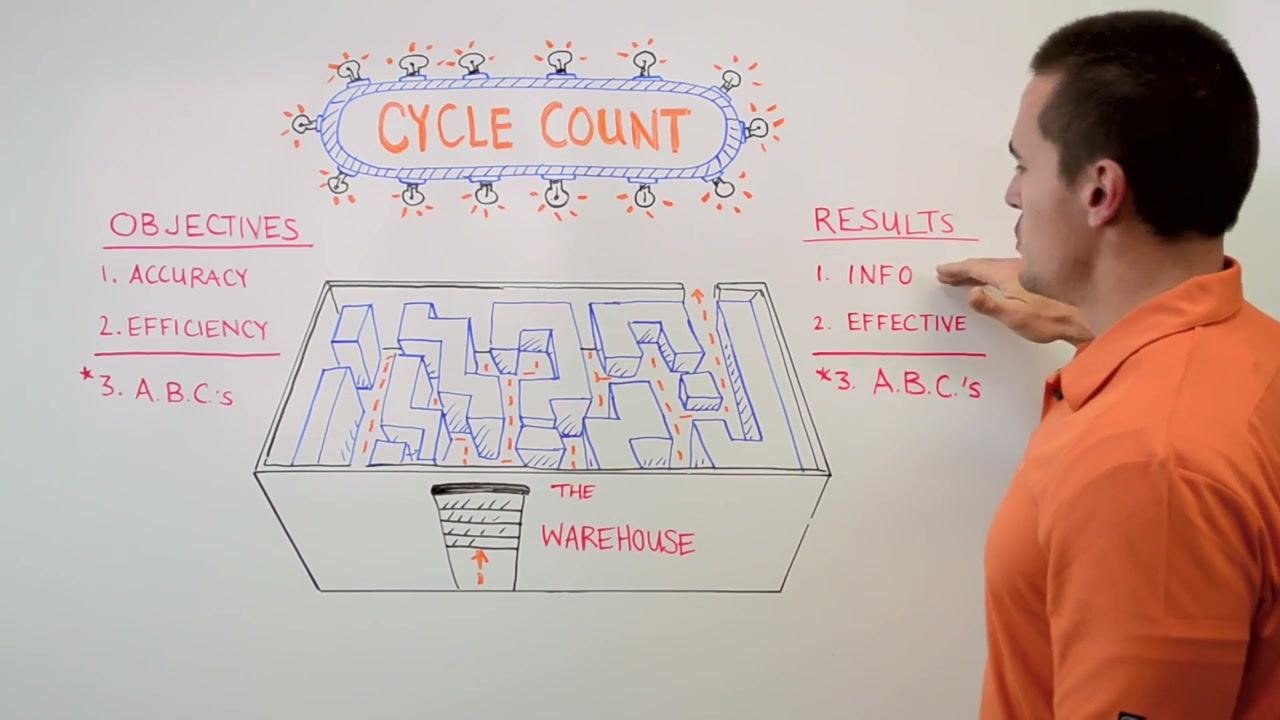
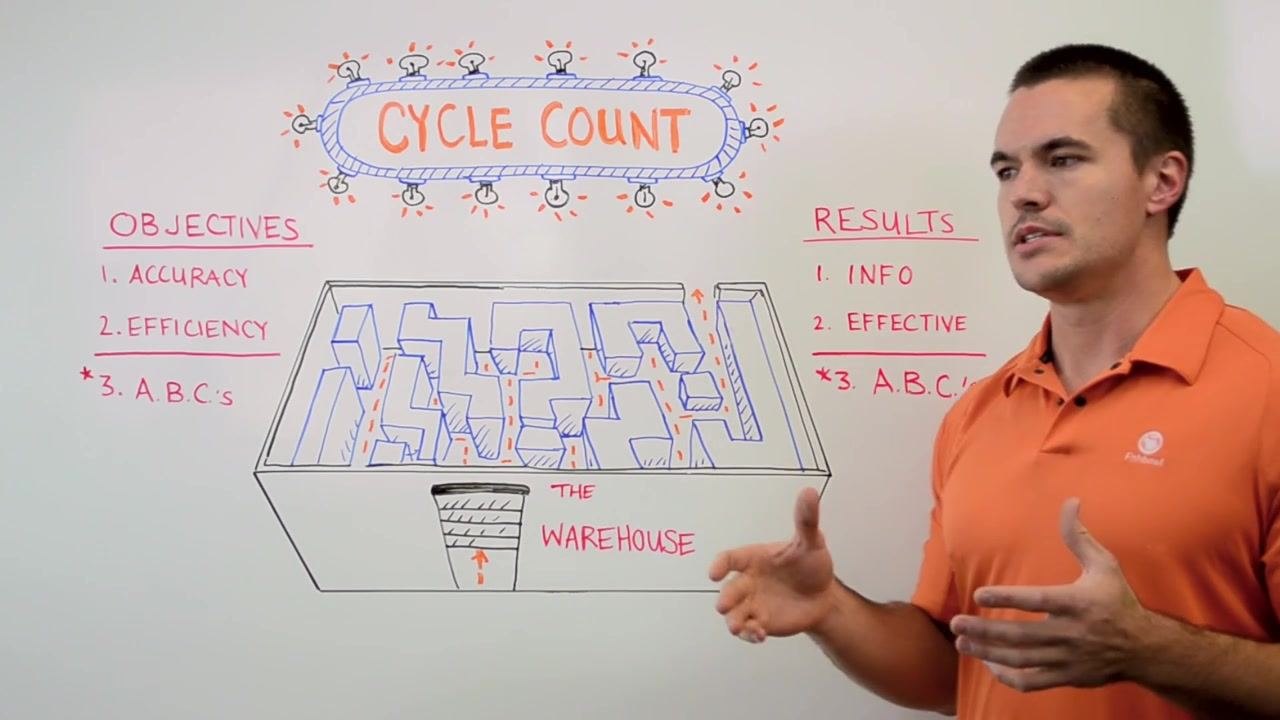
The count references a whiteboard summary of objectives (Accuracy, Efficiency, ABCs) and results (Info, Effective, ABCs) so the team can confirm what the count is meant to achieve before starting. The warehouse diagram is used to plan a logical, non-redundant path through the facility ahead of time.
The source material does not detail specific freeze rules, open-transaction checks, equipment issuance, or count sheet preparation; a complete pre-count control step should specify when transactions are frozen, how open orders are verified before counting begins, what equipment is issued to counters, and how count sheets are prepared and distributed.
Counting method
Move through the warehouse following a logical, non-redundant path, as illustrated in the warehouse diagram, to avoid unnecessary backtracking. Efficient counting helps you quickly identify areas that are overstocked, understocked, or not being counted accurately.
If your process is manual, be diligent when reviewing records to classify items into A, B, and C categories, since manual review can introduce human error. Where available, use inventory management software to classify items automatically and reduce that risk.
The source material does not specify a blind count procedure, scanner-based counting steps, recount thresholds, or rules for items found in mixed locations; these details should be defined separately as part of your counting method.
Variance investigation
Use your cycle count results to verify that recorded quantities match the physical stock in the warehouse. This check confirms whether you are on point with your inventory levels or whether discrepancies exist.
When quantities do not match, use the variance as a signal to investigate further and to identify where you may need to adjust ordering. The source material does not describe how to review specific receipts, picks, transfers, damages, or location moves as part of this investigation; that level of detail should be documented as part of a full variance investigation procedure.
Adjustment approval
The source material does not define specific approval levels, required evidence, or segregation-of-duties rules for approving inventory adjustments. A complete adjustment approval step should specify who is authorized to approve adjustments at different value thresholds, what supporting evidence is required, and how counting and approval responsibilities are separated to prevent conflicts of interest.
Reporting
Summarize each cycle count against the same three measures used to set its objectives:
- Accuracy: Confirm the count produced reliable information for decision-making.
- Efficiency: Confirm the counting process avoided unnecessary backtracking and inefficiencies.
- ABCs: Confirm the classification was established or updated and used to prioritize counting effort.
Use the insights from each cycle count to adjust ordering, reduce excess inventory, and improve cash flow. Set reorder points and monitor stock levels based on the results so you avoid both shortages and excess inventory that ties up cash.
What's next
Review your cycle count process regularly to maintain ongoing accuracy and efficiency. Leverage inventory management software where possible to automate ABC classification and minimize errors, and continue refining your process based on the results and feedback from each count cycle.


Generation details: cost, quality tiers, downloads
Docsie billed 2,000 credits ($1.40) to analyze this 4-minute video at standard quality. The rewrite, template fill and Word/PDF exports were included. The same video at each quality tier:
| Quality | Frames sampled | Credits | Approx. cost |
|---|---|---|---|
| Draft | every 16-30 s | 1,000 | $0.70 |
| Standard (this guide) | every 8-15 s | 2,000 | $1.40 |
| Detailed | every 4-7 s | 4,000 | $2.80 |
| Ultra | every 1-3 s | 8,000 | $5.60 |
Credits priced at $0.70 per 1,000; plans include a monthly allowance. Enterprise customers on on-premise or bring-your-own-model deployments run this on their own inference and pay no per-video credits.
Generated by Docsie Video-to-Docs on 2026-09-10 from a 3-minute video. It was generated straight into Docsie's Cycle Count Audit template, so every section of that template is filled from the video. Screenshots are frames from the source video and belong to their creator, Fishbowl, whose original is embedded above. If you own this video and want the guide removed or credited differently, contact us and we will act within one business day.