
4.8
on G2
 Clueso
 Guidde
Clueso and Guidde both help SaaS teams turn screen recordings into polished tutorial videos with step-by-step guides. But they differ in capture method, voiceover quality, pricing model, and enterprise readiness. This comparison breaks down every major feature so you can choose the right tool—or discover why Docsie may be the stronger alternative for both use cases.
Clueso and Guidde are both capable video tutorial creation tools, but they serve slightly different workflows.
Feature Matrix
A comprehensive feature-by-feature breakdown of Clueso and Guidde across capture methods, AI capabilities, output formats, enterprise features, and pricing.
| Feature |
Clueso
|
Guidde
|
|---|---|---|
| Screen Recording Capture | ||
| Browser Extension for Capture | ||
| Upload Pre-Recorded Videos | ||
| Real-World / Physical Video Support | ||
| AI Video Editing (Auto-Zoom, Pan, Cursor Smoothing) | ||
| AI Voiceover Generation | 37+ languages | 400+ studio voices, 50+ languages |
| Magic Mic (Narrate While Recording) | ||
| Script Rewriting / Filler Word Removal | ||
| Step-by-Step Text Article Generation | ||
| Branded Intros & Outros | ||
| Auto-Translation | 37+ languages | Enterprise only |
| Knowledge Base Publishing | ||
| Multi-Tenant Customer Portals | ||
| Custom Domain Support | ||
| Version Control | ||
| Content Reuse & Templates | ||
| API Access | ||
| SSO | Enterprise only | |
| Analytics & Reporting | Enterprise only | |
| Integrations (Notion, Zendesk, Slack) | ||
| SOC 2 Type II Compliance | ||
| ISO 27001 Certified | ||
| GDPR Compliance | ||
| Role-Based Access Control | ||
| Free Plan | 25 videos | |
| Starting Price | $120/month | $20/creator/month |
| Export Formats | MP4, GIF, Markdown, HTML | MP4, GIF, PPT |
Data as of February 2026. Features are based on publicly available information and vendor documentation. Pricing shown is monthly list price; annual discounts may apply.
Strengths & Weaknesses
Deep Dive
A detailed analysis of how Clueso and Guidde stack up across the four dimensions that matter most for teams choosing a video documentation tool.
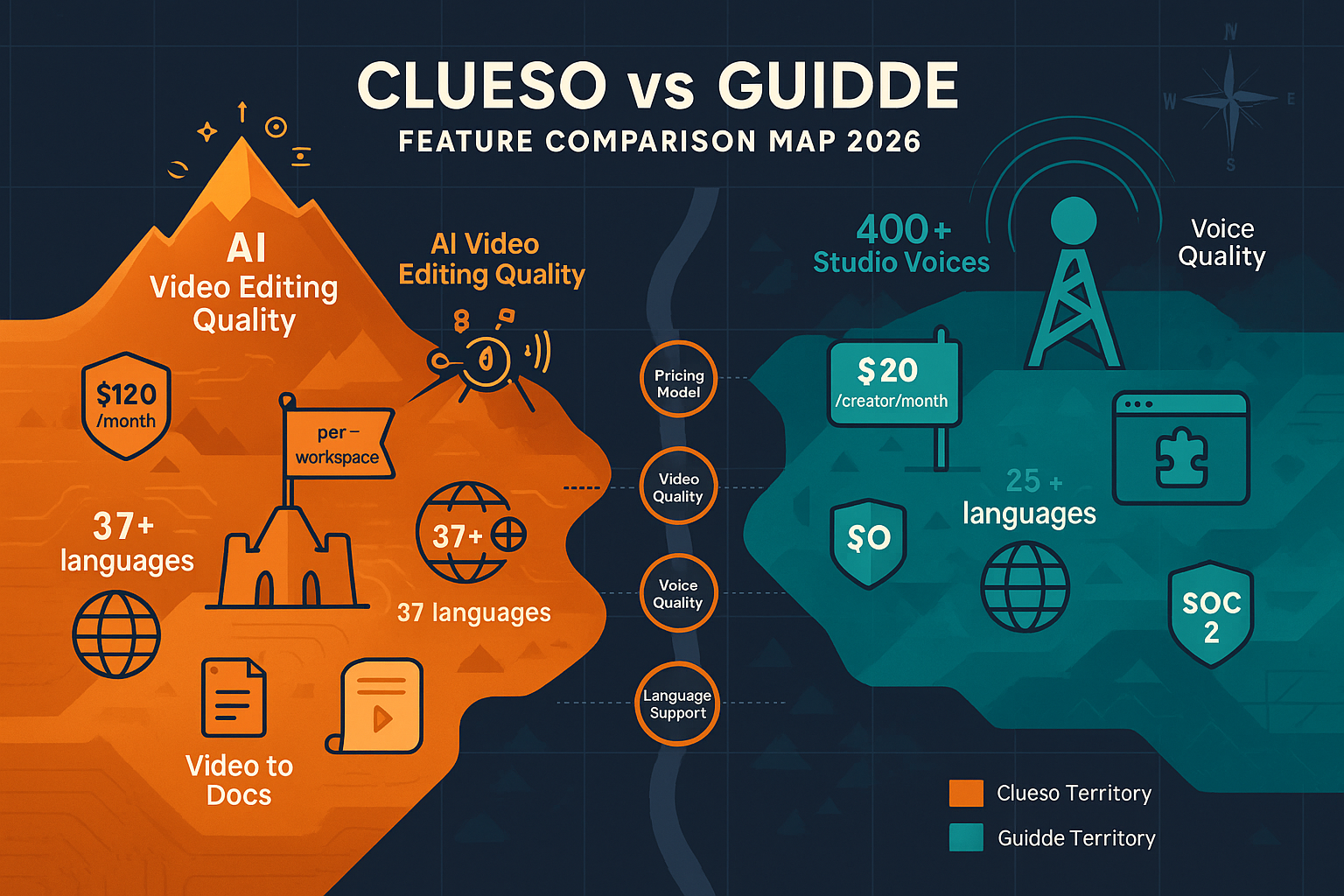
Clueso focuses on transforming uploaded screen recordings into cinematic-quality tutorial videos using AI-powered auto-zoom, pan, and cursor smoothing. The output looks professionally produced with minimal manual effort—ideal for teams where visual polish is the priority. Guidde takes a capture-first approach via its Chrome extension, detecting workflow steps automatically and applying Magic Mic narration as you record. Guidde's 400+ studio voiceovers outclass Clueso's AI voices, while Clueso's video editing quality surpasses Guidde's simpler output. Both generate a text guide alongside the video, but neither can process pre-existing or real-world footage.
Guidde leads decisively on AI voiceover quality, offering 400+ studio voices on Enterprise and 200+ on Pro, supporting narration that sounds genuinely professional. Clueso's voiceover covers 37+ languages across all paid tiers, giving it an edge for multilingual teams on lower-tier plans—Guidde locks auto-translation to Enterprise only. Clueso also includes script rewriting to strip filler words and refine narration automatically, a unique capability Guidde lacks. For teams prioritizing voice quality above all, Guidde wins; for multilingual coverage at a lower price point, Clueso has the advantage.
Clueso holds a stronger compliance posture with both SOC 2 Type II and ISO 27001 certifications, while Guidde holds SOC 2 Type II and GDPR. Neither tool offers multi-tenant customer portals, custom domains, API access, version control, or approval workflows—all critical gaps for enterprise knowledge management. Guidde offers SAML SSO on Enterprise and role-based access controls, giving it a slight edge for access management. Clueso provides Enterprise SLAs and dedicated support, but neither platform is designed for enterprise-scale documentation delivery. Both tools are fundamentally video creation utilities rather than documentation management systems.
Guidde's per-creator model starts at $20/month for individuals, making it highly accessible for small teams—though the Business plan's 5-creator cap forces costly Enterprise upgrades for growing organizations. The free plan offering 25 videos lowers the barrier to entry significantly. Clueso's workspace-based pricing starts at $120/month ($1,440/year minimum), with no free plan and a strict export minute cap that does not roll over. For solo creators or teams under five, Guidde is dramatically more affordable. For larger teams or organizations needing predictable costs, Clueso's per-workspace model may be easier to budget—but the export limits create unpredictable constraints.
Our Recommendation
Clueso and Guidde are both capable video tutorial creation tools, but they serve slightly different workflows. Clueso excels at producing polished, professionally edited videos from uploaded recordings with superior visual quality and broader multilingual coverage at lower tiers. Guidde excels at rapid, browser-captured screen recordings with best-in-class AI voiceovers and a more accessible pricing entry point. Neither platform, however, is a documentation management system—both lack version control, multi-tenant portals, API access, and the ability to convert existing video libraries into structured knowledge bases.
Choose Clueso if you need...
Choose Guidde if you need...
Choose Docsie if you need...
Winner: Docsie
Both Clueso and Guidde are video creation tools that share critical gaps—no multi-tenant portals, no version control, no API access, no ability to convert existing video libraries, and no enterprise knowledge management capabilities. Docsie addresses every one of these limitations through its six-pillar CONVERT → MANAGE → DELIVER → LEARN → AUTOMATE → MONITOR platform, converting any video source into structured knowledge bases delivered through unlimited branded portals, with built-in LMS, autonomous agents, and real-time compliance monitoring across 100+ languages.
Decision Helper
A direct framework for picking between Clueso, Guidde, and Docsie based on your specific needs.
Turn Screen Recordings into Polished Product Videos
AI Video Documentation with Voiceovers

Convert real video into searchable docs, then deploy multi-tenant portals.
Common Questions
Q: What is the main difference between Clueso and Guidde?
A: The core difference is in capture method and output quality focus. Clueso accepts uploaded screen recordings and produces highly polished, professionally edited videos using AI auto-zoom, pan, and cursor smoothing. Guidde uses a Chrome/Edge browser extension to capture workflows in real time, with superior AI voiceover quality (400+ studio voices). Both generate a step-by-step text guide alongside the video, but Clueso prioritizes visual production quality while Guidde prioritizes voiceover quality and capture speed.
Q: Can either Clueso or Guidde convert existing training videos into documentation?
A: Neither tool can convert pre-existing video libraries into structured documentation. Guidde only processes new screen captures made through its browser extension—it cannot accept uploaded video files. Clueso accepts uploaded screen recordings but cannot process real-world footage, legacy training videos, or arbitrary video content. If you need to convert an existing library of training videos into searchable documentation, you would need a platform like Docsie, which accepts any video format including real-world footage.
Q: Which tool is better for multilingual teams on a budget?
A: Clueso has the edge here—its 37+ language voiceover and auto-translation features are available on lower-tier paid plans without requiring an Enterprise upgrade. Guidde locks auto-translation to its Enterprise tier, making multilingual video creation significantly more expensive for smaller teams. That said, Docsie supports 100+ languages with auto-translation available on its $199/month Premium plan, making it the strongest option for multilingual documentation at scale.
Q: Is there a better alternative to both Clueso and Guidde?
A: Yes—Docsie addresses the core limitations shared by both tools. While Clueso and Guidde are video creation utilities focused on screen recordings, Docsie is a full knowledge orchestration platform that converts any video type (including real-world footage) into structured, searchable knowledge bases. It adds multi-tenant portal delivery, version control, content reuse, API access, built-in LMS with certifications, autonomous agents, and real-time compliance monitoring—capabilities neither Clueso nor Guidde offer. For teams that need more than video tutorial creation, Docsie is the natural next step.
Q: How do Clueso and Guidde compare on pricing for a team of 10?
A: For a team of 10, Guidde's per-creator Business plan (capped at 5 creators) would force an Enterprise upgrade with custom pricing. Clueso's Growth plan at $200/month covers the full workspace regardless of team size, making it more predictable for larger teams—though the non-rolling export minutes remain a constraint. Neither tool scales as cost-effectively as Docsie's workspace-based pricing, which covers 15 users on its $199/month Premium plan with no per-seat inflation.
Q: Do Clueso or Guidde support multi-tenant documentation portals for client delivery?
A: Neither Clueso nor Guidde supports multi-tenant documentation portals. Both platforms are designed for creating and sharing video tutorial content, not for delivering structured documentation to multiple clients with separate branding, access controls, and custom domains. If your use case involves delivering documentation to multiple clients or customer organizations simultaneously, Docsie's multi-tenant architecture is specifically designed for that workflow and can power unlimited branded portals from a single knowledge base.
Both Clueso and Guidde are solid tools for creating screen recording tutorials—but neither offers version control, multi-tenant portals, API access, or the ability to convert existing video libraries into structured knowledge bases. Docsie does all of that and more, with a built-in LMS, autonomous agents, 100+ language auto-translation, and enterprise compliance monitoring—all from one platform.
Free plan includes AI credits to convert a 10-minute video. No credit card required.