
4.8
on G2
 Scribe
 Zendesk Guide
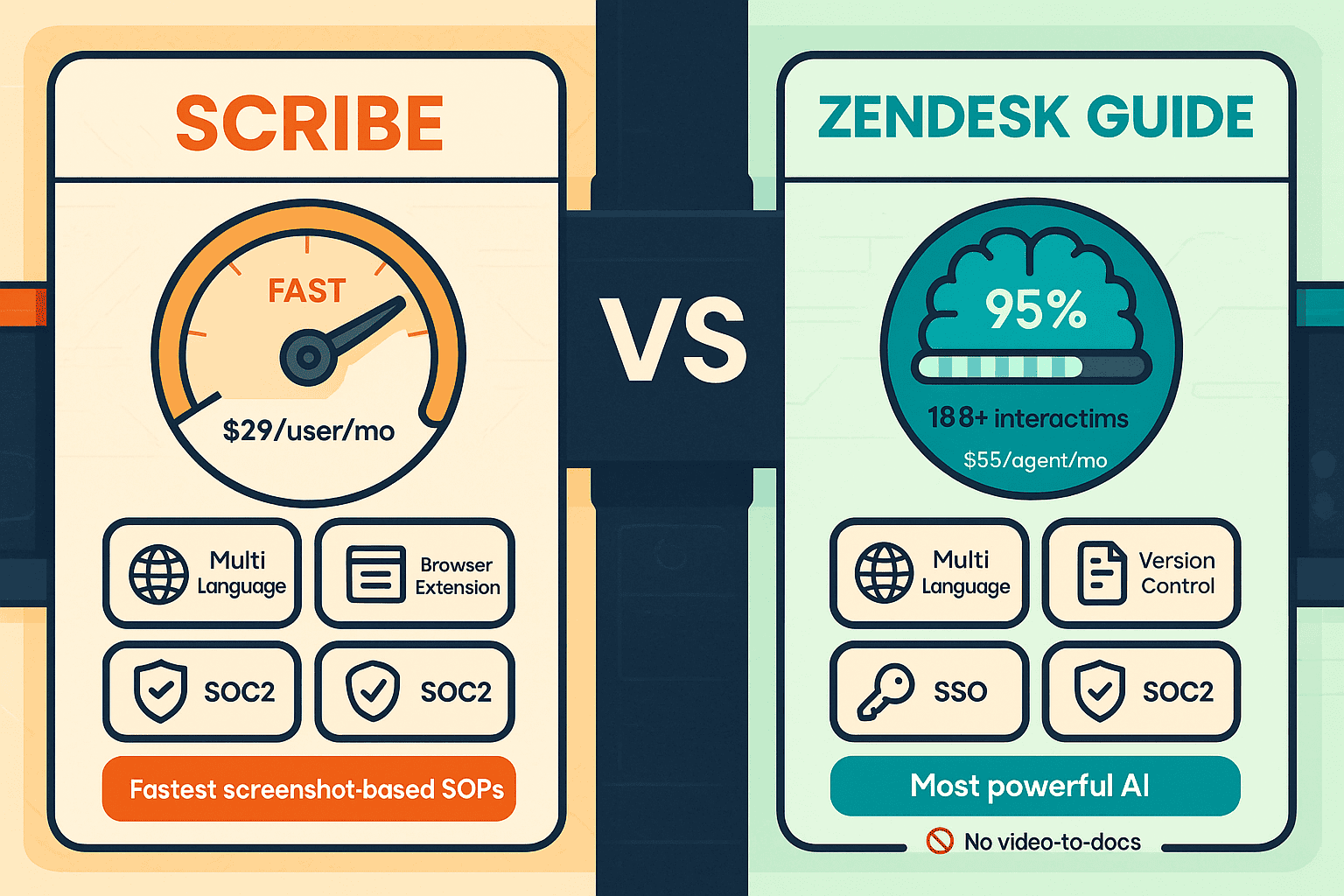
Scribe automates internal SOP creation from screen recordings, while Zendesk Guide powers customer-facing help centers bundled with the full Zendesk Suite. They solve different problems for different buyers—but neither handles video conversion, multi-tenant portals, or enterprise knowledge orchestration. Here is a head-to-head breakdown to help you choose the right tool, plus why Docsie may be the better fit for both use cases.

Scribe and Zendesk Guide are built for completely different buyers and use cases.
Feature Matrix
A comprehensive side-by-side comparison of documentation capabilities, AI features, enterprise functionality, pricing, and integrations between Scribe and Zendesk Guide.
| Feature |
Scribe
|
Zendesk Guide
|
|---|---|---|
| Primary Use Case | Internal SOP & process documentation | Customer-facing help center & ticketing |
| Screen Recording / Capture | ||
| Video to Documentation | ||
| AI Content Generation | ||
| AI Chatbot / Virtual Agent | ||
| Knowledge Base Platform | ||
| Multi-Tenant Client Portals | ||
| Custom Domain Support | ||
| Custom Branding | Pro+ only | |
| Multi-Language Support | Translation feature available | |
| Auto-Translation | ||
| Version Control | ||
| Approval Workflows | Pro Team+ | |
| Helpdesk / Ticketing Integration | Native (Zendesk is the helpdesk) | |
| Ticket Deflection Analytics | ||
| Embeddable Widget | ||
| API Access | ||
| Browser Extension | ||
| SSO (SAML/OAuth) | Enterprise only | |
| SOC 2 Compliance | ||
| GDPR Compliance | ||
| HIPAA Support | Enterprise (PHI redaction) | |
| Audit Logs | ||
| Analytics & Reporting | Pro Team+ | |
| Standalone Purchase (No Bundle Required) | ||
| Free Plan Available | ||
| Starting Price | $0 (Basic) / $15/seat/month (Pro Team) | $55/agent/month (Suite Team) |
Data as of February 2026. Zendesk Guide is not sold standalone and requires purchase of Zendesk Suite. Features based on publicly available information and vendor documentation.
Strengths & Weaknesses
Deep Dive
An in-depth analysis of the critical differences across documentation approach, AI capabilities, enterprise readiness, and pricing structure between Scribe and Zendesk Guide.
Scribe and Zendesk Guide take fundamentally different approaches to documentation. Scribe captures live browser or desktop workflows via a Chrome extension and produces annotated screenshot step guides — perfect for SOPs documenting repeatable software processes. Zendesk Guide is a structured help center platform with rich article authoring, content versioning, category hierarchies, and approval workflows. Scribe's output is ephemeral process capture; Zendesk Guide manages a full knowledge base. Teams needing searchable, organized customer-facing content need Zendesk Guide. Teams needing fast internal SOP creation need Scribe. Neither supports video conversion or multi-tenant delivery.
Zendesk Guide holds a clear AI advantage in the customer support context, with its models trained on over 18 billion customer interactions. Its Autonomous AI Agents can resolve tickets without human intervention, and its AI Copilot assists agents in real time. AI add-ons are available at $50/agent/month each. Scribe's AI is more limited — it generates step descriptions and supports a translation feature, and Enterprise includes AI PII/PHI redaction for sensitive data. For automation, Scribe has no workflow automation outside of team approval flows. Zendesk Guide's AI is purpose-built for deflection and resolution, not documentation generation from existing content.
Scribe offers a free Basic plan (browser capture only, with watermark), a Pro Personal plan at $29/user/month, and a Pro Team plan at $15/seat/month with a minimum of 5 seats ($75/month minimum). Enterprise pricing has been reported at $18,000 or more per year. Zendesk Guide is not sold standalone — it is bundled into the Zendesk Suite starting at $55/agent/month, reaching $249+/agent/month at Enterprise Plus tier, with AI Agents and Copilot as paid add-ons. Organizations that only need documentation and not a full ticketing system are effectively forced to pay for features they may never use with Zendesk, making Scribe significantly more affordable for internal documentation use cases.
Zendesk Guide is the stronger enterprise platform overall — it offers SSO, API access, audit logs, custom domains, auto-translation, and a comprehensive integration ecosystem. It is designed to serve large customer support organizations with high ticket volumes. Scribe's enterprise readiness is narrower: SSO and SCIM are Enterprise-only, there are no audit logs, no API access, and no version control. Both tools lack multi-tenant client portal delivery — neither can serve multiple clients from a single knowledge base with branded portals. For implementation partners, consultancies, or any team needing to deliver documentation to multiple external organizations simultaneously, both tools fall short of what enterprise knowledge orchestration requires.
Our Recommendation
Scribe and Zendesk Guide are built for completely different buyers and use cases. Scribe is the go-to tool for internal teams needing fast, screenshot-based SOP documentation from screen recordings — with minimal setup and a free entry point. Zendesk Guide is the strongest customer support help center on the market, but only if you need the full Zendesk Suite including ticketing, AI agents, and customer service workflows. Choosing the wrong tool means either paying for a massive suite you don't need, or settling for a capture-only tool that can't manage a real knowledge base.
Choose Scribe if you need...
Choose Zendesk Guide if you need...
Choose Docsie if you need...
Winner: Docsie
Both Scribe and Zendesk Guide have clear strengths in their respective niches, but both share critical gaps that enterprise knowledge teams face — neither can convert existing video libraries into structured docs, neither supports multi-tenant client portal delivery, and neither provides a complete end-to-end workflow from content ingestion to training certification. Docsie's six-pillar platform addresses all of these gaps with video-to-docs conversion, multi-tenant branded portals, 100+ language auto-translation, a built-in LMS with certifications, autonomous agents, and real-time compliance monitoring — all on private infrastructure and at workspace-based pricing that scales without per-seat cost explosions.
Decision Helper
A direct framework for picking between Scribe, Zendesk Guide, and Docsie based on your specific needs.
Browser process capture that auto-generates step-by-step guides.
Help center bundled inside the Zendesk support suite.

Convert real video into searchable docs, then deploy multi-tenant portals.
Common Questions
Q: Can Scribe be used for customer-facing documentation like Zendesk Guide?
A: Not effectively. Scribe is designed for internal process documentation — it lacks a knowledge base platform, custom domain support, version control, and the content management features needed for customer-facing help centers. Zendesk Guide is purpose-built for external customer self-service with structured article management, multi-language support, and ticket deflection analytics. If you need a public-facing help center, Zendesk Guide is the stronger choice between the two.
Q: Can Zendesk Guide be purchased without the full Zendesk Suite?
A: No. Zendesk Guide is not sold as a standalone product. It is bundled into every Zendesk Suite plan, starting at $55/agent/month for Suite Team. If your organization only needs a knowledge base or documentation platform and does not need ticketing, chat, or customer service workflows, you will be paying for features you may never use. This makes Zendesk Guide a poor value for documentation-only use cases.
Q: Does either Scribe or Zendesk Guide support converting existing training videos into documentation?
A: Neither tool supports video-to-documentation conversion. Scribe only captures new screen recordings in real time through its browser extension or desktop app. Zendesk Guide has no video ingestion or conversion capability at all. If your organization has an existing library of training videos, Loom recordings, or real-world instructional footage that you need to transform into structured documentation, you will need a dedicated platform like Docsie.
Q: Which tool is better for multi-client or multi-tenant documentation delivery?
A: Neither Scribe nor Zendesk Guide supports multi-tenant client portals. Scribe is purely internal and has no mechanism for delivering documentation to multiple external organizations. Zendesk Guide's help center is designed for a single brand or organization, not for agencies or consultancies serving multiple clients from one knowledge base. This is one of the most significant shared gaps between the two tools.
Q: Is there a better alternative to both Scribe and Zendesk Guide for enterprise documentation?
A: Yes — Docsie is purpose-built to address the gaps both tools share. Unlike Scribe, Docsie converts any video (training recordings, screen captures, real-world footage) and any document format into structured knowledge bases. Unlike Zendesk Guide, Docsie is not bundled with an expensive support suite — it delivers documentation through multi-tenant portals to unlimited clients from a single platform. Docsie also includes a built-in LMS with certifications, autonomous agents, 100+ language auto-translation, and real-time compliance monitoring for HIPAA, SOX, ITAR, and GDPR — making it the comprehensive alternative for implementation partners, consultancies, and enterprise knowledge teams.
Q: How do Scribe and Zendesk Guide compare for smaller teams on a budget?
A: Scribe is far more accessible for smaller teams — it offers a free Basic plan and Pro Team pricing at $15/seat/month with a 5-seat minimum ($75/month). Zendesk Guide requires purchasing the full Zendesk Suite at a minimum of $55/agent/month, which becomes very expensive quickly. For budget-conscious teams that only need internal SOPs, Scribe wins on price. For small teams needing a customer-facing help center without the Zendesk overhead, neither tool is ideal — and Docsie's $199/month Premium plan covering 15 users may offer better value with broader capabilities.
Start creating professional documentation that your users will love