
4.8
on G2
 Screen Studio
 VEED.IO
Screen Studio delivers polished Mac recordings but lacks virtually every enterprise control. VEED.IO adds team features and SSO on its top tier but remains a consumer-grade video suite at heart. If your enterprise needs recorder capabilities plus security, compliance, and structured documentation, neither tool is purpose-built for that workflow.
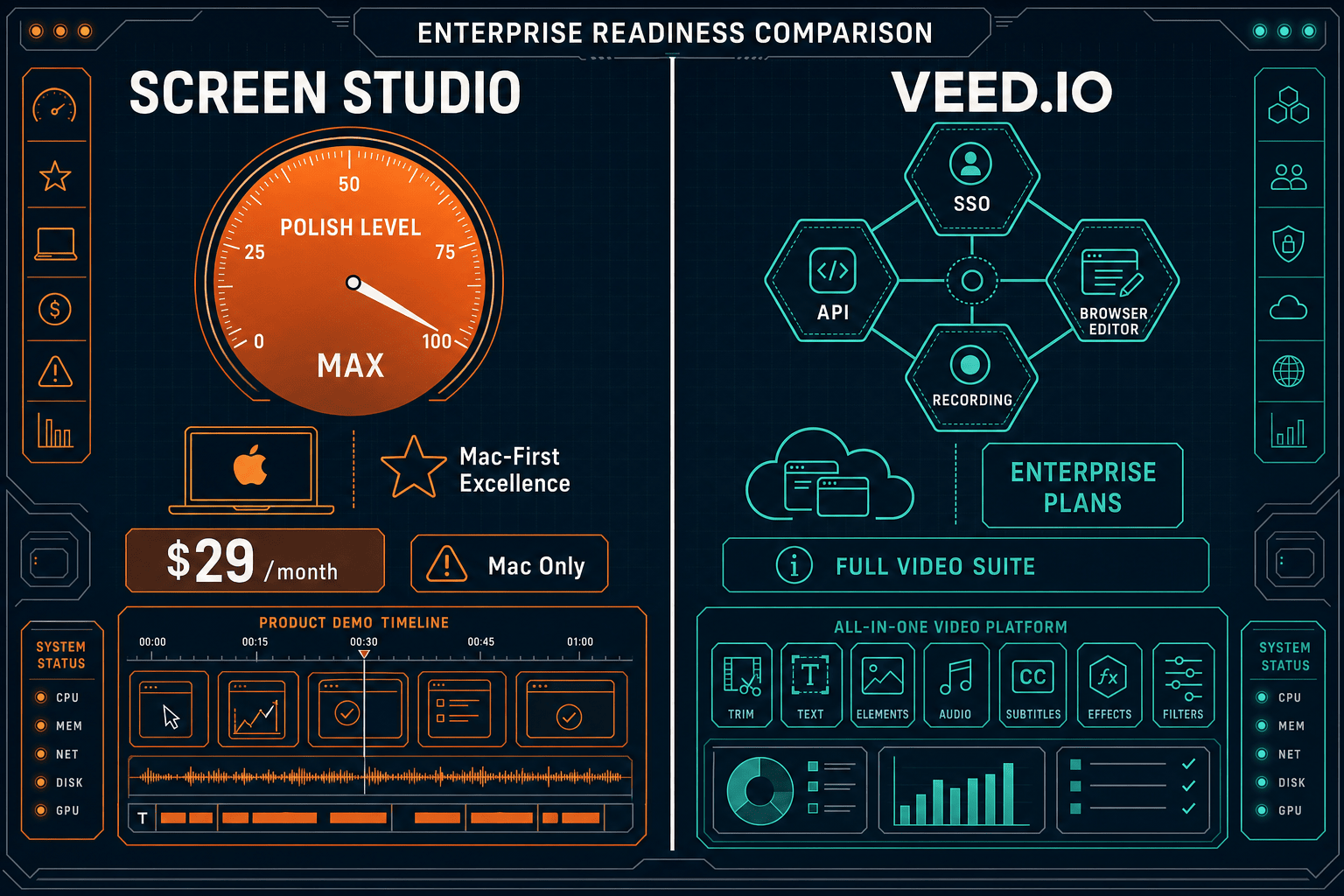
Screen Studio is an outstanding Mac recorder for individual creators and small product teams, but it is not an enterprise tool by any reasonable definition — it has no SSO, no audit logs, no team management, and no compliance certifications.
Enterprise Feature Matrix
A focused comparison of security, compliance, administration, scalability, and support features that enterprise buyers require before signing a contract.
| Enterprise Capability |
Screen Studio
|
VEED.IO
|
|---|---|---|
| SSO / SAML Support | Enterprise tier only; verify scope | |
| Role-Based Access Control | ||
| Audit Logs | ||
| SOC 2 Compliance | Verify with vendor | |
| GDPR Compliance | Verify with vendor | |
| Data Residency Options | ||
| Uptime SLA | Not applicable (local Mac app) | Verify with vendor |
| Dedicated Support / CSM | ||
| Team / Multi-Seat Licensing | ||
| API Access | ||
| Cross-Platform (Mac + Win + Linux) | ||
| Custom Contracts / Enterprise MSA | Available on Enterprise tier | |
| Knowledge Base / Documentation Publishing | ||
| Version Control for Content | ||
| Multi-Tenant Portal Delivery | ||
| Open-Source / Auditable Codebase | ||
| Video-to-Docs Conversion | ||
| On-Premises / Air-Gap Deployment |
Data as of 2026. Verify SSO scope, compliance certifications, and SLA terms directly with each vendor before procurement decisions.
Strengths & Weaknesses
Deep Dive Analysis
An in-depth look at the four dimensions enterprise buyers evaluate — security and compliance, scalability and performance, administration and control, and support and SLA — across both tools.
Screen Studio is a local Mac application, so recordings stay on device during capture — an accidental privacy benefit rather than a designed compliance posture. It offers no SSO, no compliance certifications, no audit logs, and no data residency controls. VEED.IO is a cloud SaaS platform with SSO available on its Enterprise tier and self-reported GDPR alignment, but audit logs and formal data residency options are absent. Neither tool has a publicly documented SOC 2 Type II certification or a compliance monitoring capability, making both unsuitable for regulated industries such as healthcare, finance, or defense contracting without significant additional controls.
Screen Studio's scalability is inherently limited by its Mac-only, single-user model. There are no team accounts, no shared workspaces, and no centralized asset management — every recorder operates independently. Deploying Screen Studio across a 100-person enterprise means 100 individual Mac licenses with no central oversight. VEED.IO handles multi-seat licensing and shared brand kits better, and its browser-based architecture avoids desktop deployment complexity. However, its AI credit model means costs can scale non-linearly as team usage grows, and there is no documented uptime SLA to anchor enterprise procurement discussions around availability guarantees.
Enterprise IT administrators need centralized control over user provisioning, permissions, content access, and activity visibility. Screen Studio provides none of these — there is no admin dashboard, no user management, no access controls on shareable links, and no way to revoke or audit content that has been recorded or shared. VEED.IO offers role-based access control and SSO on its Enterprise tier, giving IT teams a pathway to centralized provisioning. However, the absence of audit logs means administrators cannot reconstruct who recorded, edited, shared, or deleted content — a serious gap for organizations subject to regulatory or legal discovery requirements.
Screen Studio's support model is appropriate for an individual-focused Mac tool — community resources and standard channels — but falls well short of enterprise expectations. There is no dedicated customer success manager, no premium support tier, no documented response-time commitments, and no enterprise SLA. VEED.IO improves meaningfully here, offering dedicated support and customer success management on higher tiers, plus the ability to negotiate custom enterprise contracts. That said, a publicly documented uptime SLA with financial remedies for downtime is not confirmed, and enterprise buyers should request explicit SLA terms in writing before committing to VEED.IO for mission-critical video workflows.
Our Recommendation
Screen Studio is an outstanding Mac recorder for individual creators and small product teams, but it is not an enterprise tool by any reasonable definition — it has no SSO, no audit logs, no team management, and no compliance certifications. VEED.IO is meaningfully more enterprise-ready, offering role-based access, SSO on its top tier, and dedicated support, but it still lacks audit logs, data residency, a documented uptime SLA, and any structured documentation output layer. Both tools stop at video and leave enterprise knowledge management entirely to other systems.
Choose Screen Studio if you need. .
Choose VEED.IO if you need. .
Choose Docsie Recorder if you need. .
Winner: Docsie Recorder
Docsie Recorder is the only tool in this comparison with an open-source, auditable codebase that runs on Mac, Windows, and Linux — addressing Screen Studio's Mac-only limitation and VEED.IO's closed-source posture simultaneously. Beyond recording, it connects directly to Docsie's Video-to-Docs pipeline, turning recordings into structured documentation that feeds into a knowledge base with version control, SSO, multi-tenant portals, and an enterprise compliance posture. Where Screen Studio and VEED.IO both stop at a video file, Docsie Recorder starts a CREATE → CONVERT → MANAGE → DELIVER workflow that enterprise teams actually need.
Decision Helper
A direct framework for picking between Screen Studio, VEED.IO, and Docsie based on your specific needs.
Polished Mac-only product demos with cinematic zoom and motion.
Browser-based video editor and recorder.

Convert real video into searchable docs, then deploy multi-tenant portals.
Common Questions
Q: Does Screen Studio support SSO or SAML for enterprise identity management?
A: No. Screen Studio has no SSO, SAML, or any identity provider integration. It is a single-user Mac application with individual licensing only. Enterprises that require centralized identity management and user provisioning through Okta, Azure AD, or similar providers cannot use Screen Studio in a compliant deployment without significant workarounds.
Q: Does VEED.IO have audit logs for enterprise compliance?
A: Based on publicly available information, VEED.IO does not offer audit logs even on its Enterprise tier — a significant gap for organizations in regulated industries that need to demonstrate who recorded, edited, shared, or deleted content. Buyers should ask VEED.IO directly about their audit trail roadmap and verify before signing an enterprise contract.
Q: Which tool is better for regulated industries like healthcare or finance?
A: Neither Screen Studio nor VEED.IO is well-suited for regulated industries in their current form. Screen Studio has no compliance certifications and no enterprise controls. VEED.IO has some team management features but lacks audit logs, data residency, and formally documented compliance certifications. Both tools would require extensive supplementary controls to meet HIPAA, SOX, or similar regulatory frameworks.
Q: Is there a better alternative to both Screen Studio and VEED.IO for enterprise teams?
A: Yes — Docsie Recorder addresses the core gaps both tools share. It is a free, open-source desktop recorder that runs on Mac, Windows, and Linux with an auditable codebase, which immediately resolves Screen Studio's Mac-only limitation and VEED.IO's closed-source posture. More importantly, Docsie Recorder connects directly to Docsie's enterprise platform, giving teams SSO, versioned knowledge base publishing, multi-tenant portal delivery, and a proper enterprise deployment path — plus the ability to convert recordings into structured documentation instead of stopping at a video file.
Q: Can VEED.IO replace Screen Studio for Mac-focused creative teams?
A: VEED.IO can handle screen recording on Mac through the browser and offers a broader editing suite, but it does not replicate Screen Studio's signature automatic zoom, cursor smoothing, and motion polish workflow. Teams that prioritize visual quality for product demos will find Screen Studio's output superior on Mac. However, Screen Studio offers nothing for enterprise administration, making VEED.IO the more deployable option for multi-person teams even if the creative ceiling is lower.
Q: Does either tool convert screen recordings into written documentation?
A: Neither Screen Studio nor VEED.IO offers a video-to-docs conversion workflow. Both tools produce video output — Screen Studio exports MP4 and GIF with shareable links, while VEED.IO produces edited videos with captions and translations. Neither tool can generate structured Markdown, DOCX, or PDF documentation from a recording, nor can they publish output into a knowledge base. Docsie Recorder is purpose-built for exactly this workflow, turning recordings into structured documentation through its Video-to-Docs pipeline.
Docsie Recorder is a free, open-source screen recorder for Mac, Windows, and Linux that goes beyond video output. Record locally, convert to structured documentation through Docsie's Video-to-Docs pipeline, and publish into a versioned knowledge base with SSO, multi-tenant portals, and enterprise compliance — everything Screen Studio and VEED.IO leave on the table.
Free and open-source recorder core.