
4.8
on G2
 Screen Studio
 Scribe
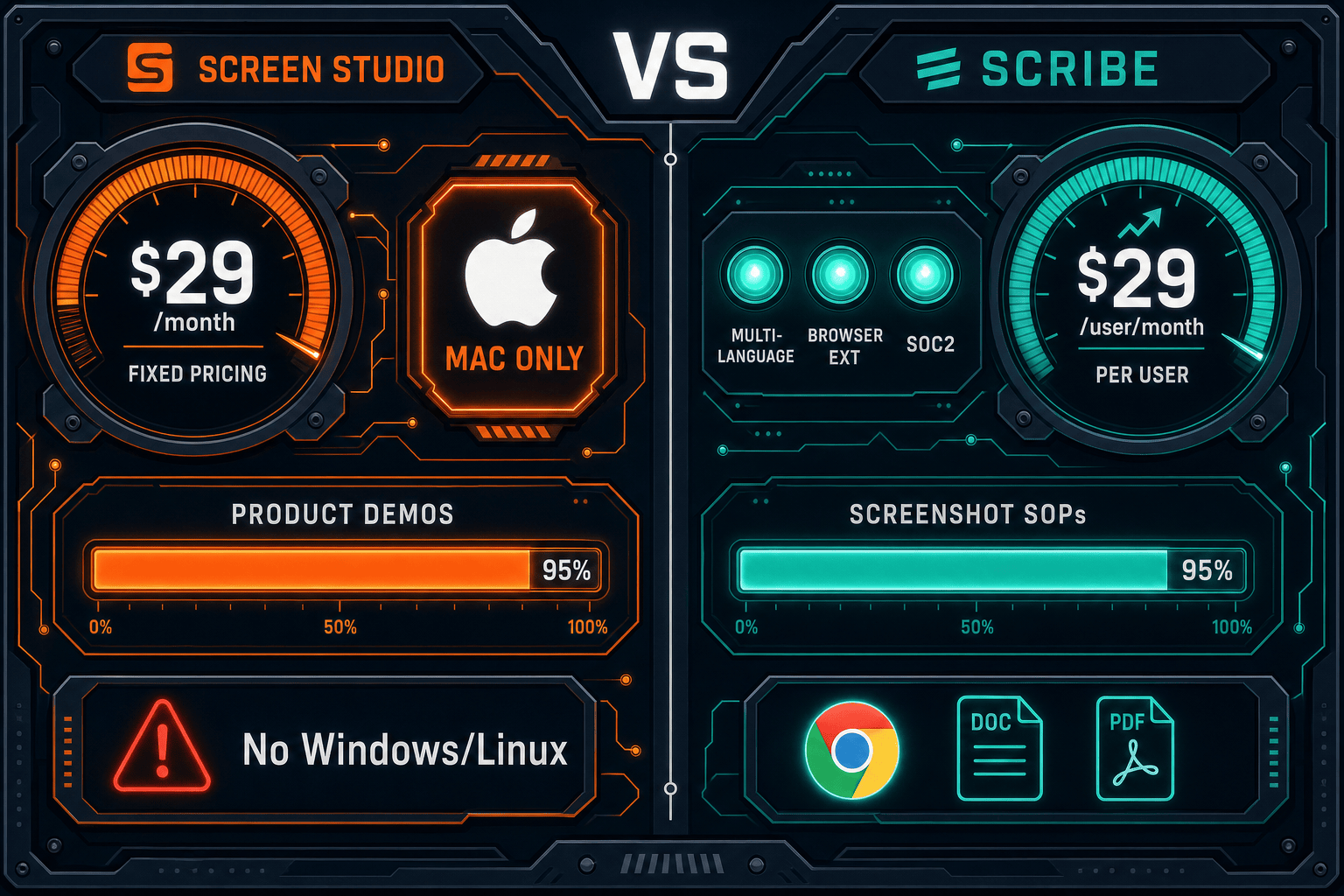
Screen Studio charges a flat subscription for polished Mac screen recordings while Scribe scales per user for screenshot-based SOPs. Neither model is ideal for every team. We break down every pricing tier, hidden cost, and scalability concern—then show why Docsie Recorder offers a compelling free alternative for teams that need both recordings and documentation.

Screen Studio and Scribe occupy different corners of the content creation market.
Pricing Feature Matrix
A feature-by-feature breakdown of what each tool includes across its pricing tiers, from free plans to enterprise.
| Feature / Price Point |
Screen Studio
|
Scribe
|
|---|---|---|
| Free Plan Available | ||
| Starting Price | $9/month (billed yearly) | $0 (Basic tier) |
| Monthly Billing Option | $29/month | $29/user/month (Pro Personal) |
| Team Pricing | No team tier; single-user model | $15/seat/month (min. 5 seats = $75/month) |
| Enterprise Pricing | Not available | Custom ($18,000+/year reported) |
| Desktop Capture (Mac) | Pro+ only | |
| Desktop Capture (Windows) | Pro+ only | |
| Browser-Only Capture on Free Plan | ||
| Watermark on Free Plan | N/A — no free plan | |
| PDF Export | Pro Personal+ ($29/user/month) | |
| Custom Branding / Remove Watermark | Included at all paid tiers | Pro Personal+ ($29/user/month) |
| Team Workspace & Collaboration | Pro Team+ ($15/seat/month, min. 5 seats) | |
| Approval Workflows & Analytics | Pro Team+ ($15/seat/month) | |
| SSO / SCIM | Enterprise only (custom pricing) | |
| AI PII/PHI Redaction | Enterprise only (custom pricing) | |
| Video-to-Docs Conversion | ||
| Knowledge Base Publishing | ||
| API Access | ||
| Cross-Platform Support (Mac + Windows + Linux) | Mac + Windows (Pro+); no Linux |
Pricing verified from official sources as of May 2026. Screen Studio pricing sourced from screen.studio; Scribe pricing sourced from scribehow.com. SaaS pricing changes frequently—verify before purchase.
Strengths & Weaknesses
Deep Dive
An in-depth analysis of value for money, scalability costs, and hidden limitations across both pricing models.
Screen Studio's $9/month yearly plan is genuinely good value for a solo Mac creator who needs polished video output—every feature is included with no gating. However, that value disappears entirely for Windows users (the app won't run) and for teams that need documentation output (there is none). Scribe's free plan is useful for simple browser SOPs, and $15/seat/month for teams is fair—but you quickly hit the $29/user/month wall for desktop capture or the $18,000+ enterprise floor for SSO. Neither tool delivers documentation from recordings at any price point, which is a meaningful capability gap for support and enablement teams.
Screen Studio's pricing model does not scale at all—there is no team tier, no admin console, and no centralized management. A team of ten each paying $9/month is ten separate subscriptions with no shared workspace. Scribe scales more thoughtfully with its Pro Team tier, but the 5-seat minimum penalizes small teams, and per-user pricing compounds quickly at 20, 50, or 100 seats. Enterprise customers reportedly face $18,000+ annual contracts, which places Scribe out of reach for budget-conscious mid-market teams. Both tools lack the workspace-based pricing model that makes documentation platforms more predictable at scale.
Screen Studio's hidden cost is platform lock-in: if any team member is on Windows or Linux, they need a separate tool, doubling the software budget. There is also no documentation output—teams that need written SOPs from recordings must pay for a second tool entirely. Scribe's hidden costs are the feature gates: desktop capture, PDF export, and custom branding all require jumping to $29/user/month. Team features require a minimum 5-seat commit. PII redaction—critical for healthcare and finance—requires enterprise pricing. Both tools are also missing API access at every tier, preventing automation workflows that larger teams depend on.
Pricing Breakdown
Every published pricing tier for both tools, compared side by side with what you actually get.
Pricing Verdict
Screen Studio wins on simplicity and solo affordability—$9/month yearly with no feature gating is hard to beat for a Mac creator who only needs video. But it offers no team management, no documentation output, and zero Windows support. Scribe wins on accessibility with a genuine free tier and logical team pricing, but the 5-seat minimum, steep Pro Personal rate, and $18,000+ enterprise entry point create real friction. Both tools also share a critical gap—neither produces written documentation from recordings at any price point. For teams that need recordings, structured docs, and knowledge base publishing without per-seat pricing penalties, Docsie Recorder is worth serious consideration.
Our Recommendation
Screen Studio and Scribe occupy different corners of the content creation market. Screen Studio is a premium Mac recorder focused on polished video output with simple flat pricing—ideal for solo creators but useless on Windows and incapable of producing documentation. Scribe is a process documentation tool with a free entry point and sensible team pricing, but its per-user costs scale aggressively and it has zero video capability at any price. Neither tool bridges the gap between recording and structured, publishable documentation.
Choose Screen Studio if you need. .
Choose Scribe if you need. .
Choose Docsie Recorder if you need. .
Winner: Docsie Recorder
Docsie Recorder is free and open-source, runs on Mac, Windows, and Linux, and is the only tool in this comparison that connects screen recordings directly to structured documentation. Where Screen Studio stops at a video file and Scribe stops at annotated screenshots, Docsie Recorder routes your recording through the Video-to-Docs pipeline to generate Markdown, DOCX, and PDF—then publishes into the Docsie knowledge base with version control, multi-tenant portals, and enterprise delivery. Teams get the CREATE workflow of a polished recorder plus the CONVERT and MANAGE capabilities that neither competitor offers at any pricing tier.
Decision Helper
A direct framework for picking between Screen Studio, Scribe, and Docsie based on your specific needs.
Polished Mac-only product demos with cinematic zoom and motion.
Browser process capture that auto-generates step-by-step guides.

Convert real video into searchable docs, then deploy multi-tenant portals.
Common Questions
Q: Does Screen Studio have a free plan or free trial?
A: Screen Studio does not offer a free plan. The app is available to download, but verify current trial terms on screen.studio before committing, as trial availability and limits can change. Paid plans start at $29/month or $9/month billed annually. All features are included at both paid tiers—there is no feature gating between monthly and yearly plans.
Q: What is the real cost of Scribe for a team of 10 people?
A: For a 10-person team on Pro Team ($15/seat/month), you are paying $150/month or $1,800/year at minimum. If any of those users need desktop capture and are on the plan individually, the rate jumps to $29/user/month. For enterprise features like SSO or PII redaction, reported pricing starts around $18,000/year, which works out to $1,800/user/year for that same 10-person team—a steep jump from the Pro Team rate.
Q: Does Scribe's free plan include desktop capture?
A: No. Scribe's free Basic plan is limited to browser capture only via the Chrome extension. Desktop app capture—required for recording non-browser workflows, Windows apps, or desktop software—requires upgrading to Pro Personal at $29/user/month or Pro Team at $15/seat/month with a 5-seat minimum. The free plan also adds a Scribe watermark to all exported guides.
Q: Are there hidden costs with either Screen Studio or Scribe?
A: Screen Studio's hidden cost is platform exclusivity—Windows and Linux users cannot use it at any price, so cross-platform teams end up paying for a second recorder. There is also no documentation output, meaning teams that need written SOPs must budget for a separate tool. Scribe's hidden costs include the 5-seat minimum on Pro Team (small teams overpay), the large jump to $29/user/month for desktop capture, and the $18,000+ enterprise floor for SSO and compliance features.
Q: Is there a better alternative to both Screen Studio and Scribe?
A: Yes—Docsie Recorder addresses the core limitations of both tools. It is a free, open-source screen recorder that runs on Mac, Windows, and Linux (solving Screen Studio's platform exclusivity problem), and it connects directly to Docsie's Video-to-Docs pipeline to generate structured Markdown, DOCX, and PDF documentation from recordings (solving Scribe's zero-video limitation). For teams that need both polished recordings and publishable documentation without per-user pricing penalties, Docsie Recorder is the stronger starting point. Download it free at GitHub or try the full Docsie platform at docsie.io.
Q: Which tool is better for a growing team on a budget?
A: For very small teams (1-4 people) who only need video, Screen Studio's $9/month yearly plan is the most affordable option—but only on Mac. For teams that need documentation from their recordings, neither tool is cost-efficient at scale since both lack workspace-based pricing. Scribe's Pro Team tier is reasonable at $15/seat/month for 5+ users who only need screenshot SOPs, but costs compound quickly and enterprise features require a large contract. Docsie Recorder's free recorder core eliminates upfront tool cost entirely, with AI credit usage for video-to-docs conversion instead of per-seat fees.
Docsie Recorder is free, open-source, and runs on Mac, Windows, and Linux. Unlike Screen Studio (video only, Mac only) and Scribe (screenshots only, no video), Docsie Recorder connects your screen recordings directly to structured documentation—generating Markdown, DOCX, and PDF content and publishing it into versioned, multi-tenant knowledge bases. No per-seat pricing. No platform lock-in. Record once, document everywhere.
Free and open-source recorder. Video-to-Docs conversion uses Docsie AI credits. No credit card required to download and record.