
4.8
on G2
 Screen Studio
 ScreenApp
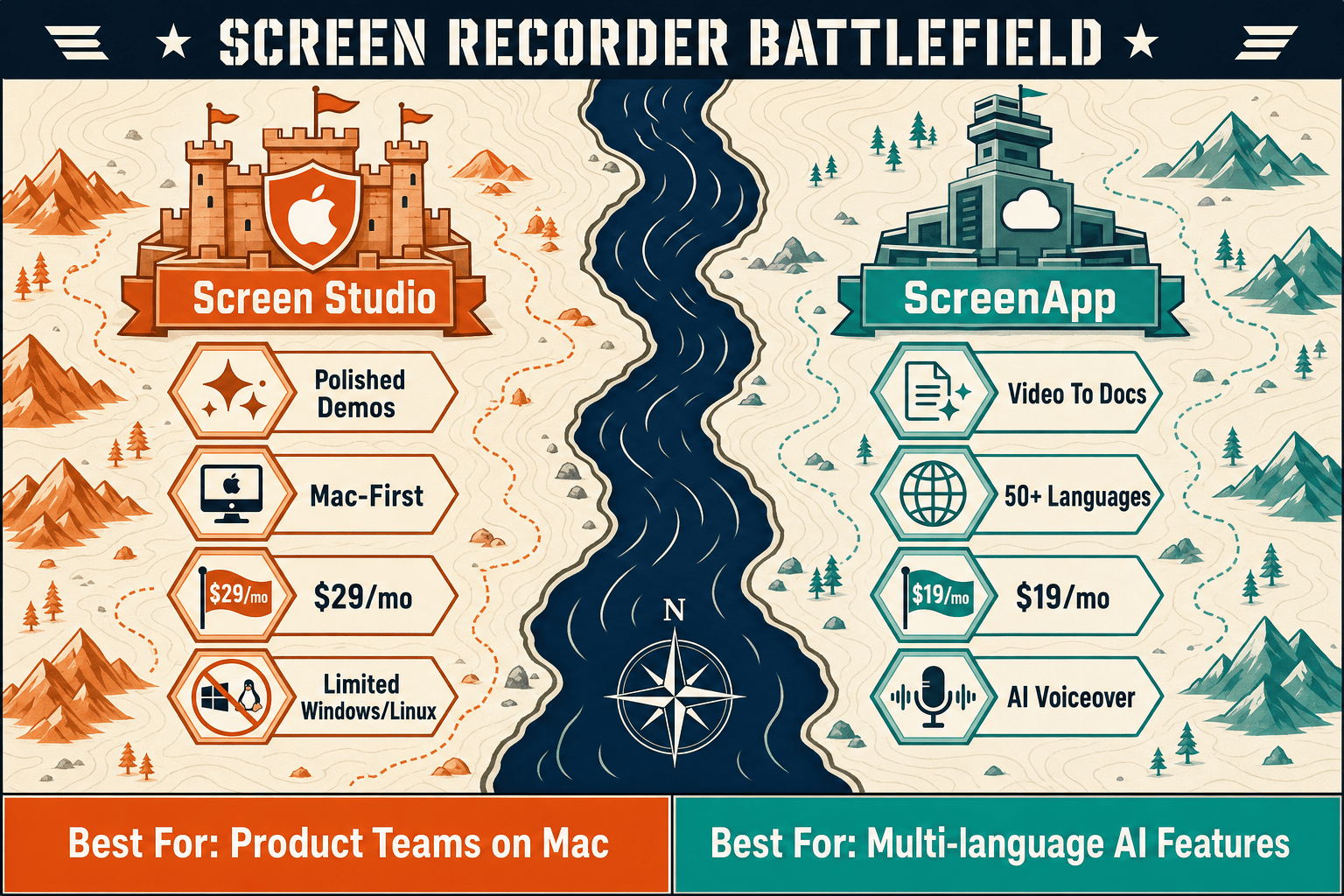
Screen Studio delivers the most polished Mac screen recordings on the market. ScreenApp adds AI transcription and video-to-doc export for any platform. Neither is the complete solution—this comparison breaks down exactly what each tool does and where both fall short.
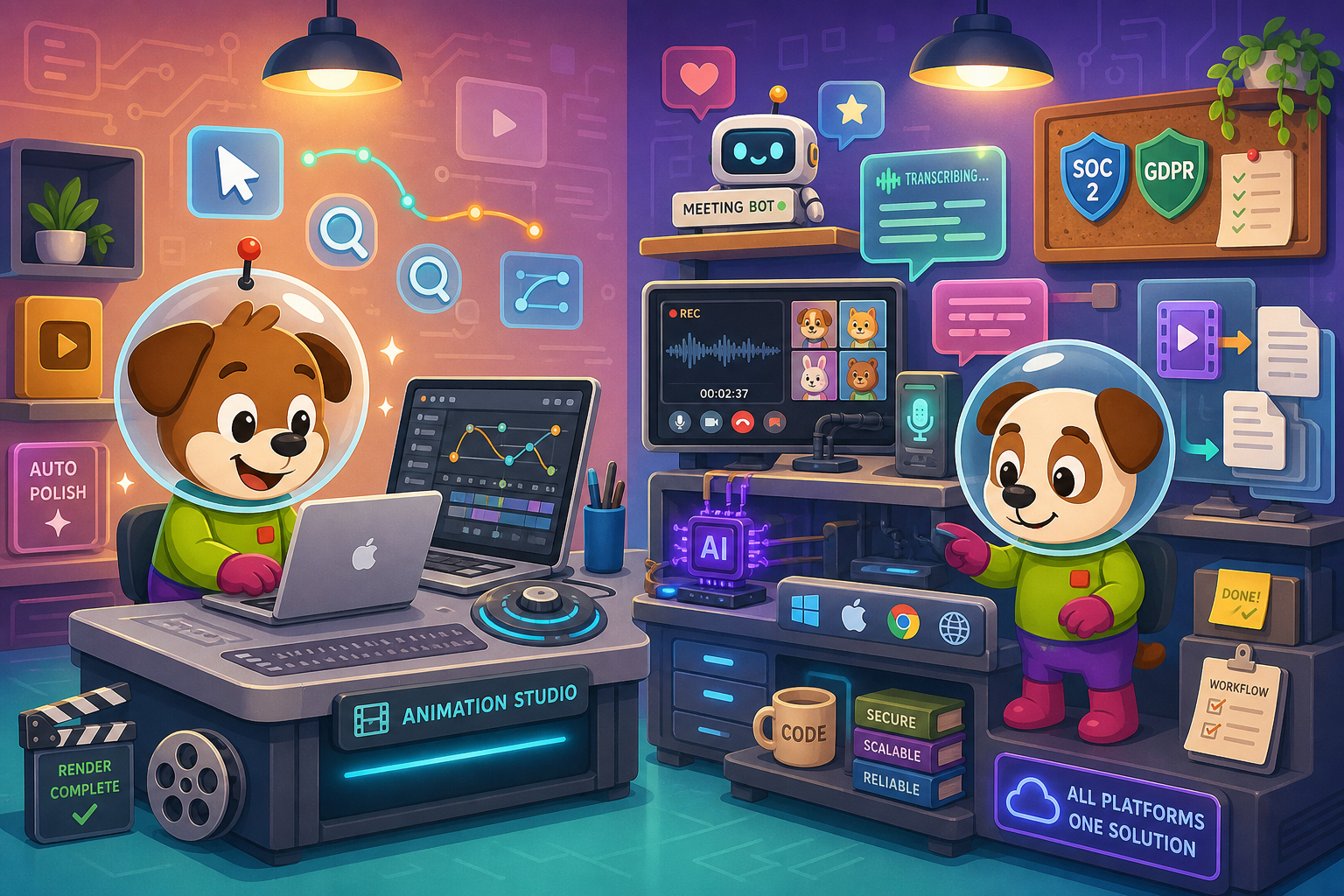
Screen Studio and ScreenApp solve adjacent but different problems.
Feature Matrix
A comprehensive side-by-side comparison of recording capabilities, AI features, export formats, and documentation workflow support between Screen Studio and ScreenApp.
| Feature |
Screen Studio
|
ScreenApp
|
|---|---|---|
| Free Plan Available | ||
| Starting Price | $9/mo (billed yearly) | $0 (3 recordings) |
| Mac Support | ||
| Windows Support | ||
| Linux Support | ||
| Browser-Based Recorder | ||
| Desktop App | ||
| Webcam Overlay | ||
| Microphone Audio | ||
| System Audio Capture | ||
| Automatic Zoom & Cursor Smoothing | ||
| Backgrounds & Visual Effects | ||
| Crop, Trim, Speed Regions | Trim only | |
| Motion Blur & Shadow | ||
| iOS Device Recording | ||
| AI Transcription | ||
| AI-Generated Summary / Document | ||
| Meeting Bot (Zoom/Meet/Teams) | ||
| Video Export (MP4, up to 4K 60fps) | ||
| GIF Export | ||
| Markdown Export | ||
| DOCX Export | ||
| PDF Export | ||
| Shareable Links | ||
| Chrome Extension | ||
| Mobile App | ||
| API Access | Business tier+ | |
| SSO | Enterprise only (SAML) | |
| SOC 2 Type II | ||
| GDPR Compliance | ||
| Knowledge Base / Doc Management | ||
| Version Control | ||
| Multi-Tenant Portals |
Data as of May 2026. Features based on publicly available information from official vendor sites. Pricing verified May 5 2026; re-check before publishing as SaaS pricing changes frequently.
Strengths & Weaknesses
Deep Dive
An in-depth analysis of the four most critical dimensions buyers evaluate when choosing between Screen Studio and ScreenApp — recording quality, AI and documentation output, cross-platform reach, and enterprise readiness.
Screen Studio is the clear winner on recording aesthetics. Its automatic zoom follows your cursor with smooth, cinematic motion, and manual timeline zoom lets you add deliberate emphasis after the fact. Cursor smoothing, motion blur, backgrounds, insets, shadows, and crop controls all work together to make recordings look professionally edited with minimal effort. ScreenApp offers a functional recorder but provides none of these visual polish features. If the primary goal is a beautiful marketing demo or polished tutorial video destined for a website or social media, Screen Studio produces a visually superior result without a manual editing session.
ScreenApp leads decisively on AI and documentation output. It transcribes recordings in 50+ languages, auto-translates, generates AI summaries, and exports structured documents in Word DOC, PDF, Markdown, and TXT — all from the same recording session. A meeting bot auto-joins Zoom, Google Meet, and Teams to capture and transcribe calls automatically. Screen Studio includes a transcript feature but does not convert that transcript into exportable documentation formats. For support teams, product managers, or instructional designers who need a written artifact from every recording, ScreenApp's pipeline produces far more usable downstream output than Screen Studio's video-only workflow.
ScreenApp works everywhere Screen Studio does not. Screen Studio requires macOS Ventura 13.1 or later and has no Windows or Linux release. ScreenApp records through a browser, a Chrome extension, a mobile app, and accepts uploaded MP4, MOV, WMV files and YouTube URLs — covering Mac, Windows, and Linux without any desktop installation. For any team with mixed operating systems, remote contractors on Windows, or a preference for browser-native tooling, ScreenApp is the only practical choice between the two. Screen Studio's Mac exclusivity is a hard blocker for cross-platform teams regardless of how polished the output is.
ScreenApp holds a meaningful enterprise advantage with SOC 2 Type II certification, GDPR compliance, SAML SSO at the Enterprise tier ($199/month), role-based access at Business tier, and API access and webhooks for custom integrations. Screen Studio offers none of these — it is a local Mac app with shareable links and no documented compliance certifications, SSO, or audit trail. However, neither tool provides knowledge base management, version control, multi-tenant portals, approval workflows, or air-gapped deployment. For teams in regulated industries or those needing documentation governance beyond file export, both tools hit the same ceiling — they produce recordings or documents, but they do not manage them.
Our Recommendation
Screen Studio and ScreenApp solve adjacent but different problems. Screen Studio is the best Mac recorder for creating polished, visually refined product demo videos — but it only runs on Mac and stops at video output. ScreenApp is a cross-platform AI recorder that converts recordings into transcripts and exported documents — but it produces files, not a managed knowledge base, and offers no visual polish for the recordings themselves. Neither tool can bridge the gap between recording and structured, versioned, deliverable documentation.
Choose Screen Studio if you need. .
Choose ScreenApp if you need. .
Choose Docsie Recorder if you need. .
Winner: Docsie Recorder
Docsie Recorder is free, open-source, and runs on macOS, Windows, and Linux — removing Screen Studio's Mac-only hard blocker. It matches Screen Studio's recording-grade editing (zooms, backgrounds, annotations, motion blur, crop, trim, speed regions) and then does what ScreenApp only starts to do — routing the recording through a native Video-to-Docs pipeline that generates structured documentation and publishes it directly into the Docsie knowledge base. Instead of stopping at a polished video or a standalone exported document, Docsie Recorder feeds a complete CREATE → CONVERT → MANAGE → DELIVER workflow: versioned docs, multi-tenant portals, custom domains, SSO, and enterprise deployment — filling every gap both competitors share.
Decision Helper
A direct framework for picking between Screen Studio, ScreenApp, and Docsie based on your specific needs.
Polished Mac-only product demos with cinematic zoom and motion.
Online recorder + AI transcription and summaries.

Convert real video into searchable docs, then deploy multi-tenant portals.
Common Questions
Q: Does Screen Studio work on Windows or Linux?
A: No. Screen Studio is a macOS-only application and requires macOS Ventura 13.1 or later. There is no Windows or Linux version available. If your team includes Windows or Linux users, ScreenApp — which works via browser and Chrome extension on any OS — is the only viable option between the two tools.
Q: Can ScreenApp match Screen Studio's visual polish for product demos?
A: No. ScreenApp does not offer automatic zoom, cursor smoothing, motion blur, backgrounds, insets, or shadows. Its recorder is functional but produces unedited footage. Screen Studio's automatic zoom and visual effects are purpose-built for cinematic product demos. If polished video output is the primary requirement and you are on a Mac, Screen Studio produces a noticeably more refined result.
Q: Does ScreenApp actually create documentation or just export files?
A: ScreenApp exports structured files — Word DOC, PDF, Markdown, and TXT — generated from AI transcription and summarization. These are one-time exports rather than living documents in a managed system. There is no version control, approval workflow, multi-tenant delivery, or knowledge base to publish into. You get useful files, but not a documentation management workflow.
Q: Which tool is better for a team that records meetings regularly?
A: ScreenApp is the clear choice for meeting documentation. Its meeting bot automatically joins Zoom, Google Meet, and Microsoft Teams calls, records and transcribes them, and exports structured summaries and transcripts. Screen Studio has no meeting bot capability and is focused on deliberate screen recordings rather than passive call capture.
Q: Is there a better alternative to both Screen Studio and ScreenApp?
A: Yes — Docsie Recorder addresses the core limitation both tools share. Screen Studio is polished but Mac-only and stops at video. ScreenApp is cross-platform and exports documents but offers no visual polish and no managed knowledge base. Docsie Recorder is a free, open-source desktop recorder for Mac, Windows, and Linux that combines recorder-grade editing (automatic zoom, backgrounds, annotations, crop, trim, speed regions) with a native Video-to-Docs pipeline. Recordings convert directly into structured Markdown, DOCX, and PDF and publish into Docsie's versioned knowledge base — giving you the polish of Screen Studio, the documentation output of ScreenApp, and a complete knowledge management workflow neither competitor provides.
Q: Which tool is more affordable for a small team?
A: ScreenApp has a meaningful pricing advantage for small teams. Its free plan allows 3 recordings for evaluation, and the Growth plan at $19/month (billed annually) includes unlimited AI credits and transcription. Screen Studio has no free plan and costs $29/month or $9/month billed yearly per user — with no team plan documented for multiple seats. For a team of five, ScreenApp's per-seat economics and free entry point make it significantly more accessible than Screen Studio's per-user subscription.
Docsie Recorder is free, open-source, and runs on Mac, Windows, and Linux. It records and edits with the visual quality Screen Studio is known for — automatic zoom, backgrounds, annotations, crop, trim, speed regions — and then routes your recording through a native Video-to-Docs pipeline that ScreenApp's basic file export cannot match. The result is structured documentation published directly into Docsie's versioned knowledge base, multi-tenant portals, and enterprise delivery workflow. One recording. Polished video. Structured docs. Living knowledge base.
Free and open-source recorder. Docsie AI credits used only when converting to docs.