
4.8
on G2
 Notion
 Zendesk Guide
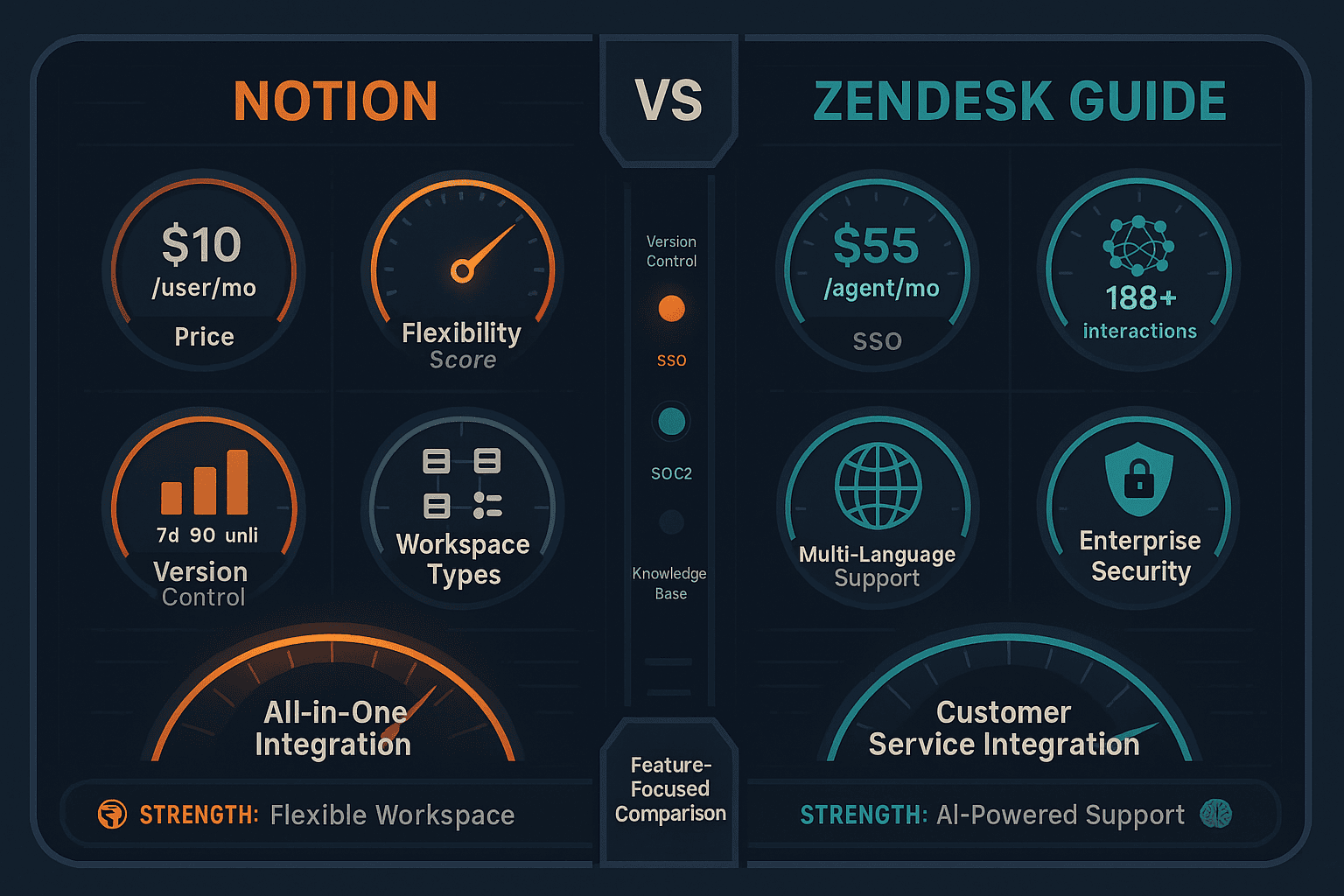
Notion is a flexible all-in-one workspace built for internal collaboration, while Zendesk Guide is a customer-facing help center bundled with Zendesk's support suite. They serve different buyers — but both fall short for teams needing multi-tenant documentation delivery, video-to-docs conversion, or enterprise knowledge orchestration.
Notion is the all-in-one docs and databases workspace, Zendesk Guide ships a help center tied to Zendesk Support, while Docsie covers what both miss — video conversion, multi-tenant portals, and enterprise compliance in one platform.
Feature Matrix
A comprehensive side-by-side comparison of features across documentation, AI, collaboration, enterprise readiness, and customer delivery capabilities.
| Feature |
Notion
|
Zendesk Guide
|
|---|---|---|
| Free Plan Available | ||
| Starting Price | $0 (Free) / $10/user/mo (Plus) | $55/agent/mo (Suite Team) |
| Sold as Standalone Product | ||
| AI Content Generation | Business+ only ($20/user) | |
| AI-Powered Search | Business+ only | |
| Autonomous AI Agents | Business+ only | Add-on ($50/agent/mo) |
| Knowledge Base / Help Center | ||
| Multi-Language Support | ||
| Auto-Translation | ||
| Custom Domain Support | ||
| Custom Branding | ||
| Version Control | 7 days (Plus) / 90 days (Business) | |
| Approval & Review Workflows | ||
| Real-Time Collaboration | Enterprise only | |
| Comments & Mentions | ||
| Analytics & Reporting | Business+ only | |
| Ticket Deflection | ||
| Native Help Desk / Ticketing | ||
| Embeddable Widget | ||
| AI Chatbot | ||
| Multi-Tenant Client Portals | ||
| Video-to-Documentation | ||
| SSO (SAML) | Business+ only | |
| SOC 2 Compliance | ||
| GDPR Compliance | ||
| API Access | ||
| Content Reuse & Templates | ||
| Built-in LMS / Course Builder |
Data as of February 2026. Features are based on publicly available information and vendor documentation. Zendesk Guide is not sold standalone — it requires a Zendesk Suite subscription starting at $55/agent/month.
Strengths & Weaknesses
Deep Dive
Notion organizes content as flexible pages and databases — powerful for internal wikis but lacking formal content governance. There are no approval workflows, and version history is capped at 7 days on Plus. Zendesk Guide offers structured help center articles with approval workflows, team publishing controls, and unlimited version history. For external customer-facing documentation with governance requirements, Zendesk Guide is clearly more structured. For internal knowledge management with flexibility, Notion wins. Neither tool offers hierarchical documentation architecture with content reuse blocks, inheritance-based version control, or multi-tenant delivery.
Notion's AI (GPT-4 + Claude 3.7 Sonnet) is powerful but gated behind the $20/user Business tier — Plus users receive only a 20-response trial. AI Agents can autonomously complete tasks across connected apps, and Enterprise Search spans connected third-party tools. Zendesk Guide's AI is trained on 18B+ real customer interactions, giving it deep contextual understanding for support use cases. Its AI Agents autonomously resolve tickets, and Agent Copilot assists human agents in real time. However, Zendesk's AI add-ons cost $50/agent/month each on top of suite pricing. Both tools lack video-to-documentation AI, silent video processing, and agentic search without hallucination.
Notion excels at real-time collaborative editing — multiple users can co-edit simultaneously, leave comments, and tag teammates across Free and paid plans. Its database-linked docs make cross-functional project tracking seamless. Zendesk Guide provides structured editorial workflows with approval gates, team publishing roles, and content scheduling — better suited for regulated or formal publishing environments. Real-time editing is reserved for Enterprise tier in Zendesk. For internal creative and product teams, Notion's collaboration is more fluid. For support teams maintaining accuracy and compliance in published help articles, Zendesk Guide's workflows are more appropriate. Neither tool supports multi-step human-in-the-loop approval for AI-generated content.
Zendesk Guide supports custom domains, custom branding, multi-language article management, and auto-translation — making it a credible platform for external customer-facing help centers. Notion has none of these capabilities. There is no custom domain, no branded portal, no multi-language support, and no mechanism to deliver documentation to external clients or customers. This makes Notion fundamentally an internal tool. However, neither Notion nor Zendesk Guide supports multi-tenant portals — the ability to serve multiple distinct client organizations from one knowledge base with per-tenant branding, access controls, and custom domains. Both tools also completely lack video-to-documentation conversion for existing training or onboarding content.
Our Recommendation
Notion and Zendesk Guide serve fundamentally different buyers. Notion is an internal all-in-one workspace best suited for startups and product teams managing docs, tasks, and databases together. Zendesk Guide is a customer support help center that's only available bundled with Zendesk's ticketing suite — making it powerful for support teams but expensive and overkill for teams that only need documentation. If you need one, you almost certainly don't need the other.
Choose Notion if you need...
Choose Zendesk Guide if you need...
Choose Docsie if you need...
Winner: Docsie
Both Notion and Zendesk Guide leave critical gaps for teams managing external, multi-client, or video-rich documentation at scale. Neither supports video-to-documentation conversion, multi-tenant client portals, built-in LMS with certifications, or autonomous agents for touchless knowledge workflows. Docsie's six-pillar platform — Convert, Manage, Deliver, Learn, Automate, Monitor — closes all of these gaps in one system, at transparent workspace-based pricing that doesn't inflate with headcount.
Decision Helper
A direct framework for picking between Notion, Zendesk Guide, and Docsie based on your specific needs.
All-in-one workspace combining docs, databases, and project management.
Help center bundled with Zendesk Support for ticket-deflection knowledge bases.

AI-powered knowledge base with multi-tenant portals, video conversion, and compliance scanning.
Common Questions
Q: Can Notion replace Zendesk Guide for customer-facing help centers?
A: Not practically. Notion lacks custom domain support, multi-language translation, ticket deflection analytics, and approval workflows that Zendesk Guide provides for external help centers. Notion is designed for internal team use, and while pages can be made public, it is not purpose-built for managing and publishing customer support documentation at scale. Organizations serving external customers need a platform with branded portals, structured editorial governance, and search optimized for end users.
Q: Can Zendesk Guide be purchased without the full Zendesk Suite?
A: No. Zendesk Guide is not sold as a standalone product. You must purchase a Zendesk Suite plan starting at $55/agent/month, which includes ticketing, messaging, and the full support platform. If you only need a knowledge base or documentation portal without ticketing, you are paying for significant functionality you won't use. This makes Zendesk Guide one of the most expensive options in the category for documentation-only use cases.
Q: Does Notion support multi-language documentation?
A: No. Notion does not offer built-in multi-language support or auto-translation at any pricing tier. Content must be manually duplicated and translated. Zendesk Guide does support multi-language articles with auto-translation, making it significantly more capable for global customer support documentation. Teams needing documentation in 10, 50, or 100+ languages should look beyond both tools.
Q: Which tool has better AI — Notion or Zendesk Guide?
A: They serve different AI use cases. Notion's AI (GPT-4 + Claude 3.7, Business tier only) is better for content creation, writing assistance, and internal task automation via AI Agents. Zendesk Guide's AI is trained on 18B+ customer service interactions and excels at ticket deflection, intent detection, and autonomous support resolution. Notion's AI is locked behind a $20/user paywall; Zendesk's AI Agents are add-ons at $50/agent/month. Neither AI is designed to convert existing video content into documentation.
Q: Is there a better alternative to both Notion and Zendesk Guide?
A: Yes — Docsie addresses the critical gaps both tools share. Notion is internal-only with no external delivery, no multi-language support, and no video conversion. Zendesk Guide requires expensive suite bundling and lacks multi-tenant portals and video-to-docs capabilities. Docsie provides a complete CONVERT → MANAGE → DELIVER → LEARN → AUTOMATE → MONITOR platform that converts any video into structured documentation, delivers through unlimited branded multi-tenant portals, supports 100+ languages automatically, and includes a built-in LMS with certifications — all at transparent workspace pricing without per-seat inflation.
Q: Which tool is more affordable for a team of 20 people?
A: Notion is significantly more affordable at $10-$20/user/month versus Zendesk Guide's $55-$115/agent/month. For a 20-person team, Notion Plus costs $200/month versus Zendesk Suite Team at $1,100/month. However, Zendesk bundles full ticketing and support infrastructure into that price, so the comparison depends on whether you need support tooling. If you only need documentation, both tools have cost inefficiencies — Notion because AI requires the $20 tier, and Zendesk because you pay for ticketing you may not use.
Start creating professional documentation that your users will love