
4.8
on G2
 Notion
 Zendesk Guide
Notion starts at $0 but locks full AI behind a $20/user Business tier. Zendesk Guide isn't sold standalone — you pay for the entire Suite starting at $55/agent. This breakdown compares what you actually get at each price point, what hidden costs to watch for, and why Docsie's AI credit model may be the smarter investment for documentation teams.
Notion is the all-in-one docs and databases workspace, Zendesk Guide ships a help center tied to Zendesk Support, while Docsie covers what both miss — video conversion, multi-tenant portals, and enterprise compliance in one platform.
Feature & Pricing Matrix
A feature-by-feature breakdown of what each tool includes at its core pricing tiers, including AI access, knowledge base capabilities, security, and documentation-specific features.
| Feature / Capability |
Notion
|
Zendesk Guide
|
|---|---|---|
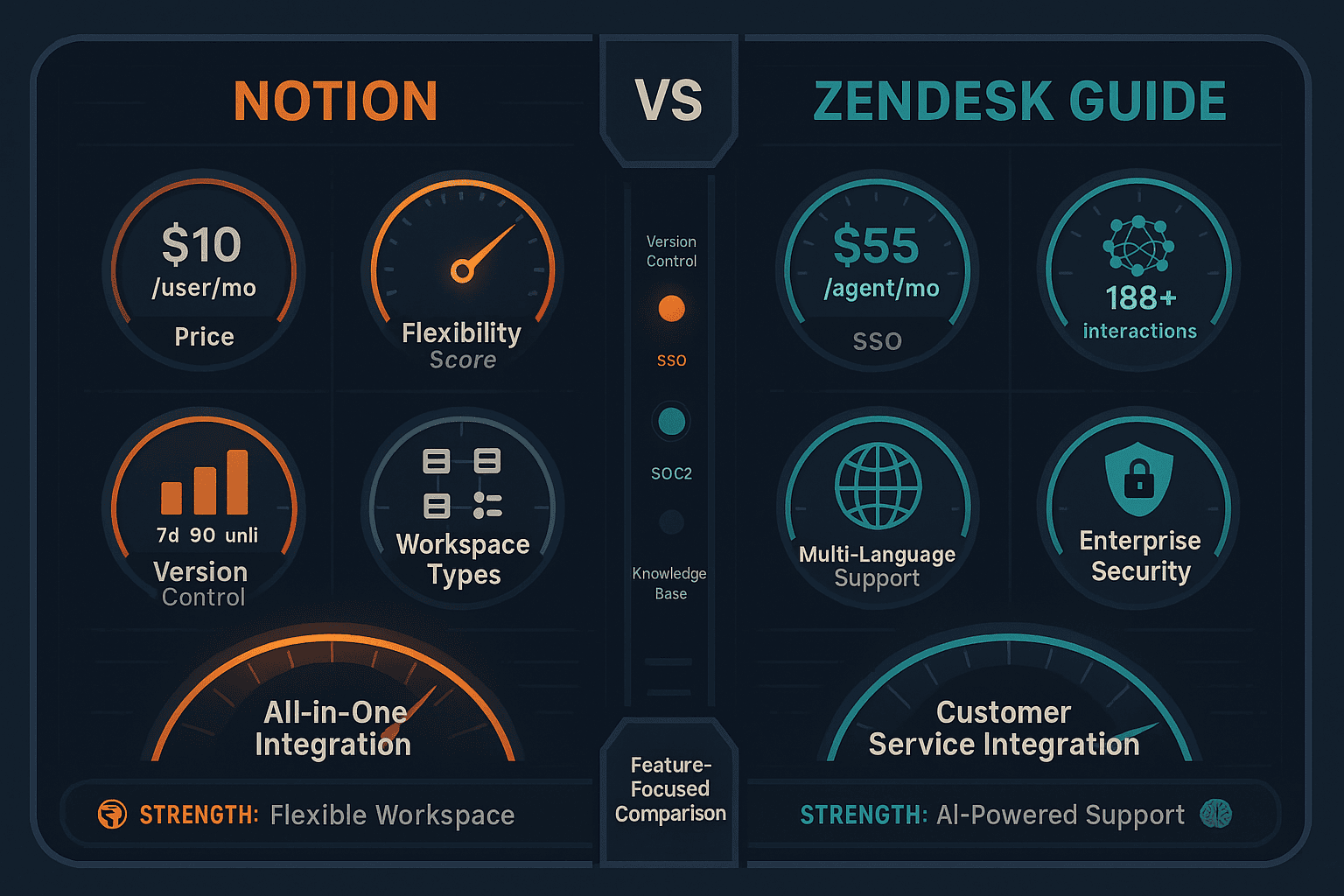
| Starting Price | $0 (Free) / $10/user/mo (Plus) | $55/agent/mo (Suite Team — no standalone) |
| Full AI Access | Business tier only ($20/user/mo) | Suite Professional+ ($115/agent/mo) |
| Free Plan Available | ||
| Free Trial | 14 days | |
| Knowledge Base / Help Center | ||
| AI Content Generation | Business+ only (GPT-4 + Claude 3.7) | Varies by tier; full AI at Professional+ |
| AI Chatbot / Agent | Add-on: $50/agent/mo | |
| Multi-Language Support | ||
| Auto-Translation | ||
| Custom Domain | ||
| Custom Branding | ||
| SSO (SAML) | Business+ ($20/user/mo) | Included in Suite |
| Version History | 7 days (Free/Plus), 90 days (Business) | |
| Approval Workflows | ||
| Ticket Deflection / Help Desk | Native — core product | |
| Multi-Tenant Portals | ||
| Analytics & Reporting | Business+ only | |
| API Access | ||
| Embeddable Widget | ||
| SOC 2 / GDPR |
Data as of February 2026. Notion AI pricing reflects the May 2025 restructuring that bundled AI exclusively into the Business tier. Zendesk Guide is not available as a standalone product — all prices reflect Zendesk Suite bundles.
Strengths & Weaknesses
Deep Dive Analysis
A detailed look at three critical pricing dimensions — value for money, scalability costs, and hidden costs — to help you understand the true cost of each platform before committing.
Notion offers genuine value at the Plus tier ($10/user/mo) for teams that don't need AI — unlimited blocks, real-time collaboration, and databases for a low per-seat cost. However, the moment you need full AI, the cost doubles to $20/user/mo (Business). Zendesk Guide delivers strong value only if you genuinely need ticketing alongside your help center — the Suite bundles are intelligently packaged for support teams. If documentation is your primary need and you're not running a support desk, you're paying for significant functionality you'll never use at $55–$115/agent/mo.
Notion's per-user pricing scales linearly — a 50-person team on Business pays $1,000/mo annually, and that cost never decreases regardless of how much content you produce. Zendesk Guide's per-agent model is even more aggressive at scale. A 50-agent team on Suite Professional pays $5,750/mo — and AI Agents cost an additional $2,500/mo. Neither tool offers workspace-based or consumption-based pricing, meaning every new hire directly inflates your documentation bill. For fast-growing teams, both pricing models create predictable budget pressure with no efficiency gains as you scale.
Notion's most significant hidden cost is the AI upgrade trap — teams that adopt Notion on Plus quickly discover that any meaningful AI workflow requires Business tier, effectively doubling their per-user spend mid-contract. Version history is also severely restricted (7 days on Plus), which can force unexpected upgrades. Zendesk Guide's hidden cost is structural — you're purchasing an entire support platform to access a documentation feature. AI Agents, the most compelling feature, are a separate $50/agent/mo add-on not included in any base Suite tier. Implementation complexity also drives significant professional services costs that rarely appear in published pricing.
Pricing Breakdown
A complete side-by-side breakdown of every published pricing tier for both tools, including what AI features cost and where the pricing walls are.
Pricing Verdict
Notion is significantly more affordable than Zendesk Guide, but its value proposition depends entirely on which tier you land on. The Plus plan at $10/user/mo is a reasonable documentation workspace without AI; the Business plan at $20/user/mo becomes competitive for AI-powered teams. Zendesk Guide is only worth the cost if you're running a full customer support operation — teams buying it purely for documentation are paying $55–$115/agent/mo for ticketing infrastructure they don't need, with AI Agents costing an additional $50/agent/mo on top. Neither tool offers a consumption-based model, meaning per-seat costs scale aggressively as teams grow. For teams that want purpose-built documentation with AI at a predictable, workspace-based price, Docsie's model ($199/mo for 15 users) avoids per-seat inflation entirely.
Our Recommendation
Notion is a flexible, affordable all-in-one workspace that works well for internal documentation and team collaboration — but locks full AI behind a $20/user Business tier and lacks external delivery features like custom domains, client portals, and approval workflows. Zendesk Guide is the gold standard for support teams that need ticketing and a help center in one system, but it's expensive, not sold standalone, and completely wrong for teams that only need documentation without a full support desk.
Choose Notion if you need...
Choose Zendesk Guide if you need...
Choose Docsie if you need...
Winner: Docsie
Both Notion and Zendesk Guide are built for different primary use cases — internal workspace and customer support respectively — and neither was designed for enterprise documentation delivery at scale. Both lack multi-tenant client portals, video-to-docs conversion, and consumption-based pricing that prevents per-seat cost inflation. Docsie's AI credit model provides full platform access (CONVERT → MANAGE → DELIVER → LEARN → AUTOMATE → MONITOR) at a flat workspace price, making it the more cost-effective and purpose-built alternative for documentation teams serving multiple clients or managing large content libraries.
Decision Helper
A direct framework for picking between Notion, Zendesk Guide, and Docsie based on your specific needs.
All-in-one workspace combining docs, databases, and project management.
Help center bundled with Zendesk Support for ticket-deflection knowledge bases.

AI-powered knowledge base with multi-tenant portals, video conversion, and compliance scanning.
Common Questions
Q: Can I use Zendesk Guide without buying the full Zendesk Suite?
A: No. Zendesk Guide is not sold as a standalone product. It is bundled exclusively with Zendesk Suite plans, which start at $55/agent/month. If your team only needs a knowledge base or documentation platform and does not require ticketing, you will be paying for a full support suite you may never fully use. This makes Zendesk Guide a poor value choice for documentation-only use cases.
Q: Does Notion include AI on the Plus plan?
A: No — and this is one of the most common points of confusion after Notion's May 2025 pricing restructure. The Plus plan ($10/user/mo) includes only 20 one-time AI trial responses. To access full Notion AI (GPT-4 + Claude 3.7, AI Agents, Enterprise Search, and meeting transcription), you must upgrade to the Business plan at $20/user/month. The legacy AI add-on has been discontinued for new users.
Q: How much does Zendesk's AI Agent feature actually cost?
A: Zendesk's Autonomous AI Agents are an add-on priced at approximately $50/agent/month on top of your base Suite plan. They are not included in any standard tier, including Enterprise Plus. A team of 20 agents on Suite Professional ($115/agent/mo) that wants autonomous AI resolution would pay $115 + $50 = $165/agent/mo, totaling $3,300/month — before any implementation costs.
Q: What happens to Notion version history on lower tiers?
A: Version history is severely restricted on Notion's lower plans — Free and Plus users get only 7 days of page history, which means any documentation changes older than a week are permanently lost. Business users get 90 days, and only Enterprise customers receive unlimited version history. For documentation teams that need audit trails or rollback capabilities, this is a critical limitation that may force an unexpected tier upgrade.
Q: Is there a better alternative to both Notion and Zendesk Guide for documentation teams?
A: Yes — Docsie is purpose-built for documentation teams that need more than either tool offers. Unlike Notion, Docsie provides custom domains, multi-tenant client portals, video-to-docs conversion, 100+ language auto-translation, and approval workflows. Unlike Zendesk Guide, Docsie doesn't require purchasing a full ticketing system — it starts at $199/mo for a 15-user workspace with full AI capabilities. Docsie also includes a built-in LMS with certifications, autonomous agents, and real-time compliance monitoring — capabilities that neither Notion nor Zendesk Guide offer at any price point.
Q: Which tool is more cost-effective for a 25-person team?
A: At 25 users, Notion Business costs $500/month (25 × $20) annually. Zendesk Guide via Suite Professional would cost $2,875/month (25 × $115). Docsie's Organization plan at $750/month supports up to 90 users — making it cheaper than Notion Business at scale and dramatically cheaper than Zendesk. The key difference is that Docsie uses workspace-based pricing while Notion and Zendesk both charge per seat, causing costs to rise predictably with every new hire.
Q: Which tool is better if I need to deliver documentation to multiple clients?
A: Neither Notion nor Zendesk Guide offers multi-tenant portal capabilities. Notion has no custom domain or external portal delivery features. Zendesk Guide supports one branded help center per account, not multiple isolated client portals from one knowledge base. If you need to deliver separate, branded documentation portals to multiple clients — a common requirement for implementation partners and consultancies — Docsie's multi-tenant architecture is designed specifically for this use case.
Docsie gives documentation teams everything Notion and Zendesk Guide lack — multi-tenant client portals, video-to-docs conversion, 100+ language auto-translation, a built-in LMS, and workspace-based pricing that doesn't inflate with every new hire. No ticketing system required. No per-seat cost explosion. Just purpose-built documentation at a predictable price.
Free plan includes AI credits to convert a 10-minute training video. No credit card required.