
4.8
on G2
 Guidde
 Tango
Tango
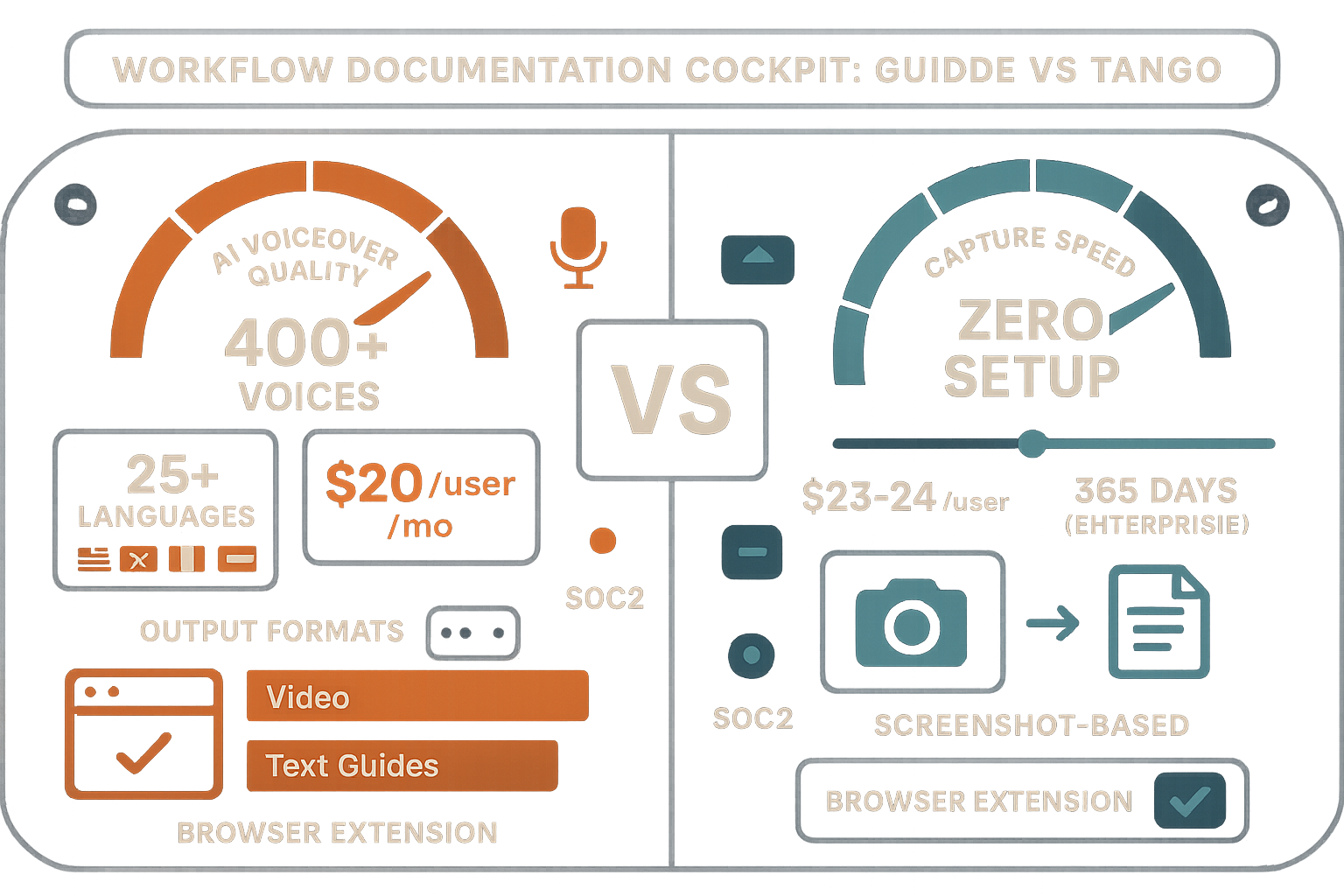
Guidde and Tango both capture on-screen workflows to create documentation, but they diverge sharply in output format, AI capabilities, and product direction. Guidde produces AI-voiced tutorial videos; Tango generates screenshot-based step guides and is pivoting toward CRM automation. Neither is a full documentation platform—this comparison breaks down what each does well and where both fall short.
Guidde and Tango solve different parts of the documentation problem—Docsie covers both plus enterprise portals, video-to-docs, and AI chatbot.
Feature Matrix
A side-by-side comparison of capture methods, AI features, output formats, enterprise capabilities, and platform depth across Guidde and Tango.
| Feature |
Guidde
|
Tango
|
|---|---|---|
| Primary Output Format | AI-voiced tutorial videos | Screenshot step-by-step guides |
| Screen Recording (Video) | ||
| Screenshot Capture | ||
| Upload Pre-Recorded Videos | ||
| Real-World Video Support | ||
| Browser Extension | ||
| Desktop App Capture | Business+ only | Pro+ only |
| AI Voiceover Generation | 200–400+ voices | |
| AI Content Generation | ||
| In-App Guided Walkthroughs | Enterprise only (Nuggets) | |
| Multi-Language Support | 25+ languages | |
| Auto-Translation | Enterprise only | |
| Version Control | Limited (14–365 days) | |
| Knowledge Base Platform | ||
| Multi-Tenant Portals | ||
| Custom Domain Support | ||
| Custom Branding | Partial (branded exports) | |
| Embeddable Widget | ||
| API Access | ||
| SSO (SAML/SCIM) | Enterprise only (SAML) | Enterprise only (SAML + SCIM) |
| PII / Sensitive Data Redaction | Pro+ (blur tools) | Enterprise only (auto PII blur) |
| Analytics & Reporting | Enterprise only | Pro+ |
| Collaboration | ||
| Content Reuse & Templates | ||
| Helpdesk Integrations | Zendesk, Intercom | |
| SOC 2 Compliance | ||
| GDPR Compliance | ||
| Audit Logs | ||
| Free Plan | 25 videos, watermarked | 15 workflows, 10 users |
Data as of February 2026. Features based on publicly available vendor documentation and pricing pages.
Strengths & Weaknesses
Deep Dive
Guidde and Tango produce fundamentally different outputs from similar browser capture inputs. Guidde records screen activity and generates a narrated video alongside an auto-created text guide—ideal for teams where video is the preferred training format. Tango captures only screenshots and assembles them into clean step-by-step visual guides—better for lightweight SOPs and internal process documentation. Neither tool can accept uploaded videos or document real-world processes. Teams choosing between them are really choosing between video-first and screenshot-first content, not between documentation platforms.
Guidde's standout strength is its AI voiceover engine—200+ voices on Pro, 400+ studio-quality voices on Enterprise, spanning 50+ languages—combined with Magic Mic for live narration during capture. This makes Guidde one of the best tools available for producing professional-sounding tutorial videos without hiring voice talent. Tango has no audio capabilities whatsoever. Its AI generates descriptive text for each captured step, which is useful but considerably less differentiated. If producing narrated video content is central to your workflow, Guidde wins this dimension decisively; Tango doesn't compete here.
Neither Guidde nor Tango functions as a true documentation management platform. Guidde offers a basic video library with sharing and embedding, but lacks version control, content templates, approval workflows, or structured knowledge base organization. Tango is even more limited—its version history maxes out at 14 days on Pro and 365 days on Enterprise, with no knowledge base features. Teams that start with either tool eventually outgrow them when they need to manage content at scale, enforce editorial workflows, reuse content across documents, or maintain multiple documentation versions for different products or clients.
Both tools offer SOC 2 and GDPR compliance and provide SSO on Enterprise plans. Guidde adds SAML SSO with role-based access and advanced analytics on Enterprise; Tango adds SAML and SCIM provisioning, automatic PII blurring, and extended version history. However, both tools share critical enterprise gaps: no audit logs, no multi-tenant portal delivery, no API access, no data residency options, and no custom domain support. Neither can deliver documentation to multiple client organizations from a single system. For enterprise teams serving multiple clients or managing large-scale knowledge operations, both tools require augmentation with additional platforms to cover these gaps.
Our Recommendation
Guidde is the stronger tool for teams that need to produce polished, narrated tutorial videos from browser screen captures—its AI voiceover engine and dual video-plus-text output are genuinely best-in-class for that use case. Tango is better suited for teams documenting internal browser-based workflows as clean screenshot guides, particularly those moving toward CRM automation with Salesforce or HubSpot. However, both tools are narrow capture utilities, not documentation platforms—neither supports multi-tenant delivery, version-controlled knowledge bases, existing video conversion, or enterprise-grade documentation management.
Choose Guidde if you need...
Choose Tango if you need...
Choose Docsie if you need...
Winner: Docsie
Both Guidde and Tango are capture-first utilities that help teams create new content from screen recordings—but neither can convert existing video libraries, deliver documentation to multiple clients, manage content at enterprise scale, or support multilingual knowledge operations. Docsie addresses every shared gap with its six-pillar CONVERT → MANAGE → DELIVER → LEARN → AUTOMATE → MONITOR framework, including multi-tenant portals, unlimited version control, 100+ language auto-translation, built-in LMS with certifications, autonomous agents on private infrastructure, and real-time compliance monitoring for HIPAA, SOX, ITAR, and GDPR.
Decision Helper
A direct framework for picking between Guidde, Tango, and Docsie based on your specific needs.
AI-narrated video tutorials from browser screen captures.
Browser extension that captures workflows into step guides.

Convert real video (not just screen captures) into SOPs and deploy them at scale.
Common Questions
Q: What is the biggest difference between Guidde and Tango?
A: The most fundamental difference is output format. Guidde records your screen as video and generates AI-voiced tutorial videos alongside auto-created text guides—making it a video-first creation tool. Tango captures screenshots only and assembles them into visual step-by-step guides—making it a documentation-first tool. Guidde is better for customer-facing training videos; Tango is better for lightweight internal SOPs. Neither tool can process existing videos or support multi-tenant documentation delivery.
Q: Does either Guidde or Tango support uploading existing training videos?
A: No—neither tool can accept uploaded or pre-recorded video content. Both are capture-only tools that require you to record a new screen session to generate documentation. If you have an existing library of training videos, Loom recordings, or real-world footage you want to convert into structured documentation, you would need a different platform entirely—Docsie is built specifically for that use case.
Q: Which tool has better enterprise security features?
A: Both Guidde and Tango are SOC 2 and GDPR compliant and offer SAML SSO on Enterprise plans. Tango adds SCIM provisioning and automatic PII blurring on Enterprise, while Guidde provides role-based access and advanced analytics. However, both tools lack audit logs, data residency options, multi-tenant access controls, and API access—which are common requirements for enterprise procurement. Neither is well-suited for regulated industries requiring comprehensive compliance infrastructure.
Q: Can Tango produce videos like Guidde?
A: No. Tango has zero video capability—it captures screenshots only and cannot produce any video output. If you need narrated tutorial videos, Guidde is the appropriate choice between these two tools. Tango's strength is the speed and simplicity of its screenshot-based guides, not multimedia content production.
Q: Is there a better alternative to both Guidde and Tango?
A: Yes—Docsie addresses the core limitations both tools share. Unlike Guidde and Tango, Docsie converts any existing video (training recordings, real-world footage, screen captures, Loom links) into structured documentation, delivers content through multi-tenant branded portals to multiple clients simultaneously, and provides a complete knowledge platform with version control, 100+ language auto-translation, built-in LMS with certifications, and autonomous agents. For teams that have outgrown capture utilities and need enterprise documentation management, Docsie provides everything both tools lack in a single platform.
Q: How does pricing compare between Guidde and Tango at team scale?
A: Guidde charges $20–$44 per creator per month depending on tier, with the Business plan hard-capped at 5 creators—teams larger than that must move to custom Enterprise pricing. Tango charges $23–$24 per user per month on Pro. Both become expensive quickly as teams grow, and neither offers workspace-based or flat-rate pricing. Docsie's workspace model ($199/month for 15 users, $750/month for 90 users) typically offers better economics for teams of 10 or more, without per-seat inflation.
Q: Which tool is better for documenting physical or operational processes?
A: Neither Guidde nor Tango can document physical or real-world processes—both are exclusively browser and desktop screen capture tools. If you need to document factory floor procedures, medical protocols, field service operations, or any process that isn't happening on a computer screen, neither tool applies. Docsie's computer vision and multimodal AI can process real-world video footage and convert it into structured SOPs and documentation, which is unique in this category.
Both Guidde and Tango are screen capture utilities—they can only document what you record today. Docsie converts your existing video libraries, PDFs, and websites into structured knowledge bases, delivers them to multiple clients through branded portals, and keeps training up to date automatically with built-in LMS, 100+ language translation, and autonomous agents. One platform. Every documentation need.
Free AI credits included—convert a 10-minute training video with no credit card required.