
4.8
on G2
 Guidde
 Tango
Tango
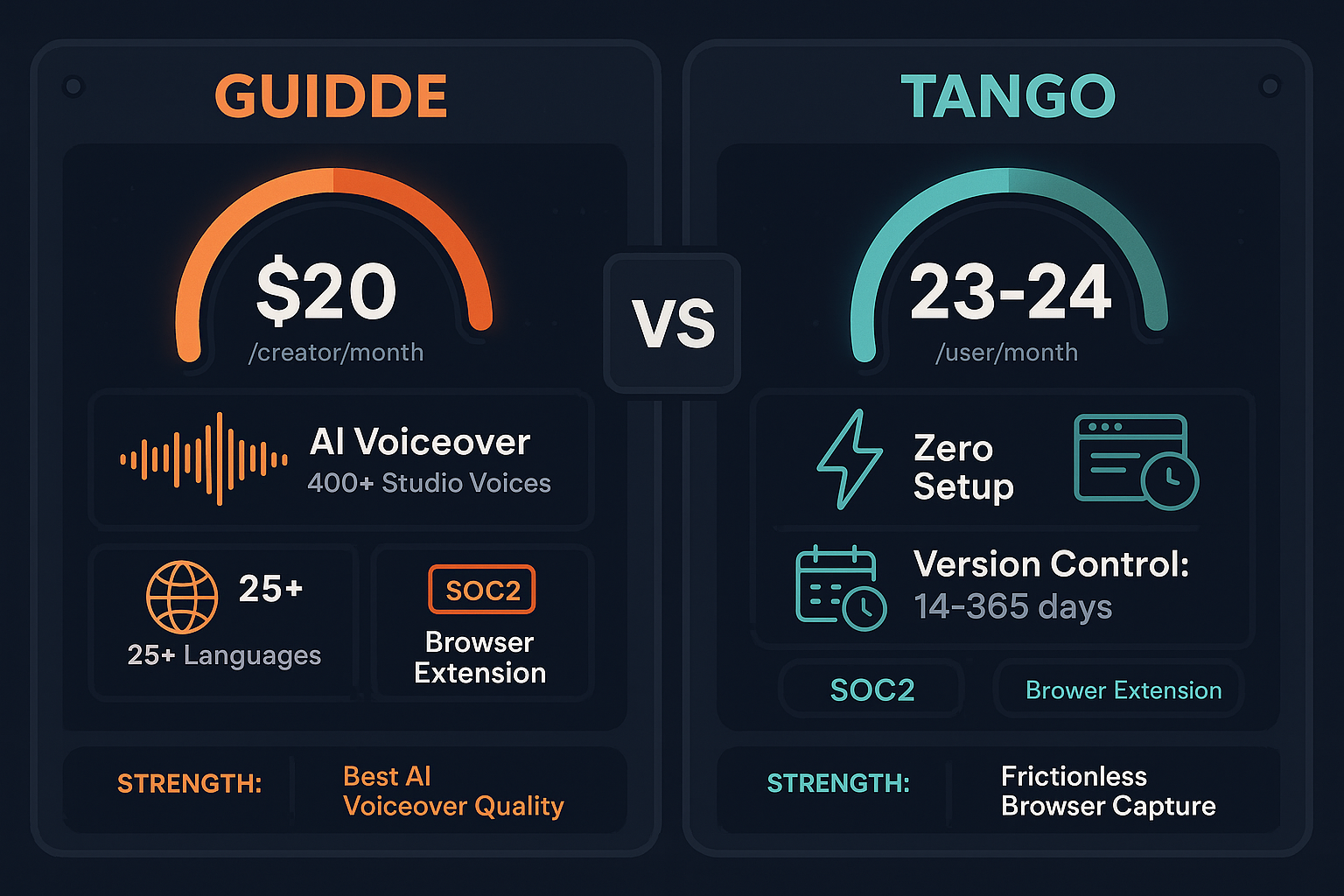
Guidde charges per creator for AI-voiced video tutorials. Tango charges per user for screenshot-based workflow guides. Both tools lock advanced features behind Enterprise plans. This pricing breakdown reveals what you actually get at each tier—and where costs spiral beyond expectations.
Guidde and Tango use different pricing models—and both lack the AI documentation, multi-tenant portals, and enterprise compliance that Docsie includes as standard.
Feature vs Price Matrix
A detailed breakdown of features available at each pricing tier across both tools, so you can evaluate true value before committing.
| Feature / Price Point |
Guidde
|
Tango
|
|---|---|---|
| Free Plan Available | Yes — 25 videos, watermark | Yes — 15 workflows, 10 users |
| Entry Paid Plan Price | $20/creator/month ($16 annual) | $23–24/user/month |
| Pricing Model | Per creator | Per user |
| Unlimited Content on Paid Entry Plan | true | true |
| Desktop Capture (Entry Paid Plan) | Business only ($44/creator/mo) | true |
| AI Voiceover | 200+ voices (Pro), 400+ (Enterprise) | false |
| Video Output | true | false |
| Screenshot-Based Guides | true | true |
| Branded Exports / Custom Branding | Business+ ($44/creator/mo) | Partial — Pro+ |
| In-App Guided Walkthroughs | false | Enterprise only |
| Version History | false | 14 days (Pro), 365 days (Enterprise) |
| Auto-Translation | Enterprise only | false |
| SSO / SAML | Enterprise only | Enterprise only |
| PII / Sensitive Data Blurring | Pro+ (manual), Enterprise (auto) | Enterprise only (automatic) |
| Advanced Analytics | Enterprise only | Pro+ |
| API Access | false | false |
| Max Users on Business Plan | 5 creators (forced Enterprise beyond) | Unlimited users (per-seat cost) |
| SOC 2 Compliance | true | true |
| GDPR Compliance | true | true |
Pricing data as of January 2026. Based on publicly available vendor documentation. Annual billing rates apply where noted.
Strengths & Weaknesses
Pricing Deep Dive
A focused analysis of value for money, scalability costs, and hidden limitations across both pricing structures.
Guidde's Pro plan at $16/creator/month (annual) delivers strong value for small teams needing AI-voiced tutorial videos — unlimited videos, watermark removal, and blur tools included. Tango's Pro at $23–24/user/month includes desktop capture and analytics but lacks video output and multilingual support entirely. For pure documentation volume, Tango's per-user model means a 20-person team pays $460–480/month for screenshot guides only. Guidde's same team of 5 creators on Business costs $175/month but hits the creator cap. Neither tool delivers enterprise knowledge management at these price points.
Both tools impose painful scaling economics. Guidde's Business plan hard-caps at 5 creators, forcing an Enterprise upgrade (custom pricing) the moment a sixth person needs to create content. Tango's per-user model compounds linearly — a 50-person team paying $23/user/month reaches $1,150/month for screenshot guides with no video capability. Guidde's per-creator model rewards viewer-heavy teams since viewers don't count, but creator-heavy documentation teams face steep jumps. For organizations scaling beyond 10 active content creators, both tools' pricing models create significant budget pressure with no middle-ground tier available.
Guidde's hidden costs include the jump from Pro ($20/creator) to Business ($44/creator) for desktop capture — a 120% price increase for one feature. Auto-translation and 400+ studio voices are Enterprise-only, with no published pricing. Tango's 14-day version history on Pro is a critical limitation for compliance-conscious teams — 365-day history requires Enterprise. Neither tool offers API access at any tier, meaning custom integrations require workarounds. Both tools require Enterprise (custom pricing) for SSO, creating unpredictable budget exposure for IT-managed organizations requiring single sign-on.
Side-by-Side Pricing
Every published pricing tier for both tools compared side by side, with honest assessments of what each plan actually delivers.
Guidde's per-creator model suits small teams focused on video tutorial creation — Pro at $16/creator/month is genuinely affordable for 1–3 creators. But the Business plan's 5-creator cap and the jump to Enterprise pricing for any meaningful team growth is a significant pricing trap. Tango's Pro plan is straightforwardly priced but expensive at $23–24/user/month when you consider the output is screenshots only with no video, no multilingual support, and version history that expires after 14 days. Both tools' Enterprise tiers are fully opaque — no published pricing — making budget planning difficult. For teams with more than 10 users or creators, neither tool offers a clearly cost-effective path without engaging Enterprise sales.
Our Recommendation
Guidde is a better value for small teams creating polished AI-voiced tutorial videos from screen recordings, with a competitive Pro tier and a generous free plan. Tango is more straightforward for teams that only need browser workflow documentation and want analytics without Enterprise, but its per-user pricing scales poorly and its 14-day version history is a notable limitation. Neither tool is built for enterprise knowledge management, multi-client delivery, or multilingual documentation at scale.
Choose Guidde if you need...
Choose Tango if you need...
Choose Docsie if you need...
Winner: Docsie
Both Guidde and Tango are capture-first tools with no ability to process existing video libraries, no multi-tenant client portals, no real version control beyond basic history, and no API access at any paid tier. Docsie's AI credit model ($199/month for a 15-person team) processes any video source into structured knowledge bases, supports 100+ languages, and delivers documentation to unlimited clients through branded portals — all capabilities neither Guidde nor Tango offer at any price point.
Decision Helper
A direct framework for picking between Guidde, Tango, and Docsie based on your specific needs.
AI-narrated video tutorials from browser screen captures.
Browser extension that captures workflows into step guides.

Convert real video (not just screen captures) into SOPs and deploy them at scale.
Common Questions
Q: Which tool is cheaper for a team of 10 people?
A: It depends on role split. Guidde charges per creator — if only 3 people create content, Pro costs $48/month (annual). Tango charges per user, so 10 users on Pro costs $230–240/month regardless of who creates content. Guidde is cheaper when most users are viewers; Tango becomes more expensive as team size grows because every user is billed. For teams where most members only consume documentation, Guidde's creator model is more cost-efficient.
Q: Does either tool offer a free trial before committing to paid plans?
A: Neither Guidde nor Tango offers a traditional time-limited free trial. Both provide free plans with usage caps — Guidde allows 25 videos and Tango allows 15 workflows with up to 10 users. These free tiers let you test core functionality before upgrading, but key features like desktop capture (Guidde Business, Tango Pro) and SSO (both Enterprise) require paid commitment to evaluate properly.
Q: Why does Guidde's Business plan cap at 5 creators?
A: Guidde's Business plan is designed for small teams and explicitly limits creators to 5. Organizations needing a sixth or more creator must move to Enterprise with custom pricing, which is a deliberate upsell mechanism rather than a technical limitation. This makes Guidde's Business plan suitable for small content teams but creates unpredictable cost jumps for growing organizations. Teams expecting to add creators over time should factor Enterprise pricing negotiations into their evaluation.
Q: What happens to version history if you downgrade from Tango Enterprise to Pro?
A: On Tango Pro, version history is limited to 14 days. If you downgrade from Enterprise (365-day history), any version history older than 14 days becomes inaccessible. This is a significant risk for compliance-conscious teams or organizations that rely on version history for documentation audits. Teams with compliance requirements should treat the 14-day Pro limit as a hard constraint when evaluating Tango's pricing tiers.
Q: Is there a better alternative to both Guidde and Tango?
A: Yes — Docsie addresses the core limitations both tools share. Unlike Guidde and Tango, which only capture new screen recordings, Docsie converts any existing video (training recordings, real-world footage, Loom links, PDFs, websites) into structured documentation. Docsie's workspace-based pricing at $199/month for 15 users avoids the per-creator or per-user scaling traps of both tools. It also offers multi-tenant portals, 100+ language auto-translation, full version control, API access, and a built-in LMS — features neither Guidde nor Tango offer at any price point.
Q: Can I use Guidde and Tango together to cover their respective gaps?
A: Theoretically you could use Tango for screenshot-based workflow guides and Guidde for AI-voiced video tutorials, but you'd pay for two separate subscriptions with no shared infrastructure, no unified search, and no single portal for documentation delivery. The combined cost of Tango Pro ($23–24/user) plus Guidde Pro ($16–20/creator) for even a small team quickly exceeds alternatives like Docsie that provide a single platform covering both use cases plus multi-tenant delivery, version control, and enterprise compliance.
Start creating professional documentation that your users will love