
4.8
on G2
 Docsie Recorder
 Tango
Tango
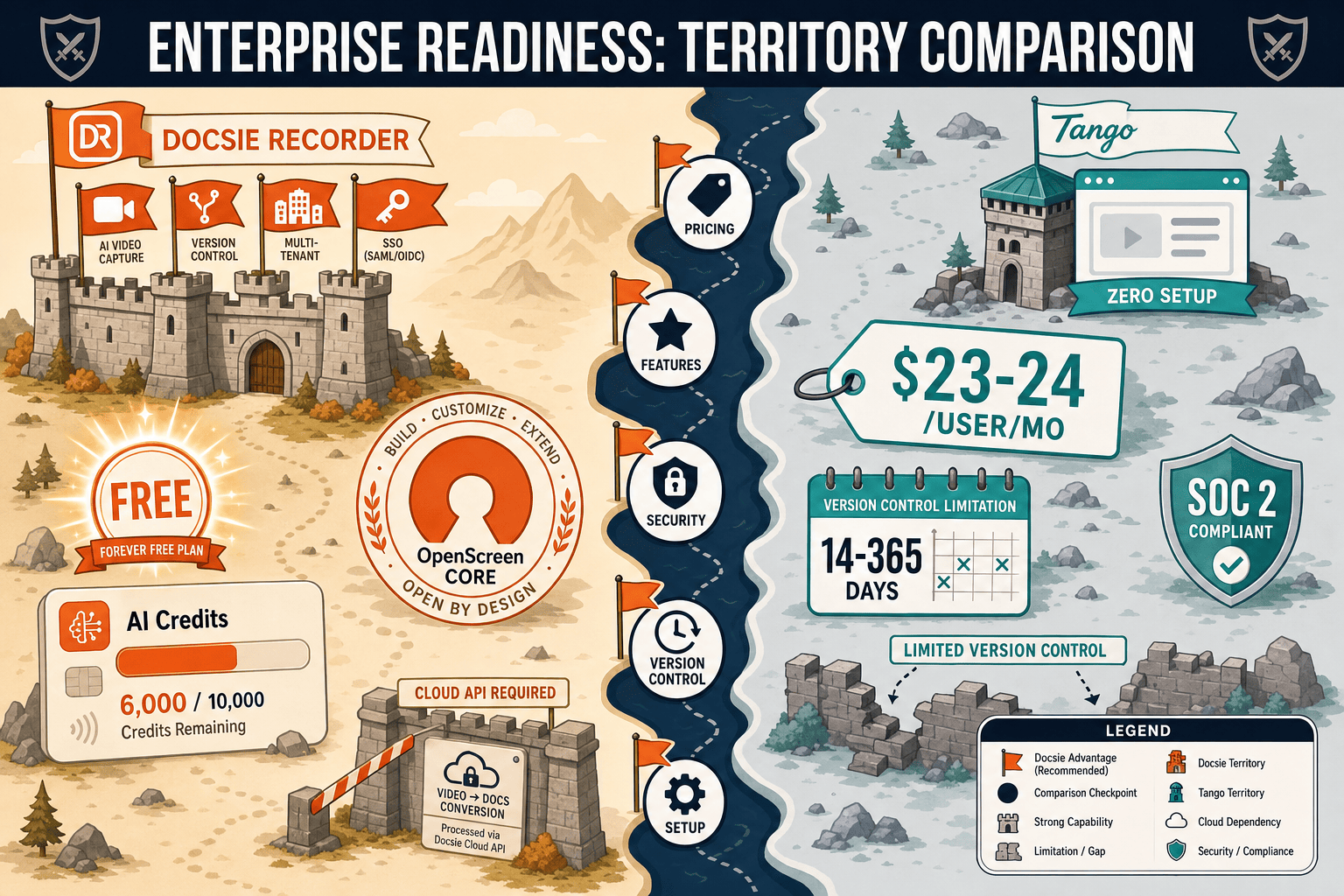
Tango captures browser clicks as screenshot guides and gates most enterprise controls behind a custom-priced tier. Docsie Recorder is a free, open-source, video-first capture tool that feeds directly into Docsie's enterprise knowledge base platform — with SSO, versioning, multi-tenant portals, and API access included without a per-seat wall.

For enterprise: Docsie Recorder runs video-to-docs plus multi-tenant portals, Tango captures workflows into quick guides, while Docsie Recorder fits when you also need video → structured docs → multi-tenant portals end-to-end.
Feature Matrix
A side-by-side comparison of enterprise capabilities including capture method, compliance, identity management, scalability, administration, and downstream documentation delivery.
| Feature |
Docsie Recorder
Our Pick
|
Tango
|
|---|---|---|
| Free Desktop Recorder | ||
| Open-Source Recorder Base | ||
| Mac / Windows / Linux Support | Mac & Windows (Pro+) | |
| Video-First Capture | ||
| Screenshot-Based Capture | ||
| Video-to-Docs Conversion | ||
| Local MP4 / GIF Export | ||
| Knowledge Base Publishing | ||
| Versioned Documentation Management | 14 days (Pro) / 365 days (Enterprise) | |
| Multi-Tenant Portal Delivery | ||
| Custom Domain Support | ||
| SSO (SAML / SCIM) | Enterprise only | |
| API Access | ||
| Role-Based Access Control | ||
| Audit Logs | ||
| SOC 2 Compliance | ||
| GDPR Compliance | ||
| Data Residency Options | ||
| Automatic PII Blurring | Enterprise only | |
| Enterprise Deployment Path | Custom quote required |
Data as of 2026. Features based on publicly available vendor documentation. Confirm current plans with each vendor before purchase.
Strengths & Weaknesses
Deep Dive
An in-depth analysis of how Docsie Recorder and Tango compare on Security & Compliance, Scalability & Performance, Administration & Control, and Support & SLA for enterprise documentation teams.
Docsie's downstream platform delivers SOC 2, GDPR compliance, audit logs, data residency options, and SAML/SCIM SSO across its knowledge base tier. The open-source recorder core allows security teams to audit every line of capture code — a meaningful advantage over closed-source tools. Tango holds SOC 2 and GDPR certifications and offers automatic PII blurring, but only at Enterprise. It has no audit logs and no data residency options. For regulated industries where auditability and data sovereignty are non-negotiable, Docsie's combination of an auditable open-source recorder and an enterprise-grade backend provides a materially stronger compliance posture than Tango's screenshot-capture-only architecture.
Docsie Recorder is local-first — recording, editing, and MP4/GIF export happen on the user's machine with no server dependency. At scale, this eliminates per-seat recording costs entirely and removes cloud bottlenecks from the capture step. The downstream Docsie platform handles knowledge base publishing, versioning, and multi-tenant portal delivery at enterprise scale with custom domains and API-driven automation. Tango's per-user pricing ($23-24/user/month on Pro) compounds quickly for large teams, and its 15-workflow free tier is too limited for enterprise rollouts. There are no Tango APIs or webhooks to automate content delivery at scale.
Enterprise administrators need identity management, access control, content versioning, and delivery governance. Docsie's platform provides SAML, SCIM, role-based permissions, full version history, multi-tenant portal administration, and API access — enabling IT and documentation teams to govern who creates, reviews, publishes, and receives documentation. Tango offers RBAC and SSO at Enterprise tier but lacks API access, audit logs, and multi-tenant delivery controls. Version history is capped at 14 days on Pro, which is inadequate for compliance-driven content governance. Tango is administratively capable for small internal teams but lacks the controls required for multi-department or multi-client enterprise rollouts.
Tango offers dedicated support at its Enterprise tier under a custom quote, which is standard practice for enterprise SaaS. However, because Docsie Recorder's capture core is MIT-licensed open source, enterprise buyers have a fallback that no closed-source tool can match — the ability to self-host, fork, and maintain the recorder independently of any vendor SLA. Docsie's commercial platform provides dedicated support, uptime commitments, and onboarding assistance at enterprise tiers. For teams that need vendor support plus the ability to audit and control their toolchain, Docsie's open-source recorder combined with Docsie's enterprise knowledge base platform provides a uniquely flexible support and continuity model.
Our Recommendation
Tango is a capable tool for teams that need quick browser-based workflow documentation with in-app walkthroughs. Its SOC 2 certification and SAML SSO make it serviceable for internal enterprise use. But Tango has no video capability, no API, no audit logs, no multi-tenant delivery, no data residency, and a documentation roadmap that is being deprioritized in favor of CRM automation. Docsie Recorder, by contrast, is a free open-source video-first capture tool that feeds directly into an enterprise knowledge base platform with SSO, versioning, audit logs, API access, multi-tenant portals, and cross-platform support. For enterprise teams that need a sustainable, auditable, and scalable documentation workflow — from recording through delivery — Docsie is the clearer choice.
Choose Docsie Recorder if you need...
Choose Tango if you need...
Winner: Docsie Recorder
Docsie Recorder is more enterprise-ready because it combines a free, auditable, open-source capture core with an enterprise knowledge base backend that provides SSO, audit logs, API access, multi-tenant portals, data residency, and full version history. Tango lacks API access, audit logs, data residency, multi-tenant delivery, and has no video capability — and its documentation roadmap is being deprioritized. For enterprise teams building scalable, compliant, and client-facing documentation workflows, Docsie delivers a complete CREATE → CONVERT → MANAGE → DELIVER pipeline that Tango cannot match.
Decision Helper
A direct framework for picking between Docsie Recorder, Tango based on your specific needs.
Free, open-source desktop screen recorder that feeds a Video-to-Docs pipeline.
Browser extension that auto-captures workflow screenshots into guides.
Common Questions
Q: Does Tango support SSO and SCIM provisioning for enterprise teams?
A: Tango supports SAML and SCIM but only on its custom-priced Enterprise tier. Docsie's knowledge base platform includes SSO (SAML, SCIM, OAuth, Okta, Azure AD) as part of its enterprise offering, and the Docsie Recorder's open-source core means the capture layer itself carries no closed-source identity dependency. Teams that need SSO without a custom sales process will find Docsie's path more accessible.
Q: Which tool provides audit logs for enterprise compliance?
A: Docsie's platform includes audit logs for tracking content creation, publishing, and access events — a standard requirement for SOC 2, HIPAA, and regulated industry compliance. Tango does not provide audit logs on any plan, including Enterprise. For documentation teams in regulated industries where content audit trails are mandatory, this is a significant gap in Tango's enterprise readiness.
Q: Can Docsie Recorder be self-hosted or deployed in an air-gapped environment?
A: The Docsie Recorder's MIT-licensed core can be built and deployed independently by enterprise security teams who need full on-premise control. Docsie's broader platform also supports private infrastructure deployment for air-gapped environments. Tango is a fully cloud-hosted SaaS product with no self-hosting or on-premise option, which disqualifies it for certain regulated enterprise environments.
Q: How does version history compare between Docsie and Tango for enterprise documentation governance?
A: Tango caps version history at 14 days on Pro and 365 days on Enterprise — both behind paid tiers. Docsie's knowledge base platform provides full, ungated version history with branching and rollback capabilities as part of its core documentation management. For compliance-driven teams that need long-term content audit trails without arbitrary retention limits, Docsie's versioning model is more enterprise-appropriate.
Q: Is Tango's pivot to CRM automation a risk for enterprise documentation teams?
A: It is a meaningful consideration. Tango has been shifting its product roadmap toward Salesforce and HubSpot automation, with documentation increasingly positioned as a secondary capability. Enterprise teams making a multi-year platform investment should evaluate whether a vendor's core roadmap aligns with their use case. Docsie is purpose-built for documentation and knowledge base delivery, with no roadmap ambiguity around its core CREATE-to-DELIVER workflow.
Q: Does Docsie Recorder work for teams that document physical processes, not just browser workflows?
A: Yes — this is a key differentiator. Because Docsie Recorder is video-first, it can capture any process visible on screen, including desktop applications, local software, and recorded footage of physical or real-world workflows before conversion. Tango is browser-only and cannot document anything outside a Chrome tab, making it unsuitable for teams that need to document hardware, physical operations, or non-browser software environments.
Download Docsie Recorder free, capture your workflows as video, and route them directly into Docsie's enterprise knowledge base — with SSO, audit logs, versioning, and multi-tenant portal delivery included.
Free recorder, no account required. Video-to-Docs conversion uses Docsie AI credits. Enterprise platform available with SSO, audit logs, and dedicated support.