
4.8
on G2
 Docsie Recorder
 Clueso
Both Docsie Recorder and Clueso turn screen recordings into polished output — but Docsie Recorder is a free, open-source desktop app that converts recordings into structured knowledge base docs, while Clueso is a paid AI platform focused on producing polished tutorial videos with branded styling and AI voiceovers. If you are searching for a Screen Studio alternative or a Loom alternative that actually produces documentation, this comparison is for you.
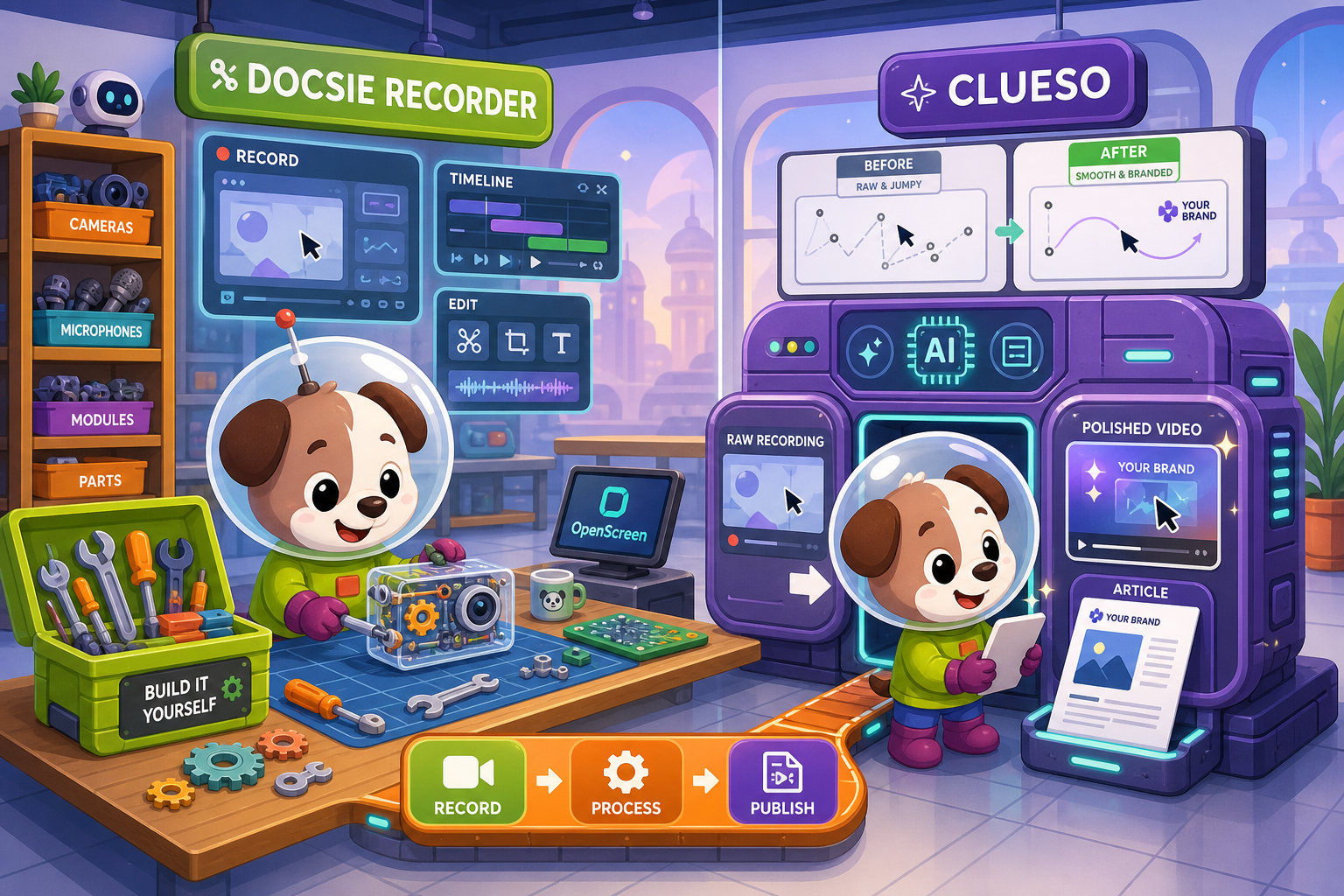
Docsie Recorder leads with free; Clueso leads with best-in-class ai video polish with auto-zoom. Neither converts real video into docs and deploys multi-tenant portals; Docsie does both.
Feature Matrix
A feature-by-feature comparison covering recorder capabilities, editing tools, AI automation, export formats, and downstream documentation workflows.
| Feature |
Docsie Recorder
Our Pick
|
Clueso
|
|---|---|---|
| Free desktop recorder | ||
| Open-source recorder base | ||
| Mac support | ||
| Windows support | ||
| Linux support | ||
| Window and full-screen capture | ||
| Microphone capture | ||
| System audio capture | Platform-specific | |
| Webcam overlay | ||
| Automatic or manual zoom | ||
| Cursor or focus polish | ||
| Backgrounds and visual effects | ||
| Crop, trim, speed regions | Partial | |
| Annotations and blur regions | Partial | |
| AI voiceover generation | ||
| Script rewriting / filler removal | ||
| Local MP4 export | ||
| Local GIF export | ||
| Markdown export | ||
| DOCX export | ||
| PDF export | ||
| Project save format | .docsiescreen project files | |
| Video-to-docs conversion | ||
| Knowledge base publishing | Basic | |
| Versioned documentation management | ||
| Multi-tenant portal delivery | ||
| API access | ||
| SSO (SAML/OAuth) | ||
| Multi-language support | 100+ | 37+ |
| Enterprise deployment path | Custom only |
Data as of February 2026. Features based on publicly available information and vendor documentation. Confirm current pricing and feature availability before purchasing.
Strengths & Weaknesses
Deep Dive
An in-depth analysis of recorder capabilities, AI automation, enterprise readiness, and ecosystem integrations for buyers evaluating screen recorders and video-to-docs tools.
Docsie Recorder is a full desktop recording and editing application built on the open-source OpenScreen core. It captures specific windows or full screen, supports webcam overlay, microphone, and system audio, and ships a genuine editing timeline with crop, trim, speed regions, auto and manual zoom driven by cursor telemetry, motion blur, backgrounds, annotations, and blur regions. Recordings save as .docsiescreen project files so you can revise without re-recording. Clueso accepts screen recording input and applies AI-driven auto-zoom, pan, and cursor smoothing, but it is a cloud editing service rather than a local editor. Clueso does not support webcam overlay or editable project files, and its trimming and annotation toolset is more limited than Docsie Recorder's desktop editor.
Clueso's AI strength is video production quality — it removes filler words, rewrites scripts, generates professional AI voiceovers in 37+ languages, and produces polished branded video output with minimal manual effort. This is a genuine advantage for teams where the final deliverable is the video itself. Docsie Recorder's AI investment is downstream in the CONVERT step. Once a recording is sent through the Docsie Video-to-Docs bridge, the AI generates structured Markdown with configurable quality tier, language, documentation style, rewrite instructions, and template rules — producing a full knowledge base article, not just a script. Teams that need the recording to become searchable documentation rather than a polished video will find Docsie's AI pipeline more useful for long-term knowledge management.
Clueso holds SOC 2 Type II and ISO 27001 certifications with GDPR compliance, which is a strong baseline. However, it lacks SSO below Enterprise, has no API access, no version control, no audit logs, no role-based access controls, no multi-tenant portals, and no custom domain support. Docsie Recorder feeds into the broader Docsie platform which includes SSO (SAML, OAuth, OIDC, Azure AD, Okta), granular role-based permissions, audit logs, version inheritance, multi-tenant portal delivery, and custom domains. For teams needing to publish versioned documentation to multiple clients or operate under compliance workflows, the downstream Docsie platform provides significantly deeper enterprise functionality than Clueso's video-focused offering.
Clueso is a self-contained video production environment with no public API, making it difficult to integrate into automated documentation pipelines or custom toolchains. Its export outputs (MP4, GIF, Markdown, HTML) are file-based rather than workflow-integrated. Docsie Recorder connects directly to the Docsie platform API, enabling recordings to flow into versioned knowledge base articles, multi-tenant portals, embeddable widgets, and downstream automation. The Docsie ecosystem supports API access, webhooks, custom integrations, and portal delivery — meaning the recording you make today can become a published, versioned, translated knowledge base article served through a branded portal without re-entering the content manually. For teams building CREATE → CONVERT → MANAGE → DELIVER workflows, Docsie's connected ecosystem is the key differentiator.
Our Recommendation
Docsie Recorder and Clueso both start with a screen recording, but they lead to fundamentally different destinations. Clueso produces polished, branded, AI-voiced tutorial videos — it is the right choice when the final deliverable is the video itself. Docsie Recorder is the right choice when the recording is the starting point for structured, versioned, publishable documentation. Docsie Recorder is also free and open source, runs on Linux, and ships genuine desktop editing tools that Clueso's cloud-only approach does not replicate. For buyers searching for a Screen Studio alternative or a Loom alternative that produces real documentation rather than a polished video file, Docsie Recorder's CREATE → CONVERT → MANAGE pipeline is the clearer path.
Choose Docsie Recorder if you need...
Choose Clueso if you need...
Winner: Docsie Recorder
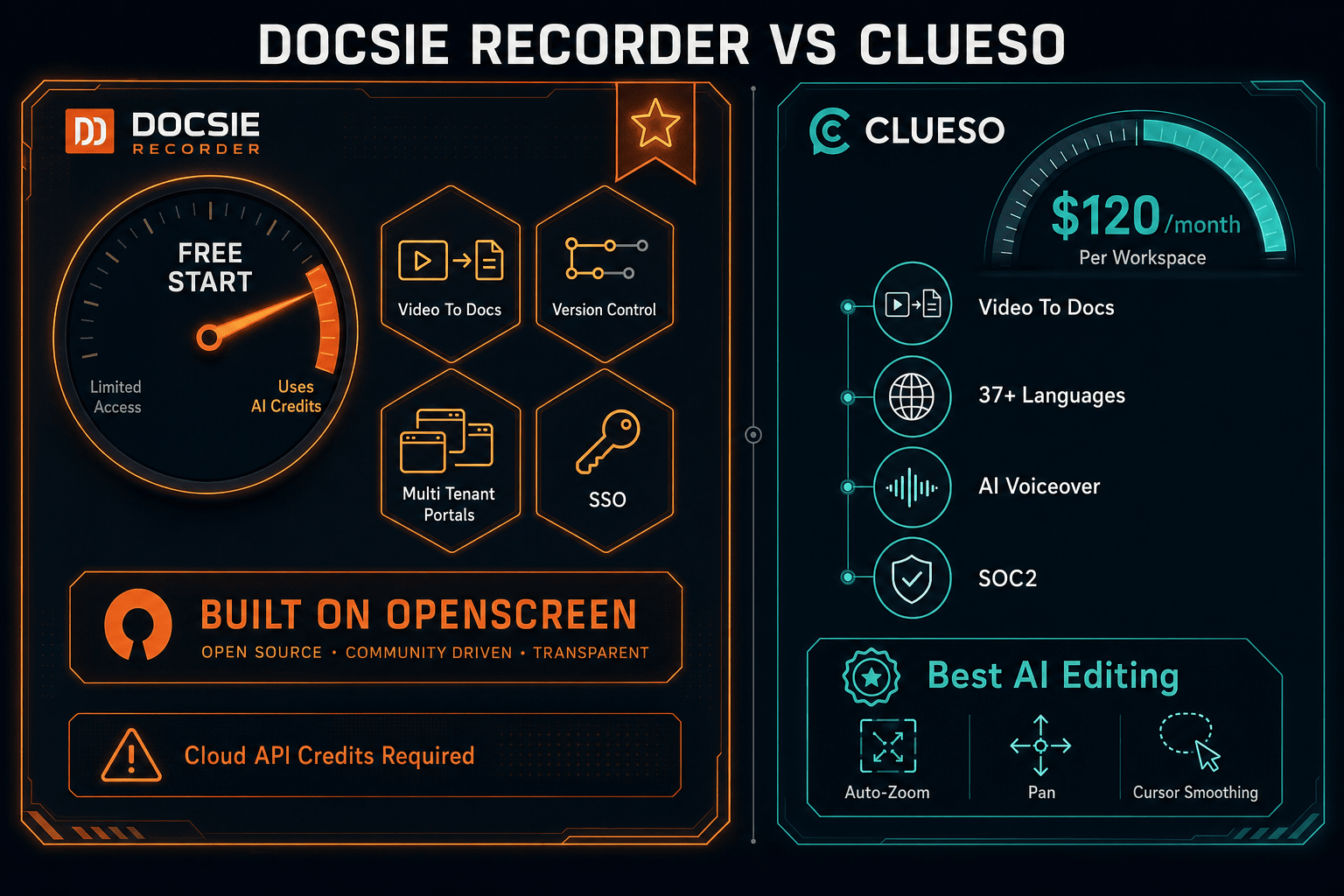
Docsie Recorder wins on value, platform breadth, and workflow depth. It is free and open source, runs on macOS, Windows, and Linux, ships a genuine desktop editor with project file persistence, and connects directly to a Video-to-Docs pipeline that outputs structured Markdown, DOCX, and PDF into a versioned knowledge base with multi-tenant portal delivery. Clueso is an excellent AI video polish tool, but it starts at $1,440/year, has no Linux support, no API access, no version control, no DOCX or PDF export, and no multi-tenant portals. For buyers who want a recorder that produces documentation — not just a polished video — Docsie Recorder's CREATE-to-MANAGE pipeline is the stronger long-term investment.
Decision Helper
A direct framework for picking between Docsie Recorder, Clueso, and Docsie based on your specific needs.
Docsie's free browser-based recorder that pipes captures straight into Docsie SOPs.
AI screen-recording-to-video and step-by-step articles for SaaS customer education.

Convert real video into searchable docs, then deploy via multi-tenant portals.
Common Questions
Q: Is Docsie Recorder really free compared to Clueso's $120/month plan?
A: Yes. Docsie Recorder is a free, open-source desktop application — you can download it, record, edit, and export MP4 and GIF files with no account and no subscription. Clueso has no free plan; it starts at $120/month ($1,440/year billed annually) with a 7-day trial and export minute caps that do not roll over. Video-to-Docs conversion in Docsie Recorder uses Docsie AI credits, but the recorder and editor itself costs nothing.
Q: Can Docsie Recorder produce the same polished AI-voiced videos that Clueso generates?
A: No — and that is an intentional difference. Clueso's primary strength is generating professional AI voiceovers and producing polished branded video output from a raw screen recording. Docsie Recorder's output is structured documentation, not a polished video. If your deliverable is a slick tutorial video with studio narration, Clueso is the better tool. If your deliverable is a knowledge base article, versioned doc, or exportable Markdown/DOCX/PDF, Docsie Recorder's pipeline is the better fit.
Q: Does Clueso work on Linux like Docsie Recorder does?
A: No. Clueso is a cloud-based platform with desktop recording support for macOS and Windows only. Docsie Recorder ships cross-platform builds for macOS, Windows, and Linux, making it the only option in this comparison for Linux-based engineering or documentation teams.
Q: Can Clueso export DOCX or PDF like Docsie Recorder?
A: No. Clueso's text output formats are limited to Markdown, Rich Text, and HTML. Docsie Recorder's Video-to-Docs pipeline exports structured Markdown, DOCX, and PDF, in addition to the MP4 and GIF outputs from the local editor. Teams that need to deliver documentation in Word or PDF format will need Docsie Recorder's broader export set.
Q: Which tool is better for teams that need to deliver docs to multiple clients?
A: Docsie Recorder connects to the broader Docsie platform, which supports multi-tenant portal delivery — one knowledge base can power unlimited branded portals for different clients with custom domains and access controls. Clueso has no multi-tenant portal capability at any pricing tier. For agencies, consultancies, or SaaS companies delivering documentation to multiple customer organizations, Docsie's downstream DELIVER capabilities make it the clear choice.
Q: If I already use Clueso for video, can I also use Docsie Recorder for documentation?
A: Yes. Some teams use Clueso for polished customer-facing tutorial videos and Docsie Recorder separately for internal or structured documentation needs. However, since Docsie Recorder can export both video and structured docs from the same recording, many teams find the combined CREATE → CONVERT → MANAGE workflow in Docsie Recorder eliminates the need for a separate video-polish tool for documentation use cases.
Download Docsie Recorder free — open-source, cross-platform, and built to turn screen recordings into structured documentation through Docsie's Video-to-Docs pipeline. No subscription required to record, edit, and export.
Free to download and use. Video-to-Docs conversion uses Docsie AI credits. No account required to record and export MP4 or GIF.