
4.8
on G2
 Confluence
 Zendesk Guide
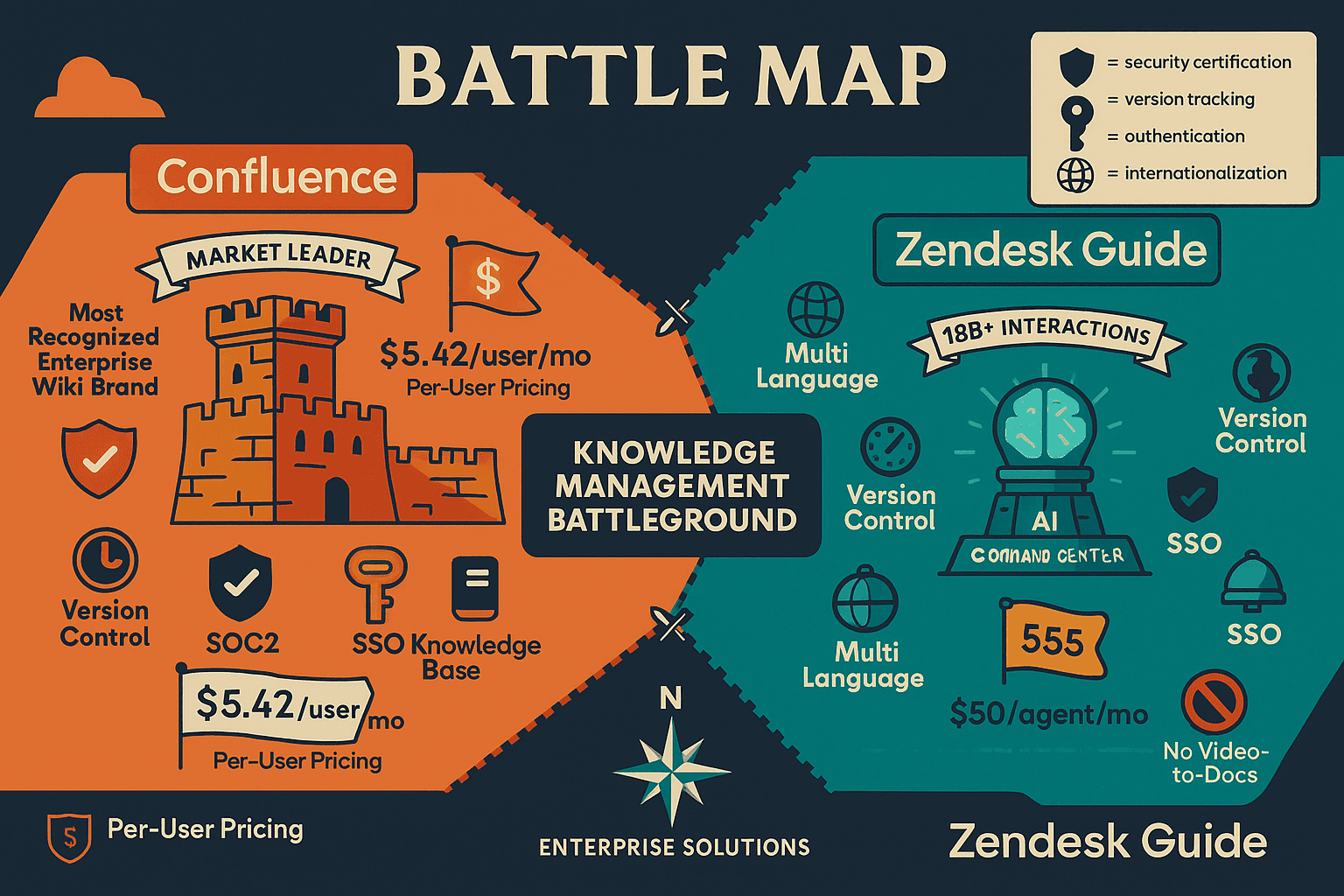
Confluence is an enterprise wiki built for internal team collaboration inside the Atlassian ecosystem. Zendesk Guide is a customer-facing help center bundled with Zendesk's ticketing suite. They serve very different buyers — but both share critical gaps in video conversion, multi-tenant delivery, and purpose-built knowledge orchestration.
Confluence leads with market leader enterprise wiki with the strongest brand recognition in internal documentation; Zendesk Guide leads with most powerful ai in the category. Neither converts real video into docs and deploys multi-tenant portals; Docsie does both.
Feature Matrix
A comprehensive side-by-side comparison of knowledge management capabilities, AI features, enterprise functionality, and delivery options between Confluence and Zendesk Guide.
| Feature |
Confluence
|
Zendesk Guide
|
|---|---|---|
| Primary Use Case | Internal enterprise wiki | Customer help center |
| Sold Standalone | ||
| Free Plan | Up to 10 users | |
| Starting Price | $5.42/user/month | $55/agent/month (Suite) |
| AI Content Generation | Rovo AI (80+ connectors) | Trained on 18B+ interactions |
| AI Chatbot | Rovo Chat | Autonomous AI Agents |
| Video to Documentation | ||
| Multi-Language Support | Via Rovo AI agents | |
| Auto-Translation | Via Rovo AI agents | |
| Version Control | Unlimited page history | |
| Knowledge Base | ||
| Custom Domain | ||
| Custom Branding | ||
| Multi-Tenant Portals | ||
| Embeddable Widget | ||
| Approval Workflows | ||
| Ticket Deflection Analytics | ||
| Helpdesk Integration | Via integrations | Native (Zendesk is the helpdesk) |
| Real-Time Collaboration | Enterprise only | |
| Analytics & Reporting | ||
| API Access | ||
| SSO (SAML/OAuth) | ||
| SOC 2 Compliance | ||
| GDPR Compliance | ||
| Audit Logs | ||
| Role-Based Access Control | ||
| Content Reuse | ||
| Built-in LMS / Certifications | ||
| Autonomous Agents | Rovo Agents (20+ pre-built) | Add-on ($50/agent/month) |
| Compliance Monitoring |
Data as of February 2026. Features based on publicly available vendor documentation and pricing pages. Zendesk Guide is not sold standalone — Suite pricing starts at $55/agent/month. Confluence Rovo AI included in Standard ($5.42/user/month) and above.
Strengths & Weaknesses
Deep Dive
An in-depth analysis of the critical differences across documentation capabilities, AI features, enterprise readiness, and delivery models between Confluence and Zendesk Guide.
Confluence and Zendesk Guide serve fundamentally different buyers. Confluence targets engineering and product teams managing internal knowledge inside the Atlassian ecosystem — think sprint documentation, architecture decisions, and cross-team wikis. Zendesk Guide targets customer support teams that need a help center tightly coupled to ticketing and AI-powered ticket deflection. Choosing between them largely comes down to audience — internal teams versus external customers — rather than feature parity. Buyers who need both internal collaboration and external customer documentation will find neither tool fully adequate without significant workarounds or additional platforms.
Both tools have made substantial AI investments, but from different starting points. Confluence's Rovo AI (included in Standard plans from October 2024) offers 80+ app connectors, 20+ pre-built agents, cross-tool search, and generative tasks like release notes and OKR generation — powerful for internal knowledge workers already in the Atlassian ecosystem. Zendesk Guide's AI is trained on 18 billion+ customer interactions, giving it exceptional intent detection and autonomous ticket resolution capabilities. Zendesk's AI is best-in-category for customer support automation; Rovo AI is better suited for internal productivity and cross-tool search. Neither tool can convert training videos or existing media into structured documentation.
Confluence's per-user pricing starts at $5.42/user/month (Standard) and $10.44/user/month (Premium), with a functional free tier for up to 10 users. At 100 users, Standard costs roughly $542/month — growing with headcount and subject to annual price increases of 5–8%. Zendesk Guide is not sold standalone; the full Zendesk Suite starts at $55/agent/month, meaning even a 10-agent support team pays $550/month minimum — before AI agent add-ons at $50/agent extra. For organizations that only need documentation, Zendesk's bundled pricing forces payment for ticketing infrastructure they may not need. Confluence is more cost-efficient for large internal teams; Zendesk's value only materializes if ticketing is also a core requirement.
This is the sharpest differentiation between the two tools. Zendesk Guide was purpose-built for external customer-facing help centers, with custom domains, full white-label branding, embeddable widgets, and approval workflows. Confluence was designed for internal use and lacks custom domain support, making external-facing documentation delivery impractical without additional tooling. Neither platform supports multi-tenant portal architecture — the ability to maintain one knowledge base and publish distinct branded portals to multiple client organizations simultaneously. For consulting firms, implementation partners, or SaaS companies with diverse customer segments, this shared limitation is a significant gap that neither Confluence nor Zendesk Guide addresses natively.
Our Recommendation
Confluence and Zendesk Guide are strong tools in their respective lanes — Confluence dominates internal enterprise wikis for Atlassian-ecosystem teams, while Zendesk Guide leads for AI-powered customer support help centers bundled with ticketing. However, both tools share critical limitations — no video-to-documentation conversion, no multi-tenant portal delivery, no built-in LMS, and no compliance monitoring — making them inadequate for organizations that need to manage and deliver structured knowledge across multiple clients or use cases from a single platform.
Choose Confluence if you need...
Choose Zendesk Guide if you need...
Choose Docsie if you need...
Winner: Docsie
Docsie addresses the shared blind spots of both Confluence and Zendesk Guide — video-to-documentation conversion, multi-tenant portal delivery, built-in LMS with certifications, autonomous documentation agents, and real-time compliance monitoring — all in one platform. Where Confluence is locked into the Atlassian ecosystem and Zendesk Guide forces you to buy a full ticketing suite, Docsie is purpose-built for organizations that need to create, manage, and deliver structured knowledge to multiple audiences at scale, across 100+ languages, with enterprise-grade security and private infrastructure options.
Decision Helper
A direct framework for picking between Confluence, Zendesk Guide, and Docsie based on your specific needs.
Atlassian's team wiki, deeply tied to Jira and the Atlassian suite.
Help center add-on inside the Zendesk support suite for self-service docs.

Multi-tenant knowledge platform with video-to-docs and AI chatbot.
Common Questions
Q: Can I use Zendesk Guide without buying the full Zendesk Suite?
A: No. Zendesk Guide is not sold as a standalone product. You must purchase a Zendesk Suite plan, which starts at $55/agent/month (Suite Team). If your team only needs a knowledge base or help center and does not need ticketing, CRM, or support automation, you will be paying for significant functionality you won't use. This bundled pricing model is one of Zendesk Guide's most commonly cited drawbacks by buyers who only need documentation.
Q: Does Confluence include AI on the free plan?
A: Confluence's free plan includes limited Rovo search functionality, but the full Rovo AI suite — including Rovo Chat, 20+ pre-built agents, and 80+ app connectors — requires a paid Standard plan ($5.42/user/month) or above. Rovo AI was previously a separate paid add-on but was bundled into all paid Confluence plans as of October 2024, which meaningfully improved the value of Standard and Premium tiers for existing subscribers.
Q: Which tool has better multi-language documentation support?
A: Zendesk Guide has the clear advantage here, with built-in multi-language support and native auto-translation available across its plans. Confluence technically supports translation via Rovo AI agents, but it is not a native first-class feature — it requires configuration and is less seamless than Zendesk's built-in approach. For customer-facing help centers serving global audiences in multiple languages, Zendesk Guide is the stronger choice between these two tools.
Q: How do Confluence and Zendesk Guide handle content approval workflows?
A: Zendesk Guide includes built-in approval workflows and team publishing controls, making it suitable for organizations with content governance requirements before publishing to external customers. Confluence has inline comments and collaborative editing but does not offer structured multi-step approval workflows natively. For regulated industries or organizations with strict content review processes before external publishing, Zendesk Guide has stronger native governance features.
Q: Is there a better alternative to both Confluence and Zendesk Guide?
A: Yes — Docsie is purpose-built for organizations that need capabilities neither Confluence nor Zendesk Guide provide. Docsie converts training videos, PDFs, and websites into structured documentation using multimodal AI, delivers them through multi-tenant branded portals for multiple clients simultaneously, includes a built-in LMS with course builder and certifications, runs autonomous documentation agents, and provides real-time compliance monitoring for HIPAA, SOX, ITAR, and GDPR. It starts at $199/month for teams of up to 15 users with a free plan that includes real AI credits — no ticketing bundle required.
Q: Can either Confluence or Zendesk Guide convert training videos into documentation?
A: Neither Confluence nor Zendesk Guide offers any video-to-documentation conversion capability. Both tools require content to be written manually or imported from text sources. If your organization has existing training videos, recorded onboarding sessions, screen recordings, or real-world process footage that you want to transform into searchable knowledge bases, you will need a dedicated tool like Docsie, which uses computer vision, OCR, and audio transcription to automatically generate structured documentation from any video type.
Start creating professional documentation that your users will love