
4.8
on G2
 Confluence
 Zendesk Guide
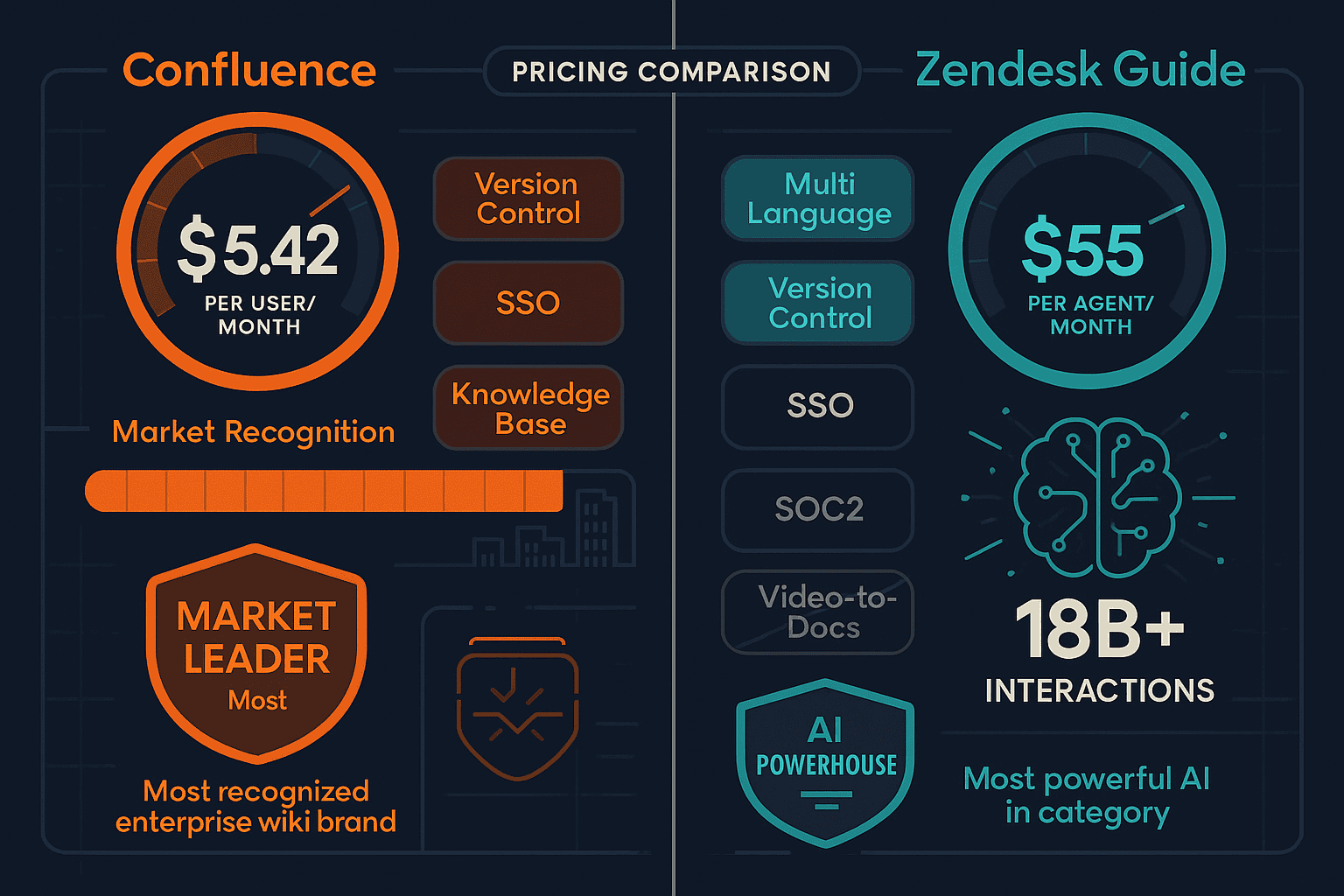
Confluence charges per user for an internal enterprise wiki, while Zendesk Guide bundles a help center into a full support suite starting at $55 per agent. Neither tool is cheap at scale — and both have significant hidden costs. Here is a full breakdown of what you actually pay.
Confluence starts at $5.42/user/month (Standard) and Zendesk Guide at $55/agent/month (Suite Team), but neither covers video-to-docs plus multi-tenant portals, which is where Docsie wins.
Feature Matrix
A detailed comparison of features, pricing tiers, and value across both platforms — focused on what enterprise documentation buyers actually care about.
| Feature / Capability |
Confluence
|
Zendesk Guide
|
|---|---|---|
| Starting Price | $5.42/user/month (Standard) | $55/agent/month (Suite Team) |
| Free Plan Available | Up to 10 users | |
| Free Trial | 14 days | |
| AI Included at Base Tier | Rovo AI (Standard+) | Basic AI (Suite Team) |
| Advanced AI Cost | Included in Standard ($5.42/user) | Add-on: $50/agent/month extra |
| Enterprise Pricing | Custom (801+ users) | ~$249/agent/month (Suite Enterprise Plus) |
| Per-User vs Per-Agent Model | Per user | Per agent (support staff only) |
| Knowledge Base / Help Center | ||
| Custom Domain | ||
| Multi-Language Support | Via Rovo AI agents | |
| Auto-Translation | Via Rovo AI agents | |
| Custom Branding | ||
| SSO (SAML / OAuth) | Standard+ | Suite Professional+ |
| Analytics & Reporting | Standard+ | Suite Growth+ |
| Approval Workflows | Suite Professional+ | |
| Embeddable Widget | ||
| Ticket Deflection | ||
| Multi-Tenant Client Portals | ||
| Video-to-Documentation | ||
| Uptime SLA | 99.9% (Premium+) | Enterprise only |
Data as of February 2026. Zendesk Guide is not sold standalone — all prices reflect Zendesk Suite bundles. Confluence AI (Rovo) was a separate add-on prior to October 2024; it is now included in Standard and above.
Strengths & Weaknesses
Deep Dive
An in-depth analysis of the pricing structures, scalability costs, and hidden fees that enterprise buyers encounter when evaluating both platforms.
Confluence's Standard plan at $5.42/user/month is genuinely competitive for internal wikis — Rovo AI with 80+ connectors and 20+ pre-built agents is included rather than an add-on, which represents strong value. Zendesk Guide, however, can only be purchased as part of Zendesk Suite at $55/agent/month minimum. If you already run Zendesk for customer support, Guide is excellent value-add. But if you only need a knowledge base, you are paying for an entire ticketing system you may not need. For pure documentation value per dollar, Confluence wins at the low end; Zendesk wins only if support ticketing is already a budget line item.
Confluence's per-user model scales predictably — 100 users on Standard costs roughly $542/month, on Premium about $1,044/month. However, 5–8% price increases in 2024–2025 impacted existing customers, and large organizations face significant annual cost creep. Zendesk scales per agent (not per total user), which is favorable if you have many users but few support agents. However, the $55–$249/agent base plus $50–$100/agent for AI add-ons means a 20-agent support team could easily reach $3,000–$7,000/month. Enterprise teams at either platform face multi-thousand dollar monthly commitments that grow with headcount and AI feature adoption.
Confluence's hidden costs include Atlassian Access for enterprise SSO (separate subscription), Marketplace app fees for features like advanced analytics or document export, and the organizational cost of managing a complex platform for non-technical users. Zendesk's hidden costs are more severe — Autonomous AI Agents ($50/agent/month) and Agent Copilot ($50/agent/month) are both add-ons to an already-expensive suite. Both platforms also share a significant structural limitation neither addresses in pricing at any tier — no multi-tenant client portal delivery, no video-to-documentation conversion, and no built-in LMS for training certification. These gaps mean buyers often purchase additional tools alongside either platform, adding to total cost of ownership.
Pricing Breakdown
Side-by-side comparison of every pricing tier, what is included, and the true cost at scale for each platform.
Pricing Verdict
Confluence is the better value for pure documentation needs — $5.42/user/month with Rovo AI included is genuinely competitive, especially for teams already using Jira. Zendesk Guide only makes financial sense if you need the full Zendesk support suite — buying it just for a knowledge base means paying $55–$249/agent/month for ticketing infrastructure you may not use. Neither platform, however, addresses the needs of teams requiring multi-tenant client portals, video-to-documentation workflows, or built-in training certification — capabilities that require additional tools and significantly increase total cost of ownership for implementation partners and consultancies.
Our Recommendation
Confluence and Zendesk Guide are built for fundamentally different buyers. Confluence is an internal enterprise wiki best suited for engineering and product teams embedded in the Atlassian ecosystem, with competitive per-user pricing and Rovo AI now included. Zendesk Guide is a customer support help center that only makes financial sense as part of the Zendesk Suite — it is overkill for documentation-only needs but powerful for support teams that already live in Zendesk. Neither tool is well-suited for external multi-client documentation delivery, video-to-documentation conversion, or implementation partner workflows.
Choose Confluence if you need...
Choose Zendesk Guide if you need...
Choose Docsie if you need...
Winner: Docsie
Both Confluence and Zendesk Guide share three critical gaps that Docsie addresses directly — neither can convert existing video content into structured documentation, neither supports multi-tenant client portal delivery for implementation partners or consultancies, and neither includes a built-in LMS with training certification. Docsie's AI credit pricing model also avoids the per-seat cost inflation that makes Confluence expensive at scale and Zendesk Guide prohibitive for documentation-only buyers. For teams that need to convert training content, manage it with version control, deliver it to multiple clients, and train end users — all in one platform — Docsie provides capabilities neither competitor can match at any price point.
Decision Helper
A direct framework for picking between Confluence, Zendesk Guide, and Docsie based on your specific needs.
Atlassian's team wiki, deeply tied to Jira and the Atlassian suite.
Help center add-on inside the Zendesk support suite for self-service docs.

Multi-tenant knowledge platform with video-to-docs and AI chatbot.
Common Questions
Q: Can I buy Zendesk Guide without the full Zendesk Suite?
A: No. Zendesk Guide is not sold as a standalone product. It is only available as part of Zendesk Suite plans, starting at $55 per agent per month (Suite Team). If you only need a knowledge base or help center and do not require Zendesk's ticketing, live chat, and support channels, you will be paying for significant functionality you do not use. For documentation-only buyers, this makes Zendesk Guide one of the most expensive options in the category.
Q: How much does Zendesk AI actually cost when you add it all up?
A: The base Suite Professional plan is $115/agent/month. Autonomous AI Agents (for ticket resolution without human intervention) cost an additional $50/agent/month, and Agent Copilot costs another $50/agent/month. A 20-agent team on Professional with both AI add-ons would pay approximately $4,300/month — before any enterprise infrastructure, custom SLAs, or sandbox environments. The headline per-agent price significantly understates the true cost for teams that want Zendesk's most-advertised AI capabilities.
Q: Does Confluence include AI features or are they an add-on?
A: As of October 2024, Rovo AI is included in Confluence Standard ($5.42/user/month) and above — it is no longer a separate add-on. This includes Rovo Search across 80+ app connectors, Rovo Chat as an AI assistant, and 20+ pre-built AI agents for tasks like generating release notes, OKRs, and translations. The Free plan has limited Rovo Search functionality only. This change significantly improved Confluence's value proposition at the Standard tier.
Q: How does Confluence pricing change as a team grows?
A: Confluence uses straightforward per-user pricing — 50 users on Standard costs roughly $271/month, 100 users costs $542/month, and 500 users costs $2,710/month. Premium at $10.44/user roughly doubles those figures. The concern for large organizations is annual price creep — Atlassian implemented 5–8% price increases in 2024–2025, and teams in the 200–800 user range below the Enterprise tier threshold can face significant year-over-year cost growth without gaining Enterprise-tier features.
Q: Is there a better alternative to both Confluence and Zendesk Guide for documentation pricing?
A: Yes — Docsie uses an AI credit-based pricing model starting at $199/month for teams of up to 15 users, which avoids per-seat inflation entirely. Rather than paying per user or per agent, you pay for what you actually process. Docsie also includes capabilities neither Confluence nor Zendesk Guide offer at any price point — video-to-documentation conversion, multi-tenant client portals with custom branding, built-in LMS with certifications, and autonomous documentation agents. For implementation partners, consultancies, or any team delivering documentation to multiple clients, Docsie's total cost of ownership is typically lower while providing significantly broader functionality.
Q: Which tool is cheaper for a 25-person team that only needs documentation?
A: For a pure documentation-only use case, Confluence Standard would cost approximately $135/month for 25 users — far cheaper than Zendesk Guide, which requires purchasing Zendesk Suite at $55/agent minimum and is not designed for documentation-only workflows. However, if all 25 people are both content editors and knowledge consumers, Docsie's Premium plan at $199/month for 15 users (or Organization at $750/month for up to 90 users) becomes competitive while adding video conversion, multi-tenant portals, and built-in training capabilities.
Q: Do Confluence and Zendesk Guide both offer multi-tenant portals for client-facing documentation?
A: Neither Confluence nor Zendesk Guide supports multi-tenant client portal delivery — the ability to serve a single knowledge base through multiple separately branded portals for different clients or organizations. Confluence is designed for internal use within a single organization. Zendesk Guide creates a branded help center for your customers but does not support multiple distinct client portals from one knowledge base. This is a significant gap for implementation partners, SaaS vendors, and consultancies that need to deliver differentiated documentation experiences to multiple clients simultaneously.
Start creating professional documentation that your users will love