
4.8
on G2
 Confluence
 Nuclino
Confluence is Atlassian's enterprise wiki powerhouse deeply integrated with Jira, while Nuclino is a fast, lightweight team wiki built for simplicity and affordability. Both serve internal knowledge management but target very different organizational scales and complexity levels. This comparison breaks down the key differences to help you choose—or find a better alternative.
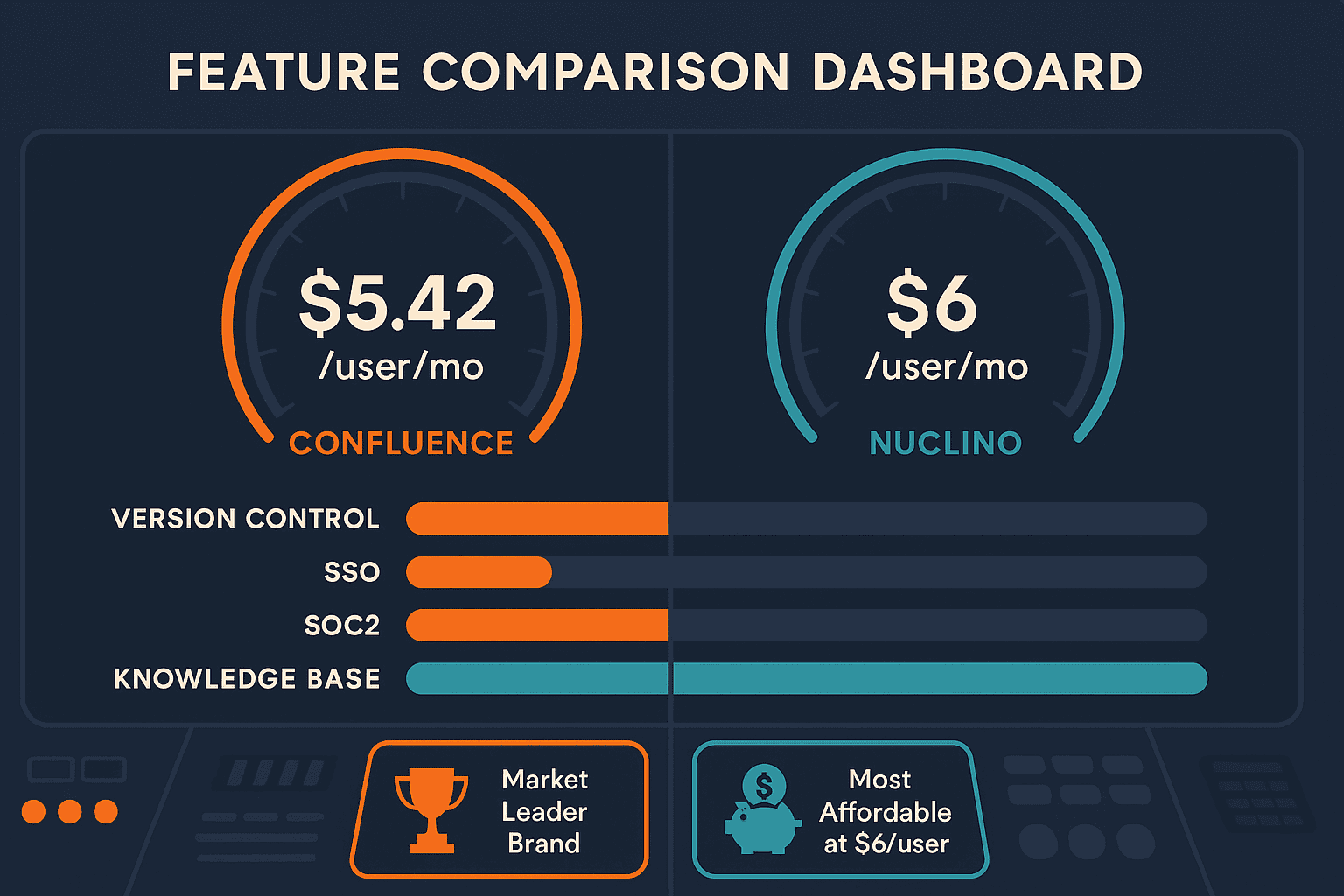
Confluence leads with market-leading enterprise wiki with the strongest brand recognition in the category; Nuclino leads with most affordable paid plan in the wiki category at $6/user/month. Neither converts real video into docs and deploys multi-tenant portals; Docsie does both.
Feature Matrix
A comprehensive feature-by-feature comparison of Confluence and Nuclino across collaboration, AI, enterprise readiness, and documentation capabilities.
| Feature |
Confluence
|
Nuclino
|
|---|---|---|
| Free Plan | Up to 10 users, 2GB storage | 50 items, 2GB storage |
| Starting Paid Price | $5.42/user/month | $6/user/month |
| AI Content Generation | Business tier only | |
| AI Assistant Name | Rovo AI (Standard+) | Sidekick AI (Business only) |
| Real-Time Collaboration | ||
| Comments & Mentions | ||
| Version Control | Unlimited page history | Starter+ only |
| Markdown Support | ||
| Visual Canvas Workspace | ||
| Analytics & Reporting | ||
| Custom Branding | ||
| Custom Domain | ||
| Multi-Tenant Portals | ||
| API Access | ||
| SSO (SAML/OAuth) | ||
| SOC 2 Compliance | ||
| GDPR Compliance | ||
| Audit Logs | ||
| Role-Based Access Control | Business tier only | |
| Content Reuse & Templates | ||
| Helpdesk Integration | ||
| Jira / Project Tool Integration | Native Jira integration | Limited (Slack, GitHub) |
| Embeddable Widget | ||
| Video-to-Documentation | ||
| Multi-Language / Auto-Translation | Via Rovo AI agents | |
| Built-in LMS / Course Builder | ||
| External Client Documentation Delivery |
Data as of February 2026. Features based on publicly available documentation and vendor pricing pages.
Strengths & Weaknesses
Deep Dive Analysis
Confluence organizes content into Spaces and Pages with a hierarchical tree structure, supporting nested pages, templates, and reusable content blocks. It offers powerful macros for embedding dynamic content, Jira issue references, and rich media. Nuclino takes a simpler approach with nested lists and a unique visual graph canvas that maps knowledge relationships visually. While Nuclino's canvas is genuinely innovative for small teams who think visually, Confluence's depth wins for organizations needing structured documentation with governance. Neither tool supports client-facing portals or multi-tenant delivery.
Confluence's Rovo AI is the more mature offering — included in Standard and above plans, it provides 20+ pre-built agents for tasks like release notes generation, OKR drafting, and cross-tool search across 80+ connected apps. Rovo Chat functions as an AI assistant across the Atlassian suite. Nuclino's Sidekick AI (Business tier only at $10/user) covers Q&A, content generation, and image creation — solid basics but significantly narrower in scope. Neither tool can convert video into documentation, auto-translate content into 100+ languages, or deploy autonomous documentation agents, which are emerging requirements for modern knowledge teams.
Confluence is the clear winner for enterprise security. It offers SOC 2, ISO 27001, and GDPR compliance, SAML SSO with multiple IDP support, audit logs, role-based access control, and a 99.9% uptime SLA on Premium and above. The Enterprise tier scales to 150,000 users with advanced encryption and governance. Nuclino offers GDPR compliance and basic role permissions on Business tier, but lacks SOC 2, SSO, audit logs, or any compliance certifications — making it unsuitable for regulated industries or enterprise IT procurement. For teams in healthcare, finance, or government, Nuclino is simply not an option.
Confluence's integration story is built around the Atlassian ecosystem — native Jira, Trello, and Bitbucket connections are its core strength, amplified by Rovo's 80+ app connectors including Slack, Microsoft Teams, and Google Drive. Teams living in Atlassian tooling get genuine workflow value from these connections. Nuclino integrates with Slack, GitHub, Google Drive, Figma, and Miro — a lightweight set appropriate for its target audience. Critically, neither Confluence nor Nuclino offers API access for programmatic documentation workflows outside their ecosystems (Nuclino has no API; Confluence's API exists but is complex). Neither provides embeddable widgets or external customer portal delivery.
Our Recommendation
Confluence and Nuclino are both internal wiki tools serving very different organizational scales. Confluence is the right choice for large engineering teams embedded in the Atlassian ecosystem who need enterprise governance, deep Jira integration, and AI-powered knowledge management. Nuclino is better suited for small teams and startups that prioritize speed and affordability over depth. Neither tool, however, is designed for external client documentation delivery, video-to-docs workflows, or multi-tenant knowledge portals.
Choose Confluence if you need...
Choose Nuclino if you need...
Choose Docsie if you need...
Winner: Docsie
Both Confluence and Nuclino are internal wikis with no ability to convert video into documentation, no multi-tenant client portal delivery, no built-in LMS, and no autonomous documentation agents. Docsie fills every gap both tools share — it converts any video type into structured knowledge bases, delivers them through unlimited branded client portals, auto-translates into 100+ languages, and includes a full course builder with certifications and real-time compliance monitoring. For teams that need documentation to work both internally and externally, at scale, with AI-first workflows, Docsie is the platform Confluence and Nuclino cannot be.
Decision Helper
A direct framework for picking between Confluence, Nuclino, and Docsie based on your specific needs.
Atlassian's team wiki, deeply tied to Jira and the Atlassian suite.
Visual collaborative wiki with graph view and lightweight project tools.

Multi-tenant knowledge platform with video-to-docs and AI chatbot.
Common Questions
Q: Is Confluence or Nuclino better for small teams?
A: Nuclino is the better fit for small teams. It's faster, cheaper ($6/user/month vs. Confluence's $5.42/user minimum), and far simpler to set up. Confluence's strength — deep Jira integration, governance, and enterprise scalability — becomes overhead rather than value for teams under 20 people who aren't already in the Atlassian ecosystem. For very small teams just needing a shared wiki, Nuclino wins on simplicity and price.
Q: Does Confluence have better AI than Nuclino?
A: Yes, significantly. Confluence's Rovo AI (included in Standard plans at $5.42/user) offers 20+ pre-built agents, cross-tool search across 80+ connectors, and an AI assistant across the Atlassian suite. Nuclino's Sidekick AI covers Q&A, content generation, and image creation but is locked to the $10/user Business tier and is much narrower in scope. For AI-assisted knowledge work, Confluence is the stronger platform today.
Q: Can either Confluence or Nuclino deliver documentation to external clients?
A: No. Both Confluence and Nuclino are designed exclusively for internal team knowledge management. Neither supports multi-tenant client portals, custom domains per client, white-label branding for external delivery, or audience-specific content rules. If you need to deliver documentation to customers, partners, or external stakeholders, you'll need a platform built for that purpose.
Q: Which tool has better enterprise security — Confluence or Nuclino?
A: Confluence is the clear winner. It offers SOC 2 Type II, ISO 27001, and GDPR compliance, SAML SSO with multiple IDP support, audit logs, and role-based access control — all backed by Atlassian's enterprise security infrastructure. Nuclino provides only GDPR compliance with no SOC 2 certification, no SSO, and no audit logs, making it unsuitable for IT procurement in regulated industries or large enterprises.
Q: Is there a better alternative to both Confluence and Nuclino?
A: Yes — Docsie addresses the core limitations both tools share. Confluence and Nuclino are internal wikis with no video-to-documentation capability, no multi-tenant client portals, no built-in LMS, and limited AI automation. Docsie converts any video (training recordings, screen captures, real-world footage) into structured knowledge bases, delivers them through unlimited branded client portals, auto-translates into 100+ languages, and includes a full course builder with certifications. It's the platform to consider when you've outgrown what either wiki tool can do, especially for teams that serve external clients or need autonomous documentation workflows.
Q: Can I migrate from Confluence or Nuclino to Docsie?
A: Yes. Docsie supports content import from multiple formats including Markdown, HTML, DOCX, and PDF, which covers the export formats available from both Confluence and Nuclino. Docsie's team also provides migration support for Organization and Enterprise plan customers to help structure imported content into Docsie's Shelves, Books, and Articles hierarchy. If you have video content alongside your existing wiki pages, Docsie can convert those videos into documentation during migration, significantly enriching your knowledge base in the process.
Docsie delivers what both Confluence and Nuclino can't — video-to-documentation conversion, multi-tenant client portals with custom branding, 100+ language auto-translation, a built-in LMS with certifications, and autonomous documentation agents. All on a SOC 2 Type II compliant platform built for teams that need to manage and deliver knowledge at enterprise scale.
Free plan includes AI credits to convert a 10-minute training video. No credit card required.