
4.8
on G2
 Scribe
 Tango
Tango
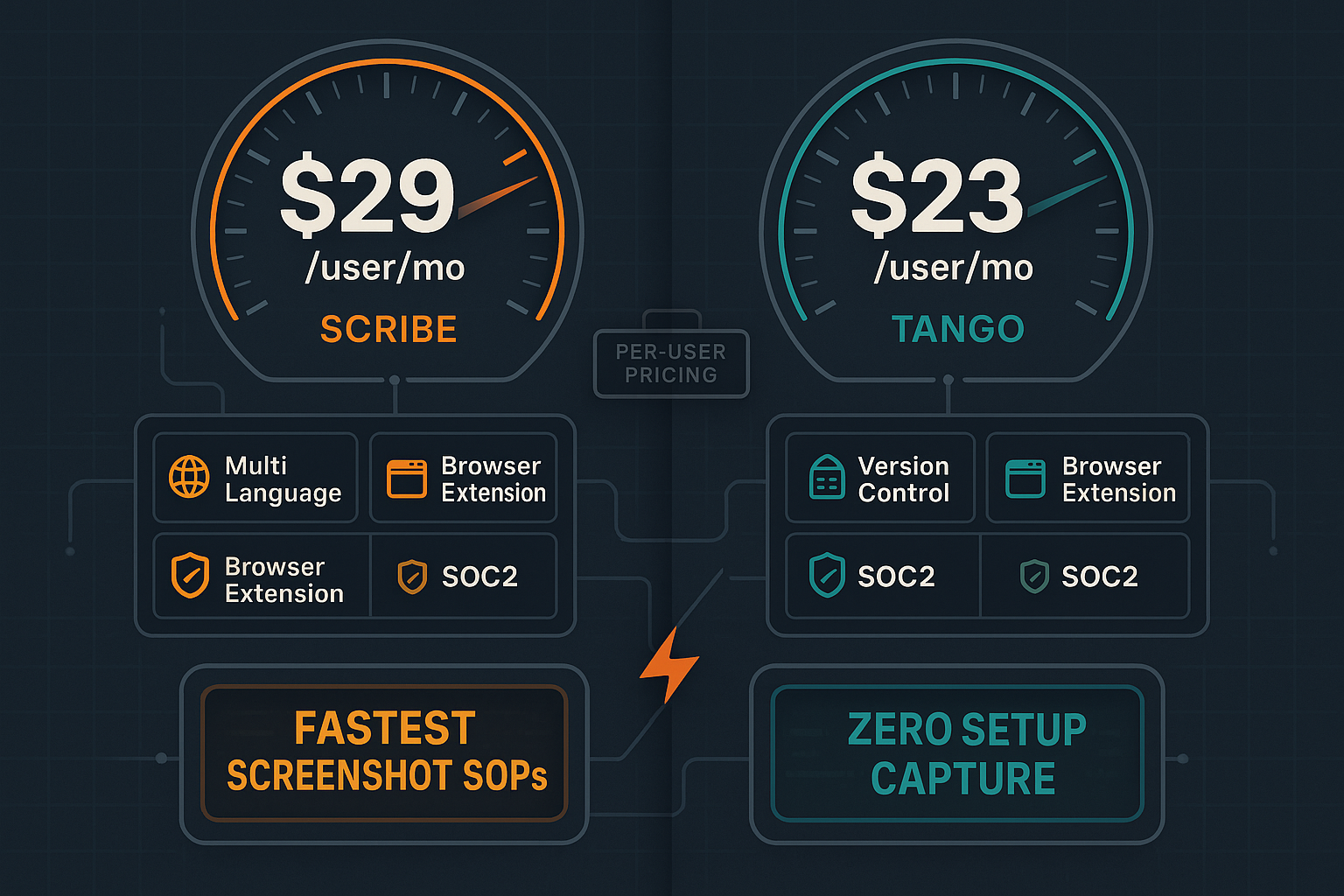
Scribe and Tango both capture browser workflows as screenshot-based guides, but their pricing structures reveal significant differences in value, scalability, and hidden costs. Both charge per user, but tier limitations and feature restrictions vary dramatically. This comprehensive pricing analysis helps you understand the true cost of ownership.

Pricing Features
A detailed breakdown of features, limitations, and capabilities available at each pricing tier for Scribe and Tango.
| Feature / Plan Level |
Scribe
|
Tango
|
|---|---|---|
| Free Plan Available | Basic (browser only) | Free (15 workflows, 10 users) |
| Free Plan Workflow Limit | Unlimited | 15 workflows |
| Free Plan User Limit | 1 user | 10 users |
| Watermark on Free Plan | ||
| Desktop Capture (Beyond Browser) | Pro Personal ($29/user) | Pro ($23-24/user) |
| Entry-Level Paid Price | $29/user (individual) | $23-24/user |
| Team Plan Minimum Seats | 5 seats ($75/mo minimum) | No minimum |
| Team Plan Per-User Price | $15/seat/month | $23-24/user/month |
| PDF Export | Pro Personal+ | Pro+ |
| Custom Branding / Remove Watermark | Pro Personal+ | Pro+ |
| Analytics & Insights | Pro Team+ | Pro+ (Advanced) |
| Version History | 14 days (Pro), 365 days (Enterprise) | |
| SSO (SAML) | Enterprise only | Enterprise only |
| SCIM Provisioning | Enterprise only | Enterprise only |
| In-App Guided Walkthroughs | Enterprise (Nuggets) | |
| PII/PHI Redaction | Enterprise (AI-powered) | Enterprise (automatic blurring) |
| Approval Workflows | Pro Team+ | |
| API Access | ||
| Enterprise Reported Annual Cost | $18,000-$39/user/year | Custom pricing |
Pricing as of February 2026. Enterprise pricing based on publicly reported ranges and vendor documentation. Both tools charge per user with no API access at any tier.
Strengths & Weaknesses
Pricing Deep Dive
An in-depth examination of value for money, scalability costs, and hidden limitations that impact total cost of ownership for both tools.
Scribe's Team plan at $15/seat offers the best per-user value but requires a 5-seat minimum ($75/month floor), making it expensive for solo users or tiny teams who must pay $29/month for Pro Personal. Tango provides better flexibility with no minimum seats but charges $23-24/user on Pro—58% more per user than Scribe's team pricing. Both free plans have value for testing, but Scribe's unlimited captures (with watermark) beat Tango's 15-workflow limit. For 5-15 users doing basic capture, Scribe's $15/seat is superior. For 2-4 users or those needing in-app walkthroughs, Tango's flexibility and Nuggets feature justify the higher per-user cost. Neither tool offers volume discounts below Enterprise tier.
Both tools use per-user pricing that becomes prohibitively expensive at scale. A 50-person team pays $750/month on Scribe Team or $1,150-1,200/month on Tango Pro—costs that grow linearly with headcount regardless of actual usage. Scribe's Enterprise tier reportedly starts at $18,000 annually with per-user pricing continuing to scale, while Tango Enterprise is custom but likely follows similar economics. Neither offers usage-based pricing, credit pools, or viewer-only tiers. Companies needing to document workflows but with fluctuating content creation teams face paying for seats that sit unused during low-activity periods. The per-seat model punishes growth and doesn't align cost with value delivered. Neither tool provides read-only or viewer licenses at reduced rates.
Both tools bury critical limitations behind Enterprise paywalls. Scribe locks SSO, SCIM, and AI PII redaction in Enterprise (reportedly $18K+ annually). Tango restricts auto-translation, extended version history (365 days vs 14 days), and in-app walkthroughs to Enterprise custom pricing. Version control is weak across both platforms—Tango's 14-day Pro history is inadequate for regulated industries, and Scribe offers no version control at any tier. Neither provides API access at any price, eliminating automation and custom integration possibilities. Storage limits aren't clearly documented on either platform's public pricing, creating potential surprise costs. The screenshot-only output means you cannot repurpose existing training video libraries, forcing you to recapture everything through their extensions. Migration costs are hidden—neither exports to portable formats easily.
Side-by-Side Pricing
Compare plans, features, and total cost of ownership across all pricing tiers for Scribe and Tango.
Scribe wins on per-seat economics ($15/seat for teams of 5+) but forces a 5-seat minimum and lacks version control entirely. Tango offers better flexibility (no minimums) and longer version history (14 days Pro, 365 days Enterprise) but costs 58% more per user ($23-24 vs $15). Both lock critical features (SSO, PII redaction, translation) behind expensive Enterprise tiers and charge per user regardless of actual usage. For large teams (50+ users), both become prohibitively expensive at $750-1,200/month or more, scaling linearly with headcount.
Recommendation: If you need screenshot-based workflow capture for 5-15 users with approval workflows, Scribe's Team plan offers better value. If you need flexible team sizes, in-app walkthroughs, or better version history, Tango justifies its higher per-user cost. However, both tools share critical gaps—no video conversion, no API access, per-seat pricing that punishes growth, and limited enterprise content management. For teams needing comprehensive documentation capabilities with better pricing economics, Docsie's workspace-based AI credit model eliminates per-seat inflation while adding video-to-docs conversion, multi-tenant portals, and enterprise knowledge management that neither Scribe nor Tango provides.
Our Recommendation
Scribe offers better per-seat pricing ($15/seat) but requires 5-seat minimums and lacks version control entirely. Tango provides more flexibility (no minimums, better version history) but costs 58% more per user. Both use per-seat pricing that becomes expensive at scale and lock critical features behind Enterprise tiers.
Choose Scribe if you need...
Choose Tango if you need...
Choose Docsie if you need...
Winner: Docsie
Docsie eliminates the per-seat pricing trap that makes both Scribe and Tango expensive at scale. While Scribe and Tango charge $15-24 per user every month regardless of usage, Docsie's workspace model ($199-750/month) supports 15-90 users with AI credits for actual content processing. More importantly, Docsie converts any existing video into documentation—a capability neither competitor offers—and delivers it through multi-tenant enterprise portals with version control, translation, and API access. For teams processing training videos, serving multiple clients, or needing comprehensive knowledge management beyond screenshot capture, Docsie provides dramatically better value and eliminates the limitations both competitors share.
Common Questions
Q: Which is cheaper for a 10-person team, Scribe or Tango?
A: Scribe Pro Team costs $150/month for 10 users ($15/seat), while Tango Pro costs $230-240/month ($23-24/user). Scribe is 35-38% cheaper at this team size. However, Scribe requires a 5-seat minimum, so smaller teams pay more on a per-seat basis. Tango offers more flexibility for teams between 1-4 users with no minimum commitment.
Q: What hidden costs should I watch for with Scribe or Tango?
A: Both tools lock essential enterprise features behind custom Enterprise pricing—SSO, SCIM, extended version history, PII redaction, and translation. Neither offers API access at any price, limiting automation. Storage limits aren't clearly documented. Most critically, both only work with screen captures, so you cannot repurpose existing training videos and must recapture everything through their extensions, creating hidden time costs.
Q: How does Enterprise pricing compare between Scribe and Tango?
A: Scribe Enterprise has been reported at $18,000+ annually with per-user pricing continuing to scale, making it very expensive for large organizations. Tango Enterprise uses custom pricing with no public benchmarks, but likely follows similar per-user economics. Both require significant commitments for Enterprise features like SSO, making them cost-prohibitive for mid-sized companies needing just one or two Enterprise features.
Q: Is there a better alternative to both Scribe and Tango?
A: Yes—Docsie offers fundamentally better pricing economics and capabilities. While Scribe and Tango charge per user ($15-24/seat), Docsie uses workspace-based pricing ($199-750/month) supporting 15-90 users with AI credits for content processing. Docsie converts any existing video into documentation (not just screen captures), delivers through multi-tenant portals, includes version control and 100+ language translation, and provides API access—all capabilities neither competitor offers. For teams needing more than screenshot capture, Docsie eliminates per-seat inflation while adding comprehensive knowledge management.
Q: Can I avoid per-user pricing with Scribe or Tango?
A: No. Both Scribe and Tango exclusively use per-user pricing models with no usage-based or credit-based alternatives. Costs scale linearly with team size regardless of actual content creation volume. This makes both expensive for large teams or organizations with fluctuating content needs. Docsie's AI credit model charges for content processed rather than seats, offering better alignment between cost and value.
Q: Do Scribe or Tango offer educational or nonprofit discounts?
A: Both Scribe and Tango have mentioned educational programs in the past, but specific discounts are not publicly documented and require contacting sales. Pricing flexibility appears limited to Enterprise tier negotiations. If budget is a primary concern, explore Docsie's transparent pricing with generous free tiers and clear upgrade paths that don't require custom negotiations.
Docsie converts any video—training recordings, screen captures, real-world footage—into structured knowledge bases delivered through multi-tenant portals. Pay for content processed, not per seat. Get version control, 100+ language translation, API access, and enterprise features neither Scribe nor Tango provides.
No credit card required. Free AI credits to convert a 10-minute video. Workspace pricing supports 15-90 users without per-seat inflation.
Start creating professional documentation that your users will love