
4.8
on G2
 Scribe
 Tango
Tango
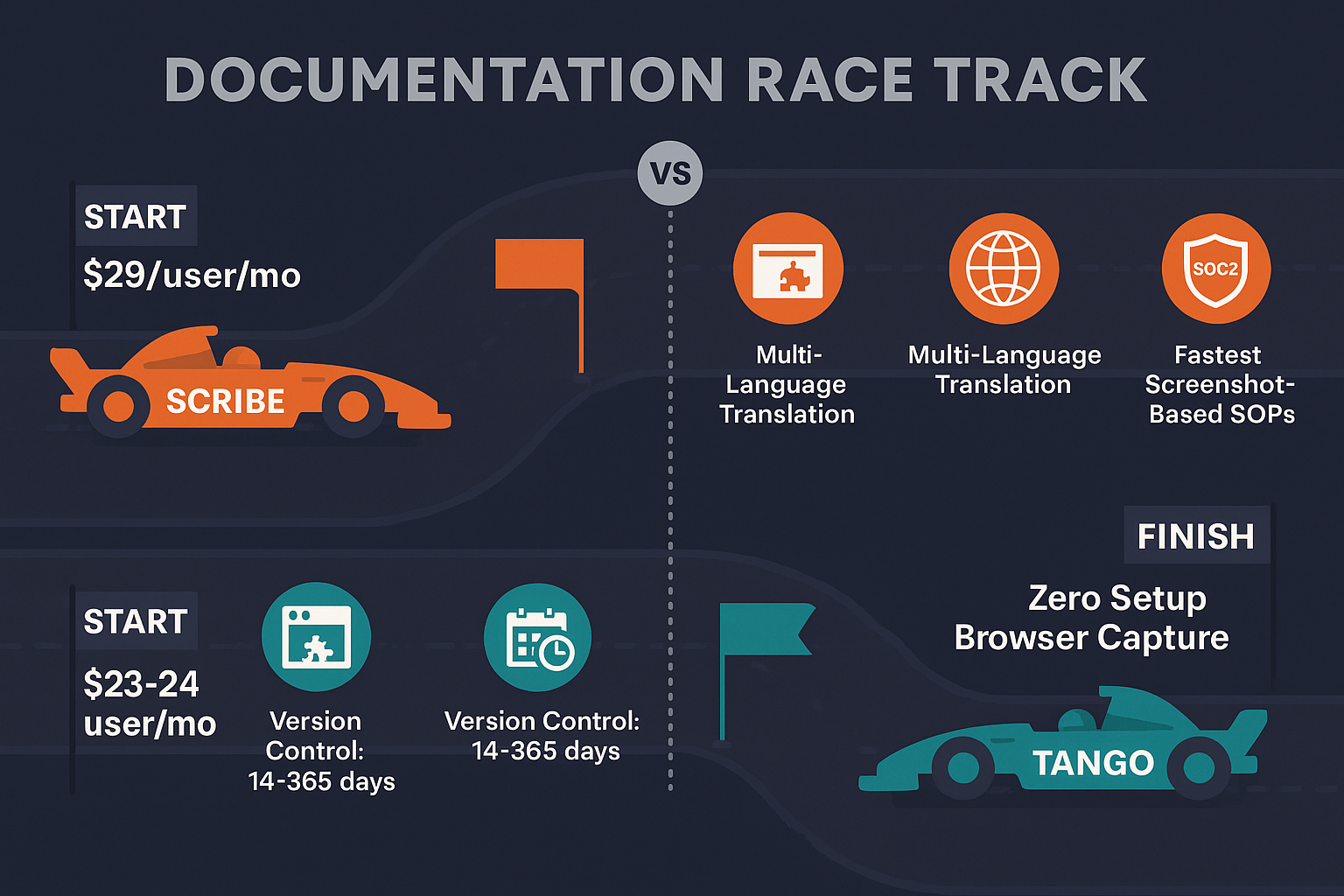
Scribe and Tango both capture browser workflows and generate screenshot-based documentation. While they share similar core functionality, they differ in pricing, enterprise features, and strategic direction. This comparison helps you understand which tool fits your needs—and why neither may be the complete solution.

Feature Matrix
A detailed comparison of capabilities between Scribe and Tango for workflow documentation.
| Feature |
Scribe
|
Tango
|
|---|---|---|
| Browser Extension Capture | ||
| Desktop App Capture | Pro+ | Pro+ |
| Video to Documentation | ||
| Real-World Video Support | ||
| Screenshot-Based Output | ||
| AI Content Generation | ||
| In-App Guided Walkthroughs | ||
| Version Control | Limited (14-365 days) | |
| Multi-Language Support | Translation available | |
| Knowledge Base Portal | ||
| Multi-Tenant Portals | ||
| Custom Domain | ||
| Custom Branding | Pro+ | Partial |
| API Access | ||
| SSO | Enterprise | Enterprise |
| SOC 2 Compliance | ||
| GDPR Compliance | ||
| HIPAA Features | Enterprise (PHI redaction) | |
| Analytics | Advanced (Pro+) | |
| Free Plan | Browser only | 15 workflows, 10 users |
Data as of February 2026. Both tools are limited to screen capture only—neither can convert existing training videos.
Strengths & Weaknesses
Deep Dive
An in-depth analysis of the key differences between these workflow documentation tools.
Both Scribe and Tango use browser extensions to capture screen activity and automatically generate screenshot-based guides. Scribe offers desktop capture starting at the Pro level ($29/user/month), while Tango requires Pro ($23/user/month) for desktop capture. Neither tool can process existing videos, training footage, or real-world recordings—they only work with new screen captures made through their extensions. This fundamental limitation means organizations with existing video libraries cannot leverage these tools for conversion or documentation generation from past recordings.
Scribe has a more mature enterprise offering with HIPAA support, AI-powered PII/PHI redaction, and comprehensive compliance features at the Enterprise tier. Tango offers SOC 2 and GDPR compliance but lacks HIPAA readiness. Both provide SSO (SAML/SCIM) only at Enterprise levels. Scribe's approval workflows and team workspaces are more developed, while Tango's in-app guidance (Nuggets) is unique but primarily supports internal training rather than external documentation. Neither offers multi-tenant portals, meaning they're built exclusively for internal use, not client-facing documentation delivery.
Scribe's pricing starts at $29/user/month for individuals and $15/seat/month for teams (5-seat minimum). Enterprise pricing is notably high at $18,000+ annually reported. Tango offers more competitive pricing at $23-24/user/month with a free tier supporting up to 15 workflows and 10 users. For large teams, per-user pricing models from both vendors become expensive quickly. Neither offers workspace-based or credit-based pricing. Scribe's Pro Team plan at $75/month minimum may be more accessible for small teams, while Tango's free tier is more generous for initial testing and small-scale use.
This is where both tools show significant limitations. Scribe offers translation features but no comprehensive multi-language content management. Tango has no translation support at all. Neither provides version control in a meaningful way—Tango's 14-day version history on Pro is inadequate for enterprise documentation. Both lack knowledge base portals, custom domains, and multi-tenant architecture. They're designed as internal documentation creation tools that integrate with other platforms (Notion, Confluence) rather than standalone documentation delivery systems. Organizations needing to deliver documentation to multiple clients or maintain long-term version control will find both tools insufficient.
Our Recommendation
Scribe and Tango are nearly identical in core functionality—both capture browser workflows as screenshot guides. Scribe is more enterprise-ready with HIPAA support and better security features, while Tango offers in-app walkthroughs and more affordable pricing. However, both share critical limitations.
Choose Scribe if you need...
Choose Tango if you need...
Choose Docsie if you need...
Winner: Docsie
While Scribe and Tango excel at capturing new browser workflows, Docsie solves the bigger problem most enterprises face: converting hundreds of hours of existing training videos into searchable, structured documentation and delivering it to multiple clients through branded portals. If you have video content to convert or need to deliver documentation at scale, Docsie is the only complete solution.
Common Questions
Q: What's the main difference between Scribe and Tango?
A: The main differences are pricing, enterprise features, and strategic direction. Scribe offers more mature enterprise security (HIPAA, PHI redaction) but at higher cost. Tango provides in-app guided walkthroughs (Nuggets) and more affordable pricing. Both use the same core approach: browser extension capture to generate screenshot-based guides. Neither can convert existing videos or deliver content through multi-tenant portals.
Q: Can Scribe or Tango convert existing training videos?
A: No. Both Scribe and Tango only work with new screen captures made through their browser extensions. They cannot process existing videos, training recordings, or any video content from external sources. If you have a library of training videos that need to be converted into documentation, you'll need a tool like Docsie that uses multimodal AI to process any video format.
Q: Which tool is better for enterprise teams?
A: Scribe has more developed enterprise features including HIPAA compliance, AI PII/PHI redaction, and stronger security certifications. However, its enterprise pricing is significantly higher ($18,000+ annually reported). Tango is more affordable but lacks HIPAA support and has limited version control. Neither offers the multi-tenant portals, comprehensive version management, or knowledge base delivery that true enterprise documentation platforms provide.
Q: Is there a better alternative to both Scribe and Tango?
A: Yes. If your needs extend beyond capturing new browser workflows—such as converting existing training videos, delivering documentation to multiple clients, or managing enterprise knowledge bases with version control and 100+ language translation—Docsie offers a more complete solution. Docsie converts any video (not just screen recordings) into structured documentation and delivers it through branded, multi-tenant portals with full enterprise features.
Q: Can I use Scribe or Tango for customer-facing documentation?
A: Not effectively. Both tools are designed for internal documentation creation. They lack multi-tenant portals, custom domains, and branded delivery platforms. While you can share individual guides, you cannot create a comprehensive customer-facing knowledge base. Teams needing to deliver documentation to clients should consider dedicated knowledge management platforms like Docsie.
Q: Do Scribe and Tango support video content?
A: No. Despite being in the documentation space, neither Scribe nor Tango supports video input or conversion. They only capture screenshots during browser activity. If your organization has training videos, product demos, or instructional footage, these tools cannot help you convert that content into documentation. This is a fundamental limitation that makes them unsuitable for organizations with existing video assets.
If you need to convert existing training videos into documentation, deliver content to multiple clients through branded portals, or manage enterprise knowledge bases with version control and 100+ language support, Docsie offers capabilities neither Scribe nor Tango can match.
Free AI credits to convert a 10-minute training video. No credit card required.
Start creating professional documentation that your users will love