
4.8
on G2
 Screen Studio
 Whale
Whale
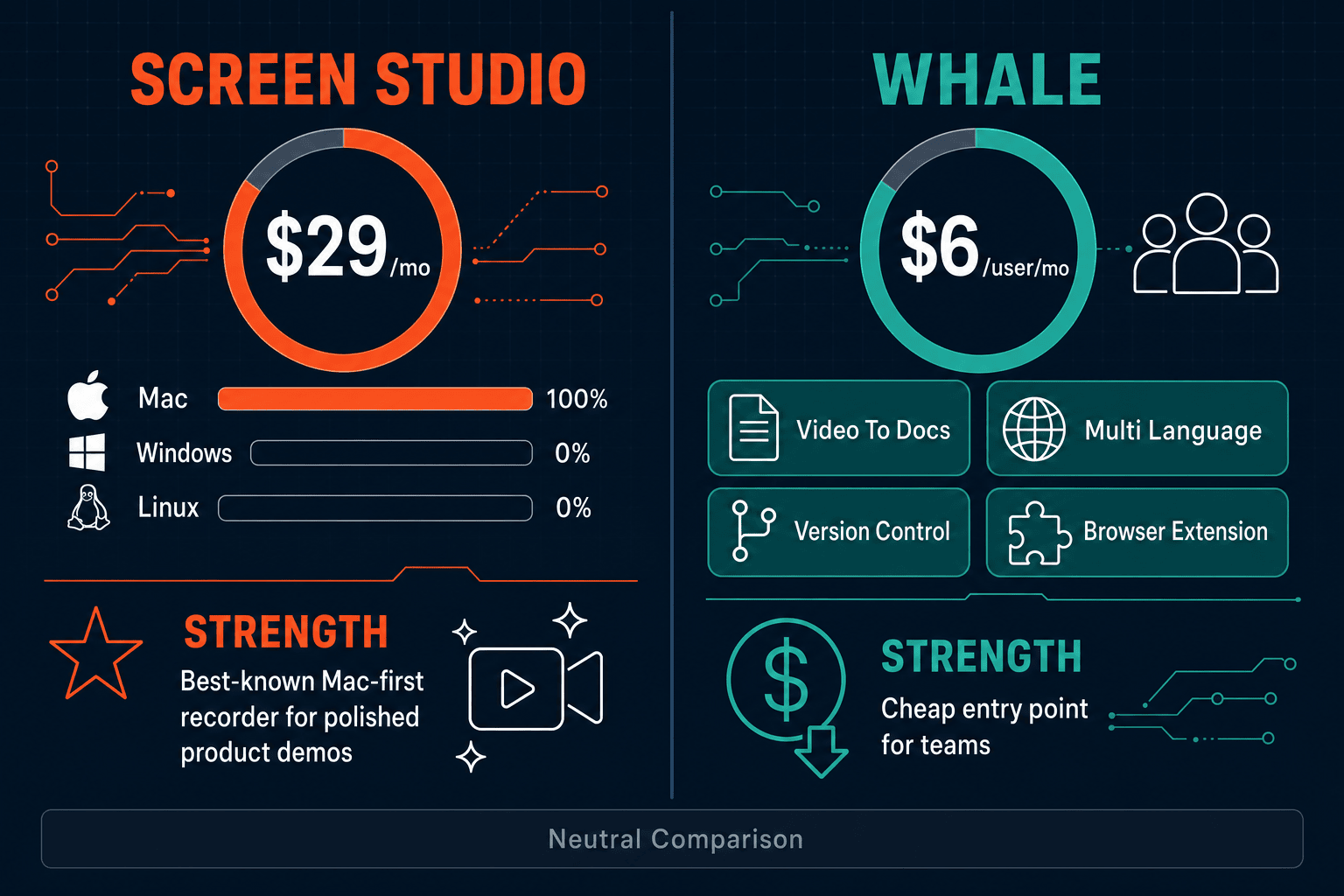
Screen Studio is a polished Mac screen recorder that outputs beautiful videos and GIFs. Whale is an SOP and playbook platform with AI-assisted documentation for small and mid-market teams. They serve almost opposite use cases—this comparison breaks down where each wins and where both fall short.
Screen Studio and Whale solve genuinely different problems.
Feature Matrix
A comprehensive feature-by-feature comparison across recording, documentation, team collaboration, and enterprise capabilities.
| Feature |
Screen Studio
|
Whale
|
|---|---|---|
| Free Plan Available | ||
| Free Trial | Download available (verify trial terms) | 14 days, no credit card |
| Starting Price | $9/month (billed yearly) | $6/user/month (Starter) |
| Mac Support | ||
| Windows Support | ||
| Linux Support | ||
| Screen Recording | ||
| Webcam Overlay | ||
| Microphone Audio Capture | ||
| System Audio Capture | ||
| Automatic Zoom & Cursor Polish | ||
| Backgrounds & Visual Effects | ||
| Crop, Trim & Speed Regions | ||
| Video Export (MP4 / up to 4K 60fps) | ||
| GIF Export | ||
| Video-to-Docs Conversion | Growth tier and above | |
| AI SOP / Content Generation | ||
| Knowledge Base / Playbook Library | ||
| Training Certifications & Quizzes | ||
| Version Control | ||
| PDF Export | ||
| SSO (SAML / Google) | Scale tier only | |
| Audit Logs | Scale tier only | |
| Multi-Tenant Portals | ||
| API Access | Scale tier only |
Data as of 2026. Based on publicly available vendor documentation and pricing pages. Verify current plans before purchasing.
Strengths & Weaknesses
Deep Dive
Screen Studio leads decisively on recording quality. Its automatic zoom, cursor smoothing, motion blur, and visual backgrounds produce marketing-grade video from a single take on macOS. The timeline editor supports manual zoom, speed regions, crop, and trim for precise post-production. Whale's recording capability is functional but basic—it captures browser workflows via a web recorder or extension without any zoom automation, cursor effects, or visual styling. If recording quality and video polish matter most, Screen Studio is in a different league. Whale's recorder is a means to an end for SOP creation, not a video production tool.
Whale wins comprehensively on documentation output. Its Alice AI assistant generates structured SOPs, playbooks, and checklists from prompts or uploaded recordings. The platform includes version control, team collaboration, a template library, and a training certification layer with quizzes and completion tracking—purpose-built for EOS-aligned businesses standardizing their operations. Screen Studio produces no documentation whatsoever. Its output is a video file or GIF with a shareable link. There is no transcript-to-doc pipeline, no SOP generator, and no knowledge base. Teams that need written documentation must handle that in a separate tool entirely.
Whale is built for team workflows. Multiple contributors can co-author playbooks, assign training tasks, track certification completion, and organize content into folders with role-based permissions. The Growth plan adds smart onboarding flows and advanced permissions. Screen Studio has no team collaboration features. It is a single-user Mac application—there are no shared workspaces, no co-editing, no content libraries, and no assignment or tracking features. For any team larger than one person who needs to manage and distribute documentation, Whale is the clear functional choice, while Screen Studio remains an individual productivity tool.
Neither tool is a strong enterprise fit. Whale's Scale tier offers SSO (SAML, Google), SOC 2 Type II, GDPR compliance, audit logs, and a dedicated CSM—but per-user pricing at scale ($14/user/month for Scale plus add-ons) becomes expensive for large organizations, and there are no multi-tenant portals, custom domains, or on-premise deployment options. Screen Studio has no enterprise features at all—no SSO, no audit logs, no compliance certifications, and no role-based access. Both tools are appropriate for small to mid-market use cases; neither is architected for regulated industries, enterprise governance, or multi-tenant documentation delivery at scale.
Our Recommendation
Screen Studio and Whale solve genuinely different problems. Screen Studio is a premium Mac video recorder for creators and product teams who need beautiful recordings fast—but it stops at the video file. Whale is an SOP and playbook platform for operations and HR teams building process documentation, training certifications, and onboarding flows. If you need video polish, pick Screen Studio. If you need written SOPs and team training, pick Whale. But if you need both—recording and documentation in one workflow—neither tool completes the full picture.
Choose Screen Studio if you need. .
Choose Whale if you need. .
Choose Docsie Recorder if you need. .
Winner: Docsie Recorder
Docsie Recorder is the only tool in this comparison that bridges the recording-to-documentation gap. It delivers Screen Studio-grade capture and editing features—zoom, crop, trim, speed regions, backgrounds, webcam overlay, and GIF/MP4 export—across Mac, Windows, and Linux for free, as open-source software. Where Screen Studio stops at a video file and Whale starts from scratch with AI prompts, Docsie Recorder routes the recording directly into Docsie's Video-to-Docs pipeline, generating structured documentation that publishes into versioned knowledge bases, multi-tenant portals, and enterprise delivery workflows. One recording becomes a video, a doc, and a knowledge base article—without switching tools.
Decision Helper
A direct framework for picking between Screen Studio, Whale, and Docsie based on your specific needs.
Polished Mac-only product demos with cinematic zoom and motion.
SOP, training, and process documentation platform.

Convert real video into searchable docs, then deploy multi-tenant portals.
Common Questions
Q: Can Screen Studio generate SOPs or written documentation from recordings?
A: No. Screen Studio's output is a polished video file or GIF with an optional shareable link. There is no transcript-to-doc pipeline, no SOP generator, and no written documentation export. Teams that want documentation from their Screen Studio recordings need to handle that manually in a separate tool.
Q: Does Whale produce polished video recordings like Screen Studio?
A: No. Whale includes a basic web recorder and browser extension for capturing workflows, but it has none of Screen Studio's visual production features—no automatic zoom, no cursor smoothing, no motion blur, no backgrounds or shadow effects. Whale's recorder is designed to capture steps for SOP generation, not to produce marketing-quality video content.
Q: Which tool works on Windows?
A: Whale works on Windows via its web-based recorder and browser extension. Screen Studio is macOS-only and requires macOS Ventura 13.1 or later. If your team includes Windows users, Screen Studio is not an option and Whale would be the functional choice between the two.
Q: Is there a better alternative to both Screen Studio and Whale?
A: Yes—Docsie Recorder addresses the core limitation each tool has. Screen Studio records beautifully but produces no documentation. Whale documents well but has no recording polish. Docsie Recorder is a free, open-source desktop recorder for Mac, Windows, and Linux with professional editing features, and it connects directly to Docsie's Video-to-Docs pipeline so one recording becomes a structured document published into a full knowledge base. It is the only tool in this category that handles both the recording and the documentation workflow end-to-end.
Q: How does pricing compare between Screen Studio and Whale for a 20-person team?
A: Screen Studio charges per license at $9/month billed annually or $29/month billed monthly—pricing is per seat for a Mac app. Whale charges $6/user/month on Starter or $12/user/month on Growth, meaning a 20-person team on Growth costs $240/month. At scale, Whale's per-user model grows linearly and can become expensive; a 100-user team on Scale tier costs $700+ per month. Neither tool offers a free plan.
Q: Can I use Screen Studio and Whale together to get both video and documentation?
A: Technically yes—you could record with Screen Studio, export the video, upload it to Whale's video-to-SOP converter (Growth tier), and generate a playbook from it. However, this is a multi-step manual workflow across two paid tools with no native integration. Docsie Recorder handles the same end-to-end flow natively—record, convert, and publish documentation—within a single connected workflow without requiring two separate subscriptions.
Docsie Recorder gives you a free, open-source cross-platform recorder with professional editing, plus a direct pipeline to turn recordings into structured documentation and knowledge base content. Get Screen Studio-quality capture on Mac, Windows, and Linux—and unlike Whale, your recordings automatically become versioned docs, not just playbooks. No per-user pricing. No Mac lock-in. One workflow from recording to published knowledge base.
Free and open-source recorder. Video-to-Docs conversion uses Docsie AI credits.